ECO mode Hyundai Ioniq Plug-in Hybrid 2018 User Guide
[x] Cancel search | Manufacturer: HYUNDAI, Model Year: 2018, Model line: Ioniq Plug-in Hybrid, Model: Hyundai Ioniq Plug-in Hybrid 2018Pages: 589, PDF Size: 21.53 MB
Page 125 of 589
3-33
Convenient features of your vehicle
3
Erasing HomeLink®buttons
Individual buttons cannot be erased.
However, to erase all three pro-
grammed buttons:
1. Press and hold the two outerHomeLink
®buttons until the indi-
cator light begins to flash-after 20
seconds.
2. Release both buttons. Do not hold for longer than 30 seconds.
The Integrated HomeLink
®Wireless
Control System is now in the training
(learn) mode and can be pro-
grammed at any time following the
appropriate steps in the Programming
chapters above.
NVS
®is a registered trademark and
Z-Nav™ is a trademark of the Gentex
Corporation, Zeeland, Michigan.
HomeLink
®is a registered trademark
owned by Johnson Controls,
Incorporated, Milwaukee, Wisconsin.
FCC ID: NZLZTVHL3
IC: 4112A-ZTVHL3
Information
This device complies with Part 15 of
the FCC Rules.
Operation is subject to the following
three conditions:
1. This device may not cause harmful interference, and
2. This device must accept any interfer- ence received, including interference
that may cause undesired operation.
3. The transceiver has been tested and complies with FCC and Industry
Canada rules. Changes or modifica-
tions not expressly approved by the
party responsible for compliance
could void the user’s authority to
operate the device.
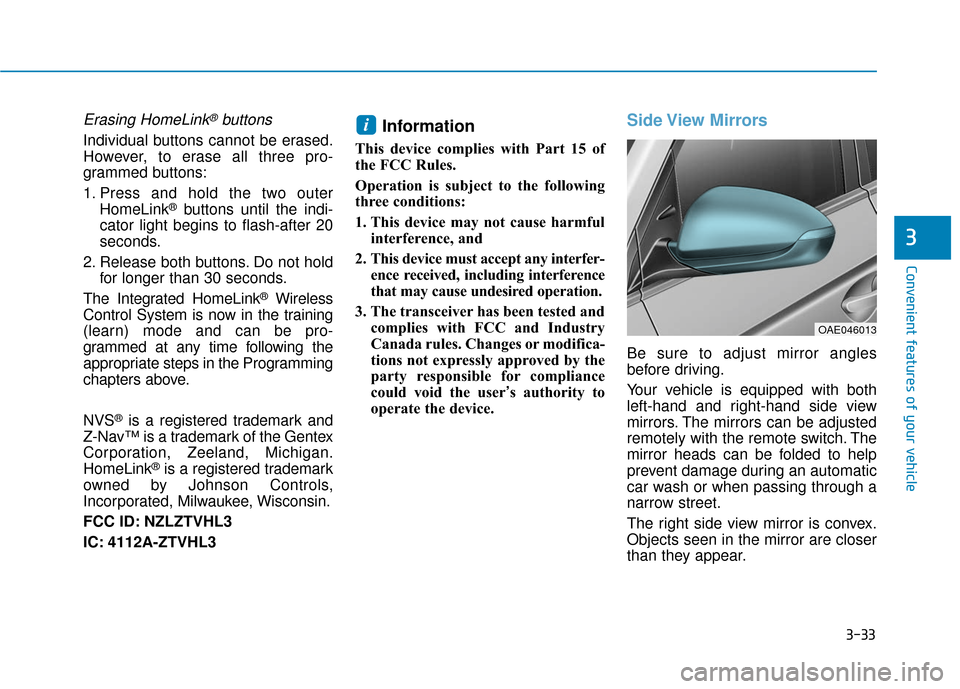
Side View Mirrors
Be sure to adjust mirror angles
before driving.
Your vehicle is equipped with both
left-hand and right-hand side view
mirrors. The mirrors can be adjusted
remotely with the remote switch. The
mirror heads can be folded to help
prevent damage during an automatic
car wash or when passing through a
narrow street.
The right side view mirror is convex.
Objects seen in the mirror are closer
than they appear.
i
OAE046013
Page 136 of 589
3-44
Convenient features of your vehicle
Resetting the Sunroof
The sunroof may need to be reset if
the following conditions occur:
- The battery is discharged or dis-connected or the sunroof fuse has
been replaced or disconnected
- The sunroof control lever is not operating correctly
To reset the sunroof, perform the fol-
lowing steps:
1. Place the Engine Start/Stop but- ton to the ON position or start the
vehicle ( indicator ON). It is
recommended to reset the sunroof
while the vehicle is in the ready
( ) mode.
2. Push the control lever forward. The sunroof will close completely or tilt
depending on the condition of the
sunroof.
3. Release the control lever when the sunroof stops moving. 4. Push the control lever forward
about 10 seconds.
- When the sunroof is in the closed position :
The glass will tilt and slightly move up and down.
- When the sunroof is in the tilt position:
The glass will slightly move up and down.
Do not release the lever until the
operation is completed.
If you release the lever during opera-
tion, start the procedure again from
step 2. 5. Within 3 seconds, push and hold
the control lever forward until the
sunroof operates as follows:
Tilt down → Slide Open → Slide
Close.
Do not release the lever until the
operation is completed.
If you release the lever during opera-
tion, start the procedure again from
step 2.
6. Release the sunroof control lever after all steps have completed.
(The sunroof system has been
reset.)
Information
• If the sunroof is not reset when thevehicle battery is disconnected or
discharged, or the sunroof fuse is
blown, the sunroof may not operate
normally.
• For more detailed information, con- tact an authorized HYUNDAI dealer.
i
Page 149 of 589
3-57
Convenient features of your vehicle
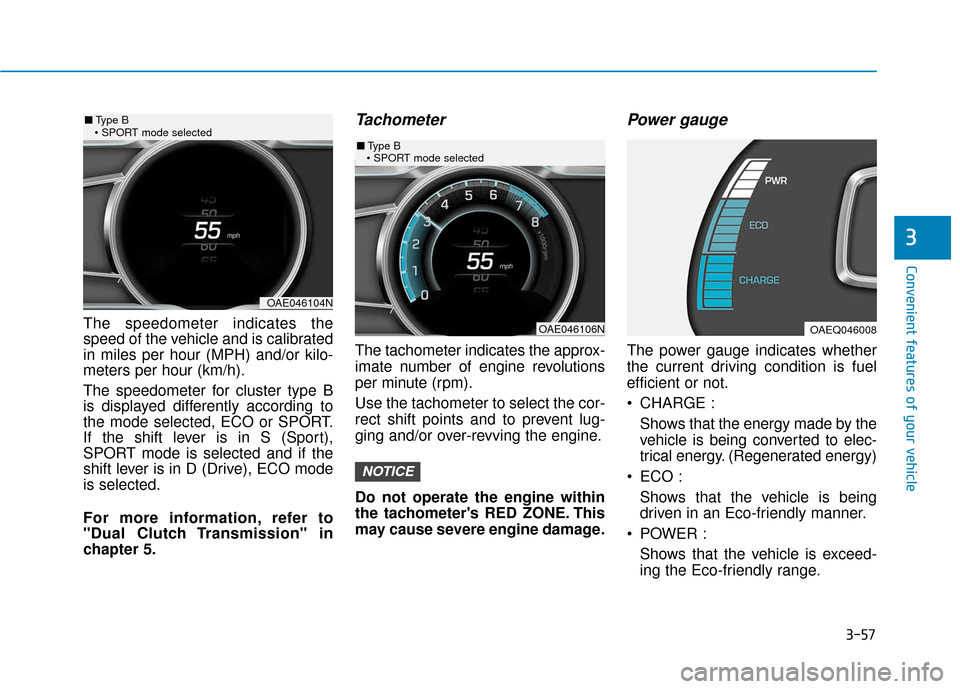
The speedometer indicates the
speed of the vehicle and is calibrated
in miles per hour (MPH) and/or kilo-
meters per hour (km/h).
The speedometer for cluster type B
is displayed differently according to
the mode selected, ECO or SPORT.
If the shift lever is in S (Sport),
SPORT mode is selected and if the
shift lever is in D (Drive), ECO mode
is selected.
For more information, refer to
"Dual Clutch Transmission" in
chapter 5.
Tachometer
The tachometer indicates the approx-
imate number of engine revolutions
per minute (rpm).
Use the tachometer to select the cor-
rect shift points and to prevent lug-
ging and/or over-revving the engine.
Do not operate the engine within
the tachometer's RED ZONE. This
may cause severe engine damage.
Power gauge
The power gauge indicates whether
the current driving condition is fuel
efficient or not.
CHARGE :Shows that the energy made by the
vehicle is being converted to elec-
trical energy. (Regenerated energy)
ECO : Shows that the vehicle is being
driven in an Eco-friendly manner.
POWER : Shows that the vehicle is exceed-
ing the Eco-friendly range.
NOTICE
3
OAE046104N
■ Type B
OAE046106N
■ Type B
OAEQ046008
Page 151 of 589
3-59
Convenient features of your vehicle
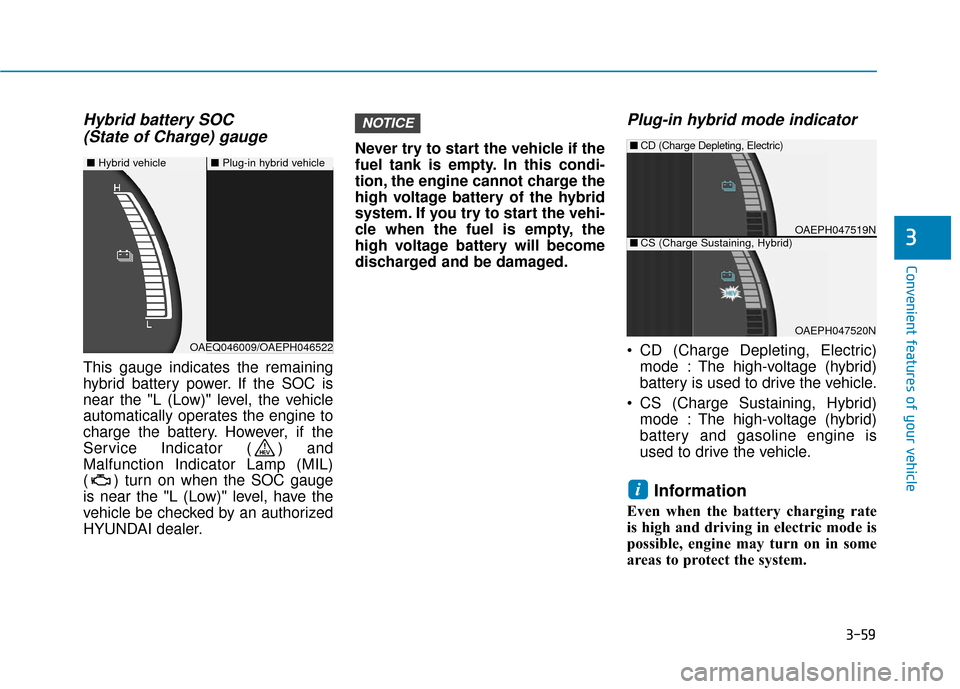
Hybrid battery SOC (State of Charge) gauge
This gauge indicates the remaining
hybrid battery power. If the SOC is
near the "L (Low)" level, the vehicle
automatically operates the engine to
charge the battery. However, if the
Service Indicator ( ) and
Malfunction Indicator Lamp (MIL)
( ) turn on when the SOC gauge
is near the "L (Low)" level, have the
vehicle be checked by an authorized
HYUNDAI dealer. Never try to start the vehicle if the
fuel tank is empty. In this condi-
tion, the engine cannot charge the
high voltage battery of the hybrid
system. If you try to start the vehi-
cle when the fuel is empty, the
high voltage battery will become
discharged and be damaged.
Plug-in hybrid mode indicator
CD (Charge Depleting, Electric)
mode : The high-voltage (hybrid)
battery is used to drive the vehicle.
CS (Charge Sustaining, Hybrid) mode : The high-voltage (hybrid)
battery and gasoline engine is
used to drive the vehicle.
Information
Even when the battery charging rate
is high and driving in electric mode is
possible, engine may turn on in some
areas to protect the system.
i
NOTICE
3
■ Hybrid vehicle■Plug-in hybrid vehicle
OAEQ046009/OAEPH046522
OAEPH047519N
■CD (Charge Depleting, Electric)
OAEPH047520N
■CS (Charge Sustaining, Hybrid)
Page 152 of 589
3-60
Convenient features of your vehicle
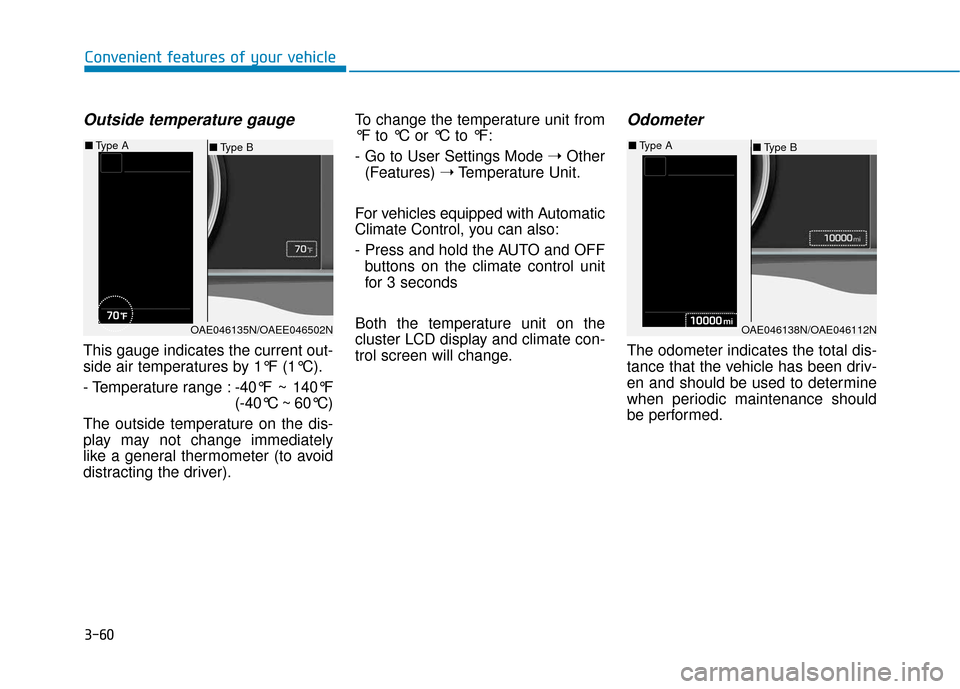
Outside temperature gauge
This gauge indicates the current out-
side air temperatures by 1°F (1°C).
- Temperature range :-40°F ~ 140°F
(-40°C ~ 60°C)
The outside temperature on the dis-
play may not change immediately
like a general thermometer (to avoid
distracting the driver). To change the temperature unit from
°F to °C or °C to °F:
- Go to User Settings Mode
➝Other
(Features) ➝Temperature Unit.
For vehicles equipped with Automatic
Climate Control, you can also:
- Press and hold the AUTO and OFF buttons on the climate control unit
for 3 seconds
Both the temperature unit on the
cluster LCD display and climate con-
trol screen will change.
Odometer
The odometer indicates the total dis-
tance that the vehicle has been driv-
en and should be used to determine
when periodic maintenance should
be performed.
OAE046135N/OAEE046502N
■ Type B
■
Type A
OAE046138N/OAE046112N
■Type B
■
Type A
Page 153 of 589
3-61
Convenient features of your vehicle
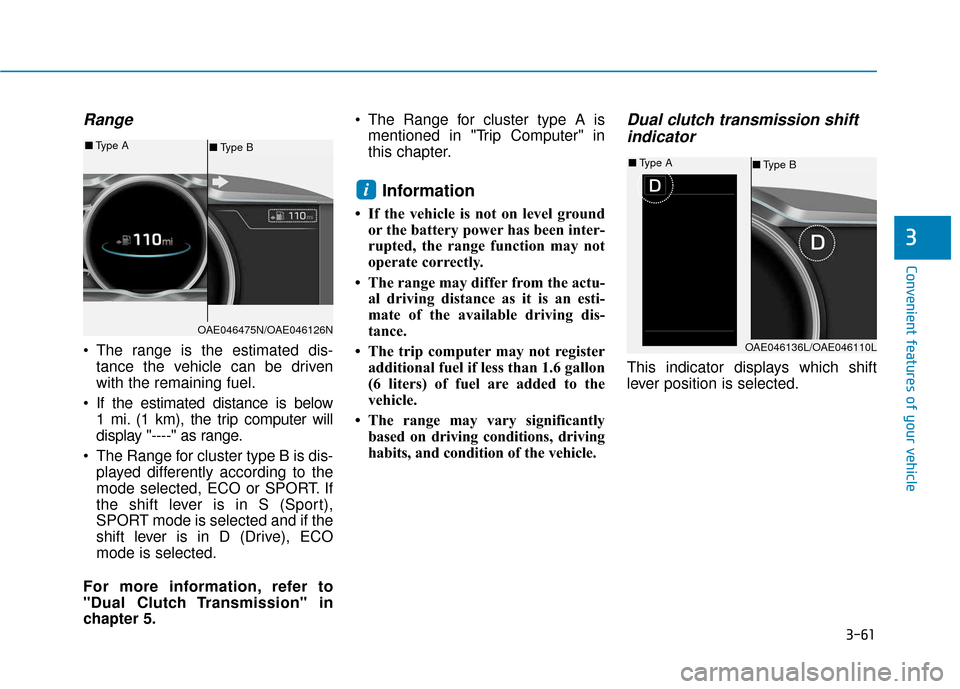
Range
The range is the estimated dis-tance the vehicle can be driven
with the remaining fuel.
If the estimated distance is below 1 mi. (1 km), the trip computer will
display "----" as range.
The Range for cluster type B is dis- played differently according to the
mode selected, ECO or SPORT. If
the shift lever is in S (Sport),
SPORT mode is selected and if the
shift lever is in D (Drive), ECO
mode is selected.
For more information, refer to
"Dual Clutch Transmission" in
chapter 5. The Range for cluster type A is
mentioned in "Trip Computer" in
this chapter.
Information
• If the vehicle is not on level groundor the battery power has been inter-
rupted, the range function may not
operate correctly.
• The range may differ from the actu- al driving distance as it is an esti-
mate of the available driving dis-
tance.
• The trip computer may not register additional fuel if less than 1.6 gallon
(6 liters) of fuel are added to the
vehicle.
• The range may vary significantly based on driving conditions, driving
habits, and condition of the vehicle.
Dual clutch transmission shiftindicator
This indicator displays which shift
lever position is selected.
i
3
OAE046475N/OAE046126N
■ Type B
■
Type A
OAE046136L/OAE046110L
■Type B
■
Type A
Page 154 of 589
3-62
Convenient features of your vehicle
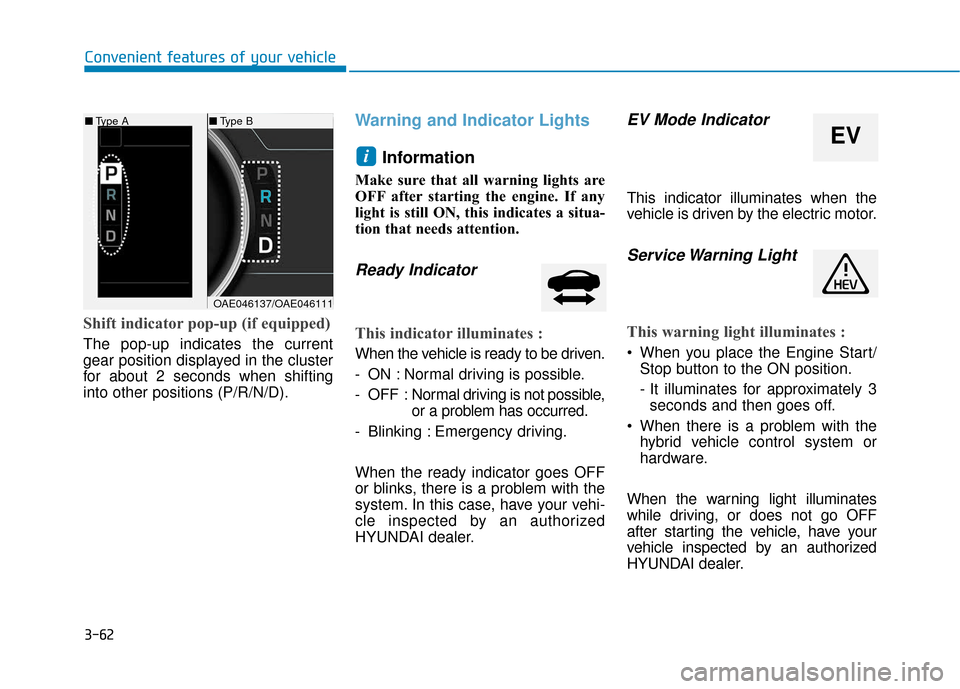
Shift indicator pop-up (if equipped)
The pop-up indicates the current
gear position displayed in the cluster
for about 2 seconds when shifting
into other positions (P/R/N/D).
Warning and Indicator LightsInformation
Make sure that all warning lights are
OFF after starting the engine. If any
light is still ON, this indicates a situa-
tion that needs attention.
Ready Indicator
This indicator illuminates :
When the vehicle is ready to be driven.
- ON : Normal driving is possible.
- OFF : Nor mal driving is not possible,
or a problem has occurred.
- Blinking : Emergency driving.
When the ready indicator goes OFF
or blinks, there is a problem with the
system. In this case, have your vehi-
cle inspected by an authorized
HYUNDAI dealer.
EV Mode Indicator
This indicator illuminates when the
vehicle is driven by the electric motor.
Service Warning Light
This warning light illuminates :
When you place the Engine Start/ Stop button to the ON position.
- It illuminates for approximately 3seconds and then goes off.
When there is a problem with the hybrid vehicle control system or
hardware.
When the warning light illuminates
while driving, or does not go OFF
after starting the vehicle, have your
vehicle inspected by an authorized
HYUNDAI dealer.
i
■ Type B
EV
■Type A
OAE046137/OAE046111
Page 164 of 589
3-72
Convenient features of your vehicle
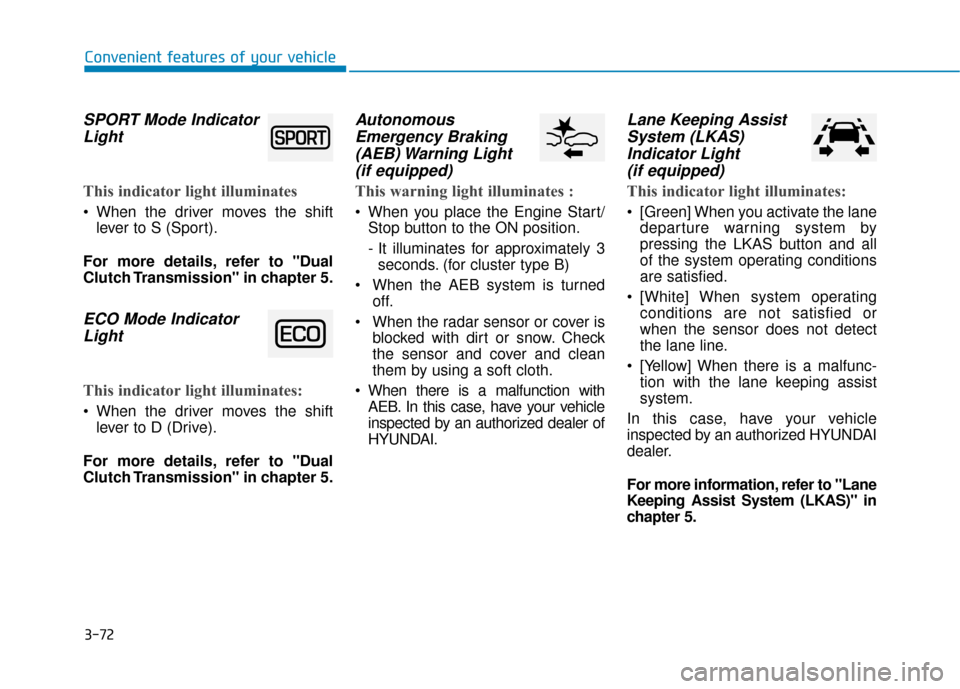
SPORT Mode IndicatorLight
This indicator light illuminates
When the driver moves the shift
lever to S (Sport).
For more details, refer to "Dual
Clutch Transmission" in chapter 5.
ECO Mode Indicator Light
This indicator light illuminates:
When the driver moves the shift
lever to D (Drive).
For more details, refer to "Dual
Clutch Transmission" in chapter 5.
Autonomous Emergency Braking(AEB) Warning Light (if equipped)
This warning light illuminates :
When you place the Engine Start/
Stop button to the ON position.
- It illuminates for approximately 3seconds. (for cluster type B)
When the AEB system is turned off.
When the radar sensor or cover is blocked with dirt or snow. Check
the sensor and cover and clean
them by using a soft cloth.
When there is a malfunction with AEB. In this case, have your vehicle
inspected by an authorized dealer of
HYUNDAI.
Lane Keeping AssistSystem (LKAS)Indicator Light (if equipped)
This indicator light illuminates:
[Green] When you activate the lane
departure warning system by
pressing the LKAS button and all
of the system operating conditions
are satisfied.
[White] When system operating conditions are not satisfied or
when the sensor does not detect
the lane line.
[Yellow] When there is a malfunc- tion with the lane keeping assist
system.
In this case, have your vehicle
inspected by an authorized HYUNDAI
dealer.
For more information, refer to "Lane
Keeping Assist System (LKAS)" in
chapter 5.
Page 181 of 589
3-89
Convenient features of your vehicle
3
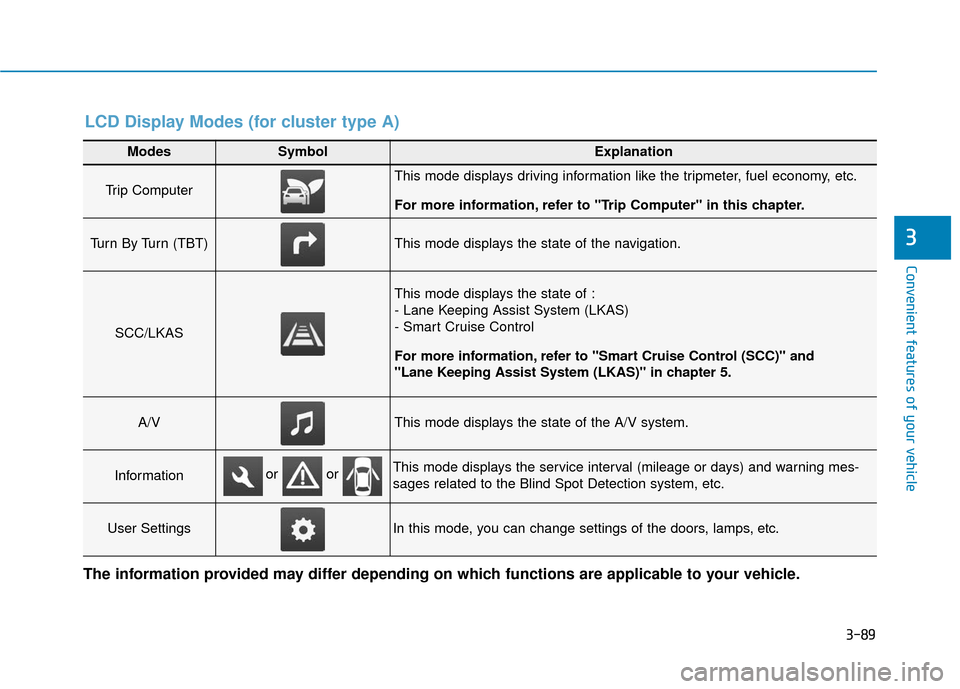
Modes SymbolExplanation
Trip Computer This mode displays driving information like the tripmeter, fuel economy, etc.
For more information, refer to "Trip Computer" in this chapter.
Turn By Turn (TBT)This mode displays the state of the navigation.
SCC/LKAS
This mode displays the state of :
- Lane Keeping Assist System (LKAS)
- Smart Cruise Control
For more information, refer to "Smart Cruise Control (SCC)" and
"Lane Keeping Assist System (LKAS)" in chapter 5.
A/VThis mode displays the state of the A/V system.
InformationThis mode displays the service interval (mileage or days) and warning mes-
sages related to the Blind Spot Detection system, etc.
User SettingsIn this mode, you can change settings of the doors, lamps, etc.
or or
LCD Display Modes (for cluster type A)
The information provided may differ depending on which functions are applicable to your vehicle.
Page 182 of 589
3-90
Convenient features of your vehicle
Edit settings after shifting to P/Shift to P to edit settings
Either message appears if you try to
adjust the User Settings while driv-
ing.
For your safety, change the User
Settings after parking the vehicle,
applying the parking brake and mov-
ing the shift lever to P (Park).
Quick guide (Help)
This mode provides quick guides for
the systems in the User Settings
mode.
Select an item, press and hold the
OK button.
For more information, about each
system, refer to this Owner's
Manual.
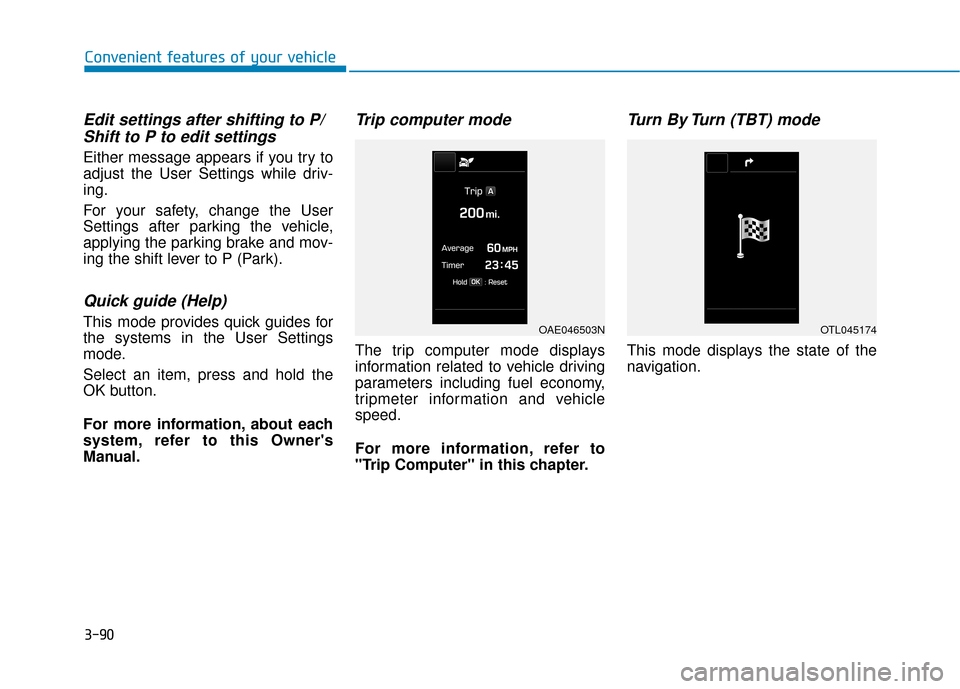
Trip computer mode
The trip computer mode displays
information related to vehicle driving
parameters including fuel economy,
tripmeter information and vehicle
speed.
For more information, refer to
"Trip Computer" in this chapter.
Turn By Turn (TBT) mode
This mode displays the state of the
navigation.
OAE046503NOTL045174