lane assist Hyundai Ioniq Plug-in Hybrid 2018 Owner's Manual
[x] Cancel search | Manufacturer: HYUNDAI, Model Year: 2018, Model line: Ioniq Plug-in Hybrid, Model: Hyundai Ioniq Plug-in Hybrid 2018Pages: 589, PDF Size: 21.53 MB
Page 15 of 589
1-4
Your vehicle at a glance
I
IN
N T
TE
ER
R I
IO
O R
R
O
O V
VE
ER
R V
V I
IE
E W
W
-
-
H
H Y
Y B
BR
RI
ID
D
V
V E
EH
H I
IC
C L
LE
E
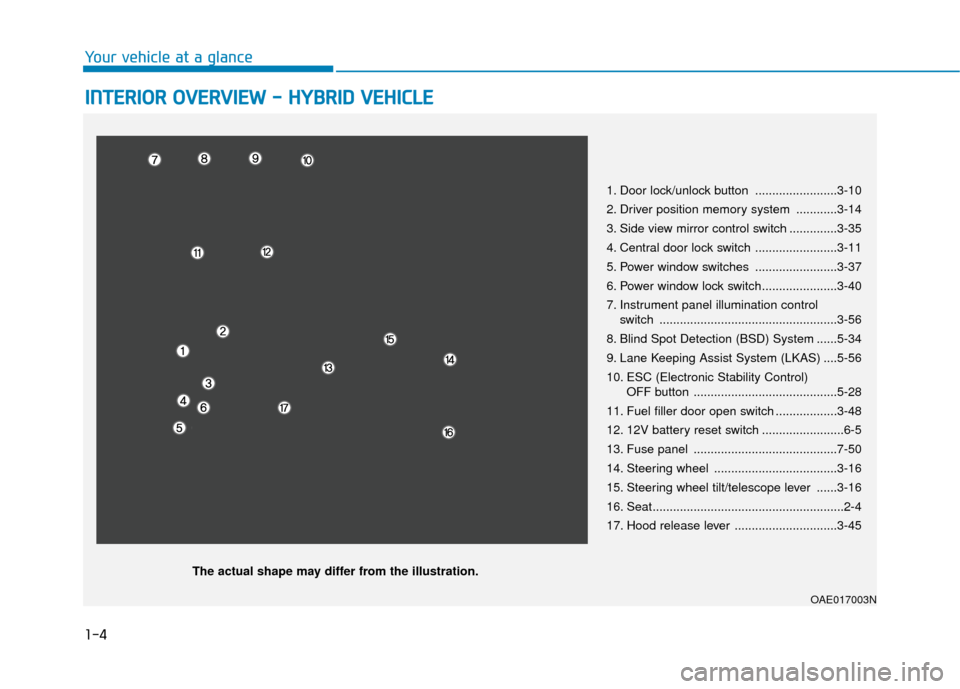
1. Door lock/unlock button ........................3-10
2. Driver position memory system ............3-14
3. Side view mirror control switch ..............3-35
4. Central door lock switch ........................3-11
5. Power window switches ........................3-37
6. Power window lock switch......................3-40
7. Instrument panel illumination control
switch ....................................................3-56
8. Blind Spot Detection (BSD) System ......5-34
9. Lane Keeping Assist System (LKAS) ....5-56
10. ESC (Electronic Stability Control) OFF button ..........................................5-28
11. Fuel filler door open switch ..................3-48
12. 12V battery reset switch ........................6-5
13. Fuse panel ..........................................7-50
14. Steering wheel ....................................3-16
15. Steering wheel tilt/telescope lever ......3-16
16. Seat........................................................2-4
17. Hood release lever ..............................3-45
OAE017003N
The actual shape may differ from the illustration.
Page 20 of 589
1-9
Your vehicle at a glance
1
I
IN
N T
TE
ER
R I
IO
O R
R
O
O V
VE
ER
R V
V I
IE
E W
W
-
-
P
P L
LU
U G
G-
-I
IN
N
H
H Y
Y B
BR
RI
ID
D
V
V E
EH
H I
IC
C L
LE
E
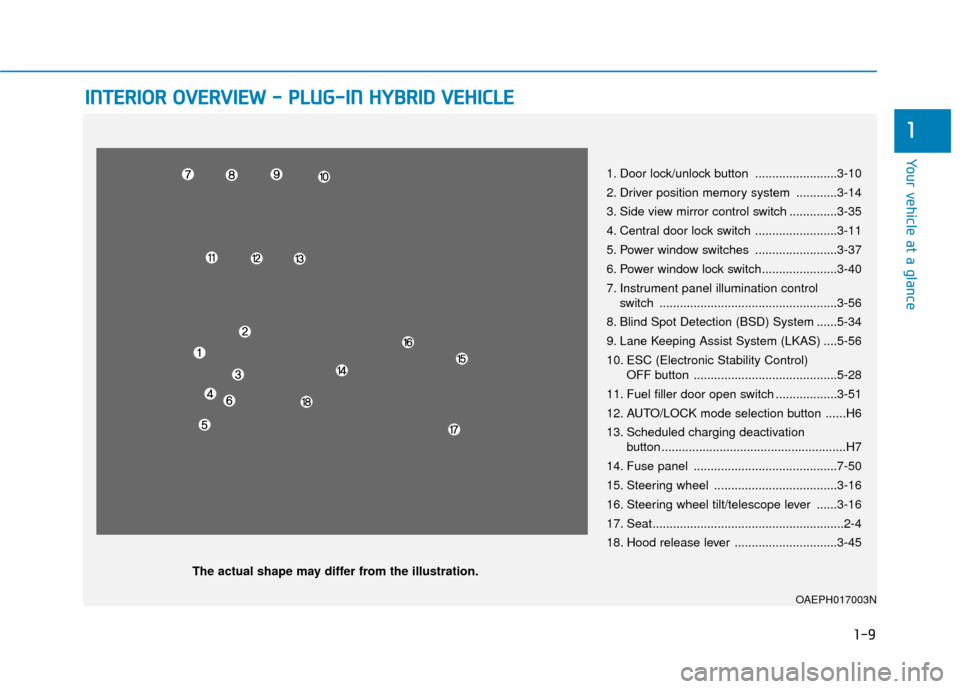
1. Door lock/unlock button ........................3-10
2. Driver position memory system ............3-14
3. Side view mirror control switch ..............3-35
4. Central door lock switch ........................3-11
5. Power window switches ........................3-37
6. Power window lock switch......................3-40
7. Instrument panel illumination control
switch ....................................................3-56
8. Blind Spot Detection (BSD) System ......5-34
9. Lane Keeping Assist System (LKAS) ....5-56
10. ESC (Electronic Stability Control) OFF button ..........................................5-28
11. Fuel filler door open switch ..................3-51
12. AUTO/LOCK mode selection button ......H6
13. Scheduled charging deactivation button ......................................................H7
14. Fuse panel ..........................................7-50
15. Steering wheel ....................................3-16
16. Steering wheel tilt/telescope lever ......3-16
17. Seat........................................................2-4
18. Hood release lever ..............................3-45
OAEPH017003N
The actual shape may differ from the illustration.
Page 164 of 589
3-72
Convenient features of your vehicle
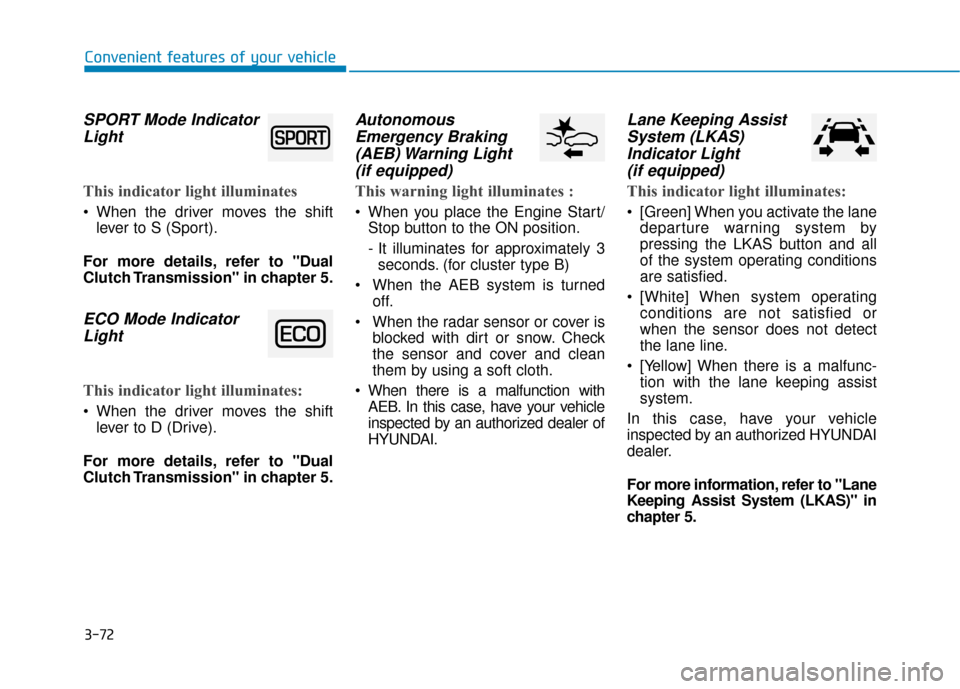
SPORT Mode IndicatorLight
This indicator light illuminates
When the driver moves the shift
lever to S (Sport).
For more details, refer to "Dual
Clutch Transmission" in chapter 5.
ECO Mode Indicator Light
This indicator light illuminates:
When the driver moves the shift
lever to D (Drive).
For more details, refer to "Dual
Clutch Transmission" in chapter 5.
Autonomous Emergency Braking(AEB) Warning Light (if equipped)
This warning light illuminates :
When you place the Engine Start/
Stop button to the ON position.
- It illuminates for approximately 3seconds. (for cluster type B)
When the AEB system is turned off.
When the radar sensor or cover is blocked with dirt or snow. Check
the sensor and cover and clean
them by using a soft cloth.
When there is a malfunction with AEB. In this case, have your vehicle
inspected by an authorized dealer of
HYUNDAI.
Lane Keeping AssistSystem (LKAS)Indicator Light (if equipped)
This indicator light illuminates:
[Green] When you activate the lane
departure warning system by
pressing the LKAS button and all
of the system operating conditions
are satisfied.
[White] When system operating conditions are not satisfied or
when the sensor does not detect
the lane line.
[Yellow] When there is a malfunc- tion with the lane keeping assist
system.
In this case, have your vehicle
inspected by an authorized HYUNDAI
dealer.
For more information, refer to "Lane
Keeping Assist System (LKAS)" in
chapter 5.
Page 169 of 589
3-77
Convenient features of your vehicle
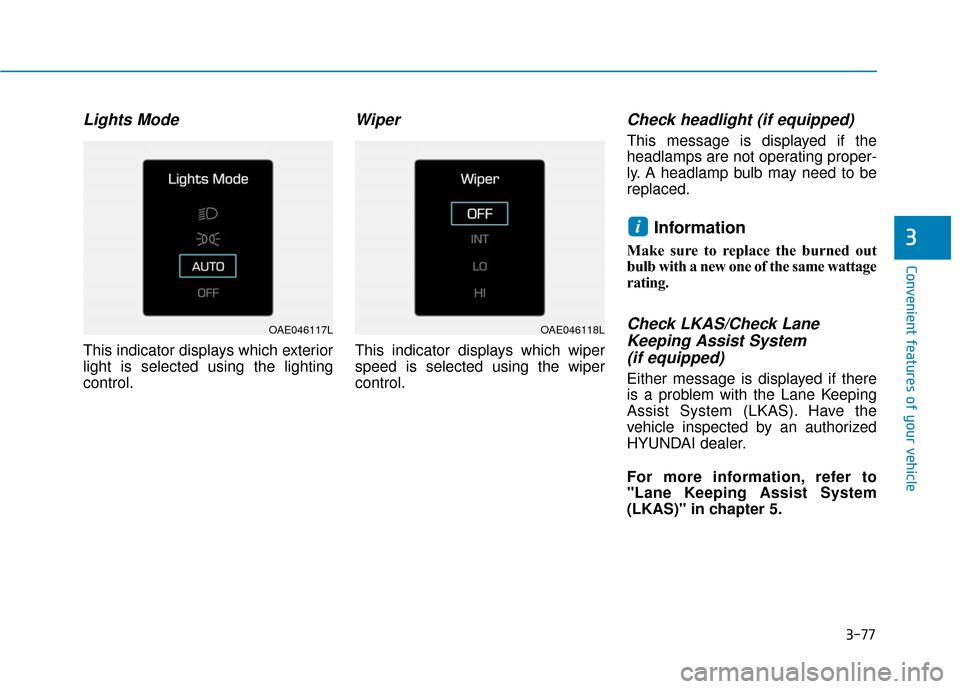
Lights Mode
This indicator displays which exterior
light is selected using the lighting
control.
Wiper
This indicator displays which wiper
speed is selected using the wiper
control.
Check headlight (if equipped)
This message is displayed if the
headlamps are not operating proper-
ly. A headlamp bulb may need to be
replaced.
Information
Make sure to replace the burned out
bulb with a new one of the same wattage
rating.
Check LKAS/Check LaneKeeping Assist System (if equipped)
Either message is displayed if there
is a problem with the Lane Keeping
Assist System (LKAS). Have the
vehicle inspected by an authorized
HYUNDAI dealer.
For more information, refer to
"Lane Keeping Assist System
(LKAS)" in chapter 5.
i3
OAE046117LOAE046118L
Page 181 of 589
3-89
Convenient features of your vehicle
3
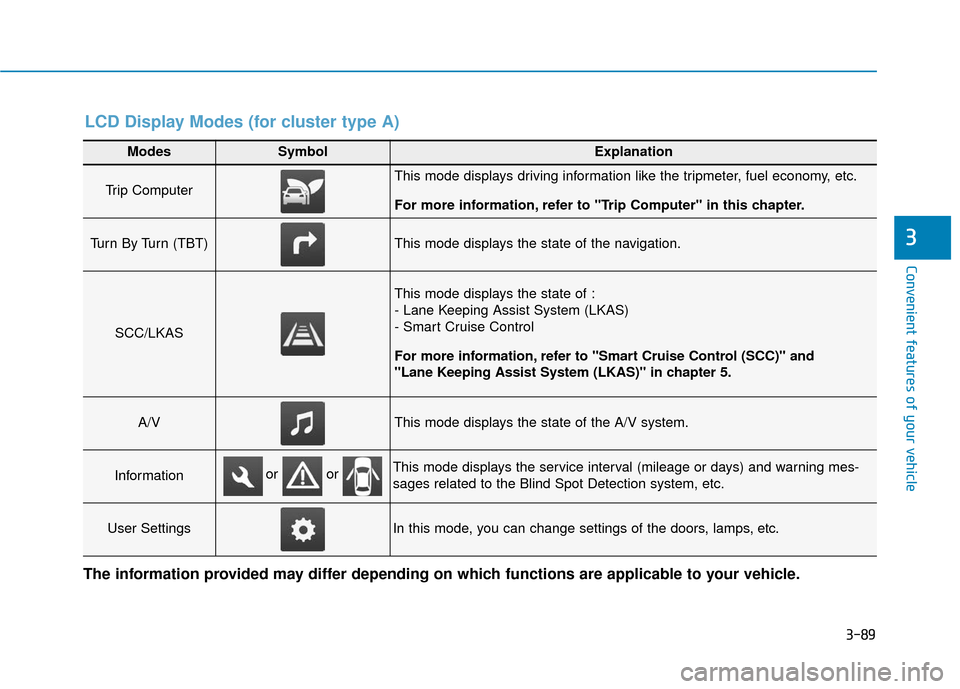
Modes SymbolExplanation
Trip Computer This mode displays driving information like the tripmeter, fuel economy, etc.
For more information, refer to "Trip Computer" in this chapter.
Turn By Turn (TBT)This mode displays the state of the navigation.
SCC/LKAS
This mode displays the state of :
- Lane Keeping Assist System (LKAS)
- Smart Cruise Control
For more information, refer to "Smart Cruise Control (SCC)" and
"Lane Keeping Assist System (LKAS)" in chapter 5.
A/VThis mode displays the state of the A/V system.
InformationThis mode displays the service interval (mileage or days) and warning mes-
sages related to the Blind Spot Detection system, etc.
User SettingsIn this mode, you can change settings of the doors, lamps, etc.
or or
LCD Display Modes (for cluster type A)
The information provided may differ depending on which functions are applicable to your vehicle.
Page 183 of 589
3-91
Convenient features of your vehicle
3
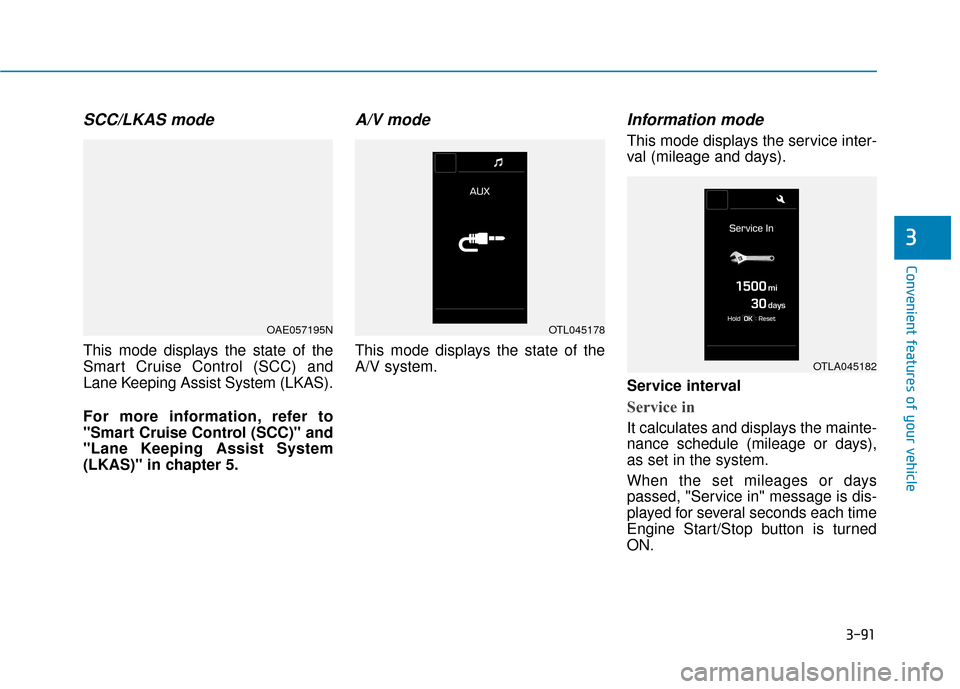
SCC/LKAS mode
This mode displays the state of the
Smart Cruise Control (SCC) and
Lane Keeping Assist System (LKAS).
For more information, refer to
"Smart Cruise Control (SCC)" and
"Lane Keeping Assist System
(LKAS)" in chapter 5.
A/V mode
This mode displays the state of the
A/V system.
Information mode
This mode displays the service inter-
val (mileage and days).
Service interval
Service in
It calculates and displays the mainte-
nance schedule (mileage or days),
as set in the system.
When the set mileages or days
passed, "Service in" message is dis-
played for several seconds each time
Engine Start/Stop button is turned
ON.
OAE057195NOTL045178
OTLA045182
Page 185 of 589
3-93
Convenient features of your vehicle
3
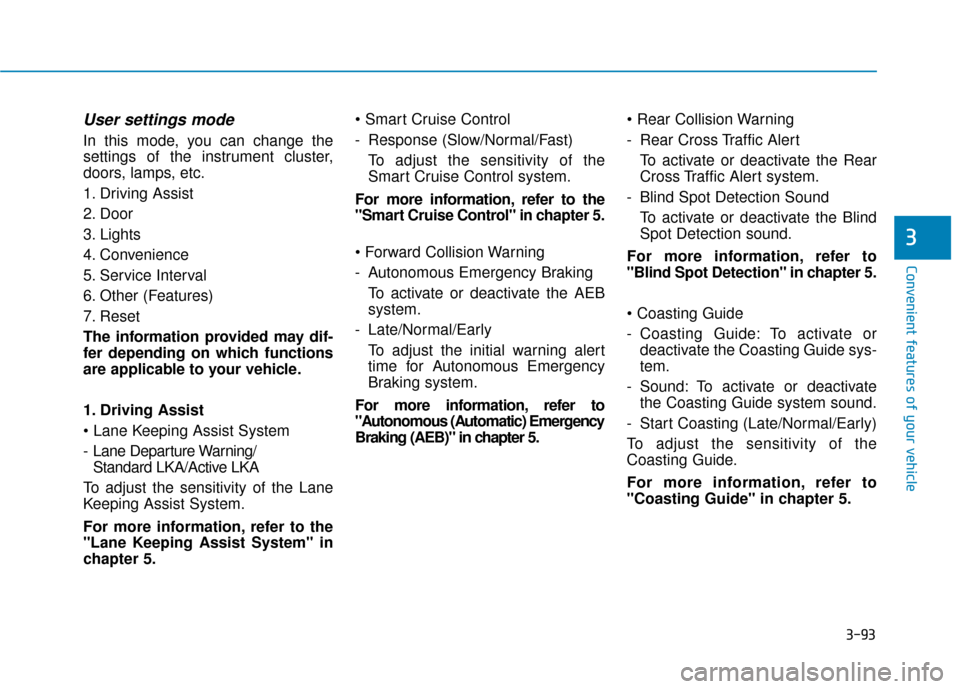
User settings mode
In this mode, you can change the
settings of the instrument cluster,
doors, lamps, etc.
1. Driving Assist
2. Door
3. Lights
4. Convenience
5. Service Interval
6. Other (Features)
7. Reset
The information provided may dif-
fer depending on which functions
are applicable to your vehicle.
1. Driving Assist
- Lane Departure Warning/ Standard LKA/Active LKA
To adjust the sensitivity of the Lane
Keeping Assist System.
For more information, refer to the
"Lane Keeping Assist System" in
chapter 5.
- Response (Slow/Normal/Fast)
To adjust the sensitivity of the
Smart Cruise Control system.
For more information, refer to the
"Smart Cruise Control" in chapter 5.
- Autonomous Emergency Braking To activate or deactivate the AEB
system.
- Late/Normal/Early To adjust the initial warning alert
time for Autonomous Emergency
Braking system.
For more information, refer to
"Autonomous (Automatic) Emergency
Braking (AEB)" in chapter 5.
- Rear Cross Traffic Alert
To activate or deactivate the Rear
Cross Traffic Alert system.
- Blind Spot Detection Sound To activate or deactivate the Blind
Spot Detection sound.
For more information, refer to
"Blind Spot Detection" in chapter 5.
- Coasting Guide: To activate or deactivate the Coasting Guide sys-
tem.
- Sound: To activate or deactivate the Coasting Guide system sound.
- Start Coasting (Late/Normal/Early)
To adjust the sensitivity of the
Coasting Guide.
For more information, refer to
"Coasting Guide" in chapter 5.
Page 189 of 589
3-97
Convenient features of your vehicle
3
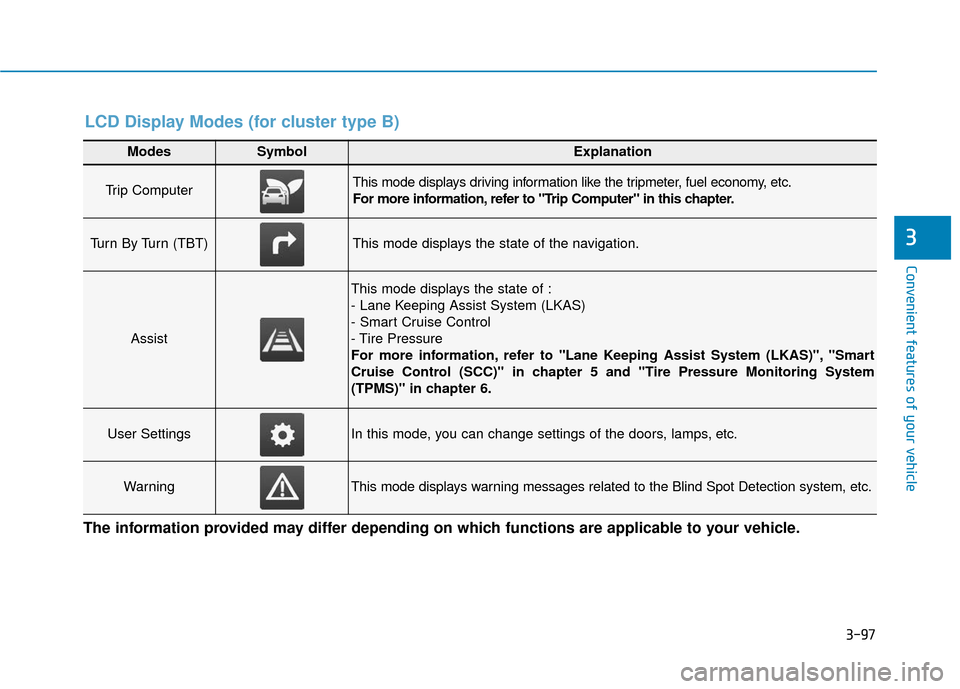
Modes SymbolExplanation
Trip Computer This mode displays driving information like the tripmeter, fuel economy, etc.
For more information, refer to "Trip Computer" in this chapter.
Turn By Turn (TBT)This mode displays the state of the navigation.
Assist
This mode displays the state of :
- Lane Keeping Assist System (LKAS)
- Smart Cruise Control
- Tire Pressure
For more information, refer to "Lane Keeping Assist System (LKAS)", "Smart
Cruise Control (SCC)" in chapter 5 and "Tire Pressure Monitoring System
(TPMS)" in chapter 6.
User SettingsIn this mode, you can change settings of the doors, lamps, etc.
WarningThis mode displays warning messages related to the Blind Spot Detection system, etc.
The information provided may differ depending on which functions are applicable to your vehicle.
LCD Display Modes (for cluster type B)
Page 191 of 589
3-99
Convenient features of your vehicle
3
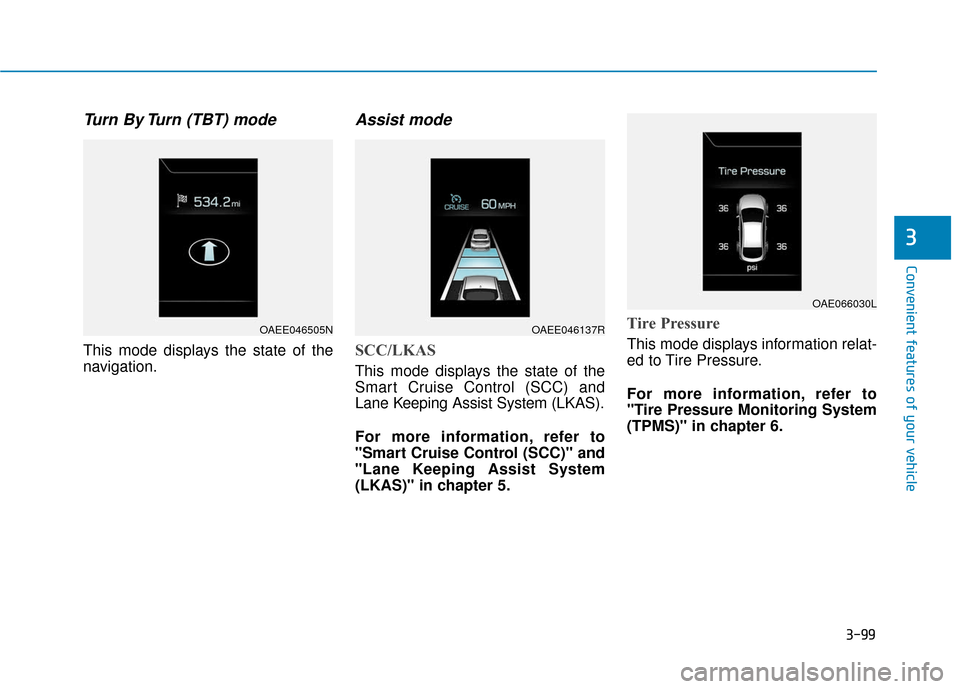
Turn By Turn (TBT) mode
This mode displays the state of the
navigation.
Assist mode
SCC/LKAS
This mode displays the state of the
Smart Cruise Control (SCC) and
Lane Keeping Assist System (LKAS).
For more information, refer to
"Smart Cruise Control (SCC)" and
"Lane Keeping Assist System
(LKAS)" in chapter 5.
Tire Pressure
This mode displays information relat-
ed to Tire Pressure.
For more information, refer to
"Tire Pressure Monitoring System
(TPMS)" in chapter 6.
OAEE046505NOAEE046137R
OAE066030L
Page 192 of 589
3-100
Convenient features of your vehicle
Warning mode
If one of followings occurs, warning
messages will be displayed on the
LCD display for several seconds.
- Lower washer fluid (if equipped)
- Exterior lamp malfunction
- Blind Spot Detection (BSD) mal-function (if equipped)
- Autonomous Emergency Braking (AEB) malfunction
- Smart cruise control malfunction
- Tire Pressure Monitoring System (TPMS) malfunction
User settings mode
In this mode, you can change the
settings of the instrument cluster,
doors, lamps, etc.
1. Driving Assist
2. Door
3. Lights
4. Convenience
5. Service Interval
6. Other (Features)
7. Reset
The information provided may dif-
fer depending on which functions
are applicable to your vehicle. 1. Driving Assist
- Lane Departure Warning/
Standard LKA/Active LKA
To adjust the sensitivity of the Lane
Keeping Assist System.
For more information, refer to the
"Lane Keeping Assist System" in
chapter 5.
- Slow/Normal/Fast To adjust the sensitivity of the
Smart Cruise Control system.
For more information, refer to the
"Smart Cruise Control" in chapter
5.
To activate or deactivate the
Autonomous Emergency Braking
(AEB).
For more information, refer to
"Autonomous (Automatic) Emergency
Braking (AEB)" in chapter 5.