climate control Hyundai Ioniq Plug-in Hybrid 2019 Owner's Manual - RHD (UK, Australia)
[x] Cancel search | Manufacturer: HYUNDAI, Model Year: 2019, Model line: Ioniq Plug-in Hybrid, Model: Hyundai Ioniq Plug-in Hybrid 2019Pages: 599, PDF Size: 17.32 MB
Page 71 of 599
1-5
Your vehicle at a glance
1
I
IN
N S
ST
T R
R U
U M
M E
EN
N T
T
P
P A
A N
N E
EL
L
O
O V
VE
ER
R V
V I
IE
E W
W
-
-
H
H Y
Y B
BR
RI
ID
D
V
V E
EH
H I
IC
C L
LE
E
OAEPH017005R
The actual shape may differ from the illustration.
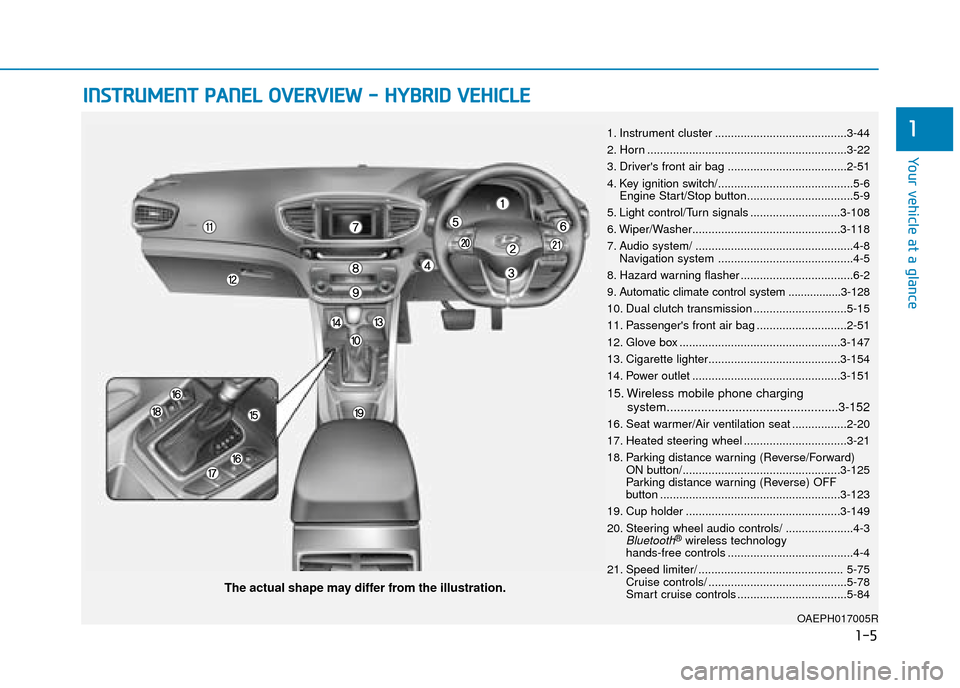
1. Instrument cluster .........................................3-44
2. Horn ..............................................................3-22
3. Driver's front air bag .....................................2-51
4. Key ignition switch/..........................................5-6
Engine Start/Stop button.................................5-9
5. Light control/Turn signals ............................3-108
6. Wiper/Washer..............................................3-118
7. Audio system/ .................................................4-8 Navigation system ..........................................4-5
8. Hazard warning flasher ...................................6-2
9. Automatic climate control system .................3-128
10. Dual clutch transmission .............................5-15
11. Passenger's front air bag ............................2-51
12. Glove box ..................................................3-147
13. Cigarette lighter.........................................3-154
14. Power outlet ..............................................3-151
15. Wireless mobile phone charging system..................................................3-152
16. Seat warmer/Air ventilation seat .................2-20
17. Heated steering wheel ................................3-21
18. Parking distance warning (Reverse/Forward) ON button/.................................................3-125
Parking distance warning (Reverse) OFF
button ........................................................3-123
19. Cup holder ................................................3-149
20. Steering wheel audio controls/ .....................4-3
Bluetooth®wireless technology
hands-free controls .......................................4-4
21. Speed limiter/ ............................................. 5-75 Cruise controls/ ...........................................5-78
Smart cruise controls ..................................5-84
Page 76 of 599
1-10
Your vehicle at a glance
I
IN
N S
ST
T R
R U
U M
M E
EN
N T
T
P
P A
A N
N E
EL
L
O
O V
VE
ER
R V
V I
IE
E W
W
-
-
P
P L
LU
U G
G-
-I
IN
N
H
H Y
Y B
BR
RI
ID
D
V
V E
EH
H I
IC
C L
LE
E
OAEPH017004R
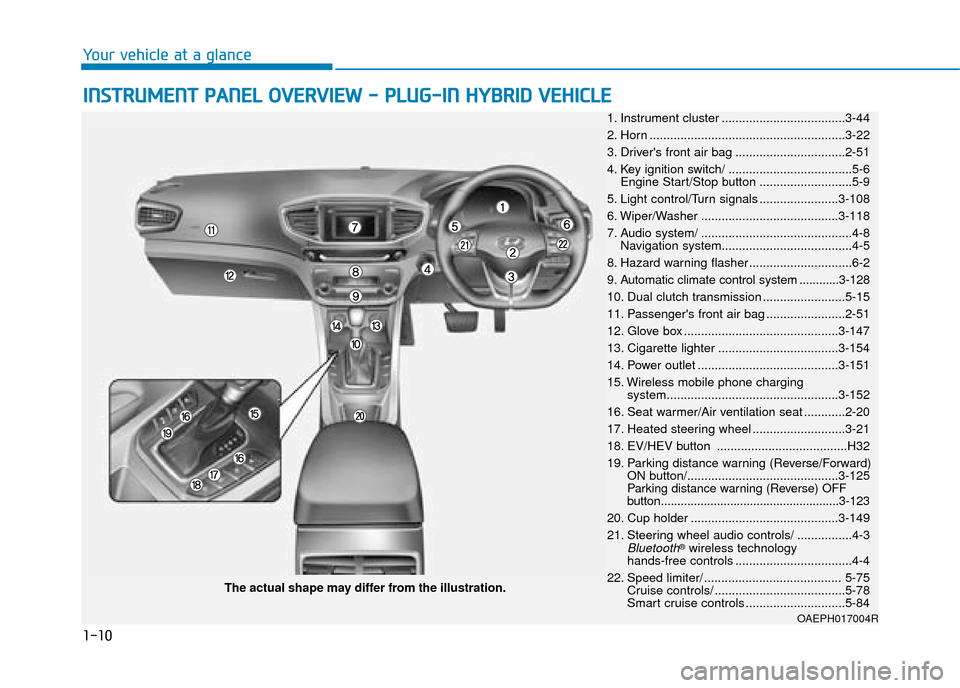
The actual shape may differ from the illustration. 1. Instrument cluster ....................................3-44
2. Horn .........................................................3-22
3. Driver's front air bag ................................2-51
4. Key ignition switch/ ....................................5-6 Engine Start/Stop button ...........................5-9
5. Light control/Turn signals .......................3-108
6. Wiper/Washer ........................................3-118
7. Audio system/ ............................................4-8 Navigation system......................................4-5
8. Hazard warning flasher ..............................6-2
9. Automatic climate control system ............3-128
10. Dual clutch transmission ........................5-15
11. Passenger's front air bag .......................2-51
12. Glove box .............................................3-147
13. Cigarette lighter ...................................3-154
14. Power outlet .........................................3-151
15. Wireless mobile phone charging system..................................................3-152
16. Seat warmer/Air ventilation seat ............2-20
17. Heated steering wheel ...........................3-21
18. EV/HEV button ......................................H32
19. Parking distance warning (Reverse/Forward) ON button/............................................3-125
Parking distance warning (Reverse) OFF
button......................................................3-123
20. Cup holder ...........................................3-149
21. Steering wheel audio controls/ ................4-3
Bluetooth®wireless technology
hands-free controls ..................................4-4
22. Speed limiter/ ........................................ 5-75 Cruise controls/ ......................................5-78
Smart cruise controls .............................5-84
Page 99 of 599
2-22
Safety system of your vehicle
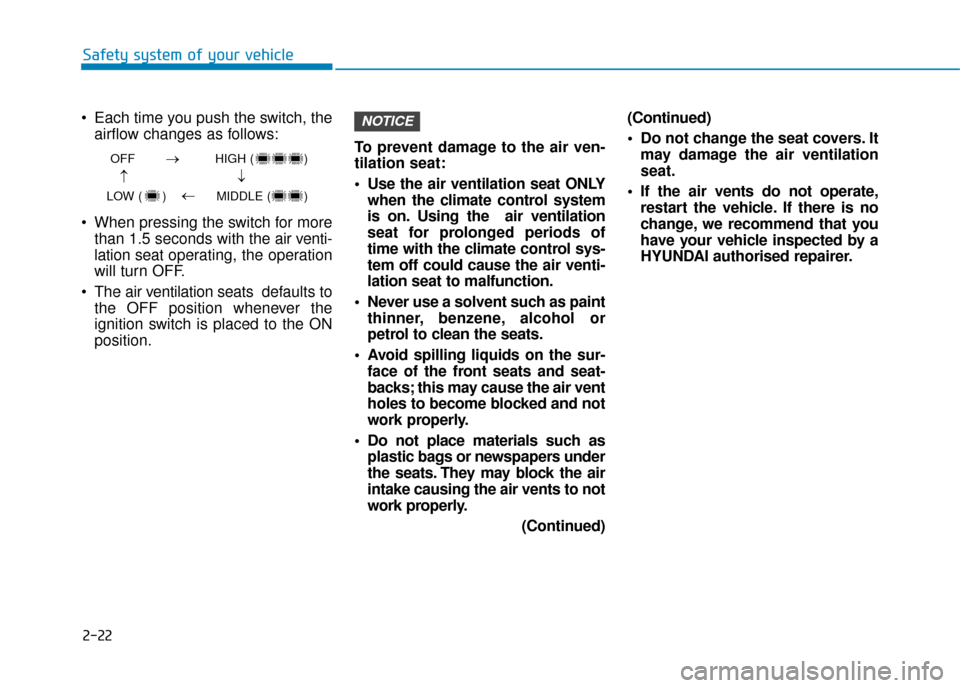
Each time you push the switch, the airflow changes as follows:
When pressing the switch for more than 1.5 seconds with the air v enti-
lation seat operating, the operation
will turn OFF.
The air ventilation seats def aults to
the OFF position whenever the
ignition switch is placed to the ON
position. To prevent damage to the air ven-
tilation seat:
Use the air ventilation seat ONLY
when the climate control system
is on. Using the air ventilation
seat for prolonged periods of
time with the climate control sys-
tem off could cause the air venti-
lation seat to malfunction.
Never use a solvent such as paint thinner, benzene, alcohol or
petrol to clean the seats.
Avoid spilling liquids on the sur- face of the front seats and seat-
backs; this may cause the air vent
holes to become blocked and not
work properly.
Do not place materials such as plastic bags or newspapers under
the seats. They may block the air
intake causing the air vents to not
work properly.
(Continued)(Continued)
Do not change the seat covers. It
may damage the air ventilation
seat.
If the air vents do not operate, restart the vehicle. If there is no
change, we recommend that you
have your vehicle inspected by a
HYUNDAI authorised repairer.
NOTICE
OFF HIGH ( )
LOW ( ) MIDDLE ( )
→→
→
→
Page 148 of 599
LCD display ...........................................................3-80
LCD display control.........................................................3-80
LCD display modes (for cluster type A) ....................3-81
LCD display modes (for cluster type B) ....................3-90
Trip computer (hybrid vehicle) ..........................3-97
Trip computer (plug-in hybrid vehicle) ..........3-102
Light .....................................................................3-1\
08
Exterior lights ................................................................3-108
Welcome system ...........................................................3-113
Interior lights..................................................................3-115
Wipers and washers ..........................................3-118
Windscreen wipers .......................................................3-118
Windscreen washers ....................................................3-120
Driver Assist System .........................................3-121
Rear view monitor ........................................................3-121
Parking distance warning (Reverse) system ..........3-122
Parking distance warning (Reverse/Forward)
system........................................................................\
......3-124
Automatic climate control system ...................3-128
Automatic heating and air conditioning ..................3-129
Manual heating and air conditioning .......................3-130
System operation ..........................................................3-137
System maintenance ....................................................3-139
Windscreen defrosting and defogging ...........3-142
Automatic climate control system ............................3-142
Defogging logic..............................................................3-143
Auto defogging system ...............................................3-144
Defroster ........................................................................\
.3-145
Climate control additional features.................3-146
Automatic ventilation ...................................................3-146
Sunroof inside air recirculation.................................3-146
Storage compartment ........................................3-147
Centre console storage ...............................................3-147
Glove box ........................................................................\
3-147
Sunglass holder .............................................................3-148
Multi box ........................................................................\
.3-148
3
Page 174 of 599
3-28
Convenient features of your vehicle
The ignition switch must be in the ON
position to be able to raise or lower
the windows. Each door has a Power
Window switch to control that door's
window. The driver has a Power
Window Lock switch which can block
the operation of passenger windows.
The power windows will operate for
approximately 30 seconds after the
ignition switch is placed in the ACC
or OFF position. However, if the front
doors are opened, the Power
Windows will not operate even within
the 30 second period.
Information
• In cold and wet climates, power win- dows may not work properly due to
freezing conditions.
• Whilst driving with the rear win- dows down or with the sunroof (if
equipped) opened (or partially
opened), your vehicle may demon-
strate a wind buffeting or pulsation
noise. This noise is normal and can
be reduced or eliminated by taking
the following actions. If the noise
occurs with one or both of the rear
windows down, partially lower both
front windows approximately one
inch. If you experience the noise
with the sunroof open, slightly close
the sunroof.
Window opening and closing
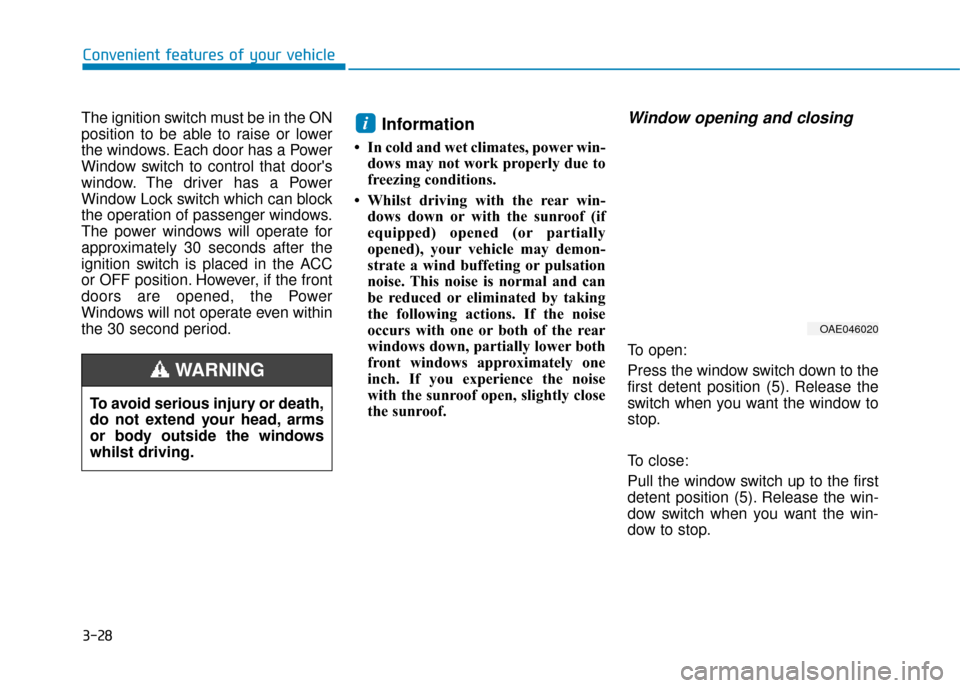
To open:
Press the window switch down to the
first detent position (5). Release the
switch when you want the window to
stop.
To close:
Pull the window switch up to the first
detent position (5). Release the win-
dow switch when you want the win-
dow to stop.
i
To avoid serious injury or death,
do not extend your head, arms
or body outside the windows
whilst driving.
WARNING
OAE046020
Page 177 of 599
3-31
Convenient features of your vehicle
3
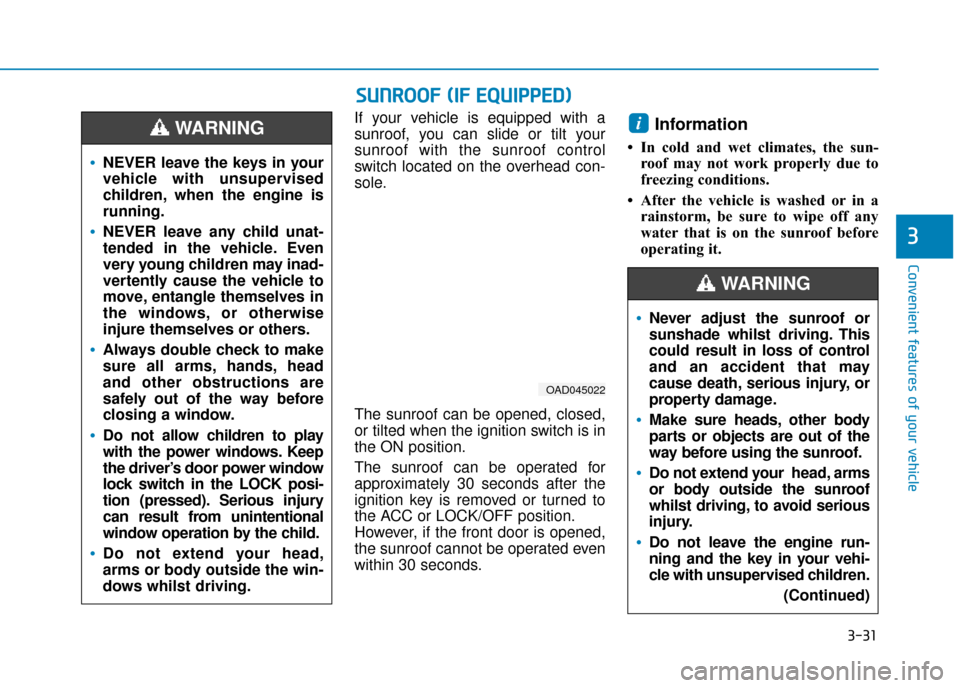
If your vehicle is equipped with a
sunroof, you can slide or tilt your
sunroof with the sunroof control
switch located on the overhead con-
sole.
The sunroof can be opened, closed,
or tilted when the ignition switch is in
the ON position.
The sunroof can be operated for
approximately 30 seconds after the
ignition key is removed or turned to
the ACC or LOCK/OFF position.
However, if the front door is opened,
the sunroof cannot be operated even
within 30 seconds.Information
• In cold and wet climates, the sun-roof may not work properly due to
freezing conditions.
• After the vehicle is washed or in a rainstorm, be sure to wipe off any
water that is on the sunroof before
operating it.
i
NEVER leave the keys in your
vehicle with unsupervised
children, when the engine is
running.
NEVER leave any child unat-
tended in the vehicle. Even
very young children may inad-
vertently cause the vehicle to
move, entangle themselves in
the windows, or otherwise
injure themselves or others.
Always double check to make
sure all arms, hands, head
and other obstructions are
safely out of the way before
closing a window.
Do not allow children to play
with the power windows. Keep
the driver’s door power window
lock switch in the LOCK posi-
tion (pressed). Serious injury
can result from unintentional
window operation by the child.
Do not extend your head,
arms or body outside the win-
dows whilst driving.
WARNING
S SU
U N
NR
RO
O O
OF
F
(
( I
IF
F
E
E Q
Q U
UI
IP
P P
PE
ED
D )
)
OAD045022
Never adjust the sunroof or
sunshade whilst driving. This
could result in loss of control
and an accident that may
cause death, serious injury, or
property damage.
Make sure heads, other body
parts or objects are out of the
way before using the sunroof.
Do not extend your head, arms
or body outside the sunroof
whilst driving, to avoid serious
injury.
Do not leave the engine run-
ning and the key in your vehi-
cle with unsupervised children.
(Continued)
WARNING
Page 180 of 599
3-34
Convenient features of your vehicle
Periodically remove any dirt that may accumulate on the sunroof
guide rail or between the sun-
roof and roof panel, which can
make a noise.
Do not try to open the sunroof when the temperature is below
freezing or when the sunroof is
covered with snow or ice, other-
wise the motor could be dam-
aged. In cold and wet climates, the
sunroof may not work properly.
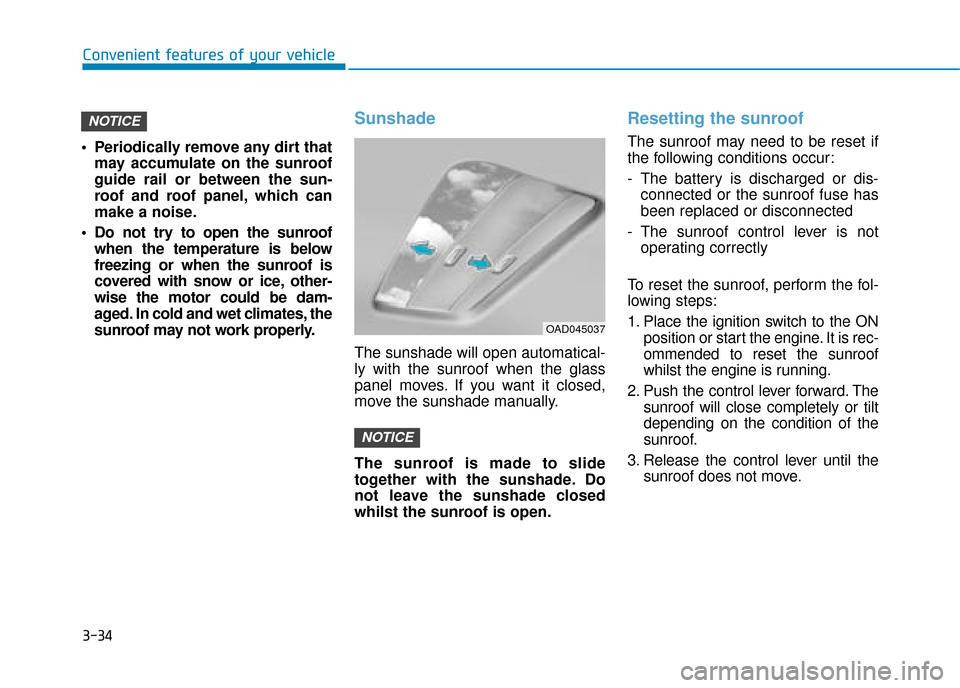
Sunshade
The sunshade will open automatical-
ly with the sunroof when the glass
panel moves. If you want it closed,
move the sunshade manually.
The sunroof is made to slide
together with the sunshade. Do
not leave the sunshade closed
whilst the sunroof is open.
Resetting the sunroof
The sunroof may need to be reset if
the following conditions occur:
- The battery is discharged or dis-connected or the sunroof fuse has
been replaced or disconnected
- The sunroof control lever is not operating correctly
To reset the sunroof, perform the fol-
lowing steps:
1. Place the ignition switch to the ON position or start the engine. It is rec-
ommended to reset the sunroof
whilst the engine is running.
2. Push the control lever forward. The sunroof will close completely or tilt
depending on the condition of the
sunroof.
3. Release the control lever until the sunroof does not move.
NOTICE
NOTICE
OAD045037
Page 196 of 599
3-50
Convenient features of your vehicle
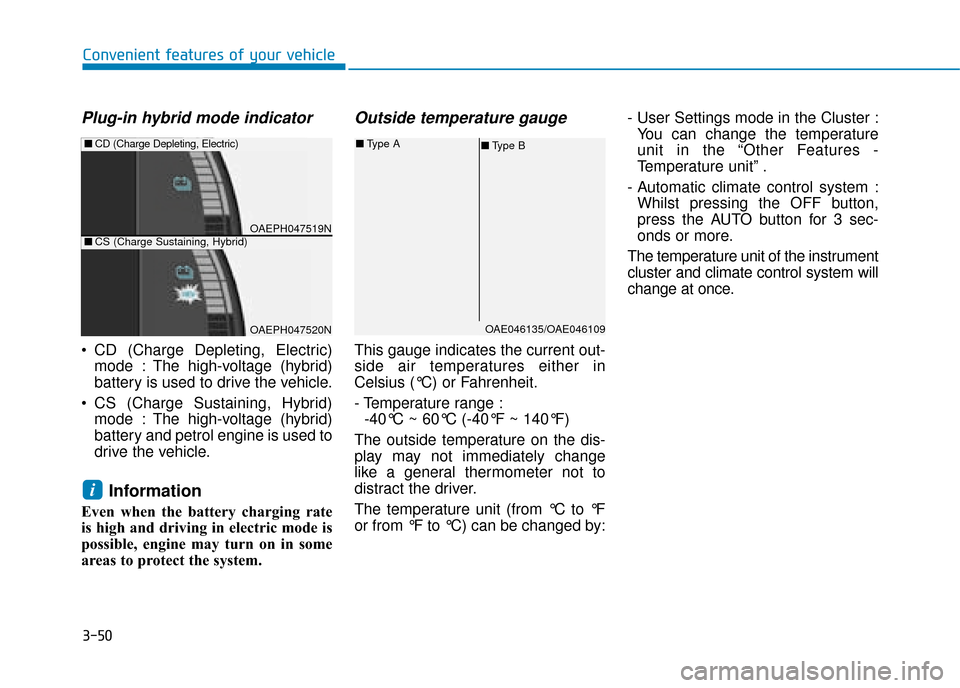
Plug-in hybrid mode indicator
CD (Charge Depleting, Electric)mode : The high-voltage (hybrid)
battery is used to drive the vehicle.
CS (Charge Sustaining, Hybrid) mode : The high-voltage (hybrid)
battery and petrol engine is used to
drive the vehicle.
Information
Even when the battery charging rate
is high and driving in electric mode is
possible, engine may turn on in some
areas to protect the system.
Outside temperature gauge
This gauge indicates the current out-
side air temperatures either in
Celsius (°C) or Fahrenheit.
- Temperature range :-40°C ~ 60°C (-40°F ~ 140°F)
The outside temperature on the dis-
play may not immediately change
like a general thermometer not to
distract the driver.
The temperature unit (from °C to °F
or from °F to °C) can be changed by: - User Settings mode in the Cluster :
You can change the temperature
unit in the “Other Features -
Temperature unit” .
- Automatic climate control system : Whilst pressing the OFF button,
press the AUTO button for 3 sec-
onds or more.
The temperature unit of the instrument
cluster and climate control system will
change at once.
i
OAE046135/OAE046109
■ Type B
■
Type A
OAEPH047519N
■CD (Charge Depleting, Electric)
OAEPH047520N
■CS (Charge Sustaining, Hybrid)
Page 274 of 599
3-128
Convenient features of your vehicle
A
AU
U T
TO
O M
M A
AT
TI
IC
C
C
C L
LI
IM
M A
AT
TE
E
C
C O
O N
NT
TR
R O
O L
L
S
S Y
Y S
ST
T E
EM
M
OAEPH047300R
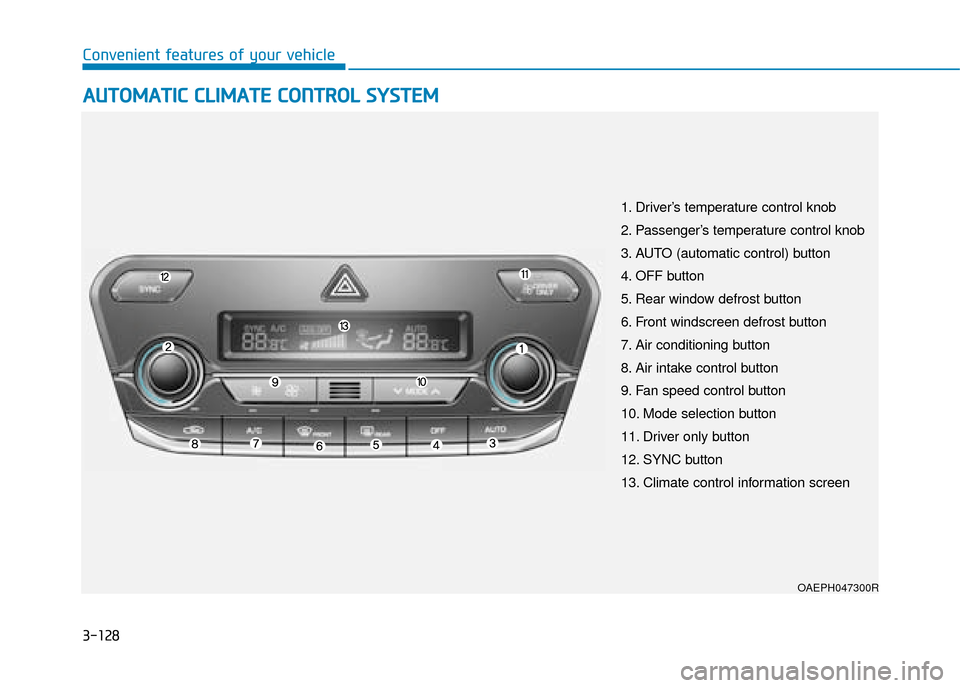
1. Driver’s temperature control knob
2. Passenger’s temperature control knob
3. AUTO (automatic control) button
4. OFF button
5. Rear window defrost button
6. Front windscreen defrost button
7. Air conditioning button
8. Air intake control button
9. Fan speed control button
10. Mode selection button
11. Driver only button
12. SYNC button
13. Climate control information screen
Page 280 of 599
3-134
Convenient features of your vehicle
Adjusting the driver and passenger
side temperature individually
Press the “SYNC” button again to
adjust the driver and passenger side
temperature individually. The button
indicator will turn off.
Temperature unit conversion
If the battery has been discharged or
disconnected, the temperature mode
display will reset to Centigrade.
To change the temperature unit from
°C to °F or °F to °C :
- Automatic climate control systemPress the AUTO button for 3 sec-
onds whilst pressing the OFF but-
ton.
- Instrument cluster Go to User Settings Mode → Other
Features →Temperature Unit.
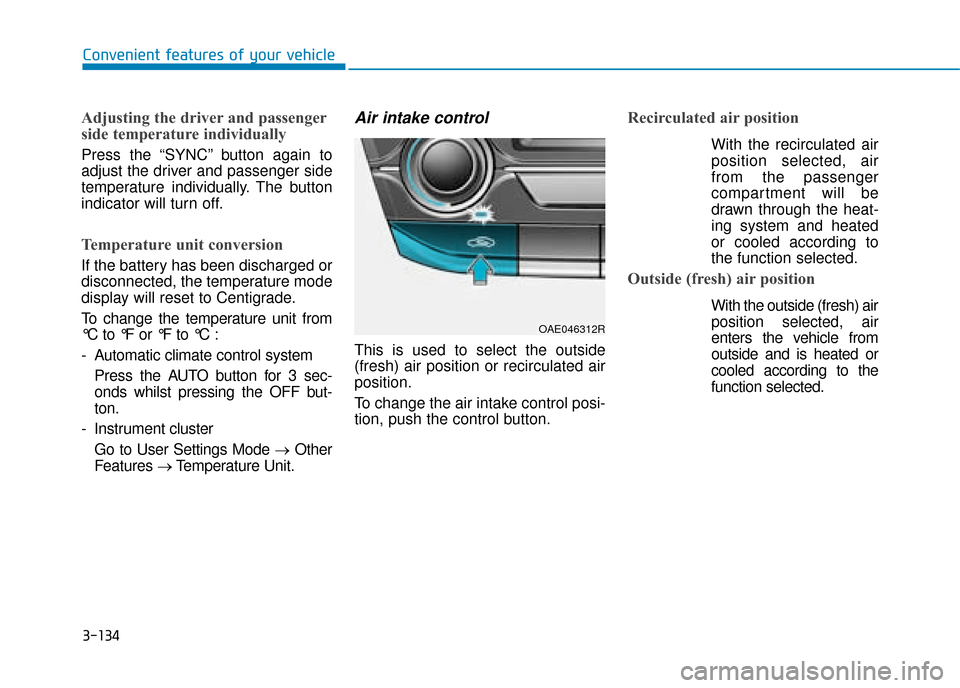
Air intake control
This is used to select the outside
(fresh) air position or recirculated air
position.
To change the air intake control posi-
tion, push the control button.
Recirculated air position
With the recirculated air
position selected, air
from the passenger
compartment will be
drawn through the heat-
ing system and heated
or cooled according to
the function selected.
Outside (fresh) air position
With the outside (fresh) air position selected, air
enters the vehicle from
outside and is heated or
cooled according to the
function selected.
OAE046312R