mirror HYUNDAI IX20 2011 User Guide
[x] Cancel search | Manufacturer: HYUNDAI, Model Year: 2011, Model line: IX20, Model: HYUNDAI IX20 2011Pages: 420, PDF Size: 20.53 MB
Page 176 of 420
Features of your vehicle
98
4
For maximum defrosting, set the tem-
perature control to the extreme
right/hot position and the fan speedcontrol to the highest speed.
If warm air to the floor is desired while defrosting or defogging, set the modeto the floor-defrost position.
Before driving, clear all snow and ice from the windshield, rear window, out-
side rear view mirrors, and all side win-
dows.
Clear all snow and ice from the hood and air inlet in the cowl grill to improveheater and defroster efficiency and to
reduce the probability of fogging upinside of the windshield. Manual climate control system
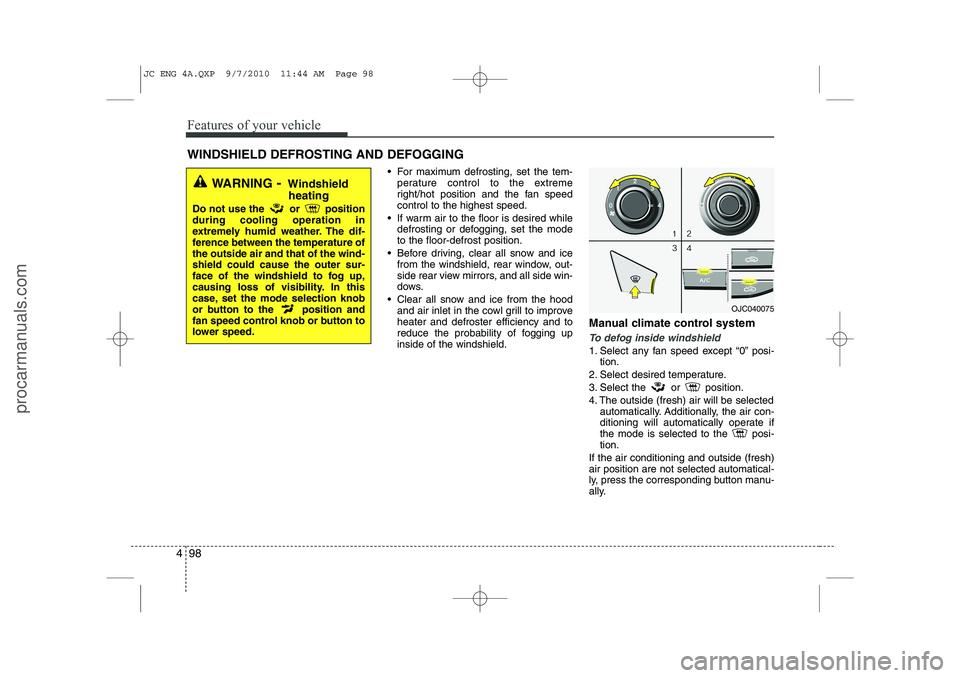
To defog inside windshield
1. Select any fan speed except “0” posi-
tion.
2. Select desired temperature.
3. Select the or position.
4. The outside (fresh) air will be selected automatically. Additionally, the air con-
ditioning will automatically operate if
the mode is selected to the posi-tion.
If the air conditioning and outside (fresh)air position are not selected automatical-
ly, press the corresponding button manu-
ally.
WINDSHIELD DEFROSTING AND DEFOGGING
WARNING - Windshield
heating
Do not use the or position during cooling operation in
extremely humid weather. The dif-
ference between the temperature ofthe outside air and that of the wind-shield could cause the outer sur-
face of the windshield to fog up,
causing loss of visibility. In this
case, set the mode selection knob
or button to the position and
fan speed control knob or button to
lower speed.
OJC040075
JC ENG 4A.QXP 9/7/2010 11:44 AM Page 98
procarmanuals.com
Page 180 of 420
Features of your vehicle
102
4
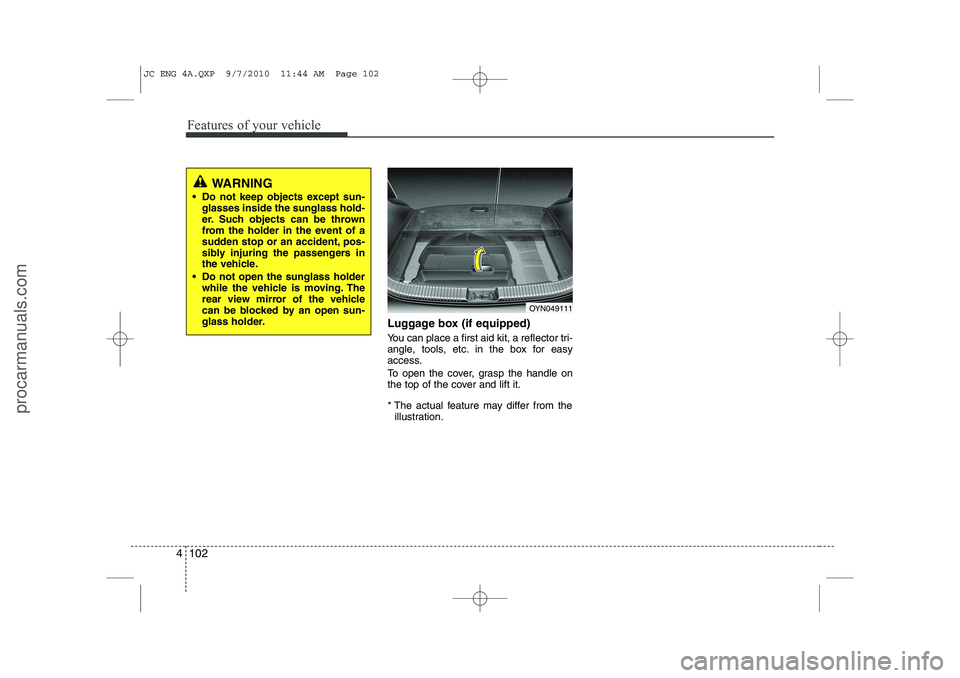
Luggage box (if equipped)
You can place a first aid kit, a reflector tri-
angle, tools, etc. in the box for easy
access.
To open the cover, grasp the handle on
the top of the cover and lift it.
* The actual feature may differ from the
illustration.
OYN049111
WARNING
Do not keep objects except sun- glasses inside the sunglass hold-
er. Such objects can be thrown
from the holder in the event of a
sudden stop or an accident, pos-
sibly injuring the passengers in
the vehicle.
Do not open the sunglass holder while the vehicle is moving. The
rear view mirror of the vehicle
can be blocked by an open sun-
glass holder.
JC ENG 4A.QXP 9/7/2010 11:44 AM Page 102
procarmanuals.com
Page 183 of 420
4 105
Features of your vehicle
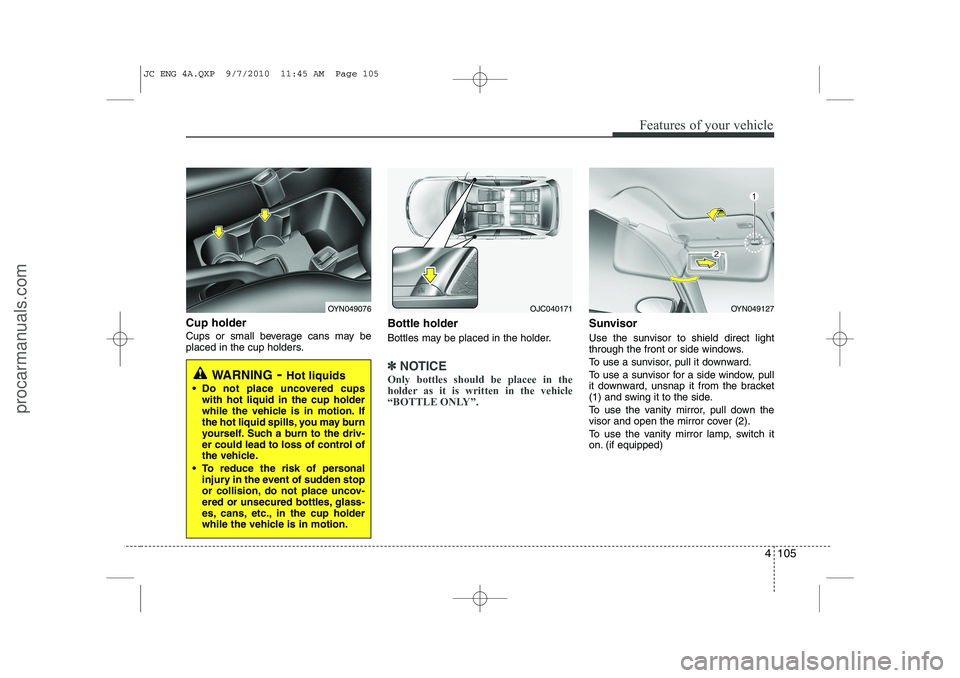
Cup holder
Cups or small beverage cans may be
placed in the cup holders.Bottle holder
Bottles may be placed in the holder.
✽✽
NOTICE
Only bottles should be placee in the
holder as it is written in the vehicle
“BOTTLE ONLY”.
Sunvisor
Use the sunvisor to shield direct light
through the front or side windows.
To use a sunvisor, pull it downward.
To use a sunvisor for a side window, pull
it downward, unsnap it from the bracket
(1) and swing it to the side.
To use the vanity mirror, pull down the
visor and open the mirror cover (2).
To use the vanity mirror lamp, switch it
on. (if equipped)
WARNING - Hot liquids
Do not place uncovered cups with hot liquid in the cup holder
while the vehicle is in motion. If
the hot liquid spills, you may burn
yourself. Such a burn to the driv-
er could lead to loss of control of
the vehicle.
To reduce the risk of personal injury in the event of sudden stop
or collision, do not place uncov-
ered or unsecured bottles, glass-
es, cans, etc., in the cup holder
while the vehicle is in motion.
OYN049076OYN049127OJC040171
JC ENG 4A.QXP 9/7/2010 11:45 AM Page 105
procarmanuals.com
Page 184 of 420
Features of your vehicle
106
4
✽✽
NOTICE
Close the vanity mirror cover securely
and return the sunvisor to its original
position after use.
❈ To learn how to use the vanity mirror
lamp, refer to "Interior light" in this sec- tion.
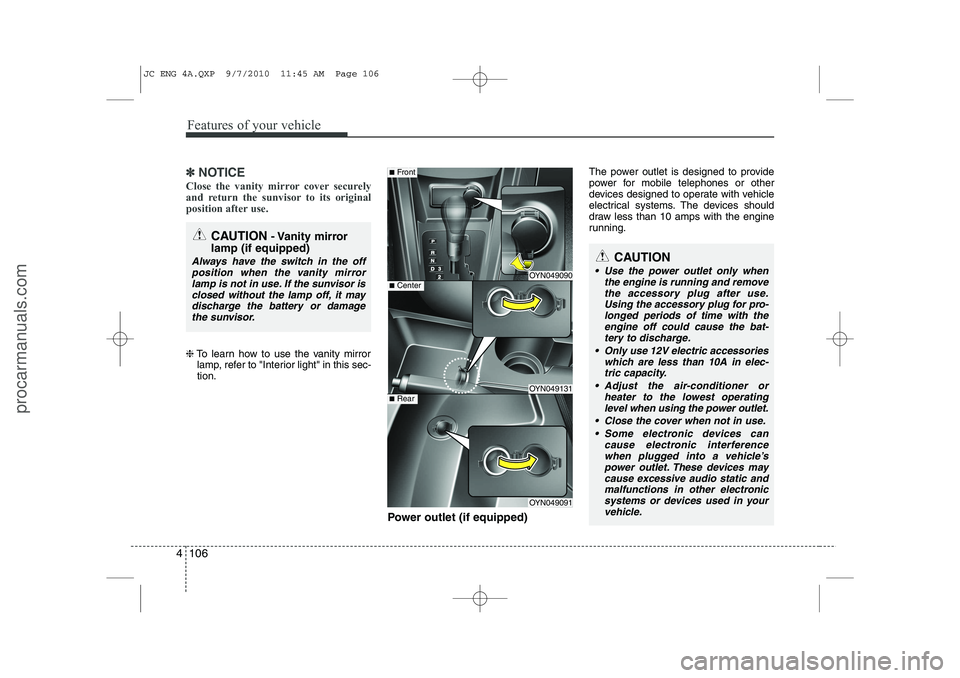
Power outlet (if equipped) The power outlet is designed to provide
power for mobile telephones or other
devices designed to operate with vehicle
electrical systems. The devices should
draw less than 10 amps with the engine
running.
CAUTION
- Vanity mirror
lamp (if equipped)
Always have the switch in the off position when the vanity mirror
lamp is not in use. If the sunvisor isclosed without the lamp off, it may discharge the battery or damagethe sunvisor.
OYN049090
OYN049131
OYN049091
■ Center
■Front
■Rear
CAUTION
Use the power outlet only when
the engine is running and remove
the accessory plug after use. Using the accessory plug for pro-longed periods of time with the engine off could cause the bat-
tery to discharge.
Only use 12V electric accessories which are less than 10A in elec-tric capacity.
Adjust the air-conditioner or heater to the lowest operatinglevel when using the power outlet.
Close the cover when not in use. Some electronic devices can cause electronic interference
when plugged into a vehicle’spower outlet. These devices maycause excessive audio static and malfunctions in other electronic
systems or devices used in your vehicle.
JC ENG 4A.QXP 9/7/2010 11:45 AM Page 106
procarmanuals.com
Page 223 of 420
53
Driving your vehicle
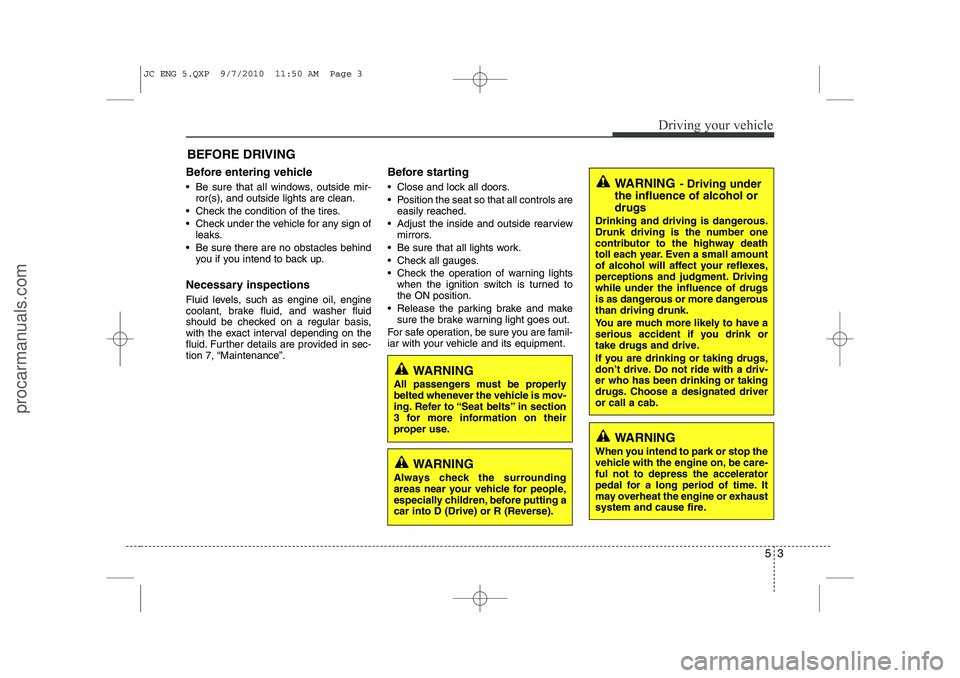
Before entering vehicle
• Be sure that all windows, outside mir-ror(s), and outside lights are clean.
Check the condition of the tires.
Check under the vehicle for any sign of leaks.
Be sure there are no obstacles behind you if you intend to back up.
Necessary inspections
Fluid levels, such as engine oil, engine
coolant, brake fluid, and washer fluid
should be checked on a regular basis,
with the exact interval depending on the
fluid. Further details are provided in sec-
tion 7, “Maintenance”. Before starting
Close and lock all doors.
Position the seat so that all controls are
easily reached.
Adjust the inside and outside rearview mirrors.
Be sure that all lights work.
Check all gauges.
Check the operation of warning lights when the ignition switch is turned to the ON position.
Release the parking brake and make sure the brake warning light goes out.
For safe operation, be sure you are famil-
iar with your vehicle and its equipment.
BEFORE DRIVING
WARNING
All passengers must be properly
belted whenever the vehicle is mov-
ing. Refer to “Seat belts” in section
3 for more information on their
proper use.
WARNING
Always check the surrounding
areas near your vehicle for people,
especially children, before putting a
car into D (Drive) or R (Reverse).
WARNING - Driving under
the influence of alcohol or drugs
Drinking and driving is dangerous.
Drunk driving is the number one
contributor to the highway death
toll each year. Even a small amount
of alcohol will affect your reflexes,
perceptions and judgment. Drivingwhile under the influence of drugs
is as dangerous or more dangerousthan driving drunk.
You are much more likely to have a
serious accident if you drink or
take drugs and drive.
If you are drinking or taking drugs,
don’t drive. Do not ride with a driv-er who has been drinking or taking
drugs. Choose a designated driveror call a cab.
WARNING
When you intend to park or stop the
vehicle with the engine on, be care-ful not to depress the accelerator
pedal for a long period of time. It
may overheat the engine or exhaust
system and cause fire.
JC ENG 5.QXP 9/7/2010 11:50 AM Page 3
procarmanuals.com
Page 268 of 420
Driving your vehicle
48
5
Adjust your mirrors to reduce the glare
from other driver's headlights.
Keep your headlights clean and prop- erly aimed on vehicles not equipped with the automatic headlight aiming
feature. Dirty or improperly aimed
headlights will make it much more diffi-cult to see at night.
Avoid staring directly at the headlights of oncoming vehicles. You could be
temporarily blinded, and it will take
several seconds for your eyes to read-
just to the darkness.
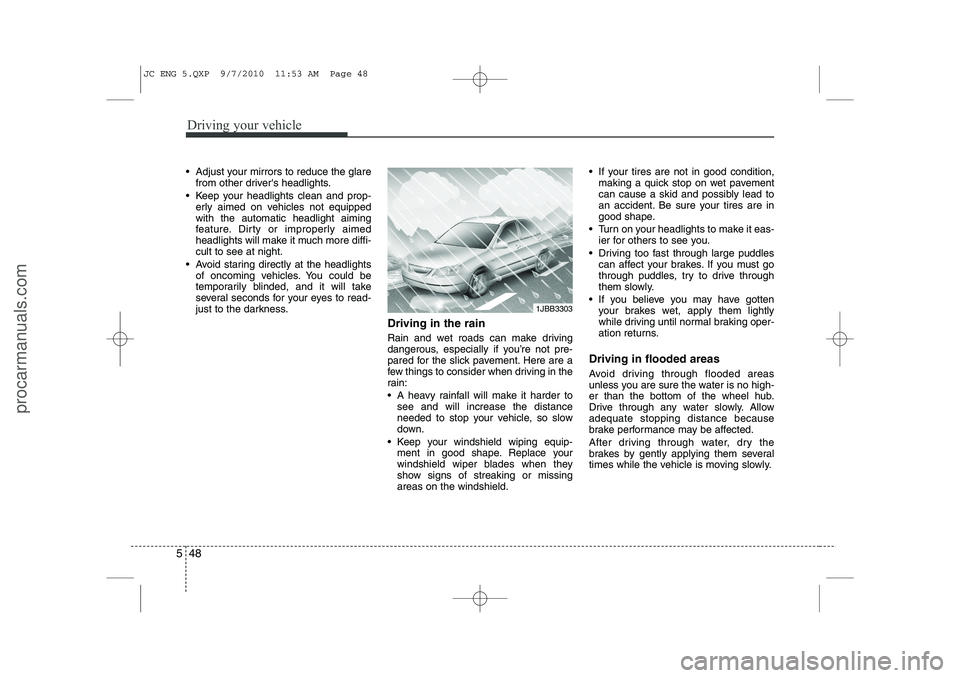
Driving in the rain
Rain and wet roads can make driving
dangerous, especially if you’re not pre-
pared for the slick pavement. Here are a
few things to consider when driving in the
rain:
A heavy rainfall will make it harder tosee and will increase the distance
needed to stop your vehicle, so slow
down.
Keep your windshield wiping equip- ment in good shape. Replace your
windshield wiper blades when they
show signs of streaking or missingareas on the windshield. If your tires are not in good condition,
making a quick stop on wet pavement
can cause a skid and possibly lead to
an accident. Be sure your tires are in
good shape.
Turn on your headlights to make it eas- ier for others to see you.
Driving too fast through large puddles can affect your brakes. If you must go
through puddles, try to drive through
them slowly.
If you believe you may have gotten your brakes wet, apply them lightly
while driving until normal braking oper-
ation returns.
Driving in flooded areas
Avoid driving through flooded areas
unless you are sure the water is no high-
er than the bottom of the wheel hub.
Drive through any water slowly. Allowadequate stopping distance because
brake performance may be affected.
After driving through water, dry the
brakes by gently applying them several
times while the vehicle is moving slowly.
1JBB3303
JC ENG 5.QXP 9/7/2010 11:53 AM Page 48
procarmanuals.com
Page 276 of 420
Driving your vehicle
56
5
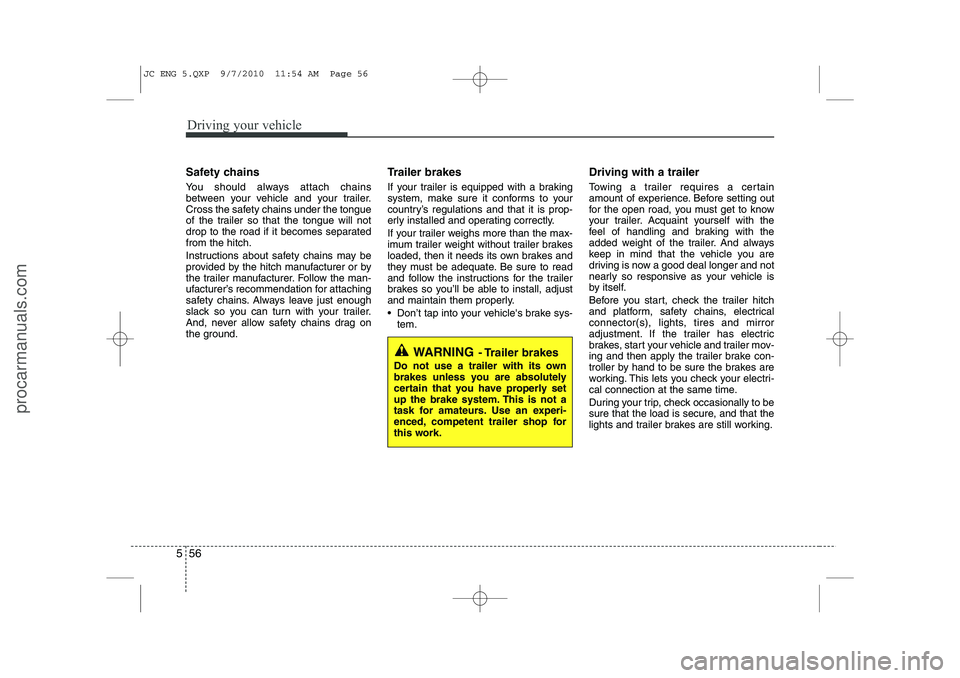
Safety chains
You should always attach chains
between your vehicle and your trailer.
Cross the safety chains under the tongue
of the trailer so that the tongue will not
drop to the road if it becomes separatedfrom the hitch.
Instructions about safety chains may be
provided by the hitch manufacturer or by
the trailer manufacturer. Follow the man-
ufacturer’s recommendation for attaching
safety chains. Always leave just enough
slack so you can turn with your trailer.
And, never allow safety chains drag on
the ground. Trailer brakes
If your trailer is equipped with a braking
system, make sure it conforms to your
country’s regulations and that it is prop-
erly installed and operating correctly.
If your trailer weighs more than the max-
imum trailer weight without trailer brakes
loaded, then it needs its own brakes and
they must be adequate. Be sure to read
and follow the instructions for the trailer
brakes so you’ll be able to install, adjust
and maintain them properly.
Don’t tap into your vehicle's brake sys-
tem. Driving with a trailer
Towing a trailer requires a certain
amount of experience. Before setting out
for the open road, you must get to know
your trailer. Acquaint yourself with the
feel of handling and braking with the
added weight of the trailer. And always
keep in mind that the vehicle you are
driving is now a good deal longer and not
nearly so responsive as your vehicle is
by itself.
Before you start, check the trailer hitch
and platform, safety chains, electrical
connector(s), lights, tires and mirror
adjustment. If the trailer has electric
brakes, start your vehicle and trailer mov-
ing and then apply the trailer brake con-
troller by hand to be sure the brakes are
working. This lets you check your electri-
cal connection at the same time.
During your trip, check occasionally to be
sure that the load is secure, and that the
lights and trailer brakes are still working.
WARNING
- Trailer brakes
Do not use a trailer with its own
brakes unless you are absolutely
certain that you have properly set
up the brake system. This is not a
task for amateurs. Use an experi-
enced, competent trailer shop for
this work.
JC ENG 5.QXP 9/7/2010 11:54 AM Page 56
procarmanuals.com
Page 378 of 420
765
Maintenance
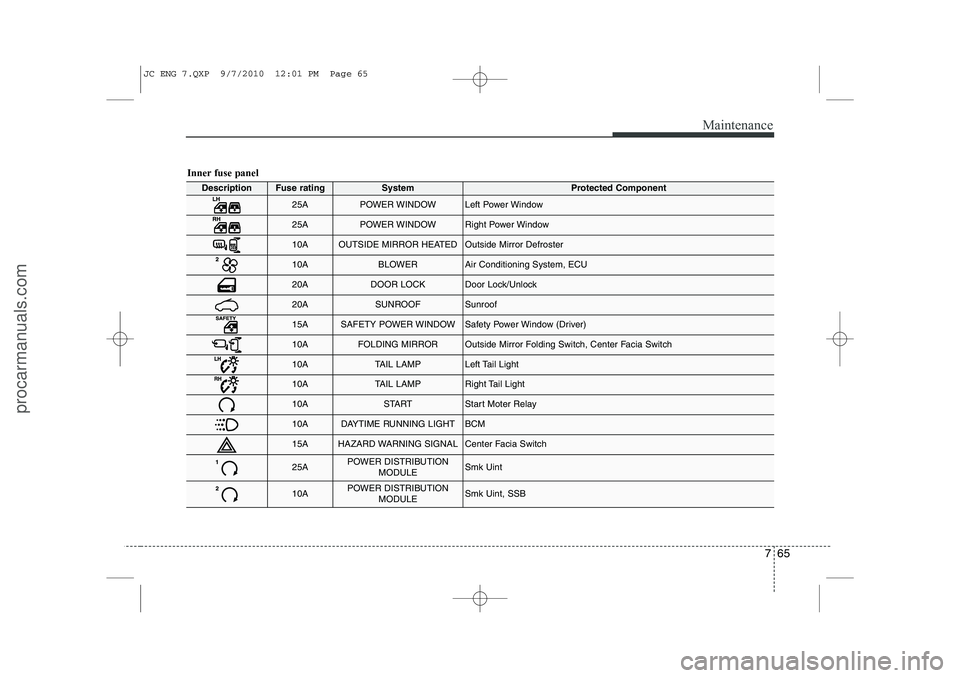
Inner fuse panel
DescriptionFuse ratingSystemProtected Component
25APOWER WINDOWLeft Power Window
25APOWER WINDOWRight Power Window
10AOUTSIDE MIRROR HEATEDOutside Mirror Defroster
10ABLOWERAir Conditioning System, ECU
20ADOOR LOCKDoor Lock/Unlock
20ASUNROOFSunroof
15ASAFETY POWER WINDOWSafety Power Window (Driver)
10AFOLDING MIRROROutside Mirror Folding Switch, Center Facia Switch
10ATAIL LAMPLeft Tail Light
10ATAIL LAMPRight Tail Light
10ASTARTStart Moter Relay
10ADAYTIME RUNNING LIGHTBCM
15AHAZARD WARNING SIGNALCenter Facia Switch
25APOWER DISTRIBUTIONMODULESmk Uint
10APOWER DISTRIBUTIONMODULESmk Uint, SSB
JC ENG 7.QXP 9/7/2010 12:01 PM Page 65
procarmanuals.com
Page 381 of 420
Maintenance
68
7
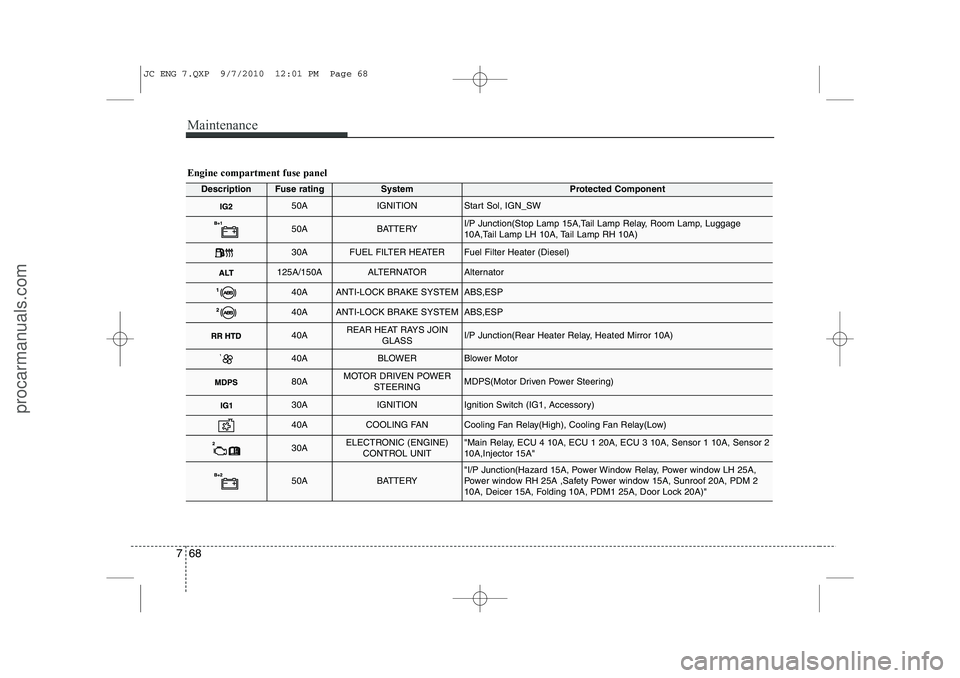
Engine compartment fuse panel
DescriptionFuse ratingSystemProtected Component
50AIGNITIONStart Sol, IGN_SW
50ABATTERYI/P Junction(Stop Lamp 15A,Tail Lamp Relay, Room Lamp, Luggage
10A,Tail Lamp LH 10A, Tail Lamp RH 10A)
30AFUEL FILTER HEATERFuel Filter Heater (Diesel)
125A/150AALTERNATORAlternator
40AANTI-LOCK BRAKE SYSTEMABS,ESP
40AANTI-LOCK BRAKE SYSTEMABS,ESP
40AREAR HEAT RAYS JOIN
GLASSI/P Junction(Rear Heater Relay, Heated Mirror 10A)
40ABLOWERBlower Motor
80AMOTOR DRIVEN POWERSTEERINGMDPS(Motor Driven Power Steering)
30AIGNITIONIgnition Switch (IG1, Accessory)
40ACOOLING FANCooling Fan Relay(High), Cooling Fan Relay(Low)
30AELECTRONIC (ENGINE)CONTROL UNIT"Main Relay, ECU 4 10A, ECU 1 20A, ECU 3 10A, Sensor 1 10A, Sensor 2 10A,Injector 15A"
50ABATTERY"I/P Junction(Hazard 15A, Power Window Relay, Power window LH 25A,
Power window RH 25A ,Safety Power window 15A, Sunroof 20A, PDM 2
10A, Deicer 15A, Folding 10A, PDM1 25A, Door Lock 20A)"
JC ENG 7.QXP 9/7/2010 12:01 PM Page 68
procarmanuals.com
Page 391 of 420
Maintenance
78
7
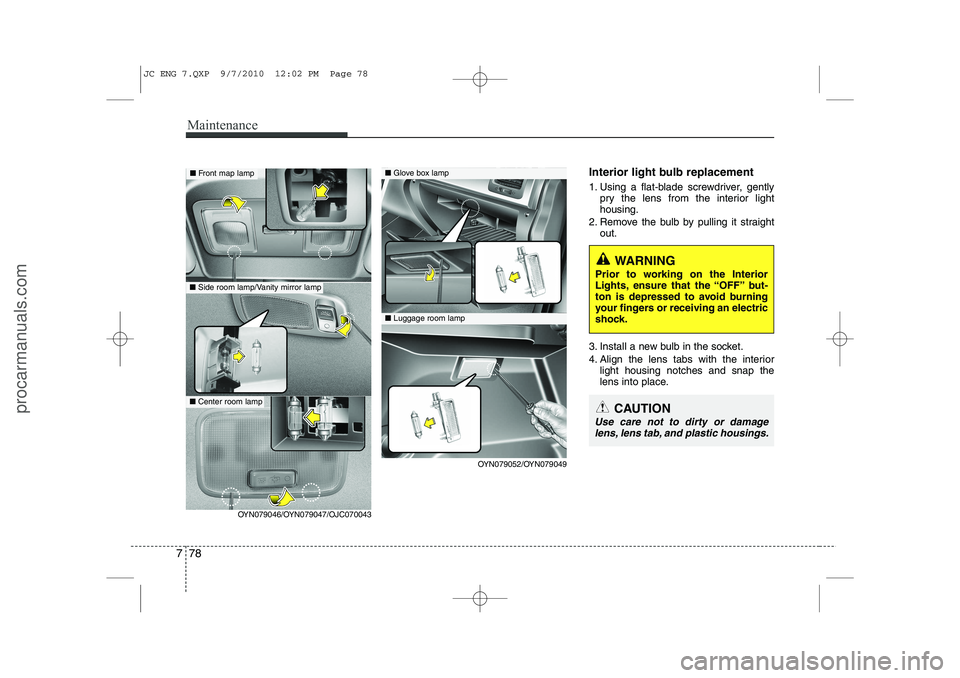
Interior light bulb replacement
1. Using a flat-blade screwdriver, gently
pry the lens from the interior light housing.
2. Remove the bulb by pulling it straight out.
3. Install a new bulb in the socket.
4. Align the lens tabs with the interior light housing notches and snap the
lens into place.■Front map lamp
■ Side room lamp/Vanity mirror lamp
OYN079052/OYN079049
■Glove box lamp
■Luggage room lamp
OYN079046/OYN079047/OJC070043
WARNING
Prior to working on the Interior
Lights, ensure that the “OFF” but-
ton is depressed to avoid burning
your fingers or receiving an electric
shock.
CAUTION
Use care not to dirty or damage lens, lens tab, and plastic housings.
■ Center room lamp
JC ENG 7.QXP 9/7/2010 12:02 PM Page 78
procarmanuals.com