AUX HYUNDAI IX20 2011 Owners Manual
[x] Cancel search | Manufacturer: HYUNDAI, Model Year: 2011, Model line: IX20, Model: HYUNDAI IX20 2011Pages: 420, PDF Size: 20.53 MB
Page 185 of 420
4 107
Features of your vehicle
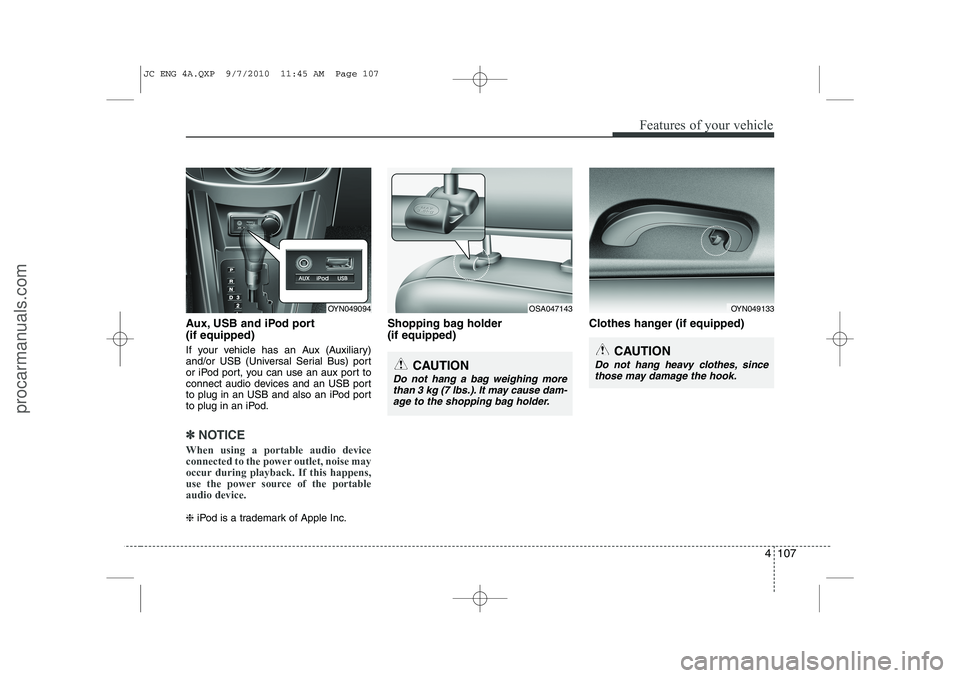
Aux, USB and iPod port (if equipped)
If your vehicle has an Aux (Auxiliary)
and/or USB (Universal Serial Bus) port
or iPod port, you can use an aux port to
connect audio devices and an USB port
to plug in an USB and also an iPod port
to plug in an iPod.
✽✽NOTICE
When using a portable audio device
connected to the power outlet, noise may
occur during playback. If this happens,
use the power source of the portableaudio device.
❈ iPod is a trademark of Apple Inc. Shopping bag holder (if equipped)
Clothes hanger (if equipped)
OYN049094OYN049133
CAUTION
Do not hang heavy clothes, since
those may damage the hook.
OSA047143
CAUTION
Do not hang a bag weighing morethan 3 kg (7 lbs.). It may cause dam-
age to the shopping bag holder.
JC ENG 4A.QXP 9/7/2010 11:45 AM Page 107
procarmanuals.com
Page 195 of 420
4 117
Features of your vehicle
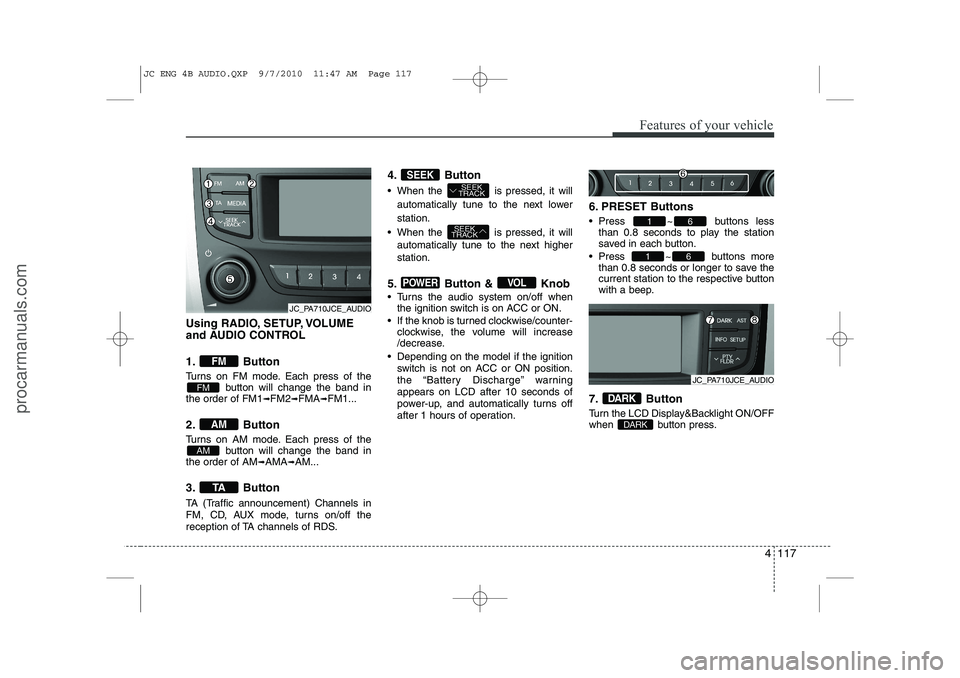
Using RADIO, SETUP, VOLUME
and AUDIO CONTROL
1. Button
Turns on FM mode. Each press of thebutton will change the band in
the order of FM1 ➟FM2 ➟FMA ➟FM1...
2. Button
Turns on AM mode. Each press of the button will change the band in
the order of AM ➟AMA ➟AM...
3. Button
TA (Traffic announcement) Channels in
FM, CD, AUX mode, turns on/off the
reception of TA channels of RDS. 4. Button
When the is pressed, it will
automatically tune to the next lower station.
When the is pressed, it will automatically tune to the next higher station.
5. Button & Knob
Turns the audio system on/off when the ignition switch is on ACC or ON.
If the knob is turned clockwise/counter- clockwise, the volume will increase
/decrease.
Depending on the model if the ignition switch is not on ACC or ON position.
the “Battery Discharge” warningappears on LCD after 10 seconds of
power-up, and automatically turns off
after 1 hours of operation. 6. PRESET Buttons
Press ~ buttons
less
than 0.8 seconds to play the station
saved in each button.
Press ~ buttons more
than 0.8 seconds or longer to save the
current station to the respective button
with a beep.
7. Button
Turn the LCD Display&Backlight ON/OFF
when button press.
DARK
DARK
61
61
VOLPOWER
SEEK
TRACK
SEEK
TRACKSEEK
TA
AM
AM
FM
FM
JC_PA710JCE_AUDIO
JC_PA710JCE_AUDIO
JC ENG 4B AUDIO.QXP 9/7/2010 11:47 AM Page 117
procarmanuals.com
Page 204 of 420
Features of your vehicle
126
4
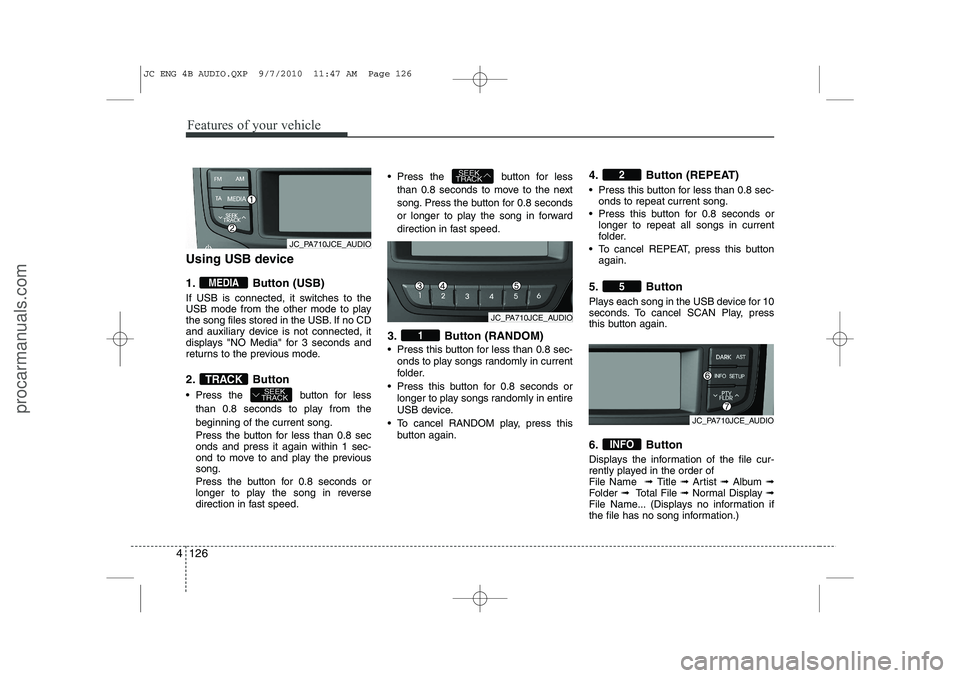
Using USB device
1. Button (USB)
If USB is connected, it switches to the
USB mode from the other mode to play
the song files stored in the USB. If no CD
and auxiliary device is not connected, it
displays "NO Media" for 3 seconds and
returns to the previous mode.
2. Button
Press the button for less
than 0.8 seconds to play from the beginning of the current song.
Press the button for less than 0.8 sec onds and press it again within 1 sec-
ond to move to and play the previoussong.
Press the button for 0.8 seconds or
longer to play the song in reverse
direction in fast speed. Press the button for less
than 0.8 seconds to move to the next
song. Press the button for 0.8 seconds
or longer to play the song in forward
direction in fast speed.
3. Button (RANDOM)
Press this button for less than 0.8 sec- onds to play songs randomly in current
folder.
Press this button for 0.8 seconds or longer to play songs randomly in entire
USB device.
To cancel RANDOM play, press this button again. 4. Button (REPEAT)
Press this button for less than 0.8 sec-
onds to repeat current song.
Press this button for 0.8 seconds or longer to repeat all songs in current
folder.
To cancel REPEAT, press this button again.
5. Button
Plays each song in the USB device for 10
seconds. To cancel SCAN Play, press
this button again.
6. Button
Displays the information of the file cur-
rently played in the order of File Name ➟ Title ➟ Artist ➟ Album ➟
Folder ➟ Total File ➟ Normal Display ➟
File Name... (Displays no information if
the file has no song information.)
INFO
5
2
1
SEEK
TRACK
SEEK
TRACKTRACK
MEDIA
JC_PA710JCE_AUDIO
JC_PA710JCE_AUDIO
JC_PA710JCE_AUDIO
JC ENG 4B AUDIO.QXP 9/7/2010 11:47 AM Page 126
procarmanuals.com
Page 218 of 420
Features of your vehicle
140
4
■
Receiving a Phone Call
When receiving a phone call, a ringtone
is audible from speakers and the audio
system changes into telephone mode.
When receiving a phone call, “Incoming
call” message and incoming phone num-
ber (if available) are displayed on the
audio.
To Answer a Call:
- Press button on the steering wheel.
To Reject a Call:
- Press button on the steering wheel.
To Adjust Ring Volume:
- Use VOLUME buttons on the steering wheel.
To Transfer a Call to the Phone (Secret Call):
- Press button on the steering wheel until the audio system transfers a
call to the phone. ■
Talking on the Phone
When talking on the phone, “Active Call”
message and the other party’s phone
number (if available) are displayed on the
audio.
To Mute the Microphone
- Press button on the steering wheel.
To Finish a Call
- Press button on the steering wheel.
✽✽ NOTICE
In the following situations, you or the
other party may have difficulty hearingeach other:
1. Speaking at the same time, your voice may not reach each other parties.(This is not a malfunction.) Speak
alternately with the other party on thephone.
2. Keep the Bluetooth ®
volume to a low
level. High-level volume may result indistortion and echo.
3. When driving on a rough road.
4. When driving at high speeds.
5. When the window is open.
6. When the air conditioning vents are facing the microphone.
7. When the sound of the air condition-
ing fan is loud.
■ Bluetooth ®
Audio Music
Streaming
The audio system supports Bluetooth ®
A2DP (Audio Advanced Distribution
Profile) and AVRCP (Audio Video
Remote Control Profile) technologies.
Both profiles provide steaming of music
via compatible “PAIRED” Bluetooth ®
Cellular phone.
To stream music from the Bluetooth ®
cel-
lular phone, play your music files on your
cellular phone according to your cellular
phone user’s manual and press the button on the audio system until
“MP3 play” is displayed on the LCD.
The audio system head unit displays ‘MP3 MODE’.
CD/AUX
MUTE
JC ENG 4B AUDIO.QXP 9/7/2010 11:48 AM Page 140
procarmanuals.com
Page 411 of 420
Index
2
I
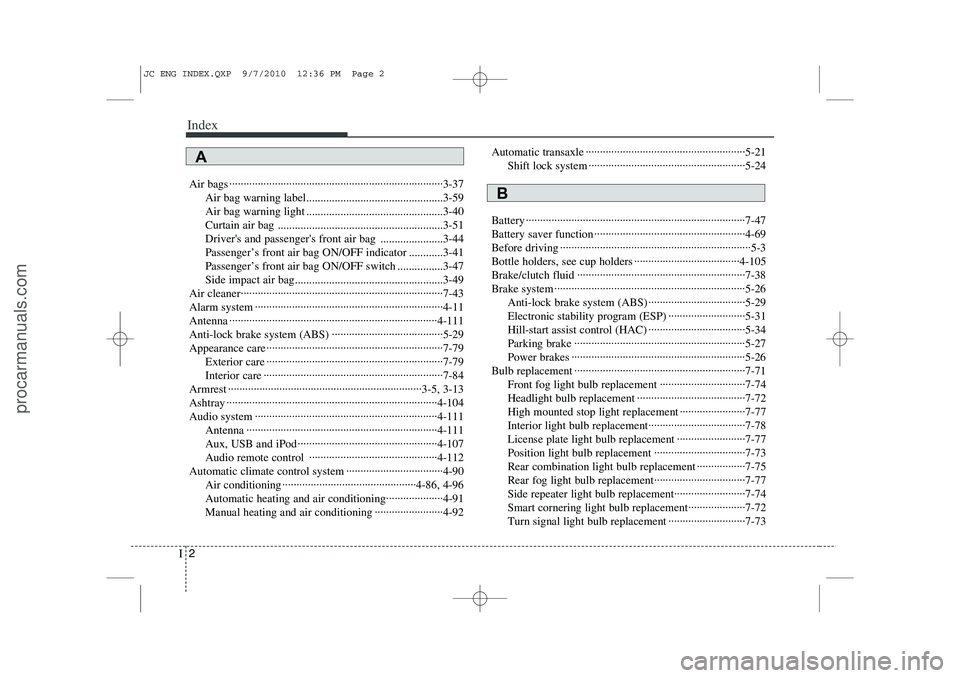
Air bags ···········································································3-37
Air bag warning label................................................3-59
Air bag warning light ................................................3-40
Curtain air bag ..........................................................3-51
Driver's and passenger's front air bag ......................3-44
Passenger’s front air bag ON/OFF indicator ............3-41
Passenger’s front air bag ON/OFF switch ................3-47
Side impact air bag....................................................3-49
Air cleaner·······································································7-43
Alarm system ··································································4-11
Antenna ·········································································4-111
Anti-lock brake system (ABS) ·······································5-29
Appearance care······························································7-79 Exterior care ······························································7-79
Interior care ·······························································7-84
Armrest ····································································3-5, 3-13
Ashtray ··········································································4-104
Audio system ································································4-111 Antenna ···································································4-111
Aux, USB and iPod ·················································4-107
Audio remote control ·············································4-112
Automatic climate control system ··································4-90 Air conditioning ···············································4-86, 4-96
Automatic heating and air conditioning····················4-91
Manual heating and air conditioning ························4-92 Automatic transaxle ························································5-21
Shift lock system ·······················································5-24
Battery ·············································································7-47
Battery saver function ·····················································4-69
Before driving ···································································5-3
Bottle holders, see cup holders ·····································4-105
Brake/clutch fluid ···························································7-38
Brake system ···································································5-26 Anti-lock brake system (ABS) ··································5-29
Electronic stability program (ESP) ···························5-31
Hill-start assist control (HAC) ··································5-34
Parking brake ····························································5-27
Power brakes ·····························································5-26
Bulb replacement ····························································7-71 Front fog light bulb replacement ······························7-74
Headlight bulb replacement ······································7-72
High mounted stop light replacement ·······················7-77
Interior light bulb replacement··································7-78
License plate light bulb replacement ························7-77
Position light bulb replacement ································7-73
Rear combination light bulb replacement ·················7-75
Rear fog light bulb replacement································7-77Side repeater light bulb replacement·························7-74
Smart cornering light bulb replacement····················7-72
Turn signal light bulb replacement ···························7-73
A
B
JC ENG INDEX.QXP 9/7/2010 12:36 PM Page 2
procarmanuals.com
Page 415 of 420
Index
6
I
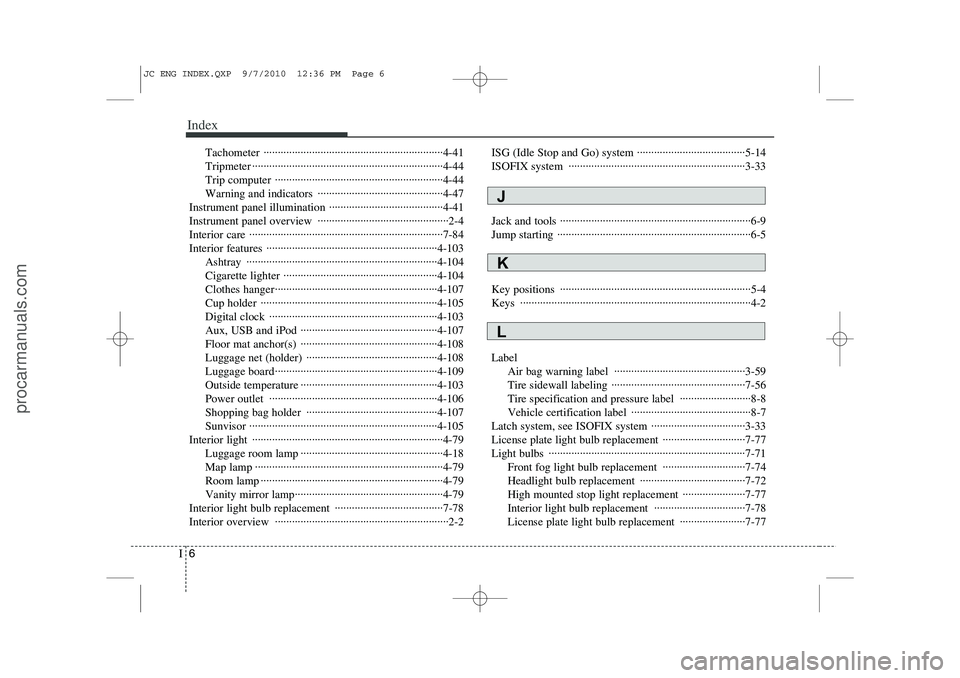
Tachometer ·······························································4-41
Tripmeter ···································································4-44
Trip computer ···························································4-44
Warning and indicators ············································4-47
Instrument panel illumination ········································4-41
Instrument panel overview ··············································2-4
Interior care ····································································7-84
Interior features ····························································4-103 Ashtray ···································································4-104
Cigarette lighter ······················································4-104
Clothes hanger·························································4-107
Cup holder ······························································4-105
Digital clock ···························································4-103
Aux, USB and iPod ················································4-107
Floor mat anchor(s) ················································4-108
Luggage net (holder) ··············································4-108
Luggage board·························································4-109
Outside temperature ················································4-103
Power outlet ···························································4-106
Shopping bag holder ··············································4-107Sunvisor ··································································4-105
Interior light ···································································4-79 Luggage room lamp ··················································4-18
Map lamp ··································································4-79
Room lamp ································································4-79
Vanity mirror lamp····················································4-79
Interior light bulb replacement ······································7-78
Interior overview ·····························································2-2 ISG (Idle Stop and Go) system ······································5-14
ISOFIX system ······························································3-33
Jack and tools ···································································6-9
Jump starting ····································································6-5
Key positions ···································································5-4 Keys ·················································································4-2 Label
Air bag warning label ··············································3-59
Tire sidewall labeling ···············································7-56
Tire specification and pressure label ·························8-8
Vehicle certification label ··········································8-7
Latch system, see ISOFIX system ·································3-33
License plate light bulb replacement ·····························7-77
Light bulbs ·····································································7-71 Front fog light bulb replacement ·····························7-74
Headlight bulb replacement ·····································7-72
High mounted stop light replacement ······················7-77
Interior light bulb replacement ································7-78
License plate light bulb replacement ·······················7-77
L
K
J
JC ENG INDEX.QXP 9/7/2010 12:36 PM Page 6
procarmanuals.com