ECO mode HYUNDAI IX20 2016 Owner's Manual
[x] Cancel search | Manufacturer: HYUNDAI, Model Year: 2016, Model line: IX20, Model: HYUNDAI IX20 2016Pages: 385, PDF Size: 13.67 MB
Page 215 of 385
4139
Features of your vehicle
• Adding Entry by Phone
1. Press button.
2. Say “Phonebook”.
3. Say “Add Entry” after prompt.
4. Say “By Phone” to proceed.
5. Say “Yes” to confirm.
6. Your phone will start to transfer
phone/contact list to the audio system.
This process may take over 10 minutes
depending on the phone model and
number of entries
7. Wait till the audio displays “Transfer
Complete” message.
• Changing Name
The registered names can be modified.
1. Press button.
2. Say “Phonebook”.
3. Say “Change Name” after prompt.
4. Say the name of the entry (voice tag).
5. Say “Yes” to confirm.
6. Say new desired name.• Deleting Name
The registered names can be deleted.
1. Press button.
2. Say “Phonebook”.
3. Say “Delete Name” after prompt.
4. Say the name of the entry (voice tag).
5. Say “Yes” to confirm.
■Making a Phone Call
• Calling by Name
A phone call can be made by speaking
names registered in the audio system.
1. Press button.
2. Say “Call”.
3. Say “Name” when prompted.
4. Say desired name (voice tag).
5. Say desired location (phone number
type). Only stored locations can be
selected.
6. Say “Yes” to confirm and make a call.
✽Tip
A shortcut to each of the following func-
tions is available:
1. Say “Call Name”
2. Say “Call
3. Say “Call
• Dialing by Number
A phone call can be made by dialing the
spoken numbers. The system can recog-
nize single digits from zero to nine.
1. Press button.
2. Say “Call”.
3. Say “Number” when prompted.
4. Say desired phone numbers.
5. Say “Dial” to complete the number and
make a call.
✽Tip
A shortcut to each of the following func-
tions is available:
1. Say “Dial Number”
2. Say “Dial
procarmanuals.com
Page 232 of 385
Driving your vehicle
14 5
Your vehicle may be equipped with the
ISG system, which reduces fuel con-
sumption by automatically shutting down
the engine, when the vehicle is at a
standstill. (For example : red light, stop
sign and traffic jam)
The engine starts automatically as soon
as the starting conditions are met.
The ISG system is ON whenever the
engine is running.
✽NOTICE
When the engine automatically starts by
the ISG system, some warning lights
(ABS, ESP, ESP OFF, EPS or Parking
brake warning light) may turn on for a
few seconds.
This happens because of low battery
voltage. It does not mean the system is
malfunctioning.Auto stop
To stop the engine in idle stop mode
1. Decrease the vehicle speed to less
than 3 mph (5 km/h).
2. Shift into N (Neutral) position.
3. Release the clutch pedal.
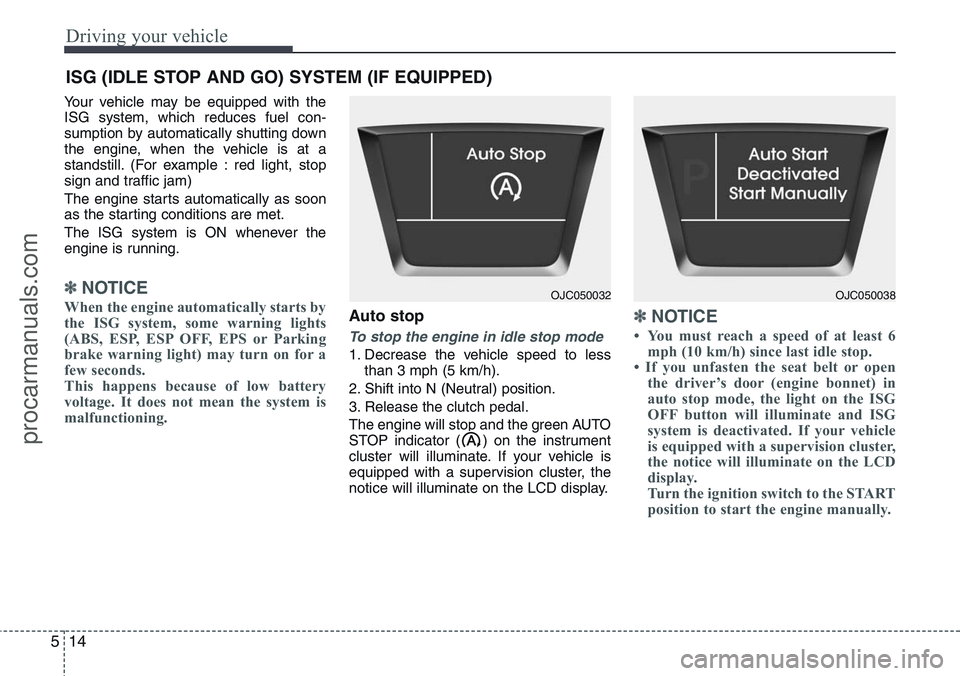
The engine will stop and the green AUTO
STOP indicator ( ) on the instrument
cluster will illuminate. If your vehicle is
equipped with a supervision cluster, the
notice will illuminate on the LCD display.
✽NOTICE
• You must reach a speed of at least 6
mph (10 km/h) since last idle stop.
• If you unfasten the seat belt or open
the driver’s door (engine bonnet) in
auto stop mode, the light on the ISG
OFF button will illuminate and ISG
system is deactivated. If your vehicle
is equipped with a supervision cluster,
the notice will illuminate on the LCD
display.
Turn the ignition switch to the START
position to start the engine manually.
ISG (IDLE STOP AND GO) SYSTEM (IF EQUIPPED)
OJC050032OJC050038
procarmanuals.com
Page 233 of 385
515
Driving your vehicle
Auto start
To restart the engine from idle stop
mode
• Press the clutch pedal when the shift
lever is in the N (Neutral) position.
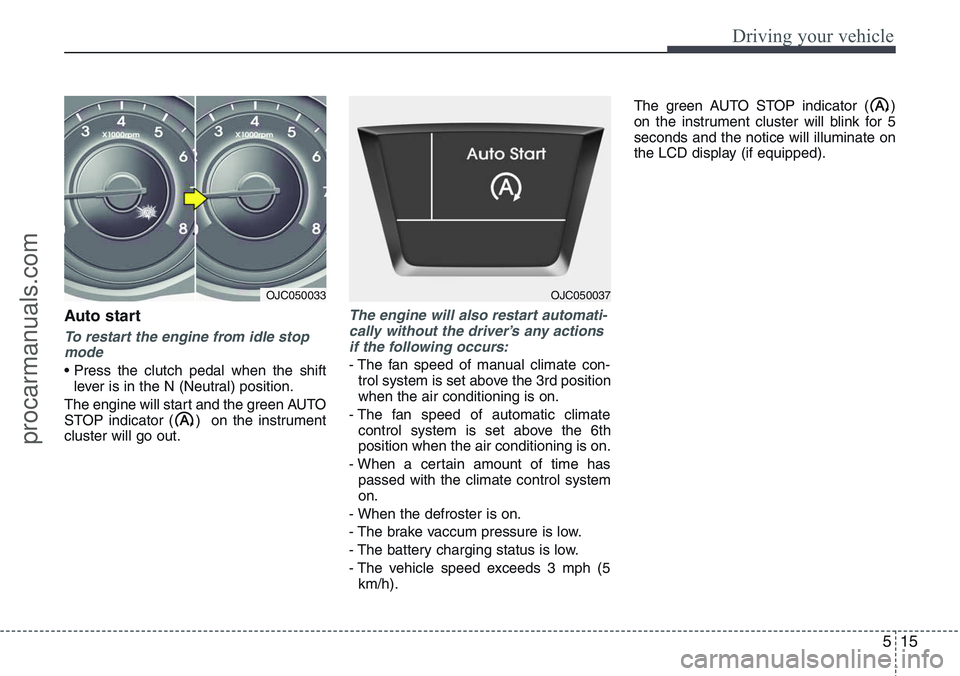
The engine will start and the green AUTO
STOP indicator ( ) on the instrument
cluster will go out.
The engine will also restart automati-
cally without the driver’s any actions
if the following occurs:
- The fan speed of manual climate con-
trol system is set above the 3rd position
when the air conditioning is on.
- The fan speed of automatic climate
control system is set above the 6th
position when the air conditioning is on.
- When a certain amount of time has
passed with the climate control system
on.
- When the defroster is on.
- The brake vaccum pressure is low.
- The battery charging status is low.
- The vehicle speed exceeds 3 mph (5
km/h).The green AUTO STOP indicator ( )
on the instrument cluster will blink for 5
seconds and the notice will illuminate on
the LCD display (if equipped).
OJC050033OJC050037
procarmanuals.com
Page 235 of 385
517
Driving your vehicle
ISG system malfunction
The system may not operate when:
- The ISG related sensors or system
error occurs.
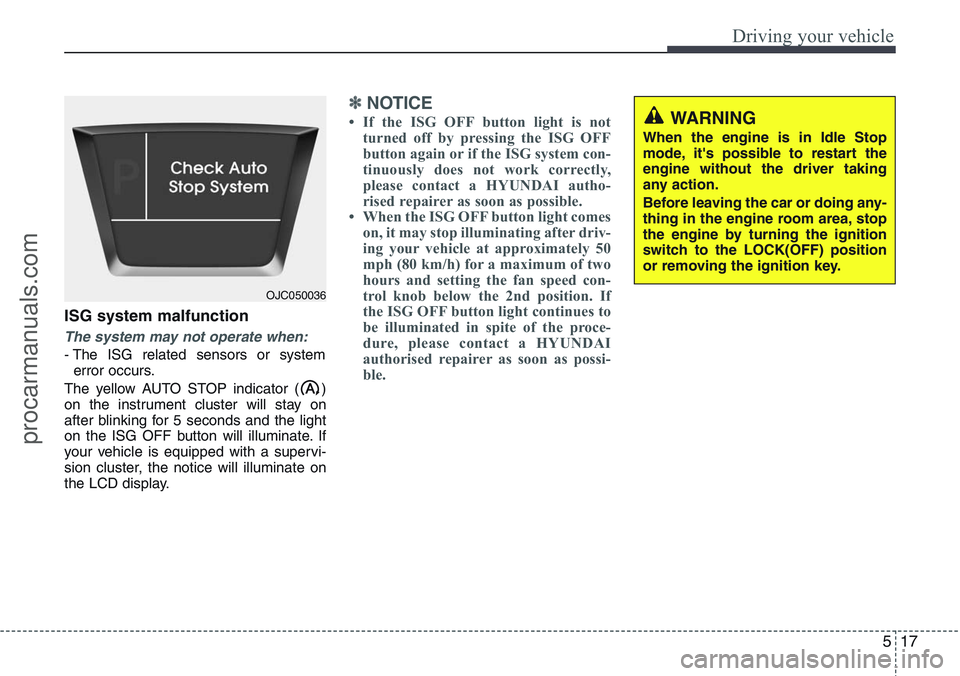
The yellow AUTO STOP indicator ( )
on the instrument cluster will stay on
after blinking for 5 seconds and the light
on the ISG OFF button will illuminate. If
your vehicle is equipped with a supervi-
sion cluster, the notice will illuminate on
the LCD display.
✽NOTICE
• If the ISG OFF button light is not
turned off by pressing the ISG OFF
button again or if the ISG system con-
tinuously does not work correctly,
please contact a HYUNDAI autho-
rised repairer as soon as possible.
• When the ISG OFF button light comes
on, it may stop illuminating after driv-
ing your vehicle at approximately 50
mph (80 km/h) for a maximum of two
hours and setting the fan speed con-
trol knob below the 2nd position. If
the ISG OFF button light continues to
be illuminated in spite of the proce-
dure, please contact a HYUNDAI
authorised repairer as soon as possi-
ble.WARNING
When the engine is in Idle Stop
mode, it's possible to restart the
engine without the driver taking
any action.
Before leaving the car or doing any-
thing in the engine room area, stop
the engine by turning the ignition
switch to the LOCK(OFF) position
or removing the ignition key.
OJC050036
procarmanuals.com
Page 261 of 385
543
Driving your vehicle
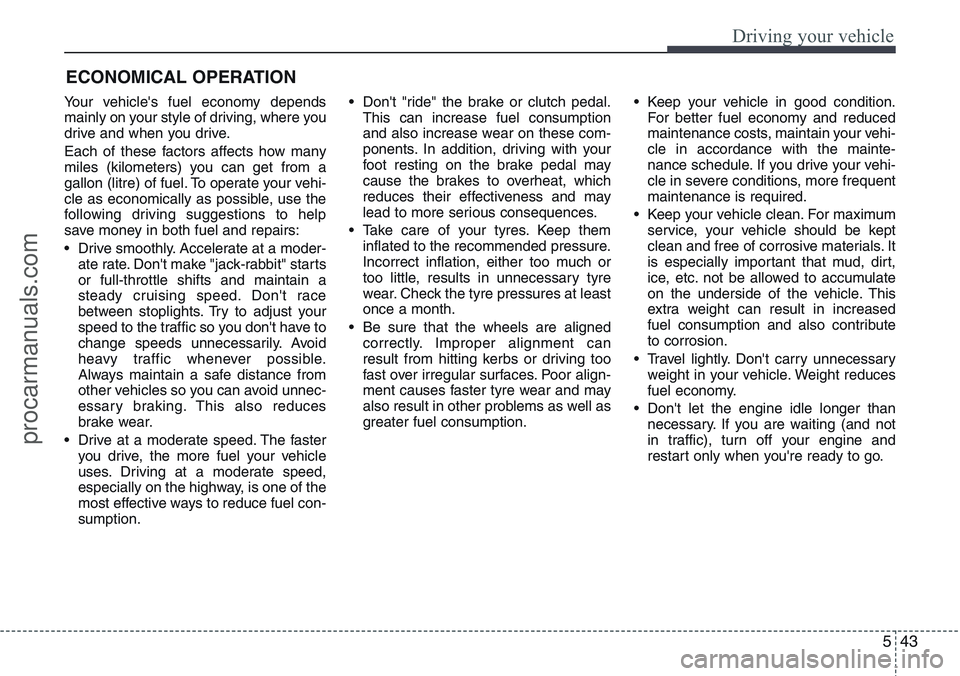
Your vehicle's fuel economy depends
mainly on your style of driving, where you
drive and when you drive.
Each of these factors affects how many
miles (kilometers) you can get from a
gallon (litre) of fuel. To operate your vehi-
cle as economically as possible, use the
following driving suggestions to help
save money in both fuel and repairs:
• Drive smoothly. Accelerate at a moder-
ate rate. Don't make "jack-rabbit" starts
or full-throttle shifts and maintain a
steady cruising speed. Don't race
between stoplights. Try to adjust your
speed to the traffic so you don't have to
change speeds unnecessarily. Avoid
heavy traffic whenever possible.
Always maintain a safe distance from
other vehicles so you can avoid unnec-
essary braking. This also reduces
brake wear.
• Drive at a moderate speed. The faster
you drive, the more fuel your vehicle
uses. Driving at a moderate speed,
especially on the highway, is one of the
most effective ways to reduce fuel con-
sumption.• Don't "ride" the brake or clutch pedal.
This can increase fuel consumption
and also increase wear on these com-
ponents. In addition, driving with your
foot resting on the brake pedal may
cause the brakes to overheat, which
reduces their effectiveness and may
lead to more serious consequences.
• Take care of your tyres. Keep them
inflated to the recommended pressure.
Incorrect inflation, either too much or
too little, results in unnecessary tyre
wear. Check the tyre pressures at least
once a month.
• Be sure that the wheels are aligned
correctly. Improper alignment can
result from hitting kerbs or driving too
fast over irregular surfaces. Poor align-
ment causes faster tyre wear and may
also result in other problems as well as
greater fuel consumption.• Keep your vehicle in good condition.
For better fuel economy and reduced
maintenance costs, maintain your vehi-
cle in accordance with the mainte-
nance schedule. If you drive your vehi-
cle in severe conditions, more frequent
maintenance is required.
• Keep your vehicle clean. For maximum
service, your vehicle should be kept
clean and free of corrosive materials. It
is especially important that mud, dirt,
ice, etc. not be allowed to accumulate
on the underside of the vehicle. This
extra weight can result in increased
fuel consumption and also contribute
to corrosion.
• Travel lightly. Don't carry unnecessary
weight in your vehicle. Weight reduces
fuel economy.
• Don't let the engine idle longer than
necessary. If you are waiting (and not
in traffic), turn off your engine and
restart only when you're ready to go.
ECONOMICAL OPERATION
procarmanuals.com
Page 278 of 385
Driving your vehicle
60 5
If you do decide to pull a trailer
Here are some important points if you
decide to pull a trailer:
• Consider using a sway control. You can
ask a towbar dealer about sway con-
trol.
• Do not do any towing with your car dur-
ing its first 1,200 miles (2,000 km) in
order to allow the engine to properly
run-in. Failure to heed this caution may
result in serious engine or transaxle
damage.
• When towing a trailer, be sure to con-
sult a HYUNDAI authorised repairer for
further information on additional
requirements such as a towing kit, etc.
• Always drive your vehicle at a moder-
ate speed (less than 60 mph/100
km/h). If your vehicle is a commercial
vehicle, drive less than 50 mph (80
km/h).
• On a long uphill grade, do not exceed
45 mph (70 km/h) or the posted towing
speed limit, whichever is lower.
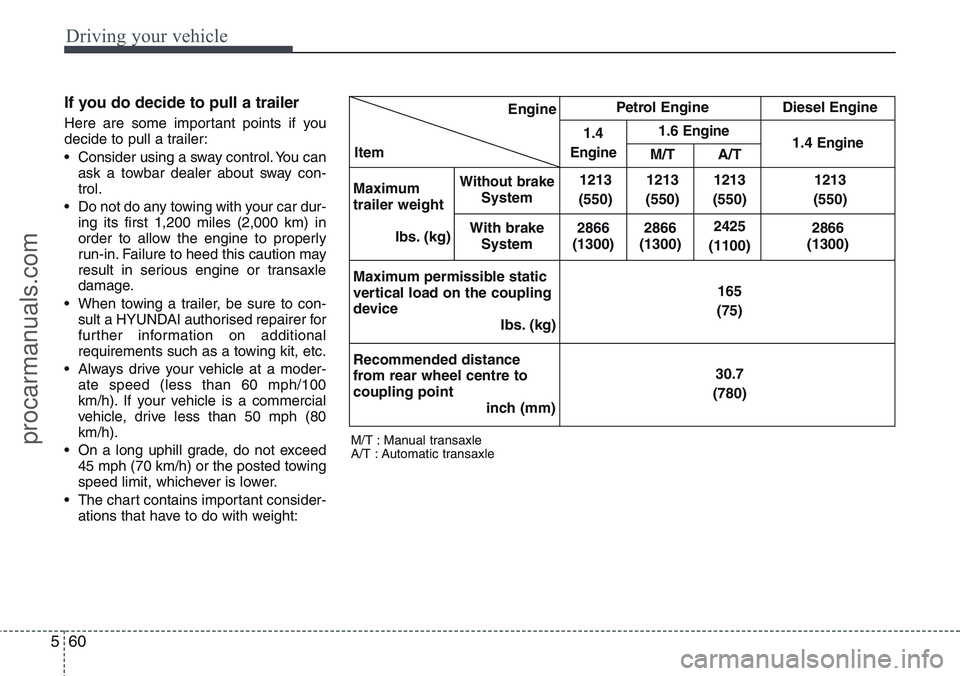
• The chart contains important consider-
ations that have to do with weight:
M/T : Manual transaxle
A/T : Automatic transaxle
Engine
ItemPetrol Engine Diesel Engine
1.4
Engine
1.6 Engine1.4 EngineM/T A/T
Maximum
trailer weight
Ibs. (kg)
Without brakeSystem1213
(550)1213
(550)
1213
(550)1213
(550)
With brake
System2866
(1300)2866
(1300)
2425
(1100)2866
(1300)
Maximum permissible static
vertical load on the coupling
device
Ibs. (kg)165
(75)
Recommended distance
from rear wheel centre to
coupling point
inch (mm)30.7
(780)
procarmanuals.com