key HYUNDAI IX20 2016 Owner's Guide
[x] Cancel search | Manufacturer: HYUNDAI, Model Year: 2016, Model line: IX20, Model: HYUNDAI IX20 2016Pages: 385, PDF Size: 13.67 MB
Page 155 of 385
479
Features of your vehicle
Room lamp
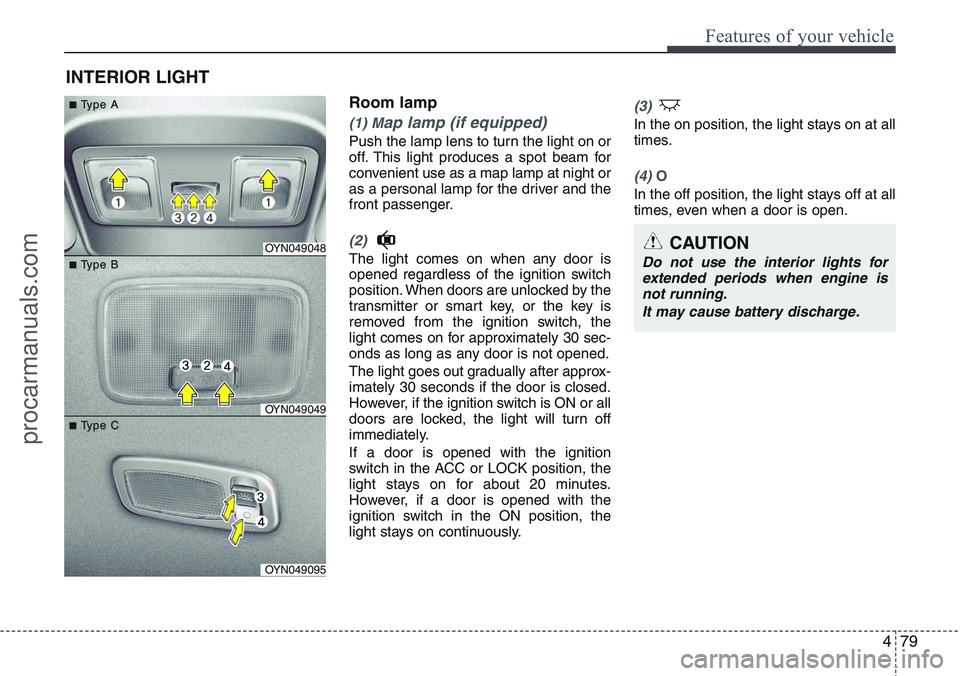
(1) Map lamp (if equipped)
Push the lamp lens to turn the light on or
off. This light produces a spot beam for
convenient use as a map lamp at night or
as a personal lamp for the driver and the
front passenger.
(2)
The light comes on when any door is
opened regardless of the ignition switch
position. When doors are unlocked by the
transmitter or smart key, or the key is
removed from the ignition switch, the
light comes on for approximately 30 sec-
onds as long as any door is not opened.
The light goes out gradually after approx-
imately 30 seconds if the door is closed.
However, if the ignition switch is ON or all
doors are locked, the light will turn off
immediately.
If a door is opened with the ignition
switch in the ACC or LOCK position, the
light stays on for about 20 minutes.
However, if a door is opened with the
ignition switch in the ON position, the
light stays on continuously.
(3)
In the on position, the light stays on at all
times.
(4) O
In the off position, the light stays off at all
times, even when a door is open.
INTERIOR LIGHT
CAUTION
Do not use the interior lights for
extended periods when engine is
not running.
It may cause battery discharge.OYN049048
OYN049049
OYN049095
■ ■T T
ype A ype A
■ ■T T
ype B ype B
■ ■T T
ype C ype C
procarmanuals.com
Page 201 of 385
4125
Features of your vehicle
(Continued)
• If the USB device is divided by
logical drives, only the music files
on the highest-priority drive are
recognized by car audio.
• Devices such as MP3 Player/
Mobile phone/Digital camera can
be unrecognizable by standard
USB I/F can be unrecognizable.
• Some non-standard USB devices
(METAL COVER TYPE USB) can
be unrecognizable.
• Some USB flash memory readers
(such as CF, SD, microSD, etc.) or
external-HDD type devices can be
unrecognizable.
• Music files protected by DRM
(DIGITAL RIGHTS MANAGE-
MENT) are not recognizable.
• The data in the USB memory may
be lost whilst using this audio.
Always back up important data on
a personal storage device.
(Continued)(Continued)
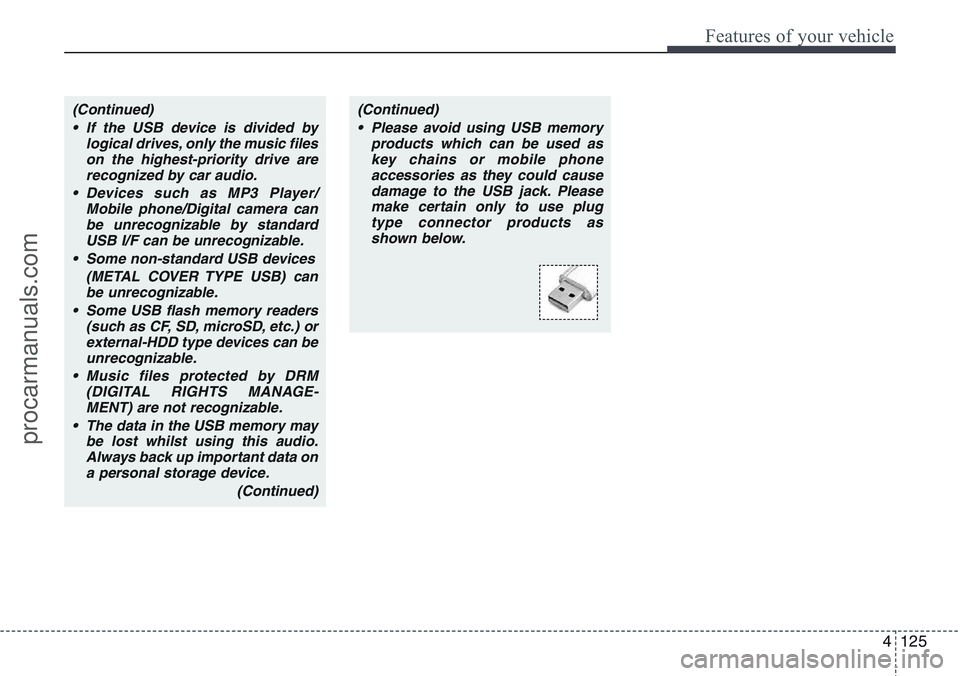
• Please avoid using USB memory
products which can be used as
key chains or mobile phone
accessories as they could cause
damage to the USB jack. Please
make certain only to use plug
type connector products as
shown below.
procarmanuals.com
Page 212 of 385
Features of your vehicle
136 4
8. The audio displays “searching
----
passkey: 0000” and asks you to initiate
pairing procedure from the phone.
9. Search the Bluetooth
®system on your
phone .Your phone should display your
[vehicle model name] on the
Bluetooth
®device list. Then attempt
pairing on your phone.
10. After Pairing is completed, your
phone will start to transfer
phone/contact list to the audio sys-
tem.
- This process may take from a few
minutes to over 10 minutes depend-
ing on the phone model and number
of entries in the phone/contact list.
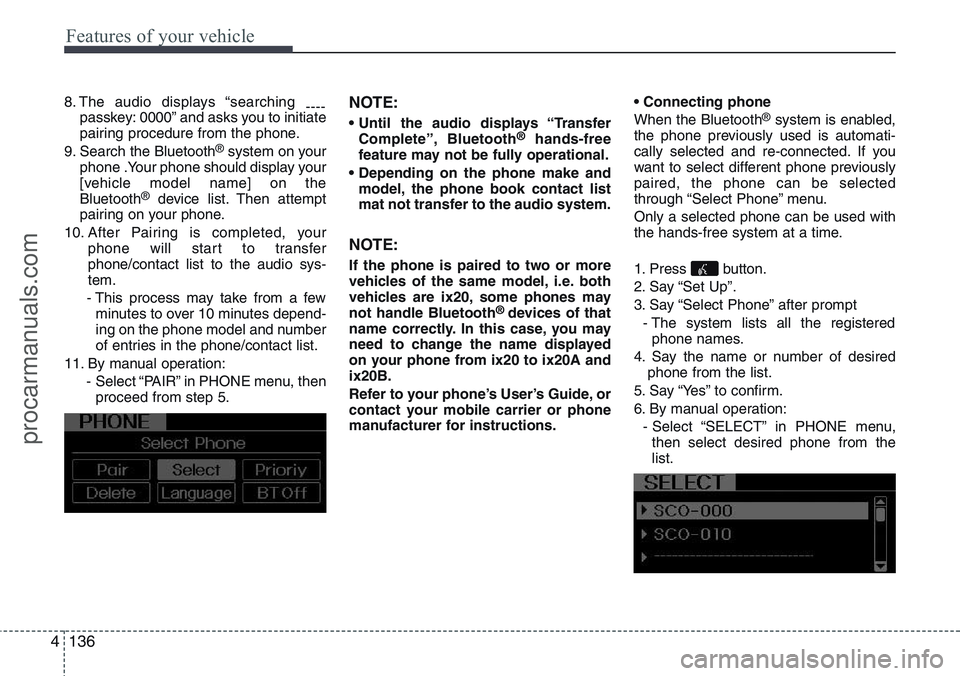
11. By manual operation:
- Select “PAIR” in PHONE menu, then
proceed from step 5.
NOTE:
• Until the audio displays “Transfer
Complete”, Bluetooth®hands-free
feature may not be fully operational.
• Depending on the phone make and
model, the phone book contact list
mat not transfer to the audio system.
NOTE:
If the phone is paired to two or more
vehicles of the same model, i.e. both
vehicles are ix20, some phones may
not handle Bluetooth
® devices of that
name correctly. In this case, you may
need to change the name displayed
on your phone from ix20 to ix20A and
ix20B.
Refer to your phone’s User’s Guide, or
contact your mobile carrier or phone
manufacturer for instructions.• Connecting phone
When the Bluetooth
®system is enabled,
the phone previously used is automati-
cally selected and re-connected. If you
want to select different phone previously
paired, the phone can be selected
through “Select Phone” menu.
Only a selected phone can be used with
the hands-free system at a time.
1. Press button.
2. Say “Set Up”.
3. Say “Select Phone” after prompt
- The system lists all the registered
phone names.
4. Say the name or number of desired
phone from the list.
5. Say “Yes” to confirm.
6. By manual operation:
- Select “SELECT” in PHONE menu,
then select desired phone from the
list.
procarmanuals.com
Page 218 of 385
![HYUNDAI IX20 2016 Owners Guide ■ Key matrix
No.
Class
Paired H/P
EmptyDisconnected
1SHORT
LONG
SHORT
SHORT
LONG
[10sec]
LONG
[10sec]Normal mode
BT SETUP menuIncoming CallOutgoing Call
Active Call2nd Call
Not Paired Not Connecting](/img/35/57919/w960_57919-217.png "HYUNDAI IX20 2016 Owners Guide ■ Key matrix
No.
Class
Paired H/P
EmptyDisconnected
1SHORT
LONG
SHORT
SHORT
LONG
[10sec]
LONG
[10sec]Normal mode
BT SETUP menuIncoming CallOutgoing Call
Active Call2nd Call
Not Paired Not Connecting")
■ Key matrix
No.
Class
Paired H/P
EmptyDisconnected
1SHORT
LONG
SHORT
SHORT
LONG
[10sec]
LONG
[10sec]Normal mode
BT SETUP menuIncoming CallOutgoing Call
Active Call2nd Call
Not Paired Not Connecting--Accept Call
Connected
-
2nd call
1st Call:waiting
2nd Call:active2nd Call
2nd Call:waiting
1st Call:active
KEY
-
-
-
---Transfer call:secret call
End Call VR
MODE CancelVR
MODE CancelVR
MODE CancelVR
MODE CancelReject Call End Call End Call
-
Active
Change
language
-
ActiveSpeaker
Adaptation
(Only English)
Change
languageActive
Change
languageActive
-Speaker
Adaptation
(Only English)
Change
language
--
--
--
--
-
--
2
3
4142
Features of your vehicle
procarmanuals.com
Page 219 of 385
5
Before driving / 5-3
Key positions / 5-4
Engine start/stop button / 5-8
ISG (Idle stop and go) system / 5-14
Manual transaxle / 5-18
Automatic transaxle / 5-21
Brake system / 5-26
Cruise control system / 5-36
Speed limit control system / 5-41
Economical operation / 5-43
Special driving conditions / 5-45
Winter driving / 5-50
Trailer towing / 5-54
Vehicle weight / 5-62
Driving your vehicle
procarmanuals.com
Page 222 of 385
Driving your vehicle
4 5
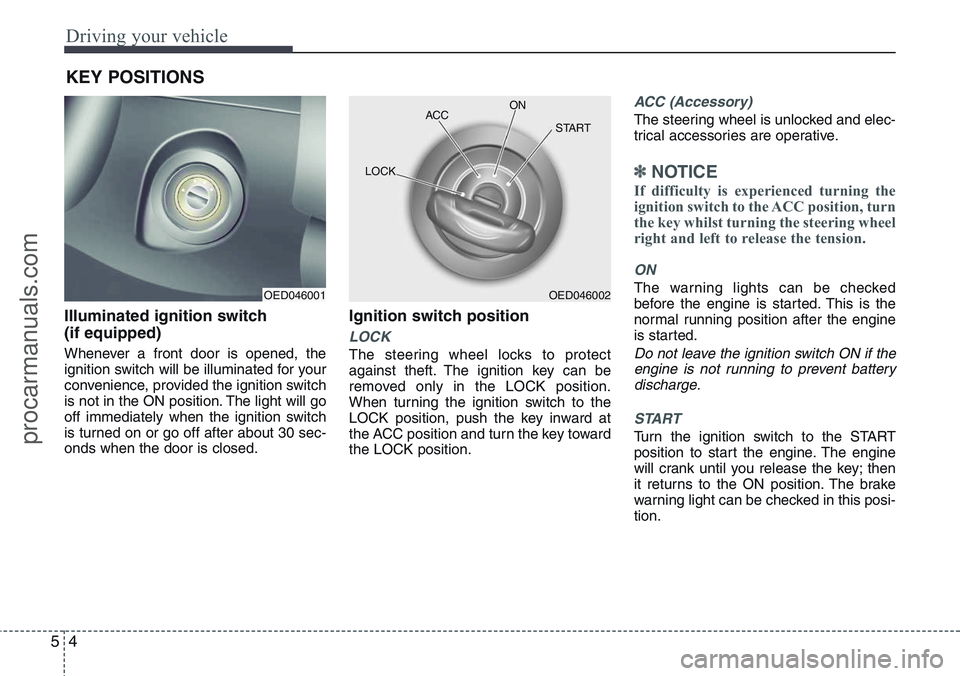
Illuminated ignition switch
(if equipped)
Whenever a front door is opened, the
ignition switch will be illuminated for your
convenience, provided the ignition switch
is not in the ON position. The light will go
off immediately when the ignition switch
is turned on or go off after about 30 sec-
onds when the door is closed.
Ignition switch position
LOCK
The steering wheel locks to protect
against theft. The ignition key can be
removed only in the LOCK position.
When turning the ignition switch to the
LOCK position, push the key inward at
the ACC position and turn the key toward
the LOCK position.
ACC (Accessory)
The steering wheel is unlocked and elec-
trical accessories are operative.
✽NOTICE
If difficulty is experienced turning the
ignition switch to the ACC position, turn
the key whilst turning the steering wheel
right and left to release the tension.
ON
The warning lights can be checked
before the engine is started. This is the
normal running position after the engine
is started.
Do not leave the ignition switch ON if the
engine is not running to prevent battery
discharge.
START
Turn the ignition switch to the START
position to start the engine. The engine
will crank until you release the key; then
it returns to the ON position. The brake
warning light can be checked in this posi-
tion.
KEY POSITIONS
OED046001OED046002 ACCON
START
LOCK
procarmanuals.com
Page 224 of 385
Driving your vehicle
6 5
Starting the petrol engine
1. Make sure the parking brake is
applied.
2.Manual Transaxle- Depress the
clutch pedal fully and leave the shift
lever at Neutral. Keep the clutch pedal
and brake pedal depressed whilst
turning the ignition switch to the start
position.
Automatic Transaxle- Place the
transaxle shift lever in P (Park).
Depress the brake pedal fully.
You can also start the engine when
the shift lever is in the N (Neutral)
position.
3. Turn the ignition switch to START and
hold it there until the engine starts (a
maximum of 10 seconds), then
release the key.
4. In extremely cold weather (below
-18°C / 0°F) or after the vehicle has
not been operated for several days, let
the engine warm up without depress-
ing the accelerator.
Whether the engine is cold or warm, it
should be started without depressing
the accelerator.Starting the diesel engine
To start the diesel engine when the
engine is cold, it has to be pre-heated
before starting the engine and then have
to be warmed up before starting to drive.
1. Make sure the parking brake is
applied.
2.Manual Transaxle- Depress the
clutch pedal fully and leave the shift
lever at Neutral. Keep the clutch pedal
and brake pedal depressed whilst
turning the ignition switch to the start
position.
Automatic Transaxle- Place the
transaxle shift lever in P(park).
Depress the brake pedal fully.
You can also start the engine when the
shift lever is in the N(neutral) position.
CAUTION
If the engine stalls whilst you are in
motion, do not attempt to move the
shift lever to the P (Park) position. If
traffic and road conditions permit,
you may put the shift lever in the N
(Neutral) position whilst the vehicle
is still moving and turn the ignition
switch to the START position in an
attempt to restart the engine.
CAUTION
Do not engage the starter for more
than 10 seconds. If the engine stalls
or fails to start, wait 5 to 10 seconds
before re-engaging the starter.
Improper use of the starter may
damage it.
procarmanuals.com
Page 225 of 385
57
Driving your vehicle
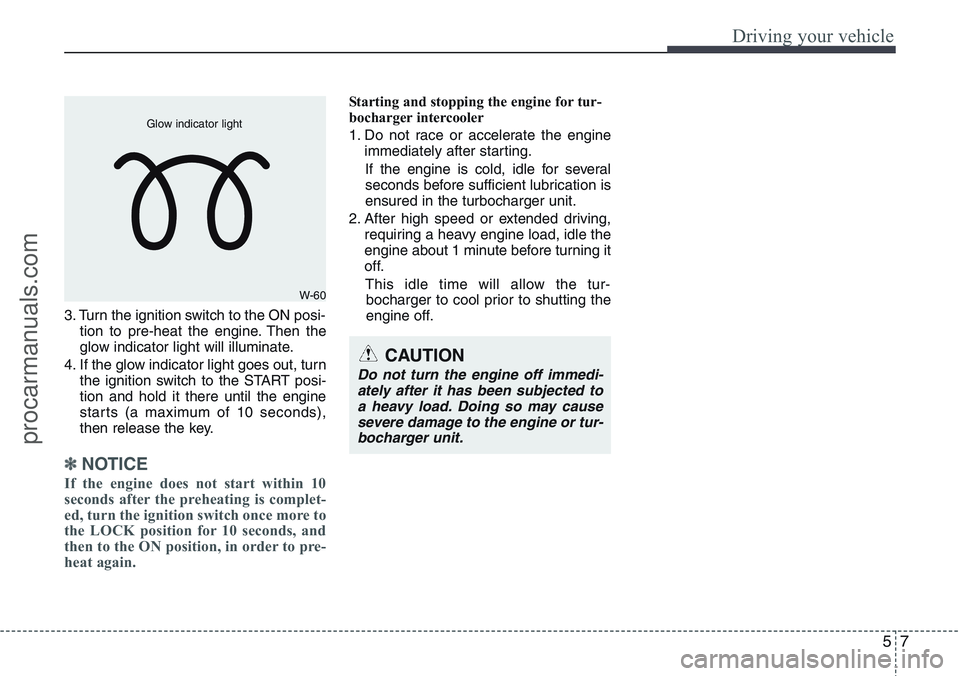
3. Turn the ignition switch to the ON posi-
tion to pre-heat the engine. Then the
glow indicator light will illuminate.
4. If the glow indicator light goes out, turn
the ignition switch to the START posi-
tion and hold it there until the engine
starts (a maximum of 10 seconds),
then release the key.
✽ NOTICE
If the engine does not start within 10
seconds after the preheating is complet-
ed, turn the ignition switch once more to
the LOCK position for 10 seconds, and
then to the ON position, in order to pre-
heat again.
Starting and stopping the engine for tur-
bocharger intercooler
1. Do not race or accelerate the engine
immediately after starting.
If the engine is cold, idle for several
seconds before sufficient lubrication is
ensured in the turbocharger unit.
2. After high speed or extended driving,
requiring a heavy engine load, idle the
engine about 1 minute before turning it
off.
This idle time will allow the tur-
bocharger to cool prior to shutting the
engine off.
W-60 Glow indicator light
CAUTION
Do not turn the engine off immedi-
ately after it has been subjected to
a heavy load. Doing so may cause
severe damage to the engine or tur-
bocharger unit.
procarmanuals.com
Page 229 of 385
511
Driving your vehicle
Starting the engine
✽ NOTICE - Full throttle resistor
(if equipped)
If your vehicle is equipped with a resis-
tor in the accelerator pedal, it prevents
you from driving at full throttle unin-
tentionally by making the driver require
increased effort to depress the accelera-
tor pedal. However, if you depress the
pedal more than approximately 80%,
the vehicle can be at full throttle and the
accelerator pedal will be easier to
depress. This is not a malfunction but a
normal condition.
Starting the petrol engine
(if equipped)
1. Carry the smart key or leave it inside
the vehicle.
2. Make sure the parking brake is firmly
applied
3.Manual Transaxle- Depress the
clutch pedal fully and shift the
transaxle into Neutral. Keep the clutch
pedal and brake pedal depressed
whilst starting the engine.
Automatic Transaxle- Place the
transaxle shift lever in P (Park).
Depress the brake pedal fully.
You can also start the engine when
the shift lever is in the N (Neutral)
position.
4. Press the ENGINE START/STOP but-
ton.
5. In extremely cold weather (below -
18°C / 0°F) or after the vehicle has not
been operated for several days, let the
engine warm up without depressing
the accelerator.
Whether the engine is cold or warm, it
should be started without depressing the
accelerator.
Starting the diesel engine
(if equipped)
To start the diesel engine when the
engine is cold, it has to be pre-heated
before starting the engine and then have
to be warmed up before starting to drive.
1. Make sure the parking brake is
applied.
2.Manual Transaxle- Depress the
clutch pedal fully and shift the
transaxle into Neutral. Keep the clutch
pedal and brake pedal depressed
whilst pressing the ENGINE START/
STOP button to the START position.
Automatic Transaxle- Place the
transaxle shift lever in P (Park).
Depress the brake pedal fully.
You can also start the engine when the
shift lever is in the N (Neutral) position.
WARNING
Always wear appropriate shoes
when operating your vehicle.
Unsuitable shoes (high heels, ski
boots,etc.) may interfere with your
ability to use the brake and acceler-
ator pedal, and the clutch (if
equipped).
procarmanuals.com
Page 230 of 385
Driving your vehicle
12 5
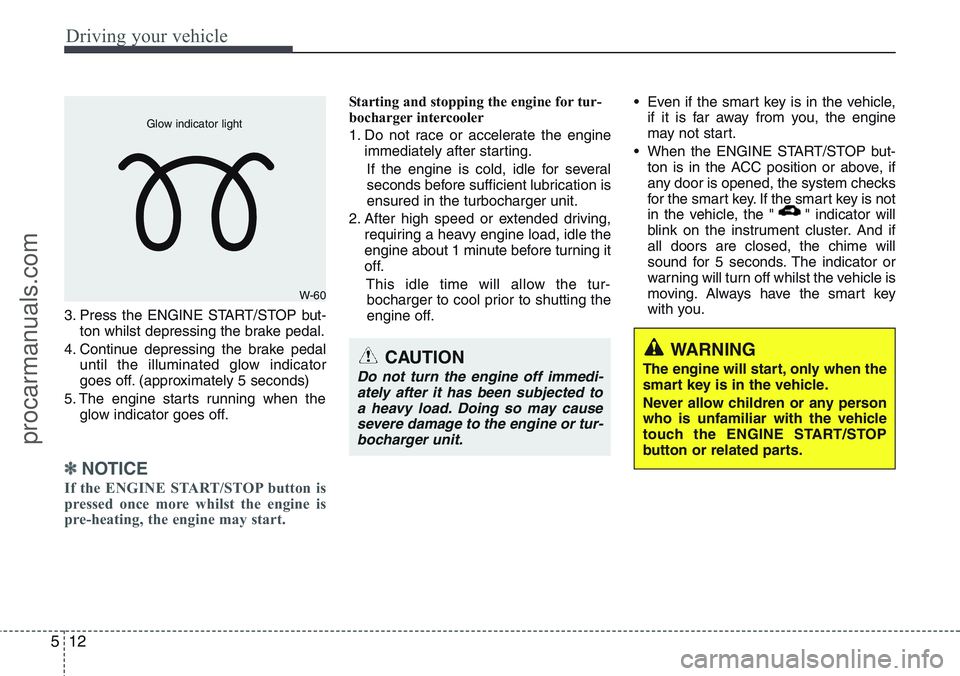
3. Press the ENGINE START/STOP but-
ton whilst depressing the brake pedal.
4. Continue depressing the brake pedal
until the illuminated glow indicator
goes off. (approximately 5 seconds)
5. The engine starts running when the
glow indicator goes off.
✽ NOTICE
If the ENGINE START/STOP button is
pressed once more whilst the engine is
pre-heating, the engine may start.
Starting and stopping the engine for tur-
bocharger intercooler
1. Do not race or accelerate the engine
immediately after starting.
If the engine is cold, idle for several
seconds before sufficient lubrication is
ensured in the turbocharger unit.
2. After high speed or extended driving,
requiring a heavy engine load, idle the
engine about 1 minute before turning it
off.
This idle time will allow the tur-
bocharger to cool prior to shutting the
engine off.• Even if the smart key is in the vehicle,
if it is far away from you, the engine
may not start.
• When the ENGINE START/STOP but-
ton is in the ACC position or above, if
any door is opened, the system checks
for the smart key. If the smart key is not
in the vehicle, the " " indicator will
blink on the instrument cluster. And if
all doors are closed, the chime will
sound for 5 seconds. The indicator or
warning will turn off whilst the vehicle is
moving. Always have the smart key
with you.
WARNING
The engine will start, only when the
smart key is in the vehicle.
Never allow children or any person
who is unfamiliar with the vehicle
touch the ENGINE START/STOP
button or related parts.
W-60 Glow indicator light
CAUTION
Do not turn the engine off immedi-
ately after it has been subjected to
a heavy load. Doing so may cause
severe damage to the engine or tur-
bocharger unit.
procarmanuals.com