ignition HYUNDAI IX20 2017 Workshop Manual
[x] Cancel search | Manufacturer: HYUNDAI, Model Year: 2017, Model line: IX20, Model: HYUNDAI IX20 2017Pages: 456, PDF Size: 9.46 MB
Page 155 of 456
477
Features of your vehicle
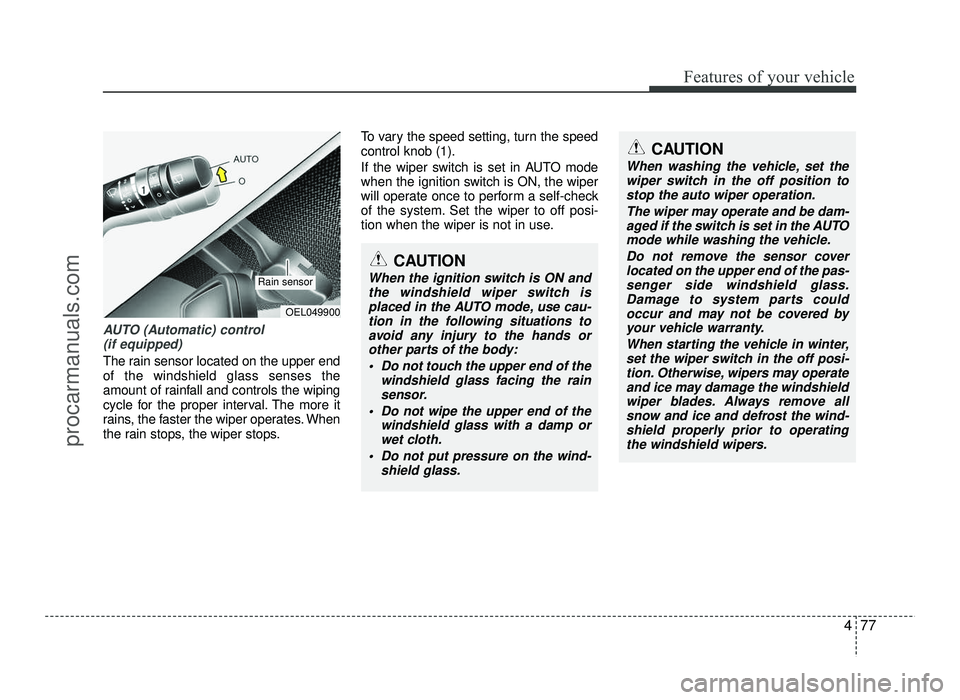
AUTO (Automatic) control (if equipped)
The rain sensor located on the upper end of the windshield glass senses the
amount of rainfall and controls the wiping
cycle for the proper interval. The more it
rains, the faster the wiper operates. When
the rain stops, the wiper stops. To vary the speed setting, turn the speedcontrol knob (1).
If the wiper switch is set in AUTO mode
when the ignition switch is ON, the wiper
will operate once to perform a self-check
of the system. Set the wiper to off posi-
tion when the wiper is not in use.
CAUTION
When the ignition switch is ON and
the windshield wiper switch is placed in the AUTO mode, use cau-
tion in the following situations to avoid any injury to the hands or
other parts of the body:
Do not touch the upper end of the windshield glass facing the rain
sensor.
Do not wipe the upper end of the windshield glass with a damp or
wet cloth.
Do not put pressure on the wind- shield glass.
OEL049900
Rain sensor
CAUTION
When washing the vehicle, set the
wiper switch in the off position tostop the auto wiper operation.
The wiper may operate and be dam-aged if the switch is set in the AUTOmode while washing the vehicle.
Do not remove the sensor coverlocated on the upper end of the pas- senger side windshield glass.
Damage to system parts couldoccur and may not be covered by
your vehicle warranty.
When starting the vehicle in winter,set the wiper switch in the off posi-
tion. Otherwise, wipers may operateand ice may damage the windshield
wiper blades. Always remove allsnow and ice and defrost the wind-shield properly prior to operating
the windshield wipers.
procarmanuals.com
Page 158 of 456
Features of your vehicle
80
4
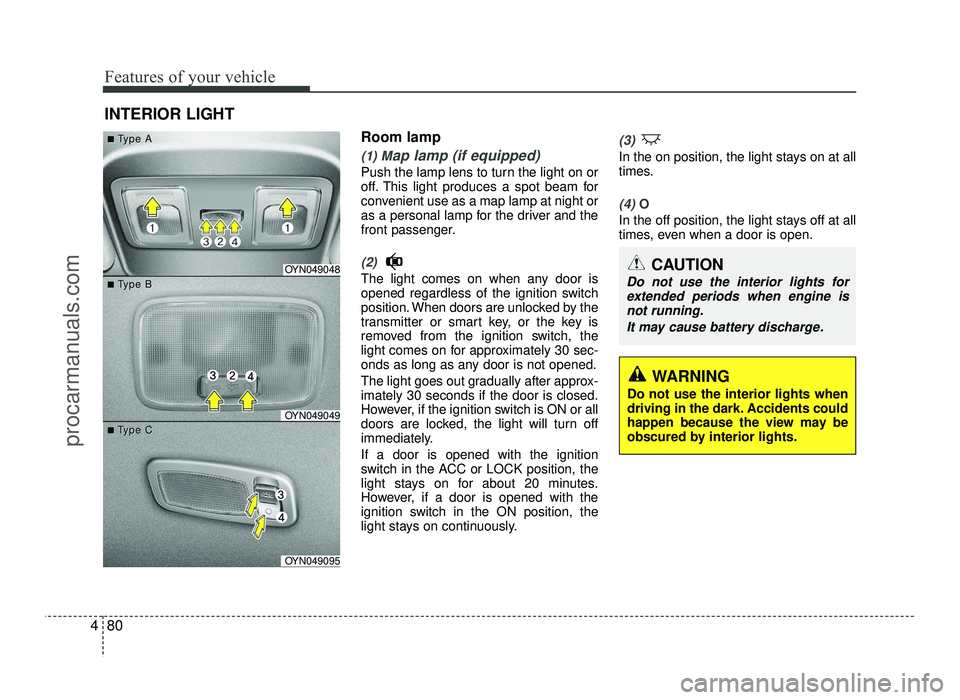
Room lamp
(1) Map lamp (if equipped)
Push the lamp lens to turn the light on or
off. This light produces a spot beam for
convenient use as a map lamp at night or
as a personal lamp for the driver and the
front passenger.
(2)
The light comes on when any door is
opened regardless of the ignition switch
position. When doors are unlocked by the
transmitter or smart key, or the key is
removed from the ignition switch, the
light comes on for approximately 30 sec-
onds as long as any door is not opened.
The light goes out gradually after approx- imately 30 seconds if the door is closed.
However, if the ignition switch is ON or all
doors are locked, the light will turn off
immediately. If a door is opened with the ignition
switch in the ACC or LOCK position, the
light stays on for about 20 minutes.
However, if a door is opened with the
ignition switch in the ON position, the
light stays on continuously.
(3)
In the on position, the light stays on at all
times.
(4) O
In the off position, the light stays off at all
times, even when a door is open.
INTERIOR LIGHT
CAUTION
Do not use the interior lights for
extended periods when engine isnot running.
It may cause battery discharge.OYN049048
OYN049049
OYN049095
■■TType Aype A
■■TType Bype B
■■TType Cype C
WARNING
Do not use the interior lights when
driving in the dark. Accidents could
happen because the view may be
obscured by interior lights.
procarmanuals.com
Page 159 of 456
481
Features of your vehicle
✽✽NOTICE
If you want to defrost and defog the
front windshield, refer to “Windshield
defrosting and defogging” in this sec-
tion.
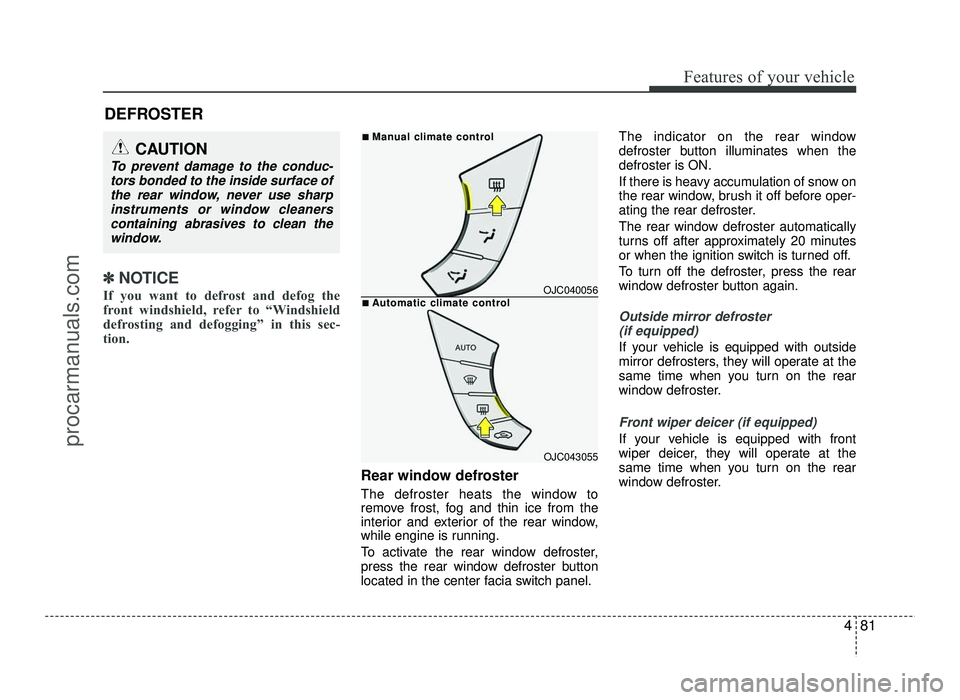
Rear window defroster
The defroster heats the window to
remove frost, fog and thin ice from the
interior and exterior of the rear window,
while engine is running.
To activate the rear window defroster,
press the rear window defroster button
located in the center facia switch panel. The indicator on the rear window
defroster button illuminates when thedefroster is ON.
If there is heavy accumulation of snow on
the rear window, brush it off before oper-
ating the rear defroster.
The rear window defroster automatically
turns off after approximately 20 minutes
or when the ignition switch is turned off.
To turn off the defroster, press the rear
window defroster button again.
Outside mirror defroster
(if equipped)
If your vehicle is equipped with outside
mirror defrosters, they will operate at the
same time when you turn on the rear
window defroster.
Front wiper deicer (if equipped)
If your vehicle is equipped with front
wiper deicer, they will operate at the
same time when you turn on the rear
window defroster.
DEFROSTER
CAUTION
To prevent damage to the conduc-
tors bonded to the inside surface ofthe rear window, never use sharp
instruments or window cleanerscontaining abrasives to clean thewindow.
OJC040056
OJC043055
■
ManManual cual climate contrlimate controlol
■AAutomatic cutomatic climate contrlimate controlol
procarmanuals.com
Page 160 of 456
Features of your vehicle
82
4
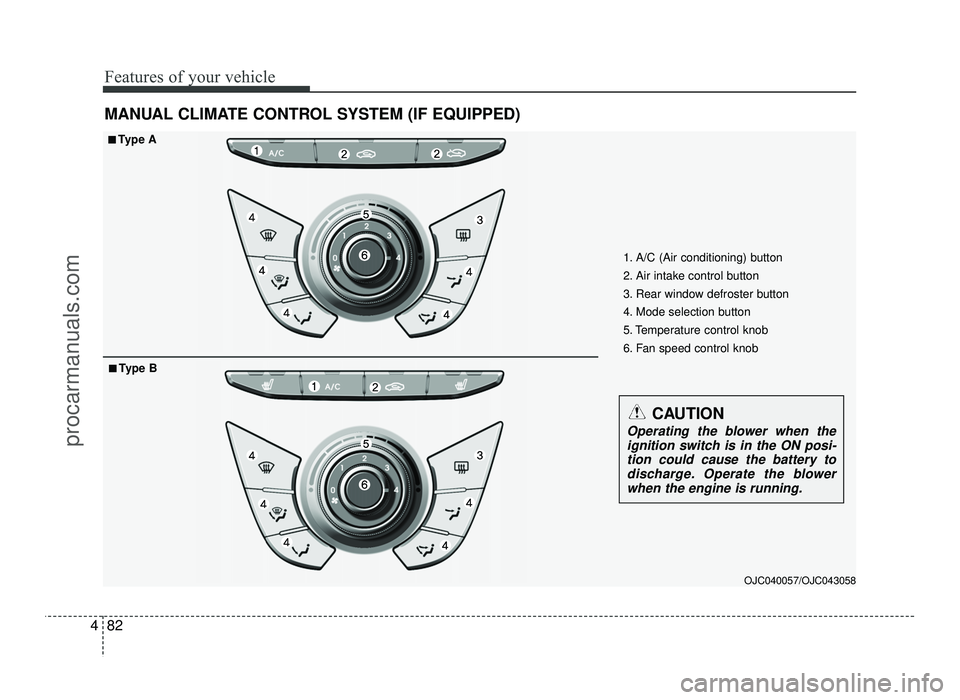
MANUAL CLIMATE CONTROL SYSTEM (IF EQUIPPED)
OJC040057/OJC043058
1. A/C (Air conditioning) button
2. Air intake control button
3. Rear window defroster button
4. Mode selection button
5. Temperature control knob
6. Fan speed control knob
■■
Type A
■
■ Type B
CAUTION
Operating the blower when the
ignition switch is in the ON posi-tion could cause the battery to
discharge. Operate the blowerwhen the engine is running.
procarmanuals.com
Page 164 of 456
Features of your vehicle
86
4
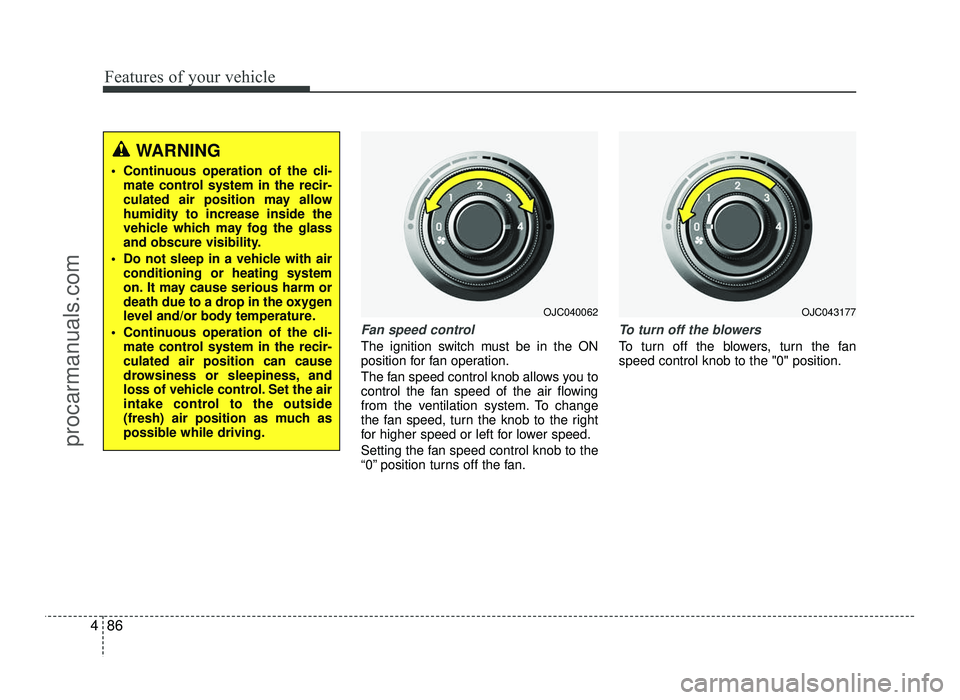
Fan speed control
The ignition switch must be in the ON
position for fan operation.
The fan speed control knob allows you to
control the fan speed of the air flowing
from the ventilation system. To change
the fan speed, turn the knob to the right
for higher speed or left for lower speed.
Setting the fan speed control knob to the
“0” position turns off the fan.
To turn off the blowers
To turn off the blowers, turn the fan speed control knob to the "0" position.
WARNING
Continuous operation of the cli- mate control system in the recir-
culated air position may allowhumidity to increase inside the
vehicle which may fog the glass
and obscure visibility.
Do not sleep in a vehicle with air conditioning or heating system
on. It may cause serious harm or
death due to a drop in the oxygen
level and/or body temperature.
Continuous operation of the cli- mate control system in the recir-culated air position can cause
drowsiness or sleepiness, and
loss of vehicle control. Set the air
intake control to the outside
(fresh) air position as much as
possible while driving.
OJC040062OJC043177
procarmanuals.com
Page 169 of 456
491
Features of your vehicle
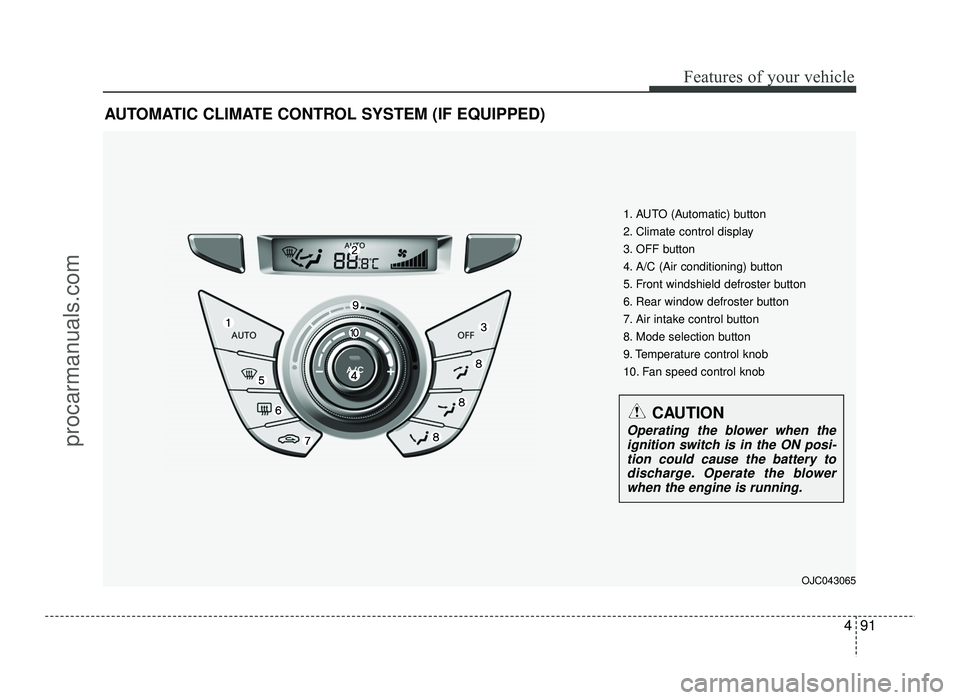
AUTOMATIC CLIMATE CONTROL SYSTEM (IF EQUIPPED)OJC043065
1. AUTO (Automatic) button
2. Climate control display
3. OFF button
4. A/C (Air conditioning) button
5. Front windshield defroster button
6. Rear window defroster button
7. Air intake control button
8. Mode selection button
9. Temperature control knob
10. Fan speed control knob
CAUTION
Operating the blower when theignition switch is in the ON posi-
tion could cause the battery to discharge. Operate the blowerwhen the engine is running.
procarmanuals.com
Page 175 of 456
497
Features of your vehicle
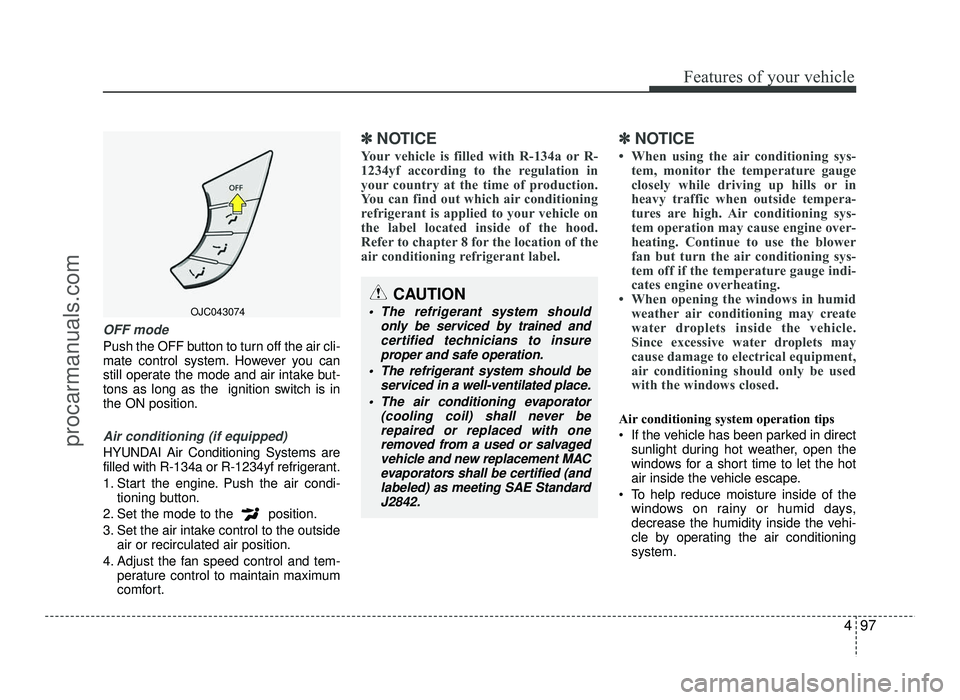
OFF mode
Push the OFF button to turn off the air cli-
mate control system. However you can
still operate the mode and air intake but-
tons as long as the ignition switch is inthe ON position.
Air conditioning (if equipped)
HYUNDAI Air Conditioning Systems are
filled with R-134a or R-1234yf refrigerant.
1. Start the engine. Push the air condi-tioning button.
2. Set the mode to the position.
3. Set the air intake control to the outside air or recirculated air position.
4. Adjust the fan speed control and tem- perature control to maintain maximum
comfort.
✽✽ NOTICE
Your vehicle is filled with R-134a or R-
1234yf according to the regulation in
your country at the time of production.
You can find out which air conditioning
refrigerant is applied to your vehicle on
the label located inside of the hood.
Refer to chapter 8 for the location of the
air conditioning refrigerant label. ✽✽
NOTICE
When using the air conditioning sys- tem, monitor the temperature gauge
closely while driving up hills or in
heavy traffic when outside tempera-
tures are high. Air conditioning sys-
tem operation may cause engine over-
heating. Continue to use the blower
fan but turn the air conditioning sys-
tem off if the temperature gauge indi-
cates engine overheating.
When opening the windows in humid weather air conditioning may create
water droplets inside the vehicle.
Since excessive water droplets may
cause damage to electrical equipment,
air conditioning should only be used
with the windows closed.
Air conditioning system operation tips
If the vehicle has been parked in direct sunlight during hot weather, open the
windows for a short time to let the hot
air inside the vehicle escape.
To help reduce moisture inside of the windows on rainy or humid days,
decrease the humidity inside the vehi-
cle by operating the air conditioningsystem.
OJC043074
CAUTION
The refrigerant system should
only be serviced by trained andcertified technicians to insure
proper and safe operation.
The refrigerant system should be serviced in a well-ventilated place.
The air conditioning evaporator (cooling coil) shall never berepaired or replaced with one
removed from a used or salvaged vehicle and new replacement MAC
evaporators shall be certified (andlabeled) as meeting SAE Standard
J2842.
procarmanuals.com
Page 182 of 456
Features of your vehicle
104
4
INTERIOR FEATURES
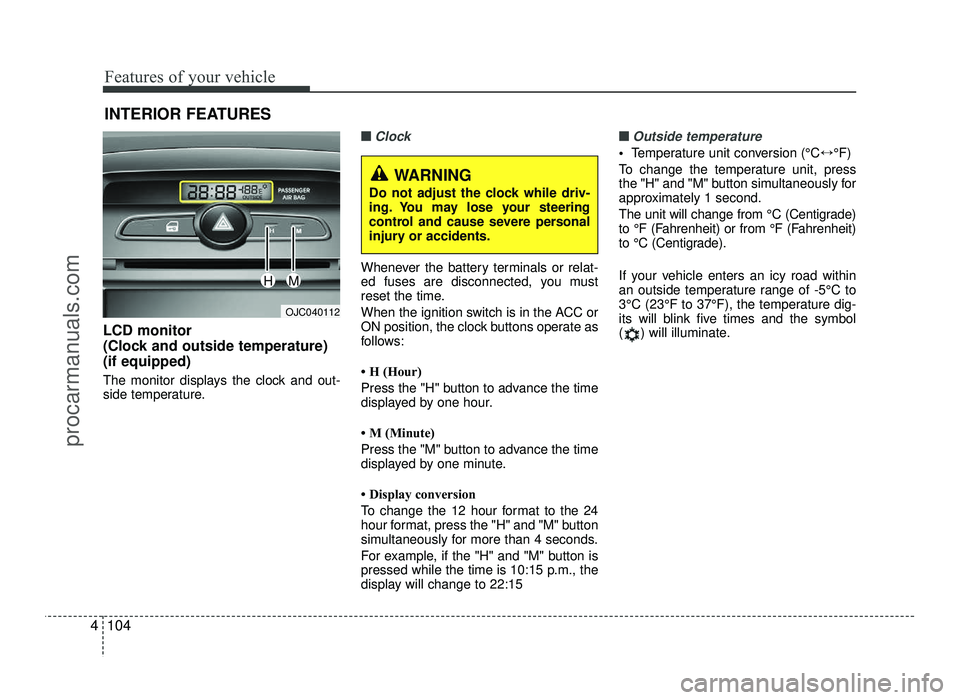
LCD monitor
(Clock and outside temperature)(if equipped)
The monitor displays the clock and out-
side temperature.
■■Clock
Whenever the battery terminals or relat-
ed fuses are disconnected, you must
reset the time.
When the ignition switch is in the ACC or
ON position, the clock buttons operate as
follows:
H (Hour)
Press the "H" button to advance the time
displayed by one hour.
M (Minute)
Press the "M" button to advance the time
displayed by one minute.
Display conversion
To change the 12 hour format to the 24
hour format, press the "H" and "M" button
simultaneously for more than 4 seconds.
For example, if the "H" and "M" button is
pressed while the time is 10:15 p.m., the
display will change to 22:15
■■Outside temperature
Temperature unit conversion (°C ↔°F)
To change the temperature unit, press
the "H" and "M" button simultaneously for
approximately 1 second.
The unit will change from °C (Centigrade)
to °F (Fahrenheit) or from °F (Fahrenheit)
to °C (Centigrade).
If your vehicle enters an icy road within
an outside temperature range of -5°C to
3°C (23°F to 37°F), the temperature dig-
its will blink five times and the symbol
( ) will illuminate.
OJC040112
WARNING
Do not adjust the clock while driv-
ing. You may lose your steering
control and cause severe personal
injury or accidents.
HM
procarmanuals.com
Page 195 of 456
4117
Features of your vehicle
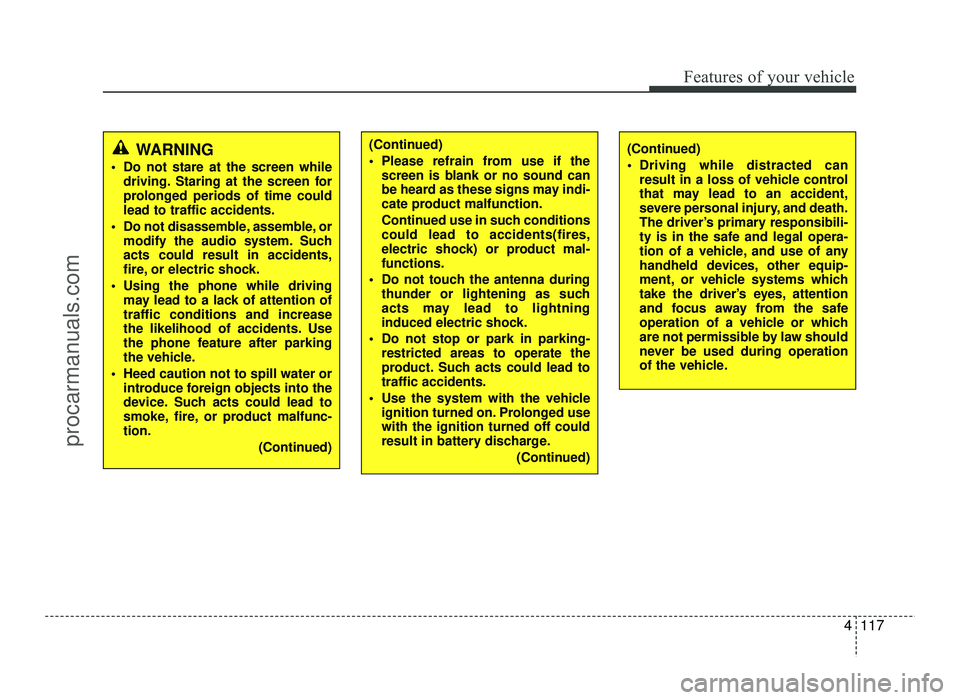
WARNING
Do not stare at the screen while driving. Staring at the screen for
prolonged periods of time couldlead to traffic accidents.
Do not disassemble, assemble, or modify the audio system. Suchacts could result in accidents,
fire, or electric shock.
Using the phone while driving may lead to a lack of attention oftraffic conditions and increase
the likelihood of accidents. Use
the phone feature after parking
the vehicle.
Heed caution not to spill water or introduce foreign objects into the
device. Such acts could lead to
smoke, fire, or product malfunc-tion.
(Continued)(Continued)
Driving while distracted canresult in a loss of vehicle control
that may lead to an accident,
severe personal injury, and death.
The driver’s primary responsibili-
ty is in the safe and legal opera-
tion of a vehicle, and use of any
handheld devices, other equip-
ment, or vehicle systems which
take the driver’s eyes, attention
and focus away from the safe
operation of a vehicle or which
are not permissible by law should
never be used during operation
of the vehicle.(Continued)
Please refrain from use if thescreen is blank or no sound can
be heard as these signs may indi-
cate product malfunction.
Continued use in such conditions could lead to accidents(fires,
electric shock) or product mal-functions.
Do not touch the antenna during thunder or lightening as such
acts may lead to lightning
induced electric shock.
Do not stop or park in parking- restricted areas to operate the
product. Such acts could lead totraffic accidents.
Use the system with the vehicle ignition turned on. Prolonged usewith the ignition turned off could
result in battery discharge.
(Continued)
procarmanuals.com
Page 196 of 456
Features of your vehicle
118
4
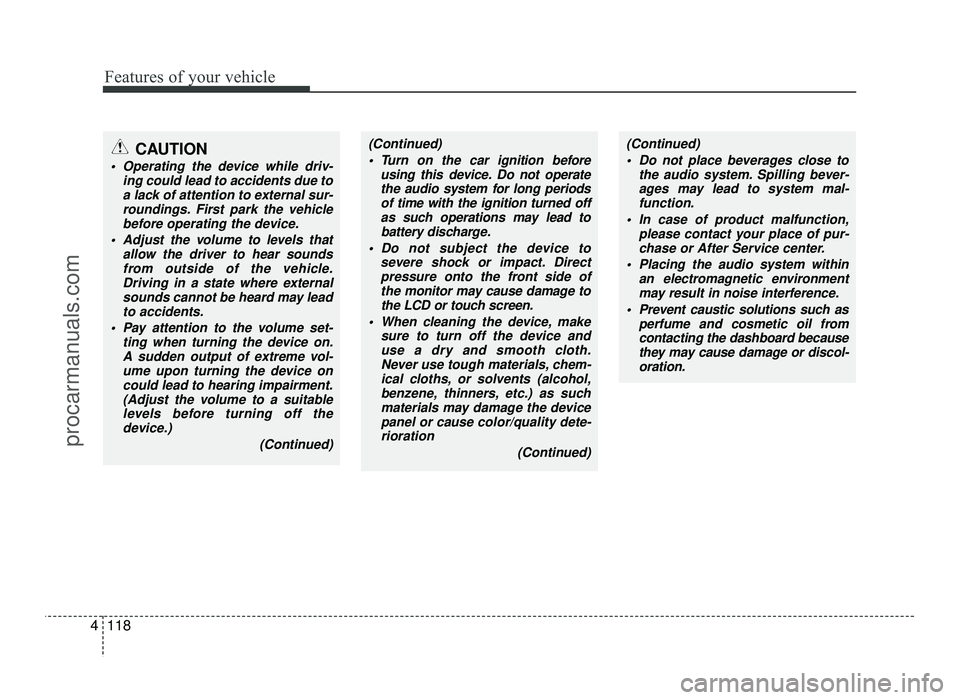
(Continued)
Turn on the car ignition before using this device. Do not operate
the audio system for long periods of time with the ignition turned off
as such operations may lead tobattery discharge.
Do not subject the device to severe shock or impact. Directpressure onto the front side of
the monitor may cause damage tothe LCD or touch screen.
When cleaning the device, make sure to turn off the device anduse a dry and smooth cloth.
Never use tough materials, chem-ical cloths, or solvents (alcohol,
benzene, thinners, etc.) as such materials may damage the devicepanel or cause color/quality dete-
rioration
(Continued)(Continued) Do not place beverages close to the audio system. Spilling bever-
ages may lead to system mal-function.
In case of product malfunction, please contact your place of pur-chase or After Service center.
Placing the audio system within an electromagnetic environmentmay result in noise interference.
Prevent caustic solutions such as perfume and cosmetic oil fromcontacting the dashboard because
they may cause damage or discol-oration.CAUTION
Operating the device while driv-
ing could lead to accidents due toa lack of attention to external sur-
roundings. First park the vehiclebefore operating the device.
Adjust the volume to levels that allow the driver to hear soundsfrom outside of the vehicle.
Driving in a state where externalsounds cannot be heard may leadto accidents.
Pay attention to the volume set- ting when turning the device on.A sudden output of extreme vol-
ume upon turning the device oncould lead to hearing impairment.
(Adjust the volume to a suitable levels before turning off the
device.)
(Continued)
procarmanuals.com