air conditioning HYUNDAI IX35 2011 User Guide
[x] Cancel search | Manufacturer: HYUNDAI, Model Year: 2011, Model line: IX35, Model: HYUNDAI IX35 2011Pages: 560, PDF Size: 28.31 MB
Page 175 of 560
Features of your vehicle
100
4
When pressing the button, the tempera-
ture will increase or decrease by
0.5°C/1°F. When set to the lowest tem-
perature setting, the air conditioning will
operate continuously.
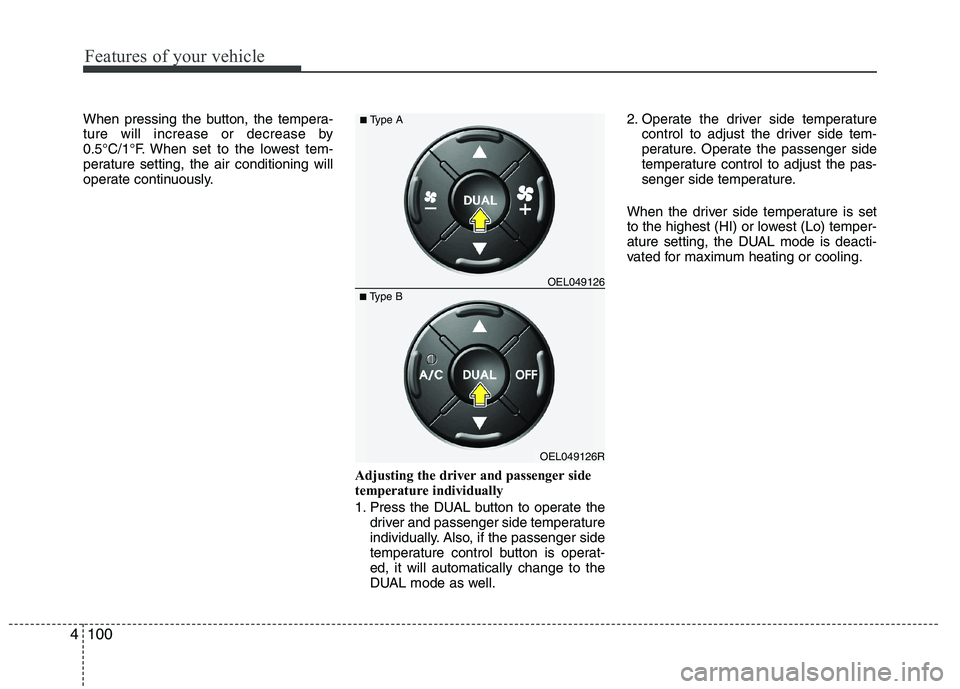
Adjusting the driver and passenger side
temperature individually
1. Press the DUAL button to operate thedriver and passenger side temperature
individually. Also, if the passenger side
temperature control button is operat-ed, it will automatically change to the
DUAL mode as well. 2. Operate the driver side temperature
control to adjust the driver side tem-
perature. Operate the passenger side
temperature control to adjust the pas-
senger side temperature.
When the driver side temperature is set
to the highest (HI) or lowest (Lo) temper-
ature setting, the DUAL mode is deacti-
vated for maximum heating or cooling.
OEL049126R
■
Type B OEL049126
■
Type A
Page 177 of 560
Features of your vehicle
102
4
✽✽
NOTICE
Prolonged operation of the heater in the
recirculated air position (without air
conditioning selected) may cause fog-
ging of the windshield and side windows
and the air within the passenger com-
partment may become stale.
In addition, prolonged use of the air con-
ditioning with the recirculated air posi-
tion selected will result in excessively dry
air in the passenger compartment.
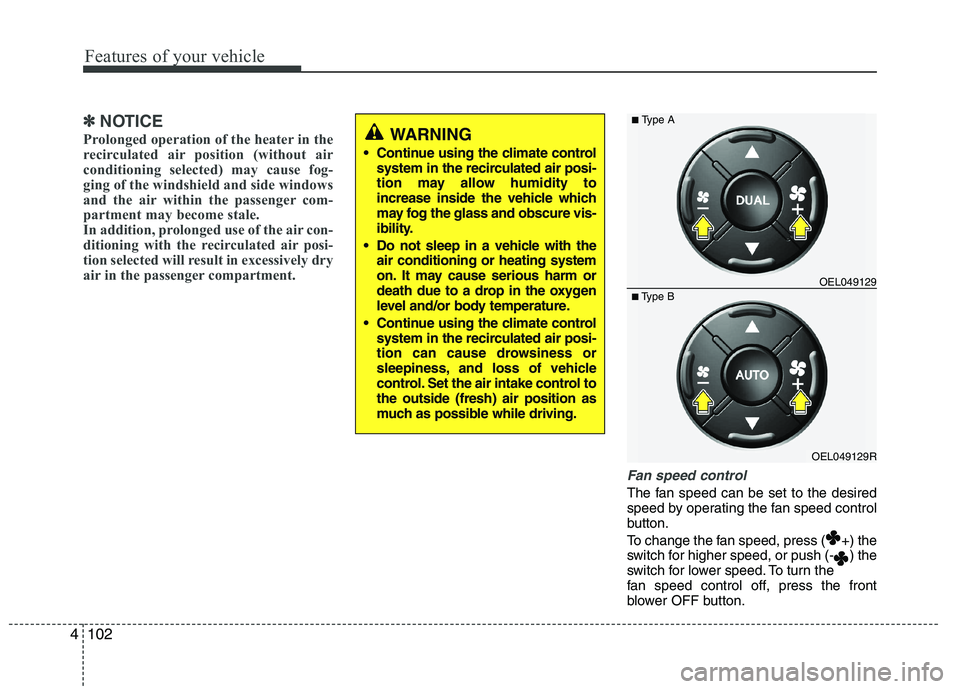
Fan speed control
The fan speed can be set to the desired
speed by operating the fan speed control
button.
To change the fan speed, press ( +) the
switch for higher speed, or push (- ) the
switch for lower speed. To turn the
fan speed control off, press the front
blower OFF button.
WARNING
Continue using the climate control system in the recirculated air posi-
tion may allow humidity to
increase inside the vehicle which
may fog the glass and obscure vis-
ibility.
Do not sleep in a vehicle with the air conditioning or heating system
on. It may cause serious harm or
death due to a drop in the oxygen
level and/or body temperature.
Continue using the climate control system in the recirculated air posi-
tion can cause drowsiness or
sleepiness, and loss of vehicle
control. Set the air intake control tothe outside (fresh) air position as
much as possible while driving.
OEL049129R
■
Type B OEL049129
■
Type A
Page 178 of 560
4103
Features of your vehicle
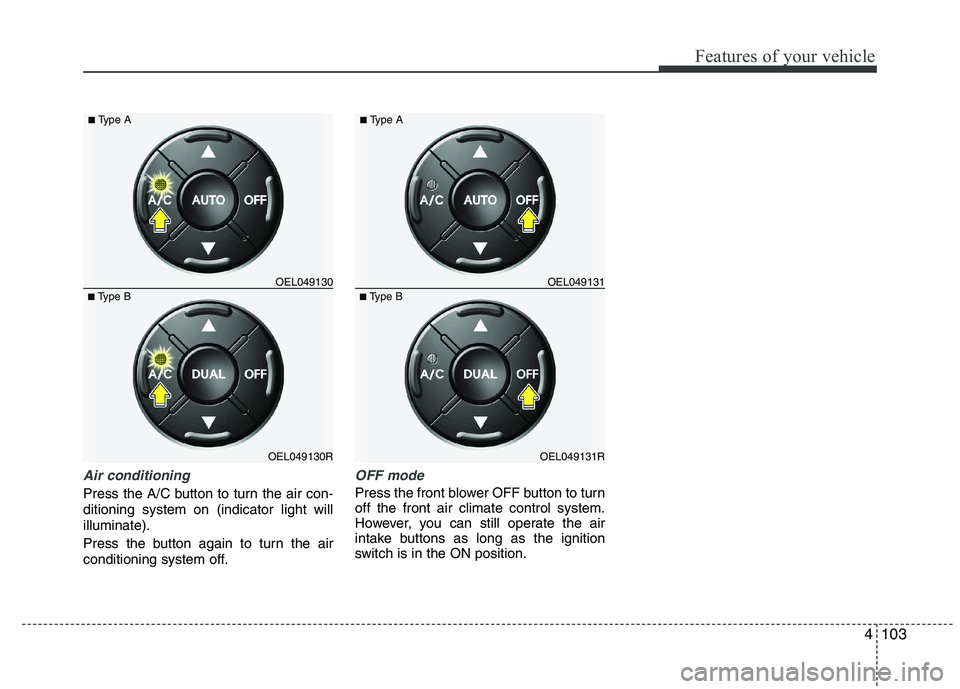
Air conditioning
Press the A/C button to turn the air con- ditioning system on (indicator light willilluminate).
Press the button again to turn the air
conditioning system off.
OFF mode
Press the front blower OFF button to turn off the front air climate control system.
However, you can still operate the air
intake buttons as long as the ignition
switch is in the ON position.
OEL049130R
■
Type B OEL049130
■
Type AOEL049131R
■
Type B OEL049131
■
Type A
Page 180 of 560
4105
Features of your vehicle
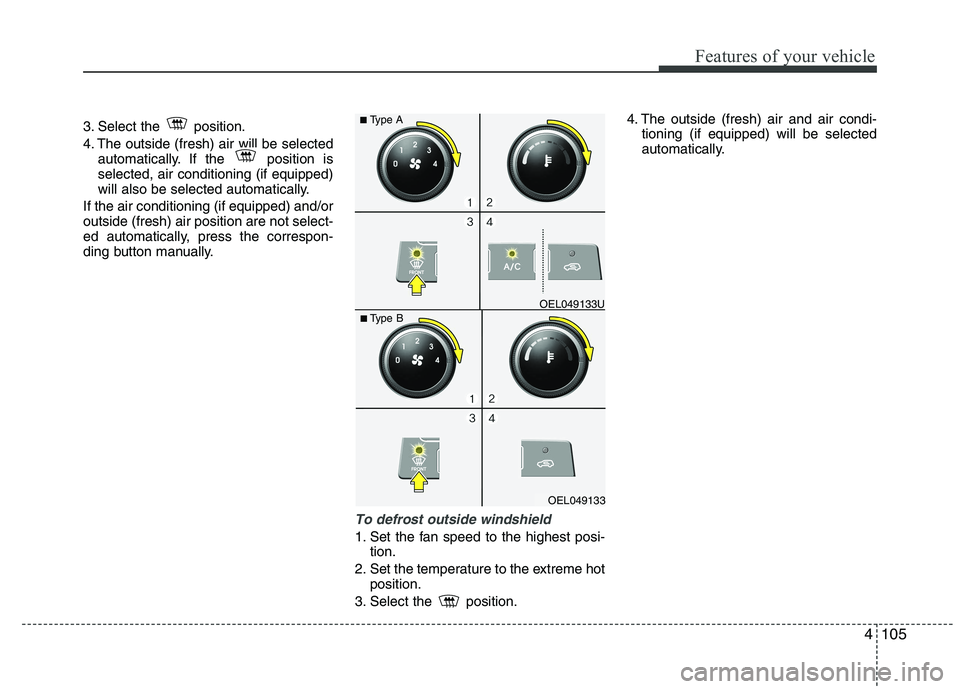
3. Select the position.
4. The outside (fresh) air will be selectedautomatically. If the position is selected, air conditioning (if equipped)
will also be selected automatically.
If the air conditioning (if equipped) and/oroutside (fresh) air position are not select-
ed automatically, press the correspon-
ding button manually.
To defrost outside windshield
1. Set the fan speed to the highest posi- tion.
2. Set the temperature to the extreme hot position.
3. Select the position. 4. The outside (fresh) air and air condi-
tioning (if equipped) will be selected
automatically.
OEL049133
■
Type B OEL049133U
■
Type A
Page 181 of 560
Features of your vehicle
106
4
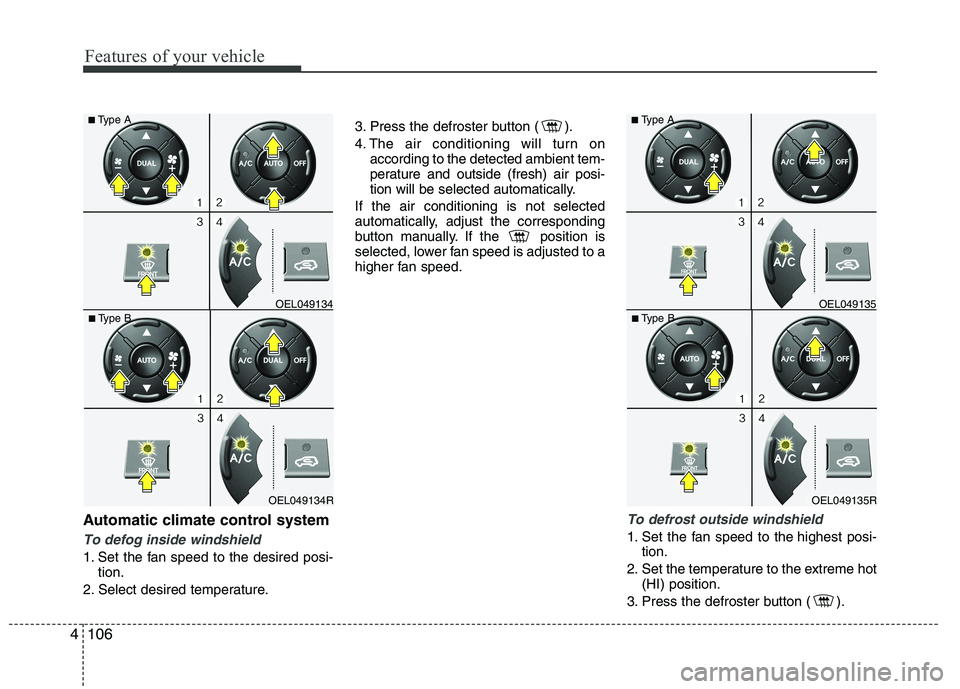
Automatic climate control system
To defog inside windshield
1. Set the fan speed to the desired posi-
tion.
2. Select desired temperature. 3. Press the defroster button ( ).
4. The air conditioning will turn on
according to the detected ambient tem-
perature and outside (fresh) air posi-
tion will be selected automatically.
If the air conditioning is not selected
automatically, adjust the corresponding
button manually. If the position is
selected, lower fan speed is adjusted to a
higher fan speed.
To defrost outside windshield
1. Set the fan speed to the highest posi- tion.
2. Set the temperature to the extreme hot (HI) position.
3. Press the defroster button ( ).
OEL049135R
■
Type B OEL049135
■
Type AOEL049134R
■
Type B OEL049134
■
Type A
Page 182 of 560
4107
Features of your vehicle
4. The air conditioning will turn onaccording to the detected ambient
temperature and outside (fresh) air
position will be selected automatically.
Page 184 of 560
4109
Features of your vehicle
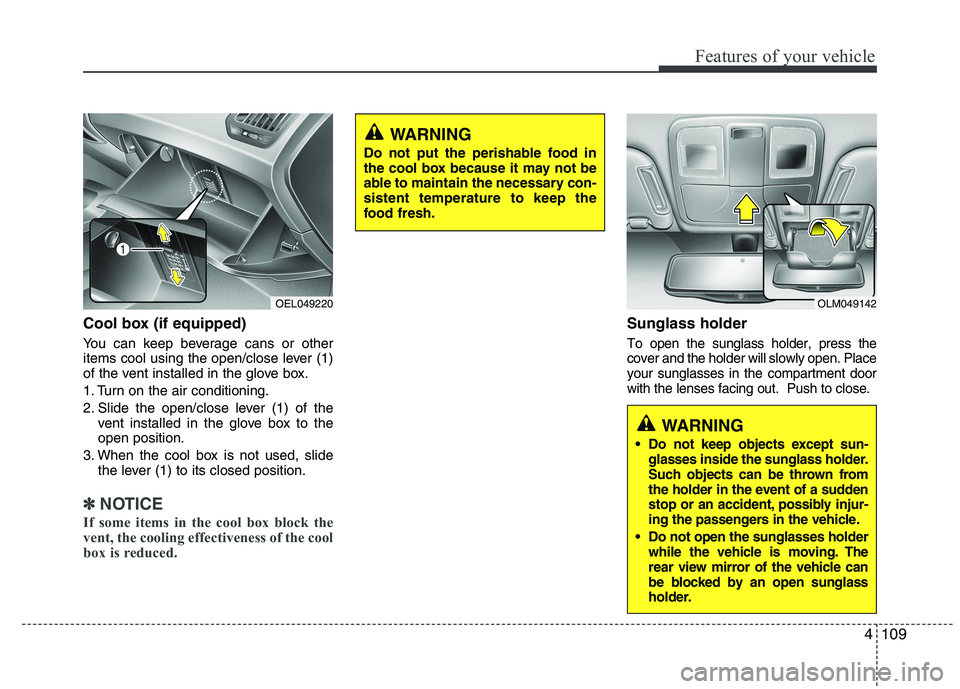
Cool box (if equipped)
You can keep beverage cans or other
items cool using the open/close lever (1)
of the vent installed in the glove box.
1. Turn on the air conditioning.
2. Slide the open/close lever (1) of thevent installed in the glove box to the open position.
3. When the cool box is not used, slide the lever (1) to its closed position.
✽✽ NOTICE
If some items in the cool box block the
vent, the cooling effectiveness of the cool
box is reduced.
Sunglass holder
To open the sunglass holder, press the cover and the holder will slowly open. Placeyour sunglasses in the compartment doorwith the lenses facing out. Push to close.
OLM049142
WARNING
Do not keep objects except sun- glasses inside the sunglass holder.
Such objects can be thrown from
the holder in the event of a sudden
stop or an accident, possibly injur-
ing the passengers in the vehicle.
Do not open the sunglasses holder while the vehicle is moving. The
rear view mirror of the vehicle can
be blocked by an open sunglass
holder.
OEL049220
WARNING
Do not put the perishable food in
the cool box because it may not be
able to maintain the necessary con-sistent temperature to keep the
food fresh.
Page 224 of 560
4149
Features of your vehicle
A phone call can be made by dialing the
spoken numbers. The system can recog-
nize single digits from zero to nine.
1. Press button.
2. Say “Call”.
3. Say “Number” when prompted.
4. Say desired phone numbers.
5. Say “Dial” to complete the number andmake a call.
✽
✽ TIP
A shortcut to each of the following
functions is available:
1. Say “Dial Number”
2. Say “Dial
■
Receiving a Phone Call
When receiving a phone call, a ringtone
is audible from speakers and the audio
system changes into telephone mode.
When receiving a phone call, “Incoming”
message and incoming phone number
(if available) are displayed on the audio.
- Press button on the steering wheel.
- Press button on the steering wheel.
- Use VOLUME buttons on the steering wheel.
Call):
- Press and hold button on the steer- ing wheel until the audio system trans-
fers a call to the phone. ■■
Talking on the Phone
When talking on the phone, “Active Calls”
message and the other party’s phone
number (if available) are displayed on the
audio.
- Press button on the steering wheel.
- Press button on the steering wheel.
✽
✽ NOTICE
In the following situations, you or the
other party may have difficulty hearing
each other:
1. Speaking at the same time, your voice
may not reach each other parties.
(This is not a malfunction.) Speak
alternately with the other party on the
phone.
2. Keep the Bluetooth(R) volume to a
low level. High-level volume may
result in distortion and echo.
3. When driving on a rough road.
4. When driving at high speeds.
5. When the window is open.
6. When the air conditioning vents are facing the microphone.
7. When the sound of the air condition-
ing fan is loud.
Page 274 of 560
549
Driving your vehicle
Remember, your vehicle does notrequire extended warm-up. After the
engine has started, allow the engine to
run for 10 to 20 seconds prior to plac-
ing the vehicle in gear. In very cold
weather, however, give your engine a
slightly longer warm-up period.
Don't "labour" or "over-rev" the engine. Labouring is driving too slowly in too
high a gear resulting engine bucking. If
this happens, shift to a lower gear.
Over-revving is racing the engine
beyond its safe limit. This can be avoid-
ed by shifting at the recommended
speeds.
Use your air conditioning sparingly. The air conditioning system is operat-
ed by engine power so your fuel econ-
omy is reduced when you use it.
Open windows at high speeds can reduce fuel economy.
Fuel economy is less in crosswinds and headwinds. To help offset some of
this loss, slow down when driving in
these conditions. Keeping a vehicle in good operating con-
dition is important both for economy and
safety. Therefore, have a HYUNDAI
authorised repairer perform scheduled
inspections and maintenance.
WARNING
- Engine off dur-
ing motion
Never turn the engine off to coast
down hills or anytime the vehicle is
in motion. The power steering and
power brakes will not function
properly without the engine run-
ning. Instead, keep the engine on
and downshift to an appropriate
gear for engine braking effect. In
addition, turning off the ignition
whilst driving could engage the
steering wheel lock resulting in
loss of vehicle steering which
could cause serious injury ordeath.
EL UK 5.QXP 1/25/2010 9:57 AM Page 49
Page 299 of 560
67
What to do in an emergency
IF THE ENGINE OVERHEATS
If your temperature gauge indicates over-
heating, you experience a loss of power,
or hear loud pinging or knocking, the
engine is probably too hot. If this hap-
pens, you should:
1. Pull off the road and stop as soon as it is safe to do so.
2. Place the shift lever in P (automatic transaxle) or neutral (manual
transaxle) and set the parking brake. If
the air conditioning is on, turn it off.
3. If engine coolant is running out under the vehicle or steam is coming out
from the bonnet, stop the engine. Donot open the bonnet until the coolant
has stopped running or the steaming
has stopped. If there is no visible loss
of engine coolant and no steam, leave
the engine running and check to be
sure the engine cooling fan is operat-
ing. If the fan is not running, turn the
engine off.
4. Check to see if the water pump drive belt is missing. If it is not missing,
check to see that it is tight. If the drive
belt seems to be satisfactory, check
for coolant leaking from the radiator,
hoses or under the vehicle. (If the air
conditioning had been in use, it is nor-
mal for cold water to be draining from
it when you stop). 5. If the water pump drive belt is broken
or engine coolant is leaking out, stop the engine immediately and call the
nearest HYUNDAI authorised repairer
for assistance. 6. If the cause of the overheating cannot
be found, wait until the engine temper-
ature has returned to normal. Then, ifcoolant has been lost, carefully add
coolant to the reservoir to bring the
fluid level in the reservoir up to the
base of the radiator fill opening. Fill the
coolant expansion tank to the halfway
mark. To ensure the correct water to
coolant mix is obtained after top up,
testing by a HYUNDAI authorisedrepairer is required.
7. Proceed with caution, keeping alert for further signs of overheating. If over-heating happens again, call a
HYUNDAI authorised repairer for
assistance.
CAUTION
Serious loss of coolant indicates
there is a leak in the cooling systemand this should be checked as soonas possible by a HYUNDAI autho- rised repairer.
WARNING
Whilst the engine is running, keep
hair, hands and clothing away from
moving parts such as the fan and
drive belts to prevent injury.
WARNING
Do not remove the radiator cap
when the engine is hot. This can
allow coolant to be blown out of the
opening and cause serious burns.
EL UK 6.QXP 1/25/2010 9:58 AM Page 7