ignition HYUNDAI IX35 2012 Owners Manual
[x] Cancel search | Manufacturer: HYUNDAI, Model Year: 2012, Model line: IX35, Model: HYUNDAI IX35 2012Pages: 560, PDF Size: 28.31 MB
Page 428 of 560
Features of your vehicle
16
4
Speed sensing door lock system (if equipped)
All doors will be automatically locked
after the vehicle speed exceeds 15 km/h.And all doors will be automatically
unlocked when you turn the engine off or
when you remove the ignition key. (ifequipped)
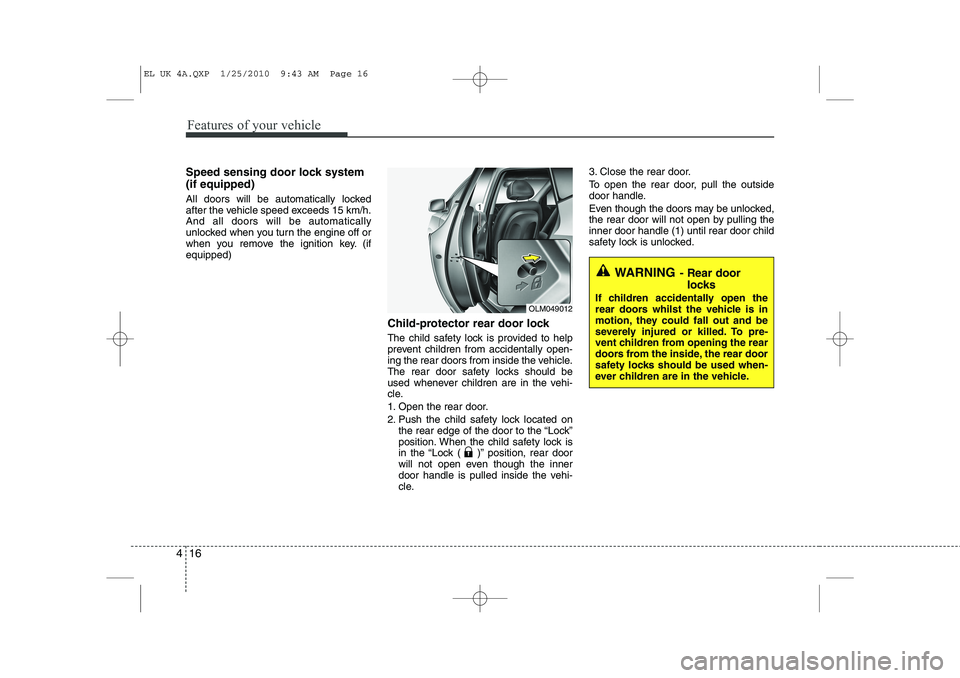
Child-protector rear door lock
The child safety lock is provided to help
prevent children from accidentally open-
ing the rear doors from inside the vehicle.
The rear door safety locks should be
used whenever children are in the vehi-
cle.
1. Open the rear door.
2. Push the child safety lock located onthe rear edge of the door to the “Lock”
position. When the child safety lock is
in the “Lock ( )” position, rear door
will not open even though the inner
door handle is pulled inside the vehi-
cle. 3. Close the rear door.
To open the rear door, pull the outside
door handle.
Even though the doors may be unlocked,
the rear door will not open by pulling theinner door handle (1) until rear door child
safety lock is unlocked.
WARNING
- Rear door
locks
If children accidentally open the
rear doors whilst the vehicle is in
motion, they could fall out and be
severely injured or killed. To pre-
vent children from opening the rear
doors from the inside, the rear door
safety locks should be used when-
ever children are in the vehicle.
OLM049012
EL UK 4A.QXP 1/25/2010 9:43 AM Page 16
Page 432 of 560
Features of your vehicle
20
4
Power windows
The ignition switch must be in the ON
position for power windows to operate.
Each door has a power window switch
that controls the door’s window. The driv-
er has a power window lock switch which
can block the operation of rear (or front)
passenger windows.
The power windows can be operated for
approximately 30 seconds after the igni-
tion key is removed or turned to the ACC
or LOCK position. However, if the front
doors are opened, the power windows
cannot be operated even within the 30
seconds period. The driver’s door has a
master power window switch that con-
trols all the windows in the vehicle.✽✽
NOTICE
Whilst driving with the rear windows
down or with the sunroof (if equipped)
in an open (or partially open position),
your vehicle may demonstrate a wind
buffeting or pulsation noise. This
noise is a normal occurrence and can be
reduced or eliminated by taking the fol-
lowing actions. If the noise occurs with
one or both of the rear windows down,
partially lower both front windows
approximately one inch. If you experi-
ence the noise with the sunroof open,
slightly reduce the size of the sunroofopening.
Window opening and closing
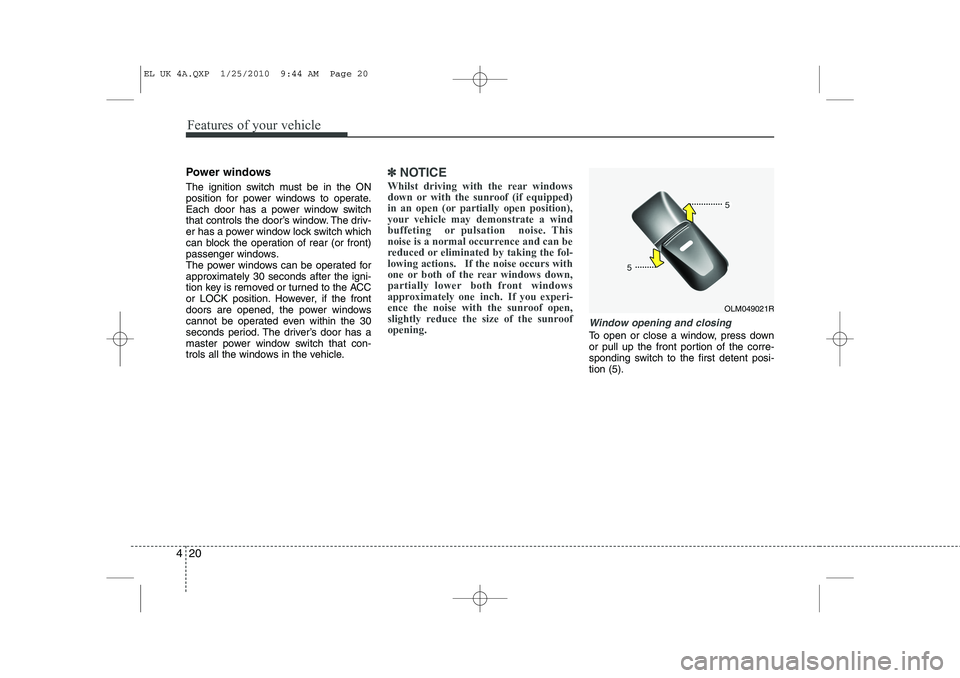
To open or close a window, press down
or pull up the front portion of the corre-
sponding switch to the first detent posi-tion (5).
OLM049021R
EL UK 4A.QXP 1/25/2010 9:44 AM Page 20
Page 433 of 560
421
Features of your vehicle
Auto down window (if equipped) (Driver’s window)
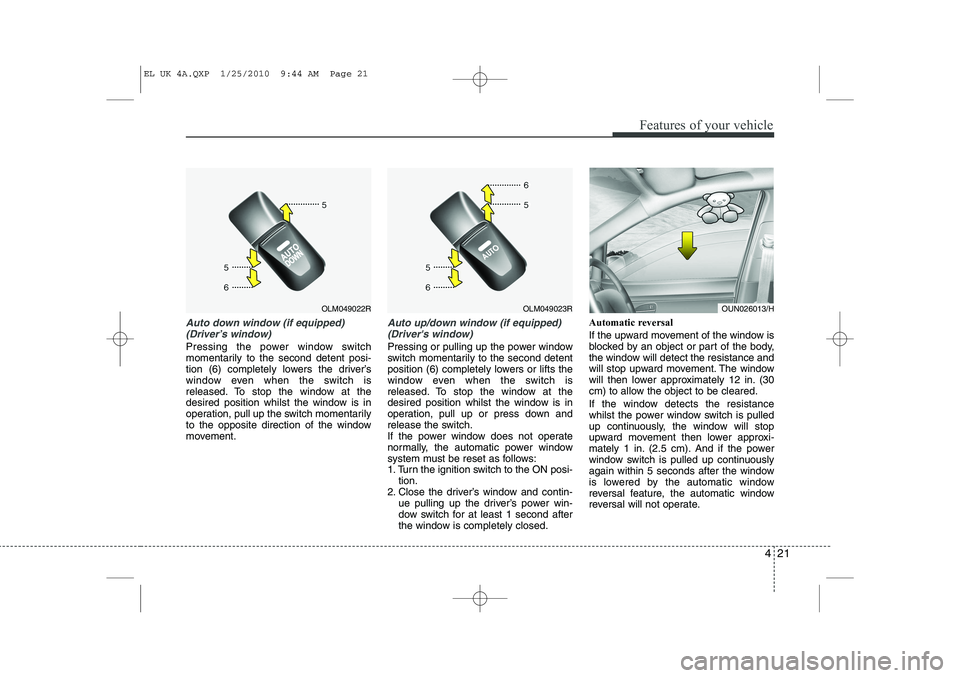
Pressing the power window switch
momentarily to the second detent posi-
tion (6) completely lowers the driver’s
window even when the switch is
released. To stop the window at the
desired position whilst the window is in
operation, pull up the switch momentarily
to the opposite direction of the window
movement.
Auto up/down window (if equipped)(Driver's window)
Pressing or pulling up the power window
switch momentarily to the second detent
position (6) completely lowers or lifts the
window even when the switch is
released. To stop the window at the
desired position whilst the window is in
operation, pull up or press down and
release the switch.
If the power window does not operate
normally, the automatic power window
system must be reset as follows:
1. Turn the ignition switch to the ON posi- tion.
2. Close the driver’s window and contin- ue pulling up the driver’s power win-
dow switch for at least 1 second after
the window is completely closed. Automatic reversal
If the upward movement of the window is
blocked by an object or part of the body,
the window will detect the resistance and
will stop upward movement. The window
will then lower approximately 12 in. (30
cm) to allow the object to be cleared.
If the window detects the resistance
whilst the power window switch is pulled
up continuously, the window will stop
upward movement then lower approxi-
mately 1 in. (2.5 cm). And if the power
window switch is pulled up continuously
again within 5 seconds after the window
is lowered by the automatic window
reversal feature, the automatic window
reversal will not operate.
OLM049023ROLM049022ROUN026013/H
EL UK 4A.QXP 1/25/2010 9:44 AM Page 21
Page 435 of 560
423
Features of your vehicle
WARNING - Windows
NEVER leave the ignition key in the vehicle.
NEVER leave any child unattend- ed in the vehicle. Even very
young children may inadvertently
cause the vehicle to move, entan-
gle themselves in the windows,or otherwise injure themselves or
others.
Always double check to make sure all arms, hands, head and
other obstructions are safely out
of the way before closing a win-
dow.
Do not allow children to play with the power windows. Keep the dri-
ver’s door power window lock
switch in the LOCK position
(depressed). Serious injury can
result from unintentional window
operation by the child.
Do not extend face or arms out- side the window whilst driving.
EL UK 4A.QXP 1/25/2010 9:44 AM Page 23
Page 441 of 560
429
Features of your vehicle
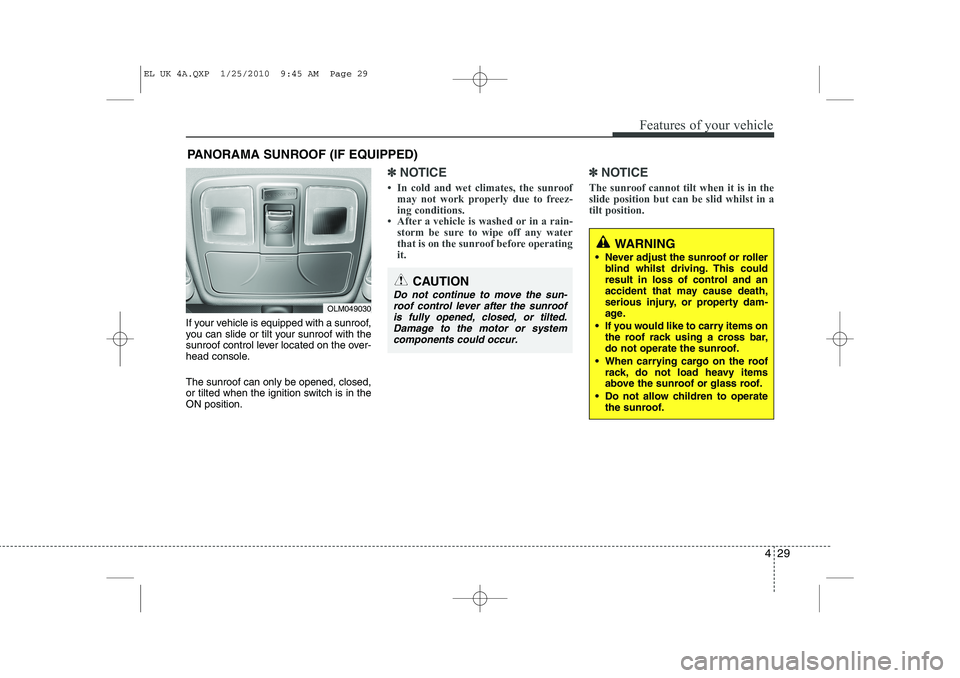
If your vehicle is equipped with a sunroof,
you can slide or tilt your sunroof with the
sunroof control lever located on the over-
head console. The sunroof can only be opened, closed,
or tilted when the ignition switch is in theON position.
✽✽NOTICE
Page 444 of 560
Features of your vehicle
32
4
Roller blind
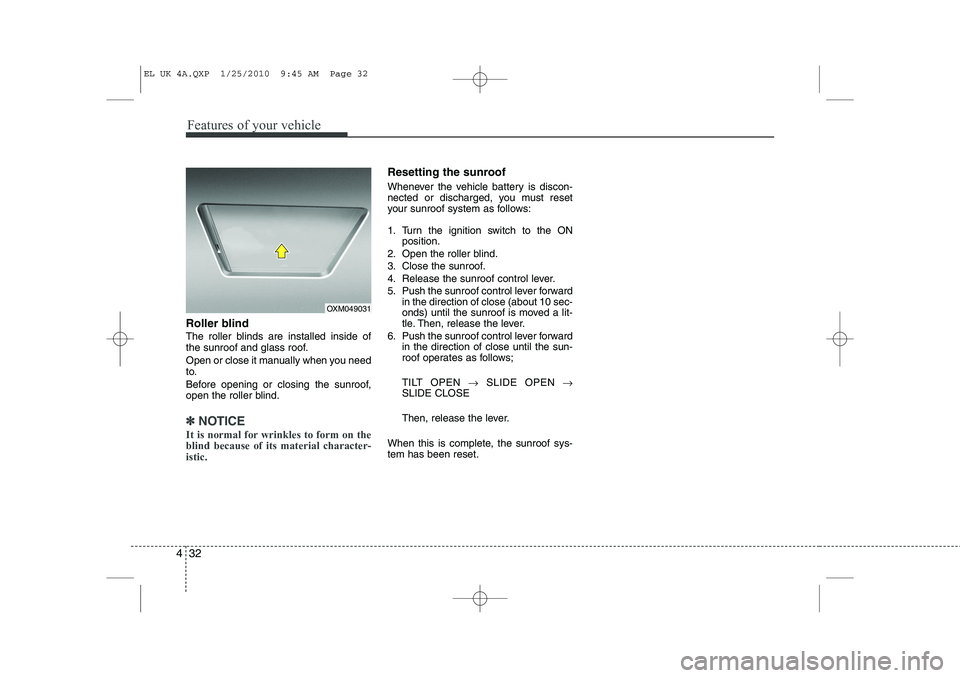
The roller blinds are installed inside of
the sunroof and glass roof.
Open or close it manually when you need
to.
Before opening or closing the sunroof,
open the roller blind.
✽✽
NOTICE
It is normal for wrinkles to form on the blind because of its material character-istic.
Resetting the sunroof
Whenever the vehicle battery is discon-
nected or discharged, you must reset
your sunroof system as follows:
1. Turn the ignition switch to the ON position.
2. Open the roller blind.
3. Close the sunroof.
4. Release the sunroof control lever.
5. Push the sunroof control lever forward in the direction of close (about 10 sec-
onds) until the sunroof is moved a lit-
tle. Then, release the lever.
6. Push the sunroof control lever forward in the direction of close until the sun-
roof operates as follows;
TILT OPEN →SLIDE OPEN →
SLIDE CLOSE
Then, release the lever.
When this is complete, the sunroof sys- tem has been reset.
OXM049031
EL UK 4A.QXP 1/25/2010 9:45 AM Page 32
Page 448 of 560
Features of your vehicle
36
4
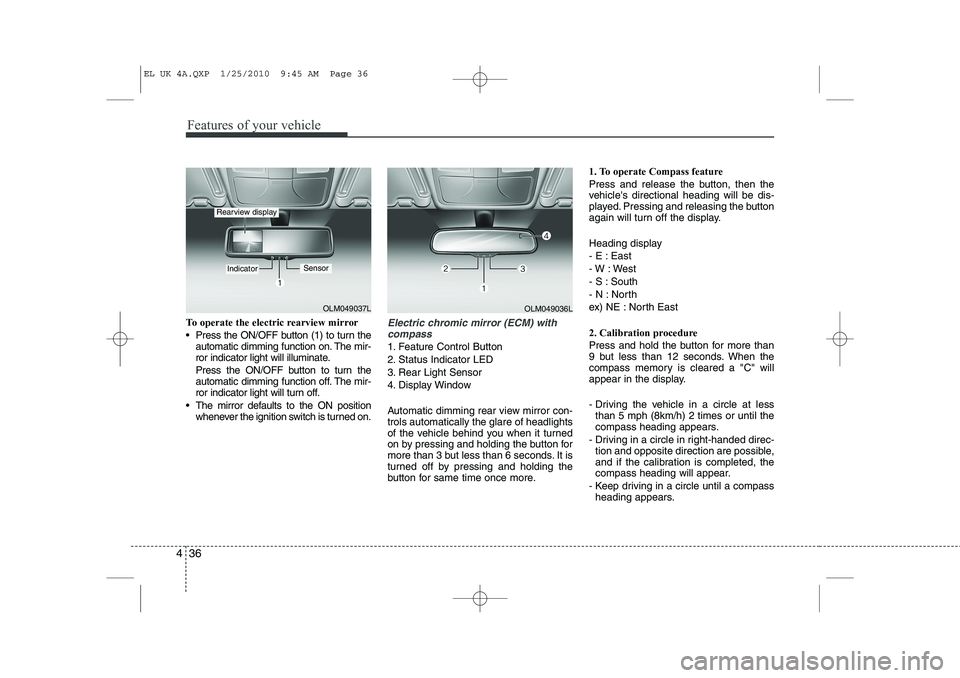
To operate the electric rearview mirror
Press the ON/OFF button (1) to turn the
automatic dimming function on. The mir-
ror indicator light will illuminate.
Press the ON/OFF button to turn the
automatic dimming function off. The mir-
ror indicator light will turn off.
The mirror defaults to the ON position whenever the ignition switch is turned on.Electric chromic mirror (ECM) with
compass
1. Feature Control Button
2. Status Indicator LED
3. Rear Light Sensor
4. Display Window
Automatic dimming rear view mirror con- trols automatically the glare of headlights
of the vehicle behind you when it turned
on by pressing and holding the button for
more than 3 but less than 6 seconds. It is
turned off by pressing and holding the
button for same time once more. 1. To operate Compass feature
Press and release the button, then the
vehicle's directional heading will be dis-
played. Pressing and releasing the button
again will turn off the display.
Heading display
- E : East
- W : West
- S : South
- N : North
ex) NE : North East
2. Calibration procedure
Press and hold the button for more than
9 but less than 12 seconds. When the
compass memory is cleared a "C" will
appear in the display.
- Driving the vehicle in a circle at less
than 5 mph (8km/h) 2 times or until the
compass heading appears.
- Driving in a circle in right-handed direc- tion and opposite direction are possible,
and if the calibration is completed, the
compass heading will appear.
- Keep driving in a circle until a compass heading appears.
OLM049037L
IndicatorSensor
Rearview display
OLM049036L
EL UK 4A.QXP 1/25/2010 9:45 AM Page 36
Page 453 of 560
441
Features of your vehicle
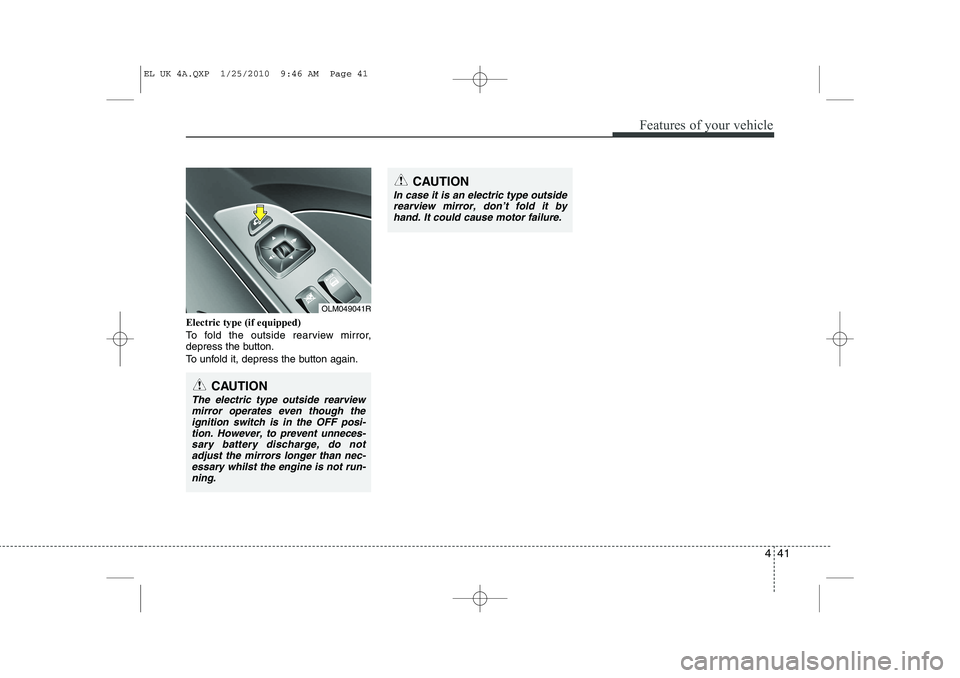
Electric type (if equipped)
To fold the outside rearview mirror,
depress the button.
To unfold it, depress the button again.
OLM049041R
CAUTION
In case it is an electric type outsiderearview mirror, don’t fold it by
hand. It could cause motor failure.
CAUTION
The electric type outside rearviewmirror operates even though the ignition switch is in the OFF posi-
tion. However, to prevent unneces-sary battery discharge, do not adjust the mirrors longer than nec-essary whilst the engine is not run-
ning.
EL UK 4A.QXP 1/25/2010 9:46 AM Page 41
Page 456 of 560
Features of your vehicle
44
4
The tachometer pointer may move slight-
ly when the ignition switch is in ACC or
ON position with the engine OFF. This
movement is normal and will not affect
the accuracy of the tachometer once the
engine is running.
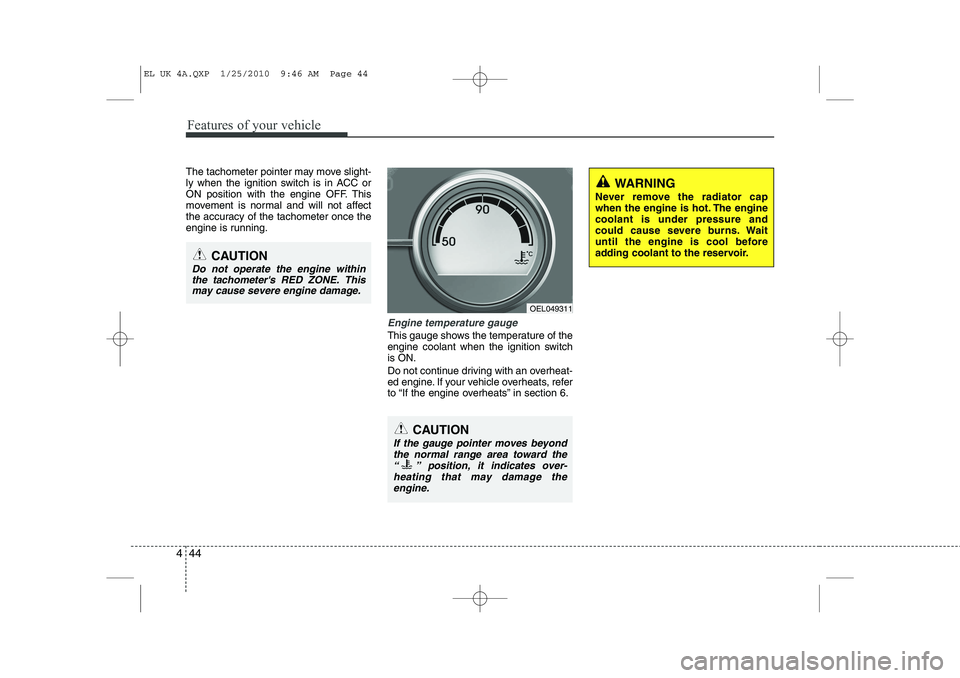
Engine temperature gauge
This gauge shows the temperature of the
engine coolant when the ignition switchis ON.
Do not continue driving with an overheat-
ed engine. If your vehicle overheats, refer
to “If the engine overheats” in section 6.
CAUTION
If the gauge pointer moves beyond
the normal range area toward the “ ” position, it indicates over-heating that may damage the
engine.
CAUTION
Do not operate the engine withinthe tachometer's RED ZONE. This may cause severe engine damage.
OEL049311
WARNING
Never remove the radiator cap
when the engine is hot. The enginecoolant is under pressure and
could cause severe burns. Wait
until the engine is cool before
adding coolant to the reservoir.
EL UK 4A.QXP 1/25/2010 9:46 AM Page 44
Page 458 of 560
Features of your vehicle
46
4
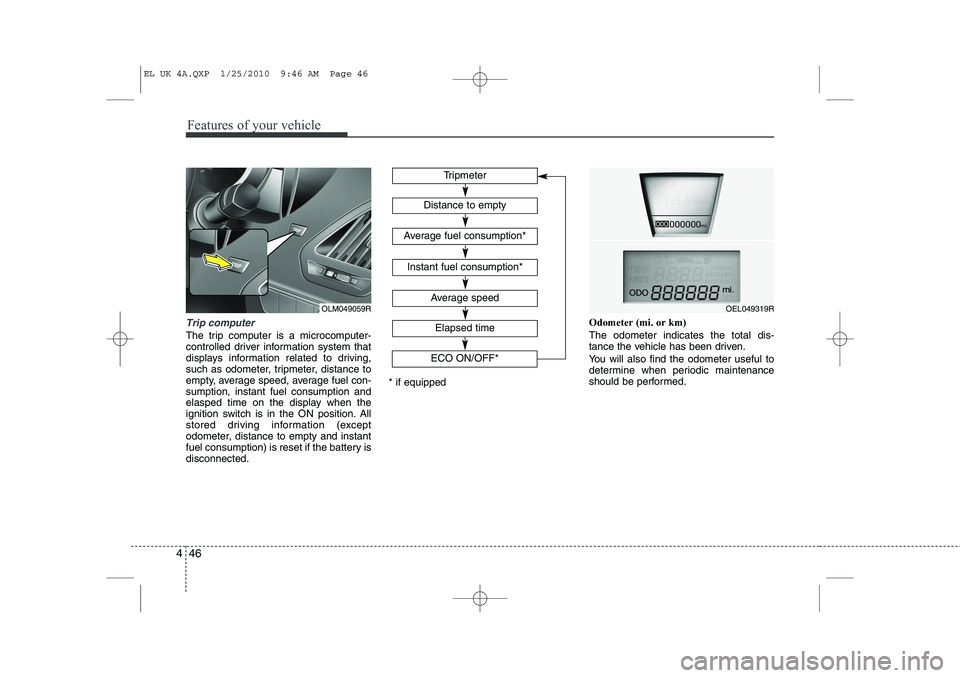
Trip computer
The trip computer is a microcomputer-
controlled driver information system that
displays information related to driving,
such as odometer, tripmeter, distance to
empty, average speed, average fuel con-sumption, instant fuel consumption and
elasped time on the display when the
ignition switch is in the ON position. All
stored driving information (except
odometer, distance to empty and instant
fuel consumption) is reset if the battery isdisconnected. Odometer (mi. or km) The odometer indicates the total dis-
tance the vehicle has been driven.
You will also find the odometer useful to
determine when periodic maintenance
should be performed.
Tripmeter
Average speed
Elapsed time
Distance to empty
Average fuel consumption*
Instant fuel consumption*
* if equipped
OEL049319R
ECO ON/OFF*OLM049059R
EL UK 4A.QXP 1/25/2010 9:46 AM Page 46