REAR HYUNDAI IX35 2012 Owners Manual
[x] Cancel search | Manufacturer: HYUNDAI, Model Year: 2012, Model line: IX35, Model: HYUNDAI IX35 2012Pages: 560, PDF Size: 28.31 MB
Page 480 of 560
Features of your vehicle
68
4
The sensing distance whilst the rear
parking assist system is in operation is
approximately 47 in. (120 cm).
When more than two objects are sensed at the same time, the closest
one will be recognized first.
Types of warning sound
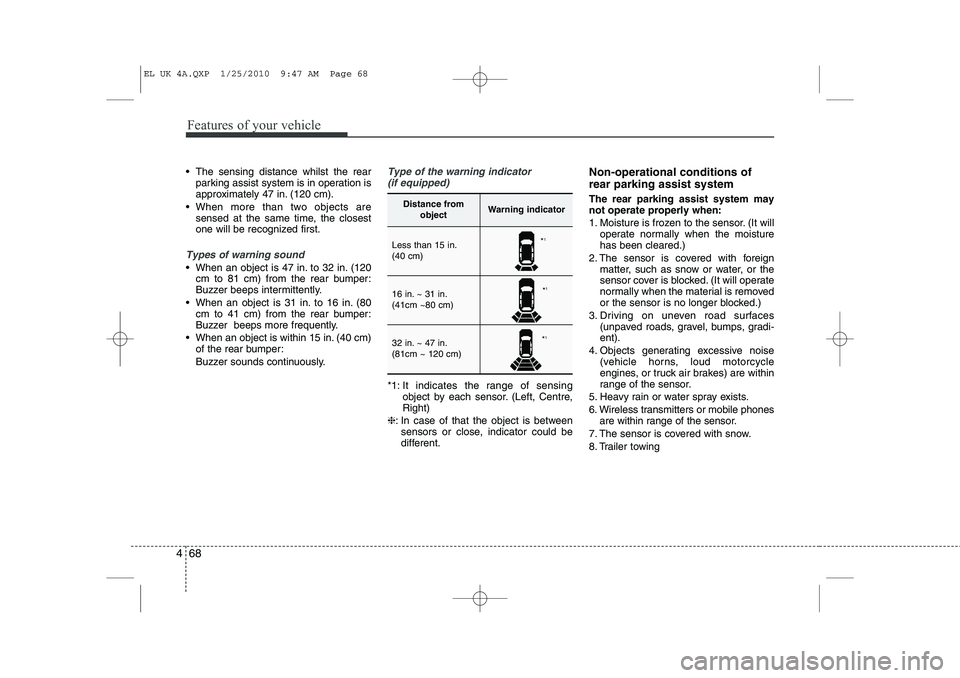
When an object is 47 in. to 32 in. (120cm to 81 cm) from the rear bumper:
Buzzer beeps intermittently.
When an object is 31 in. to 16 in. (80 cm to 41 cm) from the rear bumper:
Buzzer beeps more frequently.
When an object is within 15 in. (40 cm) of the rear bumper:
Buzzer sounds continuously.
Type of the warning indicator
(if equipped)
*1: It indicates the range of sensing object by each sensor. (Left, Centre, Right)
❈ : In case of that the object is between
sensors or close, indicator could be
different. Non-operational conditions of rear parking assist system The rear parking assist system may not operate properly when:
1. Moisture is frozen to the sensor. (It will
operate normally when the moisture has been cleared.)
2. The sensor is covered with foreign matter, such as snow or water, or the
sensor cover is blocked. (It will operate
normally when the material is removed
or the sensor is no longer blocked.)
3. Driving on uneven road surfaces (unpaved roads, gravel, bumps, gradi-ent).
4. Objects generating excessive noise (vehicle horns, loud motorcycle
engines, or truck air brakes) are within
range of the sensor.
5. Heavy rain or water spray exists.
6. Wireless transmitters or mobile phones are within range of the sensor.
7. The sensor is covered with snow.
8. Trailer towing
Distance from objectWarning indicator
Less than 15 in. (40 cm)
16 in. ~ 31 in. (41cm ~80 cm)
32 in. ~ 47 in. (81cm ~ 120 cm)
*1
* 1
* 1
EL UK 4A.QXP 1/25/2010 9:47 AM Page 68
Page 481 of 560
469
Features of your vehicle
The detecting range may decrease when:
1. The sensor is stained with foreign mat-ter such as snow or water. (The sens-
ing range will return to normal when
removed.)
2. Outside air temperature is extremely hot or cold.
The following objects may not be rec-ognized by the sensor:
1. Sharp or slim objects such as ropes, chains or small poles.
2. Objects which tend to absorb the sen- sor frequency such as clothes, spongy
material or snow.
3. Undetectable objects smaller than 40 in. (1 m) in height and narrower than 6 in.
(14 cm) in diameter. Rear parking assist system pre- cautions
The rear parking assist system may
not sound sequentially depending on the speed and shapes of the objectsdetected.
The rear parking assist system may malfunction if the vehicle bumperheight or sensor installation has been
modified or damaged. Any non-factory
installed equipment or accessories
may also interfere with the sensor per-
formance.
The sensor may not recognize objects less than 15 in. (40 cm) from the sen-
sor, or it may sense an incorrect dis-
tance. Use caution.
When the sensor is frozen or stained with snow, dirt, or water, the sensor
may be inoperative until the stains are
removed using a soft cloth.
Do not push, scratch or strike the sen- sor. Sensor damage could occur.✽✽ NOTICE
This system can only sense objects with- in the range and location of the sensors;
It can not detect objects in other areas
where sensors are not installed. Also,
small or slim objects, such as poles orobjects located between sensors may notbe detected by the sensors.Always visually check behind the vehi-cle when backing up.
Be sure to inform any drivers of the
vehicle that may be unfamiliar with the
system regarding the systems capabili-ties and limitations.
WARNING
Pay close attention when the vehi- cle is driven close to objects on theroad, particularly pedestrians, andespecially children. Be aware thatsome objects may not be detectedby the sensors, due to the object’sdistance, size or material, all ofwhich can limit the effectiveness ofthe sensor. Always perform a visu-al inspection to make sure the vehi-cle is clear of all obstructionsbefore moving the vehicle in anydirection.
EL UK 4A.QXP 1/25/2010 9:47 AM Page 69
Page 482 of 560
Features of your vehicle
70
4
Self-diagnosis
If you don’t hear an audible warning
sound or if the buzzer sounds intermit-tently when shifting the gear to the R
(Reverse) position, this may indicate a
malfunction in the rear parking assist sys-
tem. If this occurs, have your vehicle
checked by a HYUNDAI authorised
repairer as soon as possible.
WARNING
Your new vehicle warranty does not cover any accidents or damage tothe vehicle or injuries to its occu-pants due to a rear parking assistsystem malfunction. Always drivesafely and cautiously.
EL UK 4A.QXP 1/25/2010 9:47 AM Page 70
Page 483 of 560
471
Features of your vehicle
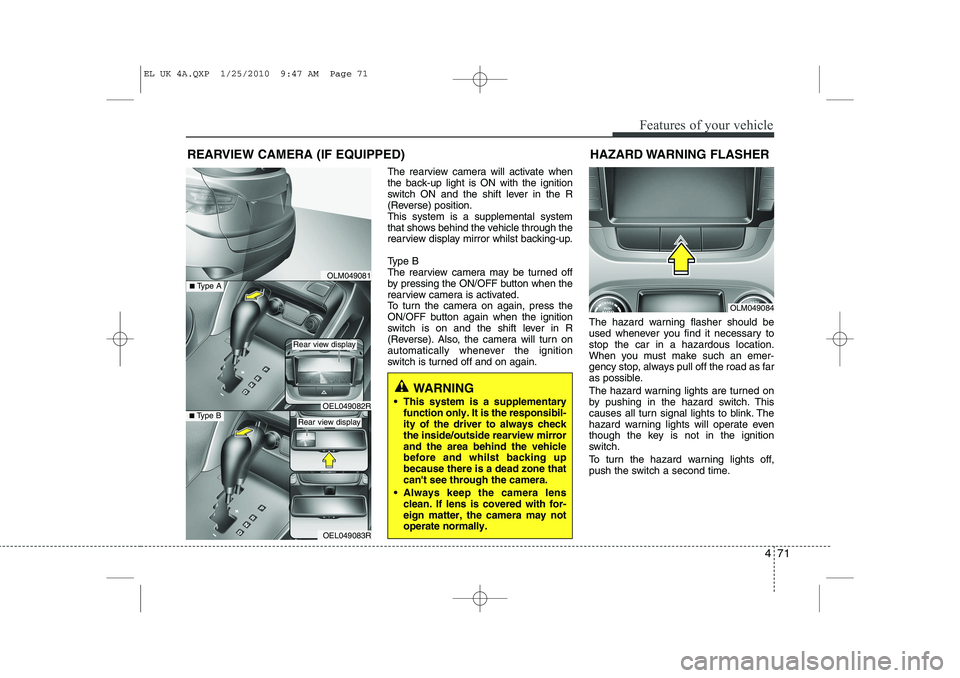
The rearview camera will activate when
the back-up light is ON with the ignition
switch ON and the shift lever in the R
(Reverse) position.This system is a supplemental system
that shows behind the vehicle through the
rearview display mirror whilst backing-up.
Type B
The rearview camera may be turned off
by pressing the ON/OFF button when the
rearview camera is activated.
To turn the camera on again, press the
ON/OFF button again when the ignition
switch is on and the shift lever in R
(Reverse). Also, the camera will turn on
automatically whenever the ignition
switch is turned off and on again.The hazard warning flasher should be
used whenever you find it necessary tostop the car in a hazardous location.
When you must make such an emer-
gency stop, always pull off the road as far
as possible.
The hazard warning lights are turned on
by pushing in the hazard switch. This
causes all turn signal lights to blink. The
hazard warning lights will operate even
though the key is not in the ignition
switch.
To turn the hazard warning lights off,
push the switch a second time.
REARVIEW CAMERA (IF EQUIPPED)
WARNING
This system is a supplementary function only. It is the responsibil- ity of the driver to always checkthe inside/outside rearview mirrorand the area behind the vehiclebefore and whilst backing upbecause there is a dead zone thatcan't see through the camera.
Always keep the camera lens clean. If lens is covered with for-eign matter, the camera may notoperate normally.
OLM049081
OLM049084
HAZARD WARNING FLASHER
OEL049083R
■
Type BOEL049082R
■Type A
Rear view display
Rear view display
EL UK 4A.QXP 1/25/2010 9:47 AM Page 71
Page 488 of 560
Features of your vehicle
76
4
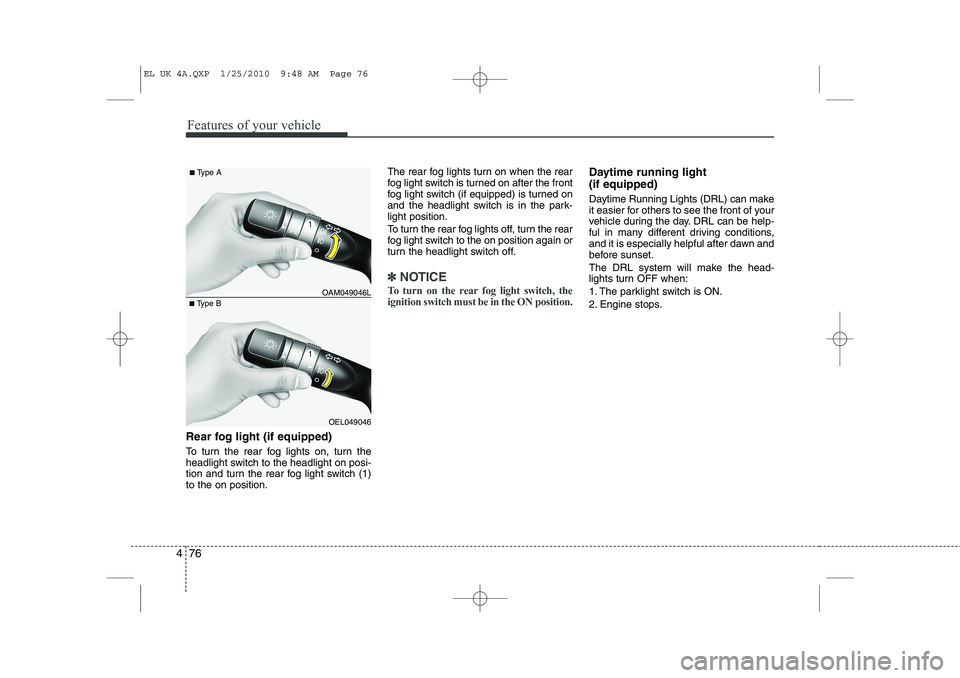
Rear fog light (if equipped)
To turn the rear fog lights on, turn the
headlight switch to the headlight on posi-
tion and turn the rear fog light switch (1)to the on position. The rear fog lights turn on when the rear
fog light switch is turned on after the front
fog light switch (if equipped) is turned on
and the headlight switch is in the park-light position.
To turn the rear fog lights off, turn the rear
fog light switch to the on position again or
turn the headlight switch off.
✽✽
NOTICE
To turn on the rear fog light switch, the ignition switch must be in the ON position.
Daytime running light (if equipped)
Daytime Running Lights (DRL) can make
it easier for others to see the front of your
vehicle during the day. DRL can be help-
ful in many different driving conditions,
and it is especially helpful after dawn and
before sunset.
The DRL system will make the head-
lights turn OFF when:
1. The parklight switch is ON.
2. Engine stops.
OEL049046
■
Type B OAM049046L
■
Type A
EL UK 4A.QXP 1/25/2010 9:48 AM Page 76
Page 490 of 560
Features of your vehicle
78
4
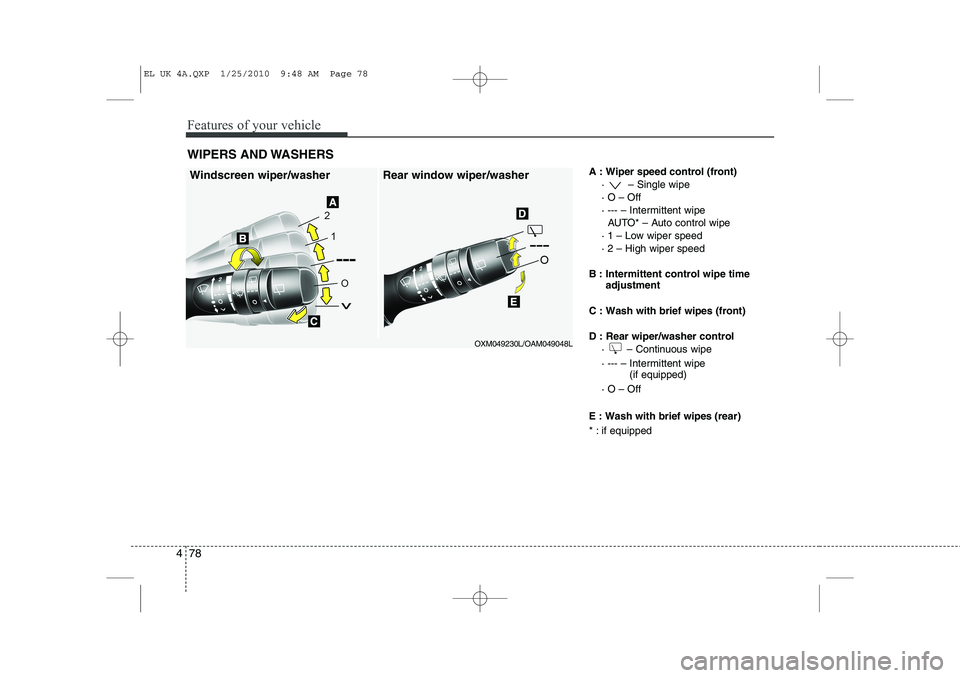
A : Wiper speed control (front)
· – Single wipe · O – Off
· --- – Intermittent wipe AUTO* – Auto control wipe
· 1 – Low wiper speed· 2 – High wiper speed
B : Intermittent control wipe time adjustment
C : Wash with brief wipes (front) D : Rear wiper/washer control · – Continuous wipe
· --- – Intermittent wipe (if equipped)
· O – Off
E : Wash with brief wipes (rear)
* : if equipped
WIPERS AND WASHERS
Windscreen wiper/washer Rear window wiper/washer
OXM049230L/OAM049048L
EL UK 4A.QXP 1/25/2010 9:48 AM Page 78
Page 493 of 560
481
Features of your vehicle
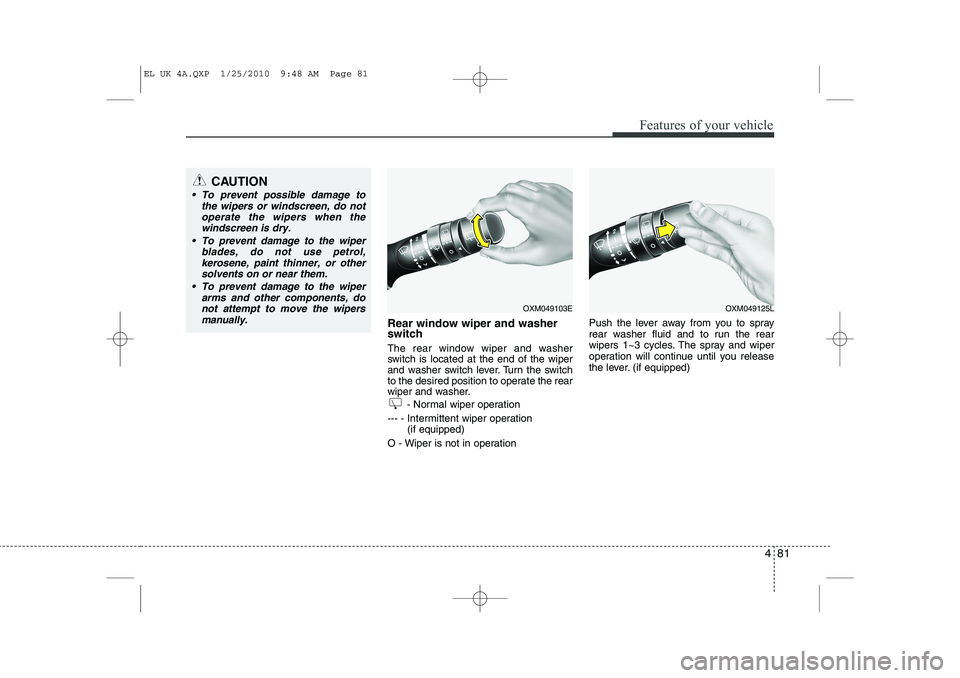
Rear window wiper and washer
switch
The rear window wiper and washer
switch is located at the end of the wiper
and washer switch lever. Turn the switch
to the desired position to operate the rear
wiper and washer.- Normal wiper operation
--- - Intermittent wiper operation (if equipped)
O - Wiper is not in operation Push the lever away from you to spray
rear washer fluid and to run the rear
wipers 1~3 cycles. The spray and wiper
operation will continue until you release
the lever. (if equipped)
CAUTION
To prevent possible damage to
the wipers or windscreen, do notoperate the wipers when the
windscreen is dry.
To prevent damage to the wiper blades, do not use petrol,
kerosene, paint thinner, or othersolvents on or near them.
To prevent damage to the wiper arms and other components, do
not attempt to move the wipersmanually.
OXM049103EOXM049125L
EL UK 4A.QXP 1/25/2010 9:48 AM Page 81
Page 497 of 560
485
Features of your vehicle
✽✽NOTICE
If you want to defrost and defog on the
front windscreen, refer to “Windscreen
Defrosting and Defogging” in this sec-tion.
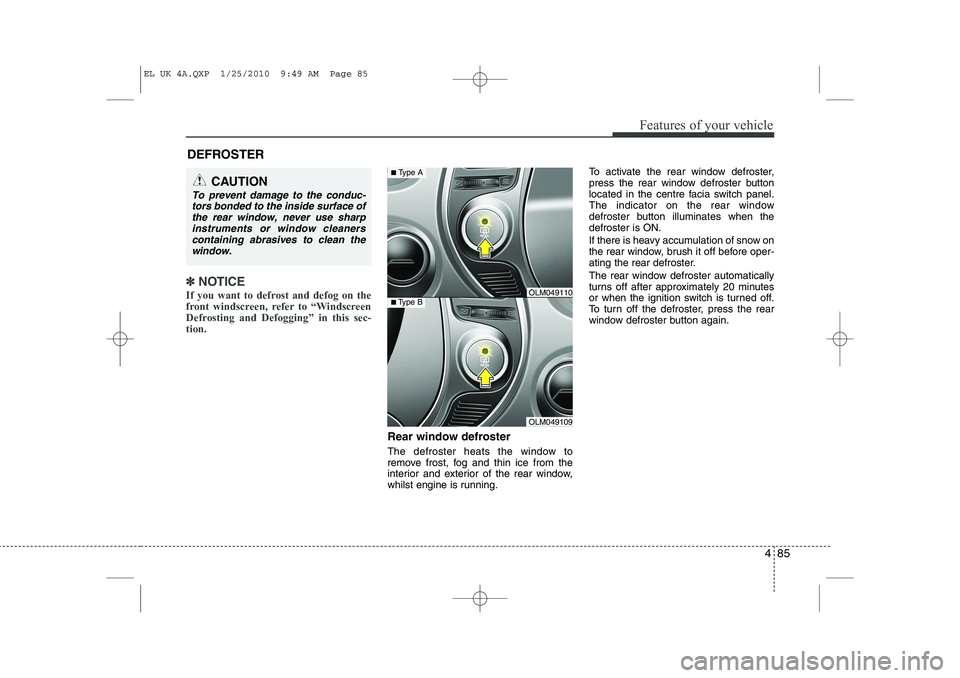
Rear window defroster
The defroster heats the window to
remove frost, fog and thin ice from the
interior and exterior of the rear window,
whilst engine is running. To activate the rear window defroster,
press the rear window defroster button
located in the centre facia switch panel.
The indicator on the rear window
defroster button illuminates when thedefroster is ON.
If there is heavy accumulation of snow on
the rear window, brush it off before oper-
ating the rear defroster.
The rear window defroster automatically
turns off after approximately 20 minutes
or when the ignition switch is turned off.
To turn off the defroster, press the rear
window defroster button again.
DEFROSTER
CAUTION
To prevent damage to the conduc-
tors bonded to the inside surface of
the rear window, never use sharpinstruments or window cleanerscontaining abrasives to clean the window.
OLM049109
■ Type BOLM049110
■Type A
EL UK 4A.QXP 1/25/2010 9:49 AM Page 85
Page 498 of 560
Features of your vehicle
86
4
Outside mirror defroster
(if equipped)
If your vehicle is equipped with the out-
side mirror defrosters, they will operate at
the same time you turn on the rear win-
dow defroster.
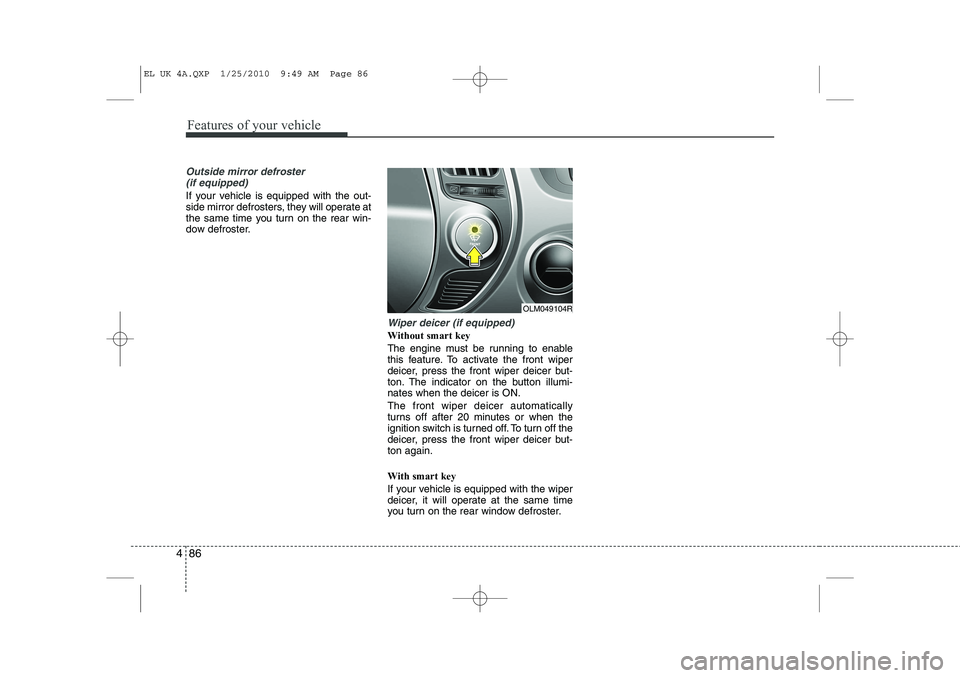
Wiper deicer (if equipped)
Without smart key
The engine must be running to enable
this feature. To activate the front wiper
deicer, press the front wiper deicer but-
ton. The indicator on the button illumi-nates when the deicer is ON. The front wiper deicer automatically
turns off after 20 minutes or when the
ignition switch is turned off. To turn off the
deicer, press the front wiper deicer but-ton again. With smart key
If your vehicle is equipped with the wiper
deicer, it will operate at the same time
you turn on the rear window defroster.
OLM049104R
EL UK 4A.QXP 1/25/2010 9:49 AM Page 86
Page 515 of 560
4 103
Features of your vehicle
For maximum defrosting, set the tem-perature control to the extreme
right/hot position and the fan speedcontrol to the highest speed.
If warm air to the floor is desired whilst defrosting or defogging, set the modeto the floor-defrost position.
Before driving, clear all snow and ice from the windscreen, rear window, out-
side rear view mirrors, and all side win-
dows.
Clear all snow and ice from the bonnet and air inlet in the cowl grill to improveheater and defroster efficiency and to
reduce the probability of fogging up theinside of the windscreen.
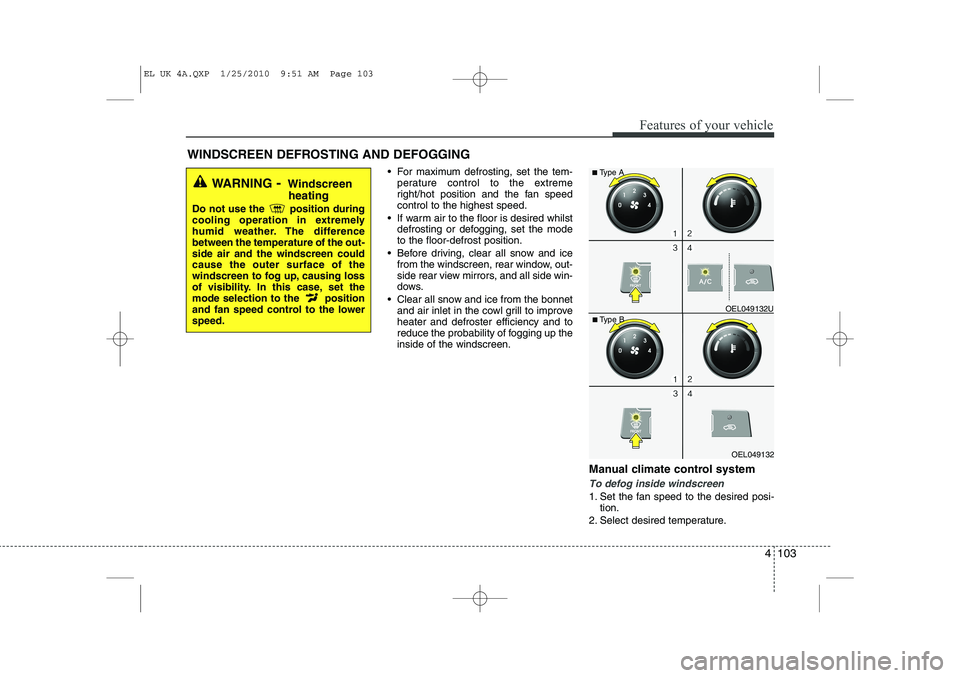
Manual climate control system
To defog inside windscreen
1. Set the fan speed to the desired posi-tion.
2. Select desired temperature.
WINDSCREEN DEFROSTING AND DEFOGGING
WARNING
- Windscreen
heating
Do not use the position during
cooling operation in extremely
humid weather. The differencebetween the temperature of the out-side air and the windscreen couldcause the outer surface of the
windscreen to fog up, causing loss
of visibility. In this case, set the
mode selection to the position
and fan speed control to the lowerspeed.
OEL049132
■
Type B OEL049132U
■
Type A
EL UK 4A.QXP 1/25/2010 9:51 AM Page 103