audio HYUNDAI IX35 2012 User Guide
[x] Cancel search | Manufacturer: HYUNDAI, Model Year: 2012, Model line: IX35, Model: HYUNDAI IX35 2012Pages: 560, PDF Size: 28.31 MB
Page 199 of 560
Features of your vehicle
124
4
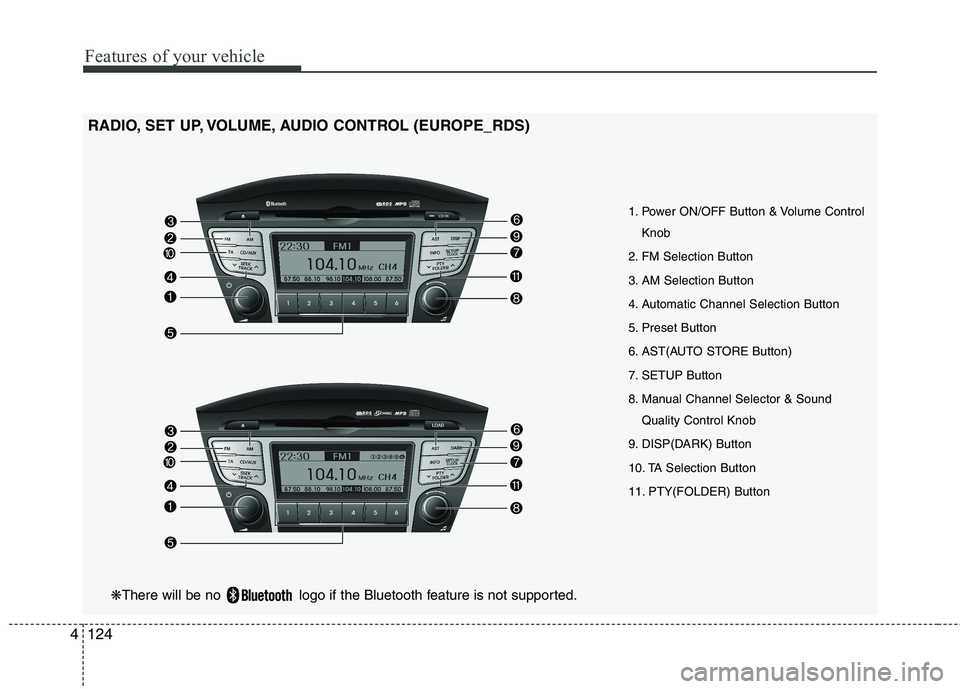
RADIO, SET UP, VOLUME, AUDIO CONTROL (EUROPE_RDS)
1. Power ON/OFF Button & Volume ControlKnob
2. FM Selection Button
3. AM Selection Button
4. Automatic Channel Selection Button
5. Preset Button
6. AST(AUTO STORE Button)
7. SETUP Button
8. Manual Channel Selector & Sound Quality Control Knob
9. DISP(DARK) Button
10. TA Selection Button
11. PTY(FOLDER) Button
❋ There will be no logo if the Bluetooth feature is not supported.
Page 200 of 560
4125
Features of your vehicle
1. Power ON/OFF Button &Volume Control Button
Turns on/off the set when the IGNITION
SWITCH is on ACC or ON. If the button
is turned to the right, it increases the vol-
ume and left,decreases the volume.
Press this button to turn the audio sys- tem ON or OFF. (EUROPE MODEL
ONLY)
Depending on the model if the ignition switch is not on ACC or ON position.
the “Battery Discharge” warningappears on LCD after 10 seconds of
power-up, and automatically turns off
after 1 hours of operation.
Adjusts the volume of the car audio system. Rotate clockwise to increase
the volume or counterclockwise to
decrease.
2. FM Selection Button
Turns to FM mode and toggles FM1and
FM2 when the button is pressed each
time. ❈ May change in order of FM1 ➟FM2 ➟
FMA in some models. 3. AM Selection Button
Pressing the [AM] button selects the AM
band. AM Mode is displayed on the LCD. ❈
May change in order of AM ➟AMA in
some models.
4. Automatic Channel Selection Button
When the [SEEK ] button is pressed, it increases the band frequency to auto-
matically select channel. Stops at the
previous frequency if no channel is
found.
5. Preset Button
Push [1]~[6] buttons less than 0.8 sec-
ond to play the channel saved in each
button. Push Preset button for 0.8 sec-
ond or longer to save current channel to
the respective button with a beep. 6. AST(AUTO STORE Button)
When the button is pressed, it automati-
cally selects and saves channels with
high reception rate to PRESET buttons
[1]~[6] and plays the channel saved in
PRESET1. If no channel is saved after
AST, it will play the previous channel.
Saves only to the Preset memory
(1)~(6) of FMA or AMA mode in some
models.
7. SETUP Button
Press this button to turn to the SCROLL
option and the other adjustment mode.
If no action is taken for 5 seconds after
pressing the button, it will return to the
play mode. (After entering SETUP
mode, move between items using the
left, right and PUSH functions of the
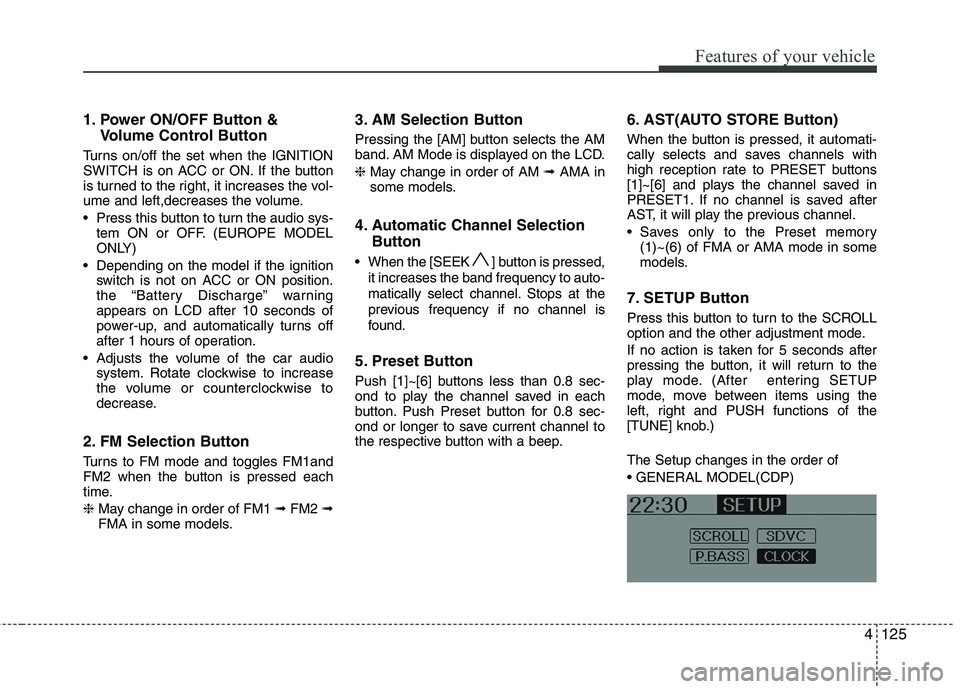
[TUNE] knob.) The Setup changes in the order of
Page 202 of 560
4127
Features of your vehicle
Based on psychoacoustic technology,
this technology overcomes BASS limita-
tions which may occur due to the limited
number and size of speaker to offer
dynamic BASS sound quality.
It is possible to adjust in 3 levels of LOW/ MID/ HIGH. OFF ➟LOW ➟MID ➟HIGH
❈ AM, AMA is not supported.
❈ CDP ONLY.
This function displays the previous MODE screen.
8. Manual Channel Selector & Sound Quality Control Knob
Turn this control while listening to a radio
channel to manually adjust frequency.
Turn clockwise to increase frequency
and counterclockwise to reduce frequen-
cy.
Pressing TUNE button changes the
BASS, MIDDLE, TREBLE, FADER and
BALANCE mode.
The mode selected is shown on the dis-
play. After selecting each mode, rotate
the Audio control knob clockwise or
counterclockwise. BASS Control
To increase the BASS, rotate the knob
clockwise, while to decrease the BASS,
rotate the knob counterclockwise.
MIDDLE Control
To increase the MIDDLE, rotate the knob
clockwise, while to decrease the MID-
DLE, rotate the knob counterclockwise.
TREBLE Control
To increase the TREBLE, rotate the knob
clockwise, while to decrease the TRE-
BLE, rotate the knob counterclockwise.
FADER Control
Turn the control knob clockwise to
emphasize rear speaker sound(front
speaker sound will be attenuated). When
the control knob is turned counterclock-
wise, front speaker sound will be empha-
sized(rear speaker sound will be attenu-ated).
BALANCE Control
Rotate the knob clockwise to emphasize
right speaker sound(left speaker sound
will be attenuated).
When the control knob is turned counter
clockwise, left speaker sound will be
emphasized(right speaker sound will be
attenuated).
9. DISP(DARK) Button
Turn the LCD Display & Backlight on/off
when [DISP] button press. ❈ GENERAL : DISP, EUROPE : DARK
10. TA Selection Button
In FM, CD, AUX mode, turns on/off the
reception of TA channels of RDS.
11. PTY(FOLDER) Button
Moves [ PTY(FOLDER)] Button when searching PTY in RDS
Broadcasting Program Type selection.
Moves [PTY(FOLDER) ] button when searching PTY in RDS
Broadcasting Program Type selection.
Page 205 of 560
Features of your vehicle
130
4
1. CD Loading Slot
Please face printed side upward and
gently push in. When the ignition switch
is on ACC or ON and power is off, power
is automatically turned on if the CD is
loaded. This CDP supports only 12cm
CD. If VCD, Data CD are loaded,"Reading Error" message will appearand CD will be ejected.
2. CD Eject Button
Push button for less than 0.8 seconds
to eject the CD during CD playback. This
button is enabled when ignition switch is
off.
Press this button for more than 0.8 sec-
onds to eject all discs inside the deck in
respective order.
3. INFO Button
Displays the information of the current
CD TRACK(FILE) as below when the
button is pressed each time.
CDDA : Disc Title ➟ Disc Artist ➟ Tr a c k
Title ➟ Track Artist ➟ Total Track...
MP3/WMA : File Name ➟ Title ➟ Artist
➟ Album ➟ Folder ➟ Total File... (not
displayed if the information is not avail-
able on the DISC.) 4. Automatic Track Selection
Button
Push [ SEEK(TRACK)] button for less than 0.8 second to play from thebeginning of current song.
Push [ SEEK(TRACK)] button for less than 0.8 second and press again
within 1 seconds to play the previoussong.
Push [ SEEK(TRACK)] button for 0.8 or longer to initiate reverse direc-tion high speed sound search of cur-rent song.
Push [SEEK(TRACK)] ] button for less than 0.8 second to play the nextsong.
Push [SEEK(TRACK)] ] button for 0.8 or longer to initiate high speedsound search of current song.
5. RANDOM Play Button
Press this button for less than 0.8 second
to activate ‘RDM’ mode and more than
0.8 seconds to activate ‘ALL RDM’ mode.
RDM : Only files/tracks in a folder/disc are played back in a random
sequence.
ALL RDM(MP3/WMA Only) : All files in a disc are played back in the random
sequence. 6. REPEAT Button
Press this button for less than 0.8 second
to activate ‘RPT’ mode and more than 0.8
seconds to activate ‘FLD RPT’ mode.
RPT : Only a track(file) is repeatedly
played back.
FOLDER RPT(MP3/WMA Only) : Only files in a folder are repeatedly played
back.
ALL RPT(AUDIO CD Only) : Only files in a DISC are repeatedly played back.
7. CD or CD/AUX Selection Button If the CD is loaded, turns to CD mode.
If no CD, it displays "NO Disc" for 3 sec-
onds and returns to th previous mode.
If the auxiliary device is connected, it
switches to the AUX mode from the
other mode to play the sound from the
auxiliary player. If the CD is loaded,
turns to CD mode, and if a device is
connected to AUX then it toggles.
CDßAUXßCD... when the button is
pressed each time.(It will not turn to
AUX if the auxiliary device is not con-nected)
Page 207 of 560
Features of your vehicle
132
4
CAUTION IN USING USB DEVICE
To use the external USB device,
make sure the device is not
mounted when starting up thevehicle and mount the deviceafter starting up.
If you start the vehicle when the USB device is mounted, it maydamage the USB device. (USB isnot ESA)
If the vehicle is started up or turned off while the external USB
device is connected, the externalUSB device may not work.
It may not play inauthentic MP3 or WMA files.
1) It can only play MP3 files with the compression rate between8Kbps~320Kbps.
2) It can only play WMA music files with the compression ratebetween 8Kbps~320Kbps.
Take cautions for static electricity when mounting or dismountingthe external USB device.
Encoded MP3 PLAYER is not rec- ognizable.
(Continued)
(Continued) Depending on the condition of the external USB device, the con-nected external USB device canbe unrecognizable.
When the formatted byte/sector setting of External USB devices isnot either 512BYTE or 2048BYTE,then the device will not be recog-
nized.
Only the USB device formatted to FAT 12/16/32.
USB device without USB IF authentication may not be recog-nizable.
Make sure the USB connection terminal does not come in con-tact with human body or anyobject.
If you repeat mounting or dis- mounting USB device in a shortperiod of time, it may break the device.
You might hear strange noise when mounting or dismounting a
USB device.
(Continued)(Continued) If you dismount the external USB device during playback in USBmode, the external USB device
can be damaged or malfunction.Therefore, mount the external USB device when the engine isturned off or in another mode.
Depending on the type and capacity of the external USBdevice or the type of the files stored in the device, there is a dif-ference in the time taken for
recognition of the device, but thisis not a trouble Please wait for amoment.
Do not use the USB device for other purposes than playingmusic files.
Use of USB accessories such as the recharger or heater usingUSB I/F may lower the perform-
ance or cause trouble.
If you use devices such as the USB hub you purchased sepa-rately, the vehicle’s audio system may not recognize the USB
device. Connect the USB device directly to the multimedia termi-nal of the vehicle.
(Continued)
Page 208 of 560
4133
Features of your vehicle
(Continued) If USB device is divided by logical drives, only the music files on thehighest-priority drive are recog-nized by car audio.
Devices such as MP3 Player/ Cellular phone/Digital camerathose are not recognizable bystandard USB I/F can be unrecog-
nizable.
USB devices other than standard- ized goods (METAL COVER TYPEUSB) can be unrecognizable.
USB flash memory reader (such as CF, SD, microSD, etc.) or exter-
nal-HDD type devices can be unrecognizable.
Music files protected by DRM (DIGITAL RIGHTS MANAGE-
MENT) are not recognizable.
The data in the USB memory may lost while using this AUDIO, It isrecommended to back up impor-tant data on a personal.
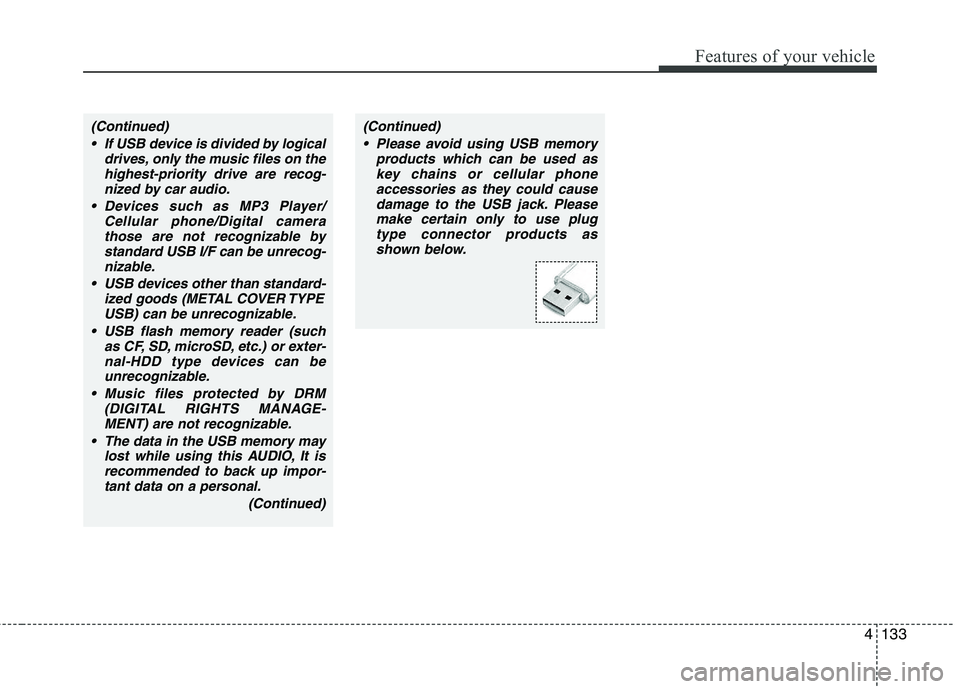
(Continued)(Continued) Please avoid using USB memory products which can be used askey chains or cellular phoneaccessories as they could cause
damage to the USB jack. Pleasemake certain only to use plug type connector products as
shown below.
Page 215 of 560
Features of your vehicle
140
4
✽✽
NOTICE FOR USING IPOD DEVICE
Some iPod models might not support
the communication protocol and the
files will not be played. (iPod models
supported: Mini, 4G, Photo, Nano,
5G)
The order of search or playback of songs in the iPod can be different
from the order searched in the audio
system.
If the iPod crashes due to its own trou- ble, reset iPod. (Reset: Refer to iPod
manual)
iPod may not operate normally on low
battery.
(Continued)
When the iPod cable is connect- ed, the system can be switched tothe AUX mode even without theiPod device and can cause noise.
Disconnect iPod cable when youare not using the iPod device.
When the iPod is not used at audio system, iPod cable has to
be separate from iPod device.Origin display of iPod may not bedisplayed.CAUTION IN USING iPod DEVICE
You need the power cable exclu- sive for iPod in order to operate
iPod with the buttons on theaudio system. The PC cable pro-vided by Apple may cause mal- function and do not use it for
vehicle use.
When connecting the device with iPod cable, push in the jack fullynot to interfere with communica-
tion.
When adjusting the sound effects of iPod and the audio system, thesound effects of both devices will overlap each and might cause
reduce or distort the quality of thesound.
Deactivate (turn off) the equalizer function of iPod when adjustingthe audio system’s volume, and
turn off the equalizer of the audio system when using the equalizerof iPod.
(Continued)
Page 216 of 560
4141
Features of your vehicle
BLUETOOTH PHONE OPERATION ❈There will be no Bluetooth function if
the Bluetooth feature is not supported.
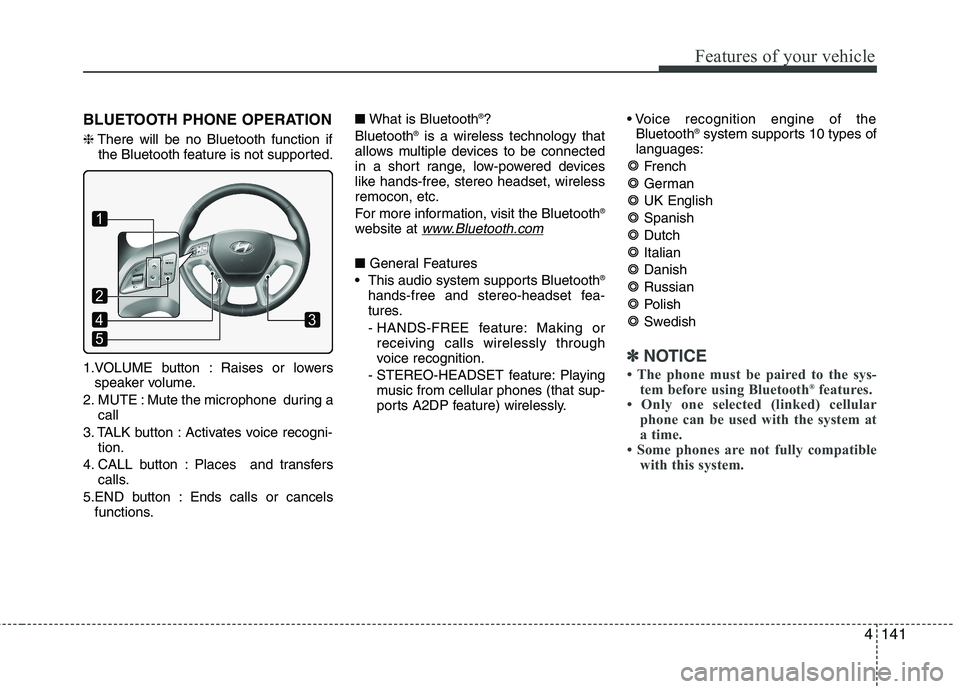
1.VOLUME button : Raises or lowers speaker volume.
2. MUTE : Mute the microphone during a call
3. TALK button : Activates voice recogni- tion.
4. CALL button : Places and transfers calls.
5.END button : Ends calls or cancels functions. ■
What is Bluetooth ®
?
Bluetooth ®
is a wireless technology that
allows multiple devices to be connected
in a short range, low-powered devices
like hands-free, stereo headset, wirelessremocon, etc.
For more information, visit the Bluetooth ®
website at
www.Bluetooth.com
■ General Features
This audio system supports Bluetooth ®
hands-free and stereo-headset fea-
tures.
- HANDS-FREE feature: Making or receiving calls wirelessly through
voice recognition.
- STEREO-HEADSET feature: Playing music from cellular phones (that sup-
ports A2DP feature) wirelessly.
Bluetooth ®
system supports 10 types of
languages:
French
GermanUK EnglishSpanishDutch
ItalianDanishRussian
Polish
Swedish
✽✽ NOTICE
The phone must be paired to the sys- tem before using Bluetooth ®
features.
Only one selected (linked) cellular
phone can be used with the system at
a time.
Some phones are not fully compatible with this system.
1
5
43
2
Page 217 of 560
Features of your vehicle
142
4
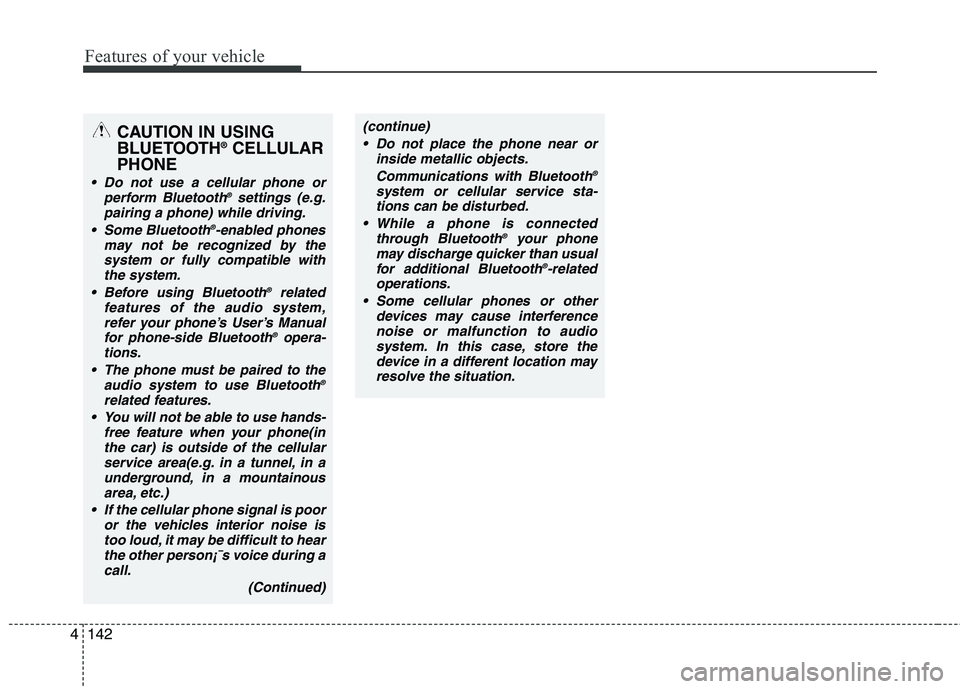
CAUTION IN USING
BLUETOOTH ®
CELLULAR
PHONE
Do not use a cellular phone or perform Bluetooth ®
settings (e.g.
pairing a phone) while driving.
Some Bluetooth ®
-enabled phones
may not be recognized by the system or fully compatible withthe system.
Before using Bluetooth ®
related
features of the audio system, refer your phone’s User’s Manual for phone-side Bluetooth ®
opera-
tions.
The phone must be paired to the audio system to use Bluetooth ®
related features.
You will not be able to use hands- free feature when your phone(inthe car) is outside of the cellularservice area(e.g. in a tunnel, in a
underground, in a mountainousarea, etc.)
If the cellular phone signal is poor or the vehicles interior noise is
too loud, it may be difficult to hearthe other person¡¯s voice during a call.
(Continued)
(continue) Do not place the phone near or inside metallic objects.
Communications with Bluetooth ®
system or cellular service sta- tions can be disturbed.
While a phone is connected through Bluetooth ®
your phone
may discharge quicker than usual for additional Bluetooth ®
-related
operations.
Some cellular phones or other devices may cause interferencenoise or malfunction to audio
system. In this case, store thedevice in a different location mayresolve the situation.
Page 219 of 560
Features of your vehicle
144
4
■■
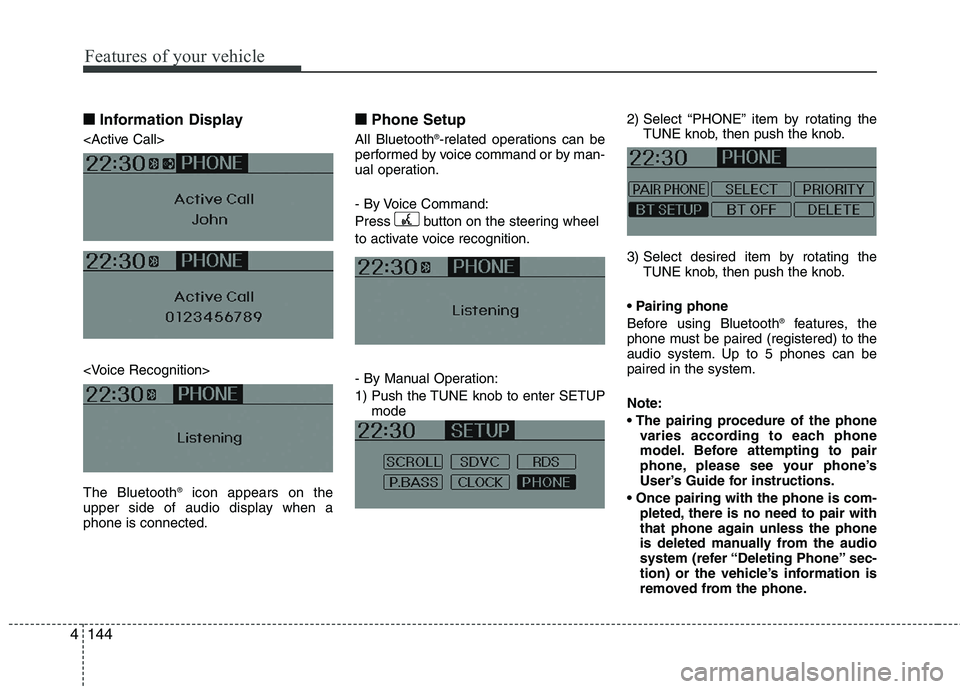
Information Display
icon appears on the
upper side of audio display when a phone is connected. ■■
Phone Setup
All Bluetooth ®
-related operations can be
performed by voice command or by man-
ual operation.
- By Voice Command:
Press button on the steering wheel
to activate voice recognition.
- By Manual Operation:
1) Push the TUNE knob to enter SETUP mode 2) Select “PHONE” item by rotating the
TUNE knob, then push the knob.
3) Select desired item by rotating the TUNE knob, then push the knob.
Before using Bluetooth ®
features, the
phone must be paired (registered) to the
audio system. Up to 5 phones can bepaired in the system. Note:
varies according to each phone
model. Before attempting to pair
phone, please see your phone’s
User’s Guide for instructions.
pleted, there is no need to pair with
that phone again unless the phone
is deleted manually from the audio
system (refer “Deleting Phone” sec-
tion) or the vehicle’s information is
removed from the phone.