Light control HYUNDAI IX35 2012 Owner's Manual
[x] Cancel search | Manufacturer: HYUNDAI, Model Year: 2012, Model line: IX35, Model: HYUNDAI IX35 2012Pages: 560, PDF Size: 28.31 MB
Page 202 of 560
4127
Features of your vehicle
Based on psychoacoustic technology,
this technology overcomes BASS limita-
tions which may occur due to the limited
number and size of speaker to offer
dynamic BASS sound quality.
It is possible to adjust in 3 levels of LOW/ MID/ HIGH. OFF ➟LOW ➟MID ➟HIGH
❈ AM, AMA is not supported.
❈ CDP ONLY.
This function displays the previous MODE screen.
8. Manual Channel Selector & Sound Quality Control Knob
Turn this control while listening to a radio
channel to manually adjust frequency.
Turn clockwise to increase frequency
and counterclockwise to reduce frequen-
cy.
Pressing TUNE button changes the
BASS, MIDDLE, TREBLE, FADER and
BALANCE mode.
The mode selected is shown on the dis-
play. After selecting each mode, rotate
the Audio control knob clockwise or
counterclockwise. BASS Control
To increase the BASS, rotate the knob
clockwise, while to decrease the BASS,
rotate the knob counterclockwise.
MIDDLE Control
To increase the MIDDLE, rotate the knob
clockwise, while to decrease the MID-
DLE, rotate the knob counterclockwise.
TREBLE Control
To increase the TREBLE, rotate the knob
clockwise, while to decrease the TRE-
BLE, rotate the knob counterclockwise.
FADER Control
Turn the control knob clockwise to
emphasize rear speaker sound(front
speaker sound will be attenuated). When
the control knob is turned counterclock-
wise, front speaker sound will be empha-
sized(rear speaker sound will be attenu-ated).
BALANCE Control
Rotate the knob clockwise to emphasize
right speaker sound(left speaker sound
will be attenuated).
When the control knob is turned counter
clockwise, left speaker sound will be
emphasized(right speaker sound will be
attenuated).
9. DISP(DARK) Button
Turn the LCD Display & Backlight on/off
when [DISP] button press. ❈ GENERAL : DISP, EUROPE : DARK
10. TA Selection Button
In FM, CD, AUX mode, turns on/off the
reception of TA channels of RDS.
11. PTY(FOLDER) Button
Moves [ PTY(FOLDER)] Button when searching PTY in RDS
Broadcasting Program Type selection.
Moves [PTY(FOLDER) ] button when searching PTY in RDS
Broadcasting Program Type selection.
Page 228 of 560
53
Driving your vehicle
Before entering vehicle
• Be sure that all windows, outside mir-ror(s), and outside lights are clean.
Check the condition of the tyres.
Check under the vehicle for any sign of leaks.
Be sure there are no obstacles behind you if you intend to back up.
Necessary inspections
Fluid levels, such as engine oil, engine
coolant, brake fluid, and washer fluid
should be checked on a regular basis,
with the exact interval depending on thefluid.
Before starting
Close and lock all doors.
Position the seat so that all controls are easily reached.
Adjust the inside and outside rearview mirrors. Be sure that all lights work.
Check all gauges.
Check the operation of warning lights
when the ignition switch is turned to the ON position.
Release the parking brake and make sure the brake warning light goes out.
For safe operation, be sure you are famil-
iar with your vehicle and its equipment.
BEFORE DRIVING
WARNING
All passengers must be properly
belted whenever the vehicle is mov-
ing. Refer to “Seat belts” in section
3 for more information on their
proper use.
WARNING
Always check the surrounding
areas near your vehicle for people,
especially children, before putting a
vehicle into “Drive” or “Reverse”.
WARNING
When you intend to park or stop the
vehicle with the engine on, be care-ful not to depress the accelerator
pedal for a long period of time. It
may overheat the engine or exhaust
system and cause fire.
WARNING - Driving under
the influence of alcohol or drugs
Drinking and driving is dangerous.
Drunk driving is the number one
contributor to the highway death
toll each year. Even a small amount
of alcohol will affect your reflexes,
perceptions and judgement.Driving whilst under the influence
of drugs is as dangerous or more
dangerous than driving drunk.
You are much more likely to have a
serious accident if you drink or
take drugs and drive.
If you are drinking or taking drugs,
don’t drive. Do not ride with a driv-er who has been drinking or taking
drugs. Choose a designated driveror call a cab.
EL UK 5.QXP 1/25/2010 9:54 AM Page 3
Page 243 of 560
Driving your vehicle
18
5
Automatic transaxle operation
The highly efficient automatic transaxle
has 6 forward speeds and one reverse
speed. The individual speeds are select-
ed automatically, depending on the posi-
tion of the shift lever.
✽✽
NOTICE
The first few shifts on a new vehicle, if the battery has been disconnected, may
be somewhat abrupt. This is a normalcondition, and the shifting sequence will
adjust after shifts are cycled a few times
by the TCM (Transaxle Control
Module) or PCM (Powertrain ControlModule).
For smooth operation, depress the brake pedal when shifting from N (Neutral) to a forward or reverse gear.
Transaxle ranges
The indicator lights in the instrument
cluster displays the shift lever position
when the ignition switch is in the ONposition.
P (Park)
Always come to a complete stop before
shifting into P (Park). This position locks
the transaxle and prevents the frontwheels from rotating.
WARNING - Automatic
transaxle
Always check the surrounding areas near your vehicle for peo-
ple, especially children, before
shifting a vehicle into D (Drive) or
R (Reverse).
Before leaving the driver’s seat, always make sure the shift lever
is in the P (Park) position; then
set the parking brake fully and
shut the engine off. Unexpected
and sudden vehicle movementcan occur if these precautions
are not followed in the order iden-tified.
CAUTION
To avoid damage to your
transaxle, do not accelerate the
engine in R (Reverse) or any for- ward gear position with thebrakes on.
When stopped on an upgrade, do not hold the vehicle stationarywith engine power. Use the serv-ice brake or the parking brake.
Do not shift from N (Neutral) or P (Park) into D (Drive), or R
(Reverse) when the engine is above idle speed.
EL UK 5.QXP 1/25/2010 9:55 AM Page 18
Page 244 of 560
519
Driving your vehicle
R (Reverse)
Use this position to drive the vehicle
backward.N (Neutral)
The wheels and transaxle are not
engaged. The vehicle will roll freely even
on the slightest incline unless the parking
brake or service brakes are applied. D (Drive)
This is the normal forward driving posi-
tion. The transaxle will automatically shift
through a 6-gear sequence, providing the
best fuel economy and power.
For extra power when passing another
vehicle or climbing grades, depress the
accelerator fully, at which time the
transaxle will automatically downshift to
the next lower gear.
✽✽
NOTICE
Always come to a complete stop before shifting into D (Drive).
WARNING
Shifting into P (Park) whilst the vehicle is in motion will cause the
drive wheels to lock which will
cause you to lose control of the
vehicle.
Do not use the P (Park) position in place of the parking brake.
Always make sure the shift lever
is latched in the P (Park) position
and set the parking brake fully.
Never leave a child unattended in a vehicle.
CAUTION
The transaxle may be damaged if
you shift into P (Park) whilst the
vehicle is in motion.
CAUTION
Always come to a complete stopbefore shifting into or out of R
(Reverse); you may damage the transaxle if you shift into R(Reverse) whilst the vehicle is in motion, except as explained in
“Rocking the vehicle”, in this manu- al.
EL UK 5.QXP 1/25/2010 9:55 AM Page 19
Page 248 of 560
523
Driving your vehicle
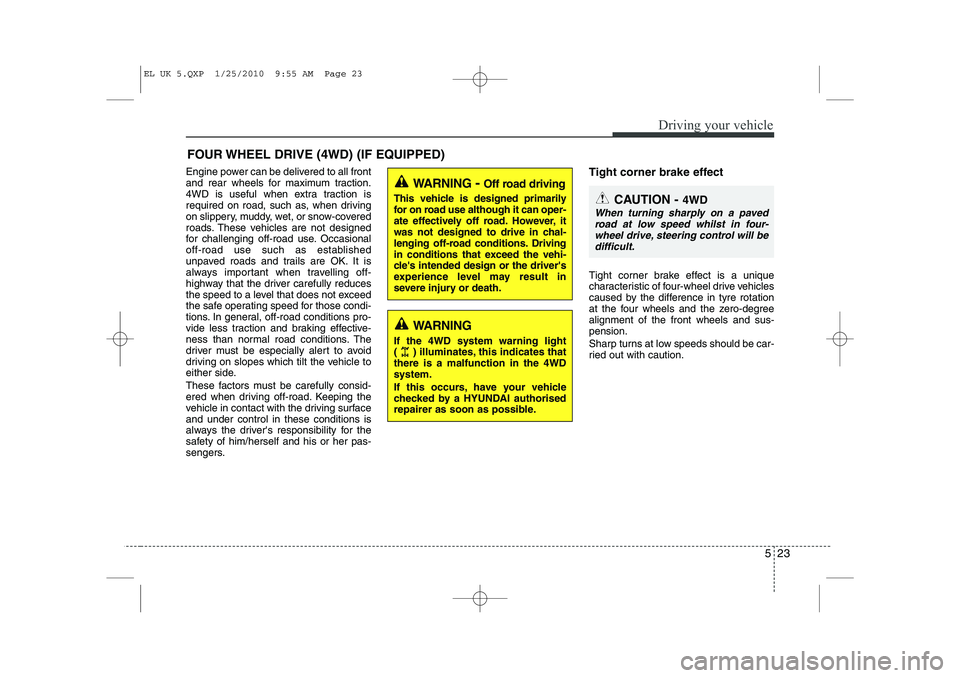
Engine power can be delivered to all front
and rear wheels for maximum traction.
4WD is useful when extra traction is
required on road, such as, when driving
on slippery, muddy, wet, or snow-covered
roads. These vehicles are not designed
for challenging off-road use. Occasional
off-road use such as established
unpaved roads and trails are OK. It is
always important when travelling off-
highway that the driver carefully reduces
the speed to a level that does not exceed
the safe operating speed for those condi-
tions. In general, off-road conditions pro-
vide less traction and braking effective-
ness than normal road conditions. The
driver must be especially alert to avoid
driving on slopes which tilt the vehicle to
either side.
These factors must be carefully consid-
ered when driving off-road. Keeping the
vehicle in contact with the driving surfaceand under control in these conditions is
always the driver's responsibility for the
safety of him/herself and his or her pas-
sengers.Tight corner brake effect
Tight corner brake effect is a unique
characteristic of four-wheel drive vehicles
caused by the difference in tyre rotation
at the four wheels and the zero-degreealignment of the front wheels and sus-pension.
Sharp turns at low speeds should be car-
ried out with caution.
FOUR WHEEL DRIVE (4WD) (IF EQUIPPED)
WARNING
- Off road driving
This vehicle is designed primarily
for on road use although it can oper-
ate effectively off road. However, it
was not designed to drive in chal-
lenging off-road conditions. Driving
in conditions that exceed the vehi-
cle's intended design or the driver's
experience level may result in
severe injury or death.
CAUTION - 4WD
When turning sharply on a paved
road at low speed whilst in four-wheel drive, steering control will be difficult.
WARNING
If the 4WD system warning light
( ) illuminates, this indicates thatthere is a malfunction in the 4WDsystem.
If this occurs, have your vehicle
checked by a HYUNDAI authorised
repairer as soon as possible.
EL UK 5.QXP 1/25/2010 9:55 AM Page 23
Page 250 of 560
525
Driving your vehicle
For safe four-wheel drive opera- tion
Do not drive in deep standing water ormud conditions since such conditions
can damage your engine and/or
restrict your exhaust pipes. Do not
drive down steep hills since it requires
extreme skill to maintain control of the
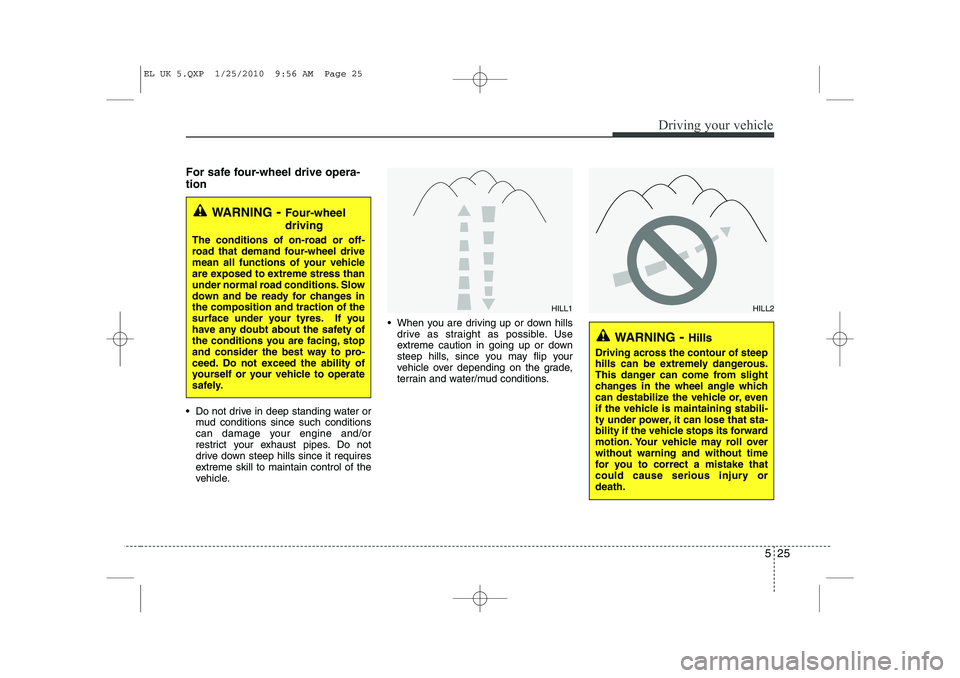
vehicle. When you are driving up or down hills
drive as straight as possible. Use
extreme caution in going up or down
steep hills, since you may flip your
vehicle over depending on the grade,
terrain and water/mud conditions.
WARNING - Four-wheel driving
The conditions of on-road or off-
road that demand four-wheel drive
mean all functions of your vehicle
are exposed to extreme stress than
under normal road conditions. Slow
down and be ready for changes inthe composition and traction of the
surface under your tyres. If you
have any doubt about the safety of
the conditions you are facing, stop
and consider the best way to pro-
ceed. Do not exceed the ability of
yourself or your vehicle to operate
safely.
WARNING - Hills
Driving across the contour of steep
hills can be extremely dangerous.
This danger can come from slight
changes in the wheel angle which
can destabilize the vehicle or, even
if the vehicle is maintaining stabili-
ty under power, it can lose that sta-
bility if the vehicle stops its forward
motion. Your vehicle may roll overwithout warning and without time
for you to correct a mistake that
could cause serious injury ordeath.
HILL1HILL2
EL UK 5.QXP 1/25/2010 9:56 AM Page 25
Page 255 of 560
Driving your vehicle
30
5
Power brakes
Your vehicle has power-assisted brakes
that adjust automatically through normal
usage.
In the event that the power-assisted
brakes lose power because of a stalled
engine or some other reason, you can
still stop your vehicle by applying greater
force to the brake pedal than you nor-
mally would. The stopping distance, how-
ever, will be longer.
When the engine is not running, the
reserve brake power is partially depleted
each time the brake pedal is applied. Do
not pump the brake pedal when the
power assist has been interrupted.
Pump the brake pedal only when neces-
sary to maintain steering control on slip-
pery surfaces.In the event of brake failure
If service brakes fail to operate whilst the
vehicle is in motion, you can make an
emergency stop with the parking brake.
The stopping distance, however, will be
much greater than normal.
BRAKE SYSTEM (Continued)
When descending a long or steep
hill, shift to a lower gear and
avoid continuous application of
the brakes. Continuous brakeapplication will cause the brakes
to overheat and could result in a
temporary loss of braking per-
formance.
Wet brakes may impair the vehi- cle’s ability to sefely slow down;
the vehicle may also pull to oneside when the brakes are applied.
Applying the brakes lightly will
indicate whether they have been
affected in this way. Always test
your brakes in this fashion after
driving through deep water. To
dry the brakes, apply them lightly
whilst maintaining a safe forward
speed until brake performancereturns to normal.
WARNING - Parking brake
Applying the parking brake whilst
the vehicle is moving at normal
speeds can cause a sudden loss of
control of the vehicle. If you mustuse the parking brake to stop the
vehicle, use great caution in apply-
ing the brake.
WARNING - Brakes
Do not drive with your foot rest- ing on the brake pedal. This will create abnormal high brake tem-
peratures, excessive brake lining
and pad wear, and increasedstopping distances.
(Continued)
EL UK 5.QXP 1/25/2010 9:56 AM Page 30
Page 262 of 560
537
Driving your vehicle
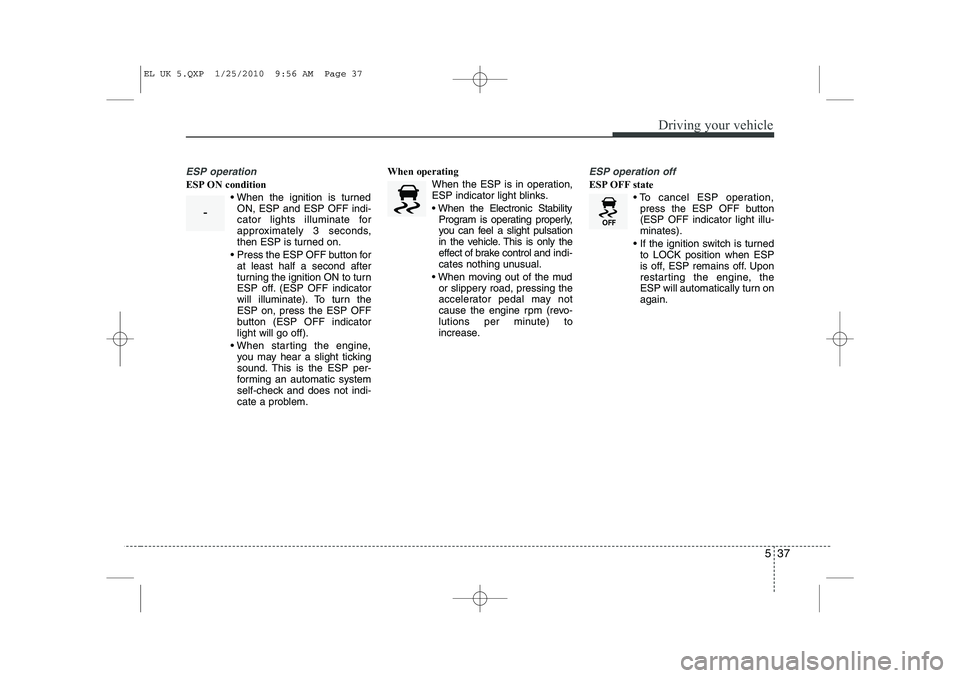
ESP operation
ESP ON condition When the ignition is turnedON, ESP and ESP OFF indi-
cator lights illuminate for
approximately 3 seconds,
then ESP is turned on.
Press the ESP OFF button for at least half a second after
turning the ignition ON to turn
ESP off. (ESP OFF indicator
will illuminate). To turn theESP on, press the ESP OFF
button (ESP OFF indicatorlight will go off).
When starting the engine, you may hear a slight ticking
sound. This is the ESP per-
forming an automatic system
self-check and does not indi-
cate a problem. When operating
When the ESP is in operation,
ESP indicator light blinks.
When the Electronic StabilityProgram is operating properly,
you can feel a slight pulsation
in the vehicle. This is only the
effect of brake control and indi-
cates nothing unusual.
When moving out of the mud or slippery road, pressing the
accelerator pedal may not
cause the engine rpm (revo-
lutions per minute) to
increase.
ESP operation off
ESP OFF state
To cancel ESP operation,press the ESP OFF button (ESP OFF indicator light illu-minates).
If the ignition switch is turned to LOCK position when ESP
is off, ESP remains off. Upon
restarting the engine, the
ESP will automatically turn onagain.
-
EL UK 5.QXP 1/25/2010 9:56 AM Page 37
Page 266 of 560
541
Driving your vehicle
Good braking practices
Check to be sure the parking brake isnot engaged and that the parking
brake indicator light is out before driv-
ing away.
Driving through water may get the brakes wet. They can also get wet
when the vehicle is washed. Wet
brakes can be dangerous! Your vehicle
will not stop as quickly if the brakes are
wet. Wet brakes may cause the vehicle
to pull to one side. To dry the brakes, apply the brakes
lightly until the braking action returns to
normal, taking care to keep the vehicle
under control at all times. If the braking
action does not return to normal, stop
as soon as it is safe to do so and call a
HYUNDAI authorised repairer for
assistance.
Don't coast down hills with the vehicle out of gear. This is extremely haz-
ardous. Keep the vehicle in gear at all
times, use the brakes to slow down,
then shift to a lower gear so that
engine braking will help you maintain a
safe speed.
Don't "ride" the brake pedal. Resting your foot on the brake pedal whilst driv-ing can be dangerous because it can
result in the brakes overheating and
losing their effectiveness. It also
increases the wear of the brake com-
ponents.
If a tyre goes flat whilst you are driving, apply the brakes gently and keep the
vehicle pointed straight ahead whilst
you slow down. When you are moving
slowly enough for it to be safe to do so,
pull off the road and stop in a safe
place. If your vehicle is equipped with an
automatic transaxle, don't let your vehi-
cle creep forward. To avoid creeping
forward, keep your foot firmly on the
brake pedal when the vehicle isstopped.
Be caution when parking on a hill. Firmly engage the parking brake and
place the shift lever in P (automatic
transaxle) or in first or reverse gear
(manual transaxle). If your vehicle is
facing downhill, turn the front wheels
into the kerb to help keep the vehicle
from rolling. If your vehicle is facing
uphill, turn the front wheels away from
the kerb to help keep the vehicle from
rolling. If there is no kerb or if it is
required by other conditions to keep
the vehicle from rolling, block the
wheels.
Under some conditions your parking brake can freeze in the engaged posi-
tion. This is most likely to happen when
there is an accumulation of snow or ice
around or near the rear brakes or if the
brakes are wet. If there is a risk that the
parking brake may freeze, apply it only
temporarily whilst you put the gear
selector lever in P (automatic
transaxle) or in first or reverse gear
(manual transaxle) and block the rear
wheels so the vehicle cannot roll. Then
release the parking brake.
WARNING
Whenever you leave or park your vehicle, always set the parking
brake as far as possible and fully
engage the vehicle's transaxle
into the P (Park) position. If the
parking brake is not fully
engaged, the vehicle may move
inadvertently and injure yourself
and others.
All vehicles should always have the parking brake fully engaged
when parking to avoid inadver-
tent movement of the vehicle
which can injure occupants orpedestrians.
EL UK 5.QXP 1/25/2010 9:56 AM Page 41
Page 268 of 560
543
Driving your vehicle
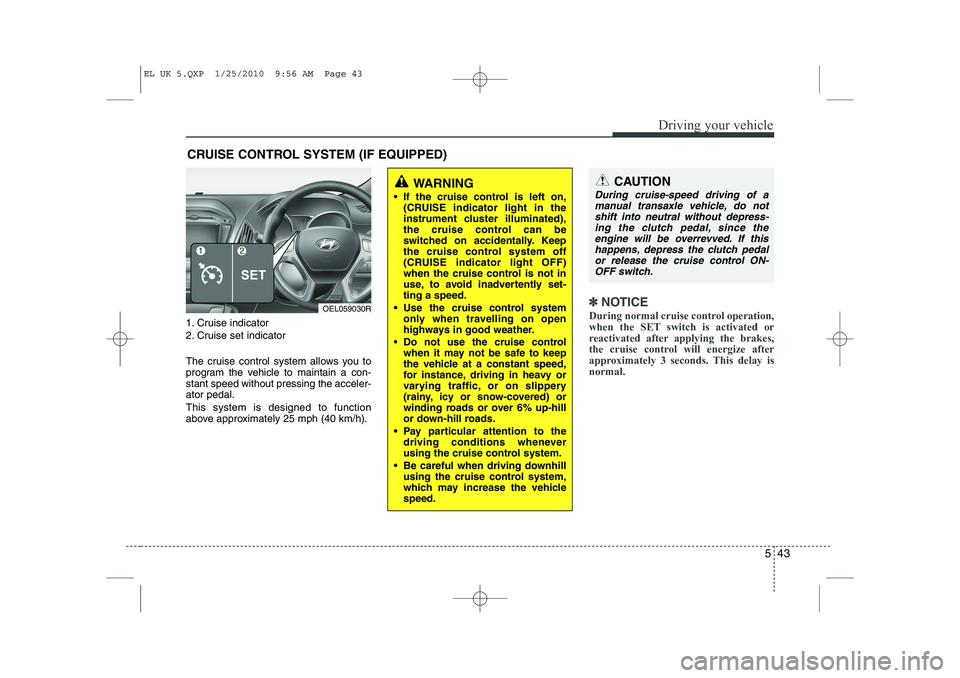
1. Cruise indicator
2. Cruise set indicator
The cruise control system allows you to
program the vehicle to maintain a con-stant speed without pressing the acceler-ator pedal. This system is designed to function
above approximately 25 mph (40 km/h).
✽✽NOTICE
During normal cruise control operation,
when the SET switch is activated or
reactivated after applying the brakes,
the cruise control will energize after
approximately 3 seconds. This delay isnormal.
CRUISE CONTROL SYSTEM (IF EQUIPPED)
WARNING
If the cruise control is left on, (CRUISE indicator light in the
instrument cluster illuminated),
the cruise control can be
switched on accidentally. Keep
the cruise control system off
(CRUISE indicator light OFF)
when the cruise control is not in
use, to avoid inadvertently set-ting a speed.
Use the cruise control system only when travelling on open
highways in good weather.
Do not use the cruise control when it may not be safe to keep
the vehicle at a constant speed,
for instance, driving in heavy or
varying traffic, or on slippery
(rainy, icy or snow-covered) or
winding roads or over 6% up-hill
or down-hill roads.
Pay particular attention to the driving conditions whenever
using the cruise control system.
Be careful when driving downhill using the cruise control system,
which may increase the vehiclespeed.CAUTION
During cruise-speed driving of a
manual transaxle vehicle, do notshift into neutral without depress-ing the clutch pedal, since the
engine will be overrevved. If thishappens, depress the clutch pedalor release the cruise control ON- OFF switch.
OEL059030R
EL UK 5.QXP 1/25/2010 9:56 AM Page 43