Type A HYUNDAI IX35 2012 Owner's Guide
[x] Cancel search | Manufacturer: HYUNDAI, Model Year: 2012, Model line: IX35, Model: HYUNDAI IX35 2012Pages: 560, PDF Size: 28.31 MB
Page 177 of 560
Features of your vehicle
102
4
✽✽
NOTICE
Prolonged operation of the heater in the
recirculated air position (without air
conditioning selected) may cause fog-
ging of the windshield and side windows
and the air within the passenger com-
partment may become stale.
In addition, prolonged use of the air con-
ditioning with the recirculated air posi-
tion selected will result in excessively dry
air in the passenger compartment.
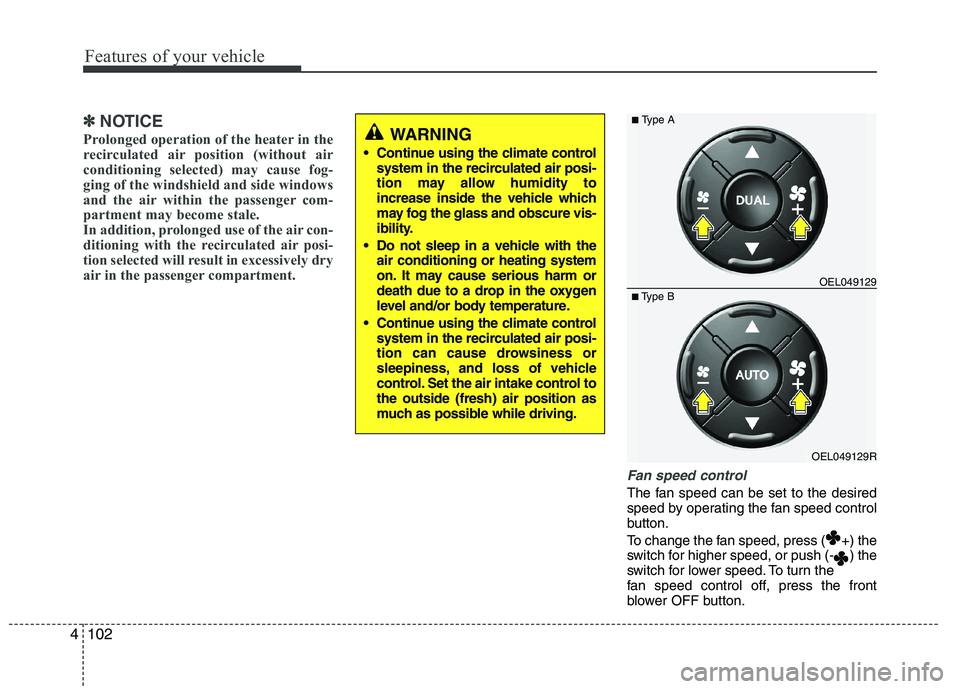
Fan speed control
The fan speed can be set to the desired
speed by operating the fan speed control
button.
To change the fan speed, press ( +) the
switch for higher speed, or push (- ) the
switch for lower speed. To turn the
fan speed control off, press the front
blower OFF button.
WARNING
Continue using the climate control system in the recirculated air posi-
tion may allow humidity to
increase inside the vehicle which
may fog the glass and obscure vis-
ibility.
Do not sleep in a vehicle with the air conditioning or heating system
on. It may cause serious harm or
death due to a drop in the oxygen
level and/or body temperature.
Continue using the climate control system in the recirculated air posi-
tion can cause drowsiness or
sleepiness, and loss of vehicle
control. Set the air intake control tothe outside (fresh) air position as
much as possible while driving.
OEL049129R
■
Type B OEL049129
■
Type A
Page 178 of 560
4103
Features of your vehicle
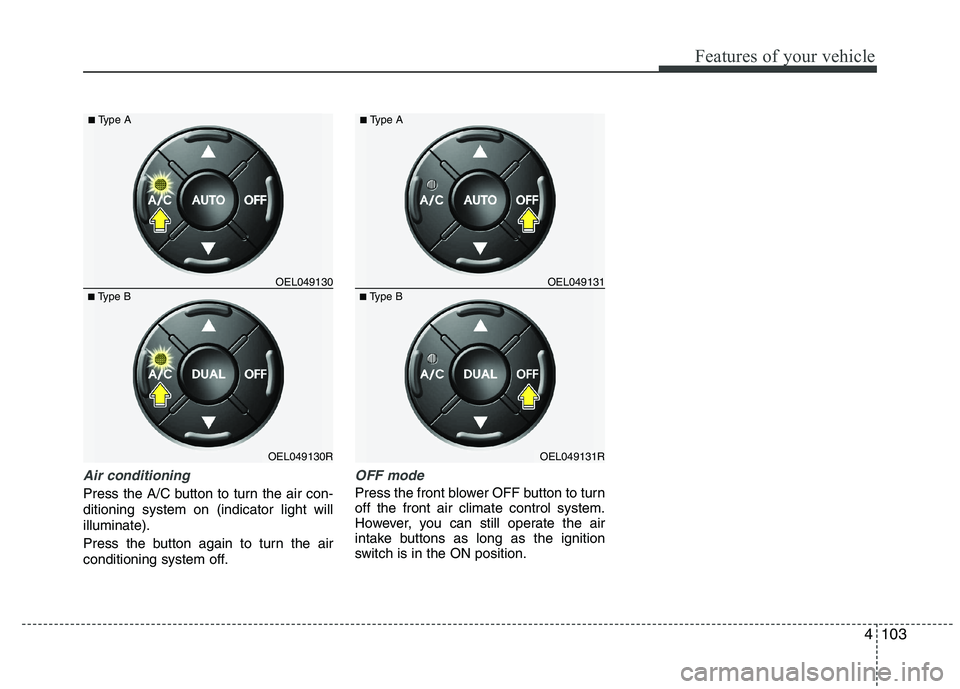
Air conditioning
Press the A/C button to turn the air con- ditioning system on (indicator light willilluminate).
Press the button again to turn the air
conditioning system off.
OFF mode
Press the front blower OFF button to turn off the front air climate control system.
However, you can still operate the air
intake buttons as long as the ignition
switch is in the ON position.
OEL049130R
■
Type B OEL049130
■
Type AOEL049131R
■
Type B OEL049131
■
Type A
Page 179 of 560
Features of your vehicle
104
4
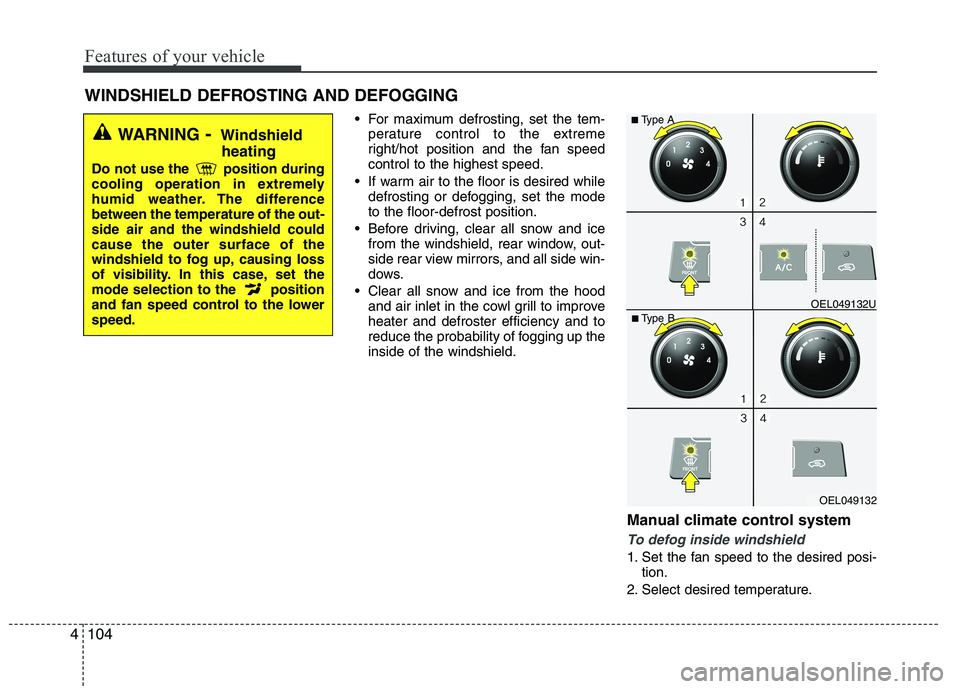
For maximum defrosting, set the tem-
perature control to the extreme
right/hot position and the fan speedcontrol to the highest speed.
If warm air to the floor is desired while defrosting or defogging, set the modeto the floor-defrost position.
Before driving, clear all snow and ice from the windshield, rear window, out-
side rear view mirrors, and all side win-
dows.
Clear all snow and ice from the hood and air inlet in the cowl grill to improveheater and defroster efficiency and to
reduce the probability of fogging up theinside of the windshield.
Manual climate control system
To defog inside windshield
1. Set the fan speed to the desired posi-tion.
2. Select desired temperature.
WINDSHIELD DEFROSTING AND DEFOGGING
WARNING
- Windshield
heating
Do not use the position during
cooling operation in extremely
humid weather. The differencebetween the temperature of the out-side air and the windshield couldcause the outer surface of the
windshield to fog up, causing loss
of visibility. In this case, set the
mode selection to the position
and fan speed control to the lowerspeed.
OEL049132
■
Type B OEL049132U
■
Type A
Page 180 of 560
4105
Features of your vehicle
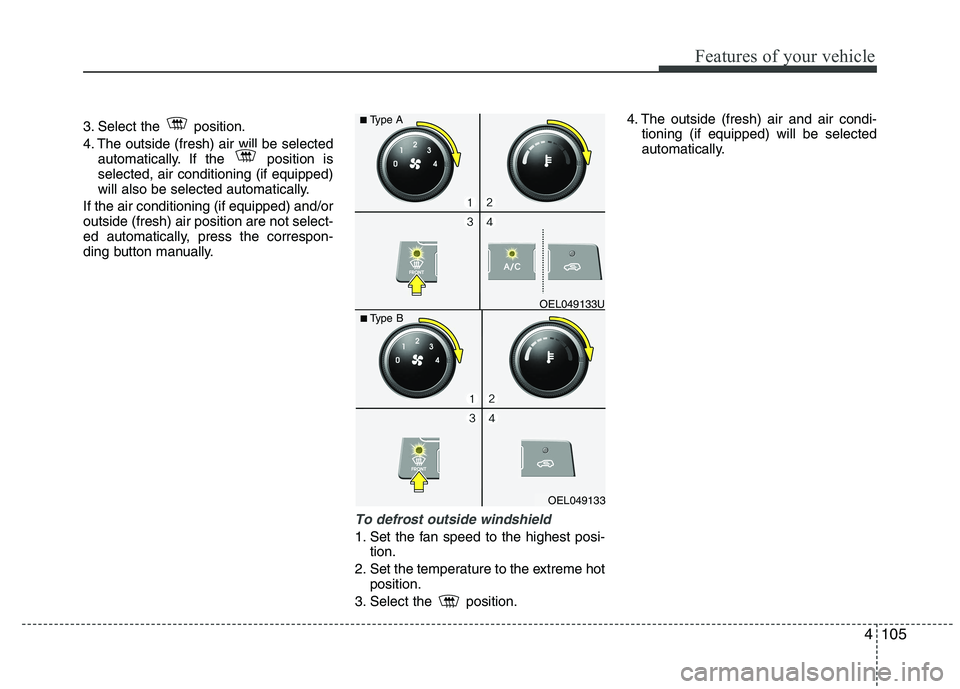
3. Select the position.
4. The outside (fresh) air will be selectedautomatically. If the position is selected, air conditioning (if equipped)
will also be selected automatically.
If the air conditioning (if equipped) and/oroutside (fresh) air position are not select-
ed automatically, press the correspon-
ding button manually.
To defrost outside windshield
1. Set the fan speed to the highest posi- tion.
2. Set the temperature to the extreme hot position.
3. Select the position. 4. The outside (fresh) air and air condi-
tioning (if equipped) will be selected
automatically.
OEL049133
■
Type B OEL049133U
■
Type A
Page 181 of 560
Features of your vehicle
106
4
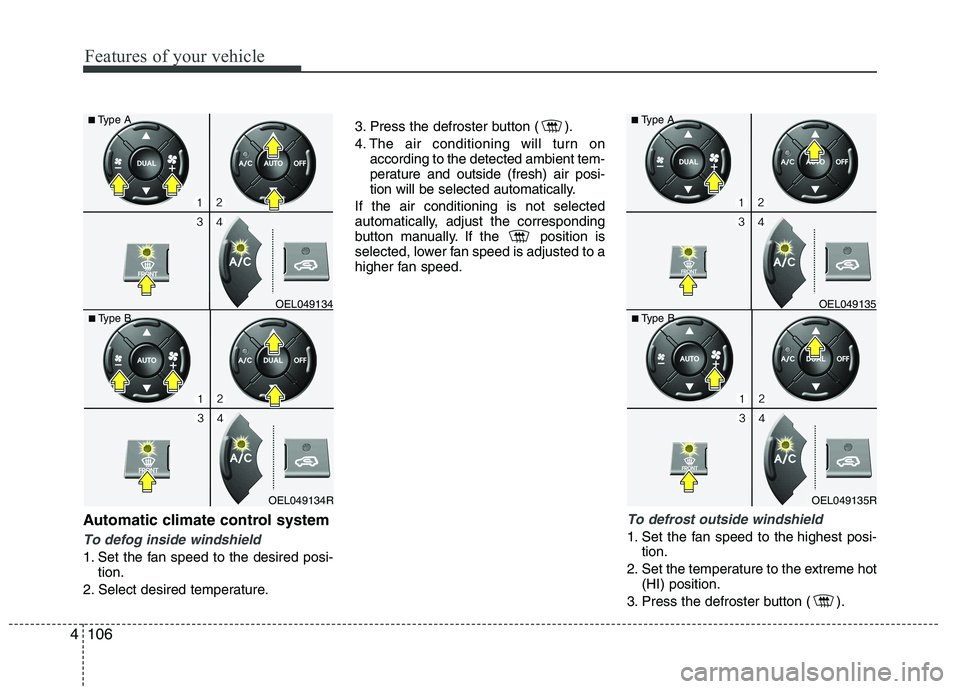
Automatic climate control system
To defog inside windshield
1. Set the fan speed to the desired posi-
tion.
2. Select desired temperature. 3. Press the defroster button ( ).
4. The air conditioning will turn on
according to the detected ambient tem-
perature and outside (fresh) air posi-
tion will be selected automatically.
If the air conditioning is not selected
automatically, adjust the corresponding
button manually. If the position is
selected, lower fan speed is adjusted to a
higher fan speed.
To defrost outside windshield
1. Set the fan speed to the highest posi- tion.
2. Set the temperature to the extreme hot (HI) position.
3. Press the defroster button ( ).
OEL049135R
■
Type B OEL049135
■
Type AOEL049134R
■
Type B OEL049134
■
Type A
Page 189 of 560
Features of your vehicle
114
4
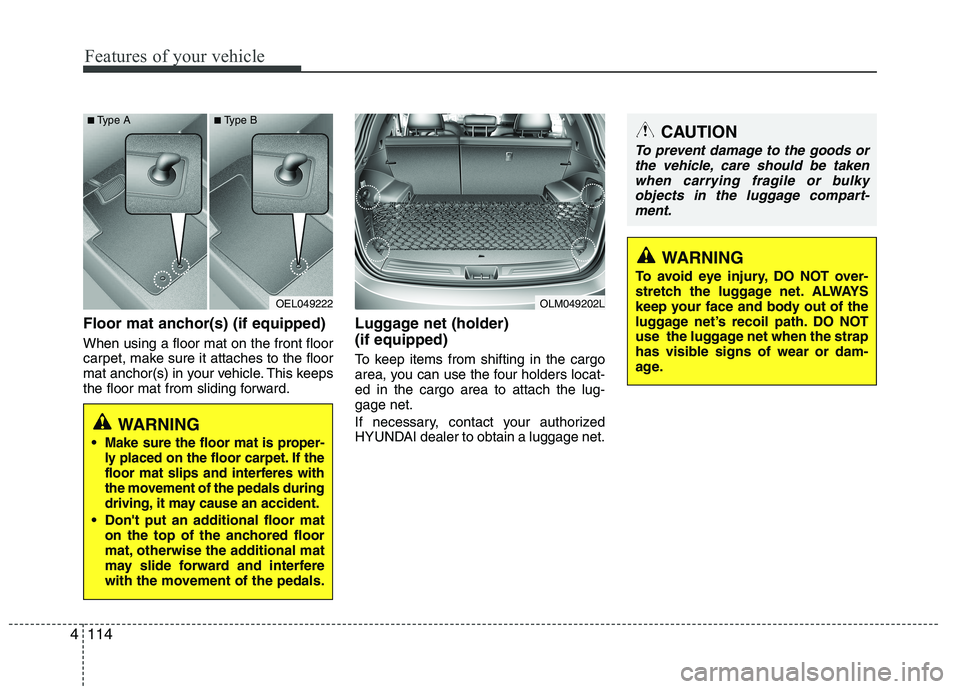
Floor mat anchor(s) (if equipped) When using a floor mat on the front floor
carpet, make sure it attaches to the floor
mat anchor(s) in your vehicle. This keeps
the floor mat from sliding forward. Luggage net (holder) (if equipped)
To keep items from shifting in the cargo
area, you can use the four holders locat-ed in the cargo area to attach the lug-gage net.
If necessary, contact your authorized
HYUNDAI dealer to obtain a luggage net.
OEL049222
WARNING
Make sure the floor mat is proper-
ly placed on the floor carpet. If the
floor mat slips and interferes with
the movement of the pedals during
driving, it may cause an accident.
Don't put an additional floor mat on the top of the anchored floor
mat, otherwise the additional mat
may slide forward and interfere
with the movement of the pedals.
OLM049202L
CAUTION
To prevent damage to the goods or
the vehicle, care should be taken
when carrying fragile or bulky objects in the luggage compart-ment.
WARNING
To avoid eye injury, DO NOT over-
stretch the luggage net. ALWAYS
keep your face and body out of the
luggage net’s recoil path. DO NOT
use the luggage net when the strap
has visible signs of wear or dam-
age.
■ Type A ■Type B
Page 193 of 560
Features of your vehicle
118
4
Antenna
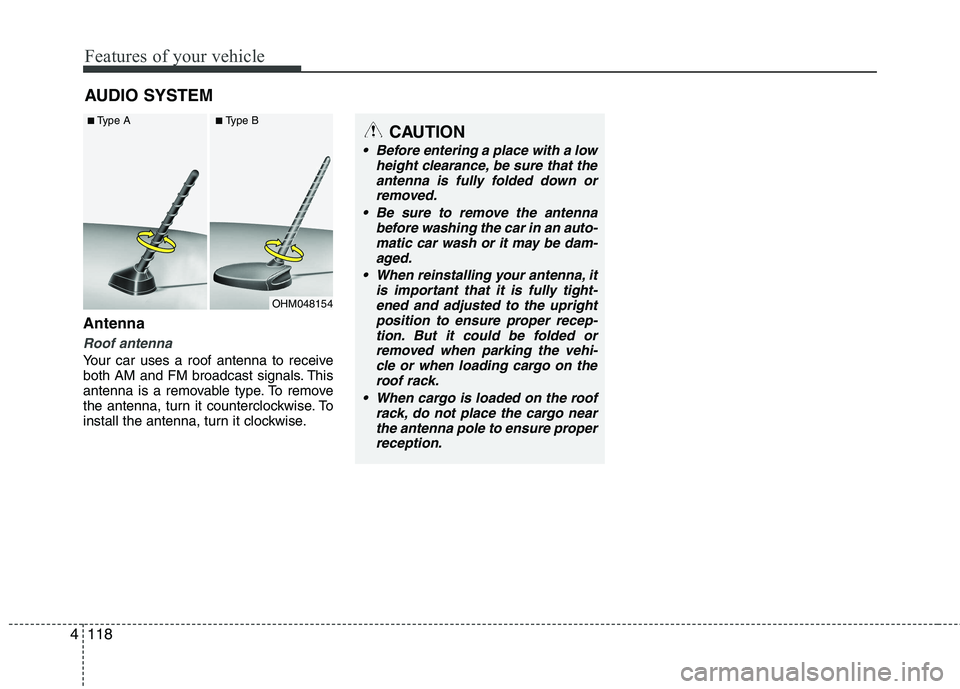
Roof antenna
Your car uses a roof antenna to receive
both AM and FM broadcast signals. This
antenna is a removable type. To remove
the antenna, turn it counterclockwise. To
install the antenna, turn it clockwise. AUDIO SYSTEM
CAUTION
• Before entering a place with a low
height clearance, be sure that the
antenna is fully folded down orremoved.
Be sure to remove the antenna before washing the car in an auto-
matic car wash or it may be dam- aged.
When reinstalling your antenna, it is important that it is fully tight-ened and adjusted to the upright
position to ensure proper recep- tion. But it could be folded orremoved when parking the vehi-cle or when loading cargo on the
roof rack.
When cargo is loaded on the roof rack, do not place the cargo nearthe antenna pole to ensure properreception.
OHM048154
■
Type A ■Type B
Page 197 of 560
Features of your vehicle
122
4
Care of disc (if equipped)
If the temperature inside the car is too
high, open the car windows for ventila-
tion before using your car audio.
It is illegal to copy and use MP3/WMA/ AAC/WAVE files without permission.
Use CDs that are created only by law-
ful means.
Do not apply volatile agents such as benzene and thinner, normal cleaners
and magnetic sprays made for ana-
logue disc onto CDs.
To prevent the disc surface from get- ting damaged. Hold and carry CDs bythe edges or the edges of the center
hole only.
Clean the disc surface with a piece of soft cloth before playback (wipe it fromthe center to the outside edge).
Do not damage the disc surface or attach pieces of sticky tape or paperonto it.
Make sure on undesirable matter other than CDs are inserted into the CD
player (Do not insert more than oneCD at a time).
Keep CDs in their cases after use to protect them from scratches or dirt. Depending on the type of CD-R/CD-
RW CDs, certain CDs may not operate
normally according to manufacturingcompanies or making and recording
methods. In such circumstances, if you
still continue to use those CDs, they
may cause the malfunction of your caraudio system.✽✽ NOTICE - Playing an
Incompatible Copy-Protected
Audio CD
Some copy protected CDs, which do not
comply with the international audio CD
standards (Red Book), may not play on
your car audio. Please note that if you
try to play copy protected CDs and the
CD player does not perform correctly
the CDs maybe defective, not the CD
player.
Page 202 of 560
4127
Features of your vehicle
Based on psychoacoustic technology,
this technology overcomes BASS limita-
tions which may occur due to the limited
number and size of speaker to offer
dynamic BASS sound quality.
It is possible to adjust in 3 levels of LOW/ MID/ HIGH. OFF ➟LOW ➟MID ➟HIGH
❈ AM, AMA is not supported.
❈ CDP ONLY.
This function displays the previous MODE screen.
8. Manual Channel Selector & Sound Quality Control Knob
Turn this control while listening to a radio
channel to manually adjust frequency.
Turn clockwise to increase frequency
and counterclockwise to reduce frequen-
cy.
Pressing TUNE button changes the
BASS, MIDDLE, TREBLE, FADER and
BALANCE mode.
The mode selected is shown on the dis-
play. After selecting each mode, rotate
the Audio control knob clockwise or
counterclockwise. BASS Control
To increase the BASS, rotate the knob
clockwise, while to decrease the BASS,
rotate the knob counterclockwise.
MIDDLE Control
To increase the MIDDLE, rotate the knob
clockwise, while to decrease the MID-
DLE, rotate the knob counterclockwise.
TREBLE Control
To increase the TREBLE, rotate the knob
clockwise, while to decrease the TRE-
BLE, rotate the knob counterclockwise.
FADER Control
Turn the control knob clockwise to
emphasize rear speaker sound(front
speaker sound will be attenuated). When
the control knob is turned counterclock-
wise, front speaker sound will be empha-
sized(rear speaker sound will be attenu-ated).
BALANCE Control
Rotate the knob clockwise to emphasize
right speaker sound(left speaker sound
will be attenuated).
When the control knob is turned counter
clockwise, left speaker sound will be
emphasized(right speaker sound will be
attenuated).
9. DISP(DARK) Button
Turn the LCD Display & Backlight on/off
when [DISP] button press. ❈ GENERAL : DISP, EUROPE : DARK
10. TA Selection Button
In FM, CD, AUX mode, turns on/off the
reception of TA channels of RDS.
11. PTY(FOLDER) Button
Moves [ PTY(FOLDER)] Button when searching PTY in RDS
Broadcasting Program Type selection.
Moves [PTY(FOLDER) ] button when searching PTY in RDS
Broadcasting Program Type selection.
Page 207 of 560
Features of your vehicle
132
4
CAUTION IN USING USB DEVICE
To use the external USB device,
make sure the device is not
mounted when starting up thevehicle and mount the deviceafter starting up.
If you start the vehicle when the USB device is mounted, it maydamage the USB device. (USB isnot ESA)
If the vehicle is started up or turned off while the external USB
device is connected, the externalUSB device may not work.
It may not play inauthentic MP3 or WMA files.
1) It can only play MP3 files with the compression rate between8Kbps~320Kbps.
2) It can only play WMA music files with the compression ratebetween 8Kbps~320Kbps.
Take cautions for static electricity when mounting or dismountingthe external USB device.
Encoded MP3 PLAYER is not rec- ognizable.
(Continued)
(Continued) Depending on the condition of the external USB device, the con-nected external USB device canbe unrecognizable.
When the formatted byte/sector setting of External USB devices isnot either 512BYTE or 2048BYTE,then the device will not be recog-
nized.
Only the USB device formatted to FAT 12/16/32.
USB device without USB IF authentication may not be recog-nizable.
Make sure the USB connection terminal does not come in con-tact with human body or anyobject.
If you repeat mounting or dis- mounting USB device in a shortperiod of time, it may break the device.
You might hear strange noise when mounting or dismounting a
USB device.
(Continued)(Continued) If you dismount the external USB device during playback in USBmode, the external USB device
can be damaged or malfunction.Therefore, mount the external USB device when the engine isturned off or in another mode.
Depending on the type and capacity of the external USBdevice or the type of the files stored in the device, there is a dif-ference in the time taken for
recognition of the device, but thisis not a trouble Please wait for amoment.
Do not use the USB device for other purposes than playingmusic files.
Use of USB accessories such as the recharger or heater usingUSB I/F may lower the perform-
ance or cause trouble.
If you use devices such as the USB hub you purchased sepa-rately, the vehicle’s audio system may not recognize the USB
device. Connect the USB device directly to the multimedia termi-nal of the vehicle.
(Continued)