brake HYUNDAI IX35 2014 Owners Manual
[x] Cancel search | Manufacturer: HYUNDAI, Model Year: 2014, Model line: IX35, Model: HYUNDAI IX35 2014Pages: 1534, PDF Size: 39.76 MB
Page 568 of 1534
Features of your vehicle
78
4
DBC (Downhill brake con-
trol) indicator (if equipped)
The DBC indicator will illuminate when
the ignition switch is turned ON, but
should go off after approximately 3 sec-
onds. The DBC indicator will illuminate when
the DBC button is pressed and the sys-tem is on.
When driving down a steep hill at a speed under 35 km/h (22 mph), the DBC
will operate and the DBC indicator will
blink to indicate the DBC is operating.
If the red indicator illuminates, the DBC
system may have malfunctioned. We rec-
ommend that the system be checked by
an authorized HYUNDAI dealer.
KEY OUT indicator (if equipped)
When the ENGINE START/STOP button
is in the ACC or ON position, if any door
is open, the system checks for the smart
key. If the smart key is not in the vehicle,
the indicator will blink, and if all doors are
closed, the chime will also sound for
about 5 seconds. The indicator will go off
while the vehicle is moving. Keep the
smart key in the vehicle.
Key reminder warning chime (if equipped)
If the driver’s door is opened while the
ignition key is left in the ignition switch
(ACC or LOCK position), the key
reminder warning chime will sound. This
is to prevent you from locking your keys
in the vehicle. The chime sounds until the
key is removed from the ignition switch or
the driver’s door is closed.
KEY
OUT
EL(FL) Eng 4A.QXP 7/23/2013 4:34 PM Page 78
Page 573 of 1534
483
Features of your vehicle
Non-operational conditions
The rear parking assist system may not
operate properly when:
1. Moisture is frozen to the sensor. (It willoperate normally when the moisture has been cleared.)
2. The sensor is covered with foreign matter, such as snow or water, or the
sensor cover is blocked. (It will operate
normally when the material is removed
or the sensor is no longer blocked.)
3. Driving on uneven road surfaces. (unpaved roads, gravel, bumps, gradi-ent)
4. Objects generating excessive noise (vehicle horns, loud motorcycle
engines, or truck air brakes) are within
range of the sensor.
5. Heavy rain or water spray exists.
6. Wireless transmitters or mobile phones are within range of the sensor.
7. The sensor is covered with snow.
8. Trailer towing.
9. The place light the fluorescent lamp. The detecting range may decrease when:
1. The sensor is stained with foreign mat-
ter such as snow or water. (The sens-
ing range will return to normal when
removed.)
2. Outside air temperature is extremely hot or cold.
The following objects may not be recog-
nized by the sensor:
1. Sharp or slim objects such as ropes, chains or small poles.
2. Objects which tend to absorb the sen- sor frequency such as clothes, spongy
material or snow.
3. Undetectable objects smaller than 1 m (40 in.) in height and narrower than 14
cm (6 in.) in diameter.
Rear parking assist system precau-
tions
The rear parking assist system may not sound sequentially depending on the speed and shapes of the objectsdetected.
The rear parking assist system may malfunction if the vehicle bumperheight or sensor installation has been
modified or damaged. Any non-factory
installed equipment or accessories
may also interfere with the sensor per-
formance.
The sensor may not recognize objects less than 30 cm (11.8 in.) from the sen-
sor, or it may sense an incorrect dis-
tance. Use caution.
When the sensor is frozen or stained with snow, dirt, or water, the sensor
may be inoperative until the stains are
removed using a soft cloth.
Do not push, scratch or strike the sen- sor. Sensor damage could occur.
EL(FL) Eng 4A.QXP 7/11/2013 11:34 AM Page 83
Page 577 of 1534
487
Features of your vehicle
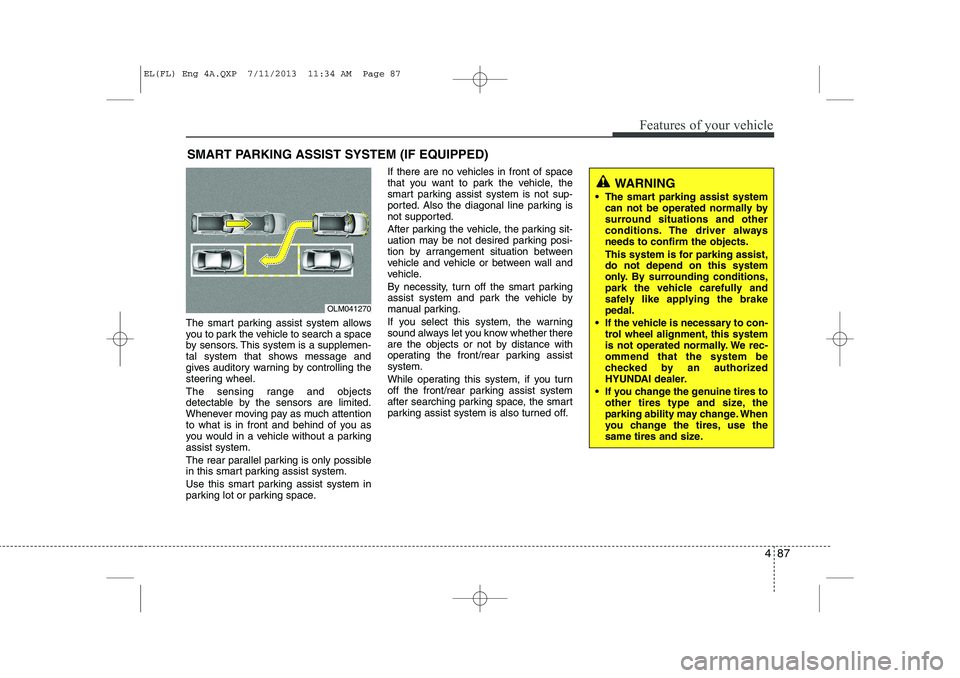
The smart parking assist system allows
you to park the vehicle to search a space
by sensors. This system is a supplemen-
tal system that shows message and
gives auditory warning by controlling the
steering wheel.
The sensing range and objects
detectable by the sensors are limited.
Whenever moving pay as much attention
to what is in front and behind of you as
you would in a vehicle without a parkingassist system.
The rear parallel parking is only possible
in this smart parking assist system.
Use this smart parking assist system in
parking lot or parking space.If there are no vehicles in front of space
that you want to park the vehicle, the
smart parking assist system is not sup-
ported. Also the diagonal line parking is
not supported.
After parking the vehicle, the parking sit-
uation may be not desired parking posi-
tion by arrangement situation between
vehicle and vehicle or between wall and
vehicle.
By necessity, turn off the smart parking
assist system and park the vehicle by
manual parking.
If you select this system, the warning
sound always let you know whether there
are the objects or not by distance with
operating the front/rear parking assistsystem.
While operating this system, if you turn
off the front/rear parking assist system
after searching parking space, the smart
parking assist system is also turned off.
SMART PARKING ASSIST SYSTEM (IF EQUIPPED)
OLM041270
WARNING
The smart parking assist system can not be operated normally by
surround situations and other
conditions. The driver alwaysneeds to confirm the objects.
This system is for parking assist, do not depend on this system
only. By surrounding conditions,
park the vehicle carefully and
safely like applying the brakepedal.
If the vehicle is necessary to con- trol wheel alignment, this system
is not operated normally. We rec-ommend that the system be
checked by an authorized
HYUNDAI dealer.
If you change the genuine tires to other tires type and size, the
parking ability may change. When
you change the tires, use the
same tires and size.
EL(FL) Eng 4A.QXP 7/11/2013 11:34 AM Page 87
Page 579 of 1534
489
Features of your vehicle
WARNING
In following conditions, when smart parking assist system is operated,
the unexpected result may occur
and it could result in serious injury.
Do not use the smart parking assistsystem.
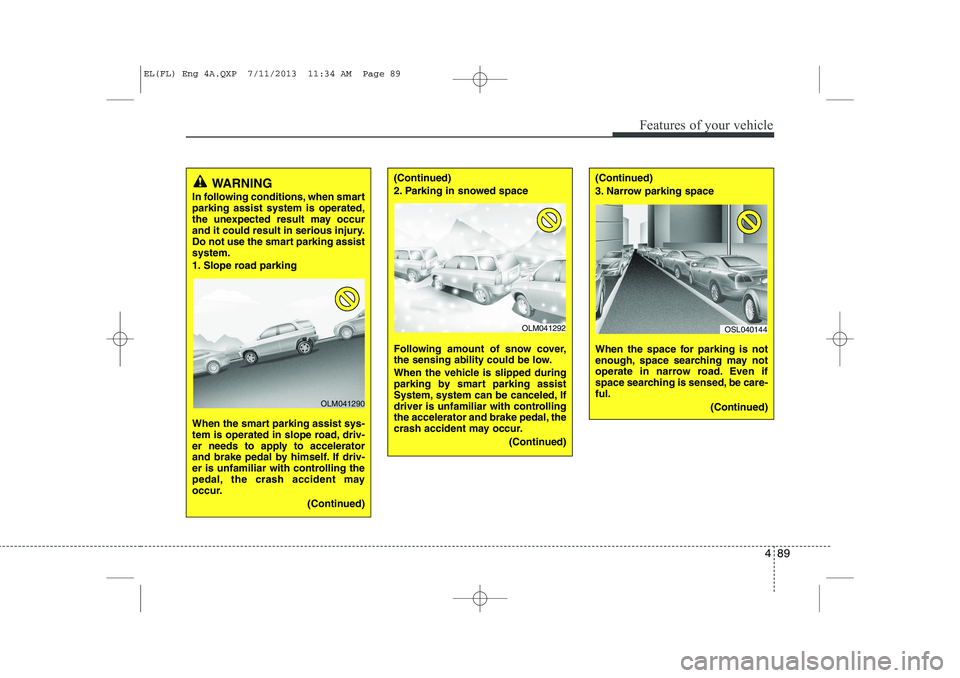
1. Slope road parking
When the smart parking assist sys-
tem is operated in slope road, driv-
er needs to apply to accelerator
and brake pedal by himself. If driv-
er is unfamiliar with controlling the
pedal, the crash accident may
occur.
(Continued)(Continued)
2. Parking in snowed space
Following amount of snow cover,
the sensing ability could be low.
When the vehicle is slipped during
parking by smart parking assist
System, system can be canceled, If
driver is unfamiliar with controlling
the accelerator and brake pedal, the
crash accident may occur.(Continued)(Continued)
3. Narrow parking space
When the space for parking is not
enough, space searching may not
operate in narrow road. Even if
space searching is sensed, be care-ful.(Continued)
OLM041292OSL040144
OLM041290
EL(FL) Eng 4A.QXP 7/11/2013 11:34 AM Page 89
Page 580 of 1534
Features of your vehicle
90
4
(Continued)
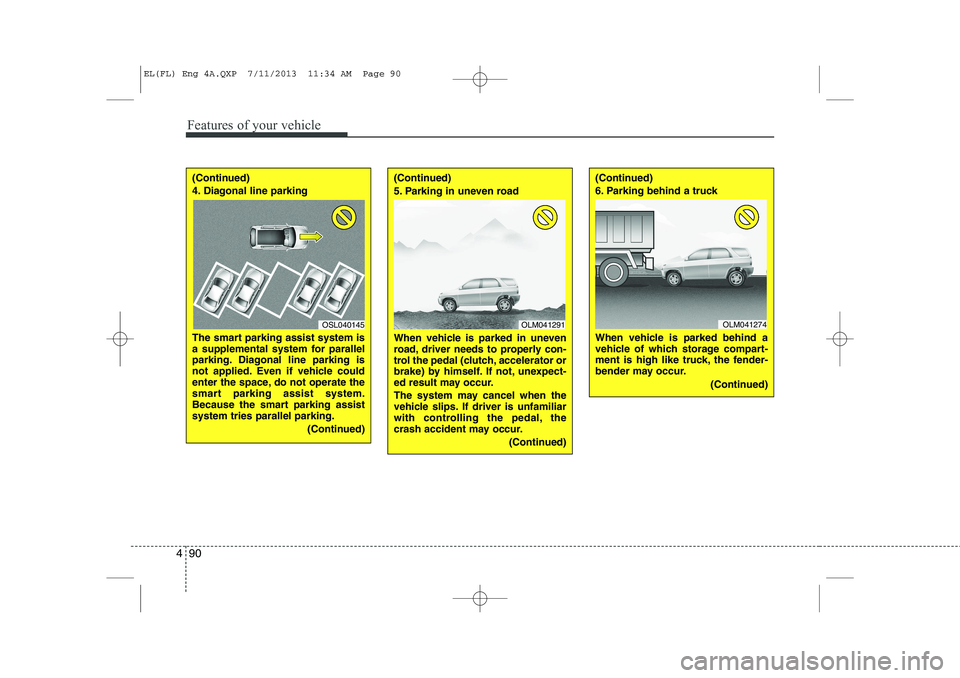
4. Diagonal line parking
The smart parking assist system is
a supplemental system for parallel
parking. Diagonal line parking is
not applied. Even if vehicle could
enter the space, do not operate the
smart parking assist system.
Because the smart parking assistsystem tries parallel parking.
(Continued)(Continued)
5. Parking in uneven road
When vehicle is parked in uneven
road, driver needs to properly con-
trol the pedal (clutch, accelerator or
brake) by himself. If not, unexpect-
ed result may occur.
The system may cancel when the
vehicle slips. If driver is unfamiliar
with controlling the pedal, the
crash accident may occur.(Continued)(Continued)
6. Parking behind a truck
When vehicle is parked behind a
vehicle of which storage compart-
ment is high like truck, the fender-
bender may occur.(Continued)
OSL040145OLM041274OLM041291
EL(FL) Eng 4A.QXP 7/11/2013 11:34 AM Page 90
Page 581 of 1534
491
Features of your vehicle
Operation way
Before operating the smart parking assist
system, confirm the condition that is pos-
sible to use. For safety, always operate it
by applying the brake pedal under any
condition, for example before each step,
while pressing the ON/OFF button of this
system or shifting the lever, etc.
When vehicle is parked by using the
smart parking assist system, general
steps are followings
1. The smart parking assist system select
2. Parking mode select
3. Parking space search : Direct way driv-ing
4. Search complete : Automatic search by sensor
However, before parking, real parking
environment confirmations are needed
for driver. 5. Steering wheel support (Rear Parking
type)
(1) Operate shift lever by display in cluster
(2) Always drive slowly with applying to brake
6. Smart parking assist system complete
7. If required, move vehicle to manual operation
According to parking space, select
mode, and surrounding environment, the
sequence of display or situation could be
changed. Refer to next operation way.(Continued)
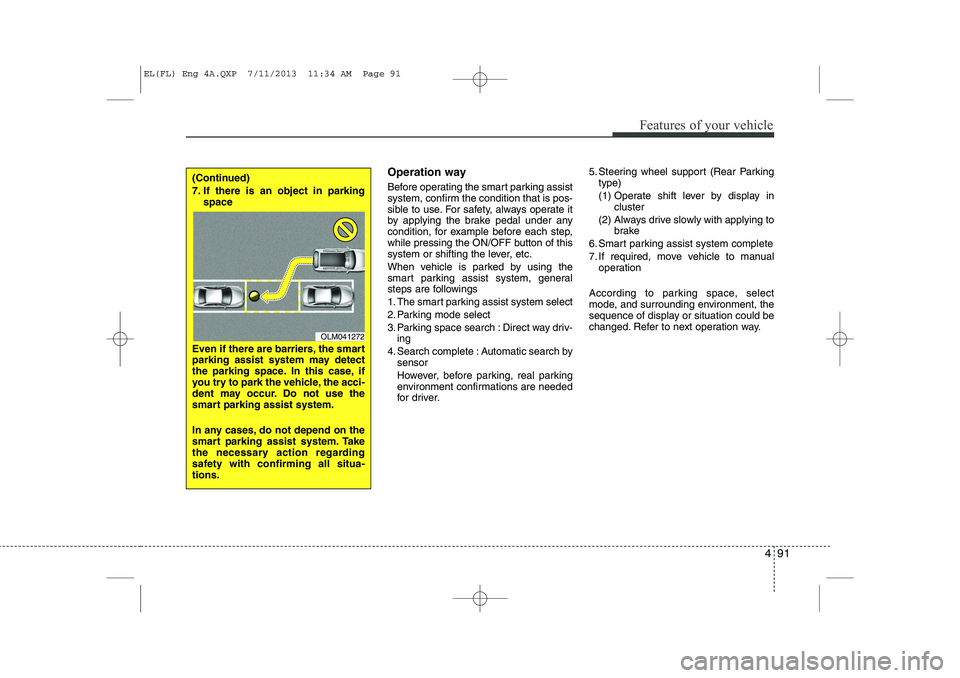
7. If there is an object in parking space
Even if there are barriers, the smart
parking assist system may detect
the parking space. In this case, if
you try to park the vehicle, the acci-
dent may occur. Do not use the
smart parking assist system.
In any cases, do not depend on the
smart parking assist system. Take
the necessary action regarding
safety with confirming all situa-tions.
OLM041272
EL(FL) Eng 4A.QXP 7/11/2013 11:34 AM Page 91
Page 582 of 1534
Features of your vehicle
92
4
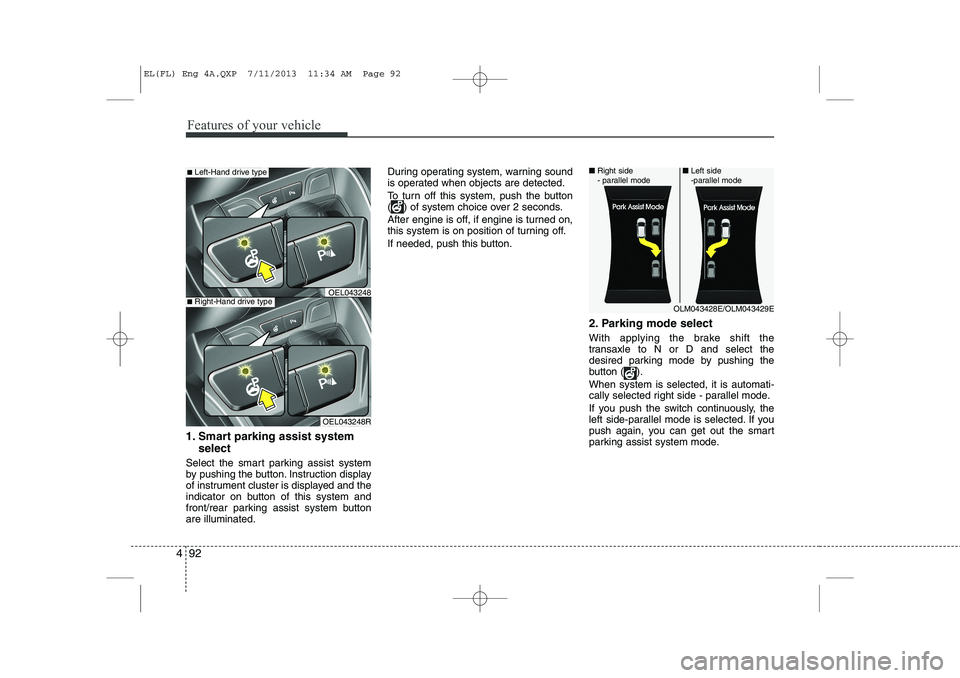
1. Smart parking assist system
select
Select the smart parking assist system
by pushing the button. Instruction display
of instrument cluster is displayed and the
indicator on button of this system and
front/rear parking assist system buttonare illuminated. During operating system, warning sound
is operated when objects are detected.
To turn off this system, push the button
( ) of system choice over 2 seconds.
After engine is off, if engine is turned on,
this system is on position of turning off.
If needed, push this button.
2. Parking mode select
With applying the brake shift the
transaxle to N or D and select the
desired parking mode by pushing the
button ( ). When system is selected, it is automati-
cally selected right side - parallel mode.
If you push the switch continuously, the
left side-parallel mode is selected. If you
push again, you can get out the smart
parking assist system mode.
OLM043428E/OLM043429E
■
Right side
- parallel mode ■
Left side
-parallel mode
■Left-Hand drive type
OEL043248R
■Right-Hand drive typeOEL043248
EL(FL) Eng 4A.QXP 7/11/2013 11:34 AM Page 92
Page 584 of 1534
Features of your vehicle
94
4
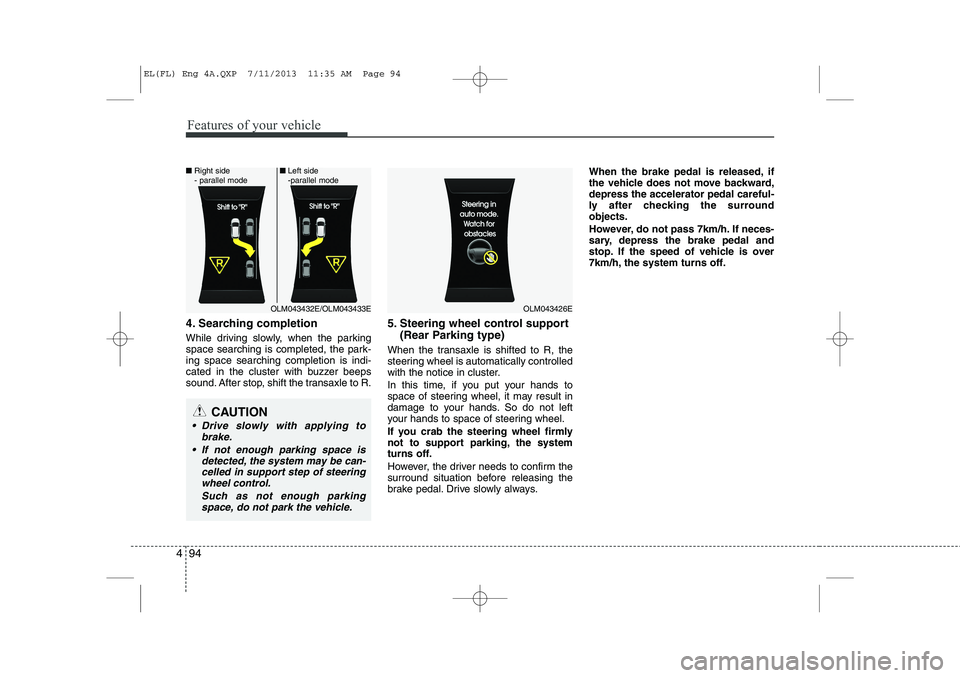
4. Searching completion
While driving slowly, when the parking
space searching is completed, the park-ing space searching completion is indi-
cated in the cluster with buzzer beeps
sound. After stop, shift the transaxle to R. 5. Steering wheel control support
(Rear Parking type)
When the transaxle is shifted to R, the
steering wheel is automatically controlled
with the notice in cluster.
In this time, if you put your hands to
space of steering wheel, it may result in
damage to your hands. So do not left
your hands to space of steering wheel.
If you crab the steering wheel firmly
not to support parking, the system
turns off.
However, the driver needs to confirm the
surround situation before releasing the
brake pedal. Drive slowly always. When the brake pedal is released, if
the vehicle does not move backward,depress the accelerator pedal careful-
ly after checking the surroundobjects.
However, do not pass 7km/h. If neces-
sary, depress the brake pedal and
stop. If the speed of vehicle is over
7km/h, the system turns off.
CAUTION
Drive slowly with applying to
brake.
If not enough parking space is detected, the system may be can-celled in support step of steering wheel control.
Such as not enough parkingspace, do not park the vehicle.
OLM043426EOLM043432E/OLM043433E
■
Right side
- parallel mode ■
Left side
-parallel mode
EL(FL) Eng 4A.QXP 7/11/2013 11:35 AM Page 94
Page 585 of 1534
495
Features of your vehicle
System cancellation while park- ing
Push the smart parking assist system or
turn the steering wheel left side or right
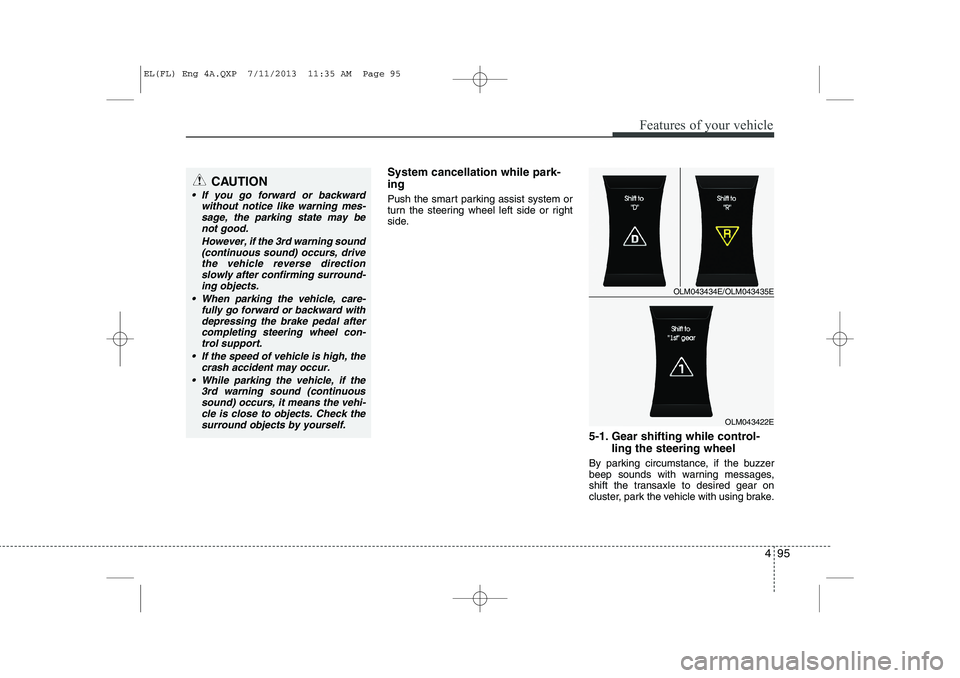
side.5-1. Gear shifting while control-ling the steering wheel
By parking circumstance, if the buzzer
beep sounds with warning messages,
shift the transaxle to desired gear on
cluster, park the vehicle with using brake.CAUTION
If you go forward or backward without notice like warning mes-
sage, the parking state may benot good.
However, if the 3rd warning sound(continuous sound) occurs, drive
the vehicle reverse direction slowly after confirming surround-ing objects.
When parking the vehicle, care- fully go forward or backward with
depressing the brake pedal after completing steering wheel con-trol support.
If the speed of vehicle is high, the crash accident may occur.
While parking the vehicle, if the 3rd warning sound (continuoussound) occurs, it means the vehi- cle is close to objects. Check the
surround objects by yourself.
OLM043434E/OLM043435E
OLM043422E
EL(FL) Eng 4A.QXP 7/11/2013 11:35 AM Page 95
Page 586 of 1534
Features of your vehicle
96
4
Be sure to check the front and rear view
before releasing the brake pedal. Stop
the vehicle when the speed of your vehi-
cle is high and stop immediately by
depressing the brake pedal if necessary.
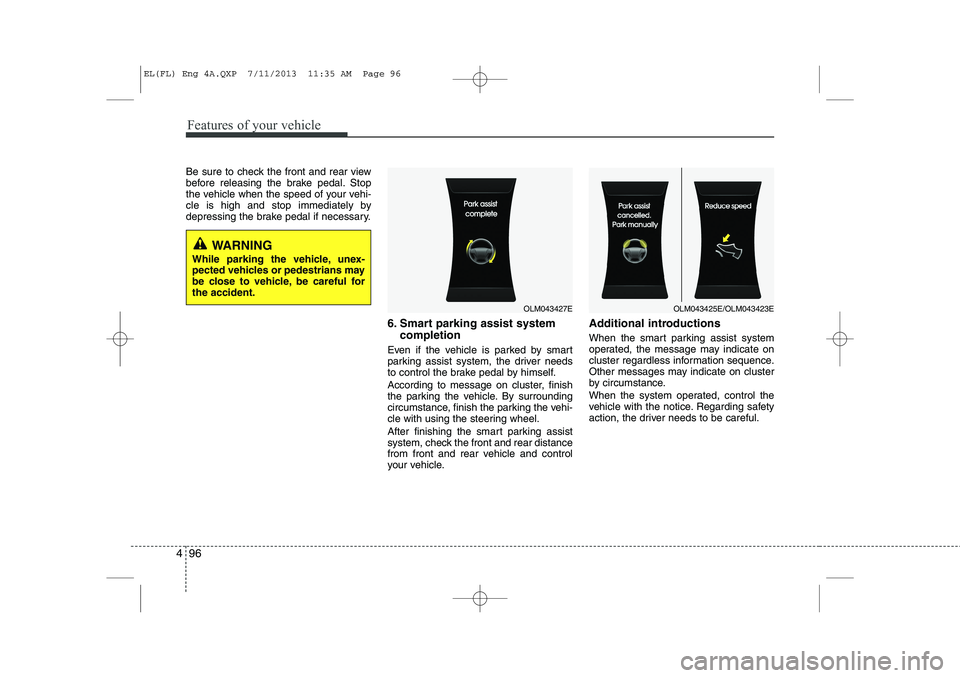
6. Smart parking assist systemcompletion
Even if the vehicle is parked by smart
parking assist system, the driver needs
to control the brake pedal by himself.
According to message on cluster, finish
the parking the vehicle. By surrounding
circumstance, finish the parking the vehi-
cle with using the steering wheel.
After finishing the smart parking assist
system, check the front and rear distance
from front and rear vehicle and control
your vehicle. Additional introductions
When the smart parking assist system
operated, the message may indicate on
cluster regardless information sequence.
Other messages may indicate on cluster
by circumstance.
When the system operated, control the
vehicle with the notice. Regarding safety
action, the driver needs to be careful.
OLM043427EOLM043425E/OLM043423E
WARNING
While parking the vehicle, unex-
pected vehicles or pedestrians may
be close to vehicle, be careful forthe accident.
EL(FL) Eng 4A.QXP 7/11/2013 11:35 AM Page 96