change wheel HYUNDAI IX35 2014 Owner's Manual
[x] Cancel search | Manufacturer: HYUNDAI, Model Year: 2014, Model line: IX35, Model: HYUNDAI IX35 2014Pages: 1534, PDF Size: 39.76 MB
Page 525 of 1534
435
Features of your vehicle
Tilt steering
A tilt steering wheel allows you to adjust
the steering wheel before you drive. You
can also raise it to give your legs more
room when you exit and enter the vehicle(if equipped).
The steering wheel should be positioned
so that it is comfortable for you to drive,
while permitting you to see the instru-
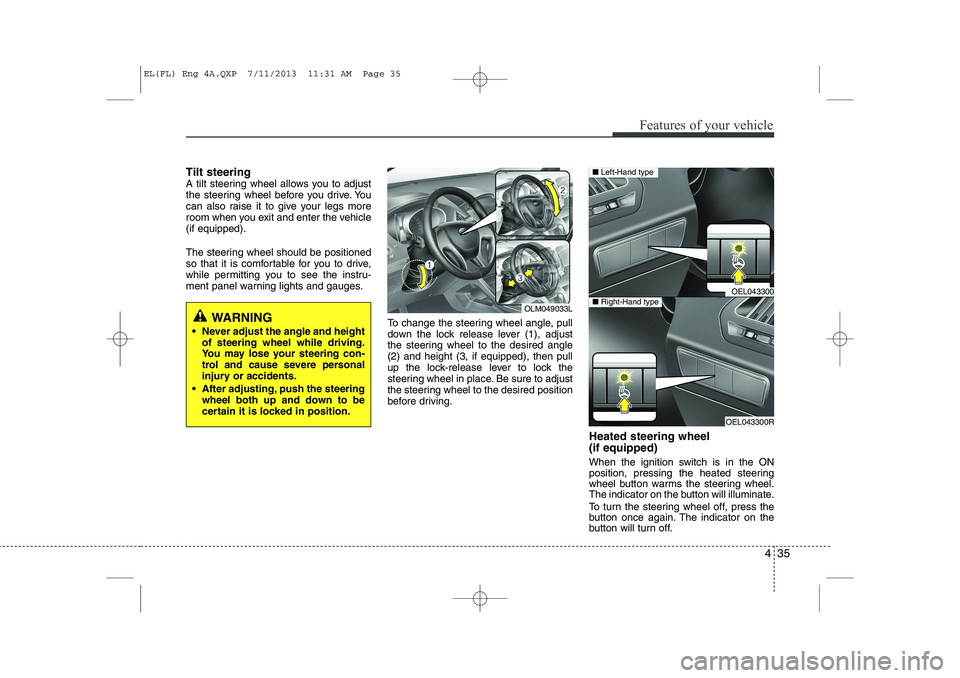
ment panel warning lights and gauges.To change the steering wheel angle, pull
down the lock release lever (1), adjust
the steering wheel to the desired angle(2) and height (3, if equipped), then pull
up the lock-release lever to lock the
steering wheel in place. Be sure to adjust
the steering wheel to the desired position
before driving.Heated steering wheel (if equipped)
When the ignition switch is in the ON
position, pressing the heated steering
wheel button warms the steering wheel.
The indicator on the button will illuminate.
To turn the steering wheel off, press the
button once again. The indicator on the
button will turn off.
WARNING
Never adjust the angle and height of steering wheel while driving.
You may lose your steering con-
trol and cause severe personal
injury or accidents.
After adjusting, push the steering wheel both up and down to be
certain it is locked in position.OLM049033L
OEL043300
OEL043300R
■Left-Hand type
■Right-Hand type
EL(FL) Eng 4A.QXP 7/11/2013 11:31 AM Page 35
Page 527 of 1534
437
Features of your vehicle
Flex steering wheel (if equipped)
The flex steering wheel controls steering
effort as driver's preference or road con-dition.
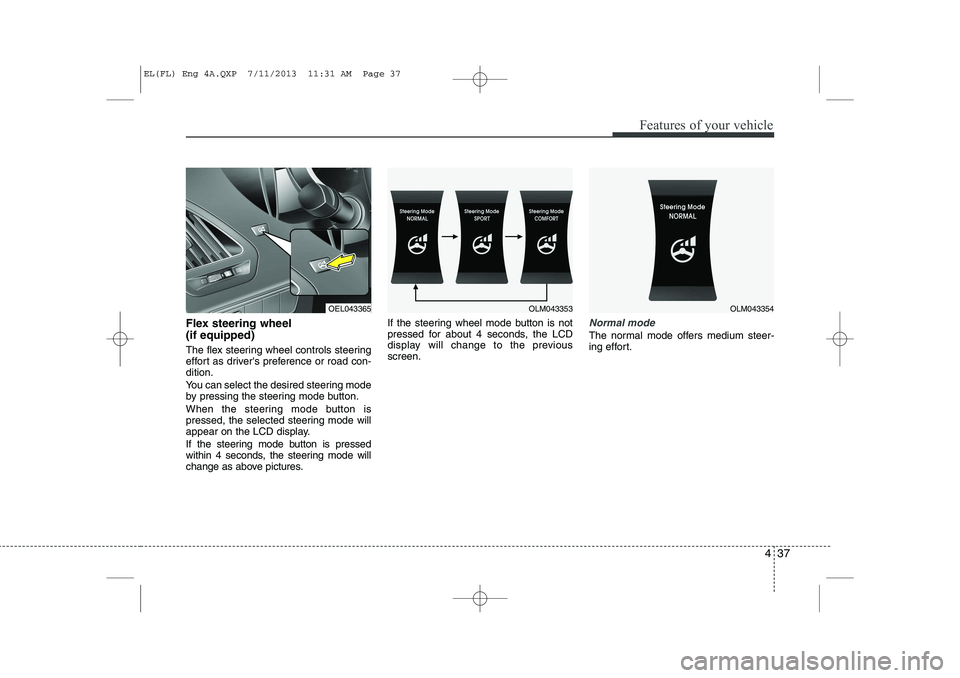
You can select the desired steering mode
by pressing the steering mode button.
When the steering mode button is
pressed, the selected steering mode will
appear on the LCD display.
If the steering mode button is pressed
within 4 seconds, the steering mode will
change as above pictures.If the steering wheel mode button is not
pressed for about 4 seconds, the LCD
display will change to the previousscreen.Normal mode
The normal mode offers medium steer-
ing effort.
OEL043365OLM043353OLM043354
EL(FL) Eng 4A.QXP 7/11/2013 11:31 AM Page 37
Page 528 of 1534
Features of your vehicle
38
4
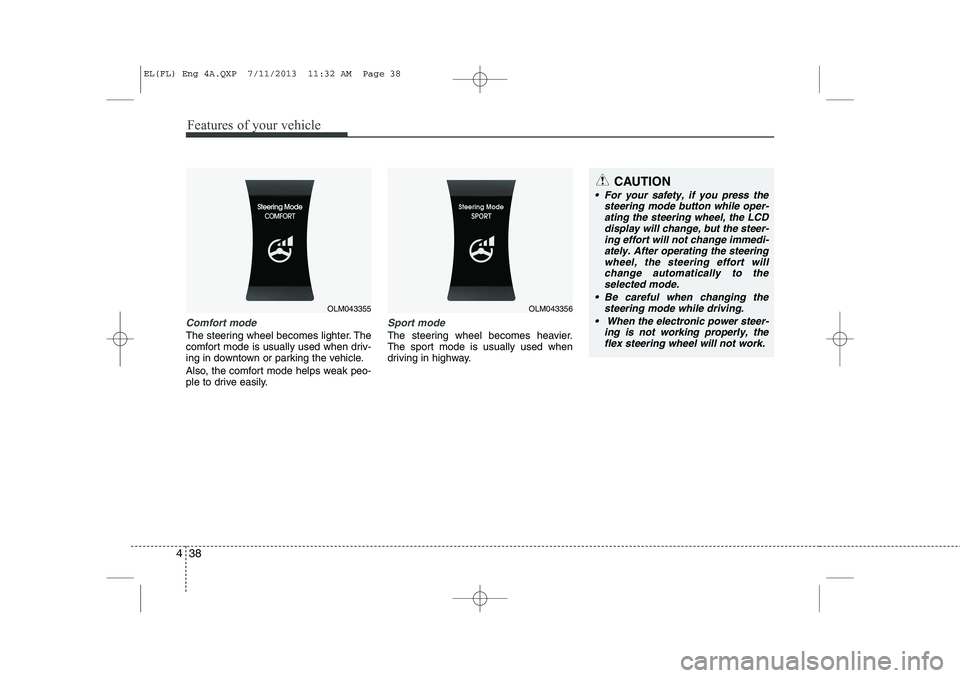
Comfort mode
The steering wheel becomes lighter. The
comfort mode is usually used when driv-
ing in downtown or parking the vehicle.
Also, the comfort mode helps weak peo-
ple to drive easily.
Sport mode
The steering wheel becomes heavier.
The sport mode is usually used when
driving in highway.
OLM043355OLM043356
CAUTION
For your safety, if you press the
steering mode button while oper-
ating the steering wheel, the LCD display will change, but the steer-ing effort will not change immedi-ately. After operating the steering
wheel, the steering effort willchange automatically to the selected mode.
Be careful when changing the steering mode while driving.
When the electronic power steer- ing is not working properly, theflex steering wheel will not work.
EL(FL) Eng 4A.QXP 7/11/2013 11:32 AM Page 38
Page 549 of 1534
459
Features of your vehicle
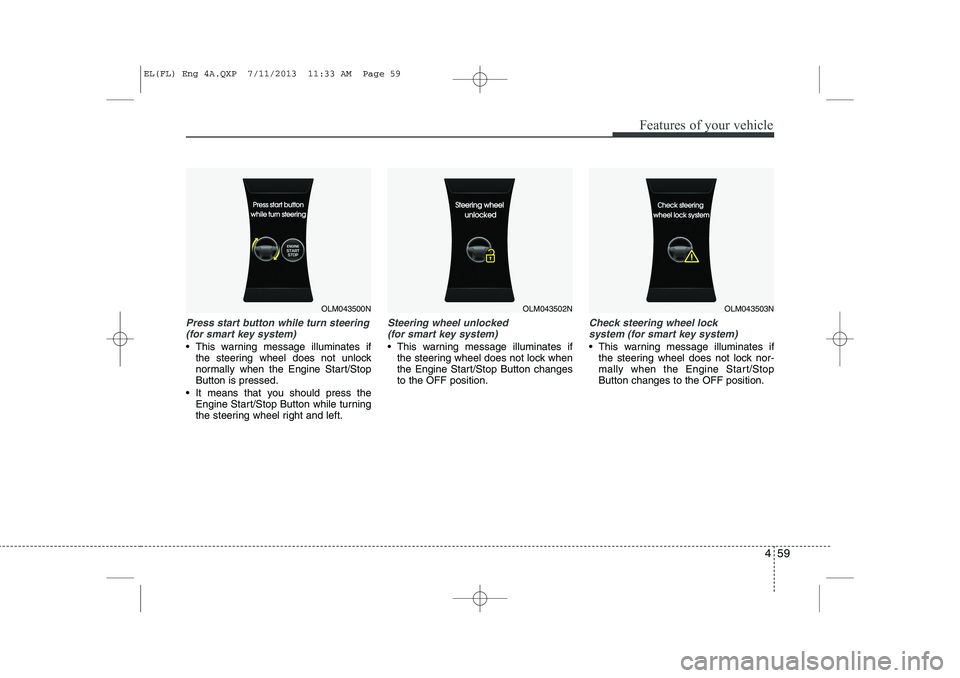
Press start button while turn steering(for smart key system)
This warning message illuminates if the steering wheel does not unlock
normally when the Engine Start/StopButton is pressed.
It means that you should press the Engine Start/Stop Button while turning
the steering wheel right and left.
Steering wheel unlocked
(for smart key system)
This warning message illuminates if the steering wheel does not lock when
the Engine Start/Stop Button changesto the OFF position.
Check steering wheel lock
system (for smart key system)
This warning message illuminates if the steering wheel does not lock nor-
mally when the Engine Start/StopButton changes to the OFF position.
OLM043500NOLM043502NOLM043503N
EL(FL) Eng 4A.QXP 7/11/2013 11:33 AM Page 59
Page 577 of 1534
487
Features of your vehicle
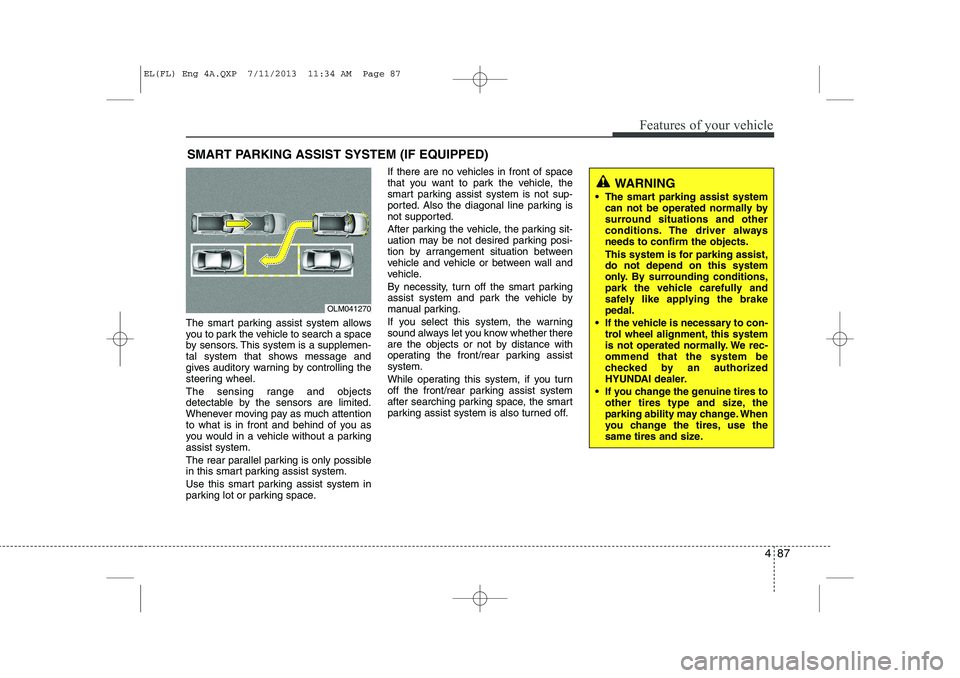
The smart parking assist system allows
you to park the vehicle to search a space
by sensors. This system is a supplemen-
tal system that shows message and
gives auditory warning by controlling the
steering wheel.
The sensing range and objects
detectable by the sensors are limited.
Whenever moving pay as much attention
to what is in front and behind of you as
you would in a vehicle without a parkingassist system.
The rear parallel parking is only possible
in this smart parking assist system.
Use this smart parking assist system in
parking lot or parking space.If there are no vehicles in front of space
that you want to park the vehicle, the
smart parking assist system is not sup-
ported. Also the diagonal line parking is
not supported.
After parking the vehicle, the parking sit-
uation may be not desired parking posi-
tion by arrangement situation between
vehicle and vehicle or between wall and
vehicle.
By necessity, turn off the smart parking
assist system and park the vehicle by
manual parking.
If you select this system, the warning
sound always let you know whether there
are the objects or not by distance with
operating the front/rear parking assistsystem.
While operating this system, if you turn
off the front/rear parking assist system
after searching parking space, the smart
parking assist system is also turned off.
SMART PARKING ASSIST SYSTEM (IF EQUIPPED)
OLM041270
WARNING
The smart parking assist system can not be operated normally by
surround situations and other
conditions. The driver alwaysneeds to confirm the objects.
This system is for parking assist, do not depend on this system
only. By surrounding conditions,
park the vehicle carefully and
safely like applying the brakepedal.
If the vehicle is necessary to con- trol wheel alignment, this system
is not operated normally. We rec-ommend that the system be
checked by an authorized
HYUNDAI dealer.
If you change the genuine tires to other tires type and size, the
parking ability may change. When
you change the tires, use the
same tires and size.
EL(FL) Eng 4A.QXP 7/11/2013 11:34 AM Page 87
Page 578 of 1534
Features of your vehicle
88
4
Operating condition
Use the smart parking assist system as
follows when all conditions are satisfied.
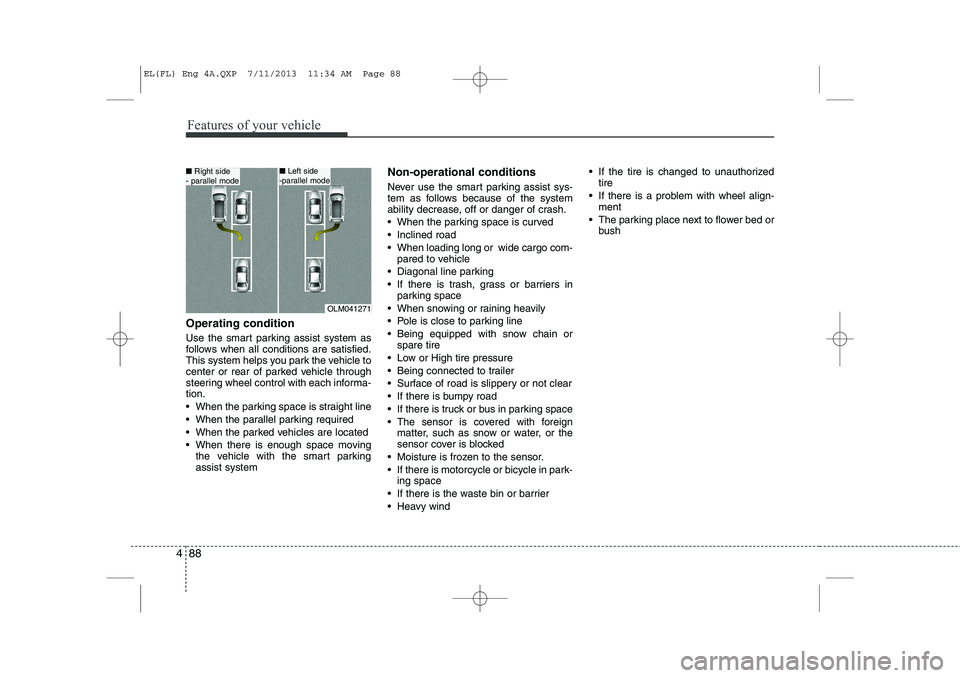
This system helps you park the vehicle to
center or rear of parked vehicle through
steering wheel control with each informa-tion.
When the parking space is straight line
When the parallel parking required
When the parked vehicles are located
When there is enough space moving
the vehicle with the smart parking assist system Non-operational conditions
Never use the smart parking assist sys-
tem as follows because of the system
ability decrease, off or danger of crash.
When the parking space is curved
Inclined road
When loading long or wide cargo com-
pared to vehicle
Diagonal line parking
If there is trash, grass or barriers in parking space
When snowing or raining heavily
Pole is close to parking line
Being equipped with snow chain or spare tire
Low or High tire pressure
Being connected to trailer
Surface of road is slippery or not clear
If there is bumpy road
If there is truck or bus in parking space
The sensor is covered with foreign matter, such as snow or water, or the
sensor cover is blocked
Moisture is frozen to the sensor.
If there is motorcycle or bicycle in park- ing space
If there is the waste bin or barrier
Heavy wind If the tire is changed to unauthorized
tire
If there is a problem with wheel align- ment
The parking place next to flower bed or bush
OLM041271
■Right side
- parallel mode■ Left side
-parallel mode
EL(FL) Eng 4A.QXP 7/11/2013 11:34 AM Page 88
Page 581 of 1534
491
Features of your vehicle
Operation way
Before operating the smart parking assist
system, confirm the condition that is pos-
sible to use. For safety, always operate it
by applying the brake pedal under any
condition, for example before each step,
while pressing the ON/OFF button of this
system or shifting the lever, etc.
When vehicle is parked by using the
smart parking assist system, general
steps are followings
1. The smart parking assist system select
2. Parking mode select
3. Parking space search : Direct way driv-ing
4. Search complete : Automatic search by sensor
However, before parking, real parking
environment confirmations are needed
for driver. 5. Steering wheel support (Rear Parking
type)
(1) Operate shift lever by display in cluster
(2) Always drive slowly with applying to brake
6. Smart parking assist system complete
7. If required, move vehicle to manual operation
According to parking space, select
mode, and surrounding environment, the
sequence of display or situation could be
changed. Refer to next operation way.(Continued)
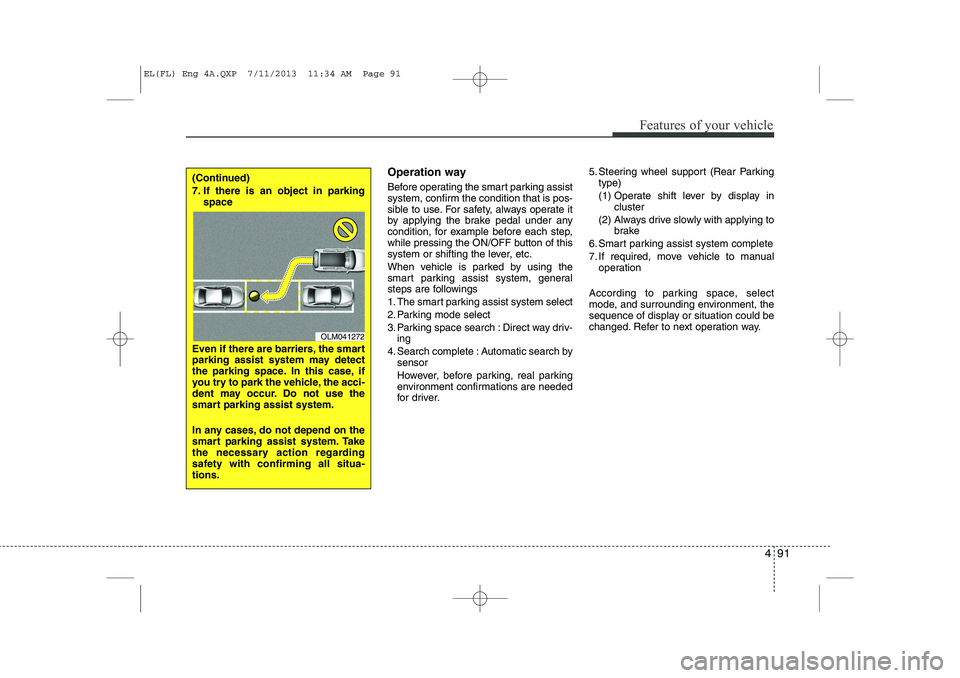
7. If there is an object in parking space
Even if there are barriers, the smart
parking assist system may detect
the parking space. In this case, if
you try to park the vehicle, the acci-
dent may occur. Do not use the
smart parking assist system.
In any cases, do not depend on the
smart parking assist system. Take
the necessary action regarding
safety with confirming all situa-tions.
OLM041272
EL(FL) Eng 4A.QXP 7/11/2013 11:34 AM Page 91
Page 608 of 1534
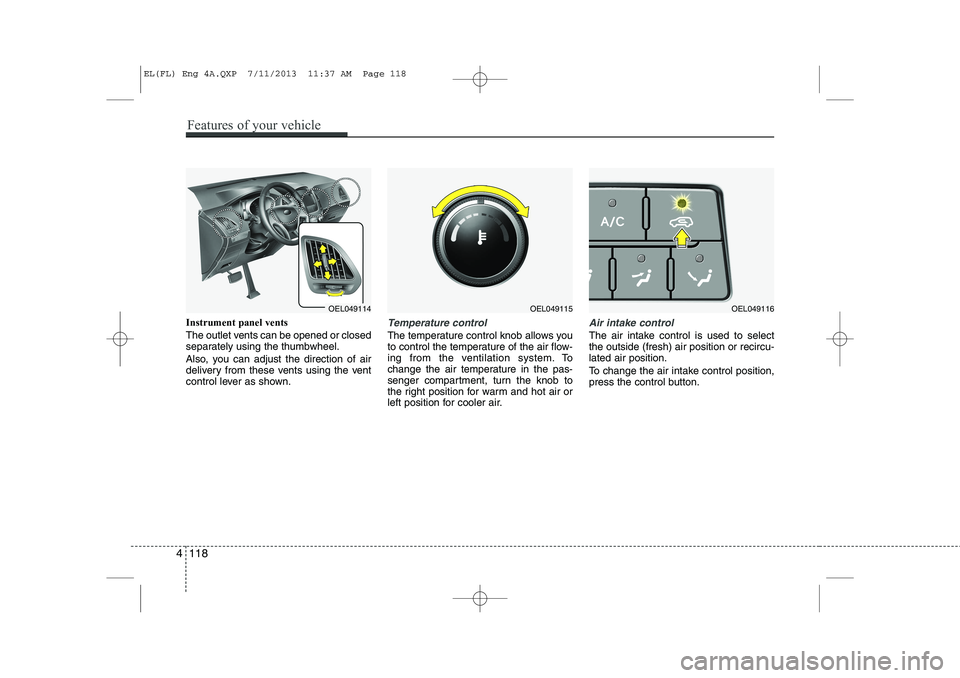
Instrument panel vents
The outlet vents can be opened or closed
separately using the thumbwheel.
Also, you can adjust the direction of air
delivery from these vents using the vent
control lever as shown.Temperature control
The temperature control knob allows you
to control the temperature of the air flow-
ing from the ventilation system. To
change the air temperature in the pas-
senger compartment, turn the knob to
the right position for warm and hot air or
left position for cooler air.
Air intake control
The air intake control is used to select the outside (fresh) air position or recircu-lated air position.
To change the air intake control position,
press the control button.
OEL049114OEL049115OEL049116
4 118
Features of your vehicle
EL(FL) Eng 4A.QXP 7/11/2013 11:37 AM Page 118
Page 735 of 1534
4 245
Features of your vehicle
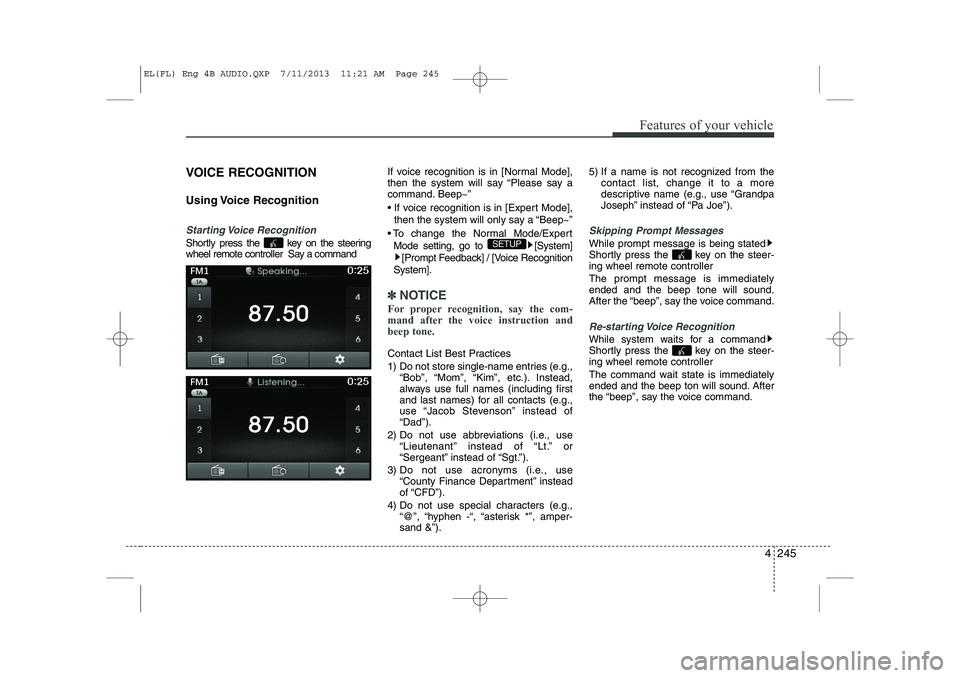
VOICE RECOGNITION
Using Voice Recognition
Starting Voice Recognition
Shortly press the key on the steering
wheel remote controller Say a commandIf voice recognition is in [Normal Mode],
then the system will say “Please say a
command. Beep~”
If voice recognition is in [Expert Mode],
then the system will only say a “Beep~”
To change the Normal Mode/Expert Mode setting, go to [System] [Prompt Feedback] / [Voice Recognition
System].
✽✽ NOTICE
For proper recognition, say the com-
mand after the voice instruction andbeep tone.
Contact List Best Practices
1) Do not store single-name entries (e.g., “Bob”, “Mom”, “Kim”, etc.). Instead,
always use full names (including first
and last names) for all contacts (e.g.,
use “Jacob Stevenson” instead of“Dad”).
2) Do not use abbreviations (i.e., use “Lieutenant” instead of “Lt.” or
“Sergeant” instead of “Sgt.”).
3) Do not use acronyms (i.e., use “County Finance Department” insteadof “CFD”).
4) Do not use special characters (e.g., “@”, “hyphen -“, “asterisk *”, amper-sand &”). 5) If a name is not recognized from the
contact list, change it to a more
descriptive name (e.g., use “Grandpa
Joseph” instead of “Pa Joe”).
Skipping Prompt Messages
While prompt message is being stated
Shortly press the key on the steer-
ing wheel remote controller The prompt message is immediately ended and the beep tone will sound.
After the “beep”, say the voice command.
Re-starting Voice Recognition
While system waits for a command
Shortly press the key on the steer-
ing wheel remote controller
The command wait state is immediately
ended and the beep ton will sound. After
the “beep”, say the voice command.
SETUP
EL(FL) Eng 4B AUDIO.QXP 7/11/2013 11:21 AM Page 245
Page 775 of 1534
521
Driving your vehicle
Downshifting
When you must slow down in heavy traf-
fic or while driving up steep hills, down-
shift before the engine starts to labor.
Downshifting reduces the chance of
stalling and gives better acceleration
when you again need to increase your
speed. When the vehicle is traveling
down steep hills, downshifting helps
maintain safe speed and prolongs brake
life.Good driving practices
Never take the vehicle out of gear and
coast down a hill. This is extremely
hazardous. Always leave the vehicle in
gear.
Don't "ride" the brakes. This can cause them to overheat and malfunction.
Instead, when you are driving down a
long hill, slow down and shift to a lower
gear. When you do this, engine braking
will help slow down the vehicle.
Slow down before shifting to a lower gear. This will help avoid over-revving
the engine, which can cause damage.
Slow down when you encounter cross winds. This gives you much better con-
trol of your vehicle.
Be sure the vehicle is completely stopped before you attempt to shift into
reverse. The transaxle can be dam-
aged if you do not. To shift into reverse,
depress the clutch, move the shift lever
to neutral, wait three seconds, then
shift to the reverse position.
Exercise extreme caution when driving on a slippery surface. Be especially
careful when braking, accelerating or
shifting gears. On a slippery surface,
an abrupt change in vehicle speed can
cause the drive wheels to lose traction
and the vehicle to go out of control.WARNING
Always buckle-up! In a collision, an unbelted occupant is signifi-
cantly more likely to be seriously
injured or killed than a properlybelted occupant.
Avoid high speeds when corner- ing or turning.
Do not make quick steering wheel movements, such as sharp
lane changes or fast, sharp turns.
The risk of rollover is greatly increased if you lose control of
your vehicle at highway speeds.
Loss of control often occurs if two or more wheels drop off the
roadway and the driver over-
steers to reenter the roadway.
In the event your vehicle leaves the roadway, do not steer sharply.
Instead, slow down before pulling
back into the travel lanes.
Never exceed posted speed lim- its.
EL(FL) Eng 5.QXP 7/11/2013 11:02 AM Page 21