fuel type HYUNDAI IX35 2014 Owner's Guide
[x] Cancel search | Manufacturer: HYUNDAI, Model Year: 2014, Model line: IX35, Model: HYUNDAI IX35 2014Pages: 1534, PDF Size: 39.76 MB
Page 1117 of 1534
Features of your vehicle
46
4
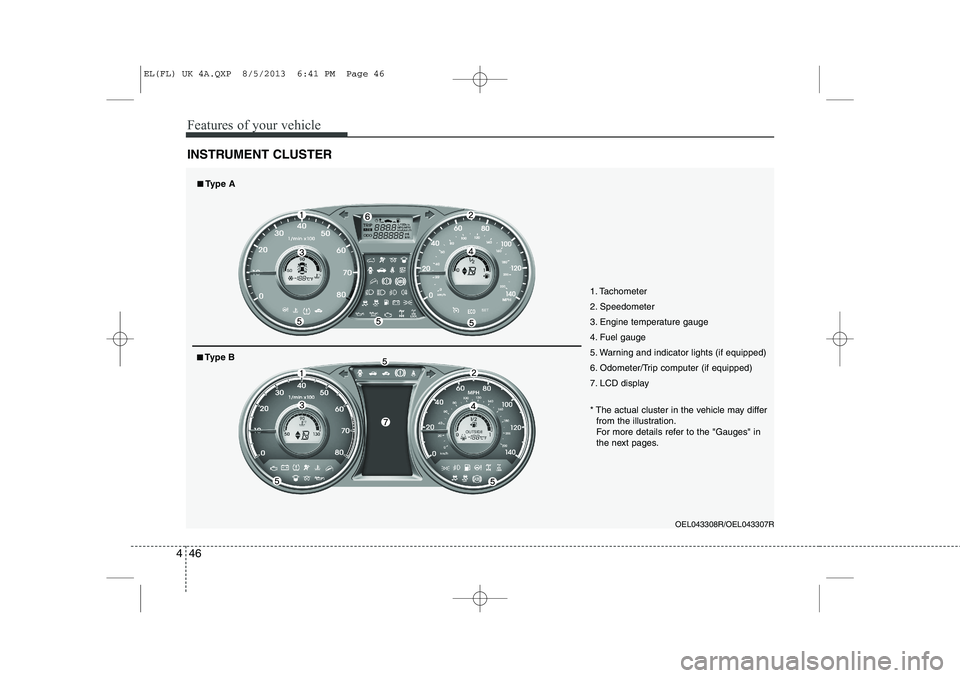
INSTRUMENT CLUSTER
1. Tachometer
2. Speedometer
3. Engine temperature gauge
4. Fuel gauge
5. Warning and indicator lights (if equipped)
6. Odometer/Trip computer (if equipped)
7. LCD display
OEL043308R/OEL043307R
* The actual cluster in the vehicle may differ
from the illustration.
For more details refer to the "Gauges" in
the next pages.
■■ Type A
■■Type B
EL(FL) UK 4A.QXP 8/5/2013 6:41 PM Page 46
Page 1121 of 1534
Features of your vehicle
50
4
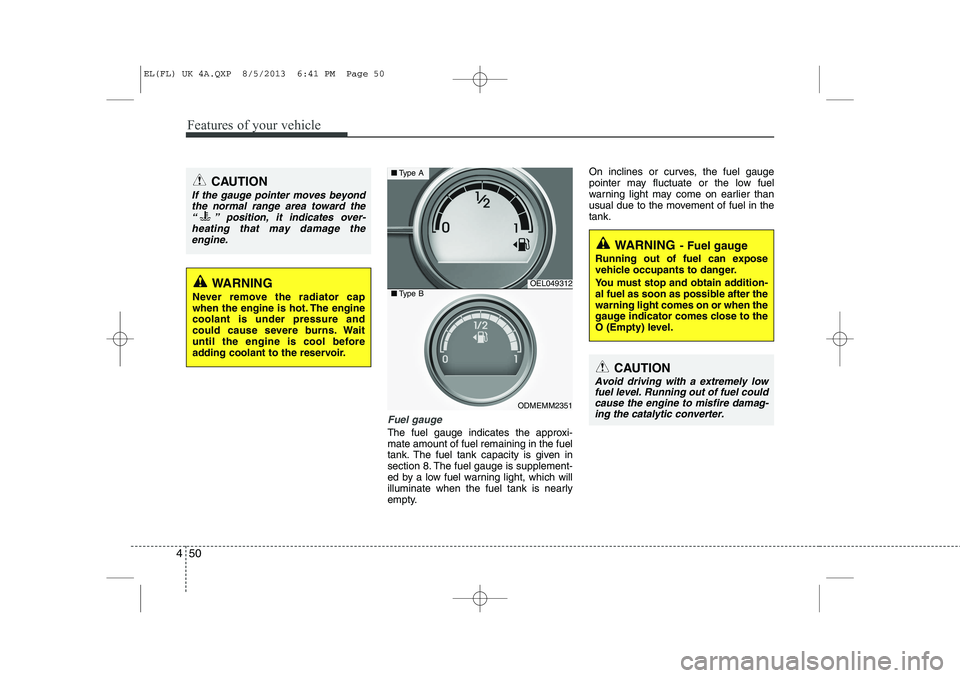
Fuel gauge
The fuel gauge indicates the approxi- mate amount of fuel remaining in the fuel
tank. The fuel tank capacity is given in
section 8. The fuel gauge is supplement-
ed by a low fuel warning light, which will
illuminate when the fuel tank is nearly
empty. On inclines or curves, the fuel gauge
pointer may fluctuate or the low fuel
warning light may come on earlier than
usual due to the movement of fuel in thetank.
WARNING
Never remove the radiator cap
when the engine is hot. The enginecoolant is under pressure and
could cause severe burns. Wait
until the engine is cool before
adding coolant to the reservoir.
CAUTION
If the gauge pointer moves beyond the normal range area toward the
“ ” position, it indicates over-heating that may damage theengine.
OEL049312
ODMEMM2351
■ Type A
■Type B
WARNING - Fuel gauge
Running out of fuel can expose
vehicle occupants to danger.
You must stop and obtain addition-
al fuel as soon as possible after thewarning light comes on or when the
gauge indicator comes close to the
O (Empty) level.
CAUTION
Avoid driving with a extremely low fuel level. Running out of fuel could cause the engine to misfire damag-ing the catalytic converter.
EL(FL) UK 4A.QXP 8/5/2013 6:41 PM Page 50
Page 1125 of 1534
Features of your vehicle
54
4
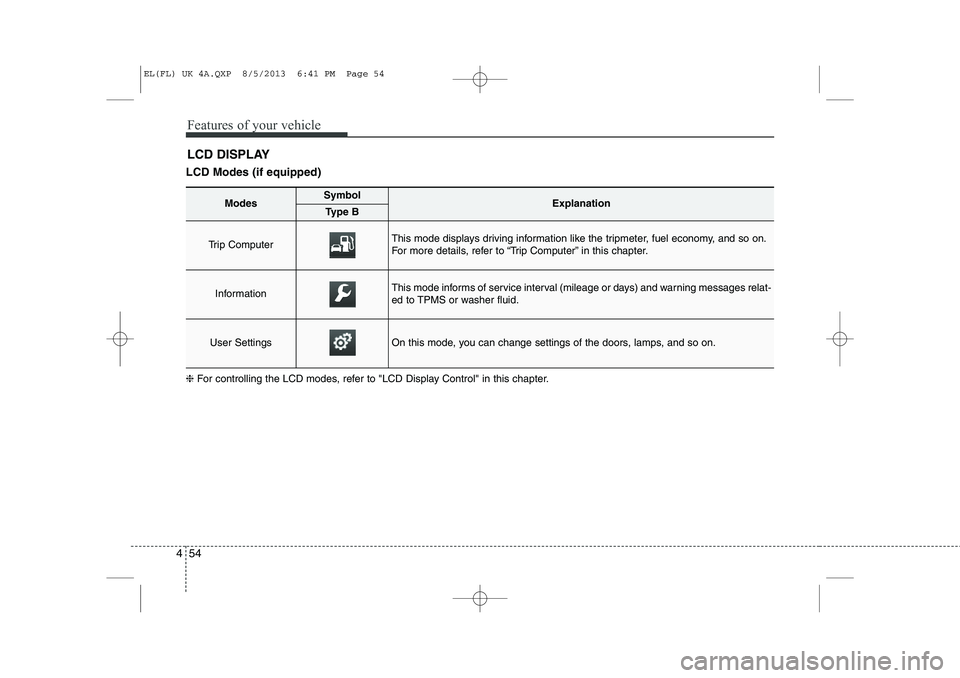
LCD DISPLAY
LCD Modes (if equipped) ❈ For controlling the LCD modes, refer to "LCD Display Control" in this chapter.
ModesSymbolExplanationType B
Trip Computer This mode displays driving information like the tripmeter, fuel economy, and so on.
For more details, refer to “Trip Computer” in this chapter.
InformationThis mode informs of service interval (mileage or days) and warning messages relat-
ed to TPMS or washer fluid.
User SettingsOn this mode, you can change settings of the doors, lamps, and so on.
EL(FL) UK 4A.QXP 8/5/2013 6:41 PM Page 54
Page 1135 of 1534
Features of your vehicle
64
4
Overview
Description
The trip computer is a microcomputer-
controlled driver information system that
displays information related to driving.
✽✽
NOTICE
Some driving information stored in the
trip computer (for example Average
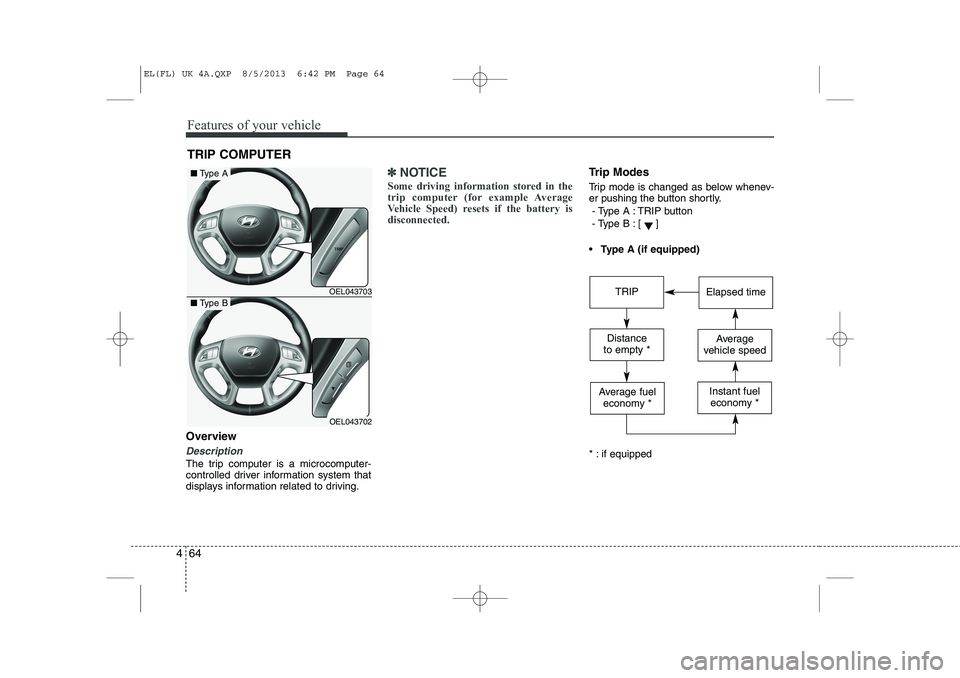
Vehicle Speed) resets if the battery isdisconnected.Trip Modes
Trip mode is changed as below whenev-
er pushing the button shortly.
- Type A : TRIP button
- Type B :
[]
Type A (if equipped)
* : if equipped
TRIP COMPUTER
OEL043703
OEL043702
■ Type A
■Type BTRIPElapsed time
Distance
to empty *Average
vehicle speed
Average fuel economy *Instant fueleconomy *
EL(FL) UK 4A.QXP 8/5/2013 6:42 PM Page 64
Page 1136 of 1534
465
Features of your vehicle
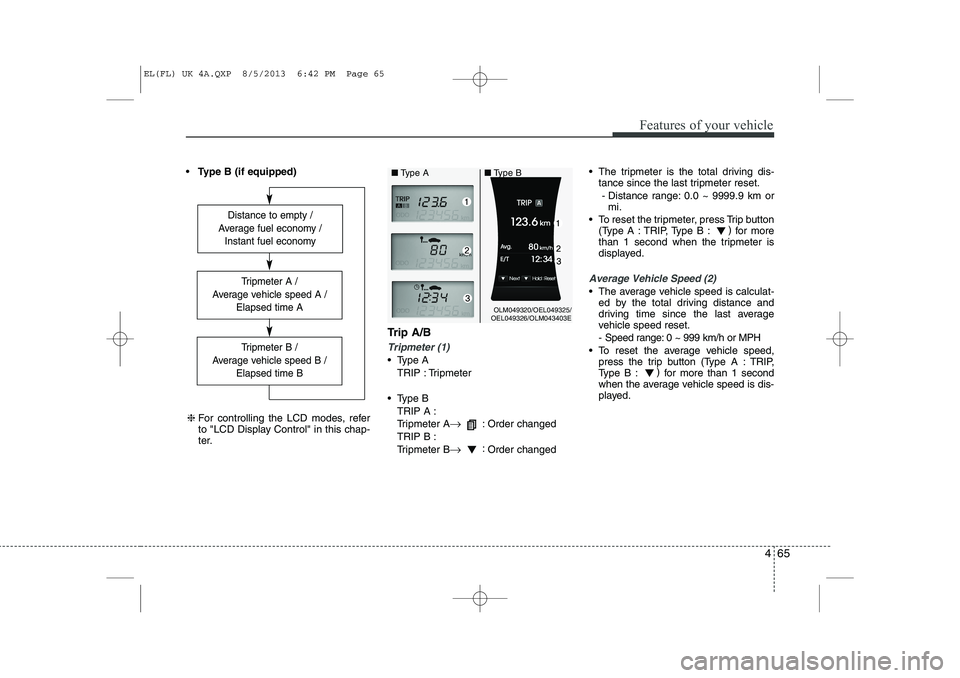
Type B (if equipped)
Trip A/B
Tripmeter (1)
Type ATRIP : Tripmeter
Type B TRIP A :
Tripmeter A →
: Order changed
TRIP B :
Tripmeter B →:
Order changed The tripmeter is the total driving dis-
tance since the last tripmeter reset.
- Distance range: 0.0 ~ 9999.9 km or mi.
To reset the tripmeter, press Trip button (Type A : TRIP, Type B : )
for more
than 1 second when the tripmeter is
displayed.
Average Vehicle Speed (2)
The average vehicle speed is calculat- ed by the total driving distance and
driving time since the last average
vehicle speed reset.
- Speed range: 0 ~ 999 km/h or MPH
To reset the average vehicle speed, press the trip button (Type A : TRIP,
Type B : )
for more than 1 second
when the average vehicle speed is dis-
played.
Distance to empty /
Average fuel economy / Instant fuel economy
Tripmeter B /
Average vehicle speed B / Elapsed time B
Tripmeter A /
Average vehicle speed A / Elapsed time A
❈For controlling the LCD modes, refer
to "LCD Display Control" in this chap-
ter.
OLM049320/OEL049325/
OEL049326/OLM043403E
■
Type A ■Type B
EL(FL) UK 4A.QXP 8/5/2013 6:42 PM Page 65
Page 1138 of 1534
467
Features of your vehicle
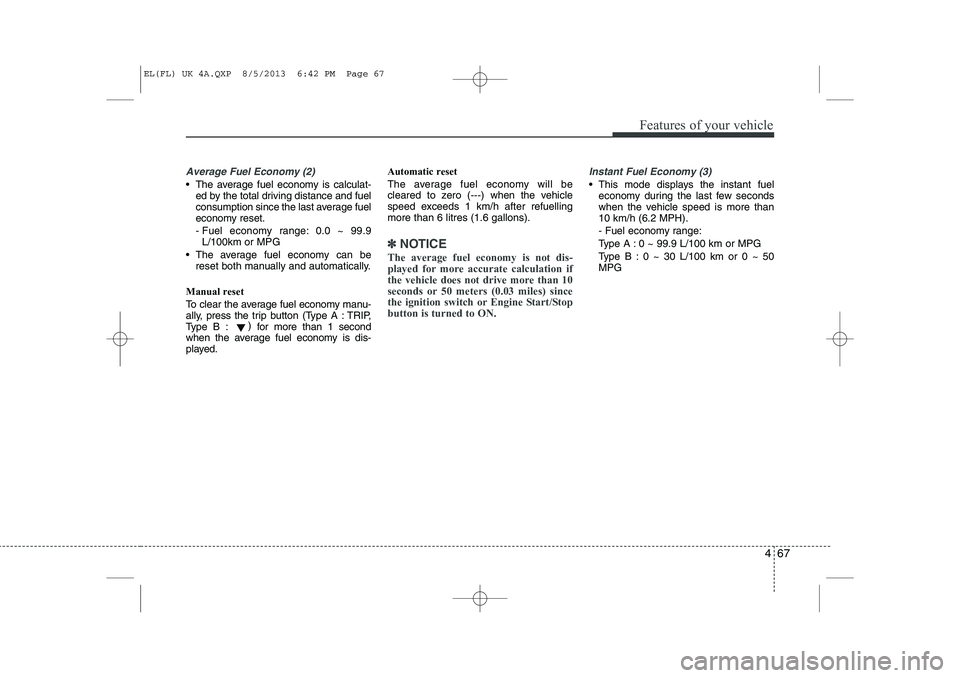
Average Fuel Economy (2)
The average fuel economy is calculat-ed by the total driving distance and fuel
consumption since the last average fuel
economy reset.
- Fuel economy range: 0.0 ~ 99.9L/100km or MPG
The average fuel economy can be reset both manually and automatically.
Manual reset
To clear the average fuel economy manu-
ally, press the trip b utton (Type A : TRIP,
Type B : )
for more than 1 second
when the average fuel economy is dis-
played. Automatic reset
The average fuel economy will be
cleared to zero (---) when the vehicle
speed exceeds 1 km/h after refuellingmore than 6 litres (1.6 gallons).
✽✽
NOTICE
The average fuel economy is not dis-
played for more accurate calculation if
the vehicle does not drive more than 10
seconds or 50 meters (0.03 miles) since
the ignition switch or Engine Start/Stopbutton is turned to ON.
Instant Fuel Economy (3)
This mode displays the instant fuel economy during the last few seconds
when the vehicle speed is more than10 km/h (6.2 MPH).
- Fuel economy range:
Type A : 0 ~ 99.9 L/100 km or MPG
Type B : 0 ~ 30 L/100 km or 0 ~ 50 MPG
EL(FL) UK 4A.QXP 8/5/2013 6:42 PM Page 67
Page 1349 of 1534
515
Driving your vehicle
ISG (IDLE STOP AND GO) SYSTEM (IF EQUIPPED)
Your vehicle may be equipped with the ISG system, which reduces fuel con-
sumption by automatically shutting down
the engine, when the vehicle is at a
standstill. (For example : red light, stop
sign and traffic jam)
The engine starts automatically as soon
as the starting conditions are met.
The ISG system is ON whenever the
engine is running.
✽✽ NOTICE
When the engine automatically starts by
the ISG system, some warning lights
(ABS, ESC, ESC OFF, EPS or Parking
brake warning light) may turn on for afew seconds.This happens because of low batteryvoltage. It does not mean the system ismalfunctioning.
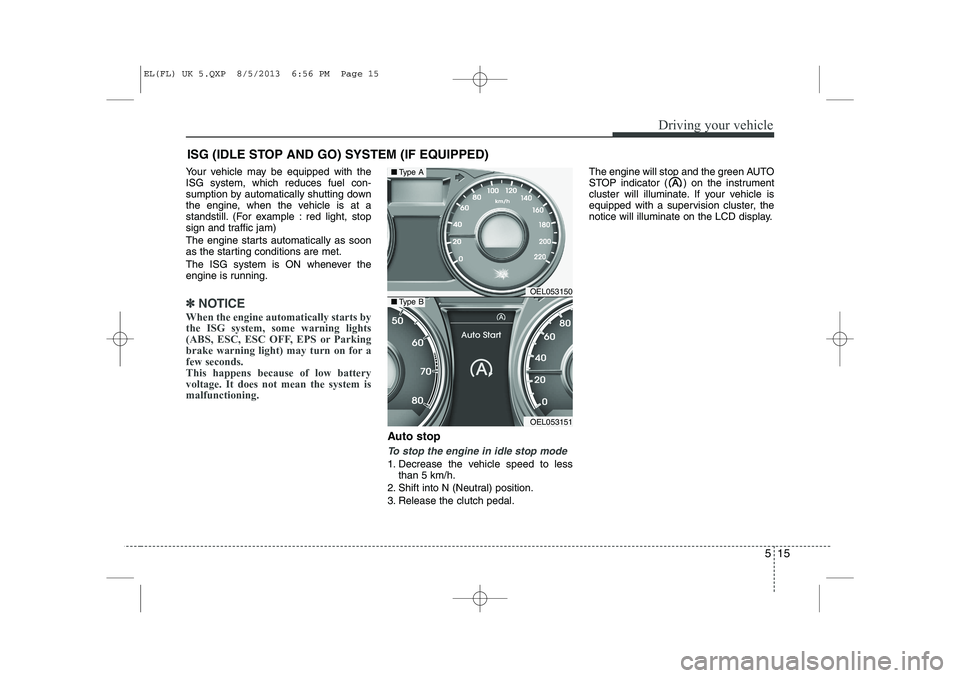
Auto stop
To stop the engine in idle stop mode
1. Decrease the vehicle speed to less than 5 km/h.
2. Shift into N (Neutral) position.
3. Release the clutch pedal. The engine will stop and the green AUTO
STOP indicator ( ) on the instrument
cluster will illuminate. If your vehicle is
equipped with a supervision cluster, the
notice will illuminate on the LCD display.
OEL053150
OEL053151
■
Type A
■Type B
EL(FL) UK 5.QXP 8/5/2013 6:56 PM Page 15
Page 1416 of 1534
What to do in an emergency
8
6
TYRE PRESSURE MONITORING SYSTEM (TPMS, IF EQUIPPED) (TYPE A)
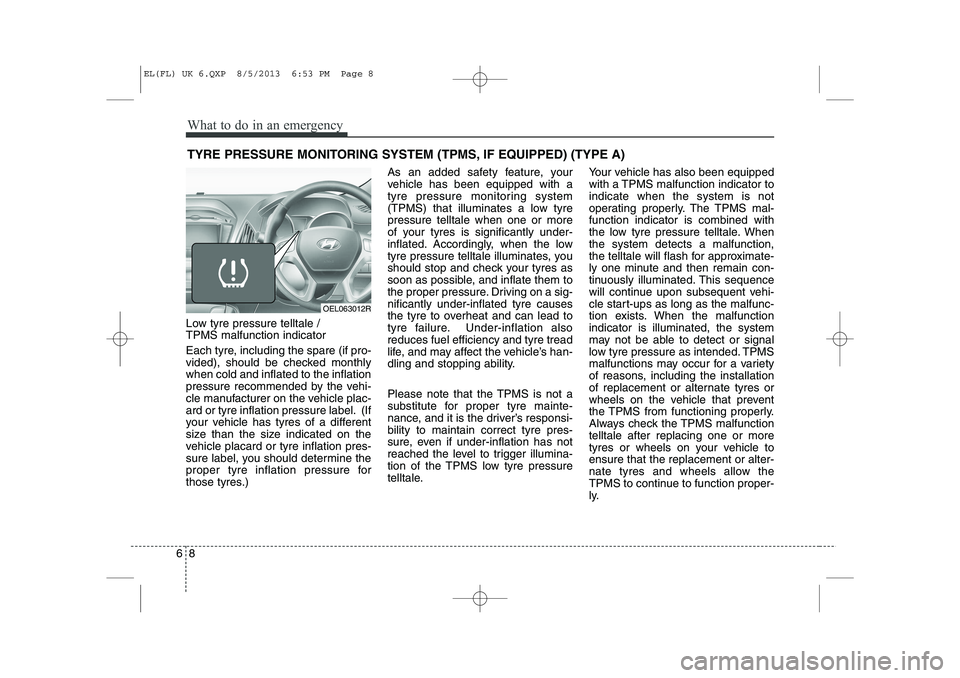
Low tyre pressure telltale / TPMS malfunction indicator
Each tyre, including the spare (if pro-
vided), should be checked monthlywhen cold and inflated to the inflation
pressure recommended by the vehi-
cle manufacturer on the vehicle plac-
ard or tyre inflation pressure label. (If
your vehicle has tyres of a different
size than the size indicated on the
vehicle placard or tyre inflation pres-
sure label, you should determine the
proper tyre inflation pressure for
those tyres.) As an added safety feature, your
vehicle has been equipped with a
tyre pressure monitoring system
(TPMS) that illuminates a low tyrepressure telltale when one or more
of your tyres is significantly under-
inflated. Accordingly, when the low
tyre pressure telltale illuminates, you
should stop and check your tyres as
soon as possible, and inflate them to
the proper pressure. Driving on a sig-nificantly under-inflated tyre causes
the tyre to overheat and can lead to
tyre failure. Under-inflation alsoreduces fuel efficiency and tyre tread
life, and may affect the vehicle’s han-
dling and stopping ability.
Please note that the TPMS is not a
substitute for proper tyre mainte-
nance, and it is the driver’s responsi-bility to maintain correct tyre pres-
sure, even if under-inflation has not
reached the level to trigger illumina-
tion of the TPMS low tyre pressure
telltale.
Your vehicle has also been equipped
with a TPMS malfunction indicator toindicate when the system is not
operating properly. The TPMS mal-function indicator is combined with
the low tyre pressure telltale. Whenthe system detects a malfunction,
the telltale will flash for approximate-
ly one minute and then remain con-
tinuously illuminated. This sequence
will continue upon subsequent vehi-
cle start-ups as long as the malfunc-
tion exists. When the malfunctionindicator is illuminated, the system
may not be able to detect or signal
low tyre pressure as intended. TPMS
malfunctions may occur for a variety
of reasons, including the installation
of replacement or alternate tyres or
wheels on the vehicle that prevent
the TPMS from functioning properly.
Always check the TPMS malfunctiontelltale after replacing one or more
tyres or wheels on your vehicle toensure that the replacement or alter-
nate tyres and wheels allow the
TPMS to continue to function proper-
ly.
OEL063012R
EL(FL) UK 6.QXP 8/5/2013 6:53 PM Page 8
Page 1421 of 1534
613
What to do in an emergency
TYRE PRESSURE MONITORING SYSTEM (TPMS, IF EQUIPPED) (TYPE B)
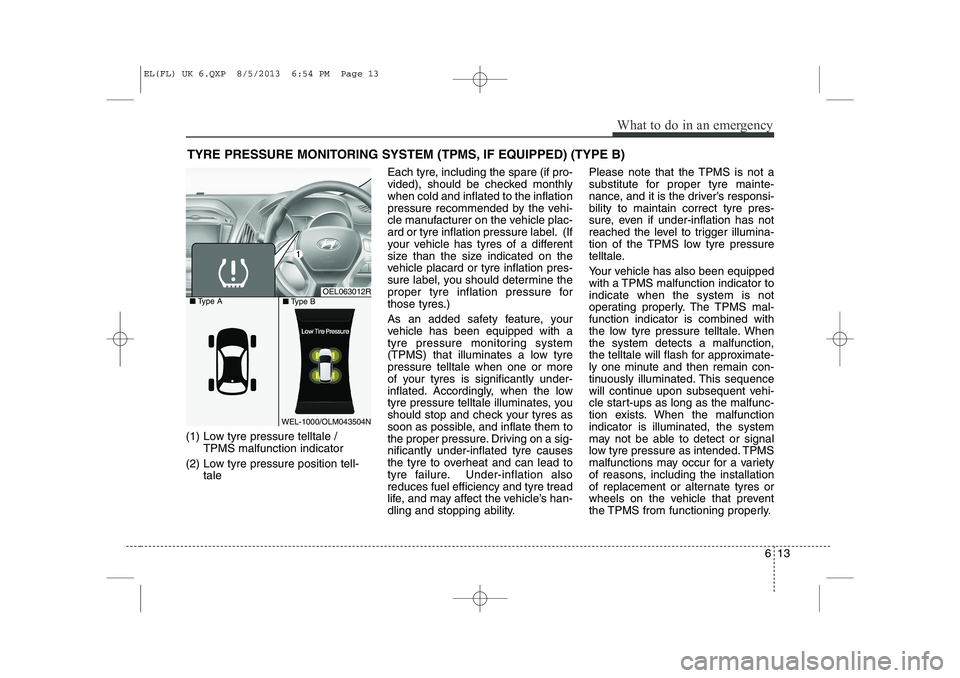
(1) Low tyre pressure telltale / TPMS malfunction indicator
(2) Low tyre pressure position tell- tale Each tyre, including the spare (if pro-
vided), should be checked monthlywhen cold and inflated to the inflation
pressure recommended by the vehi-
cle manufacturer on the vehicle plac-
ard or tyre inflation pressure label. (If
your vehicle has tyres of a different
size than the size indicated on the
vehicle placard or tyre inflation pres-
sure label, you should determine the
proper tyre inflation pressure for
those tyres.)
As an added safety feature, your
vehicle has been equipped with a
tyre pressure monitoring system
(TPMS) that illuminates a low tyrepressure telltale when one or more
of your tyres is significantly under-
inflated. Accordingly, when the low
tyre pressure telltale illuminates, you
should stop and check your tyres as
soon as possible, and inflate them to
the proper pressure. Driving on a sig-nificantly under-inflated tyre causes
the tyre to overheat and can lead to
tyre failure. Under-inflation alsoreduces fuel efficiency and tyre tread
life, and may affect the vehicle’s han-
dling and stopping ability. Please note that the TPMS is not a
substitute for proper tyre mainte-
nance, and it is the driver’s responsi-bility to maintain correct tyre pres-
sure, even if under-inflation has not
reached the level to trigger illumina-
tion of the TPMS low tyre pressure
telltale.
Your vehicle has also been equipped
with a TPMS malfunction indicator toindicate when the system is not
operating properly. The TPMS mal-function indicator is combined with
the low tyre pressure telltale. Whenthe system detects a malfunction,
the telltale will flash for approximate-
ly one minute and then remain con-
tinuously illuminated. This sequence
will continue upon subsequent vehi-
cle start-ups as long as the malfunc-
tion exists. When the malfunctionindicator is illuminated, the system
may not be able to detect or signal
low tyre pressure as intended. TPMS
malfunctions may occur for a variety
of reasons, including the installation
of replacement or alternate tyres or
wheels on the vehicle that prevent
the TPMS from functioning properly.
OEL063012R
WEL-1000/OLM043504N
■
Type A
■Type B
EL(FL) UK 6.QXP 8/5/2013 6:54 PM Page 13
Page 1465 of 1534
721
Maintenance
PARKING BRAKE
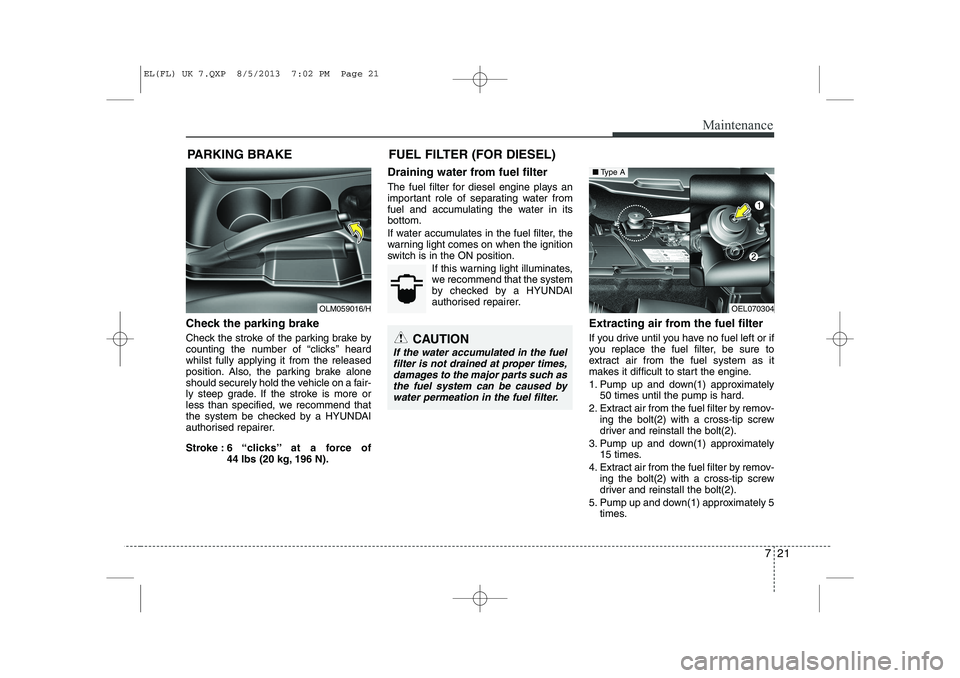
Check the parking brake
Check the stroke of the parking brake by
counting the number of “clicks’’ heardwhilst fully applying it from the released
position. Also, the parking brake alone
should securely hold the vehicle on a fair-
ly steep grade. If the stroke is more or
less than specified, we recommend that
the system be checked by a HYUNDAI
authorised repairer.
Stroke : 6 “clicks’’ at a force of 44 lbs (20 kg, 196 N). Draining water from fuel filter
The fuel filter for diesel engine plays an
important role of separating water from
fuel and accumulating the water in itsbottom.
If water accumulates in the fuel filter, the
warning light comes on when the ignition
switch is in the ON position.
If this warning light illuminates,
we recommend that the system
by checked by a HYUNDAI
authorised repairer.
Extracting air from the fuel filter
If you drive until you have no fuel left or if
you replace the fuel filter, be sure to
extract air from the fuel system as it
makes it difficult to start the engine.
1. Pump up and down(1) approximately50 times until the pump is hard.
2. Extract air from the fuel filter by remov- ing the bolt(2) with a cross-tip screw
driver and reinstall the bolt(2).
3. Pump up and down(1) approximately 15 times.
4. Extract air from the fuel filter by remov- ing the bolt(2) with a cross-tip screw
driver and reinstall the bolt(2).
5. Pump up and down(1) approximately 5 times.
CAUTION
If the water accumulated in the fuel
filter is not drained at proper times,
damages to the major parts such asthe fuel system can be caused by water permeation in the fuel filter.
OEL070304
■ Type A
OLM059016/H FUEL FILTER (FOR DIESEL)
EL(FL) UK 7.QXP 8/5/2013 7:02 PM Page 21