instrument cluster HYUNDAI IX35 2014 Owner's Guide
[x] Cancel search | Manufacturer: HYUNDAI, Model Year: 2014, Model line: IX35, Model: HYUNDAI IX35 2014Pages: 1534, PDF Size: 39.76 MB
Page 999 of 1534
17
Introduction
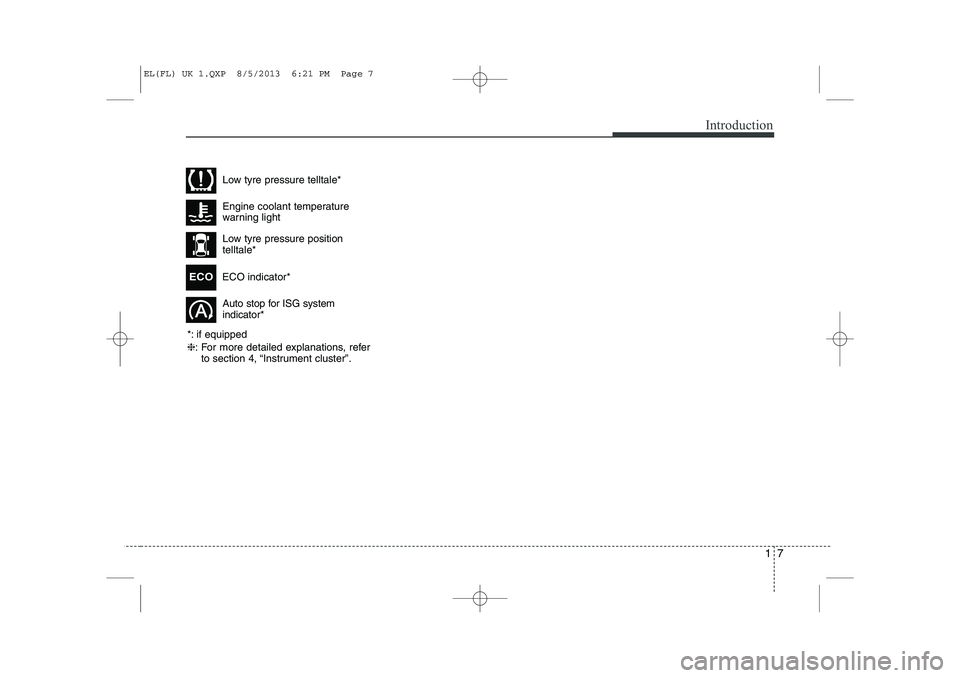
Low tyre pressure position telltale*
ECO indicator*ECO
*: if equipped ❈: For more detailed explanations, refer
to section 4, “Instrument cluster”. Engine coolant temperature
warning light
Auto stop for ISG system indicator*
Low tyre pressure telltale*
EL(FL) UK 1.QXP 8/5/2013 6:21 PM Page 7
Page 1002 of 1534
23
Your vehicle at a glance
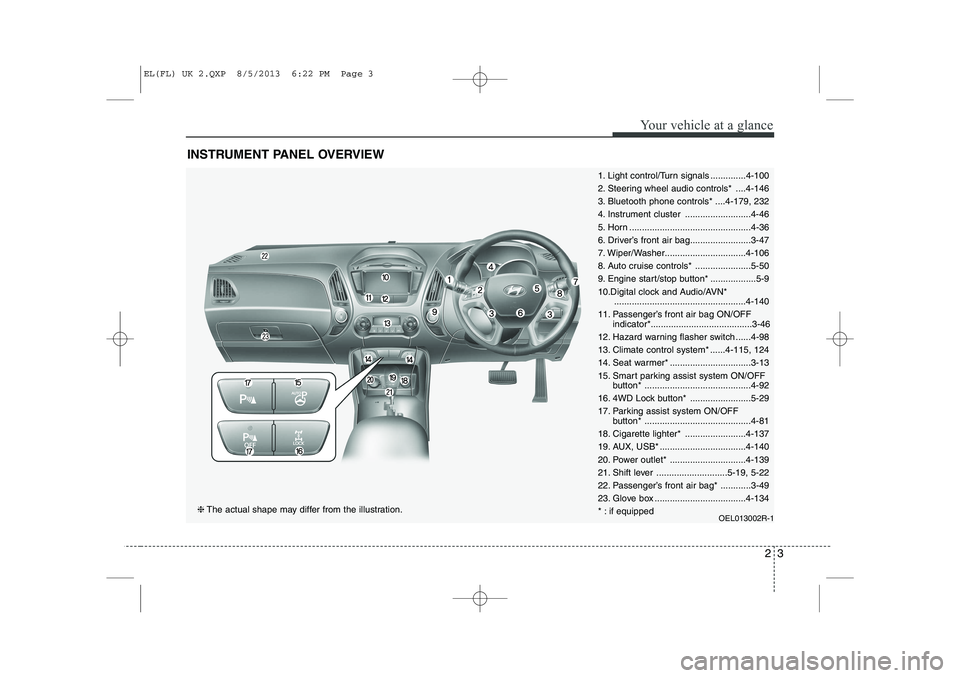
INSTRUMENT PANEL OVERVIEW
1. Light control/Turn signals ..............4-100
2. Steering wheel audio controls* ....4-146
3. Bluetooth phone controls* ....4-179, 232
4. Instrument cluster ..........................4-46
5. Horn ................................................4-36
6. Driver’s front air bag........................3-47
7. Wiper/Washer................................4-106
8. Auto cruise controls* ......................5-50
9. Engine start/stop button* ..................5-9
10.Digital clock and Audio/AVN*....................................................4-140
11. Passenger’s front air bag ON/OFF indicator*........................................3-46
12. Hazard warning flasher switch ......4-98
13. Climate control system* ......4-115, 124
14. Seat warmer* ................................3-13
15. Smart parking assist system ON/OFF button* ..........................................4-92
16. 4WD Lock button* ........................5-29
17. Parking assist system ON/OFF button* ..........................................4-81
18. Cigarette lighter* ........................4-137
19. AUX, USB* ..................................4-140
20. Power outlet* ..............................4-139
21. Shift lever ............................5-19, 5-22
22. Passenger’s front air bag* ............3-49
23. Glove box ....................................4-134
* : if equipped OEL013002R-1
❈The actual shape may differ from the illustration.
EL(FL) UK 2.QXP 8/5/2013 6:22 PM Page 3
Page 1054 of 1534
Safety features of your vehicle
48
3
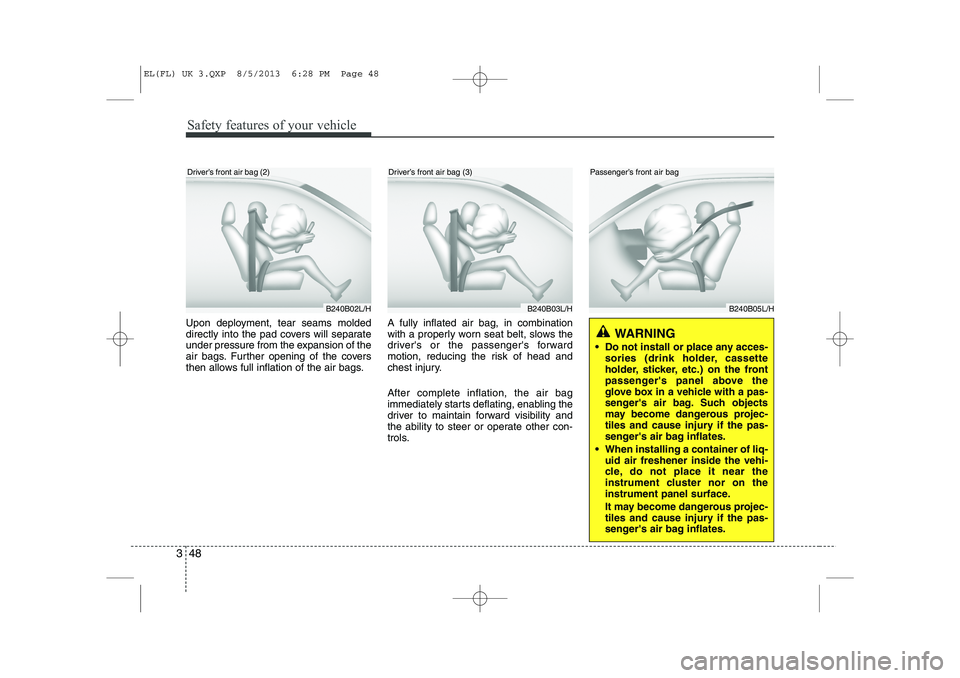
Upon deployment, tear seams molded
directly into the pad covers will separate
under pressure from the expansion of the
air bags. Further opening of the covers
then allows full inflation of the air bags. A fully inflated air bag, in combination
with a properly worn seat belt, slows the
driver's or the passenger's forward
motion, reducing the risk of head and
chest injury. After complete inflation, the air bag
immediately starts deflating, enabling the
driver to maintain forward visibility and
the ability to steer or operate other con-
trols.
B240B02L/HB240B03L/H
Driver’s front air bag (2)Driver’s front air bag (3)
B240B05L/H
Passenger’s front air bag
WARNING
Do not install or place any acces- sories (drink holder, cassette
holder, sticker, etc.) on the front
passenger's panel above the
glove box in a vehicle with a pas-
senger's air bag. Such objects
may become dangerous projec-
tiles and cause injury if the pas-
senger's air bag inflates.
When installing a container of liq- uid air freshener inside the vehi-
cle, do not place it near the
instrument cluster nor on the
instrument panel surface.
It may become dangerous projec-
tiles and cause injury if the pas-
senger's air bag inflates.
EL(FL) UK 3.QXP 8/5/2013 6:28 PM Page 48
Page 1117 of 1534
Features of your vehicle
46
4
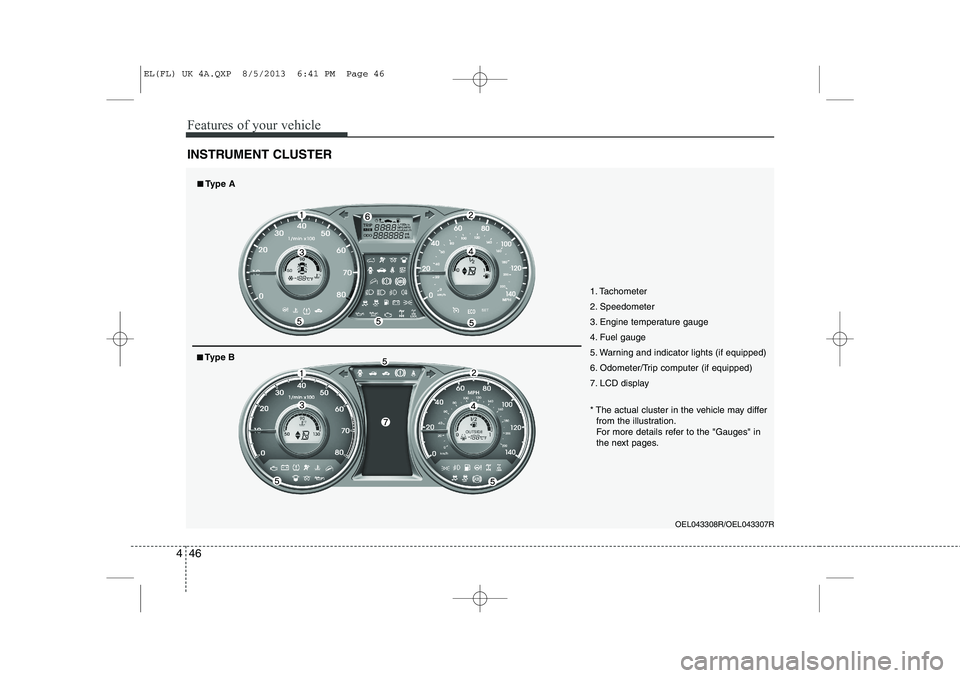
INSTRUMENT CLUSTER
1. Tachometer
2. Speedometer
3. Engine temperature gauge
4. Fuel gauge
5. Warning and indicator lights (if equipped)
6. Odometer/Trip computer (if equipped)
7. LCD display
OEL043308R/OEL043307R
* The actual cluster in the vehicle may differ
from the illustration.
For more details refer to the "Gauges" in
the next pages.
■■ Type A
■■Type B
EL(FL) UK 4A.QXP 8/5/2013 6:41 PM Page 46
Page 1148 of 1534
477
Features of your vehicle
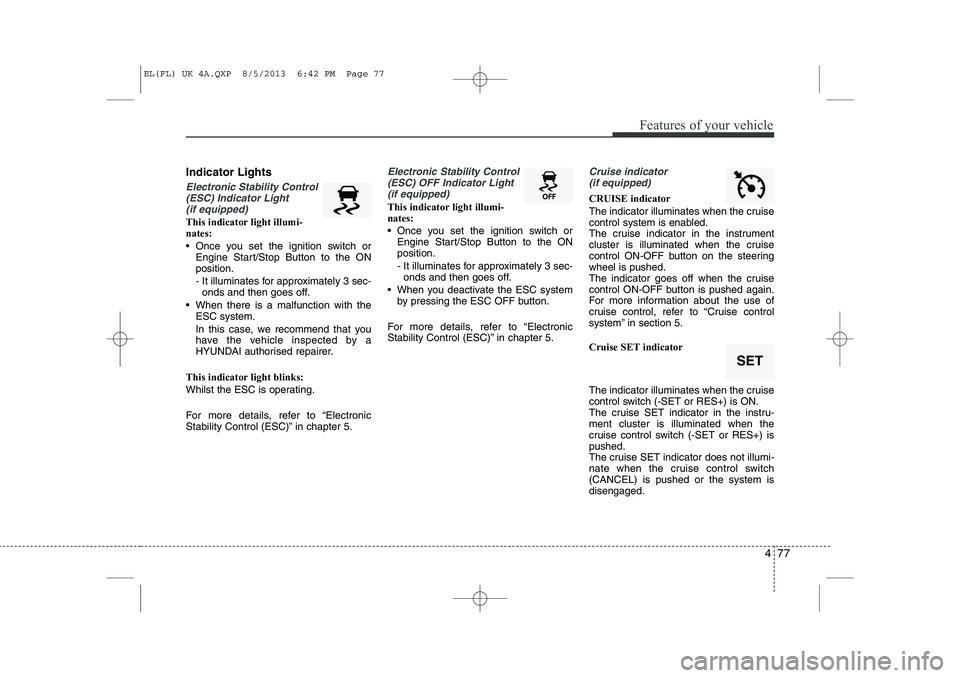
Indicator Lights
Electronic Stability Control(ESC) Indicator Light (if equipped)
This indicator light illumi- nates:
Once you set the ignition switch or Engine Start/Stop Button to the ON position.
- It illuminates for approximately 3 sec-onds and then goes off.
When there is a malfunction with the ESC system.
In this case, we recommend that you
have the vehicle inspected by a
HYUNDAI authorised repairer.
This indicator light blinks:
Whilst the ESC is operating.
For more details, refer to “Electronic
Stability Control (ESC)” in chapter 5.
Electronic Stability Control (ESC) OFF Indicator Light (if equipped)
This indicator light illumi- nates:
Once you set the ignition switch or Engine Start/Stop Button to the ON position.
- It illuminates for approximately 3 sec-onds and then goes off.
When you deactivate the ESC system by pressing the ESC OFF button.
For more details, refer to “Electronic
Stability Control (ESC)” in chapter 5.
Cruise indicator (if equipped)
CRUISE indicator
The indicator illuminates when the cruise
control system is enabled.
The cruise indicator in the instrument
cluster is illuminated when the cruise
control ON-OFF button on the steeringwheel is pushed.
The indicator goes off when the cruise
control ON-OFF button is pushed again.
For more information about the use of
cruise control, refer to “Cruise control
system” in section 5. Cruise SET indicator
The indicator illuminates when the cruise
control switch (-SET or RES+) is ON.
The cruise SET indicator in the instru-ment cluster is illuminated when the
cruise control switch (-SET or RES+) ispushed.
The cruise SET indicator does not illumi-
nate when the cruise control switch(CANCEL) is pushed or the system isdisengaged.
SET
EL(FL) UK 4A.QXP 8/5/2013 6:42 PM Page 77
Page 1163 of 1534
Features of your vehicle
92
4
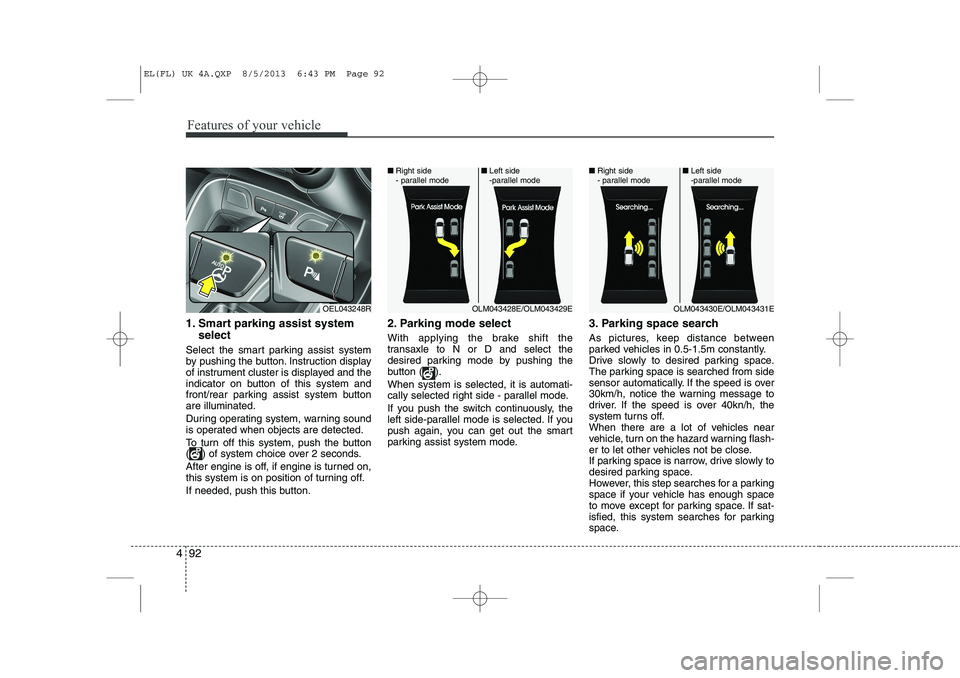
1. Smart parking assist system
select
Select the smart parking assist system
by pushing the button. Instruction display
of instrument cluster is displayed and the
indicator on button of this system and
front/rear parking assist system buttonare illuminated.
During operating system, warning sound
is operated when objects are detected.
To turn off this system, push the button
( ) of system choice over 2 seconds.
After engine is off, if engine is turned on,
this system is on position of turning off.
If needed, push this button. 2. Parking mode select
With applying the brake shift the
transaxle to N or D and select the
desired parking mode by pushing the
button ( ). When system is selected, it is automati-
cally selected right side - parallel mode.
If you push the switch continuously, the
left side-parallel mode is selected. If you
push again, you can get out the smart
parking assist system mode.
3. Parking space search
As pictures, keep distance between
parked vehicles in 0.5-1.5m constantly.
Drive slowly to desired parking space.
The parking space is searched from side
sensor automatically. If the speed is over
30km/h, notice the warning message to
driver. If the speed is over 40kn/h, the
system turns off.
When there are a lot of vehicles near
vehicle, turn on the hazard warning flash-
er to let other vehicles not be close.
If parking space is narrow, drive slowly to
desired parking space.
However, this step searches for a parking
space if your vehicle has enough space
to move except for parking space. If sat-
isfied, this system searches for parking
space.
OEL043248ROLM043428E/OLM043429E
■
Right side
- parallel mode ■
Left side
-parallel modeOLM043430E/OLM043431E
■
Right side
- parallel mode ■
Left side
-parallel mode
EL(FL) UK 4A.QXP 8/5/2013 6:43 PM Page 92
Page 1349 of 1534
515
Driving your vehicle
ISG (IDLE STOP AND GO) SYSTEM (IF EQUIPPED)
Your vehicle may be equipped with the ISG system, which reduces fuel con-
sumption by automatically shutting down
the engine, when the vehicle is at a
standstill. (For example : red light, stop
sign and traffic jam)
The engine starts automatically as soon
as the starting conditions are met.
The ISG system is ON whenever the
engine is running.
✽✽ NOTICE
When the engine automatically starts by
the ISG system, some warning lights
(ABS, ESC, ESC OFF, EPS or Parking
brake warning light) may turn on for afew seconds.This happens because of low batteryvoltage. It does not mean the system ismalfunctioning.
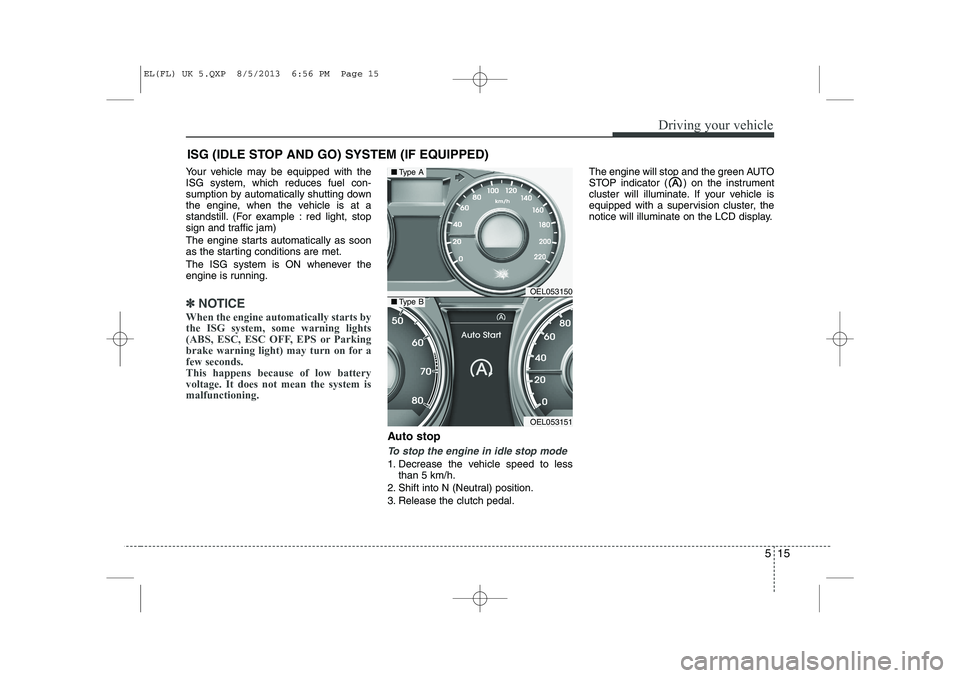
Auto stop
To stop the engine in idle stop mode
1. Decrease the vehicle speed to less than 5 km/h.
2. Shift into N (Neutral) position.
3. Release the clutch pedal. The engine will stop and the green AUTO
STOP indicator ( ) on the instrument
cluster will illuminate. If your vehicle is
equipped with a supervision cluster, the
notice will illuminate on the LCD display.
OEL053150
OEL053151
■
Type A
■Type B
EL(FL) UK 5.QXP 8/5/2013 6:56 PM Page 15
Page 1352 of 1534
Driving your vehicle
18
5
ISG system malfunction
The system may not operate when:
- The ISG related sensors or system
error occurs.
The yellow AUTO STOP indicator ( )
on the instrument cluster will stay on
after blinking for 5 seconds and the light
on the ISG OFF button will illuminate.
✽✽ NOTICE
Page 1357 of 1534
523
Driving your vehicle
Automatic transaxle operation
The highly efficient automatic transaxle
has 6 forward speeds and one reverse
speed. The individual speeds are select-
ed automatically, depending on the posi-
tion of the shift lever.
✽✽NOTICE
The first few shifts on a new vehicle, if the battery has been disconnected, may
be somewhat abrupt. This is a normalcondition, and the shifting sequence will
adjust after shifts are cycled a few times
by the TCM (Transaxle Control
Module) or PCM (Powertrain ControlModule).
For smooth operation, depress the brake pedal when shifting from N (Neutral) to a forward or reverse gear.
Transaxle ranges
The indicator lights in the instrument
cluster displays the shift lever position
when the ignition switch is in the ONposition.
P (Park)
Always come to a complete stop before
shifting into P (Park). This position locks
the transaxle and prevents the frontwheels from rotating.
WARNING - Automatic
transaxle
Always check the surrounding areas near your vehicle for peo-
ple, especially children, before
shifting a vehicle into D (Drive) or
R (Reverse).
Before leaving the driver’s seat, always make sure the shift lever
is in the P (Park) position; then
set the parking brake fully and
shut the engine off. Unexpected
and sudden vehicle movementcan occur if these precautions
are not followed in the order iden-tified.
CAUTION
To avoid damage to your
transaxle, do not accelerate the
engine in R (Reverse) or any for- ward gear position with thebrakes on.
When stopped on an upgrade, do not hold the vehicle stationarywith engine power. Use the serv-ice brake or the parking brake.
Do not shift from N (Neutral) or P (Park) into D (Drive), or R
(Reverse) when the engine is above idle speed.
EL(FL) UK 5.QXP 8/5/2013 6:57 PM Page 23
Page 1384 of 1534
Driving your vehicle
50
5
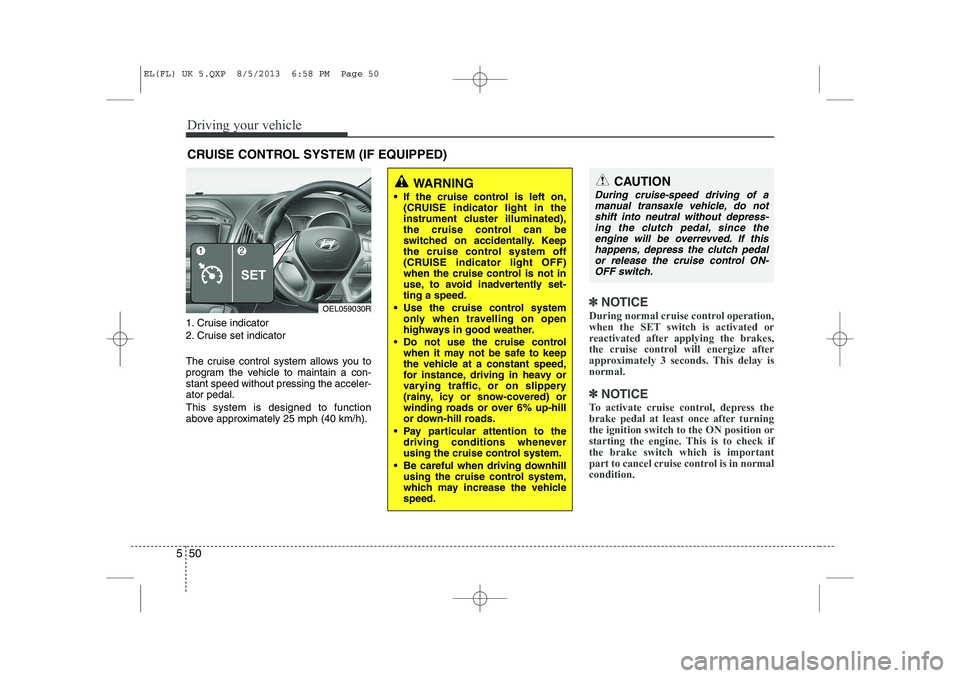
1. Cruise indicator
2. Cruise set indicator
The cruise control system allows you to
program the vehicle to maintain a con-stant speed without pressing the acceler-ator pedal. This system is designed to function
above approximately 25 mph (40 km/h).
✽✽
NOTICE
During normal cruise control operation,
when the SET switch is activated or
reactivated after applying the brakes,
the cruise control will energize after
approximately 3 seconds. This delay isnormal.
✽
✽ NOTICE
To activate cruise control, depress the
brake pedal at least once after turningthe ignition switch to the ON position or
starting the engine. This is to check ifthe brake switch which is important
part to cancel cruise control is in normalcondition.
CRUISE CONTROL SYSTEM (IF EQUIPPED)
WARNING
If the cruise control is left on, (CRUISE indicator light in the
instrument cluster illuminated),
the cruise control can be
switched on accidentally. Keep
the cruise control system off
(CRUISE indicator light OFF)
when the cruise control is not in
use, to avoid inadvertently set-ting a speed.
Use the cruise control system only when travelling on open
highways in good weather.
Do not use the cruise control when it may not be safe to keep
the vehicle at a constant speed,
for instance, driving in heavy or
varying traffic, or on slippery
(rainy, icy or snow-covered) or
winding roads or over 6% up-hill
or down-hill roads.
Pay particular attention to the driving conditions whenever
using the cruise control system.
Be careful when driving downhill using the cruise control system,
which may increase the vehiclespeed.CAUTION
During cruise-speed driving of a
manual transaxle vehicle, do notshift into neutral without depress-ing the clutch pedal, since the
engine will be overrevved. If thishappens, depress the clutch pedalor release the cruise control ON- OFF switch.
OEL059030R
EL(FL) UK 5.QXP 8/5/2013 6:58 PM Page 50