malfunction HYUNDAI IX35 2014 Workshop Manual
[x] Cancel search | Manufacturer: HYUNDAI, Model Year: 2014, Model line: IX35, Model: HYUNDAI IX35 2014Pages: 1534, PDF Size: 39.76 MB
Page 640 of 1534
Features of your vehicle
150
4
Caring for disc
If the temperature inside the car is too
high, open the car windows to ventilate
before using the system.
It is illegal to copy and use MP3/WMA files without permission. Use CDs that
are created only by lawful means.
Do not apply volatile agents, such as benzene and thinner, normal cleaners
and magnetic sprays made for ana-
logue disc onto CDs.
To prevent the disc surface from get- ting damaged, hold CDs by the edges
or the center hole only.
Clean the disc surface with a piece of soft cloth before playback (wipe it fromthe center to the outside edge).
Do not damage the disc surface or attach pieces of sticky tape or paper.
Make certain only CDs are inserted into the CD player (Do not insert morethan one CD at a time).
Keep CDs in their cases after use to protect them from scratches or dirt.
Depending on the type of CD-R/CD- RW CDs, certain CDs may not operate
normally according to manufacturingcompanies or making and recording
methods. In such circumstances, con-
tinued use may cause malfunctions to
your audio system.✽✽ NOTICE - Playing an
Incompatible Copy
Protected Audio CD
Some copy protected CDs, which do not comply with international audio CDstandards (Red Book), may not play on
your car audio. Please note that inabili-
ties to properly play a copy protectedCD may indicate that the CD is defec-
tive, not the CD player. ✽✽
NOTICE
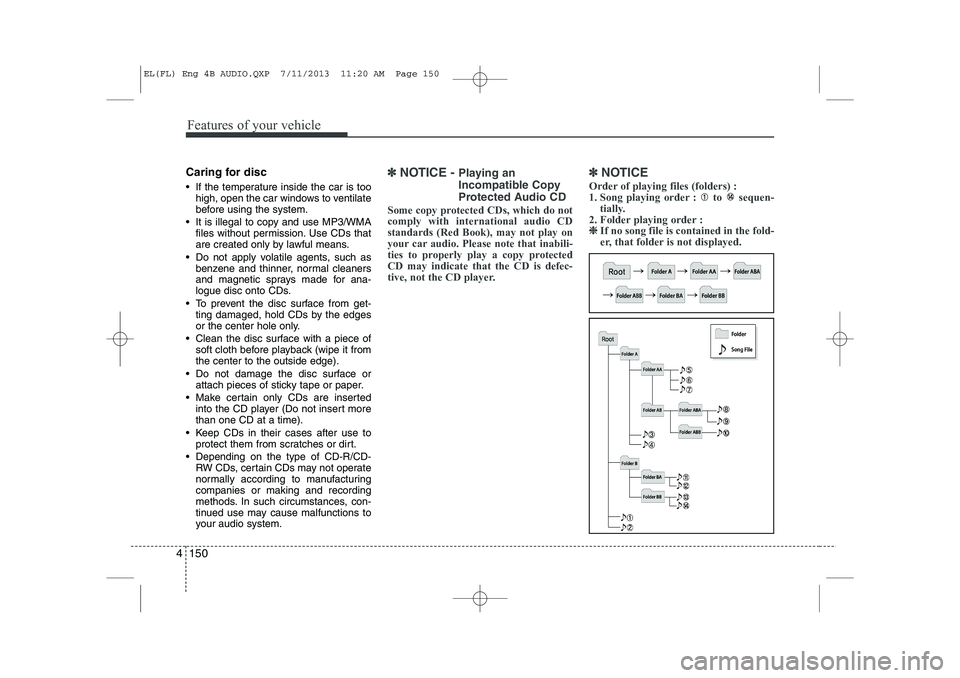
Order of playing files (folders) :
1. Song playing order : to sequen- tially.
2. Folder playing order : ❈
❈ If no song file is contained in the fold-
er, that folder is not displayed.
EL(FL) Eng 4B AUDIO.QXP 7/11/2013 11:20 AM Page 150
Page 641 of 1534
4 151
Features of your vehicle
WARNING
Do not stare at the screen while driving. Staring at the screen for
prolonged periods of time couldlead to traffic accidents.
Do not disassemble, assemble, or modify the audio system. Suchacts could result in accidents,
fire, or electric shock.
Using the phone while driving may lead to a lack of attention oftraffic conditions and increase
the likelihood of accidents. Use
the phone feature after parking
the vehicle.
Heed caution not to spill water or introduce foreign objects into the
device. Such acts could lead to
smoke, fire, or product malfunc-tion.
(Continued)(Continued)
Driving while distracted canresult in a loss of vehicle control
that may lead to an accident,
severe personal injury, and death.
The driver’s primary responsibili-
ty is in the safe and legal opera-
tion of a vehicle, and use of any
handheld devices, other equip-
ment, or vehicle systems which
take the driver’s eyes, attention
and focus away from the safe
operation of a vehicle or which
are not permissible by law should
never be used during operation
of the vehicle.(Continued)
Please refrain from use if thescreen is blank or no sound can
be heard as these signs may indi-
cate product malfunction.
Continued use in such conditionscould lead to accidents(fires,
electric shock) or product mal-functions.
Do not touch the antenna during thunder or lightening as such
acts may lead to lightning
induced electric shock.
Do not stop or park in parking- restricted areas to operate the
product. Such acts could lead totraffic accidents.
Use the system with the vehicle ignition turned on. Prolonged usewith the ignition turned off could
result in battery discharge.
(Continued)
EL(FL) Eng 4B AUDIO.QXP 7/11/2013 11:20 AM Page 151
Page 642 of 1534
Features of your vehicle
152
4
(Continued)
Turn on the car ignition before using this device. Do not operatethe audio system for long periodsof time with the ignition turned off
as such operations may lead tobattery discharge.
Do not subject the device to severe shock or impact. Direct
pressure onto the front side of the monitor may cause damage tothe LCD or touch screen.
When cleaning the device, make sure to turn off the device anduse a dry and smooth cloth.Never use tough materials, chem- ical cloths, or solvents (alcohol,
benzene, thinners, etc.) as such materials may damage the devicepanel or cause color/quality dete- rioration
(Continued)(Continued) Do not place beverages close to the audio system. Spilling bever-ages may lead to system mal-function.
In case of product malfunction, please contact your place of pur-chase or After Service center.
Placing the audio system within an electromagnetic environment
may result in noise interference.
Prevent caustic solutions such as perfume and cosmetic oil fromcontacting the dashboard
because they may cause damageor discoloration.CAUTION
Operating the device while driv- ing could lead to accidents due to
a lack of attention to external sur-roundings. First park the vehiclebefore operating the device.
Adjust the volume to levels that allow the driver to hear soundsfrom outside of the vehicle.Driving in a state where externalsounds cannot be heard may lead
to accidents.
Pay attention to the volume set- ting when turning the device on.A sudden output of extreme vol-
ume upon turning the device oncould lead to hearing impairment. (Adjust the volume to a suitablelevels before turning off the
device.)
(Continued)
EL(FL) Eng 4B AUDIO.QXP 7/11/2013 11:20 AM Page 152
Page 692 of 1534
Features of your vehicle
202
4
Language Support
(Unicode Support)
1. English: 94 characters
2. Special characters and Symbols : 986 characters
❈ Languages other than Korean and English (including Chinese) are notincluded.
3. Text Display (Based on Unicode) - File name: Maximum 64 Englishcharacters
- Folder name: Max 32 English charac- ters
❈ Using the scroll feature allows you to see the entire name of files withnames that are too long to be dis-
played at once. Compatibility by Disc Type
1. Playing MIXED CDs: First plays the
audio CD, then plays the compressed file(s).
2. Playing EXTRA CDs: First plays the audio CD, then plays the compressedfile(s).
3. Playing multisession CDs: Plays in order of sessions
- MIXED CD : CD type in which both MP3 and audio CD files are recog-
nized in one disc.
- Multisession CD CD type that includes more than two sessions.
Different from Extra CDs, multises-
sion CDs are recorded by sessions
and have no media limitation. Precautions upon Writing CDs
1. In all cases except when creating mul-
tisession discs, check the close ses-
sion option before creating the disc.Though product malfunctions will not
occur, some time may be required for
the device to check whether the ses-
sion state is closed (approximately 25
seconds). (Additional time may also be
required depending on the number of
folders or files.)
2. Changing the MP3/WMA file exten- sions or changing files of other exten-
sions to MP3/WMA may result in prod-uct malfunction.
3. When naming files with MP3/WMA file extensions, write using only Korean
and English. (Languages other than
Korean and English are not supported
and are displayed as blank.)
4. Unauthorized use or duplication of music files are prohibited by law.
5. Prolonged use of CD-R/CD-RW discs that do not satisfy related standardsand/or specifications could result inproduct malfunction.
6. Unauthorized use or duplication of MP3/WMA files is prohibited by law.
EL(FL) Eng 4B AUDIO.QXP 7/11/2013 11:20 AM Page 202
Page 761 of 1534
57
Driving your vehicle
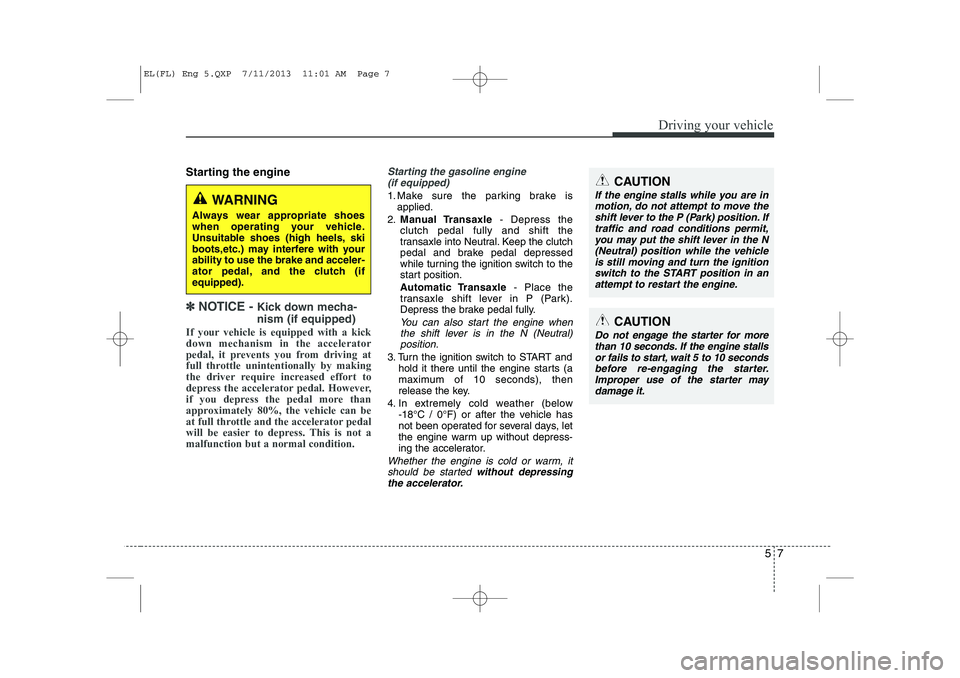
Starting the engine
✽✽
NOTICE - Kick down mecha- nism (if equipped)
If your vehicle is equipped with a kick down mechanism in the accelerator
pedal, it prevents you from driving at
full throttle unintentionally by making
the driver require increased effort to
depress the accelerator pedal. However,
if you depress the pedal more than
approximately 80%, the vehicle can be
at full throttle and the accelerator pedal
will be easier to depress. This is not amalfunction but a normal condition.
Starting the gasoline engine (if equipped)
1. Make sure the parking brake is applied.
2. Manual Transaxle - Depress the
clutch pedal fully and shift the
transaxle into Neutral. Keep the clutch
pedal and brake pedal depressed
while turning the ignition switch to the
start position.
Automatic Transaxle - Place the
transaxle shift lever in P (Park).
Depress the brake pedal fully.
You can also start the engine when
the shift lever is in the N (Neutral)position.
3. Turn the ignition switch to START and hold it there until the engine starts (a
maximum of 10 seconds), then
release the key.
4. In extremely cold weather (below -18°C / 0°F) or after the vehicle has
not been operated for several days, let
the engine warm up without depress-
ing the accelerator.
Whether the engine is cold or warm, it
should be started without depressing
the accelerator.
CAUTION
If the engine stalls while you are in motion, do not attempt to move the
shift lever to the P (Park) position. Iftraffic and road conditions permit,you may put the shift lever in the N (Neutral) position while the vehicle
is still moving and turn the ignitionswitch to the START position in an attempt to restart the engine.
CAUTION
Do not engage the starter for morethan 10 seconds. If the engine stallsor fails to start, wait 5 to 10 seconds
before re-engaging the starter.Improper use of the starter maydamage it.
WARNING
Always wear appropriate shoes
when operating your vehicle.
Unsuitable shoes (high heels, ski
boots,etc.) may interfere with yourability to use the brake and acceler-
ator pedal, and the clutch (ifequipped).
EL(FL) Eng 5.QXP 7/11/2013 11:01 AM Page 7
Page 769 of 1534
515
Driving your vehicle
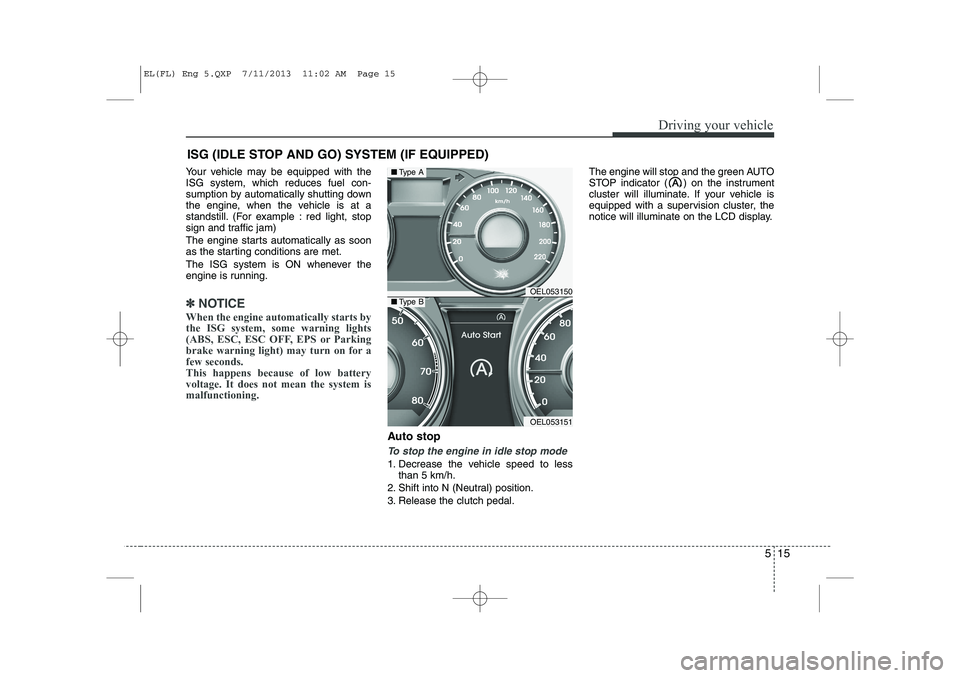
Your vehicle may be equipped with the ISG system, which reduces fuel con-
sumption by automatically shutting down
the engine, when the vehicle is at a
standstill. (For example : red light, stop
sign and traffic jam)
The engine starts automatically as soon
as the starting conditions are met.
The ISG system is ON whenever the
engine is running.
✽✽NOTICE
When the engine automatically starts by
the ISG system, some warning lights
(ABS, ESC, ESC OFF, EPS or Parking
brake warning light) may turn on for afew seconds.This happens because of low batteryvoltage. It does not mean the system ismalfunctioning.
Auto stop
To stop the engine in idle stop mode
1. Decrease the vehicle speed to less than 5 km/h.
2. Shift into N (Neutral) position.
3. Release the clutch pedal. The engine will stop and the green AUTO
STOP indicator ( ) on the instrument
cluster will illuminate. If your vehicle is
equipped with a supervision cluster, the
notice will illuminate on the LCD display.
ISG (IDLE STOP AND GO) SYSTEM (IF EQUIPPED)
OEL053150
OEL053151
■
Type A
■Type B
EL(FL) Eng 5.QXP 7/11/2013 11:02 AM Page 15
Page 772 of 1534
Driving your vehicle
18
5
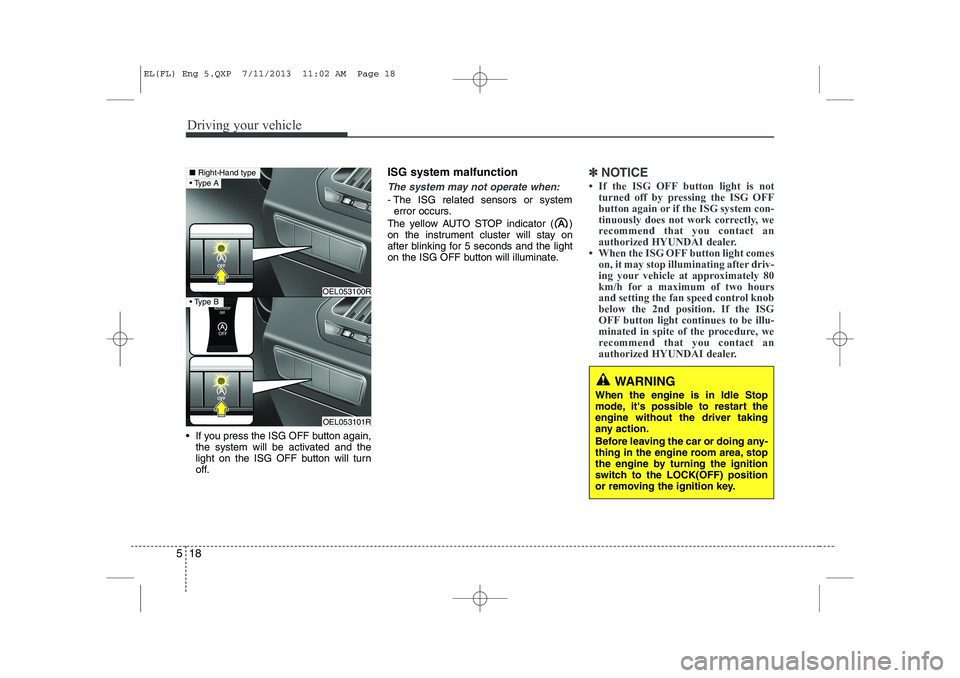
If you press the ISG OFF button again,
the system will be activated and the
light on the ISG OFF button will turn
off. ISG system malfunction
The system may not operate when:
- The ISG related sensors or system
error occurs.
The yellow AUTO STOP indicator ( )
on the instrument cluster will stay on
after blinking for 5 seconds and the light
on the ISG OFF button will illuminate.
✽✽ NOTICE
Page 775 of 1534
521
Driving your vehicle
Downshifting
When you must slow down in heavy traf-
fic or while driving up steep hills, down-
shift before the engine starts to labor.
Downshifting reduces the chance of
stalling and gives better acceleration
when you again need to increase your
speed. When the vehicle is traveling
down steep hills, downshifting helps
maintain safe speed and prolongs brake
life.Good driving practices
Never take the vehicle out of gear and
coast down a hill. This is extremely
hazardous. Always leave the vehicle in
gear.
Don't "ride" the brakes. This can cause them to overheat and malfunction.
Instead, when you are driving down a
long hill, slow down and shift to a lower
gear. When you do this, engine braking
will help slow down the vehicle.
Slow down before shifting to a lower gear. This will help avoid over-revving
the engine, which can cause damage.
Slow down when you encounter cross winds. This gives you much better con-
trol of your vehicle.
Be sure the vehicle is completely stopped before you attempt to shift into
reverse. The transaxle can be dam-
aged if you do not. To shift into reverse,
depress the clutch, move the shift lever
to neutral, wait three seconds, then
shift to the reverse position.
Exercise extreme caution when driving on a slippery surface. Be especially
careful when braking, accelerating or
shifting gears. On a slippery surface,
an abrupt change in vehicle speed can
cause the drive wheels to lose traction
and the vehicle to go out of control.WARNING
Always buckle-up! In a collision, an unbelted occupant is signifi-
cantly more likely to be seriously
injured or killed than a properlybelted occupant.
Avoid high speeds when corner- ing or turning.
Do not make quick steering wheel movements, such as sharp
lane changes or fast, sharp turns.
The risk of rollover is greatly increased if you lose control of
your vehicle at highway speeds.
Loss of control often occurs if two or more wheels drop off the
roadway and the driver over-
steers to reenter the roadway.
In the event your vehicle leaves the roadway, do not steer sharply.
Instead, slow down before pulling
back into the travel lanes.
Never exceed posted speed lim- its.
EL(FL) Eng 5.QXP 7/11/2013 11:02 AM Page 21
Page 782 of 1534
Driving your vehicle
28
5
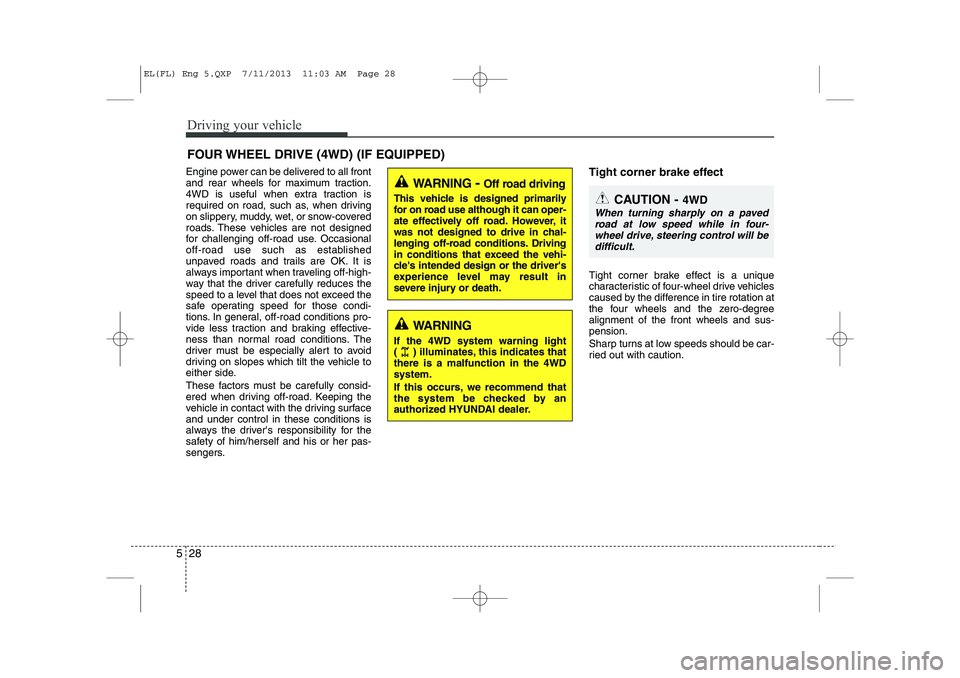
Engine power can be delivered to all front
and rear wheels for maximum traction.
4WD is useful when extra traction is
required on road, such as, when driving
on slippery, muddy, wet, or snow-covered
roads. These vehicles are not designed
for challenging off-road use. Occasional
off-road use such as established
unpaved roads and trails are OK. It is
always important when traveling off-high-
way that the driver carefully reduces the
speed to a level that does not exceed the
safe operating speed for those condi-
tions. In general, off-road conditions pro-
vide less traction and braking effective-
ness than normal road conditions. The
driver must be especially alert to avoid
driving on slopes which tilt the vehicle to
either side.
These factors must be carefully consid-
ered when driving off-road. Keeping the
vehicle in contact with the driving surfaceand under control in these conditions is
always the driver's responsibility for the
safety of him/herself and his or her pas-
sengers. Tight corner brake effect
Tight corner brake effect is a unique
characteristic of four-wheel drive vehicles
caused by the difference in tire rotation at
the four wheels and the zero-degreealignment of the front wheels and sus-pension.
Sharp turns at low speeds should be car-
ried out with caution.
FOUR WHEEL DRIVE (4WD) (IF EQUIPPED)
WARNING
- Off road driving
This vehicle is designed primarily
for on road use although it can oper-
ate effectively off road. However, it
was not designed to drive in chal-
lenging off-road conditions. Driving
in conditions that exceed the vehi-
cle's intended design or the driver's
experience level may result in
severe injury or death.
CAUTION - 4WD
When turning sharply on a paved
road at low speed while in four-wheel drive, steering control will be difficult.
WARNING
If the 4WD system warning light
( ) illuminates, this indicates thatthere is a malfunction in the 4WDsystem.
If this occurs, we recommend that
the system be checked by an
authorized HYUNDAI dealer.
EL(FL) Eng 5.QXP 7/11/2013 11:03 AM Page 28
Page 794 of 1534
Driving your vehicle
40
5
✽✽
NOTICE
When you jump start your vehicle
because of a drained battery, the engine
may not run as smoothly and the ABSwarning light may turn on at the same
time. This happens because of the lowbattery voltage. It does not mean yourABS is malfunctioning.