lock HYUNDAI IX35 2014 Repair Manual
[x] Cancel search | Manufacturer: HYUNDAI, Model Year: 2014, Model line: IX35, Model: HYUNDAI IX35 2014Pages: 1534, PDF Size: 39.76 MB
Page 221 of 1534
Driving your vehicle
16
5
Using the clutch
The clutch should be pressed all the way
to the floor before shifting, then released
slowly. The clutch pedal should always be
fully released whilst driving. Do not rest
your foot on the clutch pedal whilst driv-
ing. This can cause unnecessary wear.
Do not partially engage the clutch to hold
the vehicle on an incline. This causes
unnecessary wear. Use the foot brake or
parking brake to hold the vehicle on an
incline. Do not operate the clutch pedal
rapidly and repeatedly.CAUTION
To avoid premature clutch wear
and damage, do not drive with
your foot resting on the clutch pedal. Also, don’t use the clutchto hold the vehicle stopped on anuphill grade, whilst waiting for a
traffic light, etc.
Do not use the shift lever as a handrest during driving, as thiscan result in premature wear of
the transaxle shift forks.
When operating the clutch pedal, press the clutch pedal down fully.If you don’t press the clutch pedal
fully, the clutch may be damagedor noise may occur.
To prevent possible damage to the clutch system, do not startwith the 2nd (second) gear
engaged except when you start on a alippery road.WARNING
Before leaving the driver’s seat, always set the parking brake fully
and shut the engine off. Thenmake sure the transaxle is shifted
into 1st gear when the vehicle is
parked on a level or uphill grade,
and shifted into R (Reverse) on a
downhill grade. Unexpected and
sudden vehicle movement canoccur if these precautions are not
followed in the order identified.
If your vehicle has a manual transaxle not equipped with a
ignition lock switch, it may moveand cause a serious accident
when starting the engine without
depressing the clutch pedalwhilst the parking brake is
released and the shift lever not inthe N(Neutral) position.
EL(FL) Aust 5.QXP 7/26/2013 2:08 PM Page 16
Page 223 of 1534
Driving your vehicle
18
5
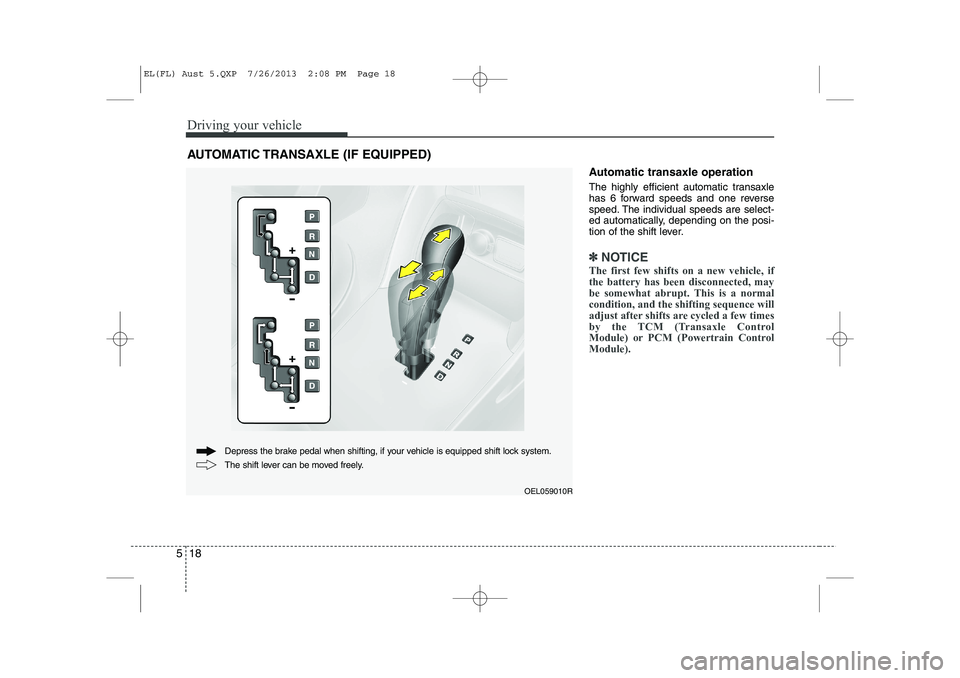
Automatic transaxle operation
The highly efficient automatic transaxle
has 6 forward speeds and one reverse
speed. The individual speeds are select-
ed automatically, depending on the posi-
tion of the shift lever.
✽✽
NOTICE
The first few shifts on a new vehicle, if the battery has been disconnected, may
be somewhat abrupt. This is a normalcondition, and the shifting sequence will
adjust after shifts are cycled a few times
by the TCM (Transaxle Control
Module) or PCM (Powertrain ControlModule).
AUTOMATIC TRANSAXLE (IF EQUIPPED)
OEL059010R
The shift lever can be moved freely.
Depress the brake pedal when shifting, if your vehicle is equipped shift lock system.
EL(FL) Aust 5.QXP 7/26/2013 2:08 PM Page 18
Page 224 of 1534
519
Driving your vehicle
For smooth operation, depress the brakepedal when shifting from N (Neutral) to aforward or reverse gear.Transaxle ranges
The indicator lights in the instrument
cluster displays the shift lever position
when the ignition switch is in the ONposition.
P (Park)
Always come to a complete stop before
shifting into P (Park). This position locks
the transaxle and prevents the frontwheels from rotating.
WARNING - Automatic
transaxle
Always check the surrounding areas near your vehicle for peo-
ple, especially children, before
shifting a vehicle into D (Drive) or
R (Reverse).
Before leaving the driver’s seat, always make sure the shift lever
is in the P (Park) position; then
set the parking brake fully and
shut the engine off. Unexpected
and sudden vehicle movementcan occur if these precautions
are not followed in the order iden-tified.
CAUTION
To avoid damage to your
transaxle, do not accelerate the
engine in R (Reverse) or any for-ward gear position with thebrakes on.
When stopped on an upgrade, do not hold the vehicle stationarywith engine power. Use the serv- ice brake or the parking brake.
Do not shift from N (Neutral) or P (Park) into D (Drive), or R
(Reverse) when the engine isabove idle speed.
EL(FL) Aust 5.QXP 7/26/2013 2:08 PM Page 19
Page 225 of 1534
Driving your vehicle
20
5
R (Reverse)
Use this position to drive the vehicle
backward. N (Neutral)
The wheels and transaxle are not
engaged. The vehicle will roll freely even
on the slightest incline unless the parking
brake or service brakes are applied. D (Drive)
This is the normal forward driving posi-
tion. The transaxle will automatically shift
through a 6-gear sequence, providing the
best fuel economy and power.
For extra power when passing another
vehicle or climbing grades, depress the
accelerator fully, at which time the
transaxle will automatically downshift to
the next lower gear.
✽✽
NOTICE
Always come to a complete stop before shifting into D (Drive).
WARNING
Shifting into P (Park) whilst the vehicle is in motion will cause the
drive wheels to lock which will
cause you to lose control of the
vehicle.
Do not use the P (Park) position in place of the parking brake.
Always make sure the shift lever
is latched in the P (Park) position
and set the parking brake fully.
Never leave a child unattended in a vehicle.
CAUTION
The transaxle may be damaged if
you shift into P (Park) whilst the
vehicle is in motion.
CAUTION
Always come to a complete stopbefore shifting into or out of R
(Reverse); you may damage thetransaxle if you shift into R (Reverse) whilst the vehicle is inmotion, except as explained in
“Rocking the vehicle”, in this manu-al.
EL(FL) Aust 5.QXP 7/26/2013 2:08 PM Page 20
Page 227 of 1534
Driving your vehicle
22
5
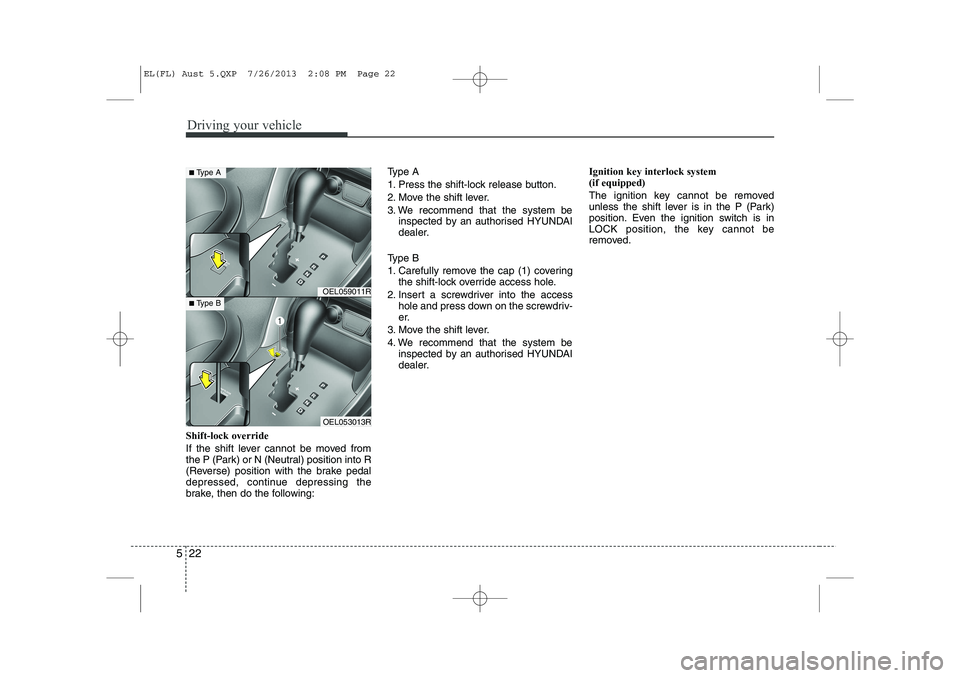
Shift-lock override
If the shift lever cannot be moved from
the P (Park) or N (Neutral) position into R
(Reverse) position with the brake pedal
depressed, continue depressing the
brake, then do the following: Type A
1. Press the shift-lock release button.
2. Move the shift lever.
3. We recommend that the system be
inspected by an authorised HYUNDAI
dealer.
Type B
1. Carefully remove the cap (1) covering the shift-lock override access hole.
2. Insert a screwdriver into the access hole and press down on the screwdriv-
er.
3. Move the shift lever.
4. We recommend that the system be inspected by an authorised HYUNDAI
dealer. Ignition key interlock system (if equipped)
The ignition key cannot be removed
unless the shift lever is in the P (Park)
position. Even the ignition switch is in
LOCK position, the key cannot be
removed.
OEL059011R
OEL053013R
■
Type A
■Type B
EL(FL) Aust 5.QXP 7/26/2013 2:08 PM Page 22
Page 230 of 1534
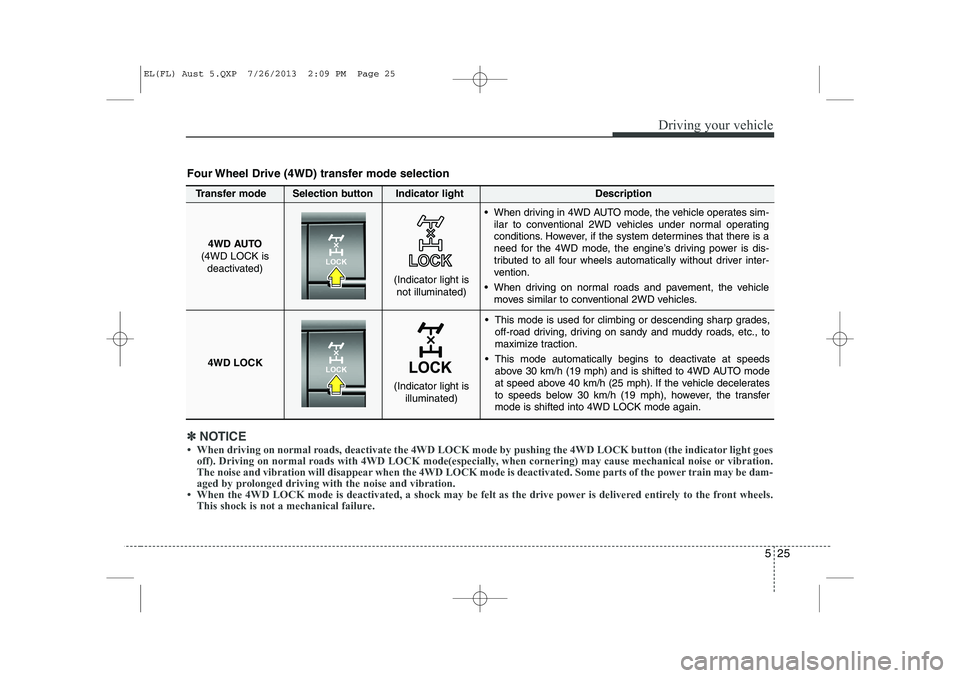
525
Driving your vehicle
This mode is used for climbing or descending sharp grades,off-road driving, driving on sandy and muddy roads, etc., to
maximize traction.
This mode automatically begins to deactivate at speeds above 30 km/h (19 mph) and is shifted to 4WD AUTO mode
at speed above 40 km/h (25 mph). If the vehicle decelerates
to speeds below 30 km/h (19 mph), however, the transfermode is shifted into 4WD LOCK mode again.
4WD AUTO
(4WD LOCK is deactivated)
(Indicator light isnot illuminated)
✽✽ NOTICE
Page 232 of 1534
527
Driving your vehicle
You must consciously take the effort tolearn how to corner in a 4WD vehicle.
Do not rely on your experience in con-
ventional 2WD vehicles in choosing
safe cornering speed in 4WD mode.
For starters, you must drive more slow-
ly in 4WD.
Drive carefully off-road because your vehicle may be damaged by rocks or
roots of trees. Become familiar with the
off-road conditions where you are
going to drive before you begin driving.
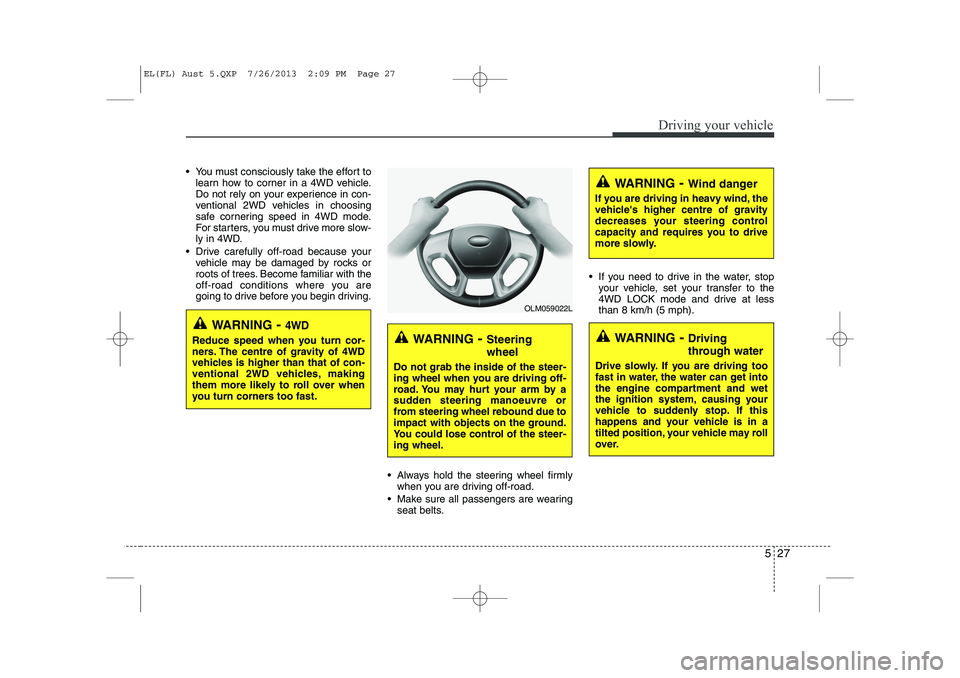
Always hold the steering wheel firmlywhen you are driving off-road.
Make sure all passengers are wearing seat belts. If you need to drive in the water, stop
your vehicle, set your transfer to the
4WD LOCK mode and drive at lessthan 8 km/h (5 mph).
WARNING - Steering wheel
Do not grab the inside of the steer-
ing wheel when you are driving off-
road. You may hurt your arm by a
sudden steering manoeuvre or
from steering wheel rebound due to
impact with objects on the ground.
You could lose control of the steer-ing wheel.
WARNING - Wind danger
If you are driving in heavy wind, the
vehicle's higher centre of gravity
decreases your steering control
capacity and requires you to drive
more slowly.
WARNING - Driving
through water
Drive slowly. If you are driving too
fast in water, the water can get into
the engine compartment and wet
the ignition system, causing your
vehicle to suddenly stop. If this
happens and your vehicle is in a
tilted position, your vehicle may roll
over.
OLM059022L
WARNING - 4WD
Reduce speed when you turn cor-
ners. The centre of gravity of 4WD
vehicles is higher than that of con-
ventional 2WD vehicles, making
them more likely to roll over when
you turn corners too fast.
EL(FL) Aust 5.QXP 7/26/2013 2:09 PM Page 27
Page 239 of 1534
Driving your vehicle
34
5
Anti-lock brake system (ABS) The ABS continuously senses the speed
of the wheels. If the wheels are going to
lock, the ABS system repeatedly modu-
lates the hydraulic brake pressure to the
wheels.
When you apply your brakes under con-
ditions which may lock the wheels, you
may hear a “tik-tik’’ sound from the
brakes, or feel a corresponding sensation
in the brake pedal. This is normal and it
means your ABS is active.
In order to obtain the maximum benefit
from your ABS in an emergency situa-
tion, do not attempt to modulate your
brake pressure and do not try to pump
your brakes. Press your brake pedal as
hard as possible or as hard as the situa-
tion warrants and allow the ABS to con-
trol the force being delivered to the
brakes.
WARNING
ABS (or ESC) will not prevent acci-
dents due to improper or danger-
ous driving manoeuvres. Even
though vehicle control is improved
during emergency braking, always
maintain a safe distance between
you and objects ahead. Vehicle
speeds should always be reduced
during extreme road conditions.
The braking distance for vehicle
equipped with an anti-lock braking
system (Electronic Stability
Program System) may be longer
than for those without it in the fol-
lowing road conditions.
During these conditions the vehicle should be driven at reducedspeeds:
Rough, gravel or snow-covered roads.
With tyre chains installed.
On roads where the road surface is pitted or has different surface height.
(Continued)
(Continued)
The safety features of an ABS (or
ESC) equipped vehicle should not
be tested by high speed driving or
cornering. This could endanger the
safety of yourself or others.
EL(FL) Aust 5.QXP 7/26/2013 2:09 PM Page 34
Page 240 of 1534
535
Driving your vehicle
✽✽NOTICE
A click sound may be heard in the engine compartment when the vehicle
begins to move after the engine is start-
ed. These conditions are normal andindicate that the anti-lock brake system
is functioning properly.
Even with the anti-lock brake system, your vehicle still requires sufficient
stopping distance. Always maintain a
safe distance from the vehicle in front
of you.
Always slow down when cornering. The anti-lock brake system cannot pre-
vent accidents resulting from exces-
sive speeds.
On loose or uneven road surfaces, operation of the anti-lock brake system
may result in a longer stopping dis-
tance than for vehicles equipped with a
conventional brake system.
CAUTION
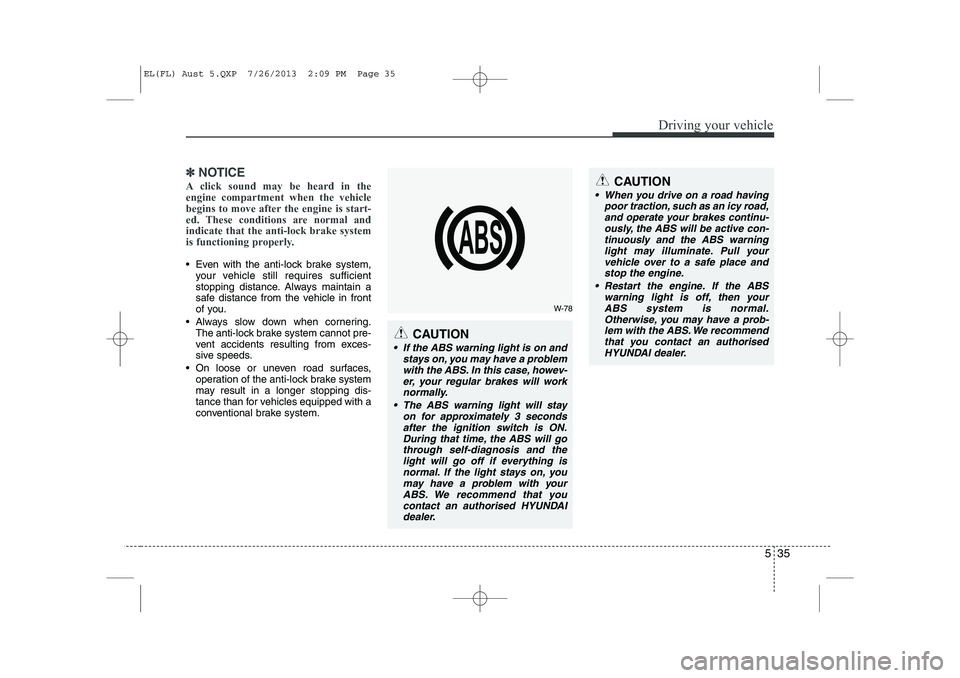
If the ABS warning light is on and
stays on, you may have a problemwith the ABS. In this case, howev-
er, your regular brakes will worknormally.
The ABS warning light will stay on for approximately 3 secondsafter the ignition switch is ON.
During that time, the ABS will gothrough self-diagnosis and the light will go off if everything isnormal. If the light stays on, you
may have a problem with yourABS. We recommend that you contact an authorised HYUNDAIdealer.
CAUTION
When you drive on a road having poor traction, such as an icy road,
and operate your brakes continu- ously, the ABS will be active con-tinuously and the ABS warninglight may illuminate. Pull your
vehicle over to a safe place andstop the engine.
Restart the engine. If the ABS warning light is off, then your
ABS system is normal. Otherwise, you may have a prob-lem with the ABS. We recommend that you contact an authorised
HYUNDAI dealer.
W-78
EL(FL) Aust 5.QXP 7/26/2013 2:09 PM Page 35
Page 242 of 1534
537
Driving your vehicle
The Electronic Stability Control (ESC) system is an electronic system designed
to help the driver maintain vehicle control
under adverse conditions. It is not a sub-
stitute for safe driving practices.
Factors including speed, road conditions
and driver steering input can all affect
whether ESC will be effective in prevent-
ing a loss of control. It is still your respon-
sibility to drive and corner at reasonable
speeds and to leave a sufficient margin
of safety.
When you apply your brakes under con-
ditions which may lock the wheels, you
may hear a “tik-tik’’ sound from the
brakes, or feel a corresponding sensation
in the brake pedal. This is normal and it
means your ESC is active.
✽✽NOTICE
A click sound may be heard in the engine compartment when the vehicle
begins to move after the engine is start-
ed. These conditions are normal and
indicate that the Electronic Stability
Program System is functioning proper-
ly.
ESC operation
ESC ON condition
When the ignition is turnedON, ESC and ESC OFF indi-
cator lights illuminate for
approximately 3 seconds,
then ESC is turned on.
Press the ESC OFF button for at least half a second after
turning the ignition ON to turn
ESC off. (ESC OFF indicator
will illuminate). To turn theESC on, press the ESC OFF
button (ESC OFF indicatorlight will go off).
When starting the engine, you may hear a slight ticking
sound. This is the ESC per-
forming an automatic system
self-check and does not indi-
cate a problem. When operating
When the ESC is in operation,
ESP indicator light blinks.
When the Electronic StabilityControl is operating properly,
you can feel a slight pulsation
in the vehicle. This is only the
effect of brake control and
indicates nothing unusual.
When moving out of the mud or slippery road, pressing the
accelerator pedal may not
cause the engine rpm (revo-
lutions per minute) to
increase.
-
EL(FL) Aust 5.QXP 7/26/2013 2:09 PM Page 37