check engine light HYUNDAI IX35 2015 User Guide
[x] Cancel search | Manufacturer: HYUNDAI, Model Year: 2015, Model line: IX35, Model: HYUNDAI IX35 2015Pages: 550, PDF Size: 11.23 MB
Page 164 of 550
479
Features of your vehicle
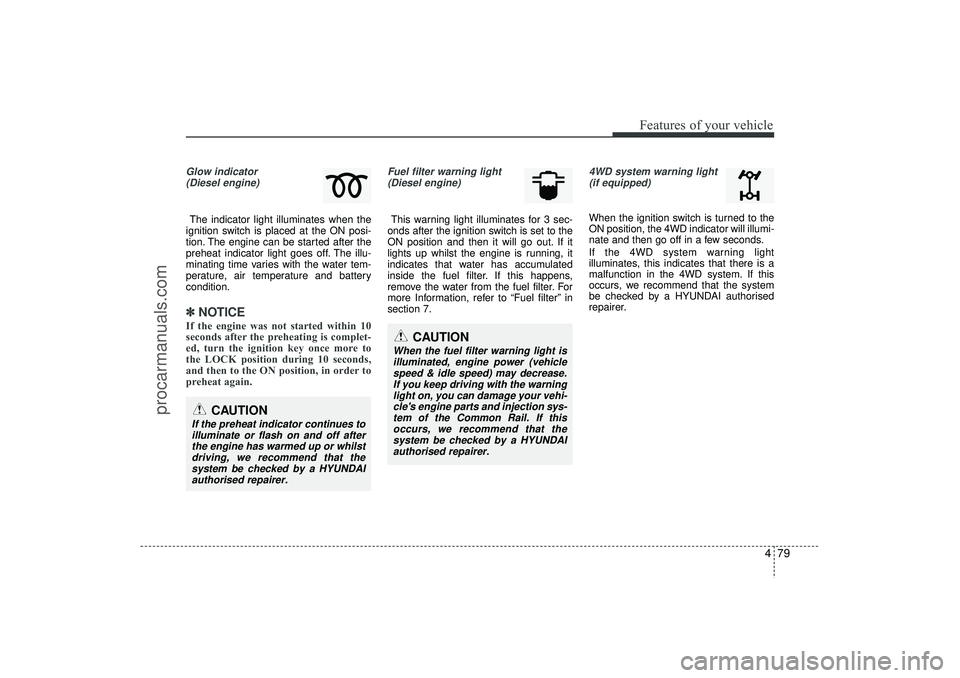
Glow indicator(Diesel engine)The indicator light illuminates when the
ignition switch is placed at the ON posi-
tion. The engine can be started after the
preheat indicator light goes off. The illu-
minating time varies with the water tem-
perature, air temperature and battery
condition.✽ ✽ NOTICEIf the engine was not started within 10
seconds after the preheating is complet-
ed, turn the ignition key once more to
the LOCK position during 10 seconds,
and then to the ON position, in order to
preheat again.
Fuel filter warning light
(Diesel engine)This warning light illuminates for 3 sec-
onds after the ignition switch is set to the
ON position and then it will go out. If it
lights up whilst the engine is running, it
indicates that water has accumulated
inside the fuel filter. If this happens,
remove the water from the fuel filter. For
more Information, refer to “Fuel filter” in
section 7.
4WD system warning light (if equipped) When the ignition switch is turned to the
ON position, the 4WD indicator will illumi-
nate and then go off in a few seconds.
If the 4WD system warning light
illuminates, this indicates that there is a
malfunction in the 4WD system. If this
occurs, we recommend that the system
be checked by a HYUNDAI authorised
repairer.
CAUTION
When the fuel filter warning light isilluminated, engine power (vehicle speed & idle speed) may decrease.If you keep driving with the warning light on, you can damage your vehi-cle's engine parts and injection sys- tem of the Common Rail. If thisoccurs, we recommend that the system be checked by a HYUNDAIauthorised repairer.
CAUTION
If the preheat indicator continues toilluminate or flash on and off after the engine has warmed up or whilstdriving, we recommend that thesystem be checked by a HYUNDAI authorised repairer.
EL(FL) UK 4A.QXP 2/9/2015 9:05 PM Page 79
procarmanuals.com
Page 194 of 550
4 109
Features of your vehicle
Headlight washer (if equipped)If your vehicle is equipped with the head-
light washer it will operate at the same
time when you operate the windscreen
washer. It will operate when the headlight
low beam is turned on and the ignition
switch or engine start/stop button is in
the ON position.
The washer fluid will be sprayed on to the
headlights.✽ ✽NOTICE• Check the headlight washers periodi-
cally to confirm that the washer fluid
is being sprayed properly onto the
headlight lenses.
• The headlight washer can be operated 15 minutes after being operated last
time.
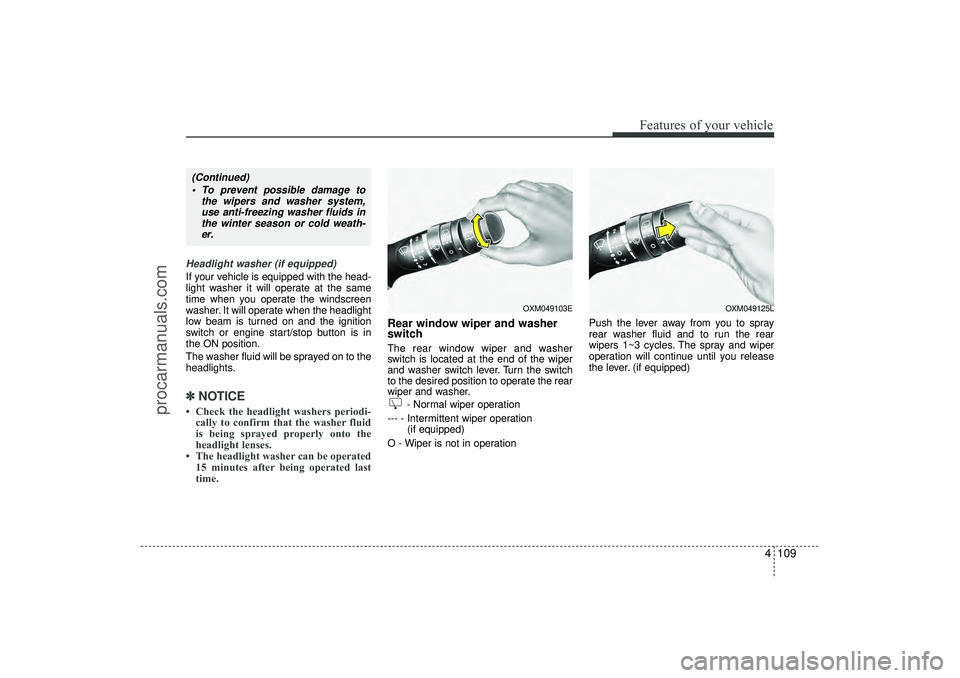
Rear window wiper and washer
switch The rear window wiper and washer
switch is located at the end of the wiper
and washer switch lever. Turn the switch
to the desired position to operate the rear
wiper and washer.
- Normal wiper operation
--- - Intermittent wiper operation (if equipped)
O - Wiper is not in operation Push the lever away from you to spray
rear washer fluid and to run the rear
wipers 1~3 cycles. The spray and wiper
operation will continue until you release
the lever. (if equipped)
OXM049103E
OXM049125L
(Continued)
To prevent possible damage to the wipers and washer system,use anti-freezing washer fluids inthe winter season or cold weath-er.
EL(FL) UK 4A.QXP 2/9/2015 9:07 PM Page 109
procarmanuals.com
Page 352 of 550
Driving your vehicle45Before entering vehicle• Be sure that all windows, outside mir-ror(s), and outside lights are clean.
Check the condition of the tyres.
Check under the vehicle for any sign of leaks.
Be sure there are no obstacles behind you if you intend to back up.
Necessary inspections Fluid levels, such as engine oil, engine
coolant, brake fluid, and washer fluid
should be checked on a regular basis,
with the exact interval depending on the
fluid.
Before starting Close and lock all doors.
Position the seat so that all controls areeasily reached.
Adjust the inside and outside rearview mirrors.
Be sure that all lights work.
Check all gauges.
Check the operation of warning lights when the ignition switch is turned to
the ON position.
Release the parking brake and make sure the brake warning light goes out.
For safe operation, be sure you are famil-
iar with your vehicle and its equipment.
BEFORE DRIVING
WARNING
All passengers must be properly
belted whenever the vehicle is mov-
ing. Refer to “Seat belts” in section
3 for more information on their
proper use.
WARNING
Always check the surrounding
areas near your vehicle for people,
especially children, before putting a
vehicle into “Drive” or “Reverse”.
WARNING
Driving whilst distracted can result
in a loss of vehicle control, that
may lead to an accident, severe
personal injury, and death. The dri-
ver’s primary responsibility is in
the safe and legal operation of a
vehicle, and use of any handheld
devices, other equipment, or vehi-
cle systems which take the driver’s
eyes, attention and focus away
from the safe operation of a vehicle
or which are not permissible by law
should never be used during oper-
ation of the vehicle.
EL(FL) UK 5.QXP 12/16/2014 8:08 PM Page 4
procarmanuals.com
Page 354 of 550
Driving your vehicle65Ignition switch positionLOCKThe steering wheel locks to protect
against theft. The ignition key can be
removed only in the LOCK position.
When turning the ignition switch to the
LOCK position, push the key inward at
the ACC position and turn the key toward
the LOCK position.
ACC (Accessory)The steering wheel is unlocked and elec-
trical accessories are operative.✽ ✽NOTICEIf difficulty is experienced turning the
ignition switch to the ACC position, turn
the key whilst turning the steering wheel
right and left to release the tension.ONThe warning lights can be checked
before the engine is started. This is the
normal running position after the engine
is started.Do not leave the ignition switch ON if the
engine is not running to prevent battery discharge.
STARTTurn the ignition key to the START posi-
tion to start the engine. The engine will
crank until you release the key; then it
returns to the ON position. The brake
warning lamp can be checked in this
position.
WARNING -
Ignition key
Never turn the ignition switch to LOCK or ACC whilst the vehicle is
moving. This would result in loss
of directional control and braking
function, which could cause an
accident.
The anti-theft steering column lock is not a substitute for the parking
brake. Before leaving the driver’s
seat, always make sure the shift
lever is engaged in 1
stgear for the
manual transaxle or P (Park) for
the automatic transaxle, set the
parking brake fully and shut the
engine off. Unexpected and sud-
den vehicle movement may occur
if these precautions are not taken.
Never reach for the ignition switch, or any other controls through the
steering wheel whilst the vehicle is
in motion. The presence of your
hand or arm in this area could
cause a loss of vehicle control, an
accident and serious bodily injury
or death.
Do not place any movable objects around the driver’s seat as they
may move whilst driving, interfere
with the driver and lead to an acci-
dent.
EL(FL) UK 5.QXP 12/16/2014 8:08 PM Page 6
procarmanuals.com
Page 357 of 550
59
Driving your vehicle
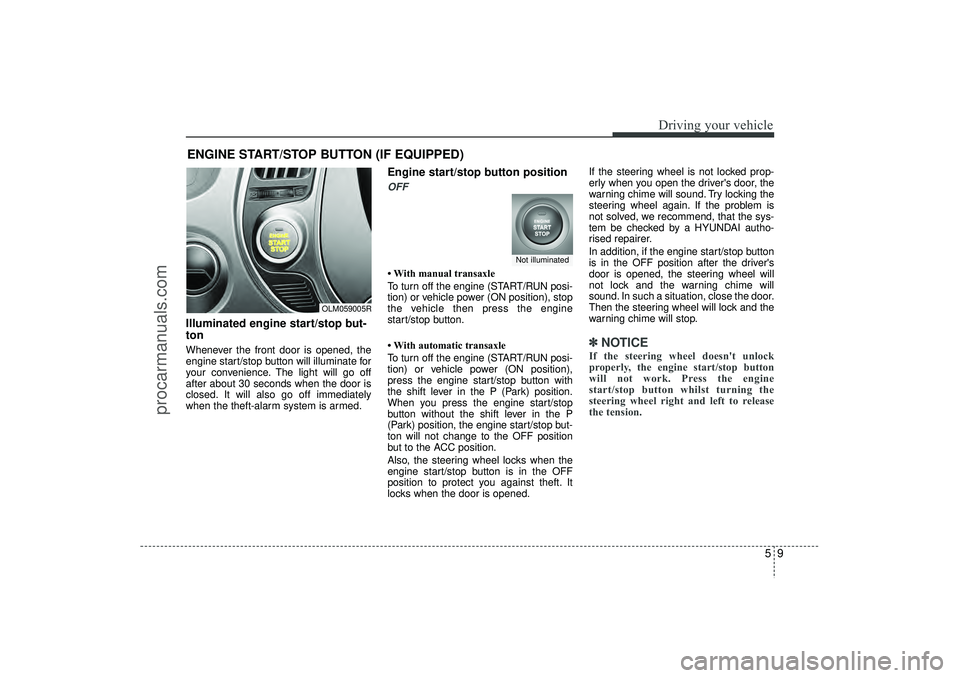
ENGINE START/STOP BUTTON (IF EQUIPPED)Illuminated engine start/stop but-
tonWhenever the front door is opened, the
engine start/stop button will illuminate for
your convenience. The light will go off
after about 30 seconds when the door is
closed. It will also go off immediately
when the theft-alarm system is armed.
Engine start/stop button positionOFF• With manual transaxle
To turn off the engine (START/RUN posi-
tion) or vehicle power (ON position), stop
the vehicle then press the engine
start/stop button.
• With automatic transaxle
To turn off the engine (START/RUN posi-
tion) or vehicle power (ON position),
press the engine start/stop button with
the shift lever in the P (Park) position.
When you press the engine start/stop
button without the shift lever in the P
(Park) position, the engine start/stop but-
ton will not change to the OFF position
but to the ACC position.
Also, the steering wheel locks when the
engine start/stop button is in the OFF
position to protect you against theft. It
locks when the door is opened.If the steering wheel is not locked prop-
erly when you open the driver's door, the
warning chime will sound. Try locking the
steering wheel again. If the problem is
not solved, we recommend, that the sys-
tem be checked by a HYUNDAI autho-
rised repairer.
In addition, if the engine start/stop button
is in the OFF position after the driver's
door is opened, the steering wheel will
not lock and the warning chime will
sound. In such a situation, close the door.
Then the steering wheel will lock and the
warning chime will stop.
✽ ✽
NOTICEIf the steering wheel doesn't unlock
properly, the engine start/stop button
will not work. Press the engine
start/stop button whilst turning the
steering wheel right and left to release
the tension.
OLM059005R
Not illuminated
EL(FL) UK 5.QXP 12/16/2014 8:08 PM Page 9
procarmanuals.com
Page 358 of 550
Driving your vehicle10
5
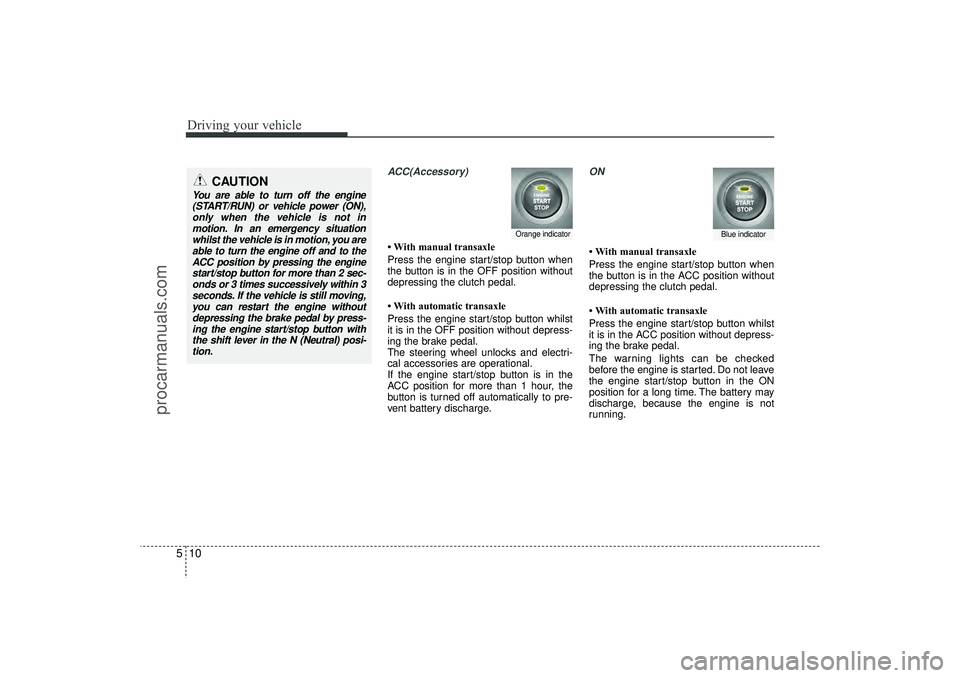
ACC(Accessory)• With manual transaxle
Press the engine start/stop button when
the button is in the OFF position without
depressing the clutch pedal.
• With automatic transaxle
Press the engine start/stop button whilst
it is in the OFF position without depress-
ing the brake pedal.
The steering wheel unlocks and electri-
cal accessories are operational.
If the engine start/stop button is in the
ACC position for more than 1 hour, the
button is turned off automatically to pre-
vent battery discharge.
ON• With manual transaxle
Press the engine start/stop button when
the button is in the ACC position without
depressing the clutch pedal.
• With automatic transaxle
Press the engine start/stop button whilst
it is in the ACC position without depress-
ing the brake pedal.
The warning lights can be checked
before the engine is started. Do not leave
the engine start/stop button in the ON
position for a long time. The battery may
discharge, because the engine is not
running.
Orange indicator
Blue indicator
CAUTION
You are able to turn off the engine
(START/RUN) or vehicle power (ON),only when the vehicle is not inmotion. In an emergency situation whilst the vehicle is in motion, you areable to turn the engine off and to theACC position by pressing the engine start/stop button for more than 2 sec-onds or 3 times successively within 3seconds. If the vehicle is still moving,you can restart the engine without depressing the brake pedal by press-ing the engine start/stop button with the shift lever in the N (Neutral) posi-tion.
EL(FL) UK 5.QXP 12/16/2014 8:08 PM Page 10
procarmanuals.com
Page 361 of 550
513
Driving your vehicle
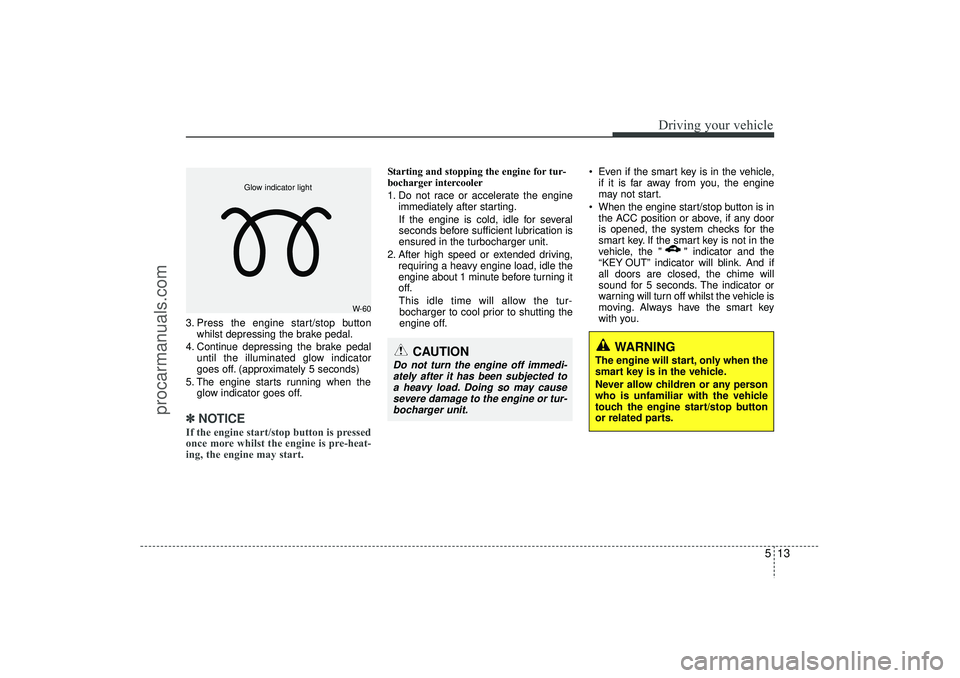
3. Press the engine start/stop buttonwhilst depressing the brake pedal.
4. Continue depressing the brake pedal until the illuminated glow indicator
goes off. (approximately 5 seconds)
5. The engine starts running when the glow indicator goes off.✽ ✽
NOTICEIf the engine start/stop button is pressed
once more whilst the engine is pre-heat-
ing, the engine may start.
Starting and stopping the engine for tur-
bocharger intercooler
1. Do not race or accelerate the engine
immediately after starting.
If the engine is cold, idle for several
seconds before sufficient lubrication is
ensured in the turbocharger unit.
2. After high speed or extended driving, requiring a heavy engine load, idle the
engine about 1 minute before turning it
off.
This idle time will allow the tur- bocharger to cool prior to shutting the
engine off. Even if the smart key is in the vehicle,
if it is far away from you, the engine
may not start.
When the engine start/stop button is in the ACC position or above, if any door
is opened, the system checks for the
smart key. If the smart key is not in the
vehicle, the " " indicator and the
“KEY OUT” indicator will blink. And if
all doors are closed, the chime will
sound for 5 seconds. The indicator or
warning will turn off whilst the vehicle is
moving. Always have the smart key
with you.
WARNING
The engine will start, only when the
smart key is in the vehicle.
Never allow children or any person
who is unfamiliar with the vehicle
touch the engine start/stop button
or related parts.
CAUTION
Do not turn the engine off immedi-ately after it has been subjected toa heavy load. Doing so may causesevere damage to the engine or tur- bocharger unit.
W-60
Glow indicator light
EL(FL) UK 5.QXP 12/16/2014 8:08 PM Page 13
procarmanuals.com
Page 365 of 550
517
Driving your vehicle
Condition of ISG system opera-
tionThe ISG system will operate underthe following condition:- The driver’s seat belt is fastened.
- The driver’s door and bonnet are closed.
- The brake vaccum pressure is ade- quate.
- The battery is sufficiently charged.
- The outside temperature is between 2°C to 35°C.
- The engine coolant temperature is not too low.
✽ ✽ NOTICE • If the ISG system does not meet that
operation condition, the ISG system is
deactivated. The light on the ISG OFF
button will illuminate and the notice
will illuminate on the LCD display (if
equipped).
• If the light or notice is come on con- tinuously, please check the operation
condition.
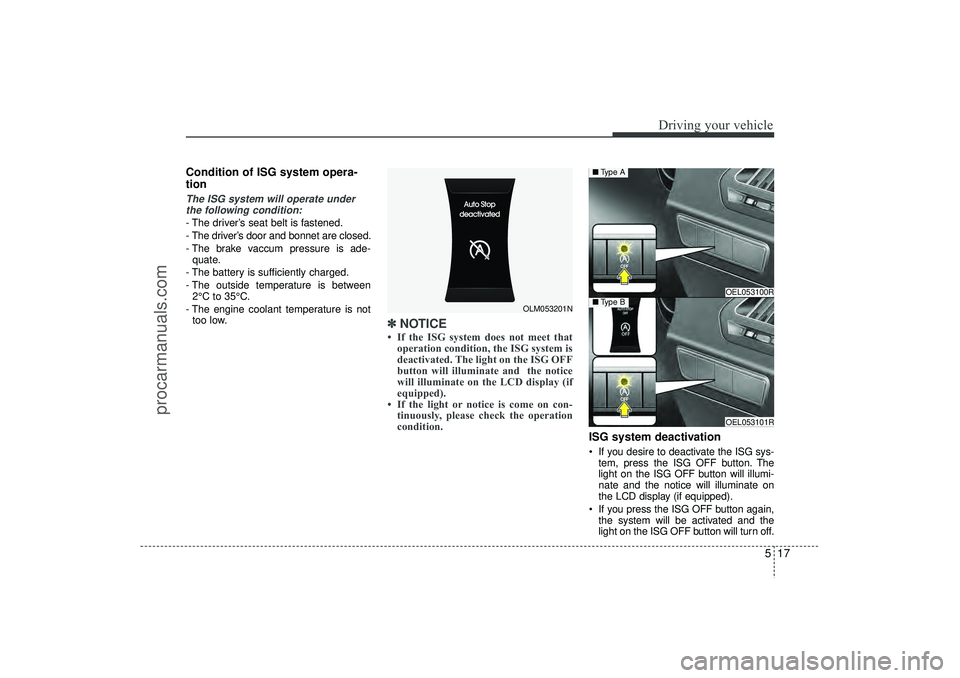
ISG system deactivation If you desire to deactivate the ISG sys-
tem, press the ISG OFF button. The
light on the ISG OFF button will illumi-
nate and the notice will illuminate on
the LCD display (if equipped).
If you press the ISG OFF button again, the system will be activated and the
light on the ISG OFF button will turn off.
OLM053201N
OEL053100ROEL053101R
■ Type B■Type A
EL(FL) UK 5.QXP 12/16/2014 8:08 PM Page 17
procarmanuals.com
Page 371 of 550
523
Driving your vehicle
Automatic transaxle operationThe highly efficient automatic transaxle
has 6 forward speeds and one reverse
speed. The individual speeds are select-
ed automatically, depending on the posi-
tion of the shift lever.✽ ✽NOTICEThe first few shifts on a new vehicle, if
the battery has been disconnected, may
be somewhat abrupt. This is a normal
condition, and the shifting sequence will
adjust after shifts are cycled a few times
by the TCM (Transaxle Control
Module) or PCM (Powertrain Control
Module).
For smooth operation, depress the brake
pedal when shifting from N (Neutral) to a forward or reverse gear.
Transaxle ranges
The indicator lights in the instrument
cluster displays the shift lever position
when the ignition switch is in the ON
position.
P (Park)
Always come to a complete stop before
shifting into P (Park). This position locks
the transaxle and prevents the front
wheels from rotating.
WARNING
- Automatictransaxle
Always check the surrounding
areas near your vehicle for peo-
ple, especially children, before
shifting a vehicle into D (Drive) or
R (Reverse).
Before leaving the driver’s seat, always make sure the shift lever
is in the P (Park) position; then
set the parking brake fully and
shut the engine off. Unexpected
and sudden vehicle movement
can occur if these precautions
are not followed in the order iden-
tified.
Do not use the engine brake (shifting from a high gear to
lower gear) rapidly on slippery
roads. The vehicle may slip caus-
ing an accident.
CAUTION
To avoid damage to your transaxle, do not accelerate theengine in R (Reverse) or any for- ward gear position with thebrakes on.
When stopped on an upgrade, do not hold the vehicle stationarywith engine power. Use the serv-ice brake or the parking brake.
Do not shift from N (Neutral) or P (Park) into D (Drive), or R(Reverse) when the engine is above idle speed.
EL(FL) UK 5.QXP 12/16/2014 8:09 PM Page 23
procarmanuals.com
Page 376 of 550
Driving your vehicle28
5Engine power can be delivered to all front
and rear wheels for maximum traction.
4WD is useful when extra traction is
required on road, such as, when driving
on slippery, muddy, wet, or snow-covered
roads. These vehicles are not designed
for challenging off-road use. Occasional
off-road use such as established
unpaved roads and trails are OK. It is
always important when travelling off-
highway that the driver carefully reduces
the speed to a level that does not exceed
the safe operating speed for those condi-
tions. In general, off-road conditions pro-
vide less traction and braking effective-
ness than normal road conditions. The
driver must be especially alert to avoid
driving on slopes which tilt the vehicle to
either side.
These factors must be carefully consid-
ered when driving off-road. Keeping the
vehicle in contact with the driving surface
and under control in these conditions is
always the driver's responsibility for the
safety of him/herself and his or her pas-
sengers.
Tight corner brake effectTight corner brake effect is a unique
characteristic of four-wheel drive vehicles
caused by the difference in tyre rotation
at the four wheels and the zero-degree
alignment of the front wheels and sus-
pension.
Sharp turns at low speeds should be car-
ried out with caution.
FOUR WHEEL DRIVE (4WD) (IF EQUIPPED)
WARNING
- Off road driving
This vehicle is designed primarily
for on road use although it can oper-
ate effectively off road. However, it
was not designed to drive in chal-
lenging off-road conditions. Driving
in conditions that exceed the vehi-
cle's intended design or the driver's
experience level may result in
severe injury or death.
CAUTION -
4WD
When turning sharply on a paved
road at low speed whilst in four-wheel drive, steering control will be difficult.
WARNING
If the 4WD system warning light
( ) illuminates, this indicates that
there is a malfunction in the 4WD
system.
If this occurs, we recommend that
the system be checked by a
HYUNDAI authorised repairer.
EL(FL) UK 5.QXP 12/16/2014 8:09 PM Page 28
procarmanuals.com