ignition HYUNDAI IX35 2015 Manual PDF
[x] Cancel search | Manufacturer: HYUNDAI, Model Year: 2015, Model line: IX35, Model: HYUNDAI IX35 2015Pages: 550, PDF Size: 11.23 MB
Page 297 of 550
Features of your vehicle212
4✽
✽
NOTICE - USING THE USB
DEVICE• Connect the USB device after turning
on the engine. The USB device may
become damaged if it is already con-
nected when the ignition is turned
on.The USB device may not operate
properly if the car ignition is turned
on or off with the USB device connect-
ed.
• Heed caution to static electricity when connecting/disconnecting USB
devices.
• Encoded MP3 Players will not be rec- ognized when connected as an exter-
nal device.
• When connecting an external USB device, the device may not properly
recognize the USB is in some states.
• Only products formatted with byte/sectors under 64Kbyte will be
recognized.
• This device recognizes USB devices formatted in FAT 12/16/32 file for-
mats. This device does not recognize
files in NTFS file format. (Continued)(Continued)
• Some USB devices may not be sup-
ported due to compatibility issues.
• Avoid contact between the USB con- nector with bodily parts or foreign
objects.
• Repeated connecting/disconnecting of USB devices within short periods of
time may result in product malfunc-
tion.
• A strange noise may occur when dis- connecting the USB.
• Make sure to connect/disconnect external USB devices with the audio
power turned off.
• The amount of time required to recog- nize the USB device may differ
depending on the type, size or file for-
mats stored in the USB. Such differ-
ences in time are not indications of
malfunctions.
• The device only supports USB devices used to play music files.
• USB images and videos are not sup- ported. (Continued)(Continued)
• Do not use the USB I/F to charge bat-
teries or USB accessories that gener-
ate heat. Such acts may lead to wors-
ened performance or damage to the
device.
• The device may not recognize the USB device if separately purchased USB
hubs and extension cables are being
used. Connect the USB directly with
the multimedia terminal of the vehi-
cle.
• When using mass storage USB devices with separate logical drives, only files
saved to the root drive can be played.
• Files may not properly operate if application programs are installed to
the USBs.
• The device may not operate normally if MP3 Players, mobile phones, digital
cameras, or other electronic devices
(USB devices not recognized as
portable disk drives) are connected
with the device. (Continued)
EL(FL) UK 4B AUDIO.QXP 3/13/2015 4:19 PM Page 212
procarmanuals.com
Page 347 of 550
Features of your vehicle262
4REAR VIEW CAMERA
(if equipped) The system has been equipped with a
rear view camera for user safety by
allowing a wider rear range of vision.
The rear view camera will automatical- ly operate when the ignition key is
turned ON and the transmission lever
is set to R.
The rear view camera will automatical- ly stop operating when set to a differ-
ent lever.
CAUTION
The rear view camera has beenequipped with an optical lens toprovide a wider range of vision and may appear different from the actu-al distance. For safety, directlycheck the rear and left/right sides.
EL(FL) UK 4B AUDIO.QXP 3/13/2015 4:19 PM Page 262
procarmanuals.com
Page 349 of 550
Driving your vehicle
5
Before driving . . . . . . . . . . . . . . . . . . . . . . . . . . . . . . 5-4• Before entering vehicle . . . . . . . . . . . . . . . . . . . . . . . . . 5-4
• Necessary inspections . . . . . . . . . . . . . . . . . . . . . . . . . 5-4
• Before starting . . . . . . . . . . . . . . . . . . . . . . . . . . . . . . . 5-4Key positions . . . . . . . . . . . . . . . . . . . . . . . . . . . . . . . 5-5• Illuminated ignition switch . . . . . . . . . . . . . . . . . . . . . 5-5
• Ignition switch position . . . . . . . . . . . . . . . . . . . . . . . . . 5-6
• Starting the engine . . . . . . . . . . . . . . . . . . . . . . . . . . . . 5-7Engine start/stop button . . . . . . . . . . . . . . . . . . . . . 5-9• Illuminated engine start/stop button . . . . . . . . . . . . . . 5-9
• Engine start/stop button position. . . . . . . . . . . . . . . . . 5-9
• Starting the engine . . . . . . . . . . . . . . . . . . . . . . . . . . . 5-12ISG (Idle Stop and Go) system . . . . . . . . . . . . . . 5-15• Auto stop . . . . . . . . . . . . . . . . . . . . . . . . . . . . . . . . . . . 5-\
15
• Auto start . . . . . . . . . . . . . . . . . . . . . . . . . . . . . . . . . . . 5-\
16
• Condition of ISG system operation . . . . . . . . . . . . . . 5-17
• ISG system deactivation . . . . . . . . . . . . . . . . . . . . . . . 5-17
• ISG system malfunction . . . . . . . . . . . . . . . . . . . . . . . 5-18Manual transaxle . . . . . . . . . . . . . . . . . . . . . . . . . . 5-19• Manual transaxle operation . . . . . . . . . . . . . . . . . . . . 5-19
• Good driving practices . . . . . . . . . . . . . . . . . . . . . . . . 5-21Automatic transaxle . . . . . . . . . . . . . . . . . . . . . . . 5-22• Automatic transaxle operation. . . . . . . . . . . . . . . . . . 5-23
• Good driving practices . . . . . . . . . . . . . . . . . . . . . . . . 5-27
Four wheel drive (4WD) . . . . . . . . . . . . . . . . . . . . 5-28• Tight corner brake effect . . . . . . . . . . . . . . . . . . . . . . 5-28
• Four Wheel Drive (4WD) transfer mode selection . 5-29
• For safe four-wheel drive operation . . . . . . . . . . . . 5-30
• Reducing the risk of a rollover . . . . . . . . . . . . . . . . . 5-32Brake system . . . . . . . . . . . . . . . . . . . . . . . . . . . . . . 5-35• Power brakes . . . . . . . . . . . . . . . . . . . . . . . . . . . . . . . 5-35
• Parking brake . . . . . . . . . . . . . . . . . . . . . . . . . . . . . . 5-36
• Anti-lock brake system (ABS) . . . . . . . . . . . . . . . . . . 5-38
• Electronic stability control (ESC) . . . . . . . . . . . . . . . 5-41
• Vehicle stability management (VSM) . . . . . . . . . . . . 5-44
• Hill-start assist control (HAC) . . . . . . . . . . . . . . . . . . 5-45
• Downhill brake control (DBC) . . . . . . . . . . . . . . . . . 5-46
• Emergency stop signal (ESS) . . . . . . . . . . . . . . . . . . . 5-47
• Trailer stability assist (TSA) . . . . . . . . . . . . . . . . . . . 5-47
• Good braking practices. . . . . . . . . . . . . . . . . . . . . . . . 5-48Cruise control system . . . . . . . . . . . . . . . . . . . . . . 5-50• To set cruise control speed . . . . . . . . . . . . . . . . . . . . . 5-51
• To increase cruise control set speed. . . . . . . . . . . . . . 5-51
• To decrease the cruising speed . . . . . . . . . . . . . . . . . . 5-52
• To temporarily accelerate with the cruise control on . . . . . . . . . . . . . . . . . . . . . . . . 5-52
• To cancel cruise control, do one of the following . . . 5-52
• To resume cruising speed at more than approximately 25 mph (40 km/h) . . . . . . . . . . . . . . 5-53
EL(FL) UK 5.QXP 12/16/2014 8:08 PM Page 1
procarmanuals.com
Page 350 of 550
• To turn cruise control off, do one of the following . 5-53Active ECO system . . . . . . . . . . . . . . . . . . . . . . . . 5-54• Active ECO operation . . . . . . . . . . . . . . . . . . . . . . . . . 5-54
• When Active ECO is activated . . . . . . . . . . . . . . . . . . 5-54
• Limitation of Active ECO operation . . . . . . . . . . . . . 5-54Economical operation . . . . . . . . . . . . . . . . . . . . . . 5-55
Special driving conditions . . . . . . . . . . . . . . . . . . . 5-57• Hazardous driving conditions . . . . . . . . . . . . . . . . . . 5-57
• Rocking the vehicle . . . . . . . . . . . . . . . . . . . . . . . . . . . 5-57
• Smooth cornering . . . . . . . . . . . . . . . . . . . . . . . . . . . . 5-58
• Driving at night . . . . . . . . . . . . . . . . . . . . . . . . . . . . . . 5-58
• Driving in the rain . . . . . . . . . . . . . . . . . . . . . . . . . . . . 5-59
• Driving in flooded areas . . . . . . . . . . . . . . . . . . . . . . . 5-59
• Driving off-road . . . . . . . . . . . . . . . . . . . . . . . . . . . . . . 5-59
• Highway driving . . . . . . . . . . . . . . . . . . . . . . . . . . . . . 5-60Winter driving . . . . . . . . . . . . . . . . . . . . . . . . . . . . 5-61• Snowy or Icy conditions . . . . . . . . . . . . . . . . . . . . . . . 5-61
• Use high quality ethylene glycol coolant . . . . . . . . . . 5-63
• Check battery and cables . . . . . . . . . . . . . . . . . . . . . . 5-63
• Change to "winter weight" oil if necessary . . . . . . . 5-63
• Check spark plugs and ignition system. . . . . . . . . . . 5-63
• To keep locks from freezing . . . . . . . . . . . . . . . . . . . . 5-64
• Use approved window washer anti-freeze in system . . . . . . . . . . . . . . . . . . . . . . . . . . . . . . . . . . 5-64\
• Don't let your parking brake freeze . . . . . . . . . . . . . 5-64 • Don't let ice and snow accumulate underneath . . . . 5-64
• Carry emergency equipment . . . . . . . . . . . . . . . . . . . 5-64
• Don’t place foreign objects or materials
in the engine compartment . . . . . . . . . . . . . . . . . . . 5-64
Trailer towing . . . . . . . . . . . . . . . . . . . . . . . . . . . . . 5-65• towbars . . . . . . . . . . . . . . . . . . . . . . . . . . . . . . . . . . . . \
. 5-66
• Safety chains . . . . . . . . . . . . . . . . . . . . . . . . . . . . . . . . 5-67
• Trailer brakes . . . . . . . . . . . . . . . . . . . . . . . . . . . . . . . 5-67
• Driving with a trailer . . . . . . . . . . . . . . . . . . . . . . . . 5-67Vehicle weight . . . . . . . . . . . . . . . . . . . . . . . . . . . . . 5-74• Vehicle kerb weight . . . . . . . . . . . . . . . . . . . . . . . . . . . 5-74
• Cargo weight . . . . . . . . . . . . . . . . . . . . . . . . . . . . . . . . 5-74
• GAW (Gross axle weight) . . . . . . . . . . . . . . . . . . . . . . 5-74
• GAWR (Gross axle weight rating) . . . . . . . . . . . . . . . 5-74
• GVW (Gross vehicle weight) . . . . . . . . . . . . . . . . . . . 5-74
• GVWR (Gross vehicle weight rating) . . . . . . . . . . . . 5-74
• Overloading . . . . . . . . . . . . . . . . . . . . . . . . . . . . . . . . . 5-74
5
EL(FL) UK 5.QXP 2/11/2015 4:19 PM Page 2
procarmanuals.com
Page 352 of 550
Driving your vehicle45Before entering vehicle• Be sure that all windows, outside mir-ror(s), and outside lights are clean.
Check the condition of the tyres.
Check under the vehicle for any sign of leaks.
Be sure there are no obstacles behind you if you intend to back up.
Necessary inspections Fluid levels, such as engine oil, engine
coolant, brake fluid, and washer fluid
should be checked on a regular basis,
with the exact interval depending on the
fluid.
Before starting Close and lock all doors.
Position the seat so that all controls areeasily reached.
Adjust the inside and outside rearview mirrors.
Be sure that all lights work.
Check all gauges.
Check the operation of warning lights when the ignition switch is turned to
the ON position.
Release the parking brake and make sure the brake warning light goes out.
For safe operation, be sure you are famil-
iar with your vehicle and its equipment.
BEFORE DRIVING
WARNING
All passengers must be properly
belted whenever the vehicle is mov-
ing. Refer to “Seat belts” in section
3 for more information on their
proper use.
WARNING
Always check the surrounding
areas near your vehicle for people,
especially children, before putting a
vehicle into “Drive” or “Reverse”.
WARNING
Driving whilst distracted can result
in a loss of vehicle control, that
may lead to an accident, severe
personal injury, and death. The dri-
ver’s primary responsibility is in
the safe and legal operation of a
vehicle, and use of any handheld
devices, other equipment, or vehi-
cle systems which take the driver’s
eyes, attention and focus away
from the safe operation of a vehicle
or which are not permissible by law
should never be used during oper-
ation of the vehicle.
EL(FL) UK 5.QXP 12/16/2014 8:08 PM Page 4
procarmanuals.com
Page 353 of 550
55
Driving your vehicle
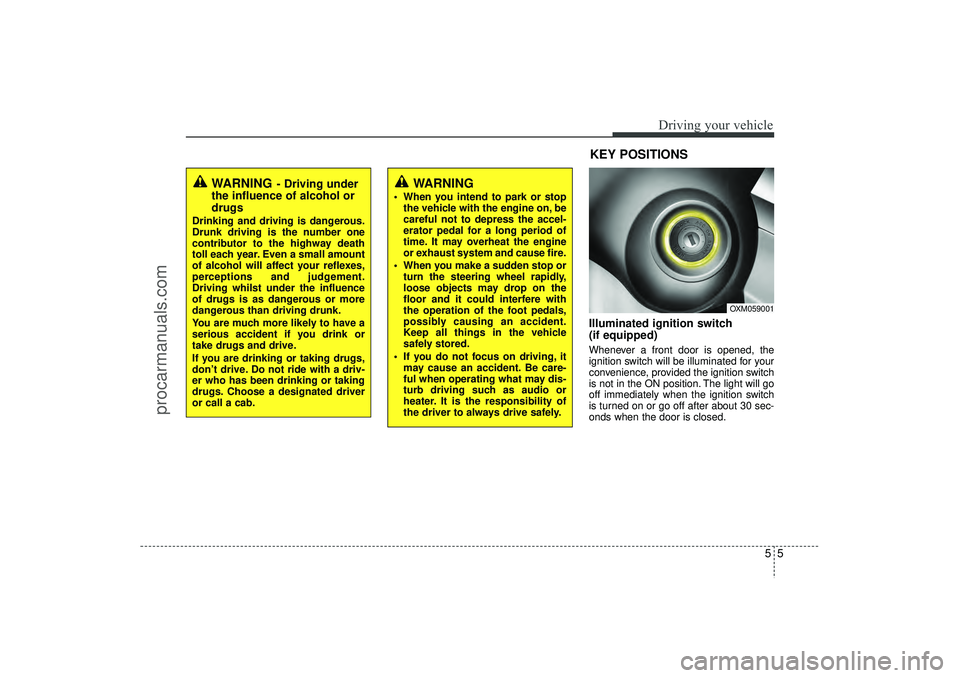
Illuminated ignition switch
(if equipped)Whenever a front door is opened, the
ignition switch will be illuminated for your
convenience, provided the ignition switch
is not in the ON position. The light will go
off immediately when the ignition switch
is turned on or go off after about 30 sec-
onds when the door is closed.
OXM059001
WARNING
- Driving under
the influence of alcohol or
drugs
Drinking and driving is dangerous.
Drunk driving is the number one
contributor to the highway death
toll each year. Even a small amount
of alcohol will affect your reflexes,
perceptions and judgement.
Driving whilst under the influence
of drugs is as dangerous or more
dangerous than driving drunk.
You are much more likely to have a
serious accident if you drink or
take drugs and drive.
If you are drinking or taking drugs,
don’t drive. Do not ride with a driv-
er who has been drinking or taking
drugs. Choose a designated driver
or call a cab.
KEY POSITIONS
WARNING
When you intend to park or stop
the vehicle with the engine on, be
careful not to depress the accel-
erator pedal for a long period of
time. It may overheat the engine
or exhaust system and cause fire.
When you make a sudden stop or turn the steering wheel rapidly,
loose objects may drop on the
floor and it could interfere with
the operation of the foot pedals,
possibly causing an accident.
Keep all things in the vehicle
safely stored.
If you do not focus on driving, it may cause an accident. Be care-
ful when operating what may dis-
turb driving such as audio or
heater. It is the responsibility of
the driver to always drive safely.
EL(FL) UK 5.QXP 12/16/2014 8:08 PM Page 5
procarmanuals.com
Page 354 of 550
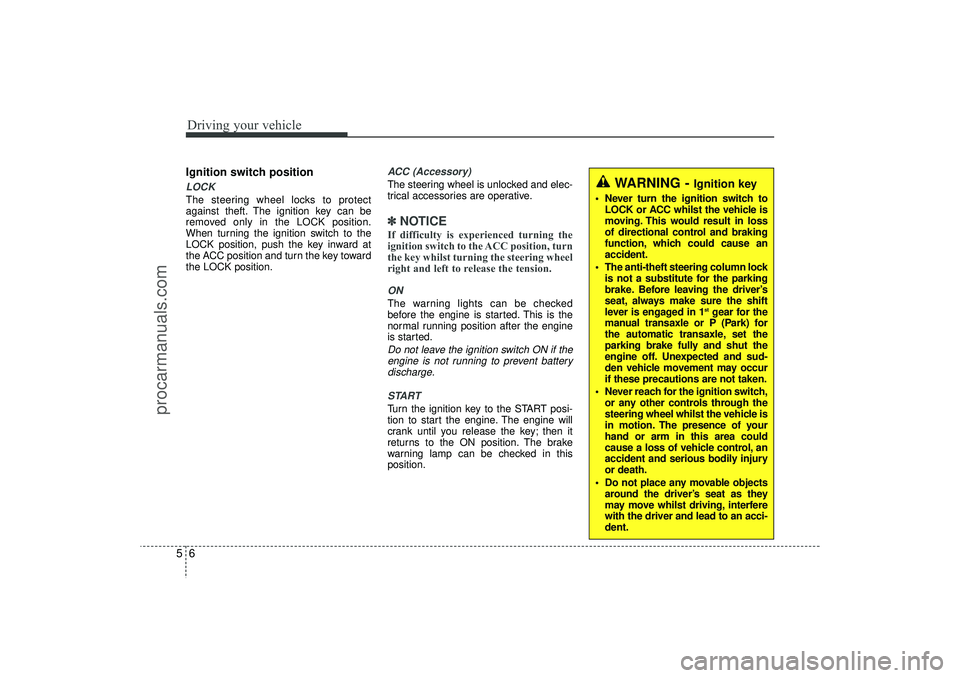
Driving your vehicle65Ignition switch positionLOCKThe steering wheel locks to protect
against theft. The ignition key can be
removed only in the LOCK position.
When turning the ignition switch to the
LOCK position, push the key inward at
the ACC position and turn the key toward
the LOCK position.
ACC (Accessory)The steering wheel is unlocked and elec-
trical accessories are operative.✽ ✽NOTICEIf difficulty is experienced turning the
ignition switch to the ACC position, turn
the key whilst turning the steering wheel
right and left to release the tension.ONThe warning lights can be checked
before the engine is started. This is the
normal running position after the engine
is started.Do not leave the ignition switch ON if the
engine is not running to prevent battery discharge.
STARTTurn the ignition key to the START posi-
tion to start the engine. The engine will
crank until you release the key; then it
returns to the ON position. The brake
warning lamp can be checked in this
position.
WARNING -
Ignition key
Never turn the ignition switch to LOCK or ACC whilst the vehicle is
moving. This would result in loss
of directional control and braking
function, which could cause an
accident.
The anti-theft steering column lock is not a substitute for the parking
brake. Before leaving the driver’s
seat, always make sure the shift
lever is engaged in 1
stgear for the
manual transaxle or P (Park) for
the automatic transaxle, set the
parking brake fully and shut the
engine off. Unexpected and sud-
den vehicle movement may occur
if these precautions are not taken.
Never reach for the ignition switch, or any other controls through the
steering wheel whilst the vehicle is
in motion. The presence of your
hand or arm in this area could
cause a loss of vehicle control, an
accident and serious bodily injury
or death.
Do not place any movable objects around the driver’s seat as they
may move whilst driving, interfere
with the driver and lead to an acci-
dent.
EL(FL) UK 5.QXP 12/16/2014 8:08 PM Page 6
procarmanuals.com
Page 355 of 550
57
Driving your vehicle
Starting the engine✽
✽
NOTICE -
Full throttle resistor
(if equipped)
If your vehicle is equipped with a resis-
tor in the accelerator pedal, it prevents
you from driving at full throttle unin-
tentionally by making the driver require
increased effort to depress the accelera-
tor pedal. However, if you depress the
pedal more than approximately 80%,
the vehicle can be at full throttle and the
accelerator pedal will be easier to
depress. This is not a malfunction but a
normal condition.
Starting the petrol engine
(if equipped)1. Make sure the parking brake is applied.
2. Manual Transaxle - Depress the
clutch pedal fully and shift the
transaxle into Neutral. Keep the clutch
pedal and brake pedal depressed
whilst turning the ignition switch to the
start position.
Automatic Transaxle - Place the
transaxle shift lever in P (Park).
Depress the brake pedal fully.
You can also start the engine when the shift lever is in the N (Neutral) position.
3. Turn the ignition switch to START and hold it there until the engine starts (a
maximum of 10 seconds), then
release the key.It should be started without depressingthe accelerator.4. Do not wait for the engine to warm up whilst the vehicle remains stationary.
Start driving at moderate engine
speeds. (Steep accelerating and decel-
erating should be avoided.)
CAUTION
If the engine stalls whilst you are in motion, do not attempt to move theshift lever to the P (Park) position. If traffic and road conditions permit,you may put the shift lever in the N(Neutral) position whilst the vehicle is still moving and turn the ignitionswitch to the START position in an attempt to restart the engine.
CAUTION
Do not engage the starter for more than 10 seconds. If the enginestalls or fails to start, wait 5 to 10 seconds before re-engaging thestarter. Improper use of the startermay damage it.
Do not turn the ignition switch to the START position with theengine running. It may damagethe starter.
WARNING
Always wear appropriate shoes when operating your vehicle.
Unsuitable shoes (high heels, ski
boots,etc.) may interfere with
your ability to use the brake and
accelerator pedal, and the clutch
(if equipped).
Do not start the vehicle with the accelerator pedal depressed. The
vehicle can move and lead to an
accident.
Wait until the engine rpm is nor- mal. The vehicle may suddenly
move if the brake padel is
released when the rpm is high.
EL(FL) UK 5.QXP 12/16/2014 8:08 PM Page 7
procarmanuals.com
Page 356 of 550
Driving your vehicle85Starting the diesel engine(if equipped)To start the diesel engine when the
engine is cold, it has to be pre-heated
before starting the engine and then have
to be warmed up before starting to drive.
1. Make sure the parking brake is applied.
2. Manual Transaxle - Depress the
clutch pedal fully and shift the
transaxle into Neutral. Keep the clutch
pedal and brake pedal depressed
whilst turning the ignition switch to the
start position.
Automatic Transaxle - Place the
transaxle shift lever in P(park).
Depress the brake pedal fully.You can also start the engine when the shift lever is in the N(neutral) position.
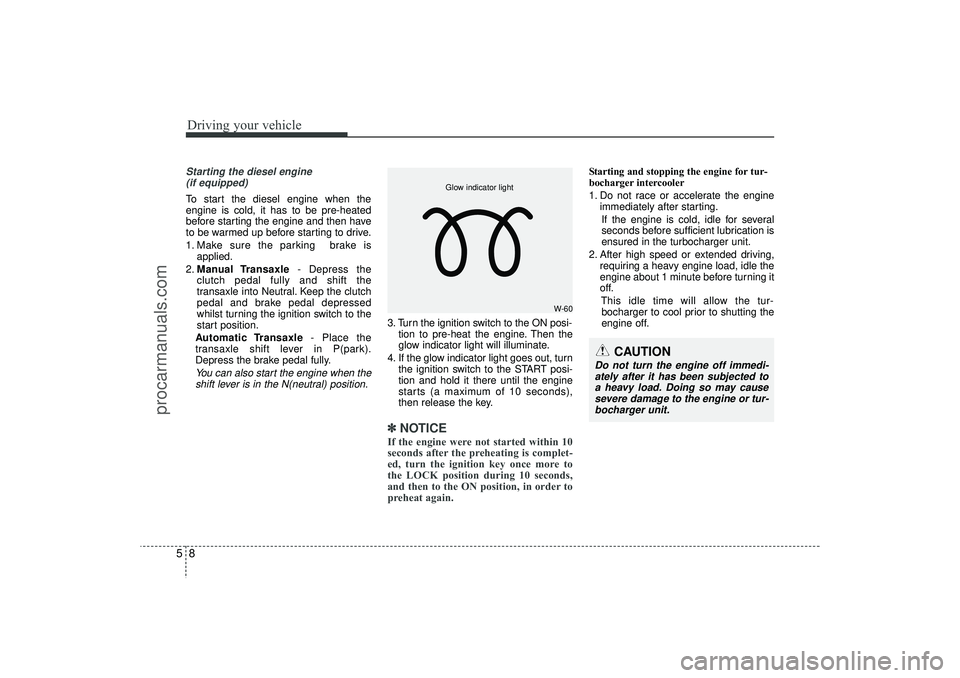
3. Turn the ignition switch to the ON posi- tion to pre-heat the engine. Then the
glow indicator light will illuminate.
4. If the glow indicator light goes out, turn the ignition switch to the START posi-
tion and hold it there until the engine
starts (a maximum of 10 seconds),
then release the key.✽ ✽
NOTICEIf the engine were not started within 10
seconds after the preheating is complet-
ed, turn the ignition key once more to
the LOCK position during 10 seconds,
and then to the ON position, in order to
preheat again.
Starting and stopping the engine for tur-
bocharger intercooler
1. Do not race or accelerate the engine
immediately after starting.
If the engine is cold, idle for several
seconds before sufficient lubrication is
ensured in the turbocharger unit.
2. After high speed or extended driving, requiring a heavy engine load, idle the
engine about 1 minute before turning it
off.
This idle time will allow the tur-bocharger to cool prior to shutting the
engine off.
W-60
Glow indicator light
CAUTION
Do not turn the engine off immedi- ately after it has been subjected toa heavy load. Doing so may cause severe damage to the engine or tur-bocharger unit.
EL(FL) UK 5.QXP 12/16/2014 8:08 PM Page 8
procarmanuals.com
Page 362 of 550
Driving your vehicle14
5
✽
✽
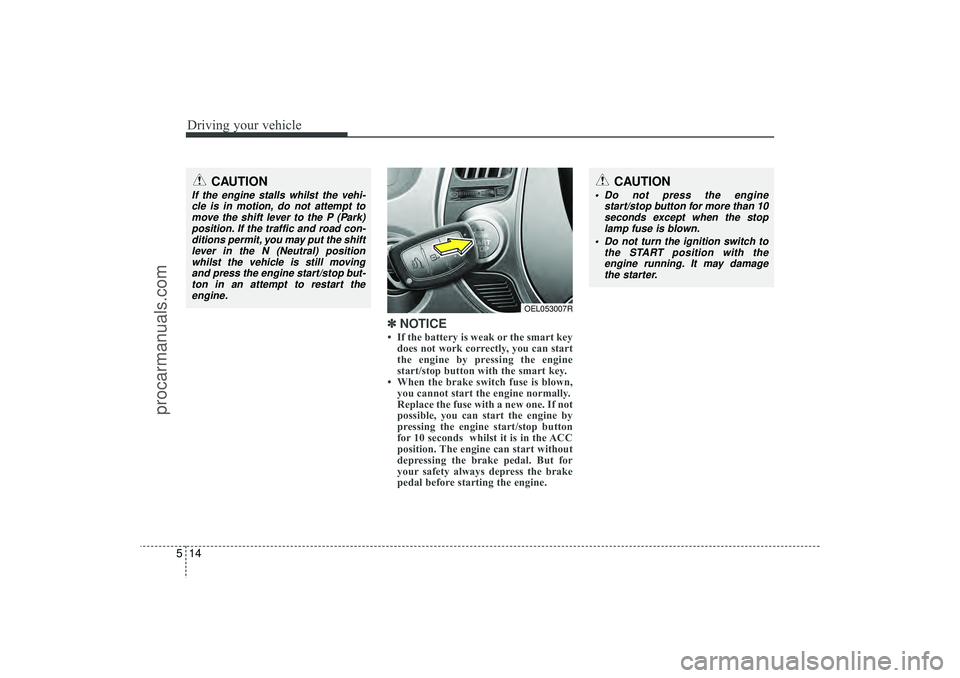
NOTICE• If the battery is weak or the smart key
does not work correctly, you can start
the engine by pressing the engine
start/stop button with the smart key.
• When the brake switch fuse is blown, you cannot start the engine normally.
Replace the fuse with a new one. If not
possible, you can start the engine by
pressing the engine start/stop button
for 10 seconds whilst it is in the ACC
position. The engine can start without
depressing the brake pedal. But for
your safety always depress the brake
pedal before starting the engine.
CAUTION
Do not press the engine
start/stop button for more than 10seconds except when the stoplamp fuse is blown.
Do not turn the ignition switch to the START position with theengine running. It may damagethe starter.
CAUTION
If the engine stalls whilst the vehi-cle is in motion, do not attempt to move the shift lever to the P (Park)position. If the traffic and road con-ditions permit, you may put the shift lever in the N (Neutral) positionwhilst the vehicle is still movingand press the engine start/stop but-ton in an attempt to restart the engine.
OEL053007R
EL(FL) UK 5.QXP 12/16/2014 8:08 PM Page 14
procarmanuals.com