audio HYUNDAI IX35 2016 Owner's Manual
[x] Cancel search | Manufacturer: HYUNDAI, Model Year: 2016, Model line: IX35, Model: HYUNDAI IX35 2016Pages: 550, PDF Size: 11.23 MB
Page 246 of 550
![HYUNDAI IX35 2016 Owners Manual 4 161
Features of your vehicle
Clock SettingsPress the key Select [Clock]
through TUNE knob or key
Select menu through TUNE knob
Clock SettingsThis menu is used to set the time.
Select [Clock Sett](/img/35/57921/w960_57921-245.png "HYUNDAI IX35 2016 Owners Manual 4 161
Features of your vehicle
Clock SettingsPress the key Select [Clock]
through TUNE knob or key
Select menu through TUNE knob
Clock SettingsThis menu is used to set the time.
Select [Clock Sett")
4 161
Features of your vehicle
Clock SettingsPress the key Select [Clock]
through TUNE knob or key
Select menu through TUNE knob
Clock SettingsThis menu is used to set the time.
Select [Clock Settings] Set through
TUNE knob Press TUNE knob
❈ Adjust the number currently in focus to
set the [hour] and press the tune knob
to set the [minute].
Day SettingsThis menu is used to set the date.
Select [Day Settings] Set through
TUNE knob Press TUNE knob
❈ Adjust the number currently in focus to
make the settings and press the tune
knob to move to the next setting. (Set
in order of Year/Month/Day)
3
SETUP
CLOCK
EL(FL) UK 4B AUDIO.QXP 3/13/2015 4:19 PM Page 161
procarmanuals.com
Page 247 of 550
![HYUNDAI IX35 2016 Owners Manual Features of your vehicle162
4Time FormatThis function is used to set the 12/24
hour time format of the audio system.
Select [Time Format] Set 12Hr / 24Hr
through TUNE knobClock Display when Power is O](/img/35/57921/w960_57921-246.png "HYUNDAI IX35 2016 Owners Manual Features of your vehicle162
4Time FormatThis function is used to set the 12/24
hour time format of the audio system.
Select [Time Format] Set 12Hr / 24Hr
through TUNE knobClock Display when Power is O")
Features of your vehicle162
4Time FormatThis function is used to set the 12/24
hour time format of the audio system.
Select [Time Format] Set 12Hr / 24Hr
through TUNE knobClock Display when Power is OFFSelect [Clock Disp.(Pwr Off) Set /
through TUNE knob : Displays time/date on screen
: Turn off. Automatic RDS Time
This option is used to automatically set
the time by synchronizing with RDS.
Select [Automatic RDS Time] Set
/ through TUNE knob : Turn on Automatic Time
: Turn off.
OffOnOff
On
OffOnOff
On
EL(FL) UK 4B AUDIO.QXP 3/13/2015 4:19 PM Page 162
procarmanuals.com
Page 248 of 550
![HYUNDAI IX35 2016 Owners Manual 4 163
Features of your vehicle
Phone Setup (if eqipped) Press the key Select [Phone]
Pair PhoneSelect [Pair Phone] Set through
TUNE knob
➀ Search for device names as displayed
on your mobile phon](/img/35/57921/w960_57921-247.png "HYUNDAI IX35 2016 Owners Manual 4 163
Features of your vehicle
Phone Setup (if eqipped) Press the key Select [Phone]
Pair PhoneSelect [Pair Phone] Set through
TUNE knob
➀ Search for device names as displayed
on your mobile phon")
4 163
Features of your vehicle
Phone Setup (if eqipped) Press the key Select [Phone]
Pair PhoneSelect [Pair Phone] Set through
TUNE knob
➀ Search for device names as displayed
on your mobile phone and connect.
➁ Input the passkey displayed on the
screen. (Passkey : 0000)❈ The device name and passkey will be
displayed on the screen for up to 3
minutes. If pairing is not completed
within the 3 minutes, the mobile phone
pairing process will automatically be
cancelled.
\b Pairing completion is displayed.
❈In some mobile phones, pairing will
automatically be followed by connec-
tion.❈ It is possible to pair up to fiveBluetooth
®
Wireless Technology
enabled mobile phones.
SETUP
CLOCK
CAUTION
To pair a Bluetooth
®
Wireless
Technology enabled mobile phone, authentication and connection processes are first required. As aresult, you cannot pair your mobile phone whilst driving the vehicle.First park your vehicle before use.
EL(FL) UK 4B AUDIO.QXP 3/13/2015 4:19 PM Page 163
procarmanuals.com
Page 249 of 550
![HYUNDAI IX35 2016 Owners Manual Features of your vehicle164
4Phone ListThe names of up to 5 paired phones will
be displayed.
A [ ] is displayed in front of the currently
connected phone.
Select the desired name to setup the
selected](/img/35/57921/w960_57921-248.png "HYUNDAI IX35 2016 Owners Manual Features of your vehicle164
4Phone ListThe names of up to 5 paired phones will
be displayed.
A [ ] is displayed in front of the currently
connected phone.
Select the desired name to setup the
selected")
Features of your vehicle164
4Phone ListThe names of up to 5 paired phones will
be displayed.
A [ ] is displayed in front of the currently
connected phone.
Select the desired name to setup the
selected phone.
Connecting a phoneSelect [Phone List] Select mobile phone
through TUNE knob Select [Connect
Phone]
➀
Select a mobile phone that is not cur-
rently connected.
➁ Connect the selected mobile phone.
\b Connection completion is displayed.
❈ If a phone is already connected, dis-
connect the currently connected
phone and select a new phone to con-
nect.
Disconnecting a connected phoneSelect [Phone List] Select mobile phone
through TUNE knob Select
[Disconnect Phone]
➀
Select the currently connected mobile
phone.
➁ Disconnect the selected mobile
phone.
\b Disconnection completion is dis-
played.
EL(FL) UK 4B AUDIO.QXP 3/13/2015 4:19 PM Page 164
procarmanuals.com
Page 250 of 550
![HYUNDAI IX35 2016 Owners Manual 4 165
Features of your vehicle
Changing connection sequence(Priority)
This is used to change the order (priori-
ty) of automatic connection for the paired
mobile phones.
Select [Phone List] Select [](/img/35/57921/w960_57921-249.png "HYUNDAI IX35 2016 Owners Manual 4 165
Features of your vehicle
Changing connection sequence(Priority)
This is used to change the order (priori-
ty) of automatic connection for the paired
mobile phones.
Select [Phone List] Select [")
4 165
Features of your vehicle
Changing connection sequence(Priority)
This is used to change the order (priori-
ty) of automatic connection for the paired
mobile phones.
Select [Phone List] Select [Priority]
through TUNE knob Select No. 1
Priority mobile phone
➀ Select [Priority].
➁ From the paired phones, select the
phone desired for No.1 priority.
\b The changed priority sequence is dis-
played.
❈ Once the connection sequence (priori-
ty) is changed, the new no. 1 priority
mobile phone will be connected.
- when the no. 1 priority cannot be con- nected: Automatically attempts to con-
nect the most recently connected
phone.
- Cases when the most recently con- nected phone cannot be connected:
Attempts to connect in the order in
which paired phones are listed.
- The connected phone will automati- cally be changed to No. 1 priority. Delete
Select [Phone List] Select mobile phone
through TUNE knob Select [Delete]
➀
Select the desired mobile phone.
➁ Delete the selected mobile phone.
\b Deletion completion is displayed.
❈ When attempting to delete a currently
connected phone, the phone is first
disconnected.
Phone book DownloadThis feature is used to download phone
book and call histories into the audio sys-
tem.
Select [Phone book Download] Select
through TUNE knob
CAUTION
The download feature may not be
supported in some mobilephones.
If a different operation is per- formed whilst phone book is beingdownloaded, downloading will be discontinued. Phone book alreadydownloaded will be saved.
When downloading new phone book, delete all previously savedphone book before starting down- load.
CAUTION
When you delete a mobile phone, the mobile phone phone book willalso be erased.
For stable Bluetooth
®Wireless
Technology communication, delete the mobile phone from the audio and also delete the audiofrom your mobile phone.
EL(FL) UK 4B AUDIO.QXP 3/13/2015 4:19 PM Page 165
procarmanuals.com
Page 251 of 550
![HYUNDAI IX35 2016 Owners Manual Features of your vehicle166
4Auto DownloadWhen connecting a mobile phone, it is
possible to automatically download new
phone book and Call Histories.
Select [Auto Download] Set /
through TUNE knobAud](/img/35/57921/w960_57921-250.png "HYUNDAI IX35 2016 Owners Manual Features of your vehicle166
4Auto DownloadWhen connecting a mobile phone, it is
possible to automatically download new
phone book and Call Histories.
Select [Auto Download] Set /
through TUNE knobAud")
Features of your vehicle166
4Auto DownloadWhen connecting a mobile phone, it is
possible to automatically download new
phone book and Call Histories.
Select [Auto Download] Set /
through TUNE knobAudio StreamingSongs (files) saved in your
Bluetooth
®
Wireless Technology enabled mobile
phone can be played through the audio
system.
Select [Audio Streaming] Set /through TUNE knob
Outgoing VolumeThis is used to set the volume of your
voice as heard by the other party whilst
on a
Bluetooth
®
Wireless Technology
enabled handsfree call.
Select [Outgoing Volume] Set volume
through TUNE knob
❈ Whilst on a call, the volume can be
changed by using the key.
Bluetooth
®Wireless Technology
System Off
This feature is used when you do not
wish to use the
Bluetooth
®
Wireless
Technology system.
Select [Bluetooth System Off] Set
through TUNE knob
❈ If a phone is already connected, dis-
connect the currently connected
phone and turn the
Bluetooth
®
Wireless Technology system off.
SEEK
TRACK
Off
On
Off
On
CAUTION
The Bluetooth
®Wireless Technology
audio streaming feature may not be supported in some mobile phones.
EL(FL) UK 4B AUDIO.QXP 3/13/2015 4:19 PM Page 166
procarmanuals.com
Page 252 of 550
4 167
Features of your vehicle
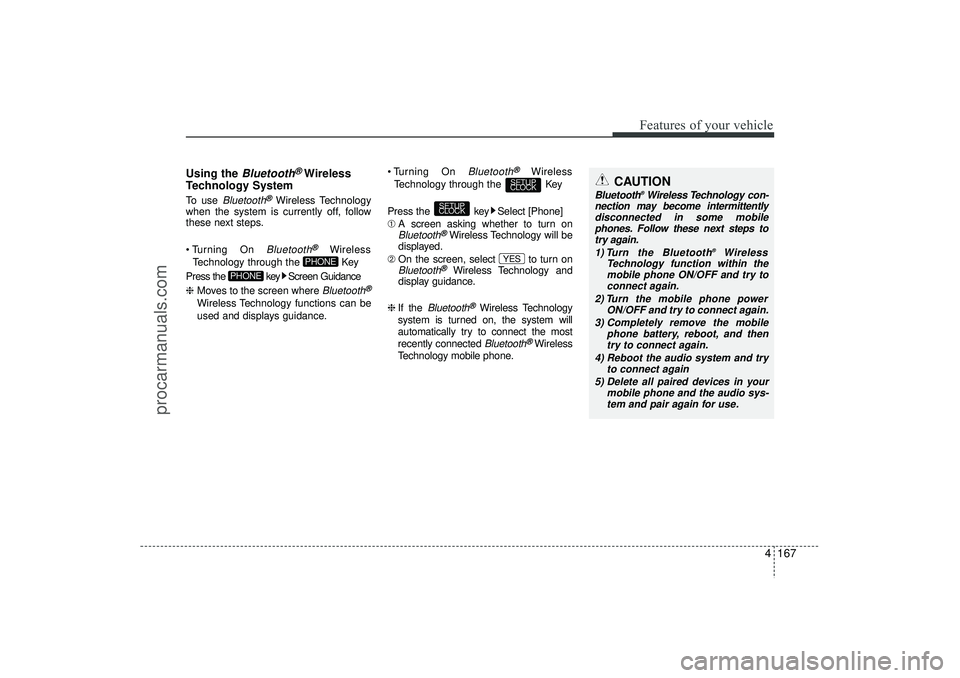
Using the
Bluetooth
®Wireless
Technology System
To use
Bluetooth
®Wireless Technology
when the system is currently off, follow
these next steps.
Turning On Bluetooth
®
Wireless
Technology through the Key
Press the key Screen Guidance
❈ Moves to the screen where Bluetooth
®
Wireless Technology functions can be
used and displays guidance. Turning On
Bluetooth
®
Wireless
Technology through the Key
Press the key Select [Phone]
➀ A screen asking whether to turn on
Bluetooth
®Wireless Technology will be
displayed.
➁ On the screen, select to turn on
Bluetooth
®
Wireless Technology and
display guidance.
❈ If the
Bluetooth
®Wireless Technology
system is turned on, the system will
automatically try to connect the most
recently connected Bluetooth
®Wireless
Technology mobile phone.
YES
SETUP
CLOCK
SETUP
CLOCK
PHONE
PHONE
CAUTION
Bluetooth
®Wireless Technology con-
nection may become intermittently disconnected in some mobilephones. Follow these next steps totry again.
1) Turn the Bluetooth
®
Wireless
Technology function within the mobile phone ON/OFF and try to connect again.
2) Turn the mobile phone power ON/OFF and try to connect again.
3) Completely remove the mobile phone battery, reboot, and thentry to connect again.
4) Reboot the audio system and try to connect again
5) Delete all paired devices in your mobile phone and the audio sys-tem and pair again for use.
EL(FL) UK 4B AUDIO.QXP 3/13/2015 4:19 PM Page 167
procarmanuals.com
Page 253 of 550
![HYUNDAI IX35 2016 Owners Manual Features of your vehicle168
4System SettingsPress the key Select [System]
Memory Information
(if equipped)Displays currently used memory and
total system memory.
Select [Memory Information] OK
The c](/img/35/57921/w960_57921-252.png "HYUNDAI IX35 2016 Owners Manual Features of your vehicle168
4System SettingsPress the key Select [System]
Memory Information
(if equipped)Displays currently used memory and
total system memory.
Select [Memory Information] OK
The c")
Features of your vehicle168
4System SettingsPress the key Select [System]
Memory Information
(if equipped)Displays currently used memory and
total system memory.
Select [Memory Information] OK
The currently used memory is displayed
on the left side whilst the total system
memory is displayed on the right side.
Language
This menu is used to set the display
and voice recognition language.Select [Language] Set through
TUNE knob
❈ The system will reboot after the lan-
guage is changed.
❈ Language support by region
-
SETUP
CLOCK
EL(FL) UK 4B AUDIO.QXP 3/13/2015 4:19 PM Page 168
procarmanuals.com
Page 254 of 550
4 169
Features of your vehicle
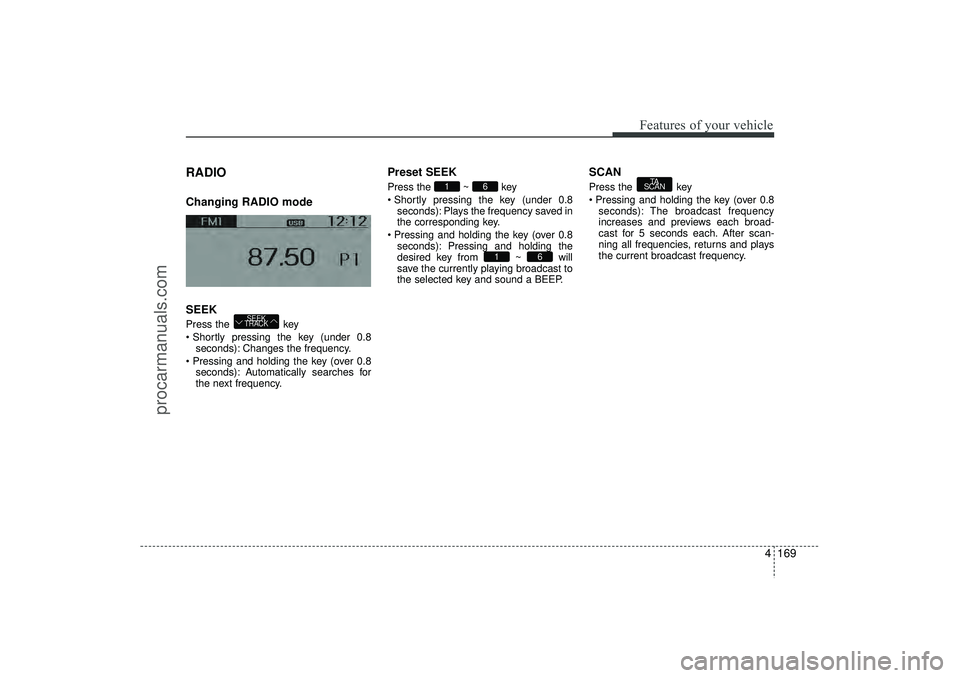
RADIO Changing RADIO mode
SEEKPress the key
Shortly pressing the key (under 0.8seconds): Changes the frequency.
Pressing and holding the key (over 0.8 seconds): Automatically searches for
the next frequency.
Preset SEEKPress the ~ key
Shortly pressing the key (under 0.8seconds): Plays the frequency saved in
the corresponding key.
Pressing and holding the key (over 0.8 seconds): Pressing and holding the
desired key from ~ will
save the currently playing broadcast to
the selected key and sound a BEEP.
SCANPress the key
Pressing and holding the key (over 0.8seconds): The broadcast frequency
increases and previews each broad-
cast for 5 seconds each. After scan-
ning all frequencies, returns and plays
the current broadcast frequency.
TA
SCAN
6
1
6
1
SEEK
TRACK
EL(FL) UK 4B AUDIO.QXP 3/13/2015 4:19 PM Page 169
procarmanuals.com
Page 255 of 550
Features of your vehicle170
4Selecting through manual searchTurn the TUNE knob left/right to adjust
the frequency. AC100ELEE, AC110ELEE- FM : Changes by 50KHz
- AM : Changes by 9khzTraffic Announcement (TA)Shortly pressing the key (under
0.8 seconds): Set / TA Traffic
Announcement) mode.PTY Up/Down Press the key when
searching PTY in RDS Broadcasting
Program Type selection.
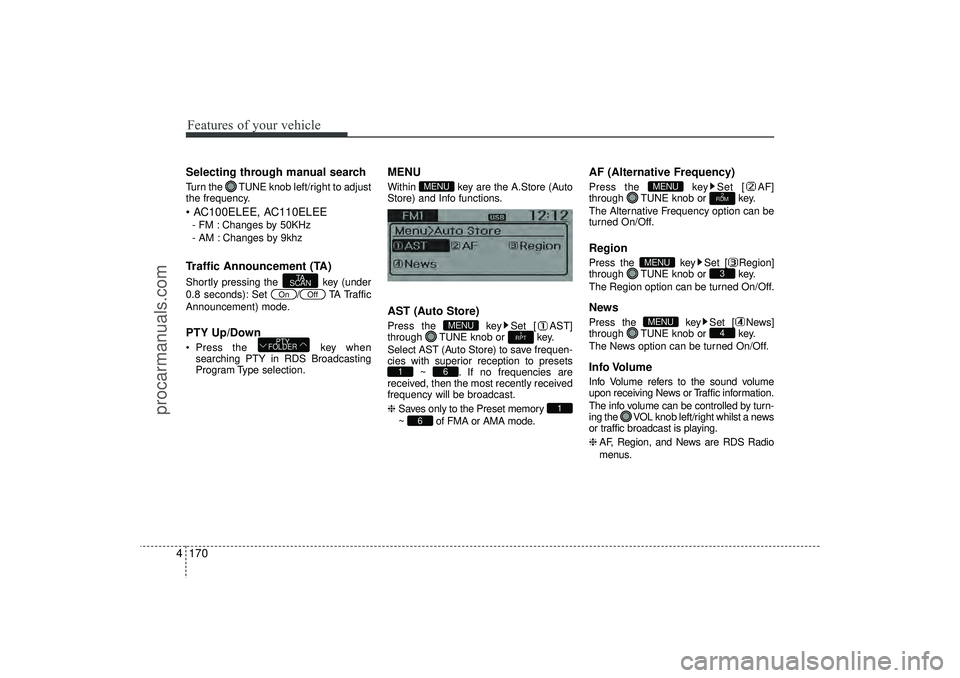
MENUWithin key are the A.Store (Auto
Store) and Info functions.AST (Auto Store)Press the key Set [ AST]
through TUNE knob or key.
Select AST (Auto Store) to save frequen-
cies with superior reception to presets ~ . If no frequencies are
received, then the most recently received
frequency will be broadcast.
❈ Saves only to the Preset memory
~ of FMA or AMA mode.
AF (Alternative Frequency)Press the key Set [ AF]
through TUNE knob or key.
The Alternative Frequency option can be
turned On/Off.RegionPress the key Set [ Region]
through TUNE knob or key.
The Region option can be turned On/Off.NewsPress the key Set [ News]
through TUNE knob or key.
The News option can be turned On/Off.Info VolumeInfo Volume refers to the sound volume
upon receiving News or Traffic information.
The info volume can be controlled by turn-
ing the VOL knob left/right whilst a news
or traffic broadcast is playing.
❈ AF, Region, and News are RDS Radio
menus.
4
MENU
3
MENU
2
RDM
MENU
6
1
6
1
1
RPT
MENU
MENU
PTY
FOLDER
Off
On
TA
SCAN
EL(FL) UK 4B AUDIO.QXP 3/13/2015 4:19 PM Page 170
procarmanuals.com