key battery HYUNDAI IX35 2016 User Guide
[x] Cancel search | Manufacturer: HYUNDAI, Model Year: 2016, Model line: IX35, Model: HYUNDAI IX35 2016Pages: 550, PDF Size: 9.92 MB
Page 304 of 550
4 219
Features of your vehicle
✽
✽NOTICE - USING THE iPod
®
DEVICE
• iPod
®
is a registered trademark of
Apple Inc.
• In order to use the iPod
®whilst oper-
ating the keys, you must use a dedi-
cated iPod
®cable. (the cable that is
supplied when purchasing
iPod
®/iPhone
®products)
• If the iPod
®is connected to the vehicle
whilst it is playing, a high pitch sound
could occur for approximately 1-2 sec-
onds immediately after connecting. If
possible, connect the iPod
®
to the
vehicle with the iPod
®
stopped/paused.
• During ACC ON state, connecting the iPod
®
through the iPod
®
cable will
charge the iPod
®
through the car
audio system.
• When connecting with the iPod
®
cable, make sure to fully insert the
jack to prevent communication inter-
ference. (Continued)(Continued)
• When the EQ features of an external
device, such as the iPod
®, and the audio
system are both active, EQ effects could
overlap and cause sound deterioration
and distortion. Whenever possible, turn
off the EQ feature within the external
device upon use by connecting with the
audio system.
• Noise may occur when an iPod
®
or
AUX device is connected. When such
devices are not being used, disconnect
the device for storage.
• When the iPod
®or AUX device power
is connected to the power jack, playing
the external device may result in noise.
In such cases, disconnect the power con-
nection before use.
• Skipping or improper operation may occur depending on the characteristics of
your iPod
®/iPhone
®device.
• If your iPhone is connected to both the Bluetooth
®
Wireless Technology and
USB, the sound may not be properly
played. In your
iPhone
®, select the
Dock connector or Bluetooth®Wireless
Technology to change the sound out-
put (source). (Continued)(Continued)
• iPod
®mode cannot be operated when
the iPod®cannot be recognized due to
the playing of versions that do not
support communication protocols,
cases of iPod
®abnormalities and
defects.
• For fifth generation iPod
®
Nano
devices, the iPod
®may not be recog-
nized when the battery level is low.
Please charge the iPod
®for use.
• Search/play orders shown within the iPod
®
device may differ with the
orders shown within the audio system.
• If the iPod
®malfunctions due to an
iPod
®device defect, reset the iPod
®
and try again. (To learn more, refer to
your iPod
®manual)
• Some iPod®s may not sync with the
System depending on its version. If
the Media is removed before the
Media is recognized, then the system
may not properly restore the previ-
ously operated mode. (iPad charging
is not supported.)
EL(FL) UK 4B AUDIO.QXP 3/13/2015 4:19 PM Page 219
Page 354 of 550
Driving your vehicle65Ignition switch positionLOCKThe steering wheel locks to protect
against theft. The ignition key can be
removed only in the LOCK position.
When turning the ignition switch to the
LOCK position, push the key inward at
the ACC position and turn the key toward
the LOCK position.
ACC (Accessory)The steering wheel is unlocked and elec-
trical accessories are operative.✽ ✽NOTICEIf difficulty is experienced turning the
ignition switch to the ACC position, turn
the key whilst turning the steering wheel
right and left to release the tension.ONThe warning lights can be checked
before the engine is started. This is the
normal running position after the engine
is started.Do not leave the ignition switch ON if the
engine is not running to prevent battery discharge.
STARTTurn the ignition key to the START posi-
tion to start the engine. The engine will
crank until you release the key; then it
returns to the ON position. The brake
warning lamp can be checked in this
position.
WARNING -
Ignition key
Never turn the ignition switch to LOCK or ACC whilst the vehicle is
moving. This would result in loss
of directional control and braking
function, which could cause an
accident.
The anti-theft steering column lock is not a substitute for the parking
brake. Before leaving the driver’s
seat, always make sure the shift
lever is engaged in 1
stgear for the
manual transaxle or P (Park) for
the automatic transaxle, set the
parking brake fully and shut the
engine off. Unexpected and sud-
den vehicle movement may occur
if these precautions are not taken.
Never reach for the ignition switch, or any other controls through the
steering wheel whilst the vehicle is
in motion. The presence of your
hand or arm in this area could
cause a loss of vehicle control, an
accident and serious bodily injury
or death.
Do not place any movable objects around the driver’s seat as they
may move whilst driving, interfere
with the driver and lead to an acci-
dent.
EL(FL) UK 5.QXP 12/16/2014 8:08 PM Page 6
Page 362 of 550
Driving your vehicle14
5
✽
✽
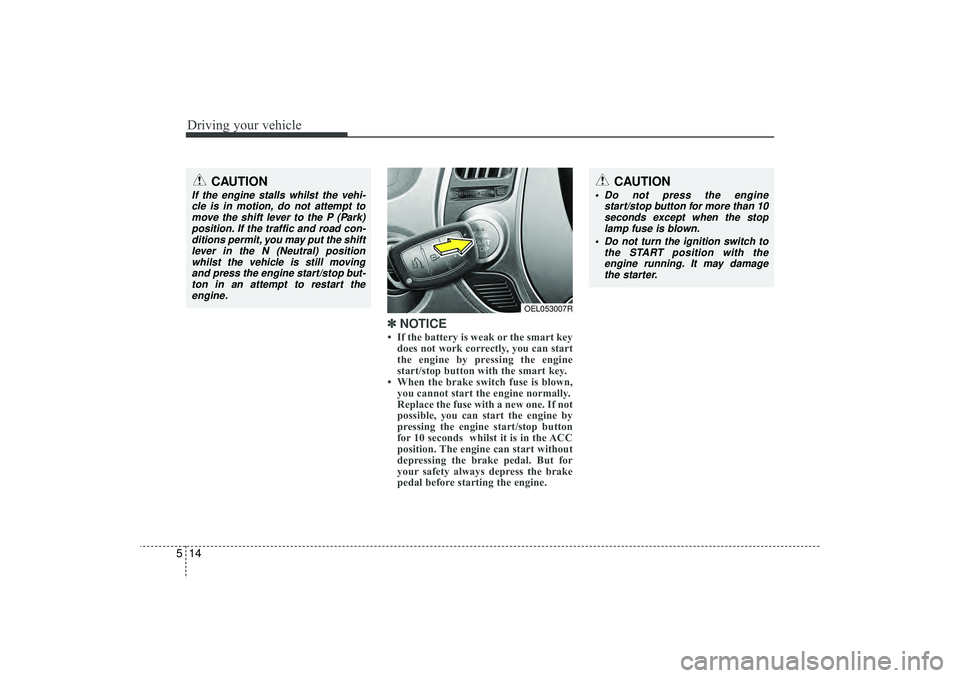
NOTICE• If the battery is weak or the smart key
does not work correctly, you can start
the engine by pressing the engine
start/stop button with the smart key.
• When the brake switch fuse is blown, you cannot start the engine normally.
Replace the fuse with a new one. If not
possible, you can start the engine by
pressing the engine start/stop button
for 10 seconds whilst it is in the ACC
position. The engine can start without
depressing the brake pedal. But for
your safety always depress the brake
pedal before starting the engine.
CAUTION
Do not press the engine
start/stop button for more than 10seconds except when the stoplamp fuse is blown.
Do not turn the ignition switch to the START position with theengine running. It may damagethe starter.
CAUTION
If the engine stalls whilst the vehi-cle is in motion, do not attempt to move the shift lever to the P (Park)position. If the traffic and road con-ditions permit, you may put the shift lever in the N (Neutral) positionwhilst the vehicle is still movingand press the engine start/stop but-ton in an attempt to restart the engine.
OEL053007R
EL(FL) UK 5.QXP 12/16/2014 8:08 PM Page 14