remote control HYUNDAI IX35 2016 Owners Manual
[x] Cancel search | Manufacturer: HYUNDAI, Model Year: 2016, Model line: IX35, Model: HYUNDAI IX35 2016Pages: 550, PDF Size: 9.92 MB
Page 86 of 550

Features of your vehicleKeys . . . . . . . . . . . . . . . . . . . . . . . . . . . . . . . . . . . . \
. . 4-4• Record your key number . . . . . . . . . . . . . . . . . . . . . . . 4-4
• Key operations . . . . . . . . . . . . . . . . . . . . . . . . . . . . . . . . 4-4
• Immobiliser system . . . . . . . . . . . . . . . . . . . . . . . . . . . . 4-5Remote keyless entry . . . . . . . . . . . . . . . . . . . . . . . 4-7• Remote keyless entry system operations . . . . . . . . . . . 4-7
• Transmitter precautions . . . . . . . . . . . . . . . . . . . . . . . . 4-8
• Battery replacement . . . . . . . . . . . . . . . . . . . . . . . . . . . 4-9Smart key . . . . . . . . . . . . . . . . . . . . . . . . . . . . . . . . 4-10• Smart key functions . . . . . . . . . . . . . . . . . . . . . . . . . . 4-10
• Smart key precautions . . . . . . . . . . . . . . . . . . . . . . . . 4-12
• Door lock/unlock in an emergency situation . . . . . . 4-12Theft-alarm system . . . . . . . . . . . . . . . . . . . . . . . . 4-13• Theft-alarm stage . . . . . . . . . . . . . . . . . . . . . . . . . . . . 4-14
• Disarmed stage. . . . . . . . . . . . . . . . . . . . . . . . . . . . . . . 4-14Door locks . . . . . . . . . . . . . . . . . . . . . . . . . . . . . . . 4-15• Operating door locks from outside the vehicle . . . . 4-15
• Operating door locks from inside the vehicle . . . . . . 4-16
• Deadlocks . . . . . . . . . . . . . . . . . . . . . . . . . . . . . . . . . . 4-17\
• Speed sensing door lock system . . . . . . . . . . . . . . . . 4-18
• Child-protector rear door lock. . . . . . . . . . . . . . . . . . 4-18Tailgate . . . . . . . . . . . . . . . . . . . . . . . . . . . . . . . . . . 4-19\
• Opening the tailgate . . . . . . . . . . . . . . . . . . . . . . . . . . 4-19
• Closing the tailgate . . . . . . . . . . . . . . . . . . . . . . . . . . . 4-19
Windows . . . . . . . . . . . . . . . . . . . . . . . . . . . . . . . . . 4-21• Power windows . . . . . . . . . . . . . . . . . . . . . . . . . . . . . . 4-22Bonnet . . . . . . . . . . . . . . . . . . . . . . . . . . . . . . . . . . . 4-\
25• Opening the bonnet . . . . . . . . . . . . . . . . . . . . . . . . . . 4-25
• Closing the bonnet . . . . . . . . . . . . . . . . . . . . . . . . . . . . 4-26Fuel filler lid . . . . . . . . . . . . . . . . . . . . . . . . . . . . . 4-27• Opening the fuel filler lid . . . . . . . . . . . . . . . . . . . . . . 4-27
• Closing the fuel filler lid . . . . . . . . . . . . . . . . . . . . . . . 4-27Panorama sunroof . . . . . . . . . . . . . . . . . . . . . . . . . 4-30• Sunroof open warning . . . . . . . . . . . . . . . . . . . . . . . . 4-30
• Tilting the sunroof . . . . . . . . . . . . . . . . . . . . . . . . . . . 4-32
• Resetting the sunroof . . . . . . . . . . . . . . . . . . . . . . . . . 4-33Steering wheel . . . . . . . . . . . . . . . . . . . . . . . . . . . . . 4-34• Electric power steering . . . . . . . . . . . . . . . . . . . . . . . 4-34
• Heated steering wheel . . . . . . . . . . . . . . . . . . . . . . . . 4-35
• Horn . . . . . . . . . . . . . . . . . . . . . . . . . . . . . . . . . . . . \
. . . 4-36
• Flex steering wheel . . . . . . . . . . . . . . . . . . . . . . . . . . . 4-37Mirrors . . . . . . . . . . . . . . . . . . . . . . . . . . . . . . . . . . 4-39\
• Inside rearview mirror . . . . . . . . . . . . . . . . . . . . . . . . 4-39
• Outside rearview mirror . . . . . . . . . . . . . . . . . . . . . . 4-43Instrument cluster . . . . . . . . . . . . . . . . . . . . . . . . . 4-46• Instrument panel illumination . . . . . . . . . . . . . . . . . 4-47
• LCD Display Control . . . . . . . . . . . . . . . . . . . . . . . . . 4-47
• Gauges . . . . . . . . . . . . . . . . . . . . . . . . . . . . . . . . . . . . \
. 4-48
• Transaxle Shift Indicator . . . . . . . . . . . . . . . . . . . . . . 4-52
4
EL(FL) UK 4A.QXP 2/9/2015 9:02 PM Page 1
Page 128 of 550
443
Features of your vehicle
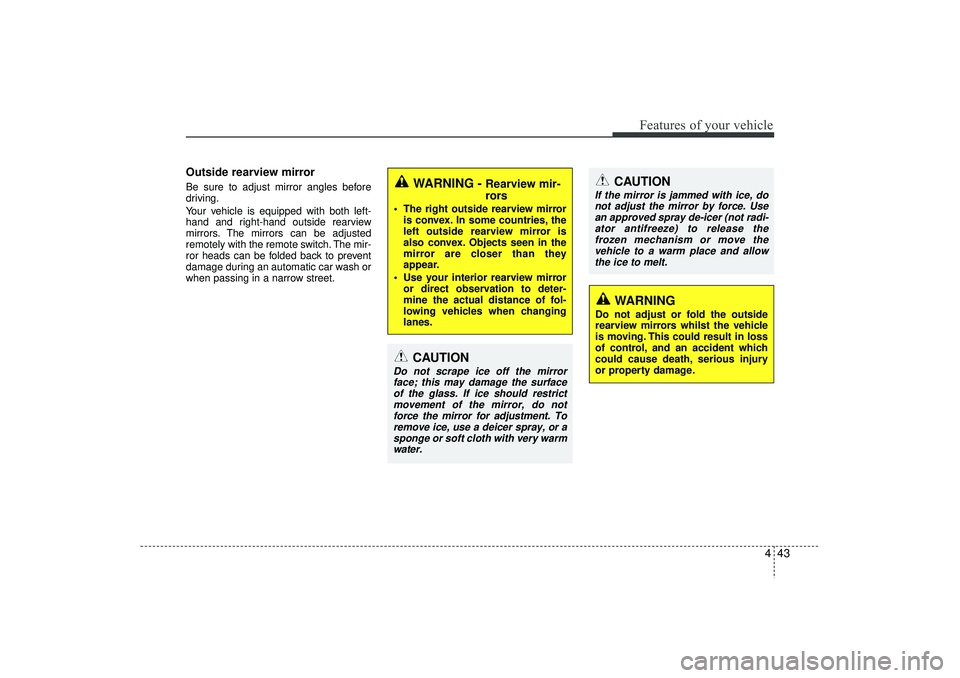
Outside rearview mirror Be sure to adjust mirror angles before
driving.
Your vehicle is equipped with both left-
hand and right-hand outside rearview
mirrors. The mirrors can be adjusted
remotely with the remote switch. The mir-
ror heads can be folded back to prevent
damage during an automatic car wash or
when passing in a narrow street.
CAUTION
If the mirror is jammed with ice, donot adjust the mirror by force. Use an approved spray de-icer (not radi-ator antifreeze) to release thefrozen mechanism or move the vehicle to a warm place and allowthe ice to melt.
WARNING
Do not adjust or fold the outside
rearview mirrors whilst the vehicle
is moving. This could result in loss
of control, and an accident which
could cause death, serious injury
or property damage.
WARNING -
Rearview mir-
rors
The right outside rearview mirror is convex. In some countries, the
left outside rearview mirror is
also convex. Objects seen in the
mirror are closer than they
appear.
Use your interior rearview mirror or direct observation to deter-
mine the actual distance of fol-
lowing vehicles when changing
lanes.
CAUTION
Do not scrape ice off the mirrorface; this may damage the surfaceof the glass. If ice should restrict movement of the mirror, do notforce the mirror for adjustment. To remove ice, use a deicer spray, or asponge or soft cloth with very warmwater.
EL(FL) UK 4A.QXP 2/9/2015 9:04 PM Page 43
Page 129 of 550
Features of your vehicle44
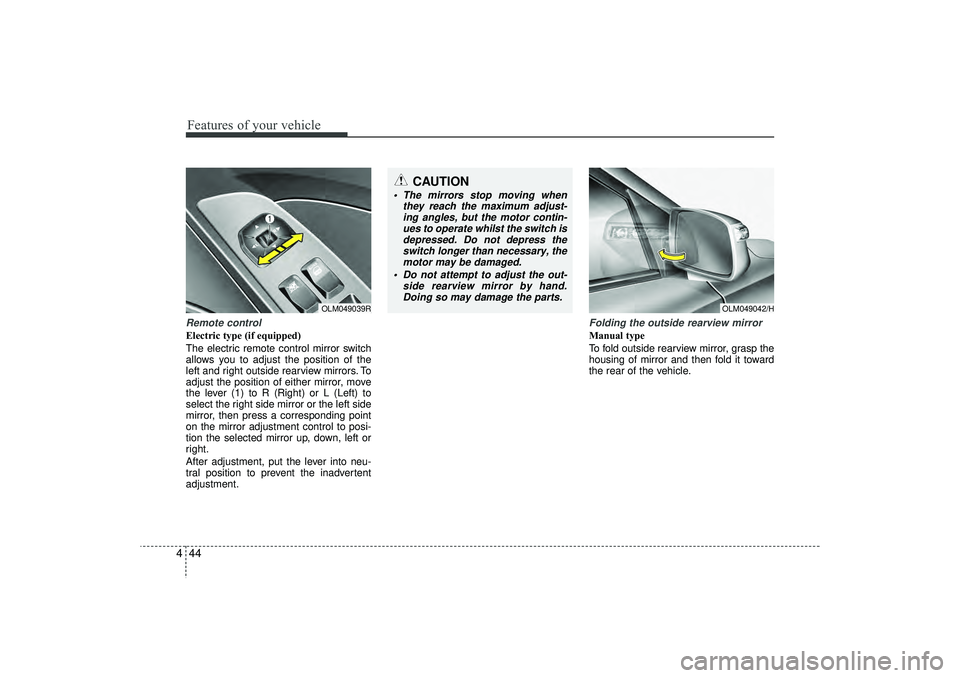
4Remote controlElectric type (if equipped)
The electric remote control mirror switch
allows you to adjust the position of the
left and right outside rearview mirrors. To
adjust the position of either mirror, move
the lever (1) to R (Right) or L (Left) to
select the right side mirror or the left side
mirror, then press a corresponding point
on the mirror adjustment control to posi-
tion the selected mirror up, down, left or
right.
After adjustment, put the lever into neu-
tral position to prevent the inadvertent
adjustment.
Folding the outside rearview mirrorManual type
To fold outside rearview mirror, grasp the
housing of mirror and then fold it toward
the rear of the vehicle.
OLM049039R
CAUTION
The mirrors stop moving when
they reach the maximum adjust-ing angles, but the motor contin- ues to operate whilst the switch isdepressed. Do not depress theswitch longer than necessary, the motor may be damaged.
Do not attempt to adjust the out- side rearview mirror by hand.Doing so may damage the parts.
OLM049042/H
EL(FL) UK 4A.QXP 2/9/2015 9:04 PM Page 44
Page 231 of 550
Features of your vehicle146
4Audio remote control
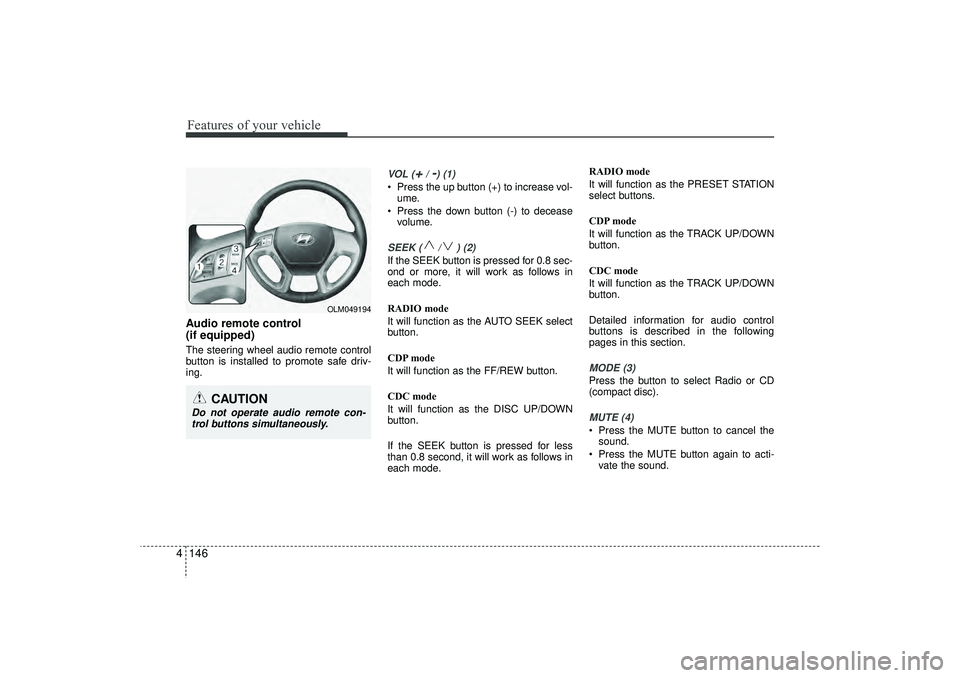
(if equipped) The steering wheel audio remote control
button is installed to promote safe driv-
ing.
VOL (
+/ -) (1)
• Press the up button (+) to increase vol-
ume.
Press the down button (-) to decease volume.SEEK ( / ) (2)If the SEEK button is pressed for 0.8 sec-
ond or more, it will work as follows in
each mode.
RADIO mode
It will function as the AUTO SEEK select
button.
CDP mode
It will function as the FF/REW button.
CDC mode
It will function as the DISC UP/DOWN
button.
If the SEEK button is pressed for less
than 0.8 second, it will work as follows in
each mode. RADIO mode
It will function as the PRESET STATION
select buttons.
CDP mode
It will function as the TRACK UP/DOWN
button.
CDC mode
It will function as the TRACK UP/DOWN
button.
Detailed information for audio control
buttons is described in the following
pages in this section.
MODE (3)Press the button to select Radio or CD
(compact disc).MUTE (4) Press the MUTE button to cancel the
sound.
Press the MUTE button again to acti- vate the sound.
CAUTION
Do not operate audio remote con-trol buttons simultaneously.
OLM049194
EL(FL) UK 4B AUDIO.QXP 3/13/2015 4:19 PM Page 146
Page 264 of 550
4 179
Features of your vehicle
PHONE (if equipped)Before using the
Bluetooth
®Wireless
Technology
phone features
In order to use
Bluetooth
®
Wireless
Technology
phone, you must first pair
and connect the
Bluetooth
®
Wireless
Technology
mobile phone.
If the mobile phone is not paired or con- nected, it is not possible to enter Phone
mode. Once a phone is paired or con-
nected, the guidance screen will be dis-
played.
If Priority is set upon vehicle ignition (IGN/ACC ON), the
Bluetooth
®Wireless
Technology
phone will be automatically
connected. Even if you are outside, the
Bluetooth
®Wireless Technology
phone will
be automatically connected once you are
in the vicinity of the vehicle. If you do not
want automatic
Bluetooth
®
Wireless
Technology
phone connection, set the
Bluetooth
®Wireless Technology
power to
OFF.
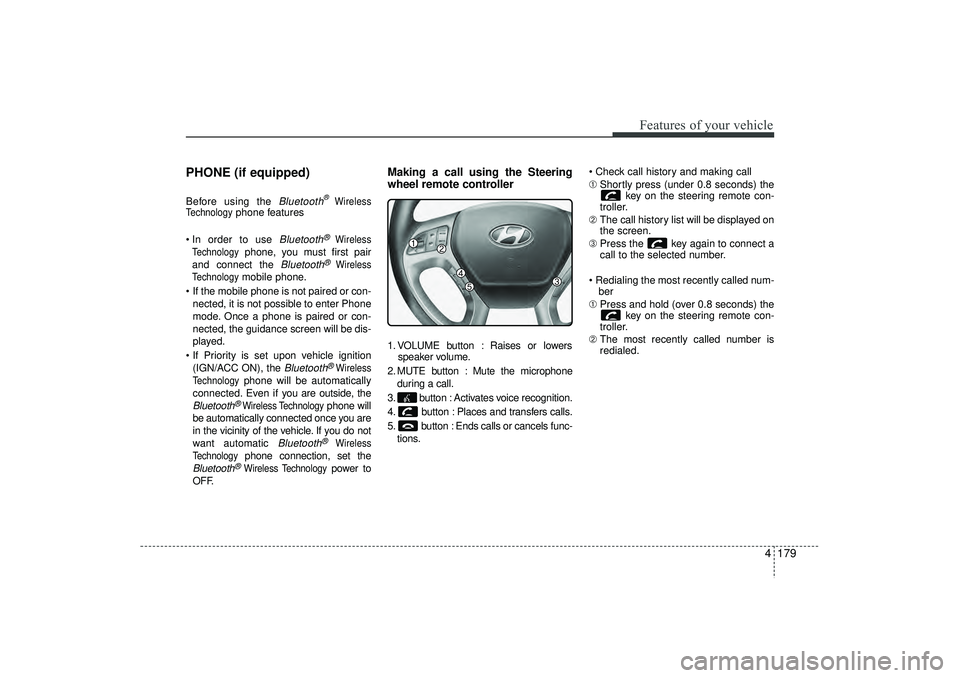
Making a call using the Steering
wheel remote controller1. VOLUME button : Raises or lowers speaker volume.
2. MUTE button : Mute the microphone during a call.
3. button : Activates voice recognition.
4. button : Places and transfers calls.
5. button : Ends calls or cancels func- tions. Check call history and making call
➀
Shortly press (under 0.8 seconds) the
key on the steering remote con-
troller.
➁ The call history list will be displayed on
the screen.
\b Press the key again to connect a
call to the selected number.
Redialing the most recently called num- ber
➀ Press and hold (over 0.8 seconds) the
key on the steering remote con-
troller.
➁ The most recently called number is
redialed.
EL(FL) UK 4B AUDIO.QXP 3/13/2015 4:19 PM Page 179
Page 268 of 550
4 183
Features of your vehicle
✽
✽NOTICE -
USING VOICE COM-
MAND
• The voice recognition feature of this
product supports recognition of the
commands listed within this user’s
manual.
• Whilst using voice recognition, oper- ating the steering remote control or
the device will terminate voice recog-
nition and allow you to manually
operate desired functions.
• Position the microphone above the head of the driver’s seat. For superior
performance, maintain good posture
when saying voice commands. (Continued)(Continued)
• Voice recognition may not function
properly due to outside noise. The fol-
lowing conditions can affect the per-
formance of Voice Recognition:
- When the windows and sunroof areopen
- When the heating/cooling system is on
- When passing a tunnel
- When driving on rugged and uneven roads
• After downloading Bluetooth
®
Wireless Technology phone book, the
system requires some times to convert
the phone book into voice informa-
tion. During this time, voice recogni-
tion may not operate properly.
• Upon inputting your phone book, spe- cial symbols and numbers cannot be
recognized by voice. For example, “#
John Doe%&” will be recognized as
“John Doe”.
EL(FL) UK 4B AUDIO.QXP 3/13/2015 4:19 PM Page 183
Page 269 of 550
Features of your vehicle184
4VOICE COMMAND
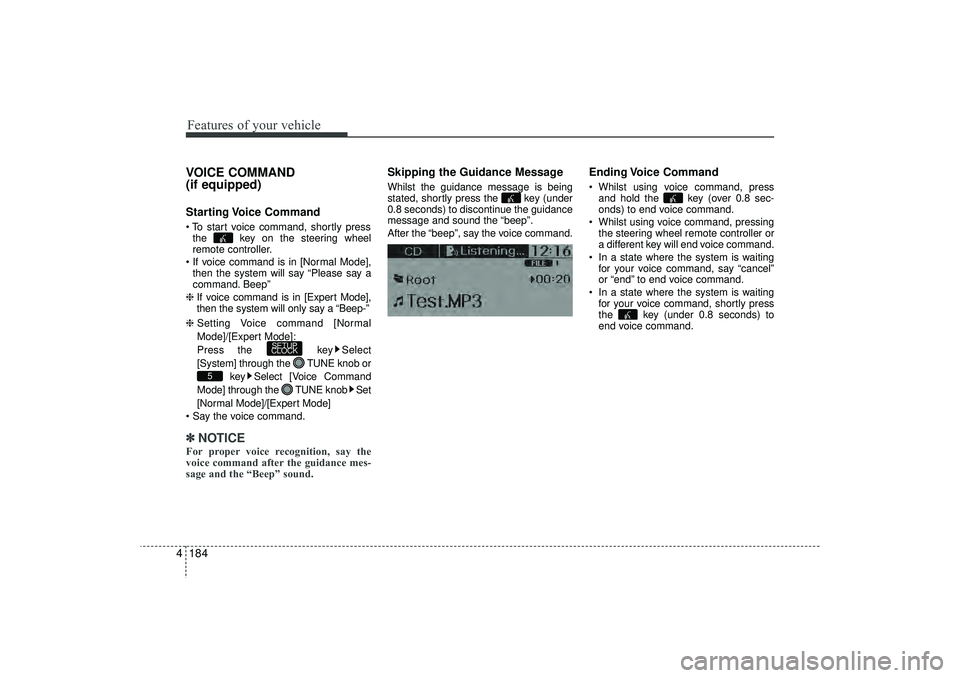
(if equipped)Starting Voice Command To start voice command, shortly press
the key on the steering wheel
remote controller.
If voice command is in [Normal Mode], then the system will say “Please say a
command. Beep”
❈ If voice command is in [Expert Mode],
then the system will only say a “Beep-”
❈ Setting Voice command [Normal
Mode]/[Expert Mode]:
Press the key Select
[System] through the TUNE knob or
key Select [Voice Command
Mode] through the TUNE knob Set
[Normal Mode]/[Expert Mode]
Say the voice command.✽ ✽ NOTICEFor proper voice recognition, say the
voice command after the guidance mes-
sage and the “Beep” sound.
Skipping the Guidance MessageWhilst the guidance message is being
stated, shortly press the key (under
0.8 seconds) to discontinue the guidance
message and sound the “beep”.
After the “beep”, say the voice command.
Ending Voice Command Whilst using voice command, press
and hold the key (over 0.8 sec-
onds) to end voice command.
Whilst using voice command, pressing the steering wheel remote controller or
a different key will end voice command.
In a state where the system is waiting for your voice command, say “cancel”
or “end” to end voice command.
In a state where the system is waiting for your voice command, shortly press
the key (under 0.8 seconds) to
end voice command.
5
SETUP
CLOCK
EL(FL) UK 4B AUDIO.QXP 3/13/2015 4:19 PM Page 184
Page 319 of 550
Features of your vehicle234
4Pairing a
Bluetooth
®Wireless
Technology De vice
What is
Bluetooth
®
Wireless
Technology Pairing?
Pairing refers to the process of synchro-
nizing your
Bluetooth
®
Wireless
Technology phone or device with the car
audio system for connection. Pairing is
necessary to connect and use the
Bluetooth
®Wireless Technology feature.
Pairing Key / Key on
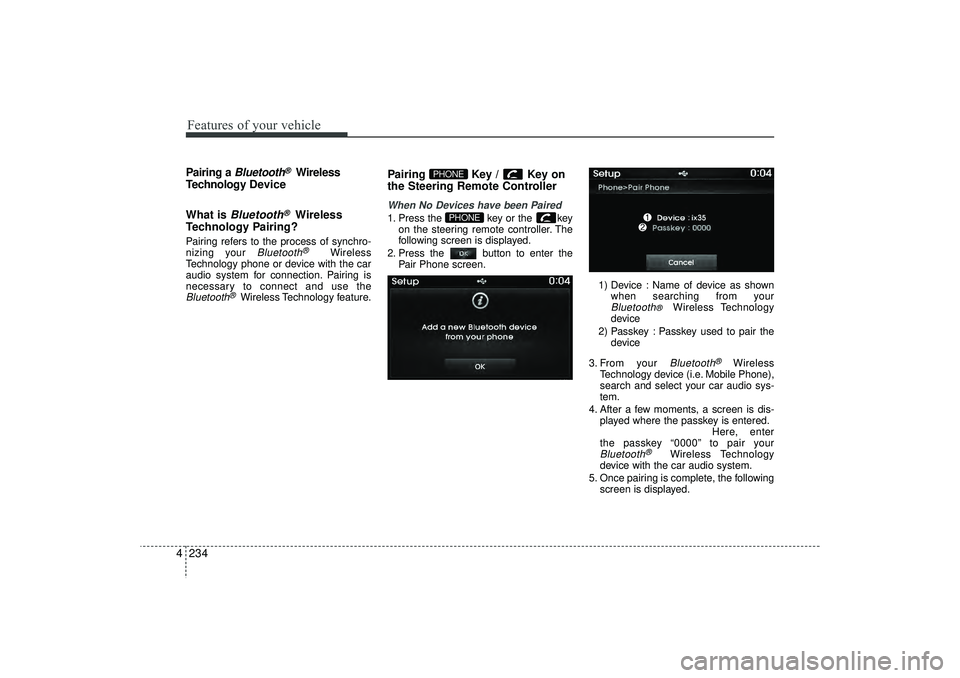
the Steering Remote ControllerWhen No Devices have been Paired1. Press the key or the key on the steering remote controller. The
following screen is displayed.
2. Press the button to enter the Pair Phone screen.
1) Device : Name of device as shownwhen searching from your
Bluetooth
®
Wireless Technology
device
2) Passkey : Passkey used to pair the device
3. From your Bluetooth
®
Wireless
Technology device (i.e. Mobile Phone),
search and select your car audio sys-
tem.
4. After a few moments, a screen is dis- played where the passkey is entered. Here, enter
the passkey “0000” to pair your
Bluetooth
®
Wireless Technology
device with the car audio system.
5. Once pairing is complete, the following screen is displayed.
PHONE
PHONE
EL(FL) UK 4B AUDIO.QXP 3/13/2015 4:19 PM Page 234
Page 329 of 550
Features of your vehicle244
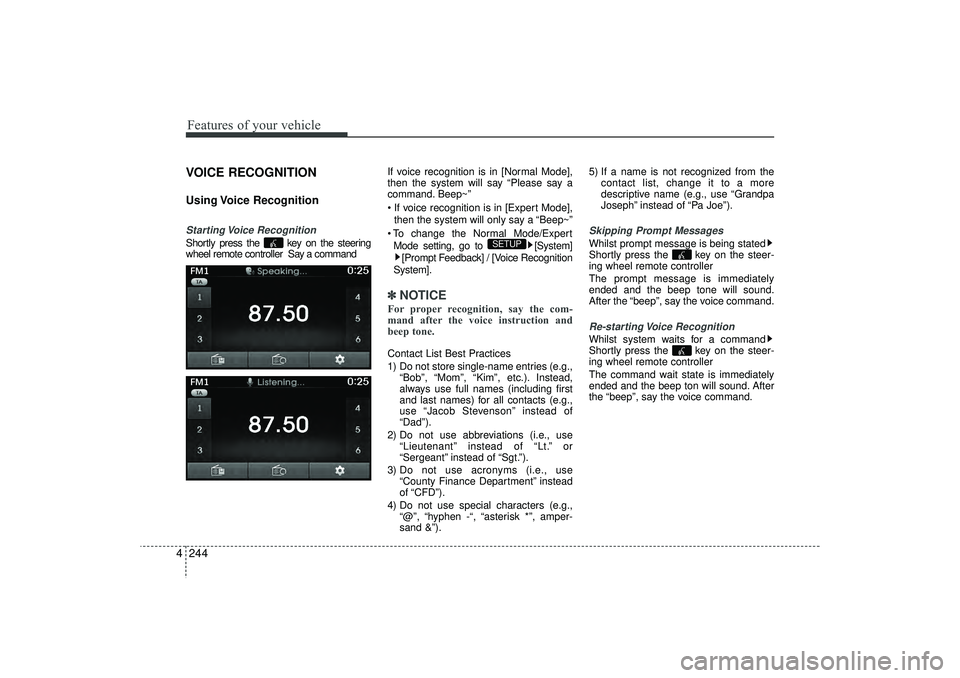
4VOICE RECOGNITIONUsing Voice RecognitionStarting Voice RecognitionShortly press the key on the steering
wheel remote controller Say a command If voice recognition is in [Normal Mode],
then the system will say “Please say a
command. Beep~”
If voice recognition is in [Expert Mode],
then the system will only say a “Beep~”
To change the Normal Mode/Expert Mode setting, go to [System] [Prompt Feedback] / [Voice Recognition
System].
✽ ✽ NOTICE For proper recognition, say the com-
mand after the voice instruction and
beep tone.Contact List Best Practices
1) Do not store single-name entries (e.g.,
“Bob”, “Mom”, “Kim”, etc.). Instead,
always use full names (including first
and last names) for all contacts (e.g.,
use “Jacob Stevenson” instead of
“Dad”).
2) Do not use abbreviations (i.e., use “Lieutenant” instead of “Lt.” or
“Sergeant” instead of “Sgt.”).
3) Do not use acronyms (i.e., use “County Finance Department” instead
of “CFD”).
4) Do not use special characters (e.g., “@”, “hyphen -“, “asterisk *”, amper-
sand &”). 5) If a name is not recognized from the
contact list, change it to a more
descriptive name (e.g., use “Grandpa
Joseph” instead of “Pa Joe”).
Skipping Prompt MessagesWhilst prompt message is being stated
Shortly press the key on the steer-
ing wheel remote controller
The prompt message is immediately
ended and the beep tone will sound.
After the “beep”, say the voice command.Re-starting Voice RecognitionWhilst system waits for a command
Shortly press the key on the steer-
ing wheel remote controller
The command wait state is immediately
ended and the beep ton will sound. After
the “beep”, say the voice command.
SETUP
EL(FL) UK 4B AUDIO.QXP 3/13/2015 4:19 PM Page 244
Page 330 of 550
4 245
Features of your vehicle
ENDING VOICE RECOGNITIONWhilst Voice Recognition is operating
Press and hold the key on the steer-
ing wheel remote controller ✽ ✽NOTICE • Whilst using voice command, pressing
a steering wheel remote control or a
different key will end voice command.
• When the system is waiting for a voice command, say “cancel” or “end” to
end voice command.
• When the system is waiting for a voice command, press and hold the key
on the steering wheel remote con-
troller to end voice command.
EL(FL) UK 4B AUDIO.QXP 3/13/2015 4:19 PM Page 245