reset Hyundai Kona 2018 Owner's Manual - RHD (UK, Australia)
[x] Cancel search | Manufacturer: HYUNDAI, Model Year: 2018, Model line: Kona, Model: Hyundai Kona 2018Pages: 497, PDF Size: 11.7 MB
Page 79 of 497
 Convenient features of your vehicle
Accessing your vehicle .........................................3-3
Remote key ........................................................................\
.3-3
Smart")
Convenient features of your vehicle
Accessing your vehicle .........................................3-3
Remote key ........................................................................\
.3-3
Smart key ........................................................................\
....3-6
Immobiliser system .........................................................3-10
Door locks .............................................................3-11
Operating door locks from outside the vehicle ......3-11
Operating door locks from inside the vehicle .........3-12
Deadlocks ........................................................................\
..3-14
Auto door lock/unlock features..................................3-15
Child-protector rear door locks ..................................3-15
Theft-alarm system.............................................3-16
Steering wheel......................................................3-17
Electric power steering (EPS) ......................................3-17
Tilt steering/Telescopic steering.................................3-17
Heated steering wheel ...................................................3-18
Horn ........................................................................\
............3-19
Mirrors ...................................................................3-19
Inside rearview mirror....................................................3-19
Outside rearview mirror ................................................3-20
Windows ................................................................3-23
Power windows................................................................3-23
Sunroof..................................................................3-27
Sunroof opening and closing .......................................3-28
Sliding the sunroof .........................................................3-28
Tilting the sunroof ..........................................................3-29
Sunshade ........................................................................\
...3-29Resetting the sunroof ....................................................3-30
Sunroof open warning ...................................................3-30
Exterior features .................................................3-31
Bonnet........................................................................\
........3-31
Tailgate.....................................................................\
..........3-32
Fuel filler door .................................................................3-34
Instrument cluster................................................3-38
Instrument cluster control ............................................3-39
Gauges and meters .........................................................3-39
Icy Road Warning Light .................................................3-42
Transmission shift indicator .........................................3-43
Manual transmission shift indicator ...........................3-43
Warning and indicator lights ........................................3-45
LCD display messages ..................................................3-58
LCD display (Cluster Type B,C) ..........................3-64
LCD display control.........................................................3-64
LCD display modes ..........................................................3-65
Trip computer and service reminder
(For cluster Type A) ............................................3-72
Trip computer ...................................................................3-72
Service reminder .............................................................3-75
Trip computer (Type B, Type C).........................3-77
Trip modes ........................................................................\
3-77
Head up display (HUD)........................................3-80
Lighting..................................................................3-83
Exterior lights ..................................................................3-83
3
Page 94 of 497
3-16
Convenient features of your vehicle
This system helps to protect your
vehicle and valuables. The horn will
sound and the hazard warning lights
will blink continuously if any of the
following occur:
- A door is opened without using the remote key or smart key.
- The tailgate is opened without using the remote key or smart key.
- The engine bonnet is opened.
The alarm continues for 30 seconds,
then the system resets. To turn off
the alarm, unlock the doors with the
remote key or smart key.
The Theft Alarm System automati-
cally sets 30 seconds after you lock
the doors and the tailgate. For the
system to activate, you must lock the
doors and the tailgate from outside
the vehicle with the remote key or
smart key or by pressing the button
on the outside of the door handles
with the smart key in your posses-
sion.
The hazard warning lights will blink
and the chime will sound once to
indicate the system is armed. Once the security system is set, open-
ing any door, the tailgate, or the bon-
net without using the remote key or
smart key will cause the alarm to acti-
vate.
The Theft Alarm System will not set if
the bonnet, the tailgate, or any door
is not fully closed. If the system will
not set, check the bonnet, the tail-
gate, or the doors are fully closed.
Do not attempt to alter this system or
add other devices to it.
Information
• Do not lock the doors until all pas-
sengers have left the vehicle. If the
remaining passenger leaves the
vehicle when the system is armed,
the alarm will be activated.
• If the vehicle is not disarmed with the remote key or smart key, open
the doors by using the mechanical
key and place the ignition switch in
the ON position (for remote key) or
start the engine (for smart key) and
wait for 30 seconds.
• When the system is disarmed but a door or tailgate is not opened within 30
seconds, the system will be rearmed.
Information
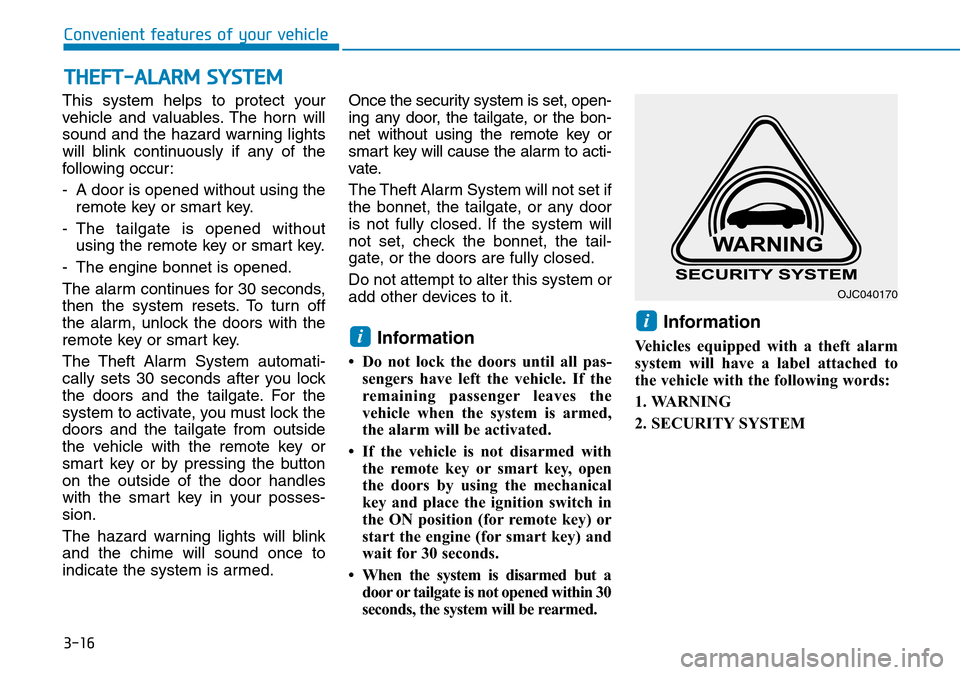
Vehicles equipped with a theft alarm
system will have a label attached to
the vehicle with the following words:
1. WARNING
2. SECURITY SYSTEM
ii
THEFT-ALARM SYSTEM
OJC040170
Page 103 of 497
3-25
Convenient features of your vehicle
3
To reset the power windows
If the power windows do not operate
normally, the automatic power win-
dow system must be reset as follows:
1. Place the ignition switch to the ONposition.
2. Close the window and continue pulling up on the power window
switch for at least one second.
If the power windows do not operate
properly after resetting, it is recom-
mended that the system be checked
by a HYUNDAI authorised repairer.
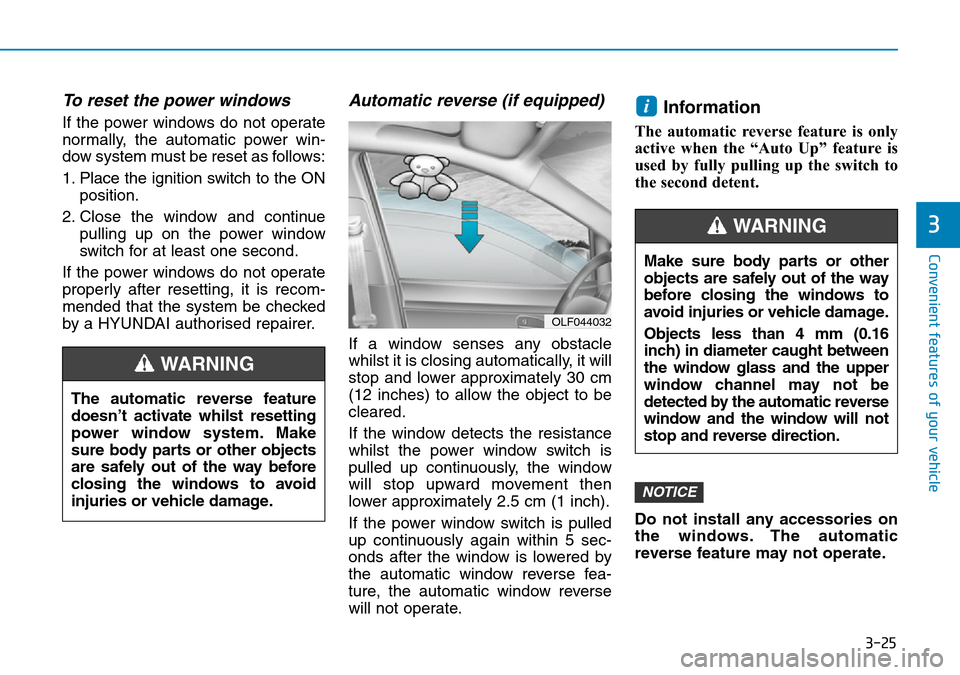
Automatic reverse (if equipped)
If a window senses any obstacle
whilst it is closing automatically, it will
stop and lower approximately 30 cm
(12 inches) to allow the object to be
cleared.
If the window detects the resistance
whilst the power window switch is
pulled up continuously, the window
will stop upward movement then
lower approximately 2.5 cm (1 inch).
If the power window switch is pulled
up continuously again within 5 sec-
onds after the window is lowered by
the automatic window reverse fea-
ture, the automatic window reverse
will not operate.
Information
The automatic reverse feature is only
active when the “Auto Up” feature is
used by fully pulling up the switch to
the second detent.
Do not install any accessories on
the windows. The automatic
reverse feature may not operate.
NOTICE
i
OLF044032
The automatic reverse feature
doesn’t activate whilst resetting
power window system. Make
sure body parts or other objects
are safely out of the way before
closing the windows to avoid
injuries or vehicle damage.
WARNING
Make sure body parts or other
objects are safely out of the way
before closing the windows to
avoid injuries or vehicle damage.
Objects less than 4 mm (0.16
inch) in diameter caught between
the window glass and the upper
window channel may not be
detected by the automatic reverse
window and the window will not
stop and reverse direction.
WARNING
Page 108 of 497
3-30
Convenient features of your vehicle
Resetting the sunroof
The sunroof may need to be reset if
the following conditions occur:
- The battery is discharged or dis- connected or the sunroof fuse has
been replaced or disconnected
- The sunroof control lever is not operating correctly
To reset the sunroof, perform the fol-
lowing steps:
1. Place the ignition switch to the ON position or start the engine. It is
recommended to reset the sunroof
whilst the engine is running.
2. Push the control lever forward. The sunroof will close completely or tilt
depending on the condition of the
sunroof.
3. Release the control lever until the sunroof does not move.
4. Push the control lever forward about 10 seconds.
- When the sunroof is in the close position :
The glass will tilt and slightly move up and down. - When the sunroof is in the tilt
position:
The glass will slightly move up and down.
Do not release the lever until the
operation is completed.
If you release the lever during opera-
tion, try again from step 2.
5. Within 3 seconds, push the control lever forward until the sunroof
operates as follows:
Tilt down → Slide Open → Slide
Close.
Do not release the lever until the
operation is completed.
If you release the lever during opera-
tion, try again from step 2.
6. Release the sunroof control lever after all operation has completed.
(The sunroof system has been
reset.)
Information
• If the sunroof does not reset whenthe vehicle battery is disconnected
or discharged, or related fuse is
blown, the sunroof may not operate
normally.
• For more detailed information, we recommend that you contact a
HYUNDAI authorised repairer.
Sunroof open warning
(if equipped)
• If the driver turns off the enginewhen the sunroof is not fully
closed, the warning chime will
sound for approximately 3 seconds
and sunroof open warning will
appear on the LCD display.
• If the driver turns off the engine and opens the door when the sun-
roof is not fully closed, the open
sunroof warning will appear on the
LCD display until the door is closed
or the sunroof is fully closed.
Close the sunroof securely when
leaving your vehicle.
i
Page 142 of 497
3-64
Convenient features of your vehicle
LCD display control
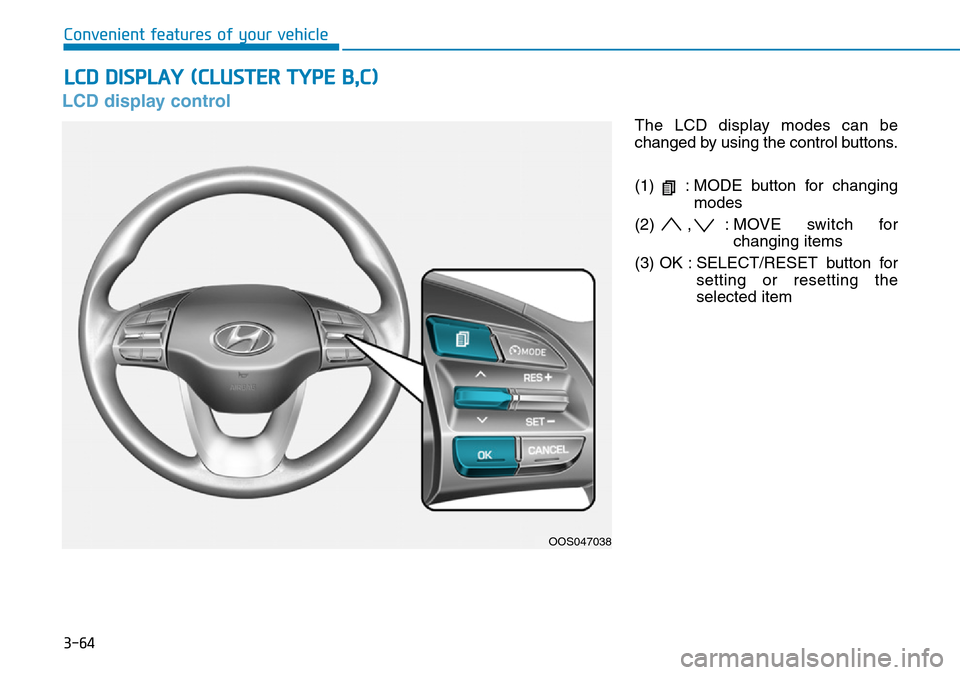
The LCD display modes can be
changed by using the control buttons.
(1) : MODE button for changingmodes
(2) , : MOVE switch for changing items
(3) OK : SELECT/RESET button for setting or resetting the
selected item
LCD DISPLAY (CLUSTER TYPE B,C)
OOS047038
Page 146 of 497
3-68
Convenient features of your vehicle
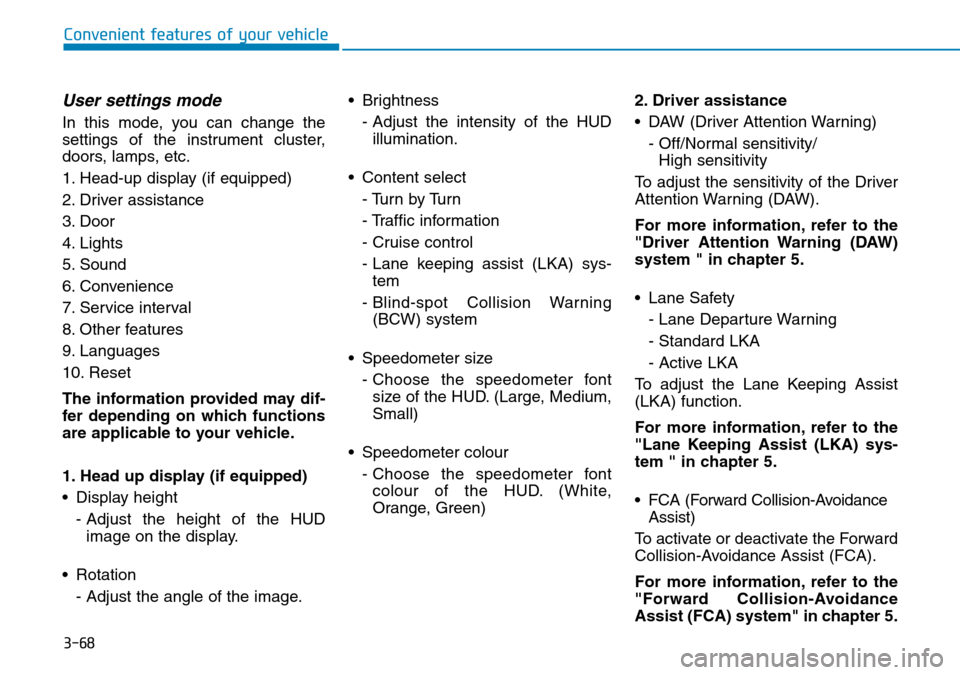
User settings mode
In this mode, you can change the
settings of the instrument cluster,
doors, lamps, etc.
1. Head-up display (if equipped)
2. Driver assistance
3. Door
4. Lights
5. Sound
6. Convenience
7. Service interval
8. Other features
9. Languages
10. Reset
The information provided may dif-
fer depending on which functions
are applicable to your vehicle.
1. Head up display (if equipped)
• Display height- Adjust the height of the HUDimage on the display.
• Rotation - Adjust the angle of the image. • Brightness
- Adjust the intensity of the HUDillumination.
• Content select - Tu r n b y Tu r n
- Traffic information
- Cruise control
- Lane keeping assist (LKA) sys-tem
- Blind-spot Collision Warning (BCW) system
• Speedometer size - Choose the speedometer fontsize of the HUD. (Large, Medium,
Small)
• Speedometer colour - Choose the speedometer fontcolour of the HUD. (White,
Orange, Green) 2. Driver assistance
• DAW (Driver Attention Warning)
- Off/Normal sensitivity/ High sensitivity
To adjust the sensitivity of the Driver
Attention Warning (DAW).
For more information, refer to the
"Driver Attention Warning (DAW)
system " in chapter 5.
• Lane Safety - Lane Departure Warning
- Standard LKA
- Active LKA
To adjust the Lane Keeping Assist
(LKA) function.
For more information, refer to the
"Lane Keeping Assist (LKA) sys-
tem " in chapter 5.
• FCA (Forward Collision-Avoidance Assist)
To activate or deactivate the Forward
Collision-Avoidance Assist (FCA).
For more information, refer to the
"Forward Collision-Avoidance
Assist (FCA) system" in chapter 5.
Page 149 of 497
3-71
Convenient features of your vehicle
3
7. Service interval
• Service interval
To activate or deactivate the service
interval function.
• Adjust interval
If the service interval menu is acti-
vated, you may adjust the time and
distance.
Information
To use the service interval menu, con-
sult a HYUNDAI authorised repairer.
If the service interval is activated and
the time and distance is adjusted,
messages are displayed in the fol-
lowing situations each time the vehi-
cle is turned on.
- Service in: Displayed to inform the driver theremaining mileage and days to
service.
- Service required : Displayed when the mileage anddays to service has been reached
or passed.
Information
If any of the following conditions
occur, the mileage and number of days
to service may be incorrect.
- The battery cable is disconnected.
- The fuse switch is turned off.
- The battery is discharged.
8. Other features
• Fuel economy auto reset
- Off: The average fuel economy will not reset automatically whenever
refuelling.
- After ignition: When the engine has been OFF for 4 hours or longer the
average fuel economy will reset
automatically.
- After refuelling: The average fuel economy will reset automatically
after adding 6 litres (1.3 lmp. gal.)
of fuel or more and after driving
speed exceeds 1 mph (1 km/h).
For more information, refer to
"Trip Computer" in this chapter. • Fuel economy unit
To select the fuel economy unit.
(UK gallon, US gallon)
• Temperature unit
To select the temperature unit.
(°C,°F)
• Tyre pressure unit
To select the tyre pressure unit.
(psi, kPa, bar)
9. Language
Choose the language.
10. Reset
You can reset the menus in the User
Settings Mode. All menus in the User
Settings Mode are initialised, except
language and service interval.
i
i
Page 150 of 497
3-72
Convenient features of your vehicle
Trip computer
The trip computer is a microcomput-
er-controlled driver information sys-
tem that displays information related
to driving.
Information
Some driving information stored in the
trip computer (for example Average
Vehicle Speed) resets if the battery is
disconnected.
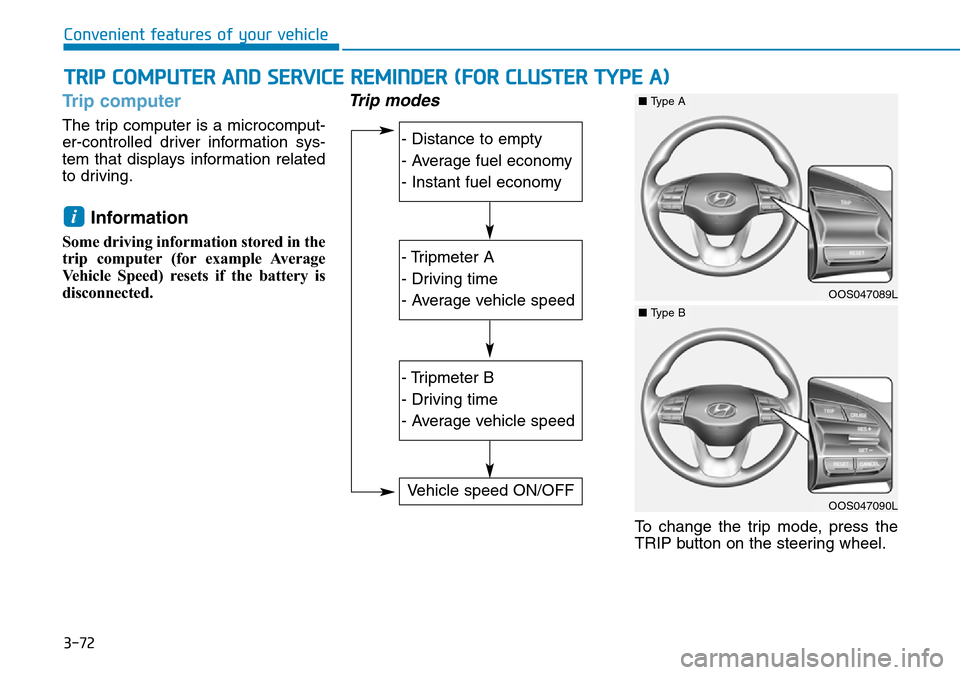
Trip modes
To change the trip mode, press the
TRIP button on the steering wheel.
i
TRIP COMPUTER AND SERVICE REMINDER (FOR CLUSTER TYPE A)
- Distance to empty
- Average fuel economy
- Instant fuel economy
- Tripmeter A
- Driving time
- Average vehicle speed
- Tripmeter B
- Driving time
- Average vehicle speed
Vehicle speed ON/OFF
OOS047089L
■Type A
OOS047090L
■Type B
Page 151 of 497
3-73
Convenient features of your vehicle
3
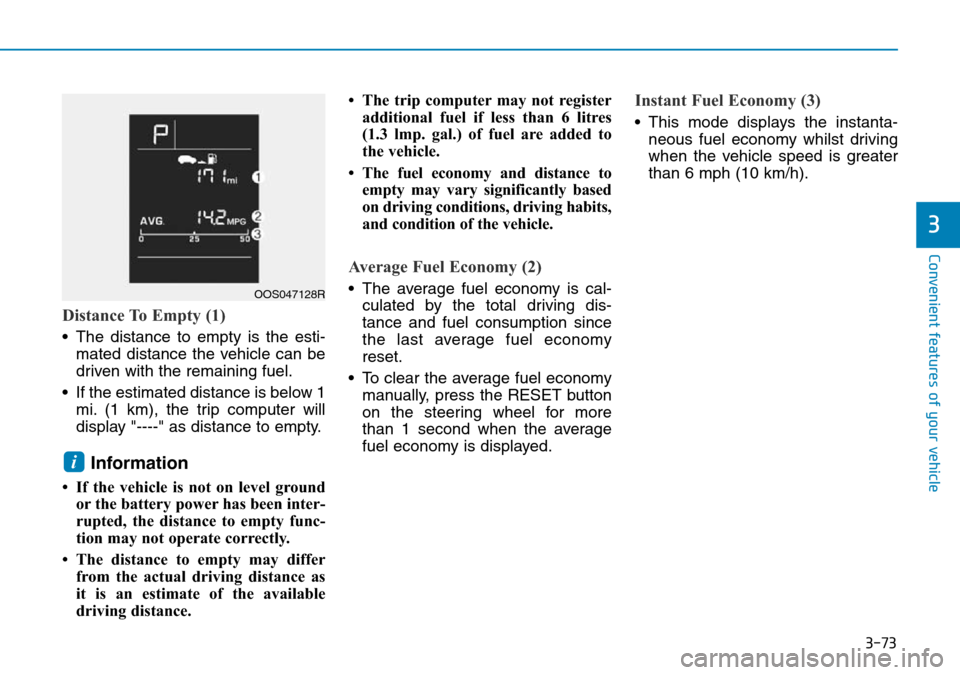
Distance To Empty (1)
• The distance to empty is the esti-mated distance the vehicle can be
driven with the remaining fuel.
• If the estimated distance is below 1 mi. (1 km), the trip computer will
display "----" as distance to empty.
Information
• If the vehicle is not on level groundor the battery power has been inter-
rupted, the distance to empty func-
tion may not operate correctly.
• The distance to empty may differ from the actual driving distance as
it is an estimate of the available
driving distance. • The trip computer may not register
additional fuel if less than 6 litres
(1.3 lmp. gal.) of fuel are added to
the vehicle.
• The fuel economy and distance to empty may vary significantly based
on driving conditions, driving habits,
and condition of the vehicle.
Average Fuel Economy (2)
• The average fuel economy is cal-culated by the total driving dis-
tance and fuel consumption since
the last average fuel economy
reset.
• To clear the average fuel economy manually, press the RESET button
on the steering wheel for more
than 1 second when the average
fuel economy is displayed.
Instant Fuel Economy (3)
• This mode displays the instanta-neous fuel economy whilst driving
when the vehicle speed is greater
than 6 mph (10 km/h).
i
OOS047128R
Page 152 of 497
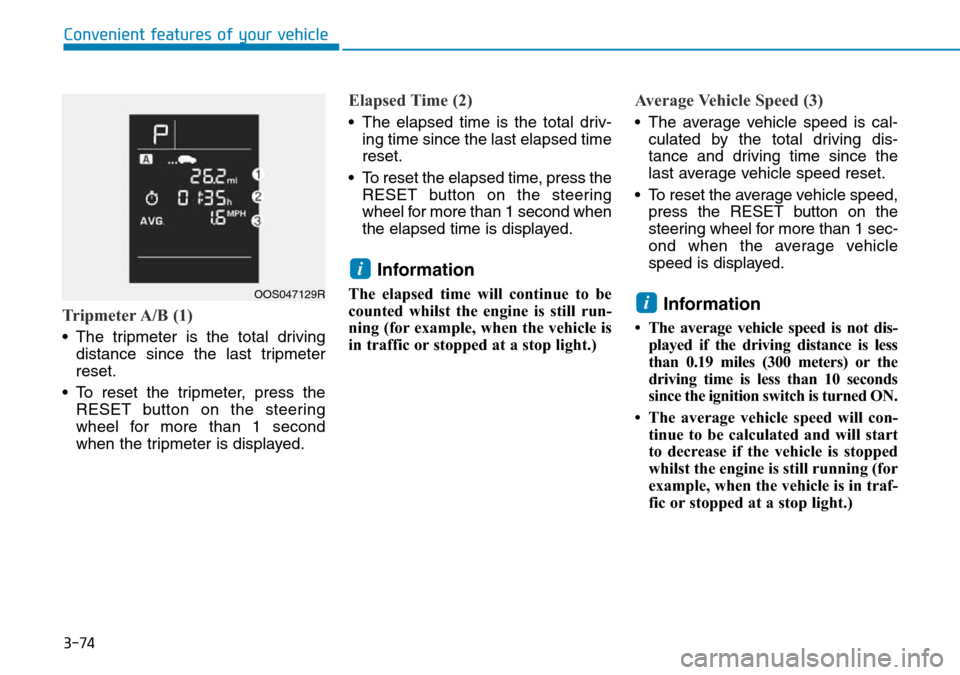
3-74
Convenient features of your vehicle
Tripmeter A/B (1)
• The tripmeter is the total drivingdistance since the last tripmeter
reset.
• To reset the tripmeter, press the RESET button on the steering
wheel for more than 1 second
when the tripmeter is displayed.
Elapsed Time (2)
• The elapsed time is the total driv-ing time since the last elapsed time
reset.
• To reset the elapsed time, press the RESET button on the steering
wheel for more than 1 second when
the elapsed time is displayed.
Information
The elapsed time will continue to be
counted whilst the engine is still run-
ning (for example, when the vehicle is
in traffic or stopped at a stop light.)
Average Vehicle Speed (3)
• The average vehicle speed is cal-culated by the total driving dis-
tance and driving time since the
last average vehicle speed reset.
• To reset the average vehicle speed, press the RESET button on the
steering wheel for more than 1 sec-
ond when the average vehicle
speed is displayed.
Information
• The average vehicle speed is not dis-played if the driving distance is less
than 0.19 miles (300 meters) or the
driving time is less than 10 seconds
since the ignition switch is turned ON.
• The average vehicle speed will con- tinue to be calculated and will start
to decrease if the vehicle is stopped
whilst the engine is still running (for
example, when the vehicle is in traf-
fic or stopped at a stop light.)
i
i
OOS047129R