engine Hyundai Kona 2018 Owner's Manual
[x] Cancel search | Manufacturer: HYUNDAI, Model Year: 2018, Model line: Kona, Model: Hyundai Kona 2018Pages: 523, PDF Size: 33.6 MB
Page 308 of 523
5-54
Driving your vehicle
Limitation of ECO mode opera- tion:
If the following conditions occur while
ECO mode is operating, the system
operation is limited even though
there is no change in ECO indicator.
When the coolant temperature islow:The system will be limited until
engine performance becomes nor-mal.
When driving up a hill: The system will be limited to gain
power when driving uphill because
engine torque is restricted.
When driving the vehicle with the dual clutch transmission gear shift
lever in manual shift mode: The system will be limited due to the shift location.
When the accelerator pedal is deeply depressed for a few seconds: The system will be limited, judging
that the driver wants to speed up.SPORT mode
SPORT mode managesthe driving dynamics byautomatically adjusting the
steering effort, the engine
and transmission control
logic for enhanced driving
performance.
When SPORT mode is selected by pressing the DRIVE MODE button,
the SPORT indicator will illuminate.
Whenever the engine is restarted, the Drive Mode will revert back to
COMFORT mode. If SPORT mode
is desired, re-select SPORT mode
from the DRIVE MODE button.
When SPORT mode is activated:
- The engine rpm will tend to remainraised over a certain length of time
even after releasing the accelerator
- Upshifts are delayed when accel- erating
Information
In SPORT mode, the fuel efficiency
may decrease.
COMFORT mode
COMFORT mode is a
base mode.
When COMFORT mode is selected
by pressing the DRIVE MODE but-
ton, the COMFORT indicator will illu-
minate.
If the vehicle is set to COMFORT
mode, when the engine is turned
OFF and restarted, the Drive Mode
setting will remain in COMFORT
mode.
i
Page 319 of 523
5-65
Driving your vehicle
5
FCA warning message and
system control
The FCA produces warning mes-
sages and warning alarms in accor-
dance with the collision risk levels,
such as abrupt stopping of the vehi-
cle in front, insufficient braking dis-
tance, or pedestrian detection. Also,
it controls the brakes in accordance
with the collision risk levels.
The driver can select the initial warn-
ing activation time in the User
Settings in the LCD display. The
options for the initial Forward
Collision Warning include Early,
Normal or Late initial warning time.
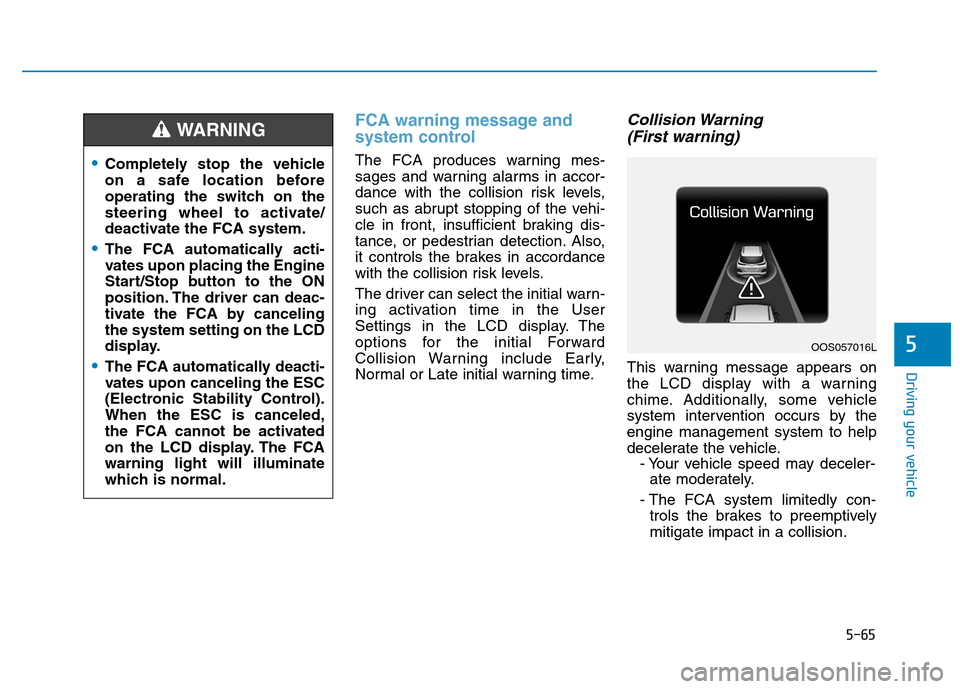
Collision Warning (First warning)
This warning message appears on
the LCD display with a warning
chime. Additionally, some vehicle
system intervention occurs by theengine management system to help
decelerate the vehicle. - Your vehicle speed may deceler-ate moderately.
- The FCA system limitedly con- trols the brakes to preemptivelymitigate impact in a collision.
Completely stop the vehicle
on a safe location before
operating the switch on the
steering wheel to activate/
deactivate the FCA system.
The FCA automatically acti-
vates upon placing the Engine
Start/Stop button to the ON
position. The driver can deac-
tivate the FCA by cancelingthe system setting on the LCD
display.
The FCA automatically deacti-
vates upon canceling the ESC
(Electronic Stability Control).When the ESC is canceled,
the FCA cannot be activated
on the LCD display. The FCAwarning light will illuminate
which is normal.
WARNING
OOS057016L
Page 320 of 523
5-66
Driving your vehicle
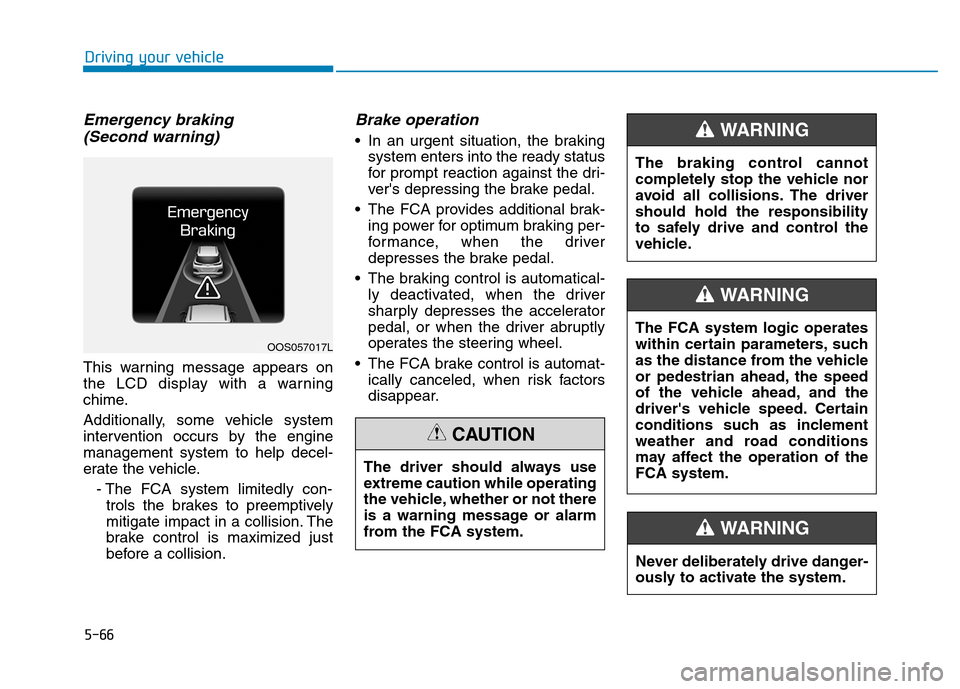
Emergency braking (Second warning)
This warning message appears on
the LCD display with a warning
chime.
Additionally, some vehicle system
intervention occurs by the enginemanagement system to help decel-
erate the vehicle.
- The FCA system limitedly con-trols the brakes to preemptively
mitigate impact in a collision. The
brake control is maximized just
before a collision.
Brake operation
In an urgent situation, the braking system enters into the ready status
for prompt reaction against the dri-
ver's depressing the brake pedal.
The FCA provides additional brak- ing power for optimum braking per-
formance, when the driver
depresses the brake pedal.
The braking control is automatical- ly deactivated, when the driver
sharply depresses the accelerator
pedal, or when the driver abruptly
operates the steering wheel.
The FCA brake control is automat- ically canceled, when risk factors
disappear.
OOS057017L
The driver should always use
extreme caution while operating
the vehicle, whether or not there
is a warning message or alarm
from the FCA system.
CAUTION
The braking control cannot
completely stop the vehicle nor
avoid all collisions. The drivershould hold the responsibility
to safely drive and control the
vehicle.
WARNING
Never deliberately drive danger-
ously to activate the system.
WARNING
The FCA system logic operates
within certain parameters, such
as the distance from the vehicle
or pedestrian ahead, the speed
of the vehicle ahead, and the
driver's vehicle speed. Certain
conditions such as inclement
weather and road conditions
may affect the operation of theFCA system.
WARNING
Page 322 of 523
5-68
Driving your vehicle
NEVER install any accessoriesor stickers on the front wind-
shield, nor tint the front wind-shield.
NEVER locate any reflective objects (i.e. white paper, mirror)
over the dashboard. Any light
reflection may cause a malfunc-tion of the system.
Pay extreme caution to keep the camera out of water.
NEVER arbitrarily disassemble the camera assembly, nor apply
any impact on the camera
assembly.
Playing the vehicle audio sys- tem at high volume may offsetthe system warning sounds.
Information
We recommend that you have the sys-
tem checked by an authorized
HYUNDAI dealer when:
The windshield glass is replaced.
The radar sensor or cover gets dam- aged or replaced.
Warning message and warning
light
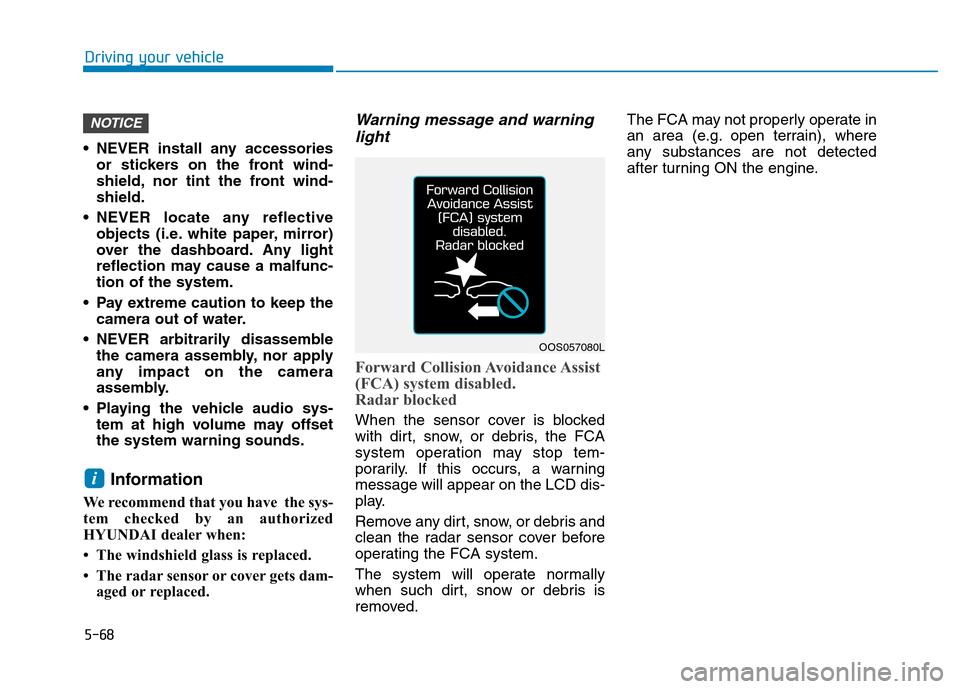
Forward Collision Avoidance Assist
(FCA) system disabled.
Radar blocked
When the sensor cover is blocked
with dirt, snow, or debris, the FCA
system operation may stop tem-
porarily. If this occurs, a warningmessage will appear on the LCD dis-
play.
Remove any dirt, snow, or debris and
clean the radar sensor cover before
operating the FCA system.
The system will operate normally
when such dirt, snow or debris is
removed. The FCA may not properly operate in
an area (e.g. open terrain), where
any substances are not detected
after turning ON the engine.
i
NOTICE
OOS057080L
Page 335 of 523
5-81
Driving your vehicle
5
Warning light and message
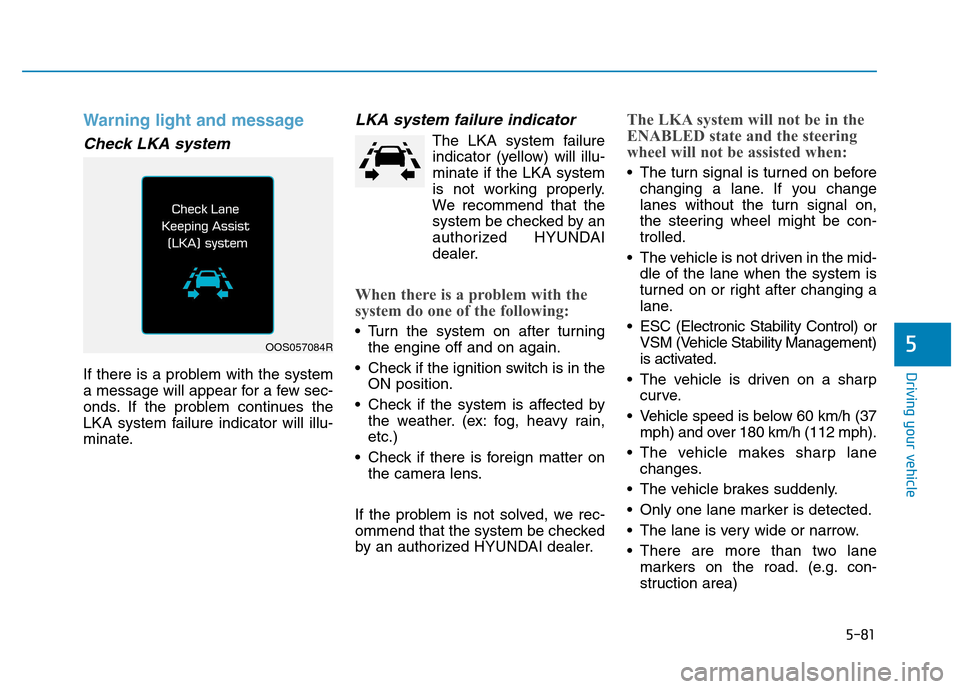
Check LKA system
If there is a problem with the system
a message will appear for a few sec-
onds. If the problem continues the
LKA system failure indicator will illu-
minate.
LKA system failure indicator
The LKA system failureindicator (yellow) will illu-minate if the LKA system
is not working properly.
We recommend that the
system be checked by an
authorized HYUNDAI
dealer.
When there is a problem with the
system do one of the following:
Turn the system on after turning the engine off and on again.
Check if the ignition switch is in the ON position.
Check if the system is affected by the weather. (ex: fog, heavy rain, etc.)
Check if there is foreign matter on the camera lens.
If the problem is not solved, we rec-
ommend that the system be checked
by an authorized HYUNDAI dealer.
The LKA system will not be in the
ENABLED state and the steering
wheel will not be assisted when:
The turn signal is turned on before changing a lane. If you change
lanes without the turn signal on,
the steering wheel might be con-trolled.
The vehicle is not driven in the mid- dle of the lane when the system is
turned on or right after changing a
lane.
ESC (Electronic Stability Control) or VSM (Vehicle Stability Management)
is activated.
The vehicle is driven on a sharp curve.
Vehicle speed is below 60 km/h (37 mph) and over 180 km/h (112 mph).
The vehicle makes sharp lane changes.
The vehicle brakes suddenly.
Only one lane marker is detected.
The lane is very wide or narrow.
There are more than two lane markers on the road. (e.g. con-
struction area)
OOS057084R
Page 338 of 523
5-84
Driving your vehicle
The Driver Attention Warning (DAW)
system displays the condition of the
driver's fatigue level and inattentive
driving practices.
System setting and activation
System setting
The Driver Attention Warning(DAW) system is set to be in the
OFF position, when your vehicle is
first delivered to you from the fac-
tory.
To turn ON the Driver Attention Warning (DAW) system, turn on
the engine, and then select "UserSettings Driver Assistance
Driver Attention Warning High
Sensitivity/Normal Sensitivity" on
the LCD display. The driver can select the Driver
Attention Warning (DAW) system
mode.
- Off : The Driver Attention Warning(DAW) system is deactivated.
- Normal Sensitivity : The Driver Attention Warning (DAW) system
alerts the driver of his/her fatigue
level or inattentive driving prac-
tices.
- High Sensitivity : The Driver Attention Warning (DAW) system
alerts the driver of his/her fatigue
level or inattentive driving prac-
tices faster than Normal mode.
The set-up of the Driver Attention Warning (DAW) system will bemaintained, as selected, when the
engine is re-started.
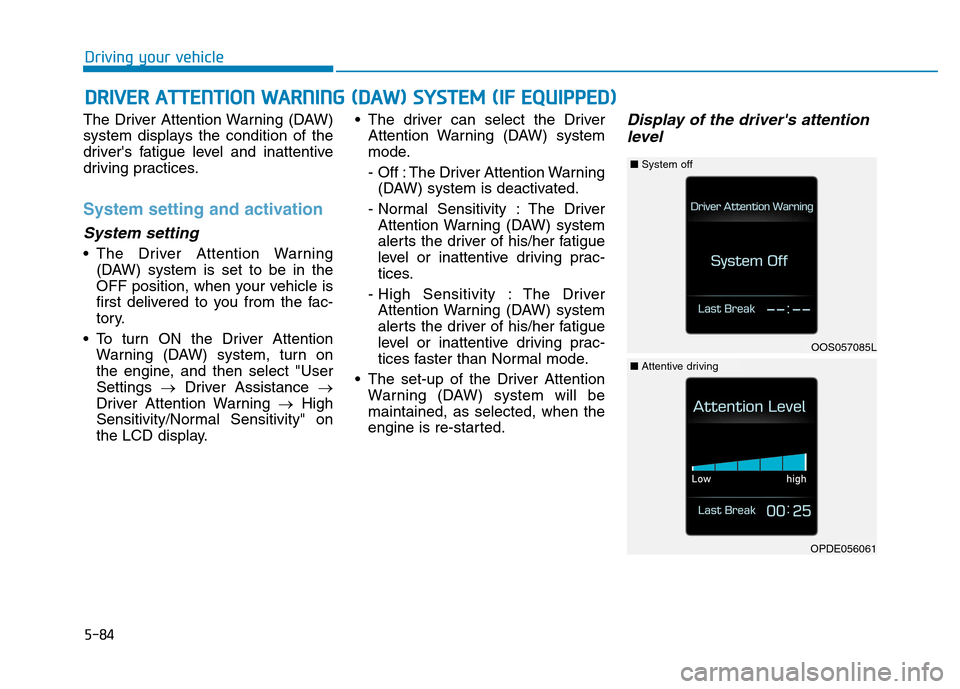
Display of the driver's attention
level
DD RRIIVV EERR AA TTTTEENN TTIIOO NN WW AARRNN IINN GG (( DD AA WW )) SS YY SSTT EEMM (( IIFF EE QQ UUIIPP PP EEDD ))
OOS057085L
■System off
OPDE056061
■Attentive driving
Page 339 of 523
5-85
Driving your vehicle
5
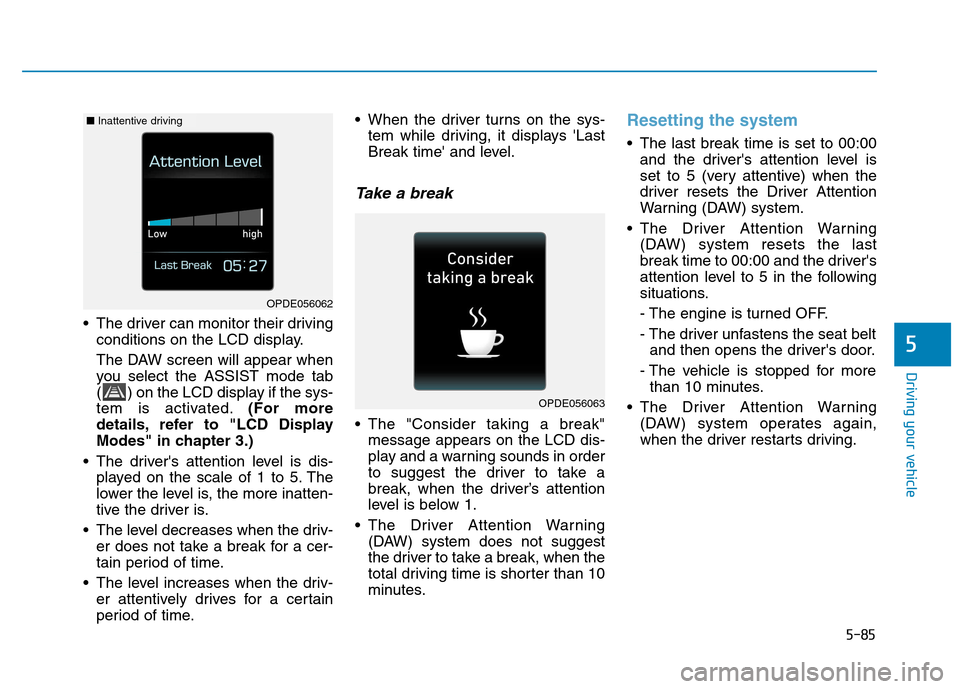
The driver can monitor their drivingconditions on the LCD display.
The DAW screen will appear when
you select the ASSIST mode tab
( ) on the LCD display if the sys-
tem is activated. (For more
details, refer to "LCD Display
Modes" in chapter 3.)
The driver's attention level is dis- played on the scale of 1 to 5. The
lower the level is, the more inatten-
tive the driver is.
The level decreases when the driv- er does not take a break for a cer-
tain period of time.
The level increases when the driv- er attentively drives for a certain
period of time. When the driver turns on the sys-
tem while driving, it displays 'Last
Break time' and level.
Take a break
The "Consider taking a break"message appears on the LCD dis-
play and a warning sounds in order
to suggest the driver to take a
break, when the driver’s attention
level is below 1.
The Driver Attention Warning (DAW) system does not suggest
the driver to take a break, when the
total driving time is shorter than 10
minutes.
Resetting the system
The last break time is set to 00:00and the driver's attention level is
set to 5 (very attentive) when the
driver resets the Driver Attention
Warning (DAW) system.
The Driver Attention Warning (DAW) system resets the last
break time to 00:00 and the driver's
attention level to 5 in the following
situations.
- The engine is turned OFF.
- The driver unfastens the seat beltand then opens the driver's door.
- The vehicle is stopped for more than 10 minutes.
The Driver Attention Warning (DAW) system operates again,
when the driver restarts driving.
OPDE056063
OPDE056062
■Inattentive driving
Page 344 of 523
5-90
Driving your vehicle
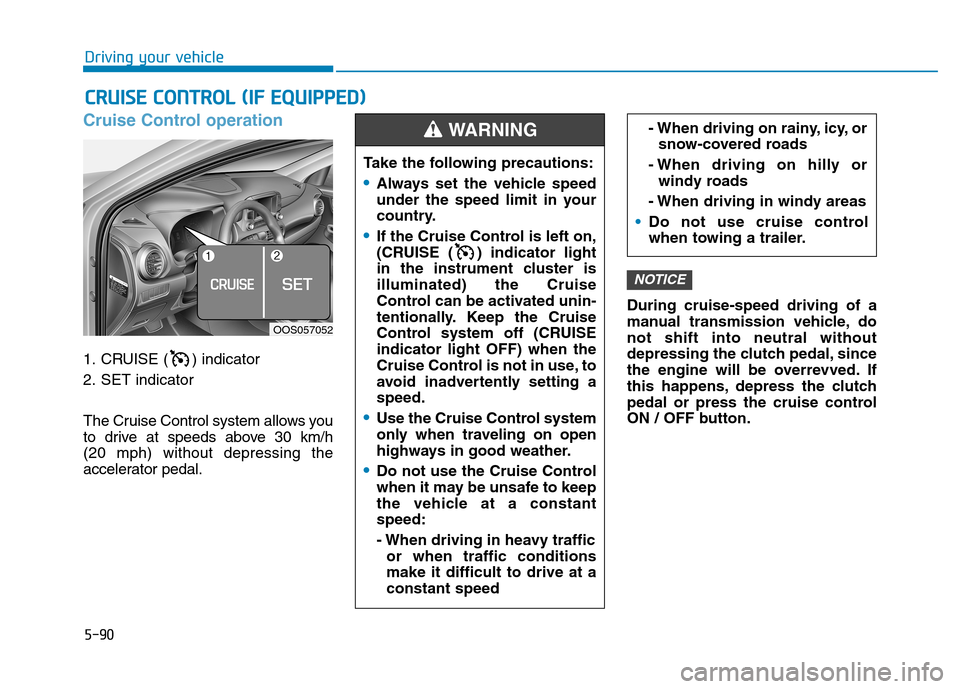
Cruise Control operation
1. CRUISE ( ) indicator
2. SET indicator
The Cruise Control system allows you
to drive at speeds above 30 km/h (20 mph) without depressing the
accelerator pedal.During cruise-speed driving of a
manual transmission vehicle, donot shift into neutral without
depressing the clutch pedal, since
the engine will be overrevved. If
this happens, depress the clutch
pedal or press the cruise control
ON / OFF button.
NOTICE
CC
RR UU IISS EE CC OO NNTTRR OO LL (( IIFF EE QQ UUIIPP PP EEDD ))
Take the following precautions:
Always set the vehicle speed
under the speed limit in your
country.
If the Cruise Control is left on,
(CRUISE ( ) indicator light
in the instrument cluster isilluminated) the Cruise
Control can be activated unin-
tentionally. Keep the Cruise
Control system off (CRUISEindicator light OFF) when the
Cruise Control is not in use, to
avoid inadvertently setting aspeed.
Use the Cruise Control system
only when traveling on open
highways in good weather.
Do not use the Cruise Control
when it may be unsafe to keep
the vehicle at a constantspeed:
- When driving in heavy traffic
or when traffic conditions make it difficult to drive at aconstant speed
- When driving on rainy, icy, orsnow-covered roads
- When driving on hilly or windy roads
- When driving in windy areas
Do not use cruise control
when towing a trailer.
WARNING
OOS057052
Page 346 of 523
5-92
Driving your vehicle
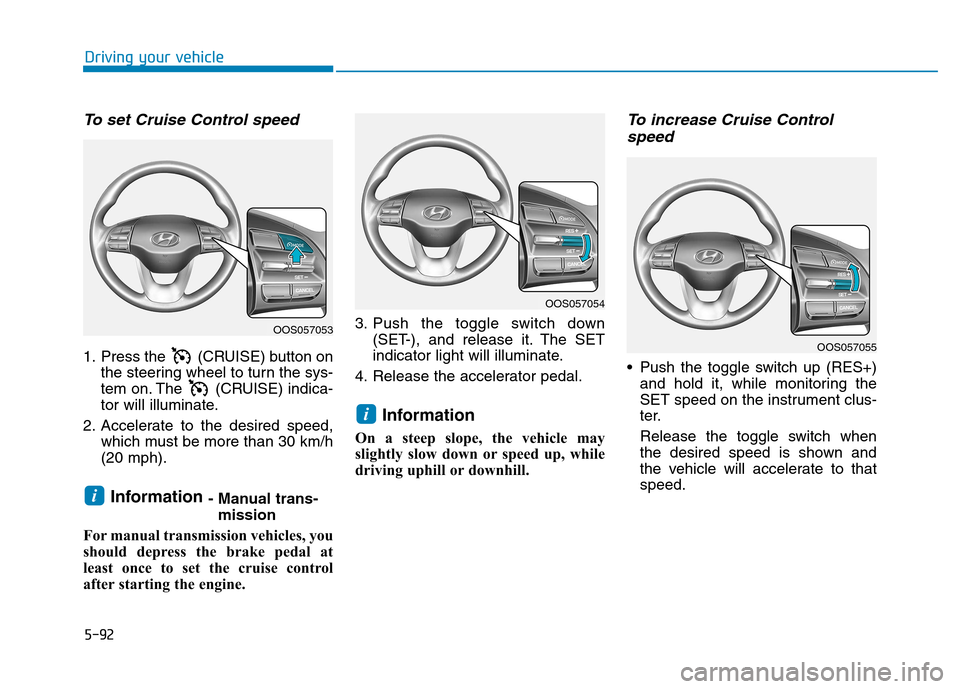
To set Cruise Control speed
1. Press the (CRUISE) button onthe steering wheel to turn the sys-
tem on. The (CRUISE) indica-
tor will illuminate.
2. Accelerate to the desired speed, which must be more than 30 km/h(20 mph).
Information - Manual trans-
mission
For manual transmission vehicles, you
should depress the brake pedal at
least once to set the cruise control
after starting the engine. 3. Push the toggle switch down
(SET-), and release it. The SET
indicator light will illuminate.
4. Release the accelerator pedal.
Information
On a steep slope, the vehicle may
slightly slow down or speed up, while
driving uphill or downhill.
To increase Cruise Control speed
Push the toggle switch up (RES+) and hold it, while monitoring the
SET speed on the instrument clus-
ter.
Release the toggle switch when
the desired speed is shown and
the vehicle will accelerate to thatspeed.
i
i
OOS057053
OOS057054
OOS057055
Page 350 of 523
5-96
Driving your vehicle
Hazardous driving conditions
When hazardous driving elements
are encountered such as water,
snow, ice, mud and sand, take the
following precautions:
Drive cautiously and maintain alonger braking distance.
Avoid abrupt braking or steering.
When your vehicle is stuck in snow, mud, or sand, use the second
gear. Accelerate slowly to avoid
unnecessary wheel spinning.
Put sand, rock salt, tire chains or other non-slip materials under the
wheels to provide additional trac-
tion while being stuck in ice, snow,
or mud.
Rocking the vehicle
If it is necessary to rock the vehicle
to free it from snow, sand, or mud,
first turn the steering wheel right and
left to clear the area around your
front wheels. Then, shift back and
forth between R (Reverse) and a for-
ward gear.
Try to avoid spinning the wheels, and
do not race the engine.
To prevent transmission wear, wait
until the wheels stop spinning before
shifting gears. Release the accelera-tor pedal while shifting, and press
lightly on the accelerator pedal while
the transmission is in gear. Slowly
spinning the wheels in forward and
reverse directions causes a rocking
motion that may free the vehicle.
SSPP EECCIIAA LL DD RRIIVV IINN GG CC OO NNDDIITT IIOO NNSS
Downshifting with an a dual
clutch transmission while driv-
ing on slippery surfaces can
cause an accident. The sudden
change in tire speed could
cause the tires to skid. Be care-
ful when downshifting on slip-
pery surfaces.
WARNING
If the vehicle is stuck and
excessive wheel spin occurs,the temperature in the tires can
increase very quickly. If the tires
become damaged, a tire blow
out or tire explosion can occur.
This condition is dangerous -
you and others may be injured.
Do not attempt this procedure if
people or objects are anywhere
near the vehicle.
If you attempt to free the vehi-
cle, the vehicle can overheat
quickly, possibly causing an
engine compartment fire or
other damage. Try to avoid spin-
ning the wheels as much as
possible to prevent overheating
of either the tires or the engine.
DO NOT allow the vehicle to
spin the wheels above 56 km/h(35 mph).
WARNING