sensor Hyundai Kona 2019 - RHD (UK, Australia) Owner's Guide
[x] Cancel search | Manufacturer: HYUNDAI, Model Year: 2019, Model line: Kona, Model: Hyundai Kona 2019Pages: 526, PDF Size: 15.68 MB
Page 190 of 526
3-108
Convenient features of your vehicle
Non-operational conditions ofParking Distance Warning(Reverse/Forward) system
Parking Distance Warning
(Reverse/Forward) system may not
operate normally when:
Moisture is frozen to the sensor.
Sensor is covered with foreign mat-
ter, such as snow or water, or the
sensor cover is blocked.
There is a possibility of Parking
Distance Warning (Reverse/Forward)
system malfunction when:
Driving on uneven road surfacessuch as unpaved roads, gravel,
bumps, or gradient.
Objects generating excessive noise such as vehicle horns, loud motor-
cycle engines, or truck air brakes
can interfere with the sensor.
Heavy rain or water spray is present.
Wireless transmitters or mobile phones are present near the sensor.
The sensor is covered with snow.
Any non-factory equipment or accessories have been installed, or
if the vehicle bumper height or sen-
sor installation has been modified.
Detecting range may decrease when:
Outside air temperature isextremely hot or cold.
Undetectable objects smaller than 1 m and narrower than 14 cm in
diameter are present.
The following objects may not be
recognised by the sensor:
Sharp or slim objects such asropes, chains or small poles.
Objects, which tend to absorb sen- sor frequency such as clothes,
spongy material or snow.
Parking Distance Warning(Reverse/Forward) system precautions
The Parking Distance Warning
(Reverse/Forward) system may not
sound consistently depending on the
speed and shapes of the objects
detected.
The Parking Distance Warning (Reverse/Forward) system may mal-
function if the vehicle bumper height
or sensor installation has been mod-
ified or damaged. Any non-factory
installed equipment or accessories
may also interfere with the sensor
performance.
The sensor may not recognise objects less than 30 cm (11 in.) from
the sensor, or it may sense an incor-
rect distance. Use caution.
When the sensor is frozen or stained with snow, dirt, or water, the sensor
may be inoperative until the stains
are removed using a soft cloth.
Do not push, scratch or strike the sensor. Sensor damage could occur.
Do not spray the sensors or its sur- rounding area directly with a high
pressure washer. Shock applied
from high pressure water may cause
the device to not operate normally.
Your new vehicle warranty does
not cover any accidents or dam-
age to the vehicle or injuries to
its occupants related to a
Parking Distance Warning
(Reverse/Forward) system.
Always drive safely and cau-
tiously.
WARNING
Page 201 of 526
3-119
Convenient features of your vehicle
3
Automatic heating and air con-
ditioning
The Automatic Climate Control
System is controlled by setting the
desired temperature.
1. Press the AUTO button. (3)
The modes, fan speeds, air intake
and air-conditioning will be controlled
automatically by the temperature set-
ting you select.
2. Turn the temperature control knob(1) to the desired temperature. If
the temperature is set to the low-
est setting (Lo), the air condition-
ing system will operate continu-
ously. After the interior has cooled
sufficiently, adjust the knob to a
higher temperature set point
whenever possible.
To turn the automatic operation off,
select any button of the following:
- Mode selection button
- Front windscreen defroster button (Press the button one more time to
deselect the front windscreen
defroster function. The 'AUTO' sign
will illuminate on the information
display once again.) - Fan speed control button
The selected function will be con-
trolled manually whilst other func-
tions operate automatically.
For your convenience and to improve
the effectiveness of the climate con-
trol, use the AUTO button and set the
temperature to 23°C (73°F).
Information
Never place anything near the sensor
to ensure better control of the heating
and cooling system.
Manual heating and air condi-
tioning
The heating and cooling system can be
controlled manually by pushing buttons
other than the AUTO button. In this
case, the system works sequentially
according to the order of buttons select-
ed. When pressing any button except
the AUTO button whilst using automat-
ic operation, the functions not selected
will be controlled automatically.
1.Start the engine.
2.Set the mode to the desired position. For improving the effectiveness of
heating and cooling, select:
- Heating:
- Cooling:
3.Set the temperature control to the desired position.
4.Set the air intake control to the out- side (fresh) air position.
5.Set the fan speed control to the desired speed.
6.If air conditioning is desired, turn the air conditioning system on.
7.Press the AUTO button to convert to full automatic control of the sys-
tem.
i
OOS047308
Page 210 of 526
3-128
Auto defogging system
(only for automatic climate
control system, if equipped)
Auto defogging reduces the possibili-
ty of fogging up the inside of the wind-
screen by automatically sensing the
moisture on inside the windscreen.
The auto defogging system operates
when the heater or air conditioning is
on.
Information
The auto defogging system may not
operate normally, when the outside
temperature is below -10 °C.
To cancel or set the Auto Defogging
System, keep the front defroster but-
ton pressed for 3 seconds. The “ADS
OFF” symbol will be shown in the cli-
mate display to inform you that the
system is deactivated. To re-activate
the auto defogging system, follow the
procedure mentioned above and the
“ADS OFF” symbol will disappear.
If the battery has been disconnected
or discharged, it resets to the auto
defogging status.
Information
For efficiency, do not select recirculat-
ed air position whilst the Auto defog-
ging system is operating.
Do not remove the sensor cover
located on the top of the wind-
screen glass.
Damage to system parts could
occur and may not be covered by
your vehicle warranty.
NOTICE
i
i
Convenient features of your vehicle
Page 253 of 526
![Hyundai Kona 2019 - RHD (UK, Australia) Owners Guide 4-31
Multimedia System
4
Setup
Access Display, Sound, Date/Time,
Bluetooth, System and Display Off
settings.
Press the [SETUP/CLOCK]button
on the audio system.
Display
Press the [SETUP/CLOCK] button](/img/35/16225/w960_16225-252.png "Hyundai Kona 2019 - RHD (UK, Australia) Owners Guide 4-31
Multimedia System
4
Setup
Access Display, Sound, Date/Time,
Bluetooth, System and Display Off
settings.
Press the [SETUP/CLOCK]button
on the audio system.
Display
Press the [SETUP/CLOCK] button")
4-31
Multimedia System
4
Setup
Access Display, Sound, Date/Time,
Bluetooth, System and Display Off
settings.
Press the [SETUP/CLOCK]button
on the audio system.
Display
Press the [SETUP/CLOCK] button
on the audio system ➟Select
[Display].
Dimming mode: Brightness is auto- matically adjusted according to the
headlight use.
Brightness: The brightness of the audio screen can be changed.
Screensaver: Set the information displayed when the audio system
is switched off or the screen is
turned off.
Sound
Press the [SETUP/CLOCK] button
on the audio system ➟Select
[Sound].
Position: Sound balance and fader can be adjusted.
Equaliser: Sound tone colour can be adjusted.
Speed dependent volume control: Automatically adjust volume based
on vehicle speed.
Rear parking sensors prioritised: Automatically lower audio volume
whilst reversing.
Date/Time
Press the [SETUP/CLOCK] button
on the audio system ➟Select
[Date/Time].
Set time: Set the time displayed on the audio screen.
Time format: Choose betw een 12-
hour and 24-hour time formats.
Set date: Set the date displayed on the audio screen.
Page 256 of 526
Driving your vehicle
Before driving.........................................................5-4
Before entering the vehicle ...........................................5-4
Before starting...................................................................5-4
Ignition switch ........................................................5-6
Key ignition switch ............................................................5-6
Engine Start/Stop button..............................................5-10
Manual transmission............................................5-20
Manual transmission operation ...................................5-20
Good driving practices ...................................................5-22
Dual clutch transmission .....................................5-23
Dual clutch transmission operation ............................5-23
Parking ........................................................................\
.......5-30
Good driving practices ...................................................5-31
Braking system.....................................................5-33
Power brakes ...................................................................5-33
Disc brakes wear indicator ...........................................5-34
Parking brake ...................................................................5-34
Anti-lock Brake System (ABS) ....................................5-36
Electronic Stability Control (ESC)................................5-38
Vehicle Stability Management (VSM).........................5-41
Hill-Start Assist Control (HAC) ....................................5-42
Emergency Stop Signal (ESS) ......................................5-42
Downhill Brake Control (DBC) ......................................5-43
Good braking practices..................................................5-45
Four wheel drive (4WD) ......................................5-46
4WD operation .................................................................5-47
Emergency precautions .................................................5-50
ISG (Idle Stop and Go) system ...........................5-52
To activate the ISG system ...........................................5-52
To deactivate the ISG system .....................................5-56
ISG system malfunction .................................................5-56
The battery sensor deactivation .................................5-57
Drive mode integrated control system .............5-58
Blind-spot collision warning (BCW) system ....5-60
BCW ........................................................................\
............5-61
RCCW (Rear Cross-Traffic Collision Warning) .........5-63
Detecting sensor .............................................................5-65
Limitations of the system .............................................5-66
Forward collision-avoidance assist (FCA)
system- sensor fusion type
(front radar + front camera) .............................5-68
System setting and activation......................................5-68
FCA warning message and system control ..............5-70
FCA sensor........................................................................\
5-72
System malfunction ........................................................5-73
Limitations of the system .............................................5-75
5
Page 311 of 526
5-56
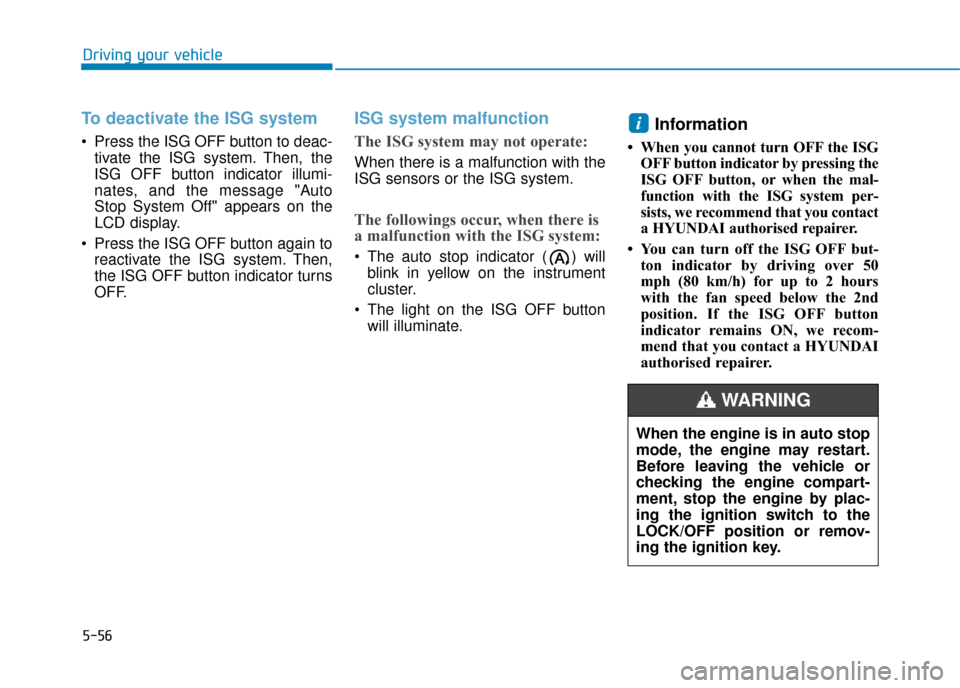
To deactivate the ISG system
Press the ISG OFF button to deac-tivate the ISG system. Then, the
ISG OFF button indicator illumi-
nates, and the message "Auto
Stop System Off" appears on the
LCD display.
Press the ISG OFF button again to reactivate the ISG system. Then,
the ISG OFF button indicator turns
OFF.
ISG system malfunction
The ISG system may not operate:
When there is a malfunction with the
ISG sensors or the ISG system.
The followings occur, when there is
a malfunction with the ISG system:
The auto stop indicator ( ) willblink in yellow on the instrument
cluster.
The light on the ISG OFF button will illuminate.
Information
• When you cannot turn OFF the ISGOFF button indicator by pressing the
ISG OFF button, or when the mal-
function with the ISG system per-
sists, we recommend that you contact
a HYUNDAI authorised repairer.
• You can turn off the ISG OFF but- ton indicator by driving over 50
mph (80 km/h) for up to 2 hours
with the fan speed below the 2nd
position. If the ISG OFF button
indicator remains ON, we recom-
mend that you contact a HYUNDAI
authorised repairer.
i
Driving your vehicle
When the engine is in auto stop
mode, the engine may restart.
Before leaving the vehicle or
checking the engine compart-
ment, stop the engine by plac-
ing the ignition switch to the
LOCK/OFF position or remov-
ing the ignition key.
WARNING
Page 312 of 526
![Hyundai Kona 2019 - RHD (UK, Australia) Owners Guide 5-57
Driving your vehicle
The battery sensor deactiva-
tion
[A] : Battery sensor
The battery sensor is deactivated,
when the battery is disconnected
from the negative pole for mainte-
nance purpose.
I](/img/35/16225/w960_16225-311.png "Hyundai Kona 2019 - RHD (UK, Australia) Owners Guide 5-57
Driving your vehicle
The battery sensor deactiva-
tion
[A] : Battery sensor
The battery sensor is deactivated,
when the battery is disconnected
from the negative pole for mainte-
nance purpose.
I")
5-57
Driving your vehicle
The battery sensor deactiva-
tion
[A] : Battery sensor
The battery sensor is deactivated,
when the battery is disconnected
from the negative pole for mainte-
nance purpose.
In this case, the ISG system is limit-
edly operated due to the battery sen-
sor deactivation. Thus, the driver
needs to take the following proce-
dures to reactivate the battery sen-
sor after disconnecting the battery.
Prerequisites to reactivate thebattery sensor
Keep the engine in the OFF status
for 4 hours, and attempt to restart the
engine 3 to 4 times for the battery-
sensor reactivation.
Pay extreme caution not to connect
any accessories (i.e. navigation and
black box) to the vehicle with the
engine in the OFF status. If not, the
battery sensor may not be reactivat-
ed.
Information
The ISG system may not operate in
the following situations.
- There is a malfunction with the IGS
system.
- The battery is weak.
- The brake vacuum pressure is low.
In those cases, we recommend that
you have the ISG system checked by a
HYUNDAI authorised repairer. Use only the genuine HYUNDAI
ISG battery for replacement. If
not, the ISG system may not nor-
mally operate.
Do not recharge the ISG battery with a general battery charger. If
not, it may damage or explode
the ISG battery.
Do not remove the battery cap. If not, the battery electrolyte,
which is harmful to the human
body, may leak out.
NOTICE
i5OOS057015R
Page 315 of 526
![Hyundai Kona 2019 - RHD (UK, Australia) Owners Guide 5-60
Driving your vehicle
[A] : Blind spot area
[B] : Closing at high speed
The Blind-spot Collision Warning
(BCW) system uses radar sensors in
the rear bumper to monitor and warn
the driver of an a](/img/35/16225/w960_16225-314.png "Hyundai Kona 2019 - RHD (UK, Australia) Owners Guide 5-60
Driving your vehicle
[A] : Blind spot area
[B] : Closing at high speed
The Blind-spot Collision Warning
(BCW) system uses radar sensors in
the rear bumper to monitor and warn
the driver of an a")
5-60
Driving your vehicle
[A] : Blind spot area
[B] : Closing at high speed
The Blind-spot Collision Warning
(BCW) system uses radar sensors in
the rear bumper to monitor and warn
the driver of an approaching vehicle
in the driver's blind spot area.The system monitors the rear area of
the vehicle and provides information
to the driver with an audible alert and
an indicator on the outside rearview
mirrors.
(1) BCW : Blind spot area
The BCW range varies relative to
vehicle speed. Note that if your
vehicle is travelling much faster
than the vehicles around you, the
warning will not occur.
(2) BCW : Closing at high speed The BCW-Closing at high speed
feature will alert you when a vehi-
cle is approaching in an adjacent
lane at a high rate of speed. If the
driver activates the turn signal
when the system detects an
oncoming vehicle, the system
sounds an audible alert. Distance
from the approaching vehicle can
be seen differently according to
the relative speed. (3) RCCW (Rear Cross-Traffic
Collision Warning)
The RCCW feature monitors
approaching cross traffic from the
left and right side of the vehicle
when your vehicle is in reverse.
The feature will operate when the
vehicle is moving in reverse below
about 6 mph (10 km/h). If oncom-
ing cross traffic is detected a
warning chime will sound.
Distance from the approaching
vehicle can be seen differently
according to the relative speed.
B BL
LI
IN
N D
D-
-S
S P
P O
O T
T
C
C O
O L
LL
LI
IS
S I
IO
O N
N
W
W A
AR
RN
N I
IN
N G
G
(
( B
B C
CW
W )
)
S
S Y
Y S
ST
T E
EM
M
(
( I
IF
F
E
E Q
Q U
UI
IP
P P
PE
ED
D )
)
OOS057099R
Page 319 of 526
5-64
Driving your vehicle
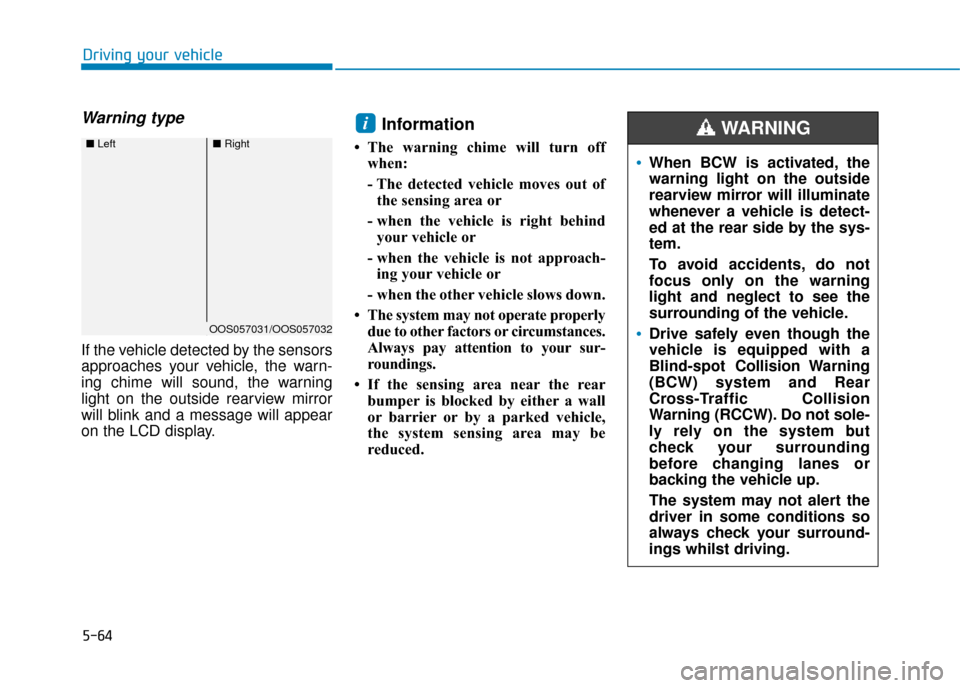
Warning type
If the vehicle detected by the sensors
approaches your vehicle, the warn-
ing chime will sound, the warning
light on the outside rearview mirror
will blink and a message will appear
on the LCD display.
Information
• The warning chime will turn offwhen:
- The detected vehicle moves out ofthe sensing area or
- when the vehicle is right behind your vehicle or
- when the vehicle is not approach- ing your vehicle or
- when the other vehicle slows down.
• The system may not operate properly due to other factors or circumstances.
Always pay attention to your sur-
roundings.
• If the sensing area near the rear bumper is blocked by either a wall
or barrier or by a parked vehicle,
the system sensing area may be
reduced.
i
■ Left■Right
OOS057031/OOS057032
When BCW is activated, the
warning light on the outside
rearview mirror will illuminate
whenever a vehicle is detect-
ed at the rear side by the sys-
tem.
To avoid accidents, do not
focus only on the warning
light and neglect to see the
surrounding of the vehicle.
Drive safely even though the
vehicle is equipped with a
Blind-spot Collision Warning
(BCW) system and Rear
Cross-Traffic Collision
Warning (RCCW). Do not sole-
ly rely on the system but
check your surrounding
before changing lanes or
backing the vehicle up.
The system may not alert the
driver in some conditions so
always check your surround-
ings whilst driving.
WARNING
Page 320 of 526
5-65
Driving your vehicle
5
The system may not work prop-erly when the bumper has been
damaged, or if the rear bumper
has been replaced or repaired.
The sensing range differs some- what according to the width of
the road. When the road is nar-
row, the system may detect
other vehicles in the next lane
OR when the road is wide, the
system may not detect other
vehicles in the next lane.
The system may turn off due to strong electromagnetic waves.
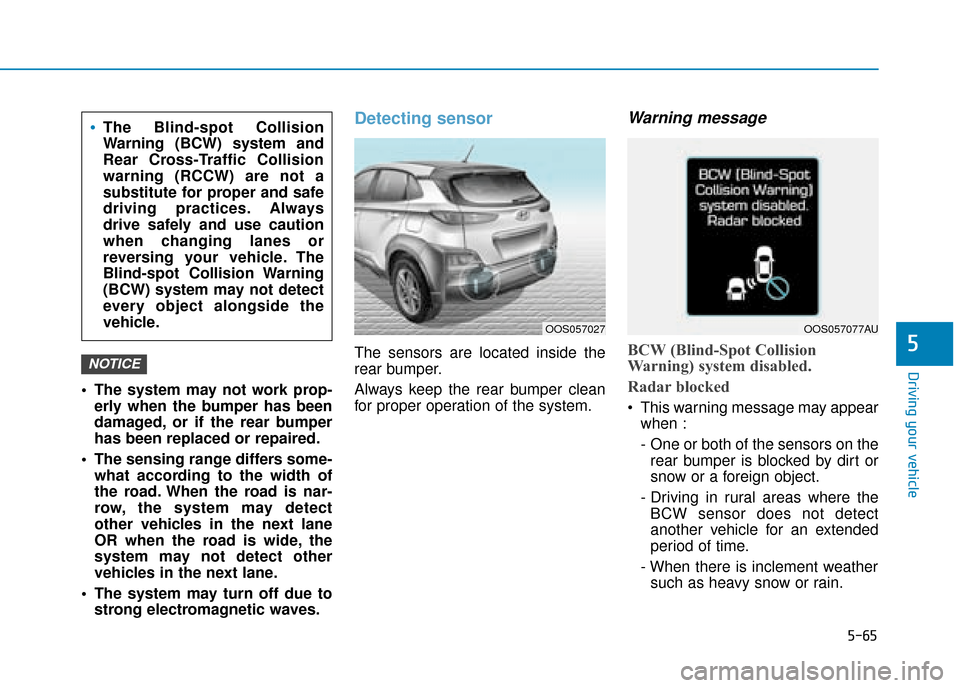
Detecting sensor
The sensors are located inside the
rear bumper.
Always keep the rear bumper clean
for proper operation of the system.
Warning message
BCW (Blind-Spot Collision
Warning) system disabled.
Radar blocked
This warning message may appearwhen :
- One or both of the sensors on therear bumper is blocked by dirt or
snow or a foreign object.
- Driving in rural areas where the BCW sensor does not detect
another vehicle for an extended
period of time.
- When there is inclement weather such as heavy snow or rain.
NOTICE
The Blind-spot Collision
Warning (BCW) system and
Rear Cross-Traffic Collision
warning (RCCW) are not a
substitute for proper and safe
driving practices. Always
drive safely and use caution
when changing lanes or
reversing your vehicle. The
Blind-spot Collision Warning
(BCW) system may not detect
every object alongside the
vehicle.
OOS057027OOS057077AU