Hud Hyundai Kona 2019 Owner's Manual
[x] Cancel search | Manufacturer: HYUNDAI, Model Year: 2019, Model line: Kona, Model: Hyundai Kona 2019Pages: 485, PDF Size: 15.75 MB
Page 85 of 485

Convenient features of your vehicle
Accessing Your Vehicle .........................................3-3
Remote Key........................................................................\
.3-3
Smart Key ........................................................................\
....3-6
Immobilizer System .........................................................3-11
Door Locks ............................................................3-13
Operating Door Locks from Outside the Vehicle ....3-13
Operating Door Locks from Inside the Vehicle .......3-14
Automatic Door Lock and Unlock Features .............3-17
Child-Protector Rear Door Locks ...............................3-17
Theft-Alarm System ............................................3-18
Steering Wheel .....................................................3-19
Electric Power Steering (EPS) .....................................3-19
Tilt Steering / Telescope Steering ..............................3-20
Horn ........................................................................\
............3-20
Heated Steering Wheel (for Canada) .........................3-21
Mirrors ...................................................................3-21
Inside Rearview Mirror ..................................................3-21
Side View Mirrors ...........................................................3-31
Windows ................................................................3-33
Power Windows ...............................................................3-34
Sunroof..................................................................3-37
Sunroof opening and closing .......................................3-38
Sliding the sunroof .........................................................3-38
Tilting the sunroof ..........................................................3-38
Sunshade ........................................................................\
...3-39Resetting the sunroof ....................................................3-39
Sunroof Open Warning ..................................................3-40
Exterior Features .................................................3-41
Hood ........................................................................\
...........3-41
Liftgate ........................................................................\
......3-42
Fuel Filler Door ................................................................3-44
Instrument Cluster ...............................................3-47
Instrument Cluster Control............................................3-48
Gauges and Meters ........................................................3-49
Transmission shift indicator .........................................3-52
Warning and Indicator Lights .......................................3-53
LCD Display Messages ...................................................3-65
LCD Display ...........................................................3-70
LCD Display Control ........................................................3-70
LCD Display Modes .........................................................3-71
Trip Computer .......................................................3-81
Head Up Display (HUD) .......................................3-85
Lighting..................................................................3-88
Exterior Lights .................................................................3-88
Smart cornering lamp ....................................................3-95
Interior Lights...................................................................3-96
Welcome System .............................................................3-98
3
Page 169 of 485
3-85
Convenient features of your vehicle
3
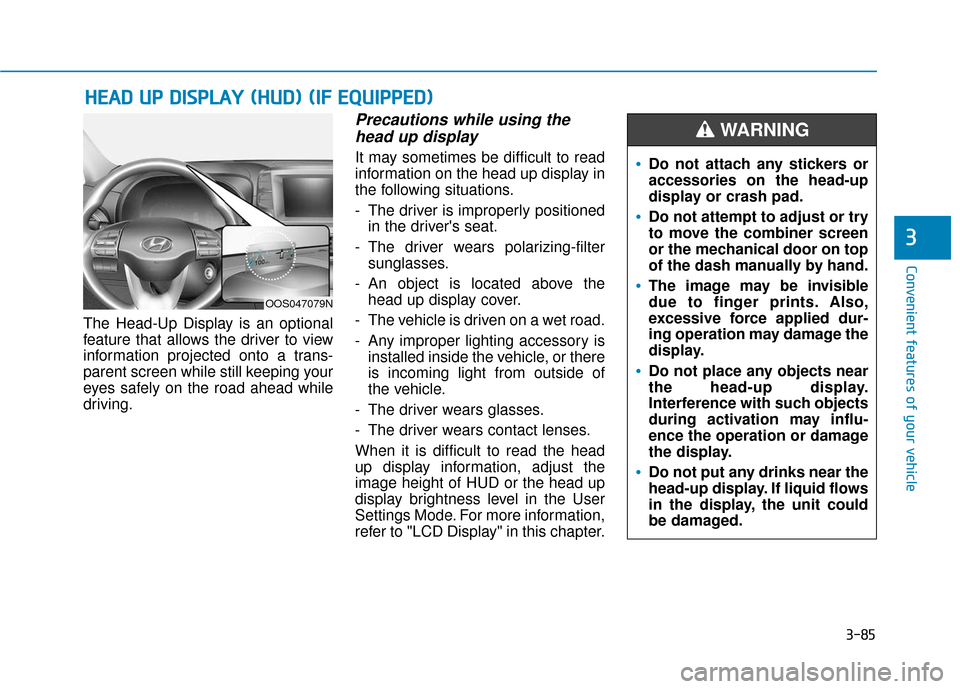
The Head-Up Display is an optional
feature that allows the driver to view
information projected onto a trans-
parent screen while still keeping your
eyes safely on the road ahead while
driving.
Precautions while using thehead up display
It may sometimes be difficult to read
information on the head up display in
the following situations.
- The driver is improperly positioned
in the driver's seat.
- The driver wears polarizing-filter sunglasses.
- An object is located above the head up display cover.
- The vehicle is driven on a wet road.
- Any improper lighting accessory is installed inside the vehicle, or there
is incoming light from outside of
the vehicle.
- The driver wears glasses.
- The driver wears contact lenses.
When it is difficult to read the head
up display information, adjust the
image height of HUD or the head up
display brightness level in the User
Settings Mode. For more information,
refer to "LCD Display" in this chapter.
H H E
EA
A D
D
U
U P
P
D
D I
IS
S P
P L
LA
A Y
Y
(
( H
H U
U D
D)
)
(
( I
IF
F
E
E Q
Q U
UI
IP
P P
PE
ED
D )
)
Do not attach any stickers or
accessories on the head-up
display or crash pad.
Do not attempt to adjust or try
to move the combiner screen
or the mechanical door on top
of the dash manually by hand.
The image may be invisible
due to finger prints. Also,
excessive force applied dur-
ing operation may damage the
display.
Do not place any objects near
the head-up display.
Interference with such objects
during activation may influ-
ence the operation or damage
the display.
Do not put any drinks near the
head-up display. If liquid flows
in the display, the unit could
be damaged.
WARNING
OOS047079N
Page 170 of 485
3-86
Convenient features of your vehicle
Head Up Display ON/OFF
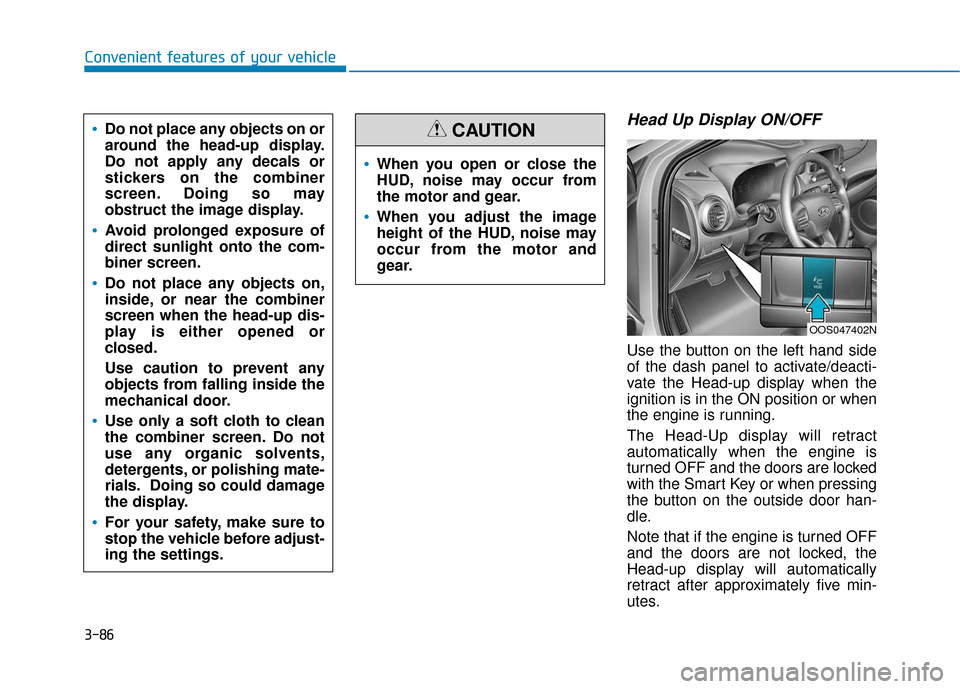
Use the button on the left hand side
of the dash panel to activate/deacti-
vate the Head-up display when the
ignition is in the ON position or when
the engine is running.
The Head-Up display will retract
automatically when the engine is
turned OFF and the doors are locked
with the Smart Key or when pressing
the button on the outside door han-
dle.
Note that if the engine is turned OFF
and the doors are not locked, the
Head-up display will automatically
retract after approximately five min-
utes.
When you open or close the
HUD, noise may occur from
the motor and gear.
When you adjust the image
height of the HUD, noise may
occur from the motor and
gear.
CAUTIONDo not place any objects on or
around the head-up display.
Do not apply any decals or
stickers on the combiner
screen. Doing so may
obstruct the image display.
Avoid prolonged exposure of
direct sunlight onto the com-
biner screen.
Do not place any objects on,
inside, or near the combiner
screen when the head-up dis-
play is either opened or
closed.
Use caution to prevent any
objects from falling inside the
mechanical door.
Use only a soft cloth to clean
the combiner screen. Do not
use any organic solvents,
detergents, or polishing mate-
rials. Doing so could damage
the display.
For your safety, make sure to
stop the vehicle before adjust-
ing the settings.
OOS047402N
Page 171 of 485
3-87
Convenient features of your vehicle
3
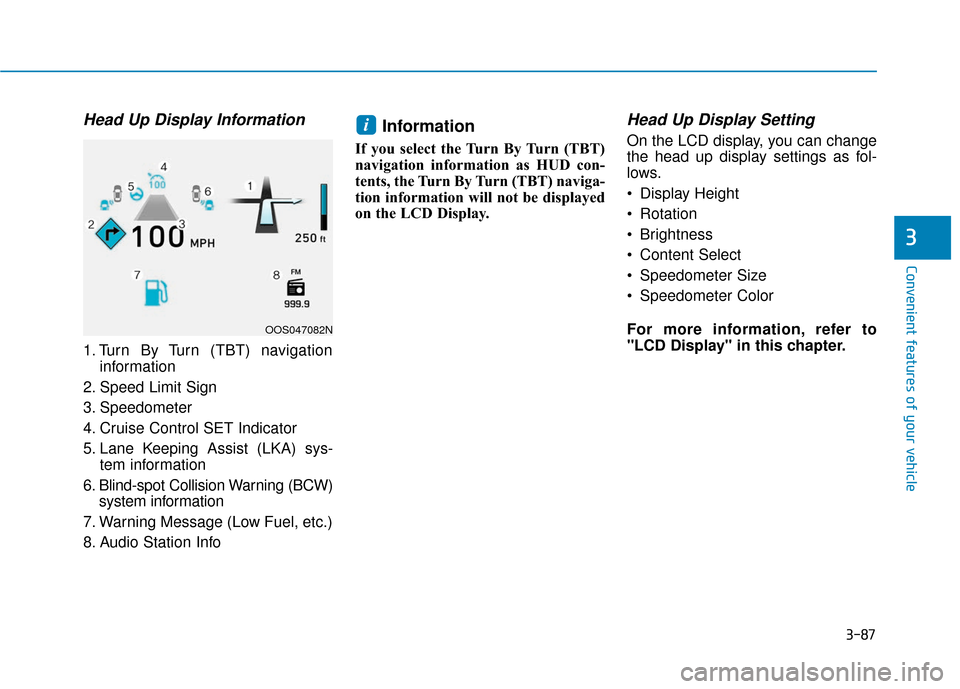
Head Up Display Information
1. Turn By Turn (TBT) navigationinformation
2. Speed Limit Sign
3. Speedometer
4. Cruise Control SET Indicator
5. Lane Keeping Assist (LKA) sys- tem information
6. Blind-spot Collision Warning (BCW) system information
7. Warning Message (Low Fuel, etc.)
8. Audio Station Info
Information
If you select the Turn By Turn (TBT)
navigation information as HUD con-
tents, the Turn By Turn (TBT) naviga-
tion information will not be displayed
on the LCD Display.
Head Up Display Setting
On the LCD display, you can change
the head up display settings as fol-
lows.
Display Height
Rotation
Brightness
Content Select
Speedometer Size
Speedometer Color
For more information, refer to
"LCD Display" in this chapter.i
OOS047082N
Page 253 of 485
5-21
Driving your vehicle
5
The dual clutch transmission incor-porates a dry-type dual clutch
mechanism, which allows for better
acceleration performance and
increased fuel efficiency while driv-
ing. But it differs from a conven-
tional automatic transmission
because it does not incorporate a
torque converter. Instead, the tran-
sition from one gear to the next is
managed by clutch slip, especially
at lower speeds. As a result, shifts
are sometimes more noticeable,
and a light vibration can be felt as
the transmission shaft speed is
matched with the engine shaft
speed. This is a normal condition of
the dual clutch transmission.
The dry-type clutch transfers torque more directly and provides
a direct-drive feeling which may
feel different from a conventional
automatic transmission. This may
be more noticeable when launch-
ing the vehicle from a stop or when
traveling at low, stop-and-go vehi-
cle speeds. When rapidly accelerating from a
lower vehicle speed, the engine
rpm may increase dramatically as
a result of clutch slip as the dual
clutch transmission selects the cor-
rect gear. This is a normal condi-
tion.
When accelerating from a stop on an incline, press the accelerator
smoothly and gradually to avoid
any shudder feeling or jerkiness.
When traveling at a lower vehicle speed, if you release the accelera-
tor pedal quickly, you may feel
engine braking before the trans-
mission changes gears. This
engine braking feeling is similar to
operating a manual transmission at
low speed.
When driving downhill, you may wish to move the gear shift lever to
Manual Shift mode and downshift
to a lower gear in order to control
your speed without using the brake
pedal excessively.
When you turn the engine on and off, you may hear clicking sounds
as the system goes through a self-
test. This is a normal sound for the
dual clutch transmission. During the first 1000 miles, you
may feel that the vehicle may not
be smooth when accelerating at
low speed. During this break-in
period, the shift quality and per-
formance of your new vehicle is
continuously optimized.
To reduce the risk of serious
injury or death:
ALWAYS check the surround-
ing areas near your vehicle for
people, especially children,
before shifting a vehicle into
D (Drive) or R (Reverse).
Before leaving the driver's
seat, always make sure the
shift lever is in the P (Park)
position, then set the parking
brake, and place the ignition
switch in the LOCK/OFF posi-
tion. Unexpected and sudden
vehicle movement can occur
if these precautions are not
followed.
WARNING
Page 480 of 485
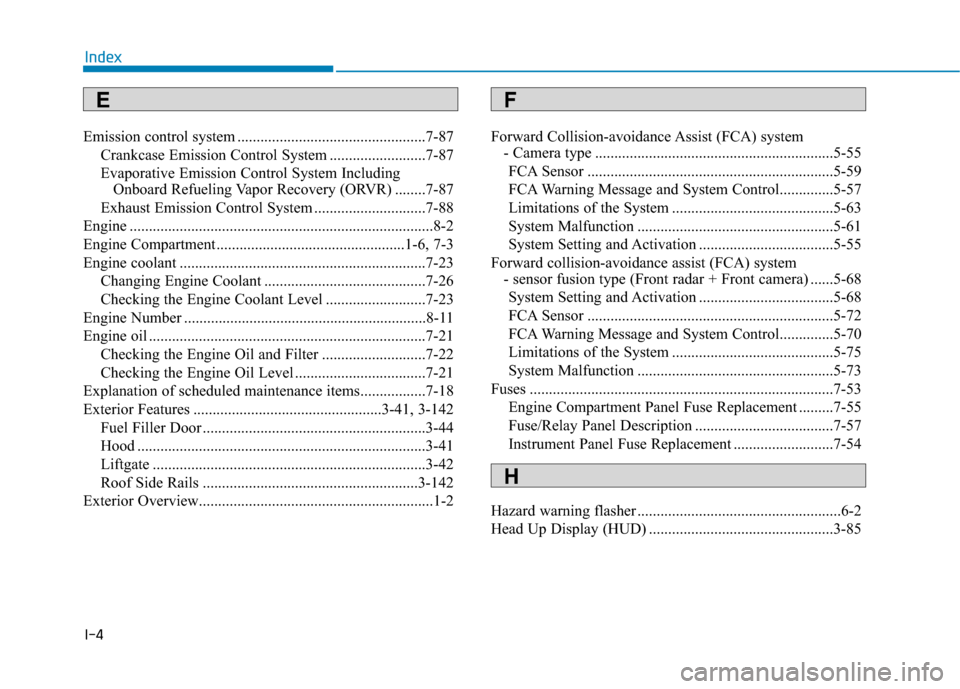
I-4
Emission control system .................................................7-87Crankcase Emission Control System .........................7-87
Evaporative Emission Control System Including Onboard Refueling Vapor Recovery (ORVR) ........7-87
Exhaust Emission Control System .............................7-88
Engine ........................................................................\
.......8-2
Engine Compartment.................................................1-6, 7-3
Engine coolant ................................................................7-23 Changing Engine Coolant ..........................................7-26
Checking the Engine Coolant Level ..........................7-23
Engine Number ...............................................................8-11
Engine oil ........................................................................\
7-21 Checking the Engine Oil and Filter ...........................7-22
Checking the Engine Oil Level ..................................7-21
Explanation of scheduled maintenance items.................7-18
Exterior Features .................................................3-41, 3-142 Fuel Filler Door ..........................................................3-44
Hood ........................................................................\
...3-41
Liftgate .......................................................................3\
-42
Roof Side Rails ........................................................3-142
Exterior Overview.............................................................1-2 Forward Collision-avoidance Assist (FCA) system
- Camera type ..............................................................5-55
FCA Sensor ................................................................5-59
FCA Warning Message and System Control..............5-57
Limitations of the System ..........................................5-63
System Malfunction ...................................................5-61
System Setting and Activation ...................................5-55
Forward collision-avoidance assist (FCA) system - sensor fusion type (Front radar + Front camera) ......5-68
System Setting and Activation ...................................5-68
FCA Sensor ................................................................5-72
FCA Warning Message and System Control..............5-70
Limitations of the System ..........................................5-75
System Malfunction ...................................................5-73
Fuses ........................................................................\
.......7-53 Engine Compartment Panel Fuse Replacement .........7-55
Fuse/Relay Panel Description ....................................7-57
Instrument Panel Fuse Replacement ..........................7-54
Hazard warning flasher .....................................................6-2
Head Up Display (HUD) ................................................3-85
Index
EF
H