bumper Hyundai Kona 2020 Owner's Manual
[x] Cancel search | Manufacturer: HYUNDAI, Model Year: 2020, Model line: Kona, Model: Hyundai Kona 2020Pages: 505, PDF Size: 13.47 MB
Page 78 of 505
2-61
Safety system of your vehicle
2
Why Didn't My Air Bag Go Off
in a Collision?
Air bags are not designed to inflate in
every collision.There are certain
types of accidents in which the air bag
would not be expected to provide
additional protection. These include
rear impacts, second or third colli-
sions in multiple impact accidents, as
well as low speed impacts. Damage
to the vehicle indicates a collision
energy absorption, and is not an indi-
cator of whether or not an air bag
should have inflated.
Air bag collision sensors
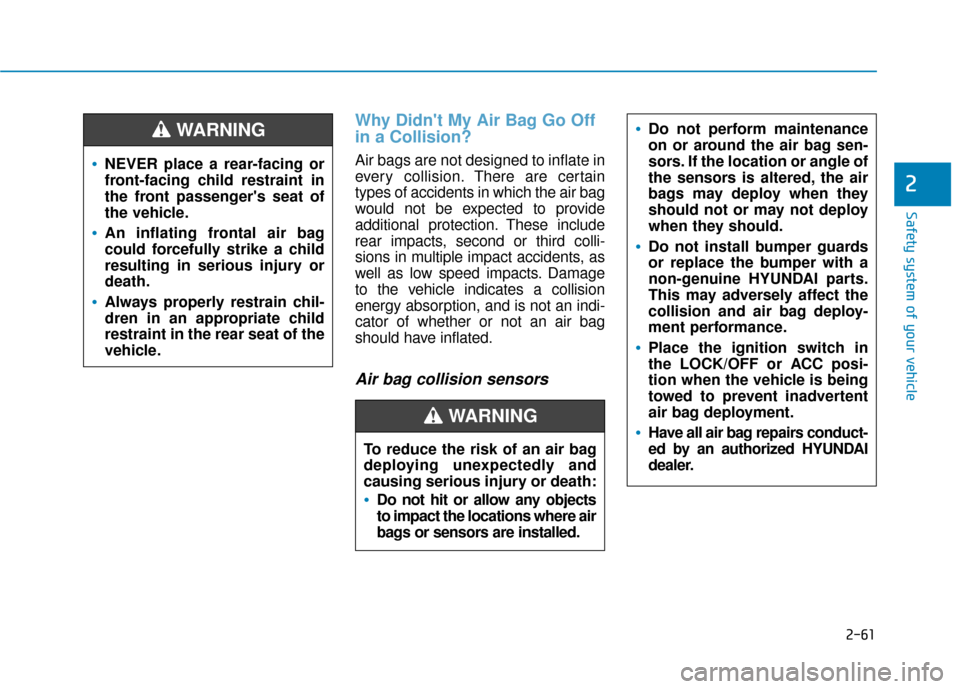
NEVER place a rear-facing or
front-facing child restraint in
the front passenger's seat of
the vehicle.
An inflating frontal air bag
could forcefully strike a child
resulting in serious injury or
death.
Always properly restrain chil-
dren in an appropriate child
restraint in the rear seat of the
vehicle.
WARNING
To reduce the risk of an air bag
deploying unexpectedly and
causing serious injury or death:
Do not hit or allow any objects
to impact the locations where air
bags or sensors are installed.
WARNING
Do not perform maintenance
on or around the air bag sen-
sors. If the location or angle of
the sensors is altered, the air
bags may deploy when they
should not or may not deploy
when they should.
Do not install bumper guards
or replace the bumper with a
non-genuine HYUNDAI parts.
This may adversely affect the
collision and air bag deploy-
ment performance.
Place the ignition switch in
the LOCK/OFF or ACC posi-
tion when the vehicle is being
towed to prevent inadvertent
air bag deployment.
Have all air bag repairs conduct-
ed by an authorized HYUNDAI
dealer.
Page 84 of 505
2-67
Safety system of your vehicle
2
Additional Safety Precautions
Passengers should not move out
of or change seats while the vehi-
cle is moving.A passenger who is
not wearing a seat belt during a
crash or emergency stop can be
thrown against the inside of the vehi-
cle, against other occupants, or be
ejected from the vehicle.
Do not use any accessories on
seat belts. Devices claiming to
improve occupant comfort or reposi-
tion the seat belt can reduce the pro-
tection provided by the seat belt and
increase the chance of serious injury
in a crash. Do not modify the front seats.
Modification of the front seats could
interfere with the operation of the
supplemental restraint system sens-
ing components or side air bags.
Do not place items under the front
seats.
Placing items under the front
seats could interfere with the opera-
tion of the supplemental restraint
system sensing components and
wiring harnesses.
Do not cause impact to the doors.
Impact to the doors when the Engine
Start/Stop button is in the ON posi-
tion may cause the air bags to inflate.
Modifications to accommodate
disabilities. If you require modifica-
tion to your vehicle to accommodate
a disability, contact the HYUNDAI
Customer Connect Center at 800-
633-5151.
Adding equipment to or modify- ing your air bag equipped vehicle
If you modify your vehicle by chang-
ing your vehicle's frame, bumper sys-
tem, front end or side sheet metal or
ride height, this may affect the opera-
tion of your vehicle's air bag system.
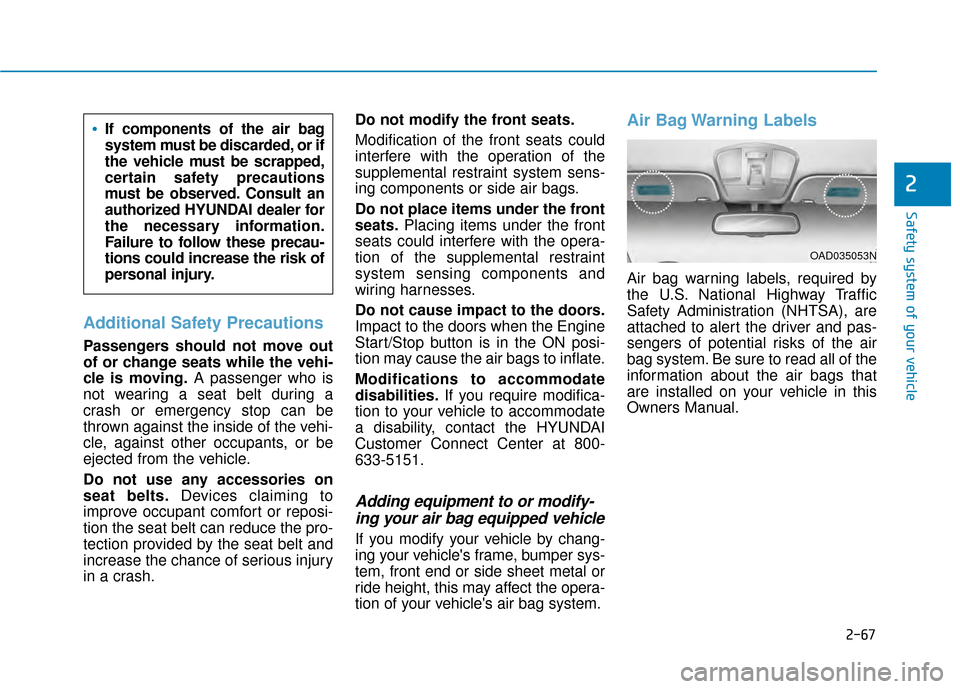
Air Bag Warning Labels
Air bag warning labels, required by
the U.S. National Highway Traffic
Safety Administration (NHTSA), are
attached to alert the driver and pas-
sengers of potential risks of the air
bag system. Be sure to read all of the
information about the air bags that
are installed on your vehicle in this
Owners Manual.
If components of the air bag
system must be discarded, or if
the vehicle must be scrapped,
certain safety precautions
must be observed. Consult an
authorized HYUNDAI dealer for
the necessary information.
Failure to follow these precau-
tions could increase the risk of
personal injury.
OAD035053N
Page 191 of 505
3-107
Convenient features of your vehicle
3
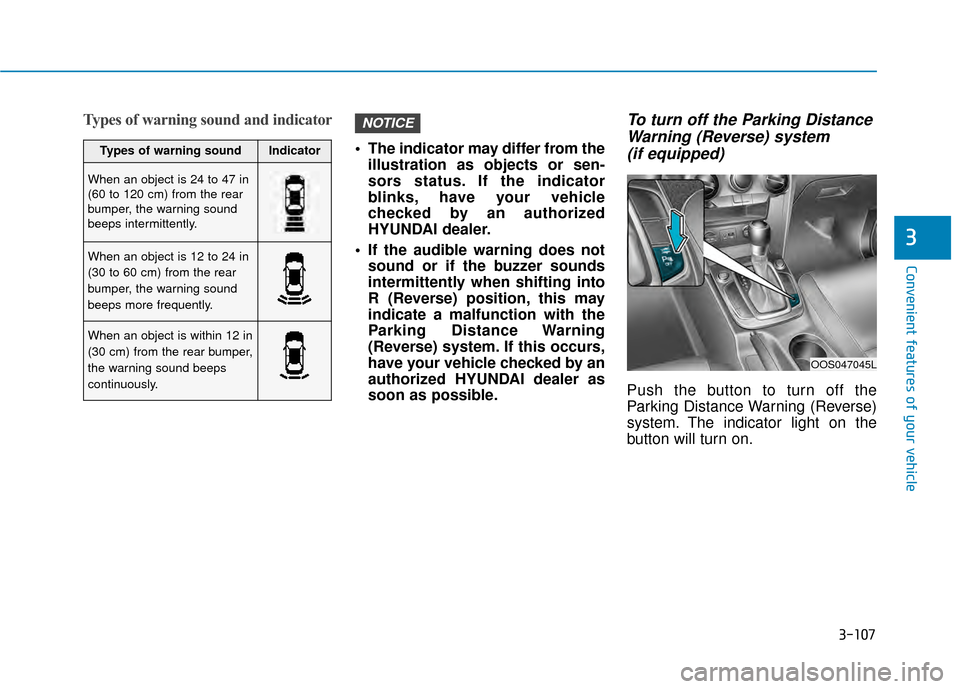
Types of warning sound and indicator
The indicator may differ from theillustration as objects or sen-
sors status. If the indicator
blinks, have your vehicle
checked by an authorized
HYUNDAI dealer.
If the audible warning does not sound or if the buzzer sounds
intermittently when shifting into
R (Reverse) position, this may
indicate a malfunction with the
Parking Distance Warning
(Reverse) system. If this occurs,
have your vehicle checked by an
authorized HYUNDAI dealer as
soon as possible.
To turn off the Parking DistanceWarning (Reverse) system(if equipped)
Push the button to turn off the
Parking Distance Warning (Reverse)
system. The indicator light on the
button will turn on.
NOTICE
Types of warning soundIndicator
When an object is 24 to 47 in
(60 to 120 cm) from the rear
bumper, the warning sound
beeps intermittently.
When an object is 12 to 24 in
(30 to 60 cm) from the rear
bumper, the warning sound
beeps more frequently.
When an object is within 12 in
(30 cm) from the rear bumper,
the warning sound beeps
continuously.
OOS047045L
Page 192 of 505
3-108
Convenient features of your vehicle
Non-operational conditions ofParking Distance Warning(Reverse) system
The Parking Distance Warning
(Reverse) system may not operate
normally when:
The sensor is covered with dirt or
debris such as snow or ice, or the
sensor cover is blocked.
There is a possibility of the Parking
Distance Warning (Reverse) system
malfunction when:
Driving on uneven road surfacessuch as unpaved roads, gravel,
bumps, or gradient.
Objects generating excessive noise such as vehicle horns, loud motor-
cycle engines, or truck air brakes
can interfere with the sensor.
Heavy rain or water spray is present.
Wireless transmitters or mobile phones are present near the sensor.
The sensor is covered with snow.
Any non-factory equipment or acces- sories have been installed, or if the
vehicle bumper height or sensor
installation has been modified.
Detecting range may decrease when:
Outside air temperature is extreme-ly hot or cold.
Undetectable objects smaller than 40 inches (1 m) and narrower than
6 inches (14 cm) in diameter.
The following objects may not be
recognized by the sensor:
Sharp or slim objects such asropes, chains or small poles.
Objects, which tend to absorb sen- sor frequency such as clothes,
spongy material or snow.
Page 193 of 505
3-109
Convenient features of your vehicle
3
Parking Distance Warning
(Reverse) system Precautions
The Parking Distance Warning(Reverse) system may not operate
consistently in some circum-
stances depending on the speed of
the vehicle and the shapes of the
objects detected.
The Parking Distance Warning (Reverse) system may malfunction
if the vehicle bumper height or sen-
sor installation has been modified
or damaged. Any non-factory
installed equipment or accessories
may also interfere with the sensor
performance.
The sensor may not recognize objects less than 15 in. (40 cm)
from the sensor, or it may sense an
incorrect distance. Use caution.
When the sensor is blocked with snow, dirt, debris, or ice, the rear
parking assist system may be inop-
erative until the snow or ice melts,
or the debris is removed. Use a
soft cloth to wipe debris away from
the sensor. Do not push, scratch or strike the
sensor with any hard objects that
could damage the surface of the
sensor. Sensor damage could occur.
Do not spray the sensors or its sur- rounding area directly with a high
pressure washer. Doing so may
cause the sensors to fail to operate
normally.
Extreme caution should always
be taken to avoid accidents or
vehicle injuries. Do not solely
rely on the Parking Distance
Warning (Reverse) system.
Always drive safely and cau-
tiously, especially when back-
ing up in reverse.
WARNING
Page 281 of 505
![Hyundai Kona 2020 Owners Manual 5-47
Driving your vehicle
5
[A] : Blind spot area
[B] : Closing at high speed
The Blind-Spot Collision Warning
(BCW) system uses radar sensors in
the rear bumper to monitor and warn
the driver of an](/img/35/16222/w960_16222-280.png "Hyundai Kona 2020 Owners Manual 5-47
Driving your vehicle
5
[A] : Blind spot area
[B] : Closing at high speed
The Blind-Spot Collision Warning
(BCW) system uses radar sensors in
the rear bumper to monitor and warn
the driver of an")
5-47
Driving your vehicle
5
[A] : Blind spot area
[B] : Closing at high speed
The Blind-Spot Collision Warning
(BCW) system uses radar sensors in
the rear bumper to monitor and warn
the driver of an approaching vehicle
in the driver's blind spot area.
The system monitors the rear area of
the vehicle and provides information
to the driver with an audible alert and
an indicator on the outer side view
mirrors.(1) Blind-Spot Collision Warning
(BCW)
The Blind-Spot Collision Warning
(BCW) range varies relative to
vehicle speed. Note that if your
vehicle is traveling much faster
than the vehicles around you, the
warning will not occur.
(2) BCW : Closing at high speed The BCW-Closing at high speed
feature will alert you when a vehi-
cle is approaching in an adjacent
lane at a high rate of speed. If the
driver activates the turn signal
when the system detects an
oncoming vehicle, the system
sounds an audible alert.
The time of alert (warning signal)
varies according to the speed dif-
ference between you and the
approaching vehicle.
(3) RCCW (Rear Cross-Traffic Collision Warning)
The RCCW feature monitors
approaching cross traffic from the
left and right side of the vehicle
when your vehicle is in reverse. The feature will operate when the
vehicle is moving in reverse below
about 6 mph (10 km/h). If oncom-
ing cross traffic is detected a
warning chime will sound. The
time of alert varies according to
the speed difference between you
and the approaching vehicle.
B B
L
LI
IN
N D
D-
-S
S P
P O
O T
T
C
C O
O L
LL
LI
IS
S I
IO
O N
N
W
W A
AR
RN
N I
IN
N G
G
(
( B
B C
CW
W )
)
S
S Y
Y S
ST
T E
EM
M
(
( I
IF
F
E
E Q
Q U
UI
IP
P P
PE
ED
D )
)
OOS057099L
A
B
Always be aware of road con-
ditions while driving and be
alert for unexpected situations
even though the Blind-Spot
Collision Warning (BCW) sys-
tem is operating.
The Blind-Spot Collision
Warning (BCW) system is not
a substitute for proper and
safe driving. Always drive
safely and use caution when
changing lanes or backing up
the vehicle. The Blind-Spot
Collision Warning (BCW) sys-
tem may not detect every
object alongside the vehicle.
WARNING
Page 285 of 505
5-51
Driving your vehicle
5
Information
• The warning chime will turn offwhen:
- The detected vehicle moves out ofthe sensing area or
- when the vehicle is right behind your vehicle or
- when the vehicle is not approach- ing your vehicle or
- when the other vehicle slows down.
• The system may not operate proper- ly due to other factors or circum-
stances. Always pay attention to
your surroundings.
• If the sensing area near the rear bumper is blocked by either a wall
or barrier or by a parked vehicle,
the system sensing area may be
reduced. The system may not work prop-
erly when the bumper has been
damaged, or if the rear bumper
has been replaced or repaired.
The sensing range differs some- what according to the width of
the road. When the road is nar-
row, the system may detect
other vehicles in the next lane
OR when the road is wide, the
system may not detect other
vehicles in the next lane.
The system may turn off due to strong electromagnetic waves.
NOTICE
i
The warning light on the outer
side view mirror will illumi-
nate whenever a vehicle is
detected at the rear side by
the system.
To avoid accidents, do not
focus only on the warning
light and neglect to see the
surrounding of the vehicle.
Drive safely even though the
vehicle is equipped with a
Blind-Spot Collision Warning
(BCW) system and Rear
Cross-Traffic Collision
Warning (RCCW). Do not sole-
ly rely on the system but
check your surrounding
before changing lanes or
backing the vehicle up.
The system may not alert the
driver in some conditions so
always check your surround-
ings while driving.
The Blind-Spot Collision
Warning (BCW) system and
Rear Cross-Traffic Collision
Warning (RCCW) are not a
substitute for proper and safe
driving practices. Always
drive safely and use caution
when changing lanes or back-
ing up your vehicle. The Blind-
Spot Collision Warning (BCW)
system may not detect every
object alongside the vehicle.WARNING
Page 286 of 505
5-52
Driving your vehicle
Blind-Spot Collision Warning -
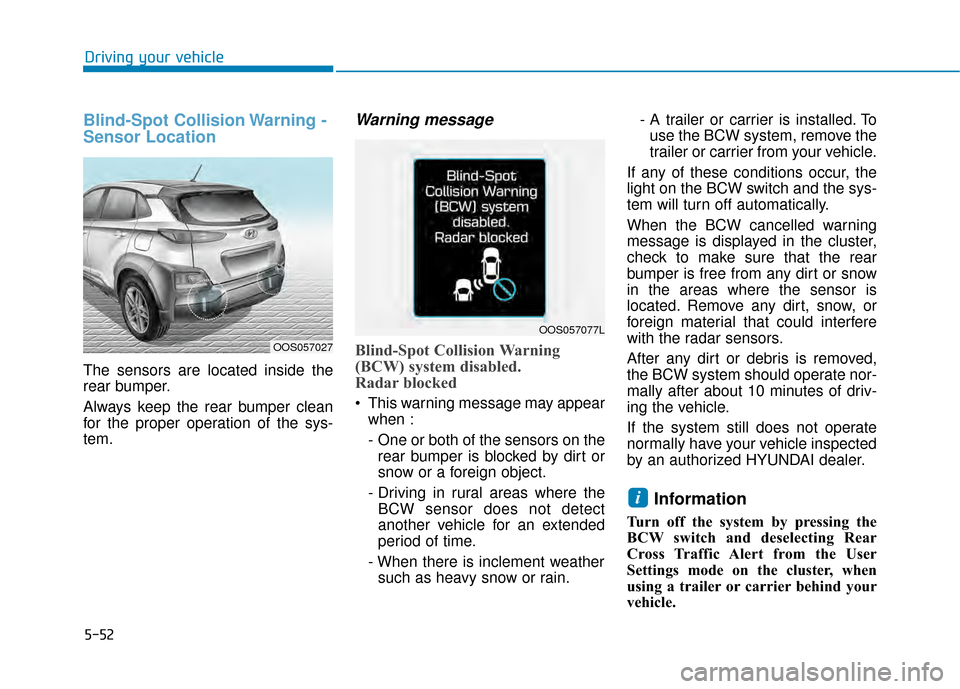
Sensor Location
The sensors are located inside the
rear bumper.
Always keep the rear bumper clean
for the proper operation of the sys-
tem.
Warning message
Blind-Spot Collision Warning
(BCW) system disabled.
Radar blocked
This warning message may appearwhen :
- One or both of the sensors on therear bumper is blocked by dirt or
snow or a foreign object.
- Driving in rural areas where the BCW sensor does not detect
another vehicle for an extended
period of time.
- When there is inclement weather such as heavy snow or rain. - A trailer or carrier is installed. To
use the BCW system, remove the
trailer or carrier from your vehicle.
If any of these conditions occur, the
light on the BCW switch and the sys-
tem will turn off automatically.
When the BCW cancelled warning
message is displayed in the cluster,
check to make sure that the rear
bumper is free from any dirt or snow
in the areas where the sensor is
located. Remove any dirt, snow, or
foreign material that could interfere
with the radar sensors.
After any dirt or debris is removed,
the BCW system should operate nor-
mally after about 10 minutes of driv-
ing the vehicle.
If the system still does not operate
normally have your vehicle inspected
by an authorized HYUNDAI dealer.
Information
Turn off the system by pressing the
BCW switch and deselecting Rear
Cross Traffic Alert from the User
Settings mode on the cluster, when
using a trailer or carrier behind your
vehicle.
i
OOS057027
OOS057077L
Page 287 of 505
5-53
Driving your vehicle
5
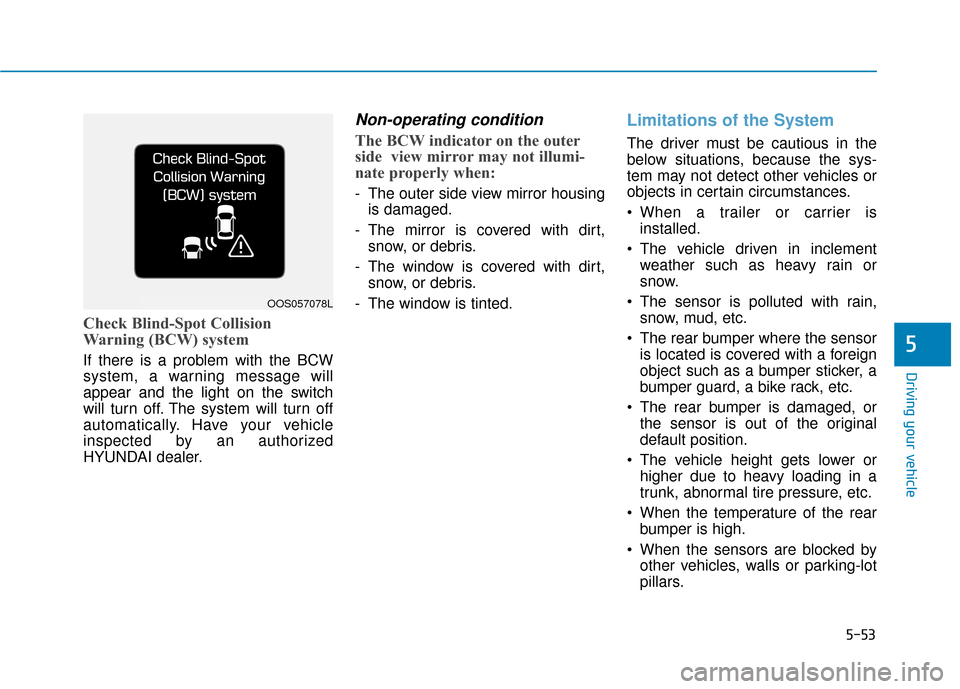
Check Blind-Spot Collision
Warning (BCW) system
If there is a problem with the BCW
system, a warning message will
appear and the light on the switch
will turn off. The system will turn off
automatically. Have your vehicle
inspected by an authorized
HYUNDAI dealer.
Non-operating condition
The BCW indicator on the outer
side view mirror may not illumi-
nate properly when:
- The outer side view mirror housingis damaged.
- The mirror is covered with dirt, snow, or debris.
- The window is covered with dirt, snow, or debris.
- The window is tinted.
Limitations of the System
The driver must be cautious in the
below situations, because the sys-
tem may not detect other vehicles or
objects in certain circumstances.
When a trailer or carrier is installed.
The vehicle driven in inclement weather such as heavy rain or
snow.
The sensor is polluted with rain, snow, mud, etc.
The rear bumper where the sensor is located is covered with a foreign
object such as a bumper sticker, a
bumper guard, a bike rack, etc.
The rear bumper is damaged, or the sensor is out of the original
default position.
The vehicle height gets lower or higher due to heavy loading in a
trunk, abnormal tire pressure, etc.
When the temperature of the rear bumper is high.
When the sensors are blocked by other vehicles, walls or parking-lot
pillars.
OOS057078L
Page 306 of 505
5-72
Driving your vehicle
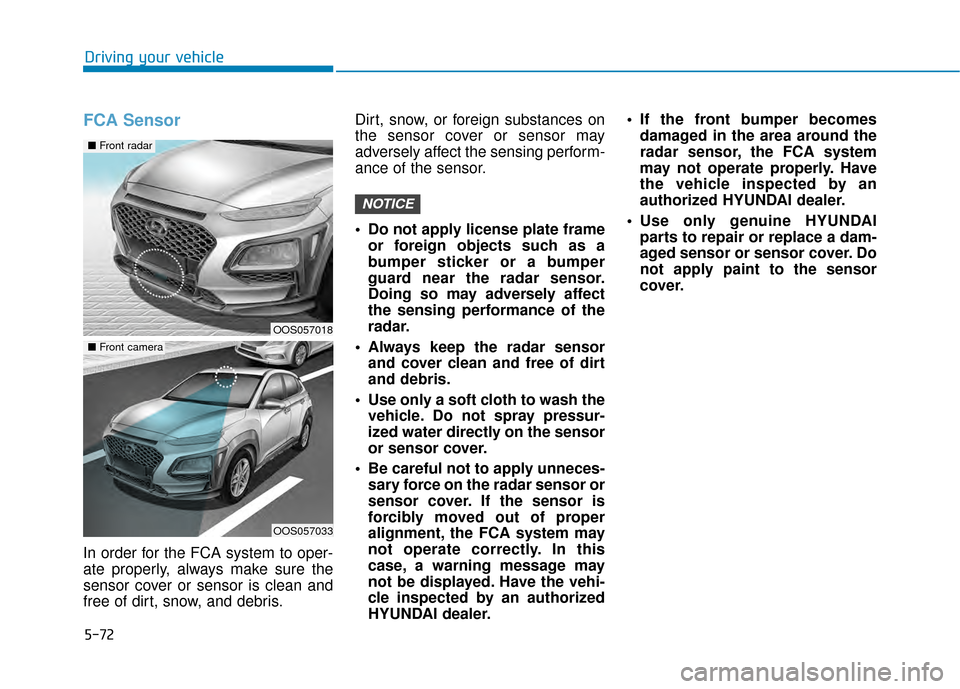
FCA Sensor
In order for the FCA system to oper-
ate properly, always make sure the
sensor cover or sensor is clean and
free of dirt, snow, and debris.Dirt, snow, or foreign substances on
the sensor cover or sensor may
adversely affect the sensing perform-
ance of the sensor.
Do not apply license plate frame
or foreign objects such as a
bumper sticker or a bumper
guard near the radar sensor.
Doing so may adversely affect
the sensing performance of the
radar.
Always keep the radar sensor and cover clean and free of dirt
and debris.
Use only a soft cloth to wash the vehicle. Do not spray pressur-
ized water directly on the sensor
or sensor cover.
Be careful not to apply unneces- sary force on the radar sensor or
sensor cover. If the sensor is
forcibly moved out of proper
alignment, the FCA system may
not operate correctly. In this
case, a warning message may
not be displayed. Have the vehi-
cle inspected by an authorized
HYUNDAI dealer. If the front bumper becomes
damaged in the area around the
radar sensor, the FCA system
may not operate properly. Have
the vehicle inspected by an
authorized HYUNDAI dealer.
Use only genuine HYUNDAI parts to repair or replace a dam-
aged sensor or sensor cover. Do
not apply paint to the sensor
cover.
NOTICE
OOS057018
OOS057033
■ Front camera
■ Front radar