audio HYUNDAI KONA 2021 User Guide
[x] Cancel search | Manufacturer: HYUNDAI, Model Year: 2021, Model line: KONA, Model: HYUNDAI KONA 2021Pages: 506, PDF Size: 34.9 MB
Page 232 of 506
4-3
Infotainment System
4
Before entering a place with a
low height clearance or a car
wash, remove the antenna pole
by rotating it counterclockwise.
If not, the antenna may be dam-
aged.
When reinstalling your roof
antenna, it is important that it is
fully tightened and adjusted to
the upright position to ensure
proper reception.
When cargo is loaded on the
roof rack, do not place the cargo
near the antenna pole to ensure
proper reception.
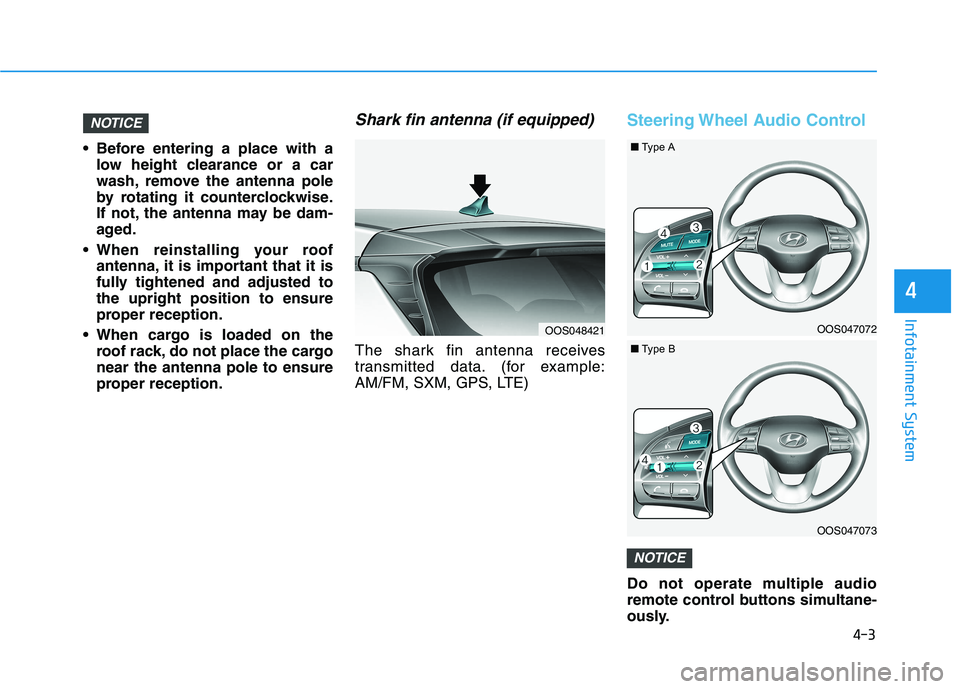
Shark fin antenna (if equipped)
The shark fin antenna receives
transmitted data. (for example:
AM/FM, SXM, GPS, LTE)
Steering Wheel Audio Control
Do not operate multiple audio
remote control buttons simultane-
ously.
NOTICE
NOTICE
OOS048421OOS047072
OOS047073
■Type A
■Type B
Page 233 of 506
4-4
Infotainment System
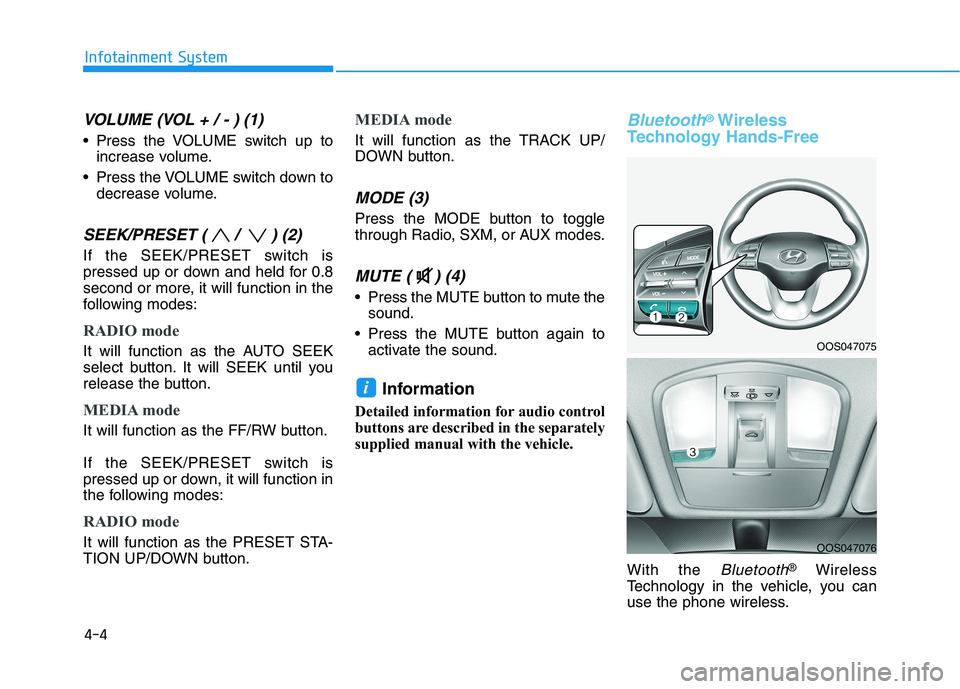
VOLUME (VOL + / - ) (1)
Press the VOLUME switch up to
increase volume.
Press the VOLUME switch down to
decrease volume.
SEEK/PRESET ( / ) (2)
If the SEEK/PRESET switch is
pressed up or down and held for 0.8
second or more, it will function in the
following modes:
RADIO mode
It will function as the AUTO SEEK
select button. It will SEEK until you
release the button.
MEDIA mode
It will function as the FF/RW button.
If the SEEK/PRESET switch is
pressed up or down, it will function in
the following modes:
RADIO mode
It will function as the PRESET STA-
TION UP/DOWN button.
MEDIA mode
It will function as the TRACK UP/
DOWN button.
MODE (3)
Press the MODE button to toggle
through Radio, SXM, or AUX modes.
MUTE ( ) (4)
Press the MUTE button to mute the
sound.
Press the MUTE button again to
activate the sound.
Information
Detailed information for audio control
buttons are described in the separately
supplied manual with the vehicle.
Bluetooth®Wireless
Technology Hands-Free
With the Bluetooth®Wireless
Technology in the vehicle, you can
use the phone wireless.
i
OOS047075
OOS047076
Page 234 of 506
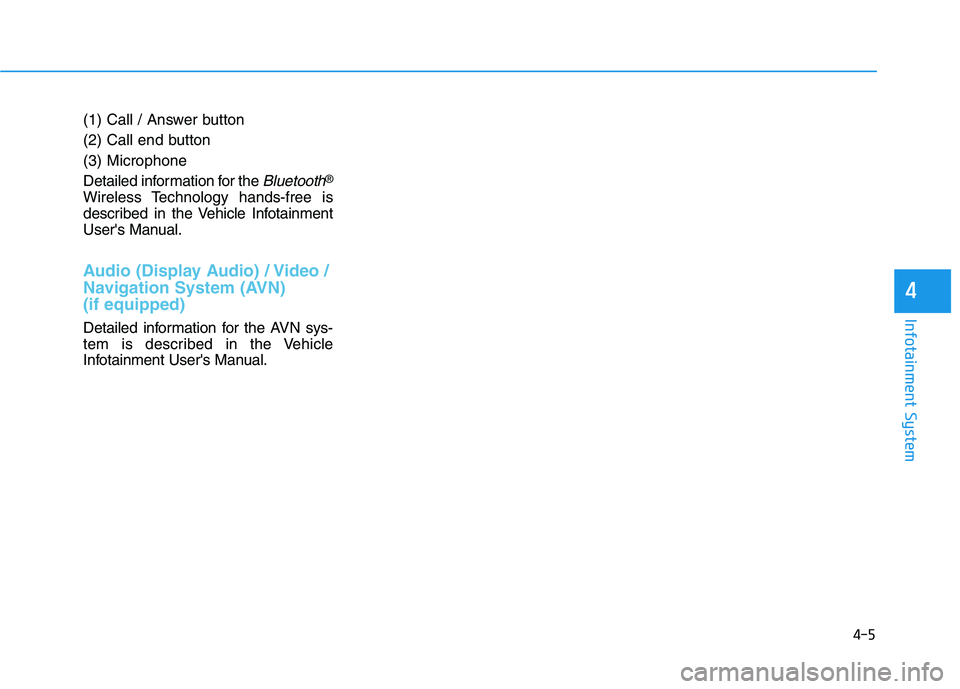
(1) Call / Answer button
(2) Call end button
(3) Microphone
Detailed information for the
Bluetooth®
Wireless Technology hands-free is
described in the Vehicle Infotainment
User's Manual.
Audio (Display Audio) / Video /
Navigation System (AVN)
(if equipped)
Detailed information for the AVN sys-
tem is described in the Vehicle
Infotainment User's Manual.
4-5
Infotainment System
4
Page 295 of 506
5-61
Driving your vehicle
5
NEVER install any accessories
or stickers on the front wind-
shield, nor tint the front wind-
shield.
NEVER locate any reflective
objects (i.e. white paper, mirror)
over the dashboard. Any light
reflection may cause a malfunc-
tion of the system.
Pay extreme caution to keep the
camera out of water.
NEVER disassemble the camera
assembly, nor apply any impact
on the camera assembly.
Playing the vehicle audio sys-
tem at high volume may offset
the system warning sounds.
Information
Have the system checked by an
authorized HYUNDAI dealer when:
• The windshield glass is replaced.
• The camera or related parts are
repaired or removed.
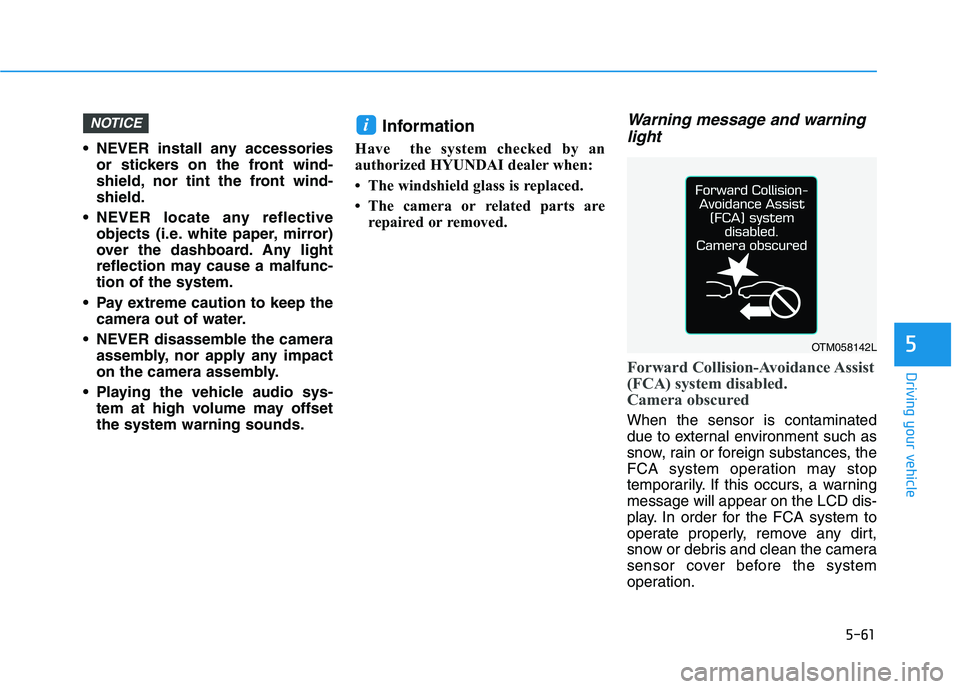
Warning message and warning
light
Forward Collision-Avoidance Assist
(FCA) system disabled.
Camera obscured
When the sensor is contaminated
due to external environment such as
snow, rain or foreign substances, the
FCA system operation may stop
temporarily. If this occurs, a warning
message will appear on the LCD dis-
play. In order for the FCA system to
operate properly, remove any dirt,
snow or debris and clean the camera
sensor cover before the system
operation.
iNOTICE
OTM058142L
Page 308 of 506
5-74
Driving your vehicle
NEVER install any accessories
or stickers on the front wind-
shield, nor tint the front wind-
shield.
NEVER locate any reflective
objects (i.e. white paper, mirror)
over the dashboard. Any light
reflection may cause a malfunc-
tion of the system.
Pay extreme caution to keep the
camera out of water.
NEVER disassemble the camera
assembly, nor apply any impact
on the camera assembly.
Playing the vehicle audio sys-
tem at high volume may offset
the system warning sounds.
Information
Have the system checked by an
authorized HYUNDAI dealer when:
• The windshield glass is replaced.
• The sensor cover or sensor gets
damaged or replaced.
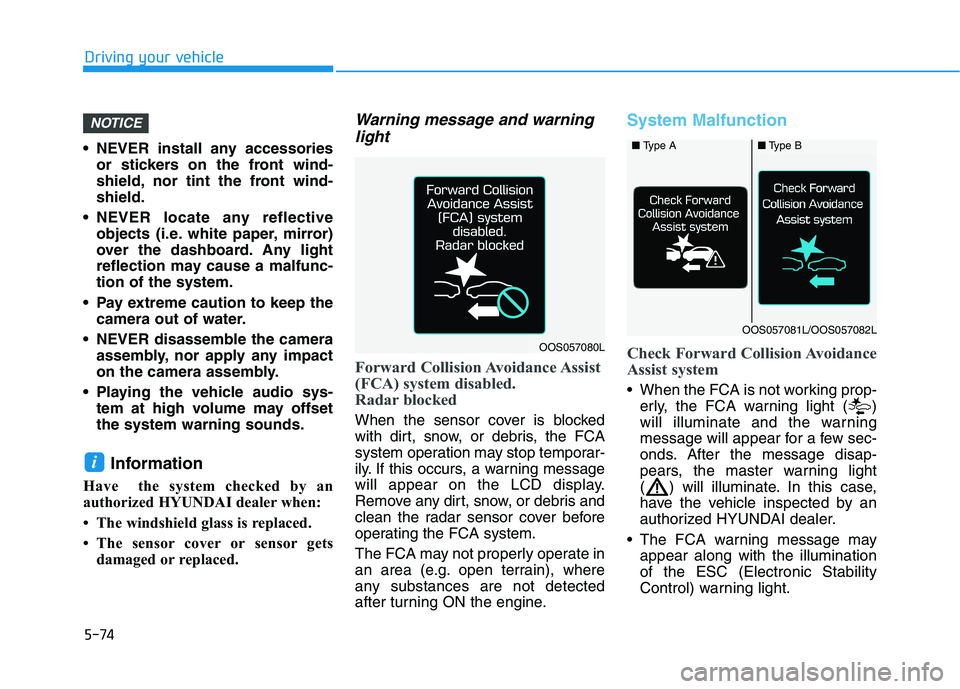
Warning message and warning
light
Forward Collision Avoidance Assist
(FCA) system disabled.
Radar blocked
When the sensor cover is blocked
with dirt, snow, or debris, the FCA
system operation may stop temporar-
ily. If this occurs, a warning message
will appear on the LCD display.
Remove any dirt, snow, or debris and
clean the radar sensor cover before
operating the FCA system.
The FCA may not properly operate in
an area (e.g. open terrain), where
any substances are not detected
after turning ON the engine.
System Malfunction
Check Forward Collision Avoidance
Assist system
When the FCA is not working prop-
erly, the FCA warning light ( )
will illuminate and the warning
message will appear for a few sec-
onds. After the message disap-
pears, the master warning light
( ) will illuminate. In this case,
have the vehicle inspected by an
authorized HYUNDAI dealer.
The FCA warning message may
appear along with the illumination
of the ESC (Electronic Stability
Control) warning light.
i
NOTICE
OOS057080L
■ Type A■Type B
OOS057081L/OOS057082L
Page 316 of 506
5-82
Driving your vehicle
The system detects lane lines
and controls the steering
wheel by a camera, therefore,
if the lane lines are hard to
detect, the system may not
work properly.
Please refer to "Limitations of
the system".
Do not remove or damage the
related parts of LKA system.
You may not hear a warning
sound of LKA system
because of excessive audio
sound.
Do not place objects on the
dashboard that reflects light
such as mirrors, white paper,
etc. The system may malfunc-
tion if the sunlight is reflected.
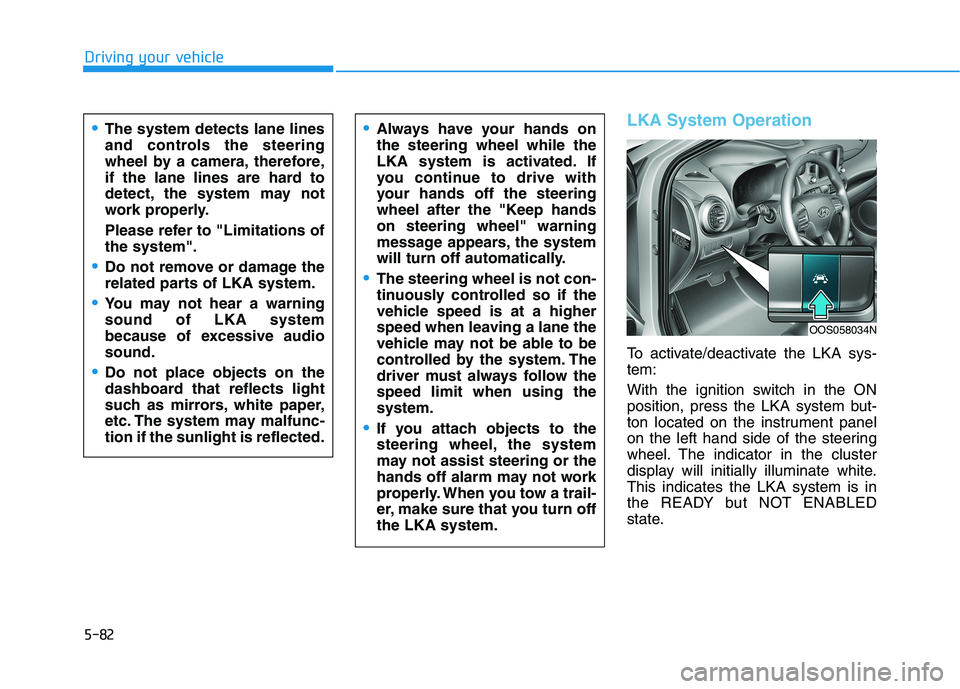
LKA System Operation
To activate/deactivate the LKA sys-
tem:
With the ignition switch in the ON
position, press the LKA system but-
ton located on the instrument panel
on the left hand side of the steering
wheel. The indicator in the cluster
display will initially illuminate white.
This indicates the LKA system is in
the READY but NOT ENABLED
state.
Always have your hands on
the steering wheel while the
LKA system is activated. If
you continue to drive with
your hands off the steering
wheel after the "Keep hands
on steering wheel" warning
message appears, the system
will turn off automatically.
The steering wheel is not con-
tinuously controlled so if the
vehicle speed is at a higher
speed when leaving a lane the
vehicle may not be able to be
controlled by the system. The
driver must always follow the
speed limit when using the
system.
If you attach objects to the
steering wheel, the system
may not assist steering or the
hands off alarm may not work
properly. When you tow a trail-
er, make sure that you turn off
the LKA system.
OOS058034N
Page 326 of 506
5-92
Driving your vehicle
The Driver Attention Warning sys-
tem utilizes the camera sensor on
the front windshield for its opera-
tion. To keep the camera sensor in
the best condition, you should
observe the followings:
NEVER install any accessories
or stickers on the front wind-
shield, nor tint the front wind-
shield.
NEVER locate any reflective
objects (i.e. white paper, mirror)
over the dashboard. Any light
reflection may cause a malfunc-
tion of the Driver Attention Alert
(DAW) system.
Pay extreme caution to keep the
camera sensor out of water.
NEVER arbitrarily disassemble
the camera assembly, nor apply
any impact on the camera
assembly.
NOTICE
The Driver Attention Warning
(DAW) system may not properly
operate with limited alerting in
the following situations:
The lane detection perform-
ance is limited. (For more infor-
mation, refer to "Lane Keeping
Assist (LKA) system" in this
chapter.)
The vehicle is violently driven
or is abruptly turned for obsta-
cle avoidance (e.g. construc-
tion area, other vehicles, fallen
objects, bumpy road).
Forward drivability of the vehi-
cle is severely undermined
(possibly due to wide variation
in tire pressures, uneven tire
wear-out, toe-in/toe-out align-
ment).
The vehicle drives on a curvy
road.
The vehicle drives on a bumpy
road.
The vehicle drives through a
windy area.
The vehicle is controlled by the
following driving assist sys-
tems:
- Lane Keeping Assist (LKA)
system
- Forward Collision-avoidance
Assist (FCA) systemCAUTION
Playing the vehicle audio sys-
tem at high volume may offset
the Driver Attention Warning
(DAW) system warning sounds.
CAUTION
Page 429 of 506
7-37
7
Maintenance
By jump starting
After a jump start from a good bat-
tery, drive the vehicle for 20-30 min-
utes before it is shutoff. The vehicle
may not restart if you shut it off
before the battery had a chance to
adequately recharge. See "Jump
Starting" in chapter 6 for more infor-
mation on jump starting procedures.
Information
An inappropriately disposed
battery can be harmful to
the environment and human
health. Dispose of the bat-
tery according to your local
law(s) or regulations.
Reset Features
The following items may need to be
reset after the battery has been dis-
charged or the battery has been dis-
connected. See chapter 3 or 4 for:
Power Windows
Trip Computer
Climate Control System
Clock
Audio System
Sunroof
i
Watch the battery during
charging, and stop or reduce
the charging rate if the battery
cells begin boiling violently.
The negative battery cable
must be removed first and
installed last when the battery
is disconnected. Disconnect
the battery charger in the fol-
lowing order:
(1) Turn off the battery charg-
er main switch.
(2) Unhook the negative
clamp from the negative
battery terminal.
(3) Unhook the positive clamp
from the positive battery
terminal.
Always use a genuine
HYUNDAI approved battery
when you replace the battery.
Page 447 of 506
7-55
7
Maintenance
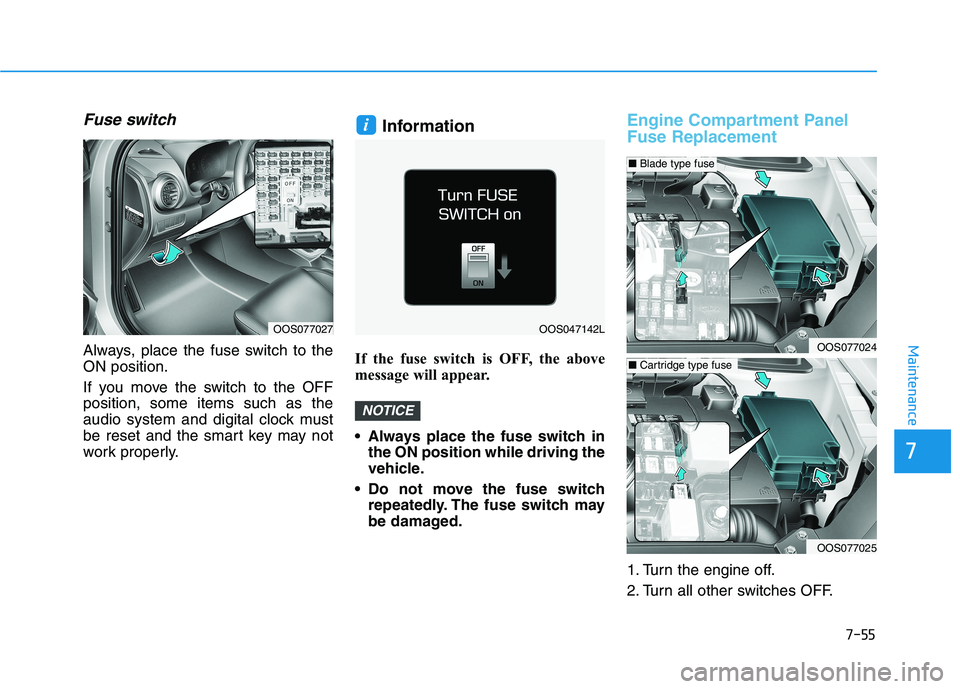
Fuse switch
Always, place the fuse switch to the
ON position.
If you move the switch to the OFF
position, some items such as the
audio system and digital clock must
be reset and the smart key may not
work properly.
Information
If the fuse switch is OFF, the above
message will appear.
Always place the fuse switch in
the ON position while driving the
vehicle.
Do not move the fuse switch
repeatedly. The fuse switch may
be damaged.
Engine Compartment Panel
Fuse Replacement
1. Turn the engine off.
2. Turn all other switches OFF.
NOTICE
i
OOS077027OOS047142L
OOS077024
OOS077025
■Blade type fuse
■Cartridge type fuse
Page 502 of 506
I-5
If the engine overheats ......................................................6-6
If the engine will not start.................................................6-3
If the Engine Doesn't Turn Over or
Turns Over Slowly ....................................................6-3
If the Engine Turns Over Normally
but Doesn't Start ........................................................6-3
If you have a flat tire (With spare tire) ...........................6-14
Changing Tires ...........................................................6-15
Jack and Tools ............................................................6-14
If you have a flat tire (with tire mobility kit) .................6-20
Checking the tire inflation pressure ...........................6-25
Components of the Tire Mobility Kit.........................6-22
Distributing the sealant ..............................................6-24
Introduction ................................................................6-20
Notes on the safe use of the Tire Mobility Kit ..........6-21
Using the Tire Mobility Kit........................................6-23
Ignition switch ..................................................................5-6
Engine Start/Stop Button ..............................................5-9
Key Ignition Switch .....................................................5-6
Important Safety Precautions............................................2-2
Air Bag Hazards ...........................................................2-2
Always Wear Your Seat Belt ........................................2-2
Control Your Speed ......................................................2-2
Driver Distraction.........................................................2-2
Keep Your Vehicle in Safe Condition ..........................2-2
Restrain All Children....................................................2-2Infotainment System .........................................................4-2
Antenna ........................................................................4-2
Audio (Display Audio) / Video
/ Navigation System (AVN) .......................................4-4
AUX, USB and iPod
®Port ..........................................4-2
Bluetooth®Wireless Technology Hands-Free ..............4-4
Steering Wheel Audio Controls....................................4-3
In case of an emergency while driving .............................6-2
If the Engine Stalls at a Crossroad or Crossing ...........6-2
If the Engine Stalls While Driving...............................6-2
If you Have a Flat Tire While Driving.........................6-3
Instrument Cluster...........................................................3-49
Gauges and Meters .....................................................3-51
Instrument Cluster Control .........................................3-50
LCD Display Messages ..............................................3-67
Transmission shift indicator .......................................3-54
Warning and Indicator Lights.....................................3-55
Instrument Panel Overview ..............................................1-5
Interior Features ............................................................3-135
Cargo Area Cover .....................................................3-142
Clock ........................................................................3-140
Clothes Hanger .........................................................3-140
Cup Holder ...............................................................3-135
Floor Mat Anchor(s) .................................................3-141
Luggage Net Holder .................................................3-141
Luggage tray.............................................................3-144
Power Outlet.............................................................3-137
Sunvisor ....................................................................3-136
Wireless Cellular Phone Charging System ..............3-138
I
Index
I