warning HYUNDAI KONA 2021 Owners Manual
[x] Cancel search | Manufacturer: HYUNDAI, Model Year: 2021, Model line: KONA, Model: HYUNDAI KONA 2021Pages: 506, PDF Size: 34.9 MB
Page 319 of 506
5-85
Driving your vehicle
5
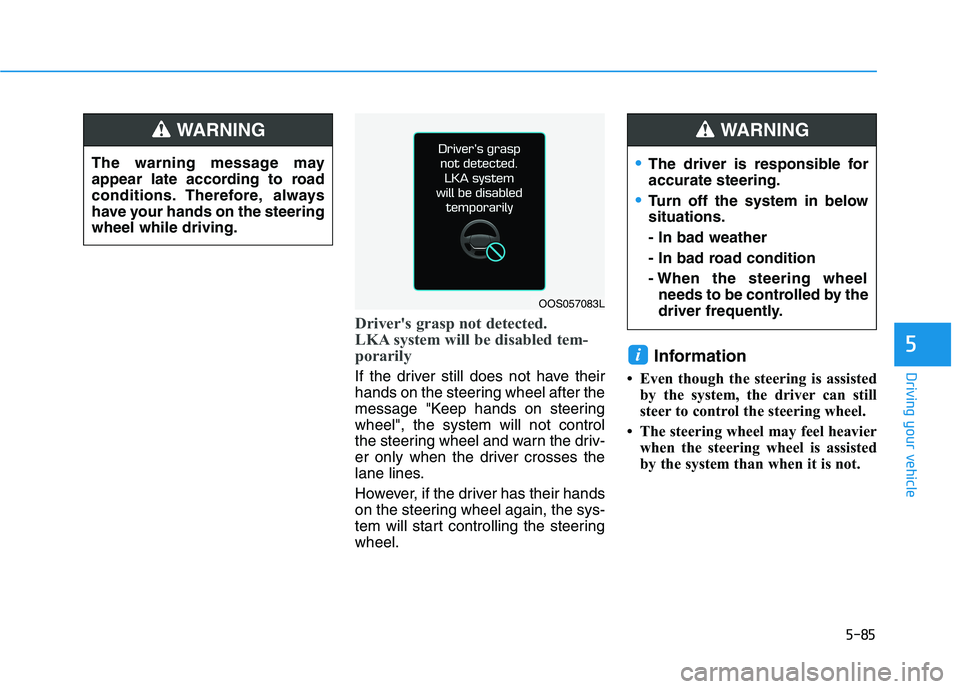
Driver's grasp not detected.
LKA system will be disabled tem-
porarily
If the driver still does not have their
hands on the steering wheel after the
message "Keep hands on steering
wheel", the system will not control
the steering wheel and warn the driv-
er only when the driver crosses the
lane lines.
However, if the driver has their hands
on the steering wheel again, the sys-
tem will start controlling the steering
wheel.
Information
• Even though the steering is assisted
by the system, the driver can still
steer to control the steering wheel.
• The steering wheel may feel heavier
when the steering wheel is assisted
by the system than when it is not.
i
The driver is responsible for
accurate steering.
Turn off the system in below
situations.
- In bad weather
- In bad road condition
- When the steering wheel
needs to be controlled by the
driver frequently.
WARNING
The warning message may
appear late according to road
conditions. Therefore, always
have your hands on the steering
wheel while driving.
WARNING
OOS057083L
Page 320 of 506
5-86
Driving your vehicle
Warning Light and Message
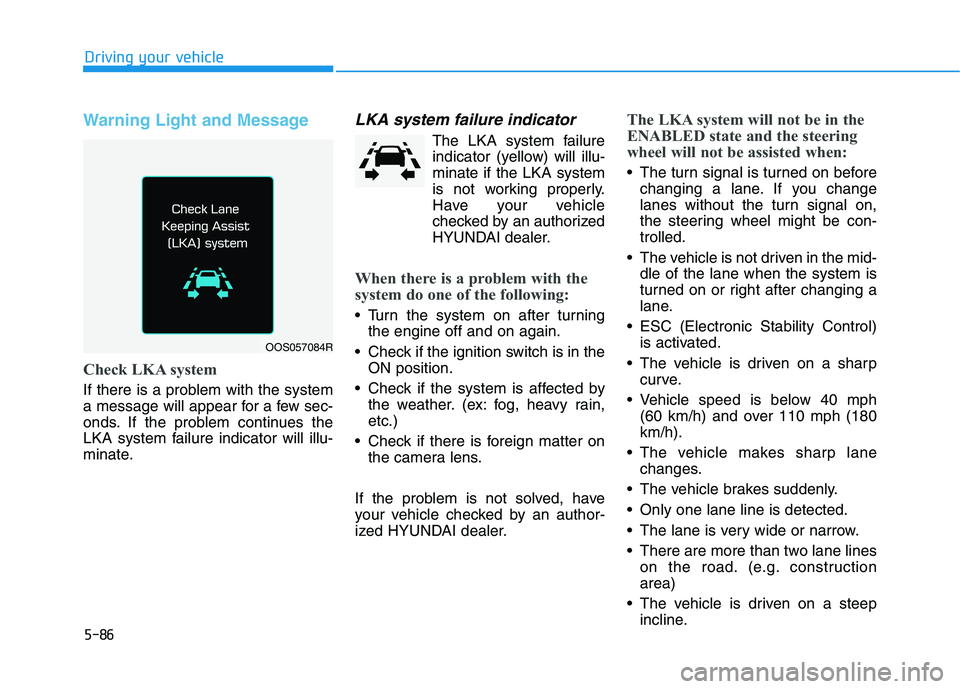
Check LKA system
If there is a problem with the system
a message will appear for a few sec-
onds. If the problem continues the
LKA system failure indicator will illu-
minate.
LKA system failure indicator
The LKA system failure
indicator (yellow) will illu-
minate if the LKA system
is not working properly.
Have your vehicle
checked by an authorized
HYUNDAI dealer.
When there is a problem with the
system do one of the following:
Turn the system on after turning
the engine off and on again.
Check if the ignition switch is in the
ON position.
Check if the system is affected by
the weather. (ex: fog, heavy rain,
etc.)
Check if there is foreign matter on
the camera lens.
If the problem is not solved, have
your vehicle checked by an author-
ized HYUNDAI dealer.
The LKA system will not be in the
ENABLED state and the steering
wheel will not be assisted when:
The turn signal is turned on before
changing a lane. If you change
lanes without the turn signal on,
the steering wheel might be con-
trolled.
The vehicle is not driven in the mid-
dle of the lane when the system is
turned on or right after changing a
lane.
ESC (Electronic Stability Control)
is activated.
The vehicle is driven on a sharp
curve.
Vehicle speed is below 40 mph
(60 km/h) and over 110 mph (180
km/h).
The vehicle makes sharp lane
changes.
The vehicle brakes suddenly.
Only one lane line is detected.
The lane is very wide or narrow.
There are more than two lane lines
on the road. (e.g. construction
area)
The vehicle is driven on a steep
incline.
OOS057084R
Page 322 of 506
5-88
Driving your vehicle
LKA system Function Change
The driver can change LKA to Lane
Departure Warning (LDW) system or
change the LKA system mode
between Standard LKA and Active
LKA from the LCD display. Go to the
'User Settings →Driver Assistance →
Lane Keeping Assist →Lane
Departure Warning/Standard
LKA/Active LKA'.
Lane Departure Warning
LDW system alerts the driver with a
visual warning and a warning alarm
when the system detects the vehicle
departing the lane. The steering
wheel will not be controlled.
Standard LKA
The Standard LKA mode guides the
driver to help keep the vehicle within
the lanes. It rarely controls the steer-
ing wheel, when the vehicle drives
well inside the lanes. However, it
starts to control the steering wheel,
when the vehicle is about to deviate
out of the lanes.
Active LKA
The Active LKA mode provides more
frequent steering wheel control in
comparison with the Standard LKA
mode. Active LKA can help reduce
the driver's fatigue to assist the
steering for maintaining the vehicle
in the middle of the lane.
Information
This device complies with Part 15 of
the FCC rules.
Operation is subject to the following
two conditions:
1. This device may not cause harmful
interference.
2. This device must accept any inter-
ference received, including interfer-
ence that may cause undesired
operation.
i
Page 323 of 506
5-89
Driving your vehicle
5
The Driver Attention Warning (DAW)
System is designed as a safety fea-
ture to help reduce drowsy or inat-
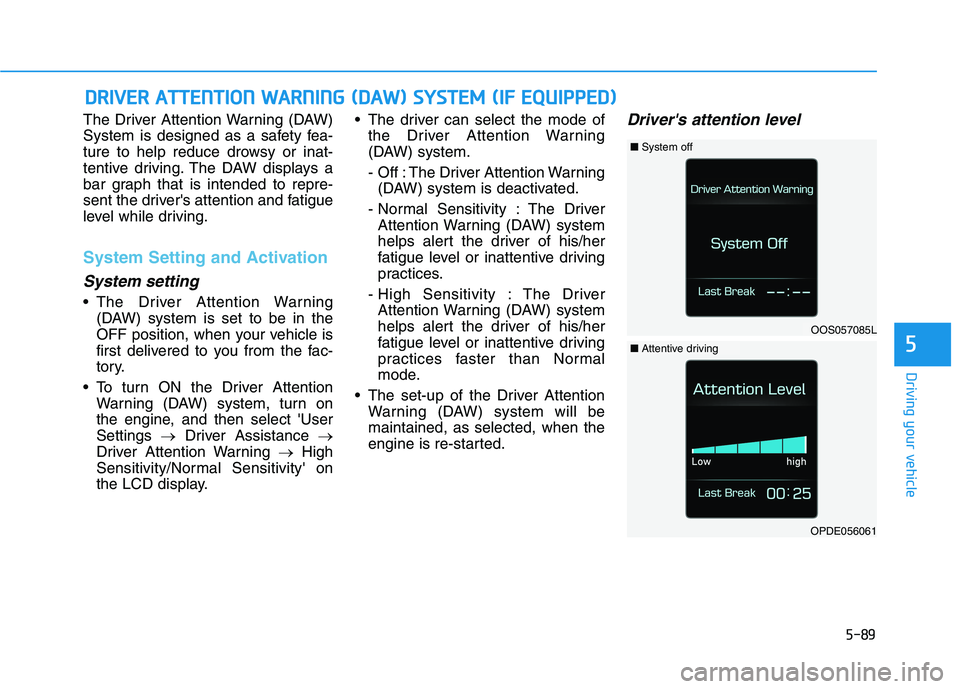
tentive driving. The DAW displays a
bar graph that is intended to repre-
sent the driver's attention and fatigue
level while driving.
System Setting and Activation
System setting
The Driver Attention Warning
(DAW) system is set to be in the
OFF position, when your vehicle is
first delivered to you from the fac-
tory.
To turn ON the Driver Attention
Warning (DAW) system, turn on
the engine, and then select 'User
Settings →Driver Assistance →
Driver Attention Warning →High
Sensitivity/Normal Sensitivity' on
the LCD display. The driver can select the mode of
the Driver Attention Warning
(DAW) system.
- Off : The Driver Attention Warning
(DAW) system is deactivated.
- Normal Sensitivity : The Driver
Attention Warning (DAW) system
helps alert the driver of his/her
fatigue level or inattentive driving
practices.
- High Sensitivity : The Driver
Attention Warning (DAW) system
helps alert the driver of his/her
fatigue level or inattentive driving
practices faster than Normal
mode.
The set-up of the Driver Attention
Warning (DAW) system will be
maintained, as selected, when the
engine is re-started.
Driver's attention level
D DR
RI
IV
VE
ER
R
A
AT
TT
TE
EN
NT
TI
IO
ON
N
W
WA
AR
RN
NI
IN
NG
G
(
(D
DA
AW
W)
)
S
SY
YS
ST
TE
EM
M
(
(I
IF
F
E
EQ
QU
UI
IP
PP
PE
ED
D)
)
OOS057085L
■System off
OPDE056061
■Attentive driving
Page 324 of 506
5-90
Driving your vehicle
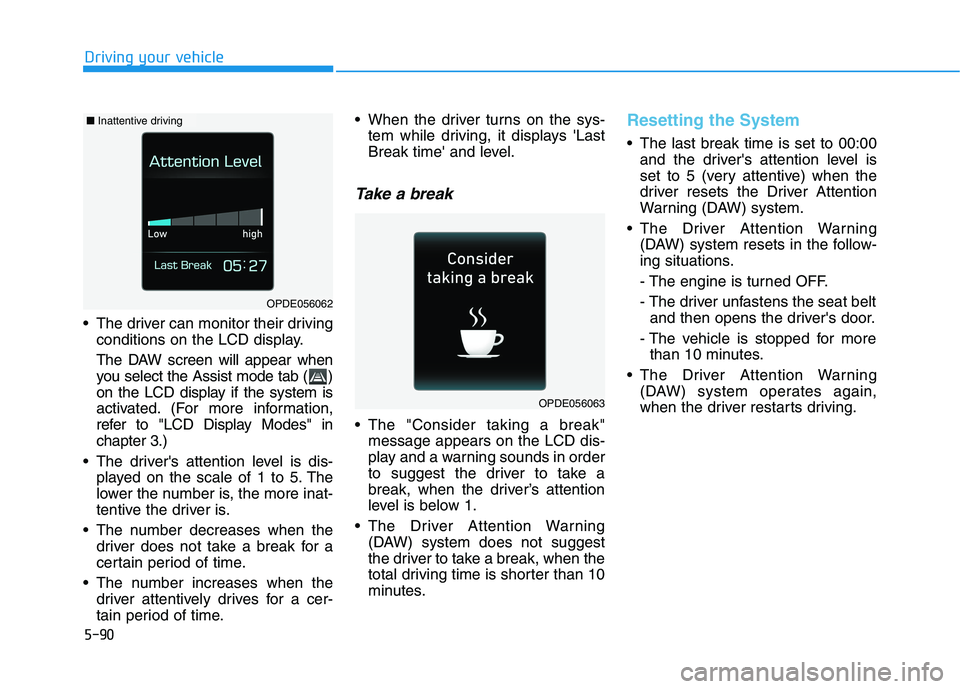
The driver can monitor their driving
conditions on the LCD display.
The DAW screen will appear when
you select the Assist mode tab ( )
on the LCD display if the system is
activated. (For more information,
refer to "LCD Display Modes" in
chapter 3.)
The driver's attention level is dis-
played on the scale of 1 to 5. The
lower the number is, the more inat-
tentive the driver is.
The number decreases when the
driver does not take a break for a
certain period of time.
The number increases when the
driver attentively drives for a cer-
tain period of time. When the driver turns on the sys-
tem while driving, it displays 'Last
Break time' and level.
Take a break
The "Consider taking a break"
message appears on the LCD dis-
play and a warning sounds in order
to suggest the driver to take a
break, when the driver’s attention
level is below 1.
The Driver Attention Warning
(DAW) system does not suggest
the driver to take a break, when the
total driving time is shorter than 10
minutes.
Resetting the System
The last break time is set to 00:00
and the driver's attention level is
set to 5 (very attentive) when the
driver resets the Driver Attention
Warning (DAW) system.
The Driver Attention Warning
(DAW) system resets in the follow-
ing situations.
- The engine is turned OFF.
- The driver unfastens the seat belt
and then opens the driver's door.
- The vehicle is stopped for more
than 10 minutes.
The Driver Attention Warning
(DAW) system operates again,
when the driver restarts driving.
OPDE056063
OPDE056062
■Inattentive driving
Page 325 of 506
5-91
Driving your vehicle
5
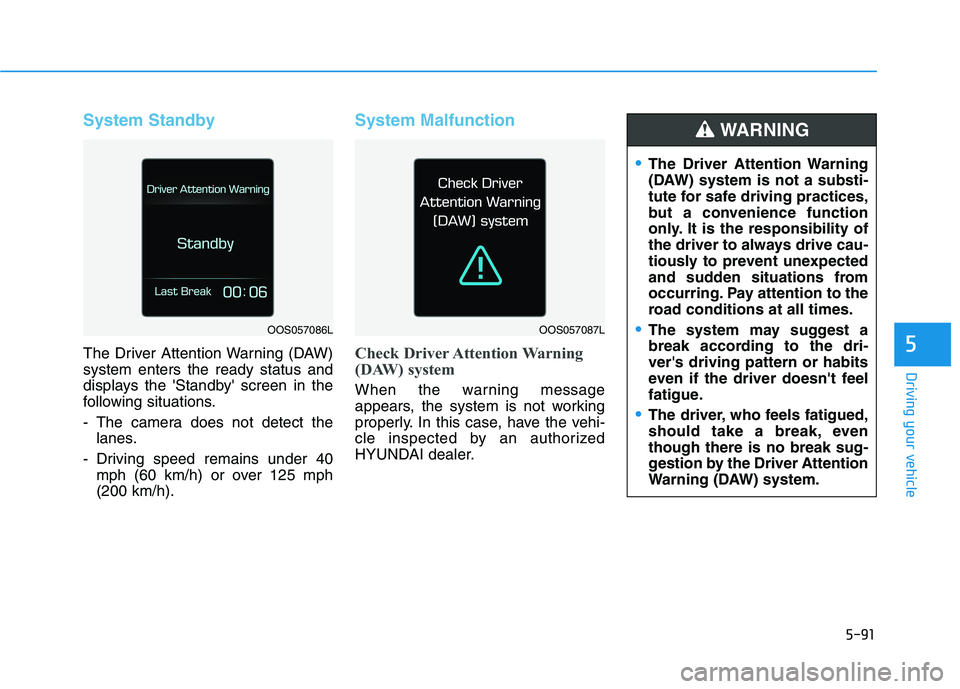
System Standby
The Driver Attention Warning (DAW)
system enters the ready status and
displays the 'Standby' screen in the
following situations.
- The camera does not detect the
lanes.
- Driving speed remains under 40
mph (60 km/h) or over 125 mph
(200 km/h).
System Malfunction
Check Driver Attention Warning
(DAW) system
When the warning message
appears, the system is not working
properly. In this case, have the vehi-
cle inspected by an authorized
HYUNDAI dealer.
The Driver Attention Warning
(DAW) system is not a substi-
tute for safe driving practices,
but a convenience function
only. It is the responsibility of
the driver to always drive cau-
tiously to prevent unexpected
and sudden situations from
occurring. Pay attention to the
road conditions at all times.
The system may suggest a
break according to the dri-
ver's driving pattern or habits
even if the driver doesn't feel
fatigue.
The driver, who feels fatigued,
should take a break, even
though there is no break sug-
gestion by the Driver Attention
Warning (DAW) system.
WARNING
OOS057086LOOS057087L
Page 326 of 506
5-92
Driving your vehicle
The Driver Attention Warning sys-
tem utilizes the camera sensor on
the front windshield for its opera-
tion. To keep the camera sensor in
the best condition, you should
observe the followings:
NEVER install any accessories
or stickers on the front wind-
shield, nor tint the front wind-
shield.
NEVER locate any reflective
objects (i.e. white paper, mirror)
over the dashboard. Any light
reflection may cause a malfunc-
tion of the Driver Attention Alert
(DAW) system.
Pay extreme caution to keep the
camera sensor out of water.
NEVER arbitrarily disassemble
the camera assembly, nor apply
any impact on the camera
assembly.
NOTICE
The Driver Attention Warning
(DAW) system may not properly
operate with limited alerting in
the following situations:
The lane detection perform-
ance is limited. (For more infor-
mation, refer to "Lane Keeping
Assist (LKA) system" in this
chapter.)
The vehicle is violently driven
or is abruptly turned for obsta-
cle avoidance (e.g. construc-
tion area, other vehicles, fallen
objects, bumpy road).
Forward drivability of the vehi-
cle is severely undermined
(possibly due to wide variation
in tire pressures, uneven tire
wear-out, toe-in/toe-out align-
ment).
The vehicle drives on a curvy
road.
The vehicle drives on a bumpy
road.
The vehicle drives through a
windy area.
The vehicle is controlled by the
following driving assist sys-
tems:
- Lane Keeping Assist (LKA)
system
- Forward Collision-avoidance
Assist (FCA) systemCAUTION
Playing the vehicle audio sys-
tem at high volume may offset
the Driver Attention Warning
(DAW) system warning sounds.
CAUTION
Page 327 of 506
5-93
Driving your vehicle
5
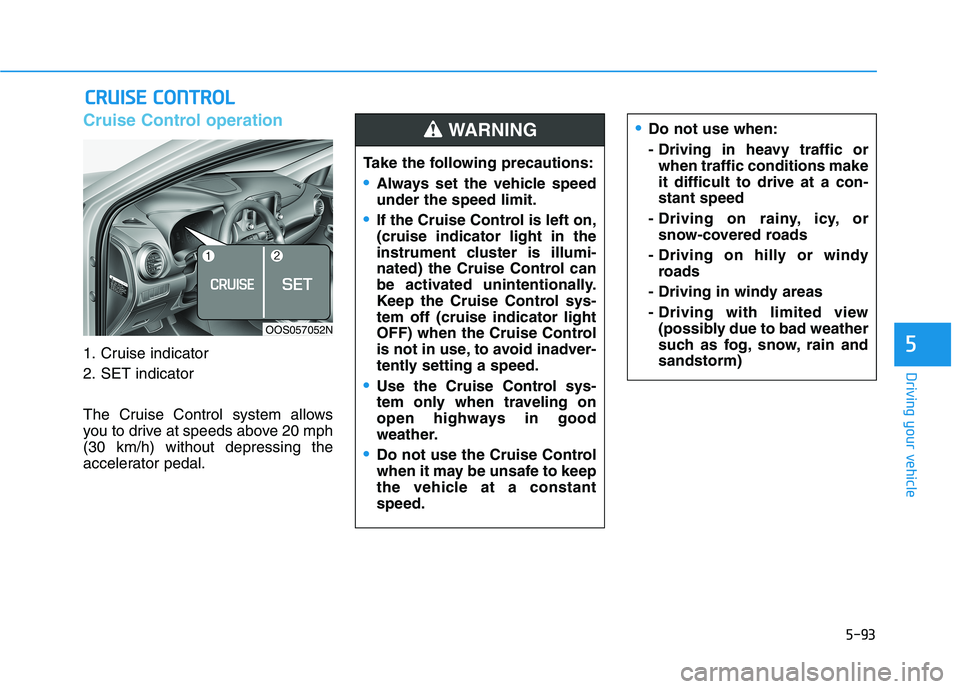
Cruise Control operation
1. Cruise indicator
2. SET indicator
The Cruise Control system allows
you to drive at speeds above 20 mph
(30 km/h) without depressing the
accelerator pedal.
C CR
RU
UI
IS
SE
E
C
CO
ON
NT
TR
RO
OL
L
Do not use when:
- Driving in heavy traffic or
when traffic conditions make
it difficult to drive at a con-
stant speed
- Driving on rainy, icy, or
snow-covered roads
- Driving on hilly or windy
roads
- Driving in windy areas
- Driving with limited view
(possibly due to bad weather
such as fog, snow, rain and
sandstorm)
Take the following precautions:
Always set the vehicle speed
under the speed limit.
If the Cruise Control is left on,
(cruise indicator light in the
instrument cluster is illumi-
nated) the Cruise Control can
be activated unintentionally.
Keep the Cruise Control sys-
tem off (cruise indicator light
OFF) when the Cruise Control
is not in use, to avoid inadver-
tently setting a speed.
Use the Cruise Control sys-
tem only when traveling on
open highways in good
weather.
Do not use the Cruise Control
when it may be unsafe to keep
the vehicle at a constant
speed.
WARNING
OOS057052N
Page 332 of 506
5-98
Driving your vehicle
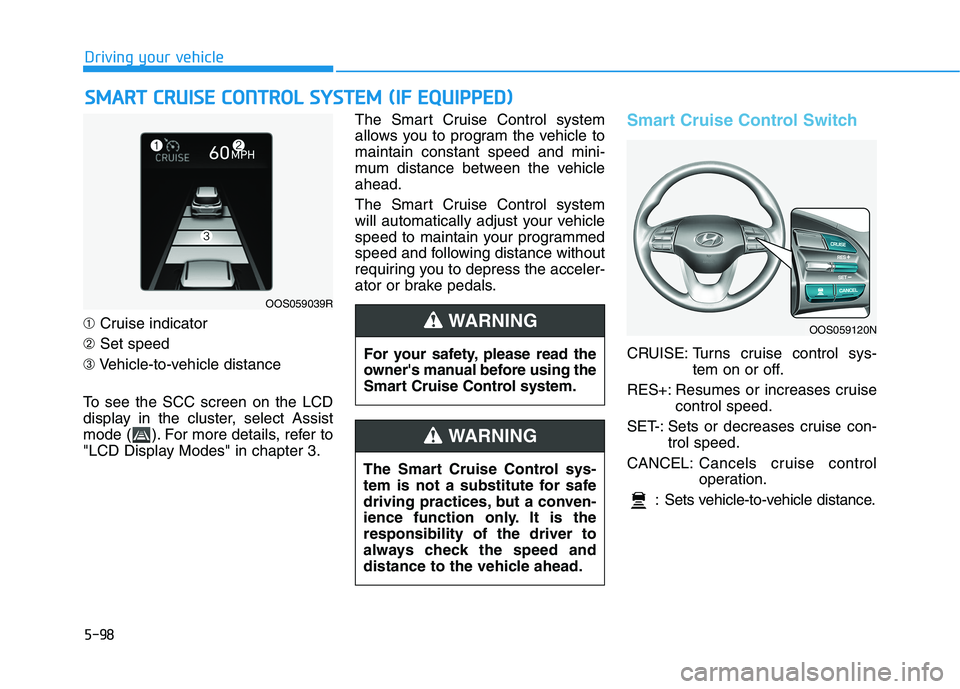
➀Cruise indicator
➁Set speed
➂Vehicle-to-vehicle distance
To see the SCC screen on the LCD
display in the cluster, select Assist
mode ( ). For more details, refer to
"LCD Display Modes" in chapter 3.The Smart Cruise Control system
allows you to program the vehicle to
maintain constant speed and mini-
mum distance between the vehicle
ahead.
The Smart Cruise Control system
will automatically adjust your vehicle
speed to maintain your programmed
speed and following distance without
requiring you to depress the acceler-
ator or brake pedals.
Smart Cruise Control Switch
CRUISE: Turns cruise control sys-
tem on or off.
RES+: Resumes or increases cruise
control speed.
SET-: Sets or decreases cruise con-
trol speed.
CANCEL:Cancels cruise control
operation.
: Sets vehicle-to-vehicle distance.
S SM
MA
AR
RT
T
C
CR
RU
UI
IS
SE
E
C
CO
ON
NT
TR
RO
OL
L
S
SY
YS
ST
TE
EM
M
(
(I
IF
F
E
EQ
QU
UI
IP
PP
PE
ED
D)
)
OOS059039R
OOS059120N
For your safety, please read the
owner's manual before using the
Smart Cruise Control system.
WARNING
The Smart Cruise Control sys-
tem is not a substitute for safe
driving practices, but a conven-
ience function only. It is the
responsibility of the driver to
always check the speed and
distance to the vehicle ahead.
WARNING
Page 336 of 506
5-102
Driving your vehicle
The engine performance is abnor-
mal.
When the braking control is operat-
ed for FCA (Forward Collision-
Avoidance Assist)
The engine speed is in dangerous
range.
In a condition the Smart Cruise
Control is canceled automatically,
the Smart Cruise Control will not
resume even though the RES+ or
SET- toggle switch is pushed.
Information
If the Smart Cruise Control is canceled
by other than the reasons mentioned,
have the system checked by an author-
ized HYUNDAI dealer.
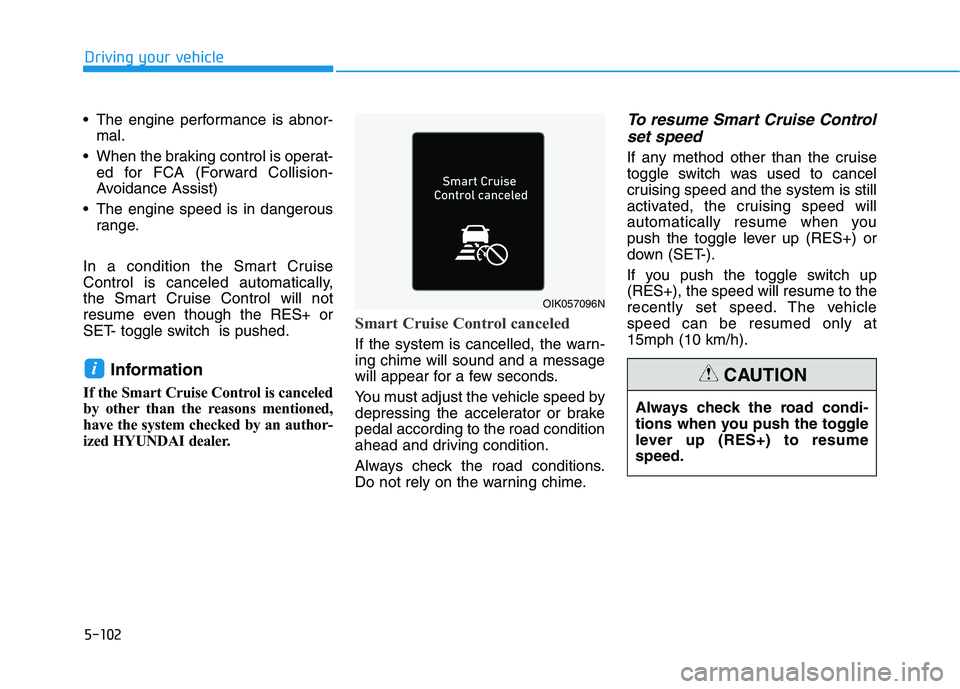
Smart Cruise Control canceled
If the system is cancelled, the warn-
ing chime will sound and a message
will appear for a few seconds.
You must adjust the vehicle speed by
depressing the accelerator or brake
pedal according to the road condition
ahead and driving condition.
Always check the road conditions.
Do not rely on the warning chime.
To resume Smart Cruise Control
set speed
If any method other than the cruise
toggle switch was used to cancel
cruising speed and the system is still
activated, the cruising speed will
automatically resume when you
push the toggle lever up (RES+) or
down (SET-).
If you push the toggle switch up
(RES+), the speed will resume to the
recently set speed. The vehicle
speed can be resumed only at
15mph (10 km/h).
i
OIK057096N
Always check the road condi-
tions when you push the toggle
lever up (RES+) to resume
speed.
CAUTION