Screen HYUNDAI KONA 2022 User Guide
[x] Cancel search | Manufacturer: HYUNDAI, Model Year: 2022, Model line: KONA, Model: HYUNDAI KONA 2022Pages: 579, PDF Size: 35.31 MB
Page 223 of 579
05
5-89
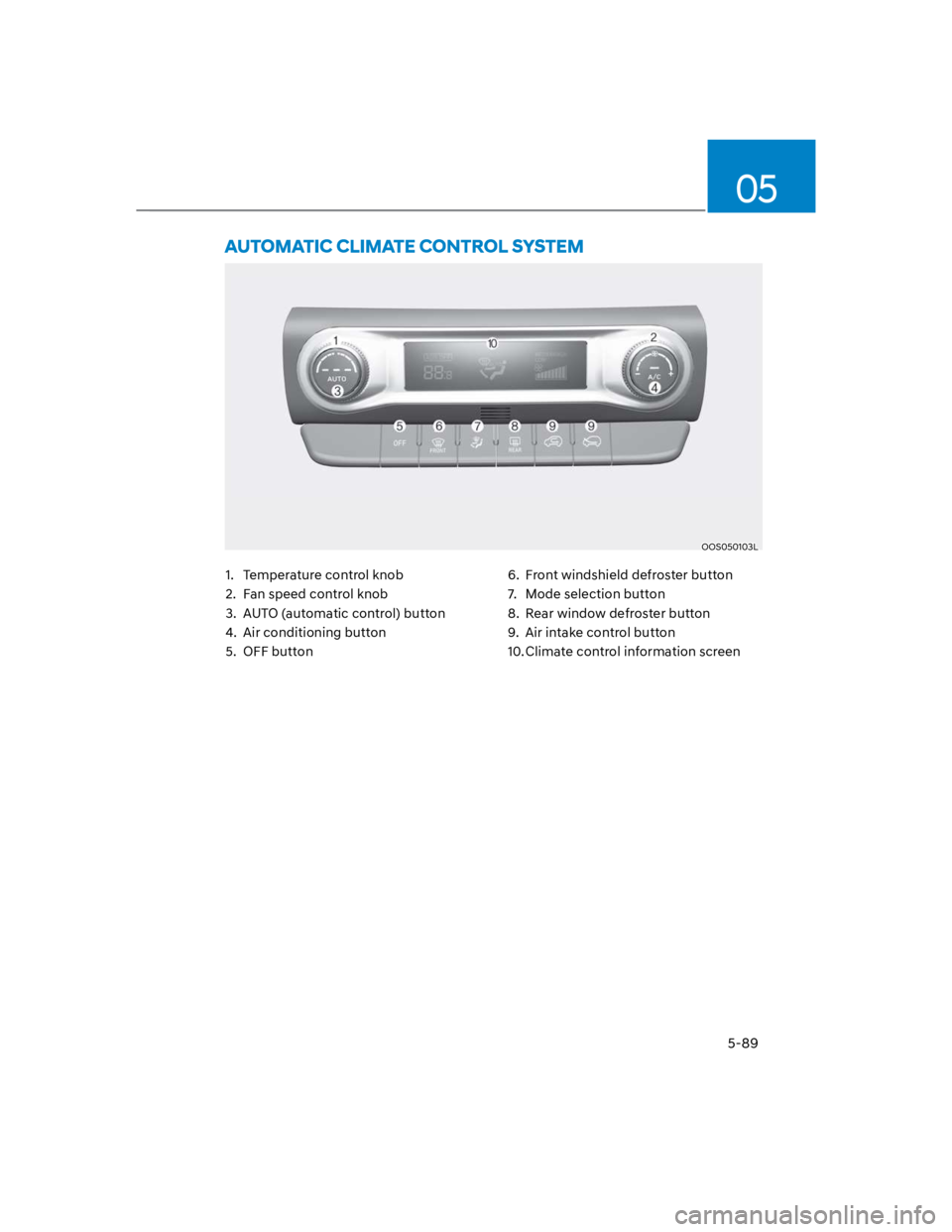
OOS050103L
1. Temperature control knob
2. Fan speed control knob
3. AUTO (automatic control) button
4. Air conditioning button
5. OFF button
6. Front windshield defroster button
7. Mode selection button
8. Rear window defroster button
9. Air intake control button
10. Climate control information screen
Page 235 of 579
05
5-101
When the Auto Defogging
System operates, the
indicator will illuminate.
If a high amount of humidity is detected
in the vehicle, the Auto Defogging
System will be enabled. The following
steps will be performed automatically:
Step 1) The air intake control will change
to Fresh mode.
Step 2) The A/C button will turn ON.
Step 3) The mode will be changed to
defrost to direct airflow to the
windshield.
Step 4) The fan speed will be set to MAX.
If the air conditioning is off or
recirculated air position is manually
selected while Auto Defogging System is
ON, the Auto Defogging System Indicator
will blink 3 times to signal that the
manual operation has been canceled.
Press the front windshield defroster
button for 3 seconds when the ignition
switch is in the ON position. When the
Auto Defogging System is canceled, the
ADS OFF symbol will blink 3 times and
ADS OFF will be displayed on the climate
control information screen.
When the Auto Defogging System is
reset, the ADS OFF symbol will blink 6
times without a signal.
Information
NOTICE
Do not remove the sensor cover located
on the upper end of the windshield
glass.
Damage to system parts could occur
and may not be covered by your vehicle
warranty.
Page 246 of 579
Convenient features
5-112
Clock
WARNING
Do not attempt to adjust the clock
while driving. Doing so may result in
distracted driving which may lead to
an accident involving personal injury or
death.
Vehicles with Audio system
Select the [SETUP/CLOCK] button on the
Set time: Set the time displayed on
the audio screen.
Time format: Choose between 12-hour
and 24-hour time formats.
Vehicles with Navigation system
Select the Settings menu on the
GPS time: Displays time according to
the received GNSS time.
24-hour: Switches to 12 hour or 24
hour.
For more details, please refer to the
separate manual that was supplied with
your vehicle.
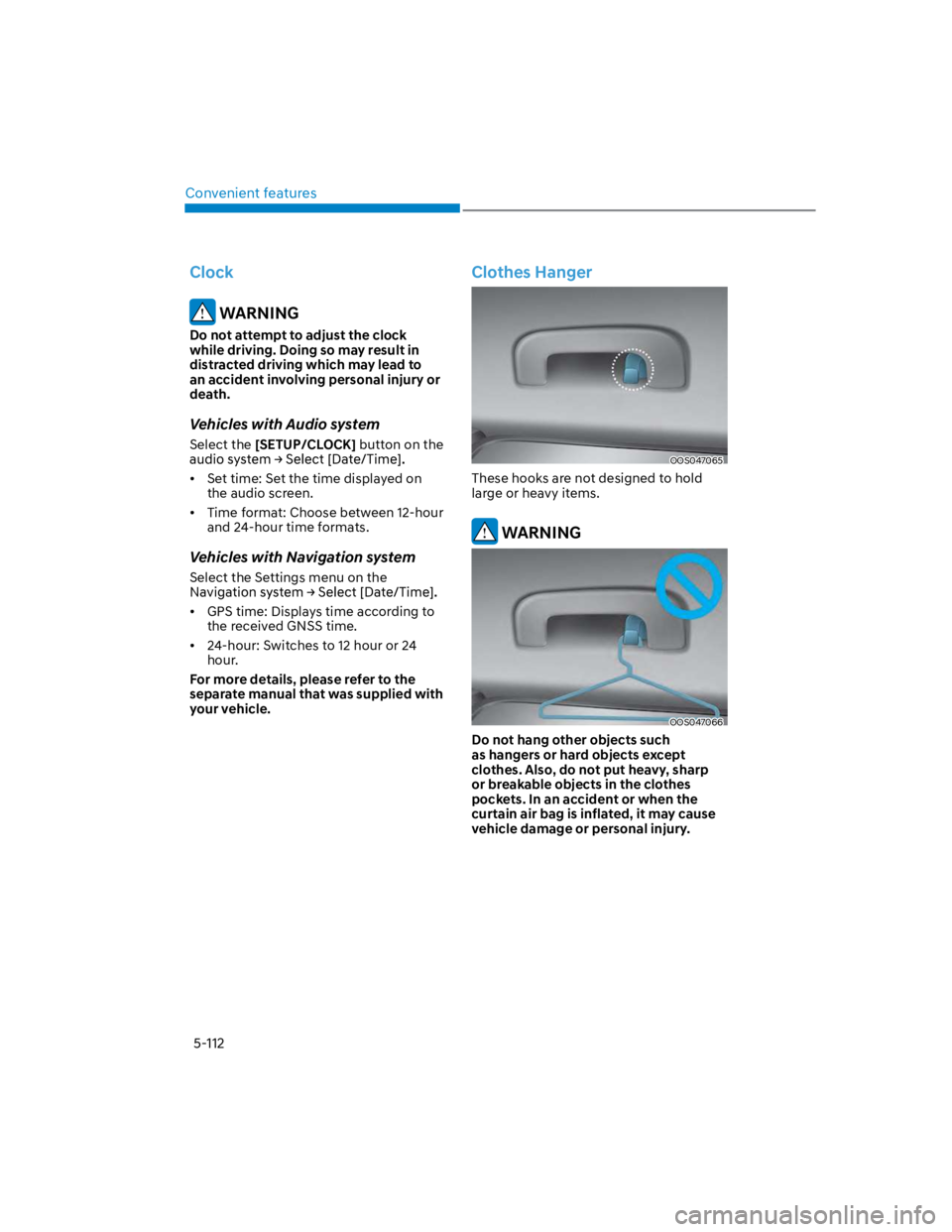
Clothes Hanger
OOS047065
These hooks are not designed to hold
large or heavy items.
WARNING
OOS047066
Do not hang other objects such
as hangers or hard objects except
clothes. Also, do not put heavy, sharp
or breakable objects in the clothes
pockets. In an accident or when the
curtain air bag is inflated, it may cause
vehicle damage or personal injury.
Page 432 of 579
Driver assistance system
7-100
Rear View Monitor settings
Camera settings
You can change Rear View Monitor
by touching the setup icon () on
the screen while Rear View Monitor is
operating, or selecting ‘Driver Assistance
the Settings menu while the engine is on.
Rear View Monitor operation
Rear view
Shift the gear to R (Reverse), the image
will appear on the screen.
The rear view cannot be turned off
when the gear is in R (Reverse).
Shift the gear from R (Reverse) to P
(Park), the rear view will turn off.
Extended rear view function
The rear view will maintain showing on
the screen to help you when parking.
Shift the gear from R (Reverse) to N
(Neutral) or D (Drive), the rear view will
appear on the screen.
When vehicle speed is above 6 mph
(10 km/h), the rear view will turn off.
Shift the gear to P (Park), the rear view
will turn off.
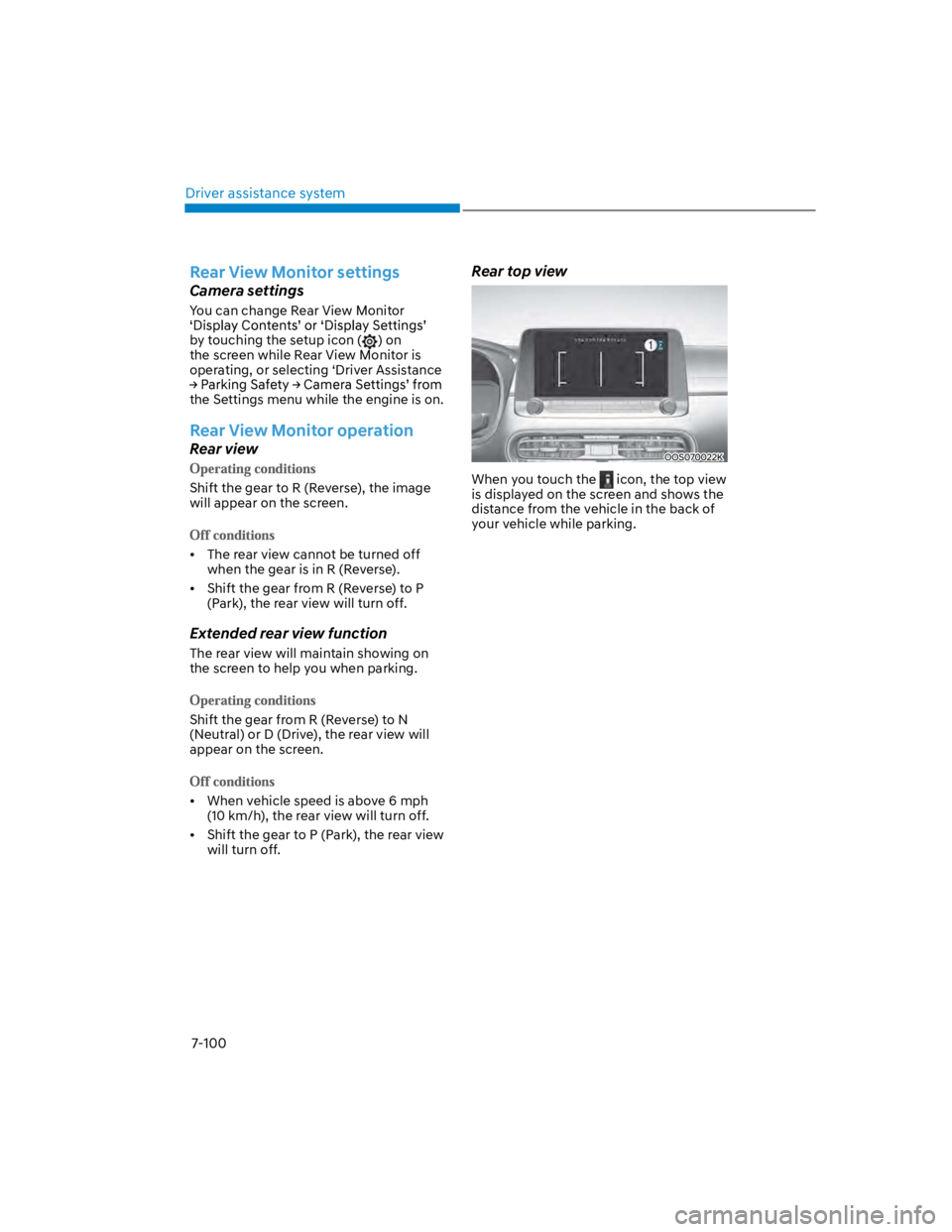
Rear top view
OOS070022K
When you touch the icon, the top view
is displayed on the screen and shows the
distance from the vehicle in the back of
your vehicle while parking.
Page 433 of 579
07
7-101
Rear View Monitor malfunction
and limitations
Rear View Monitor malfunction
When Rear View Monitor is not working
properly, or the screen flickers, or the
camera image does not display normally,
have the function inspected by an
authorized HYUNDAI dealer.
Limitations of Rear View Monitor
When the vehicle is stopped for a long
time in winter or when the vehicle is
parked in an indoor parking lot, the
exhaust fumes may temporarily blur the
image.
WARNING
The rear view camera does not
cover the complete area behind the
vehicle. The driver should always
check the rear area directly through
the inside and side view mirror
before parking or backing up.
The image shown on the screen may
differ from the actual distance of the
object. Make sure to directly check
the vehicle's surroundings for safety.
Always keep the rear view camera
lens clean. If the lens is covered with
foreign material, it may adversely
affect camera performance and
Rear View Monitor may not operate
normally. However, do not use
chemical solvents such as strong
detergents containing high alkaline
or volatile organic solvents (gasoline,
acetone etc.). This may damage the
camera lens.
Page 437 of 579
07
7-105
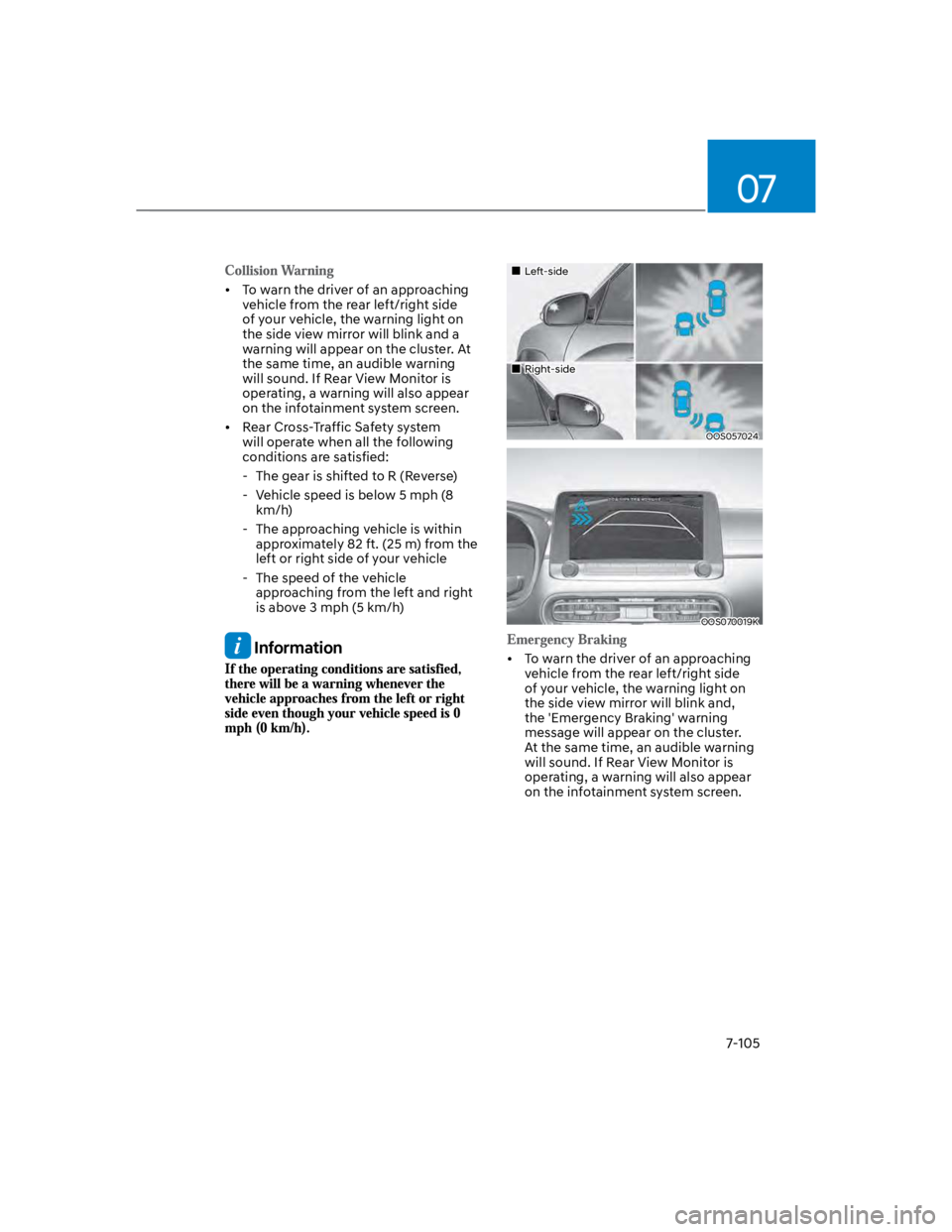
To warn the driver of an approaching
vehicle from the rear left/right side
of your vehicle, the warning light on
the side view mirror will blink and a
warning will appear on the cluster. At
the same time, an audible warning
will sound. If Rear View Monitor is
operating, a warning will also appear
on the infotainment system screen.
Rear Cross-Traffic Safety system
will operate when all the following
conditions are satisfied:
- The gear is shifted to R (Reverse)
- Vehicle speed is below 5 mph (8
km/h)
- The approaching vehicle is within
approximately 82 ft. (25 m) from the
left or right side of your vehicle
- The speed of the vehicle
approaching from the left and right
is above 3 mph (5 km/h)
Information
Left-side
Right-side
OOS057024
OOS070019K
To warn the driver of an approaching
vehicle from the rear left/right side
of your vehicle, the warning light on
the side view mirror will blink and,
the 'Emergency Braking' warning
message will appear on the cluster.
At the same time, an audible warning
will sound. If Rear View Monitor is
operating, a warning will also appear
on the infotainment system screen.
Page 561 of 579
09
9-75
Features of seat leather
- Leather is made from the outer skin
of an animal, which goes through a
special process to be available for
use. Since it is a natural product,
each part differs in thickness or
density.
Wrinkles may appear as a natural
result of stretching and shrinking
depending on the temperature and
humidity.
- The seat is made of stretchable
fabric to improve comfort.
- The parts contacting the body are
curved and the side supporting
area is high which provides driving
comfort and stability.
- Wrinkles may appear naturally
from usage. It is not a fault of the
products.
NOTICE
Wrinkles or abrasions which appear
naturally from usage are not covered
by warranty.
Belts with metallic accessories,
zippers or keys inside the back
pocket may damage the seat fabric.
Make sure not to wet the seat. It may
change the nature of natural leather.
Jeans or clothes which could bleach
may contaminate the surface of the
seat covering fabric.
Caring for the leather seats
- Vacuum the seat periodically to
remove dust and sand on the seat. It
will prevent abrasion or damage of
the leather and maintain its quality.
- Wipe the natural leather seat cover
often with dry or soft cloth.
- Use of proper leather protector may
prevent abrasion of the cover and
helps maintain the color. Be sure to
read the instructions and consult
a specialist when using leather
coating or protective agent.
- Light colored (beige, cream beige)
leather is easily contaminated and
the stain is noticeable. Clean the
seats frequently.
- Avoid wiping with wet cloth. It may
cause the surface to crack.
Cleaning the leather seats
- Remove all contaminations
instantly. Refer to instructions below
for removal of each contaminant.
- Cosmetic products (sunscreen,
foundation, etc.)
Apply cleansing cream on a cloth
and wipe the contaminated spot.
Wipe off the cream with a wet cloth
and remove water with a dry cloth.
- Beverages (coffee, soft drink, etc.)
Apply a small amount of neutral
detergent and wipe until
contaminations do not smear.