cargo HYUNDAI KONA 2022 User Guide
[x] Cancel search | Manufacturer: HYUNDAI, Model Year: 2022, Model line: KONA, Model: HYUNDAI KONA 2022Pages: 579, PDF Size: 35.31 MB
Page 329 of 579

Driving your vehicle
6-72
Vehicle capacity weight
5 persons : 860 lbs. (390 kg)
Vehicle capacity weight is the maximum
combined weight of occupants and
cargo. If your vehicle is equipped with a
trailer, the combined weight includes the
tongue load.
Seating capacity
Total : 5 persons (Front seat : 2 persons,
Rear seat : 3 persons)
Seating capacity is the maximum
number of occupants including a driver,
your vehicle may carry. However, the
seating capacity may be reduced based
upon the weight of all of the occupants,
and the weight of the cargo being carried
or towed. Do not overload the vehicle as
there is a limit to the total weight, or load
limit including occupants and cargo, the
vehicle can carry.
Towing capacity
We do not recommend using this vehicle
for trailer towing.
Cargo capacity
The cargo capacity of your vehicle will
increase or decrease depending on the
weight and the number of occupants
and the tongue load, if your vehicle is
equipped with a trailer.
Steps for determining correct load
limit
1. Locate the statement "The combined
weight of occupants and cargo should
never exceed XXX kg or XXX lbs." on
your vehicle's placard.
2. Determine the combined weight of
the driver and passengers that will be
riding in your vehicle.
3. Subtract the combined weight of the
driver and passengers from XXX kg or
XXX lbs.
4. The resulting figure equals the
available amount of cargo and
luggage load capacity. For example,
if the "XXX" amount equals 1400
lbs. and there will be five 150 lb
passengers in your vehicle, the
amount of available cargo and
luggage load capacity is 650 lbs.
(1400 - 750 (5 x 150) = 650 lbs.)
5. Determine the combined weight of
luggage and cargo being loaded on
the vehicle. That weight may not
safely exceed the available cargo and
luggage load capacity calculated in
Step 4.
6. If your vehicle will be towing a
trailer, load from your trailer will be
transferred to your vehicle. Consult
this manual to determine how this
reduces the available cargo and
luggage load capacity of your vehicle.
WARNING
Do not overload the vehicle as there
is a limit to the total weight, or load
limit, including occupants and cargo,
the vehicle can carry. Overloading can
shorten the life of the vehicle. If the
GVWR or the GAWR is exceeded, parts
on the vehicle can break, and it can
change the handling of your vehicle.
These could cause you to lose control
and result in an accident.
Page 330 of 579

06
6-73
Example 1
+
Maximum Load
(1400 lbs.)
(635 kg)
Passenger Weight
(150 lbs. × 2 = 300 lbs.)
(68 kg × 2 = 136 kg)
Cargo Weight
(1100 lbs.)
(499 kg)
Example 2
+
Maximum Load
(1400 lbs.)
(635 kg)
Passenger Weight
(150 lbs. × 5 = 750 lbs.)
(68 kg × 5 = 340 kg)
Cargo Weight
(650 lbs.)
(295 kg)
Example 3
+
Maximum Load
(1400 lbs.)
(635 kg)
Passenger Weight
(172 lbs. × 5 = 860 lbs.)
(78 kg × 5 = 390 kg)
Cargo Weight
(540 lbs.)
(245 kg)
Page 331 of 579
Driving your vehicle
6-74
Certification label
OBH059070
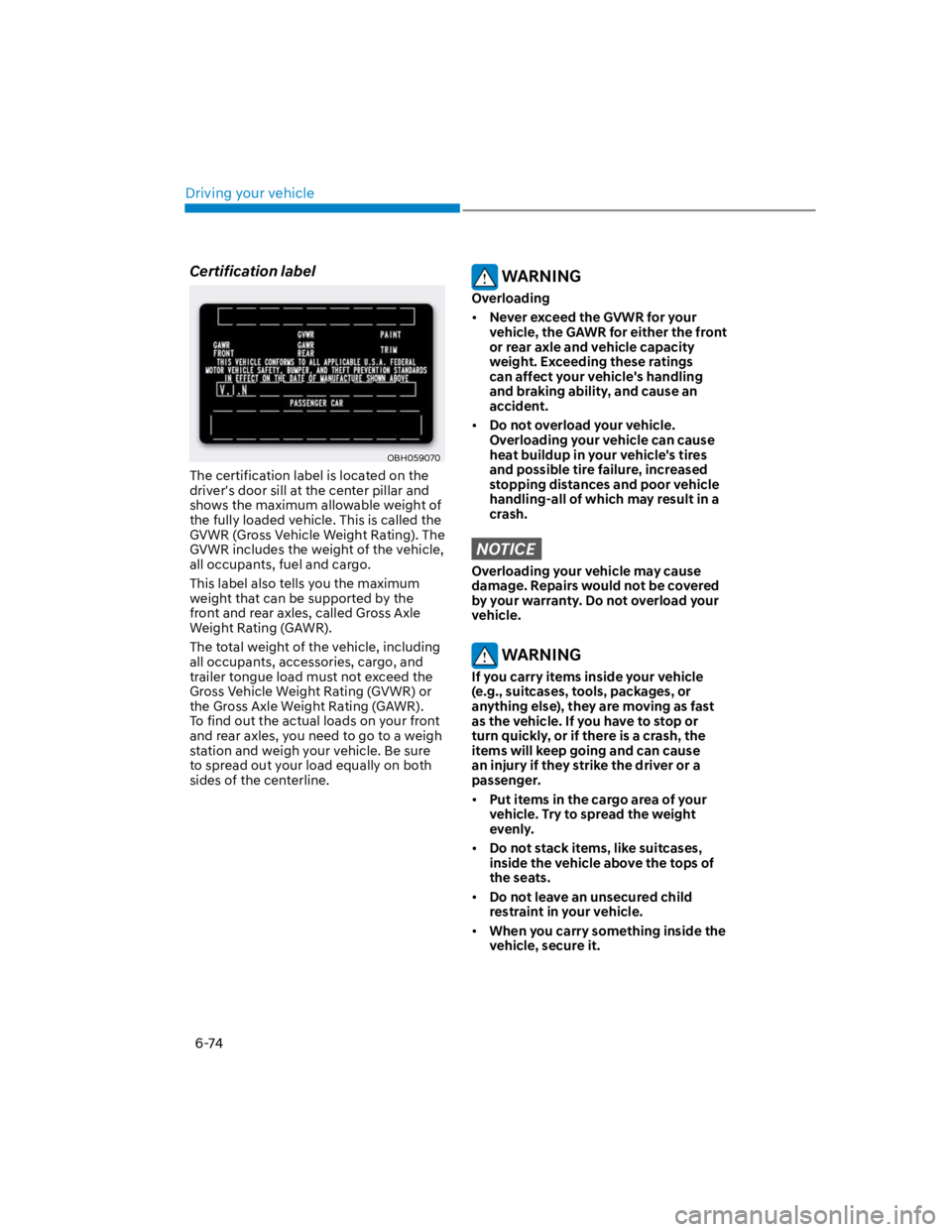
The certification label is located on the
driver's door sill at the center pillar and
shows the maximum allowable weight of
the fully loaded vehicle. This is called the
GVWR (Gross Vehicle Weight Rating). The
GVWR includes the weight of the vehicle,
all occupants, fuel and cargo.
This label also tells you the maximum
weight that can be supported by the
front and rear axles, called Gross Axle
Weight Rating (GAWR).
The total weight of the vehicle, including
all occupants, accessories, cargo, and
trailer tongue load must not exceed the
Gross Vehicle Weight Rating (GVWR) or
the Gross Axle Weight Rating (GAWR).
To find out the actual loads on your front
and rear axles, you need to go to a weigh
station and weigh your vehicle. Be sure
to spread out your load equally on both
sides of the centerline.
WARNING
Overloading
Never exceed the GVWR for your
vehicle, the GAWR for either the front
or rear axle and vehicle capacity
weight. Exceeding these ratings
can affect your vehicle's handling
and braking ability, and cause an
accident.
Do not overload your vehicle.
Overloading your vehicle can cause
heat buildup in your vehicle's tires
and possible tire failure, increased
stopping distances and poor vehicle
handling-all of which may result in a
crash.
NOTICE
Overloading your vehicle may cause
damage. Repairs would not be covered
by your warranty. Do not overload your
vehicle.
WARNING
If you carry items inside your vehicle
(e.g., suitcases, tools, packages, or
anything else), they are moving as fast
as the vehicle. If you have to stop or
turn quickly, or if there is a crash, the
items will keep going and can cause
an injury if they strike the driver or a
passenger.
Put items in the cargo area of your
vehicle. Try to spread the weight
evenly.
Do not stack items, like suitcases,
inside the vehicle above the tops of
the seats.
Do not leave an unsecured child
restraint in your vehicle.
When you carry something inside the
vehicle, secure it.
Page 341 of 579
07
7-9
Driving through steam, smoke or
shadow
Only part of the vehicle, pedestrian or
cyclist is detected
The vehicle in front is a bus, heavy
truck, truck with a unusually shaped
cargo, trailer, etc.
The vehicle in front has no tail lights,
tail lights are located unusually, etc.
The brightness outside is low, and the
tail lamps are not on or are not bright
The rear of the front vehicle is small
or the vehicle does not look normal,
such as when the vehicle is tilted,
overturned, or the side of the vehicle
is visible, etc.
low or high
A vehicle or pedestrian suddenly cuts
in front
The vehicle in front is detected late
The vehicle in front is suddenly
blocked by a obstacle
The vehicle in front suddenly changes
lane or suddenly reduces speed
The vehicle in front is bent out of
shape
slow
The vehicle in front steers in the
opposite direction of your vehicle to
avoid a collision
With a vehicle in front, your vehicle
changes lane at low speed
The vehicle in front is covered with
snow
You are departing or returning to the
lane
Unstable driving
You are on a roundabout and the
vehicle in front is not detected
You are continuously driving in a circle
The vehicle in front has an unusual
shape
The vehicle in front is driving uphill or
downhill
The pedestrian is not fully detected,
for example, if the pedestrian is
leaning over or is not fully walking
upright
The pedestrian is wearing clothing or
equipment that makes it difficult to
detect as a pedestrian
OADAS051
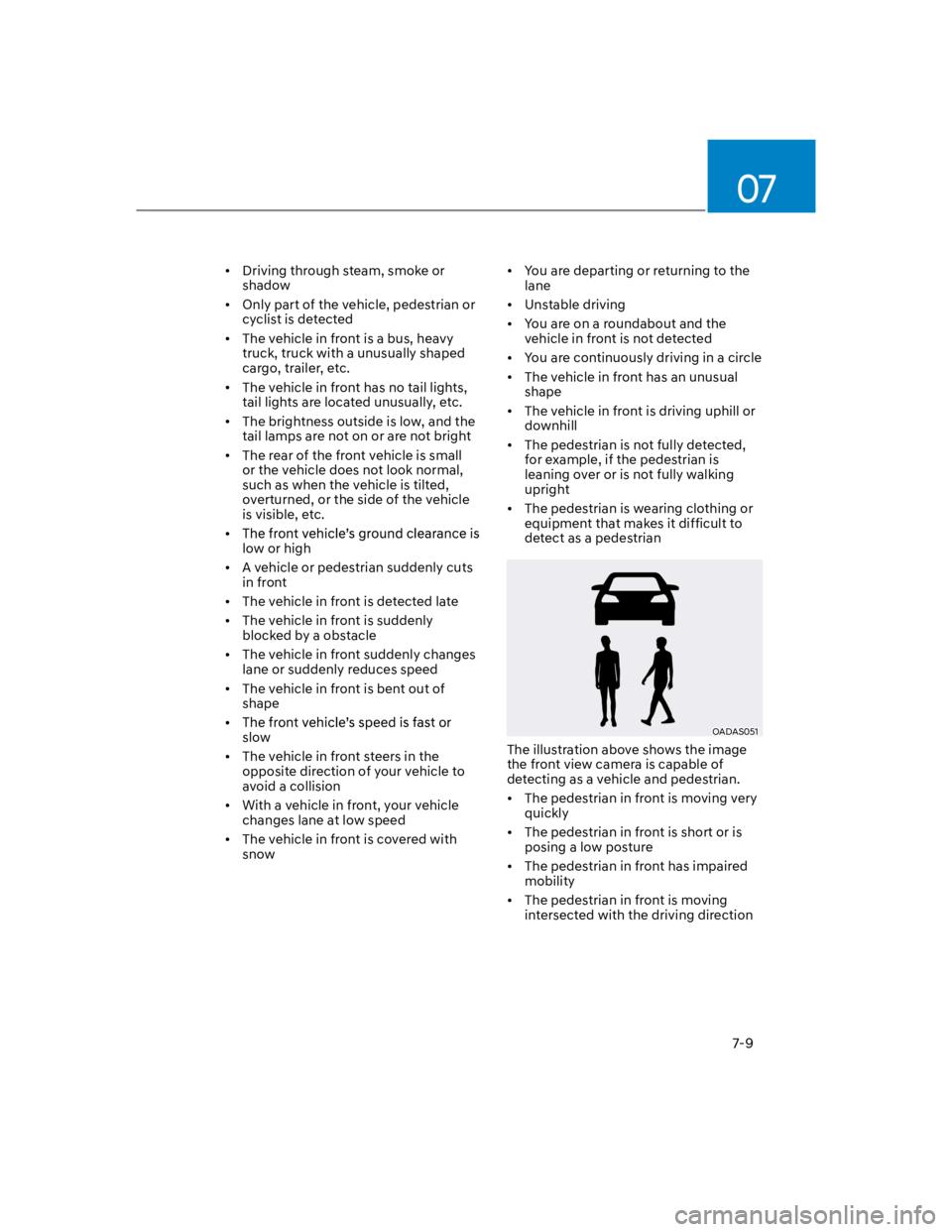
The illustration above shows the image
the front view camera is capable of
detecting as a vehicle and pedestrian.
The pedestrian in front is moving very
quickly
The pedestrian in front is short or is
posing a low posture
The pedestrian in front has impaired
mobility
The pedestrian in front is moving
intersected with the driving direction
Page 345 of 579
07
7-13
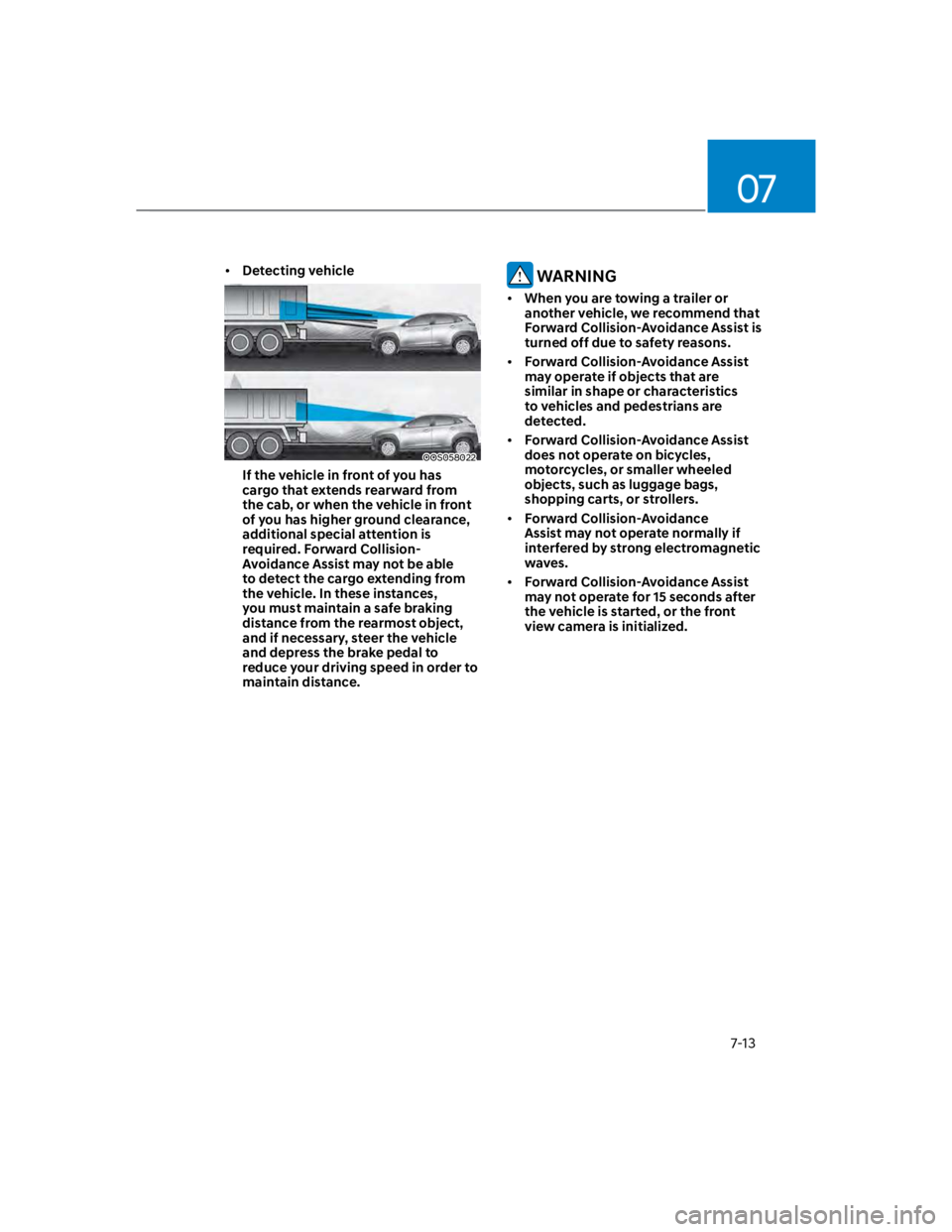
Detecting vehicle
OOS058022
If the vehicle in front of you has
cargo that extends rearward from
the cab, or when the vehicle in front
of you has higher ground clearance,
additional special attention is
required. Forward Collision-
Avoidance Assist may not be able
to detect the cargo extending from
the vehicle. In these instances,
you must maintain a safe braking
distance from the rearmost object,
and if necessary, steer the vehicle
and depress the brake pedal to
reduce your driving speed in order to
maintain distance.
WARNING
When you are towing a trailer or
another vehicle, we recommend that
Forward Collision-Avoidance Assist is
turned off due to safety reasons.
Forward Collision-Avoidance Assist
may operate if objects that are
similar in shape or characteristics
to vehicles and pedestrians are
detected.
Forward Collision-Avoidance Assist
does not operate on bicycles,
motorcycles, or smaller wheeled
objects, such as luggage bags,
shopping carts, or strollers.
Forward Collision-Avoidance
Assist may not operate normally if
interfered by strong electromagnetic
waves.
Forward Collision-Avoidance Assist
may not operate for 15 seconds after
the vehicle is started, or the front
view camera is initialized.
Page 359 of 579
07
7-27
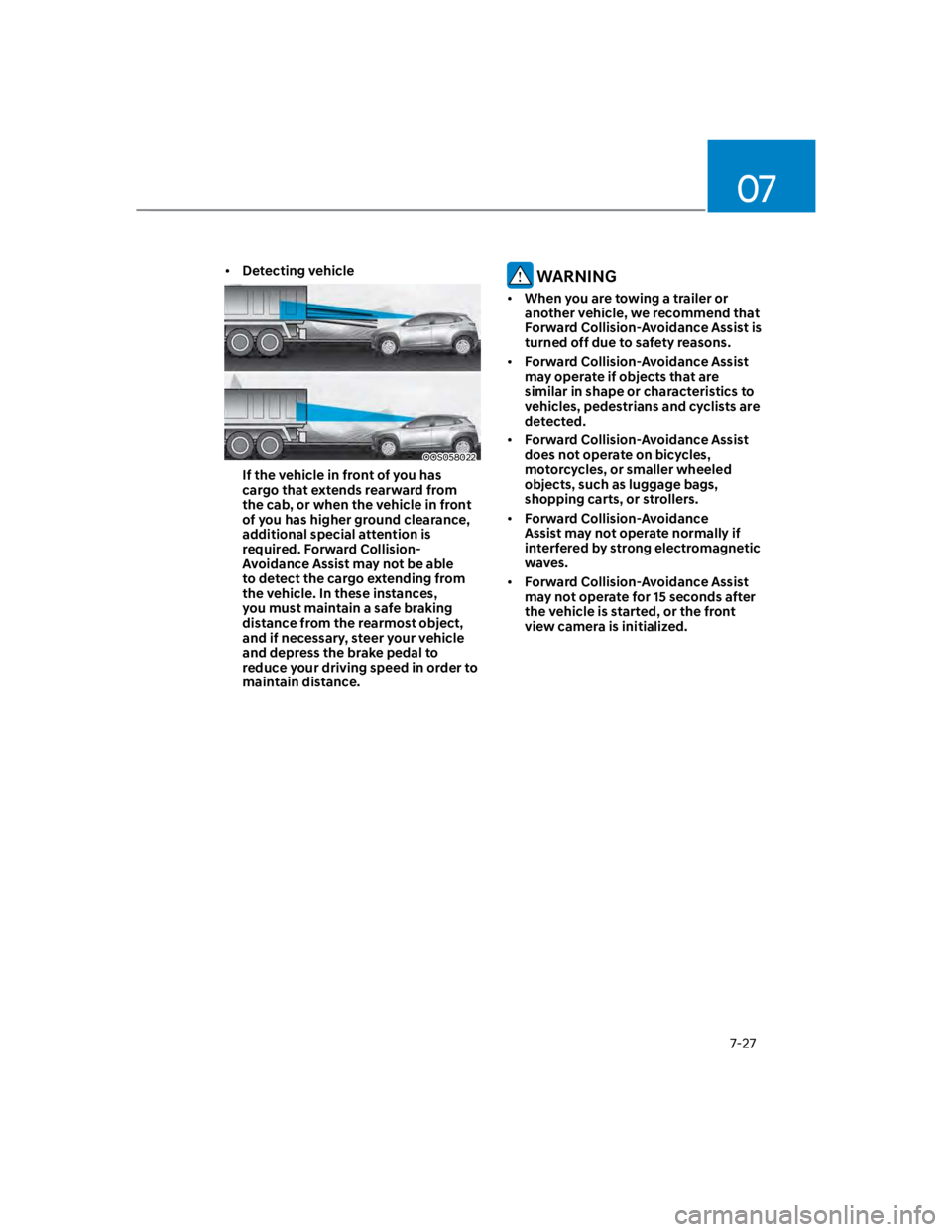
Detecting vehicle
OOS058022
If the vehicle in front of you has
cargo that extends rearward from
the cab, or when the vehicle in front
of you has higher ground clearance,
additional special attention is
required. Forward Collision-
Avoidance Assist may not be able
to detect the cargo extending from
the vehicle. In these instances,
you must maintain a safe braking
distance from the rearmost object,
and if necessary, steer your vehicle
and depress the brake pedal to
reduce your driving speed in order to
maintain distance.
WARNING
When you are towing a trailer or
another vehicle, we recommend that
Forward Collision-Avoidance Assist is
turned off due to safety reasons.
Forward Collision-Avoidance Assist
may operate if objects that are
similar in shape or characteristics to
vehicles, pedestrians and cyclists are
detected.
Forward Collision-Avoidance Assist
does not operate on bicycles,
motorcycles, or smaller wheeled
objects, such as luggage bags,
shopping carts, or strollers.
Forward Collision-Avoidance
Assist may not operate normally if
interfered by strong electromagnetic
waves.
Forward Collision-Avoidance Assist
may not operate for 15 seconds after
the vehicle is started, or the front
view camera is initialized.
Page 527 of 579

09
9-41
Tire Terminology and Definitions
Air Pressure
The amount of air inside the tire pressing
outward on the tire. Air pressure is
expressed in pounds per square inch
(psi) or kilopascal (kPa).
Accessory Weight
This means the combined weight of
optional accessories. Some examples
of optional accessories are automatic
transmission, power seats, and air
conditioning.
Aspect Ratio
The relationship of a tire’s height to its
width.
Belt
A rubber coated layer of cords that is
located between the plies and the tread.
Cords may be made from steel or other
reinforcing materials.
Bead
The tire bead contains steel wires
wrapped by steel cords that hold the tire
onto the rim.
Bias Ply Tire
A pneumatic tire in which the plies are
laid at alternate angles less than 90
degrees to the centerline of the tread.
Cold Tire Pressure
The amount of air pressure in a tire,
measured in pounds per square inch (psi)
or kilopascals (kPa) before a tire has built
up heat from driving.
Curb Weight
This means the weight of a motor vehicle
with standard and optional equipment
including the maximum capacity of fuel,
oil and coolant, but without passengers
and cargo.
DOT Markings
A code molded into the sidewall
of a tire signifying that the tire is in
compliance with the U.S. Department
of Transportation motor vehicle safety
standards. The DOT code includes the
Tire Identification Number (TIN), an
alphanumeric designator which can
also identify the tire manufacturer,
production plant, brand and date of
production.
GVWR
Gross Vehicle Weight Rating
GAWR FRT
Gross Axle Weight Rating for the Front
Axle.
GAWR RR
Gross Axle Weight Rating for the Rear
axle.
Intended Outboard Sidewall
The side of an asymmetrical tire,
that must always face outward when
mounted on a vehicle.
Kilopascal (kPa)
The metric unit for air pressure.
Light truck(LT) tire
A tire designated by its manufacturer as
primarily intended for use on lightweight
trucks or multipurpose passenger
vehicles.
Load ratings
The maximum load that a tire is rated to
carry for a given inflation pressure.
Load Index
An assigned number ranging from 1 to
279 that corresponds to the load carrying
capacity of a tire.
Page 529 of 579

09
9-43
Traction
The friction between the tire and
the road surface. The amount of grip
provided.
Tread
The portion of a tire that comes into
contact with the road.
Treadwear Indicators
Narrow bands, sometimes called “wear
bars”, that show across the tread of a tire
when only 1/16 inch of tread remains.
UTQGS
Uniform Tire Quality Grading Standards
is a tire information system that provides
consumers with ratings for a tire’s
traction, temperature and treadwear.
Ratings are determined by tire
manufacturers using government testing
procedures. The ratings are molded into
the sidewall of the tire.
Vehicle Capacity Weight
The number of designated seating
positions multiplied by 150 lbs. (68 kg)
plus the rated cargo and luggage load.
Vehicle Maximum Load on the Tire
Load on an individual tire due to curb
and accessory weight plus maximum
occupant and cargo weight.
Vehicle Normal Load on the Tire
Load on an individual tire that is
determined by distributing to each axle
its share of the curb weight, accessory
weight, and normal occupant weight and
dividing by 2.
Vehicle Placard
A label permanently attached to a vehicle
showing the original equipment tire size
and recommended inflation pressure.
All Season Tires
HYUNDAI specifies all season tires
on some models to provide good
performance for use all year round,
including snowy and icy road conditions.
All season tires are identified by ALL
SEASON and/or M+S (Mud and Snow) on
the tire sidewall. Snow tires have better
snow traction than all season tires and
may be more appropriate in some areas.
Summer Tires
HYUNDAI specifies summer tires on
some models to provide superior
performance on dry roads. Summer tire
performance is substantially reduced in
snow and ice. Summer tires do not have
the tire traction rating M+S (Mud and
Snow) on the tire side wall. If you plan
to operate your vehicle in snowy or icy
conditions, HYUNDAI recommends the
use of snow tires or all season tires on all
four wheels.
Snow Tires
If you equip your car with snow tires,
they should be the same size and have
the same load capacity as the original
tires. Snow tires should be installed on
all four wheels; otherwise, poor handling
may result. Snow tires should carry 4
psi (28 kPa) more air pressure than the
pressure recommended for the standard
tires on the tire label on the driver’s
side of the center pillar, or up to the
maximum pressure shown on the tire
sidewall, whichever is less. Do not drive
faster than 75 mph (120 km/h) when your
vehicle is equipped with snow tires.
Page 574 of 579

Index
I-8
Interior features.................................................................................................. 5-107
Cargo Area Cover ........................................................................................... 5-114
Clock .............................................................................................................. 5-112
Clothes Hanger ............................................................................................... 5-112
Cup holder ...................................................................................................... 5-107
Floor mat anchor(s) ........................................................................................ 5-113
Luggage net holder......................................................................................... 5-114
Power outlet.................................................................................................... 5-108
Sunvisor.......................................................................................................... 5-108
USB charger ................................................................................................... 5-109
Wireless smart phone charging system .......................................................... 5-110
Interior overview (I) .............................................................................................. 2-6
Interior overview (II) ............................................................................................. 2-7
J
Jump starting.......................................................................................................... 8-4
L
Lane Following Assist (LFA) ............................................................................. 7-88
Lane Following Assist malfunction and limitation .......................................... 7-91
Lane Following Assist operation...................................................................... 7-89
Lane Following Assist settings......................................................................... 7-88
Lane Keeping Assist (LKA) ............................................................................... 7-29
Lane Keeping Assist malfunction and limitations............................................ 7-33
Lane Keeping Assist operation......................................................................... 7-31
Lane Keeping Assist settings ........................................................................... 7-29
LCD display......................................................................................................... 4-28
LCD display control ......................................................................................... 4-28
Trip computer (Type A).................................................................................... 4-38
Trip computer (Type B).................................................................................... 4-40
User settings mode ........................................................................................... 4-32
View modes ...................................................................................................... 4-29