steering HYUNDAI KONA 2022 Workshop Manual
[x] Cancel search | Manufacturer: HYUNDAI, Model Year: 2022, Model line: KONA, Model: HYUNDAI KONA 2022Pages: 579, PDF Size: 35.31 MB
Page 364 of 579
Driver assistance system
7-32
WARNING
The steering wheel may not be
assisted if the steering wheel is held
very tight or the steering wheel is
steered over a certain degree.
Lane Keeping Assist does not operate
at all times. It is the responsibility of
the driver to safely steer the vehicle
and to maintain the vehicle in its
lane.
The hands–off warning message
may appear late depending on road
conditions. Always have your hands
on the steering wheel while driving.
If the steering wheel is held very
lightly, the hands–off warning
message may appear because Lane
Keeping Assist may not recognize
that the driver has their hands on the
steering wheel.
If you attach objects to the steering
wheel, the hands-off warning may
not work properly.
Information
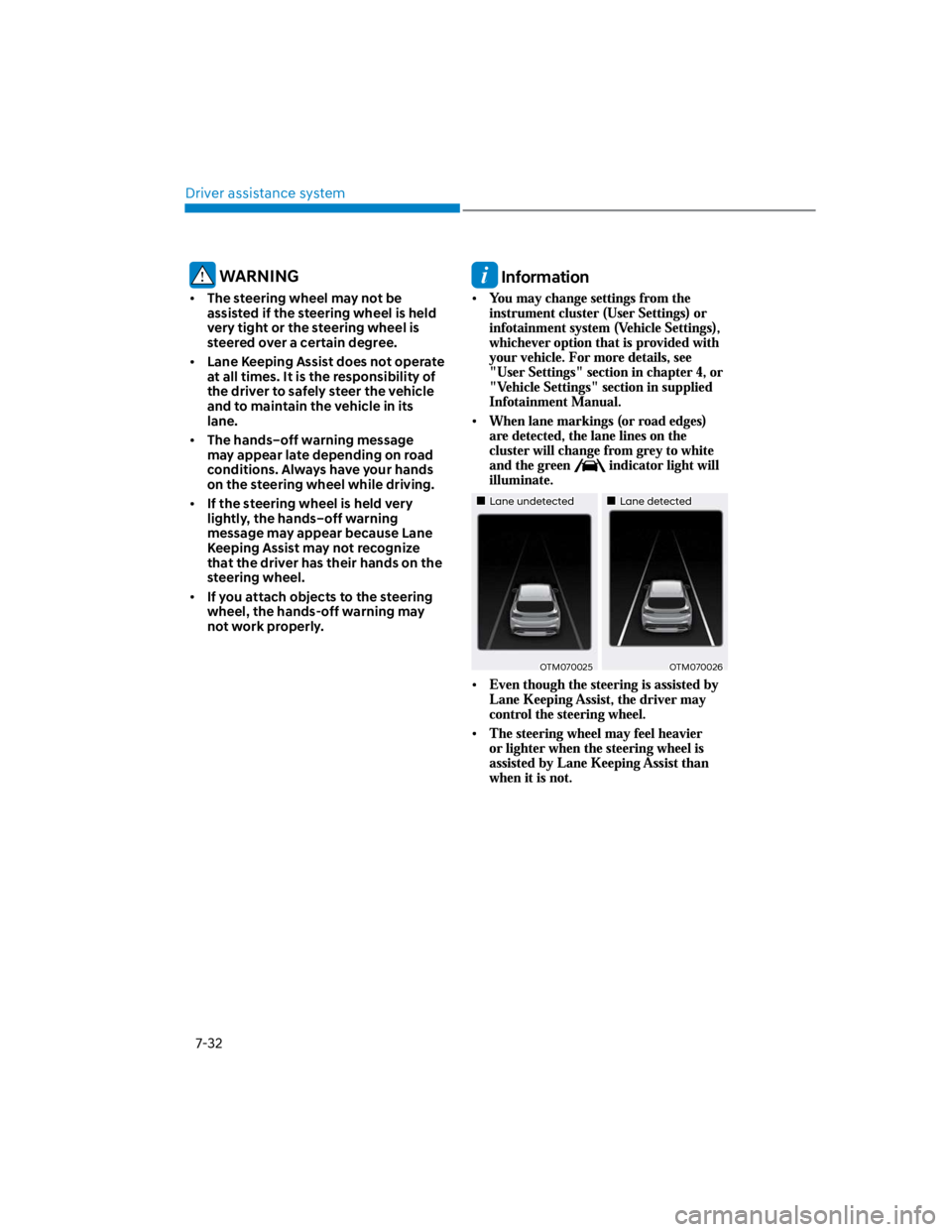
Lane undetectedLane detected
OTM070025OTM070026
Page 366 of 579

Driver assistance system
7-34
There is a road edge without a lane
There is a boundary structure in the
roadway, such as a tollgate, sidewalk,
curb, etc.
The distance to the front vehicle is
extremely short or the vehicle in front
is covering the lane marking (or road
edge)
Information
WARNING
Take the following precautions when
using Lane Keeping Assist:
The driver should hold the
responsibility to safely drive and
control the vehicle. Do not solely rely
on Lane Keeping Assist and drive
dangerously.
The operation of Lane Keeping
Assist can be cancelled or not
work properly depending on road
conditions and surroundings. Always
be cautious while driving.
Refer to “Limitations of Lane Keeping
Assist” if the lane is not detected
properly.
When you are towing a trailer or
another vehicle, we recommend that
Lane Keeping Assist is turned off due
to safety reasons.
If the vehicle is driven at high speed,
the steering wheel will not be
controlled. The driver must always
follow the speed limit when using
Lane Keeping Assist.
If any other system’s warning
message is displayed or audible
warning is generated, Lane Keeping
Assist warning message may not be
displayed and audible warning may
not be generated.
You may not hear the warning
sound of Lane Keeping Assist if the
surrounding is noisy.
If you attach objects to the steering
wheel, steering may not be assisted
properly.
Lane Keeping Assist may not operate
for 15 seconds after the vehicle is
started, or the front view camera is
initialized.
Lane Keeping Assist will not operate
when:
-The turn signal or hazard warning
flasher is turned on
-The vehicle is not driven in the
center of the lane when Lane
Keeping Assist is turned on or right
after changing a lane
-ESC (Electronic Stability Control)
or VSM (Vehicle Stability
Management) is activated
-The vehicle is driven on a sharp
curve
-Vehicle speed is below 35 mph (55
km/h) or above 130 mph (210 km/h)
-The vehicle makes sharp lane
changes
-The vehicle brakes suddenly
Page 373 of 579
07
7-41
OOS070005L
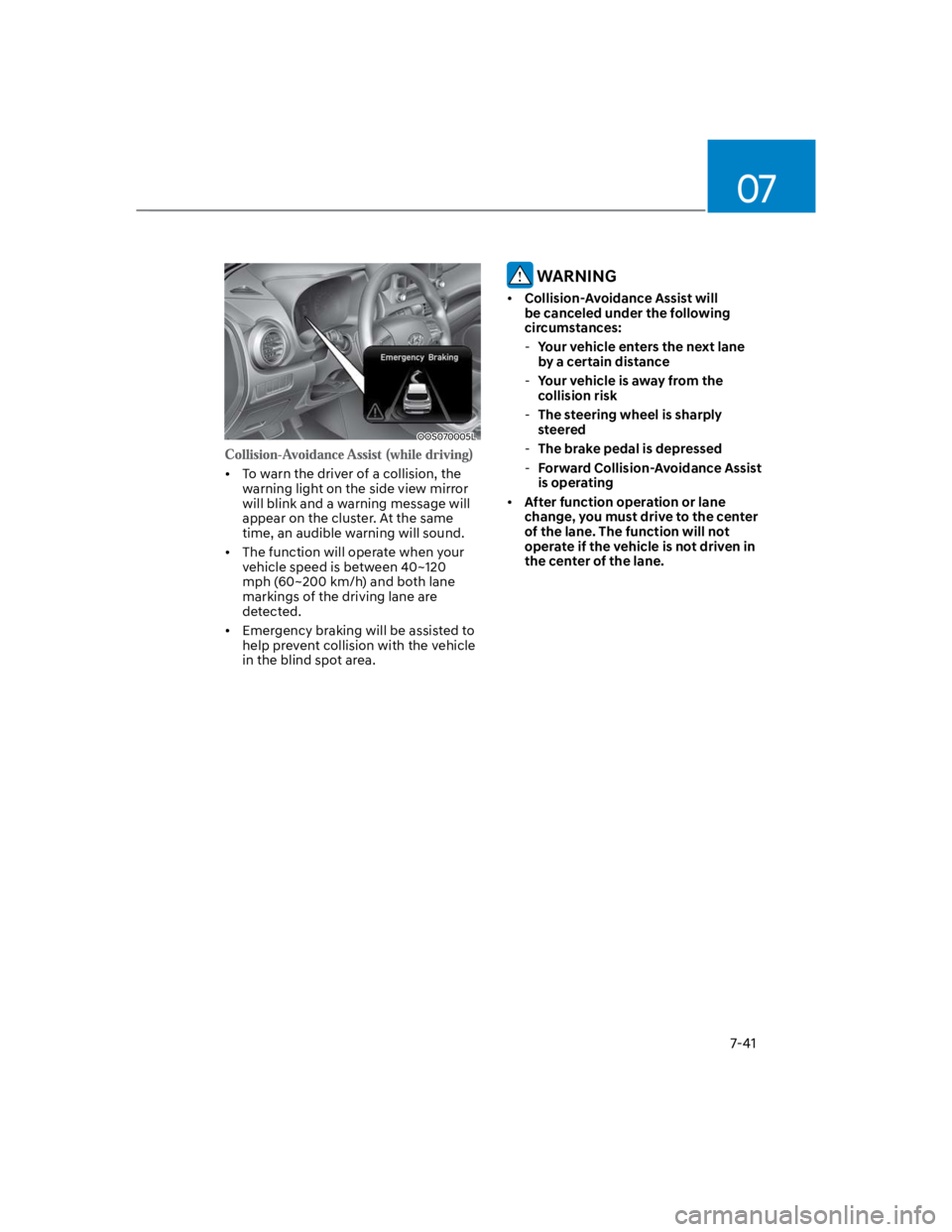
To warn the driver of a collision, the
warning light on the side view mirror
will blink and a warning message will
appear on the cluster. At the same
time, an audible warning will sound.
The function will operate when your
vehicle speed is between 40~120
mph (60~200 km/h) and both lane
markings of the driving lane are
detected.
Emergency braking will be assisted to
help prevent collision with the vehicle
in the blind spot area.
WARNING
Collision-Avoidance Assist will
be canceled under the following
circumstances:
-Your vehicle enters the next lane
by a certain distance
-Your vehicle is away from the
collision risk
-The steering wheel is sharply
steered
-The brake pedal is depressed
-Forward Collision-Avoidance Assist
is operating
After function operation or lane
change, you must drive to the center
of the lane. The function will not
operate if the vehicle is not driven in
the center of the lane.
Page 411 of 579
07
7-79
OOS057022
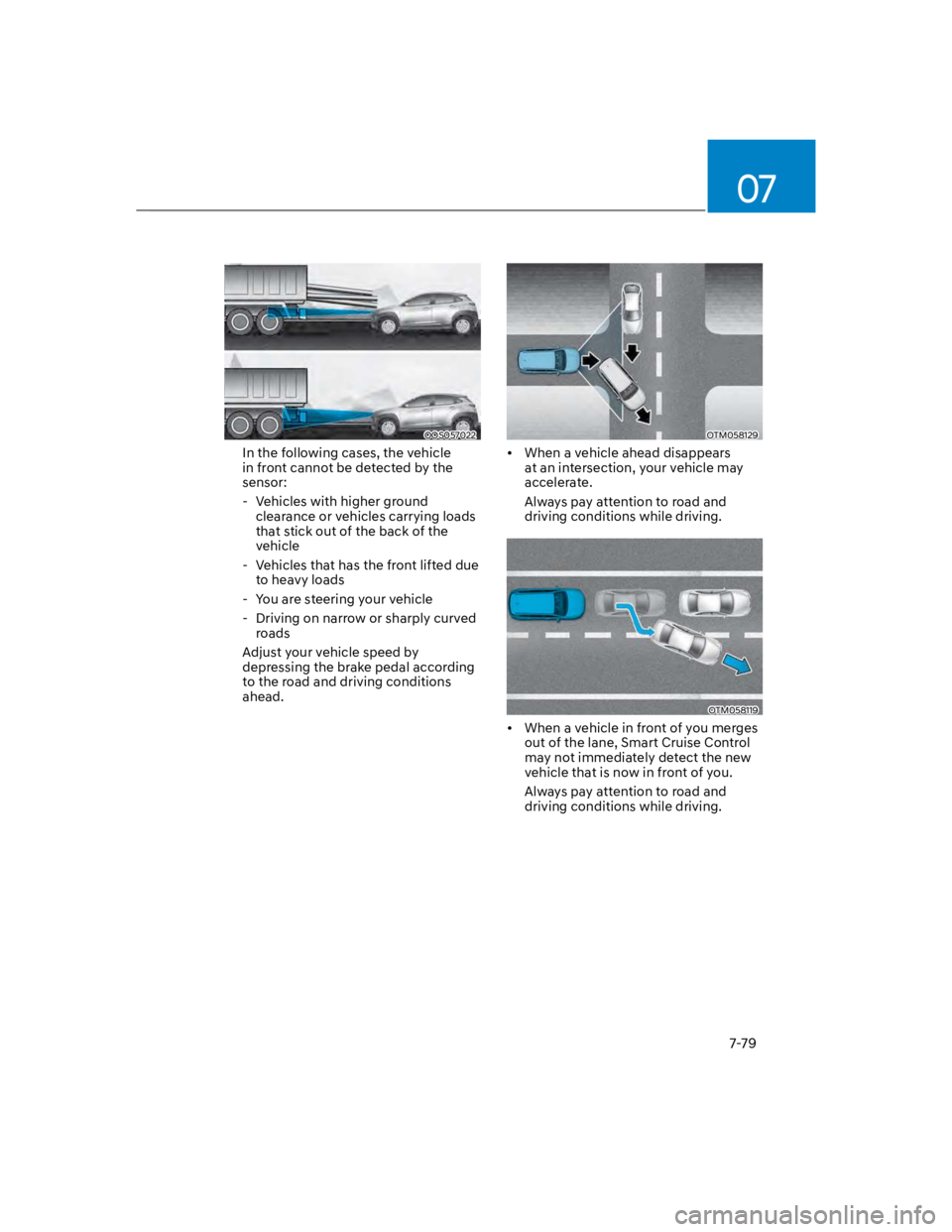
In the following cases, the vehicle
in front cannot be detected by the
sensor:
- Vehicles with higher ground
clearance or vehicles carrying loads
that stick out of the back of the
vehicle
- Vehicles that has the front lifted due
to heavy loads
- You are steering your vehicle
- Driving on narrow or sharply curved
roads
Adjust your vehicle speed by
depressing the brake pedal according
to the road and driving conditions
ahead.
OTM058129
When a vehicle ahead disappears
at an intersection, your vehicle may
accelerate.
Always pay attention to road and
driving conditions while driving.
OTM058119
When a vehicle in front of you merges
out of the lane, Smart Cruise Control
may not immediately detect the new
vehicle that is now in front of you.
Always pay attention to road and
driving conditions while driving.
Page 415 of 579
07
7-83
Information
Depending on the curve ahead on the
highway, the vehicle will decelerate,
and after passing the curve, the
vehicle will accelerate to Smart Cruise
Control set speed.
Vehicle deceleration time may differ
depending on the vehicle speed
and the degree of the curve on the
road. The higher the driving speed,
deceleration will start faster.
Highway Set Speed Auto Change
function will operate when Smart
Cruise Control set speed and the
highway speed limit is matched.
While Highway Set Speed Auto
Change function is operating, when
the highway speed limit changes,
Smart Cruise Control set speed
automatically changes to the changed
speed limit.
If Smart Cruise Control set speed is
adjusted different from the speed
limit, Highway Set Speed Auto Change
function will be in the standby state.
If Highway Set Speed Auto Change
function has changed to the standby
state by driving on a road other than
the highway main road, Highway Set
Speed Auto Change function will
operate again when you drive on the
main road again without setting the
set speed.
If Highway Set Speed Auto Change
function has changed to the standby
state by depressing the brake pedal
or pressing the switch on the
steering wheel, press the switch
to restart the function.
Highway Set Speed Auto Change
function does not operate on highway
interchanges or junctions.
Information
Page 420 of 579
![HYUNDAI KONA 2022 Workshop Manual Driver assistance system
7-88
Lane Following Assist is designed to help
detect lane markings and/or vehicles on
to help center the vehicle in the lane.
Detecting sensor
OOS070001N
[1] : Front view](/img/35/41169/w960_41169-419.png "HYUNDAI KONA 2022 Workshop Manual Driver assistance system
7-88
Lane Following Assist is designed to help
detect lane markings and/or vehicles on
to help center the vehicle in the lane.
Detecting sensor
OOS070001N
[1] : Front view")
Driver assistance system
7-88
Lane Following Assist is designed to help
detect lane markings and/or vehicles on
to help center the vehicle in the lane.
Detecting sensor
OOS070001N
[1] : Front view camera
The front view camera is used as a
detecting sensor to help detect lane
markings and vehicles in front.
Refer to the picture above for the
detailed location of the detecting sensor.
CAUTION
For more details on the precautions
of the front view camera, refer to
“Forward Collision-Avoidance Assist
(FCA)” section in chapter 7.
Lane Following Assist settings
Setting features
OOS070014K
With the engine on, shortly press the
Lane Driving Assist button located on the
steering wheel to turn on Lane Following
Assist. The white or green indicator
light will illuminate on the cluster.
Press the button again to turn off the
function.
Page 421 of 579
07
7-89
OOS070110N
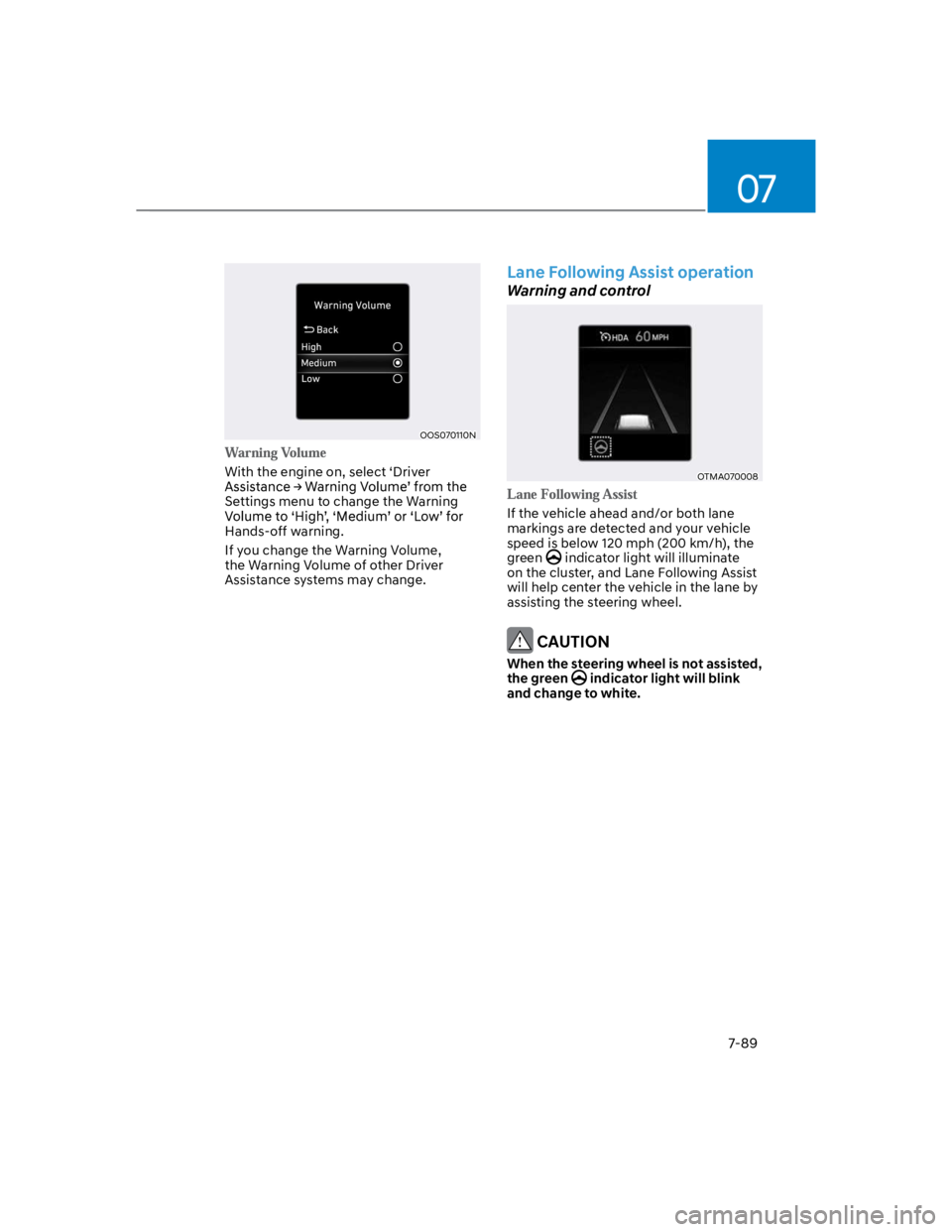
With the engine on, select ‘Driver
Settings menu to change the Warning
Hands-off warning.
If you change the Warning Volume,
the Warning Volume of other Driver
Assistance systems may change.
Lane Following Assist operation
Warning and control
OTMA070008
If the vehicle ahead and/or both lane
markings are detected and your vehicle
speed is below 120 mph (200 km/h), the
green indicator light will illuminate
on the cluster, and Lane Following Assist
will help center the vehicle in the lane by
assisting the steering wheel.
CAUTION
When the steering wheel is not assisted,
the green indicator light will blink
and change to white.
Page 422 of 579
Driver assistance system
7-90
OTM070037N
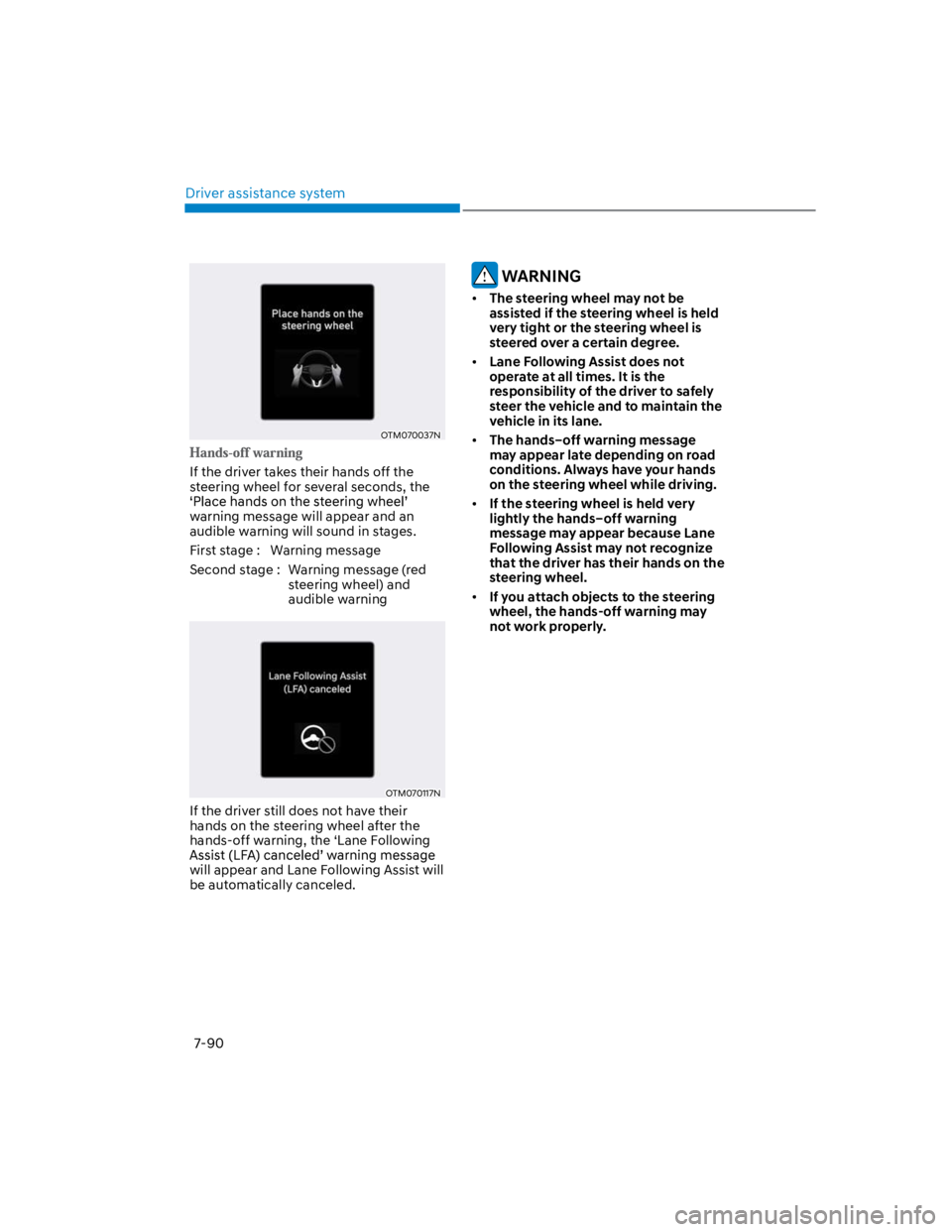
If the driver takes their hands off the
steering wheel for several seconds, the
warning message will appear and an
audible warning will sound in stages.
First stage : Warning message
Second stage : Warning message (red
steering wheel) and
audible warning
OTM070117N
If the driver still does not have their
hands on the steering wheel after the
hands-off warning, the ‘Lane Following
will appear and Lane Following Assist will
be automatically canceled.
WARNING
The steering wheel may not be
assisted if the steering wheel is held
very tight or the steering wheel is
steered over a certain degree.
Lane Following Assist does not
operate at all times. It is the
responsibility of the driver to safely
steer the vehicle and to maintain the
vehicle in its lane.
The hands–off warning message
may appear late depending on road
conditions. Always have your hands
on the steering wheel while driving.
If the steering wheel is held very
lightly the hands–off warning
message may appear because Lane
Following Assist may not recognize
that the driver has their hands on the
steering wheel.
If you attach objects to the steering
wheel, the hands-off warning may
not work properly.
Page 423 of 579
07
7-91
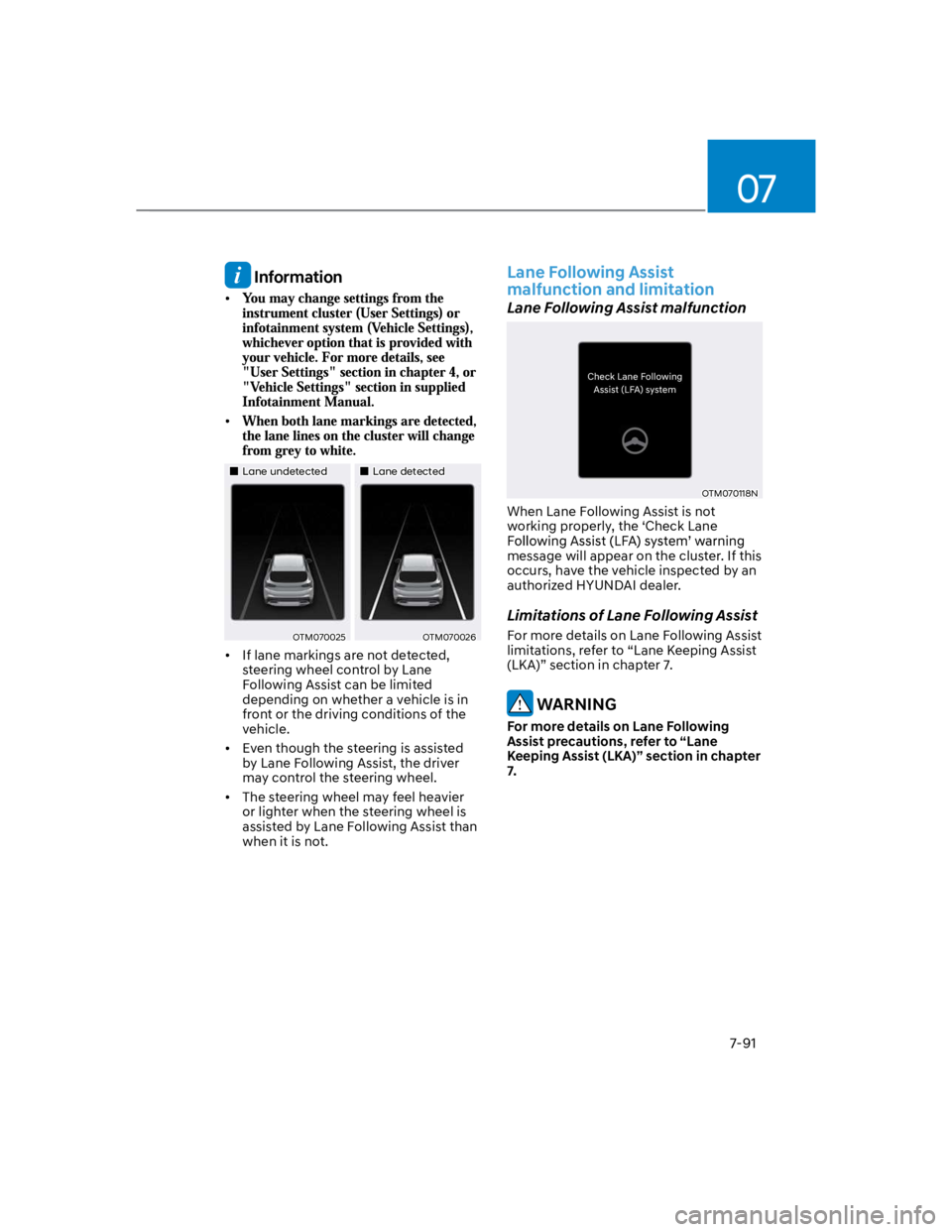
Information
Lane undetectedLane detected
OTM070025OTM070026
If lane markings are not detected,
steering wheel control by Lane
Following Assist can be limited
depending on whether a vehicle is in
front or the driving conditions of the
vehicle.
Even though the steering is assisted
by Lane Following Assist, the driver
may control the steering wheel.
The steering wheel may feel heavier
or lighter when the steering wheel is
assisted by Lane Following Assist than
when it is not.
Lane Following Assist
malfunction and limitation
Lane Following Assist malfunction
OTM070118N
When Lane Following Assist is not
working properly, the ‘Check Lane
message will appear on the cluster. If this
occurs, have the vehicle inspected by an
authorized HYUNDAI dealer.
Limitations of Lane Following Assist
For more details on Lane Following Assist
limitations, refer to “Lane Keeping Assist
(LKA)” section in chapter 7.
WARNING
For more details on Lane Following
Assist precautions, refer to “Lane
Keeping Assist (LKA)” section in chapter
7.
Page 427 of 579
07
7-95
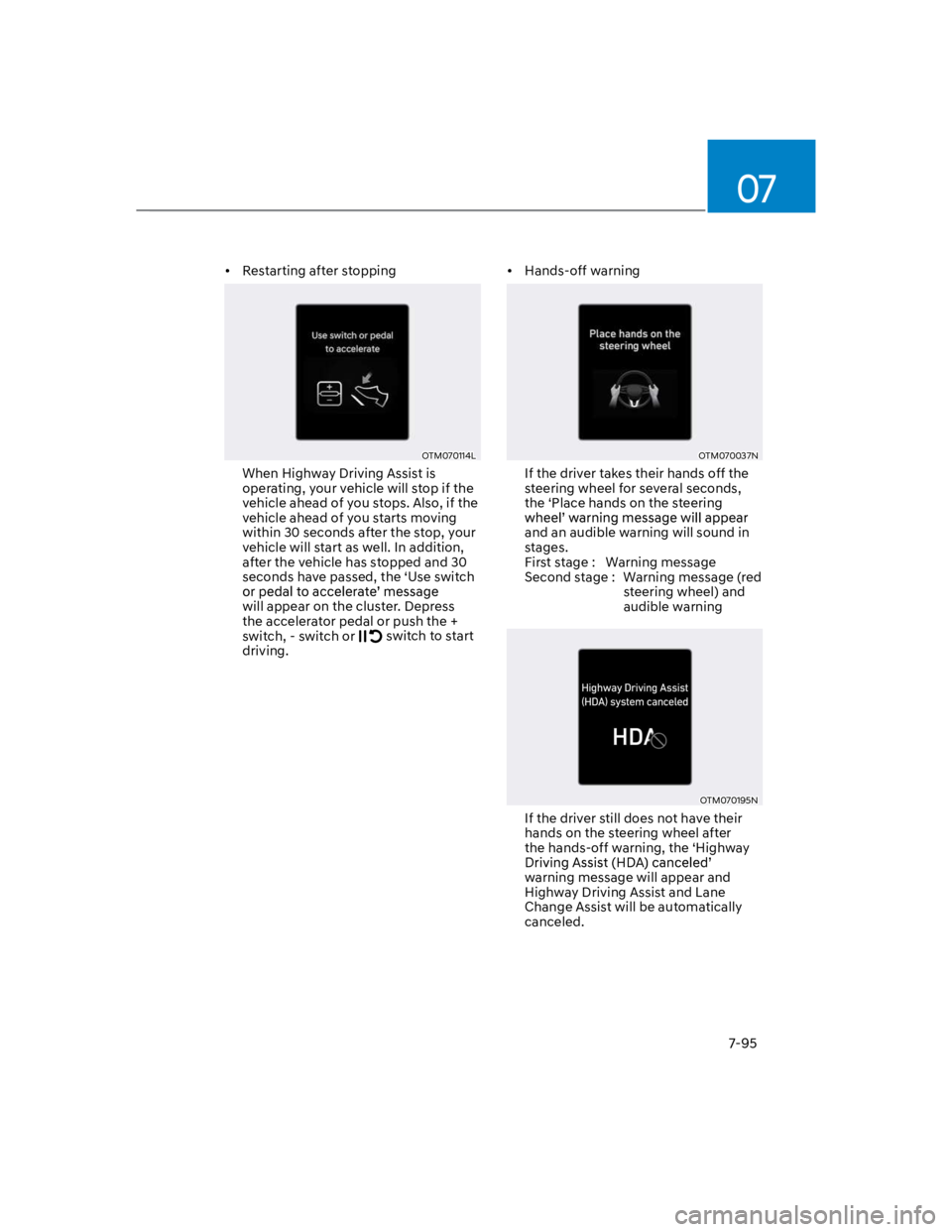
Restarting after stopping
OTM070114L
When Highway Driving Assist is
operating, your vehicle will stop if the
vehicle ahead of you stops. Also, if the
vehicle ahead of you starts moving
within 30 seconds after the stop, your
vehicle will start as well. In addition,
after the vehicle has stopped and 30
seconds have passed, the ‘Use switch
will appear on the cluster. Depress
the accelerator pedal or push the +
switch, - switch or switch to start
driving.
Hands-off warning
OTM070037N
If the driver takes their hands off the
steering wheel for several seconds,
the ‘Place hands on the steering
and an audible warning will sound in
stages.
First stage : Warning message
Second stage : Warning message (red
steering wheel) and
audible warning
OTM070195N
If the driver still does not have their
hands on the steering wheel after
the hands-off warning, the ‘Highway
warning message will appear and
Highway Driving Assist and Lane
Change Assist will be automatically
canceled.