high beam HYUNDAI KONA 2022 Owners Manual
[x] Cancel search | Manufacturer: HYUNDAI, Model Year: 2022, Model line: KONA, Model: HYUNDAI KONA 2022Pages: 579, PDF Size: 35.31 MB
Page 95 of 579

4
Turn signal indicator light ........................................................................................4-20
High beam indicator light .......................................................................................4-20
High Beam Assist indicator light ..............................................................................4-21
Cruise Indicator Light ...............................................................................................4-21
SPORT Mode Indicator Light ....................................................................................4-21
SMART Mode Indicator Light ...................................................................................4-21
Master warning light .................................................................................................4-21
LCD display messages ............................................................................................... 4-22
Shift to P (for smart key system and dual clutch transmission)............................ 4-22
Low key battery (for smart key system).................................................................. 4-22
Press START button while turning wheel (for smart key system) ......................... 4-22
Steering wheel not locked (for smart key system) ................................................ 4-22
Press brake pedal to start engine (for smart key system and dual clutch
transmission) ........................................................................................................... 4-22
Key not in vehicle (for smart key system) ............................................................... 4-22
Key not detected (for smart key system)................................................................ 4-22
Press START button again (for smart key system) ................................................ 4-22
Press START button with key (for smart key system) ........................................... 4-23
Check BRAKE SWITCH fuse (for smart key system and dual clutch
transmission) ........................................................................................................... 4-23
Shift to P or N to start engine (for smart key system and dual clutch
transmission) ........................................................................................................... 4-23
Battery discharging due to external electrical devices ......................................... 4-23
Door, Hood, Liftgate open indicator .......................................................................4-24
Sunroof open indicator ............................................................................................4-24
Low tire pressure .....................................................................................................4-24
Lights ........................................................................................................................ 4-25
Wiper ........................................................................................................................ 4-25
Heated Steering Wheel turned off .......................................................................... 4-25
Low washer fluid ...................................................................................................... 4-25
Low fuel .................................................................................................................... 4-25
Engine overheated / Engine has overheated .........................................................4-26
Check exhaust system .............................................................................................4-26
Check headlight .......................................................................................................4-26
Check turn signal .....................................................................................................4-26
Check headlamp LED ..............................................................................................4-26
Check Forward Safety system ................................................................................. 4-27
Check Lane Keeping Assist (LKA) system .............................................................. 4-27
Check Blind-Spot Safety system............................................................................. 4-27
Check Driver Attention Warning system ................................................................ 4-27
Check High Beam Assist (HBA) system .................................................................. 4-27
Check Smart Cruise Control system ....................................................................... 4-27
Page 113 of 579
Instrument cluster
4-20
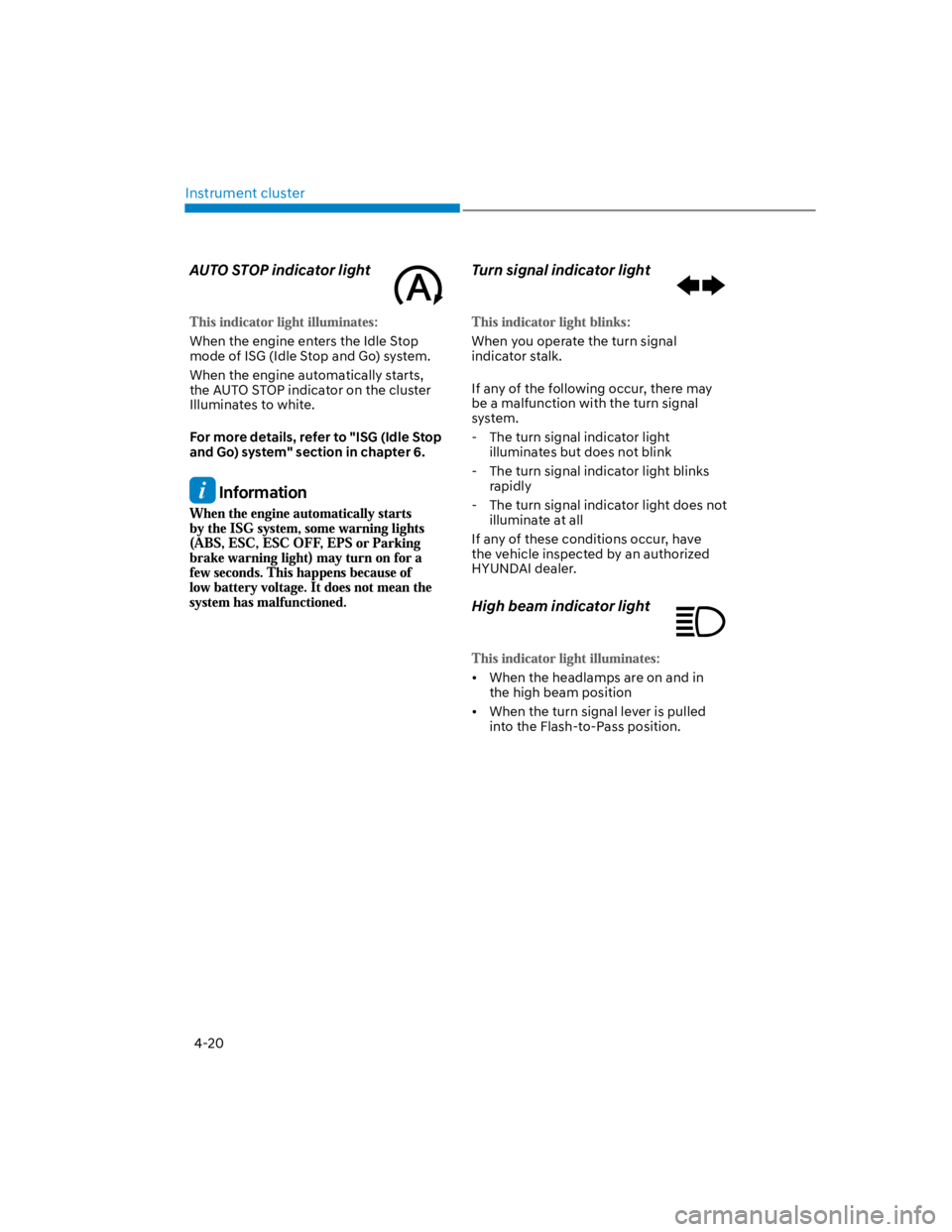
AUTO STOP indicator light
When the engine enters the Idle Stop
mode of ISG (Idle Stop and Go) system.
When the engine automatically starts,
the AUTO STOP indicator on the cluster
Illuminates to white.
For more details, refer to "ISG (Idle Stop
and Go) system" section in chapter 6.
Information
Turn signal indicator light
When you operate the turn signal
indicator stalk.
If any of the following occur, there may
be a malfunction with the turn signal
system.
- The turn signal indicator light
illuminates but does not blink
- The turn signal indicator light blinks
rapidly
- The turn signal indicator light does not
illuminate at all
If any of these conditions occur, have
the vehicle inspected by an authorized
HYUNDAI dealer.
High beam indicator light
When the headlamps are on and in
the high beam position
When the turn signal lever is pulled
into the Flash-to-Pass position.
Page 114 of 579
04
4-21
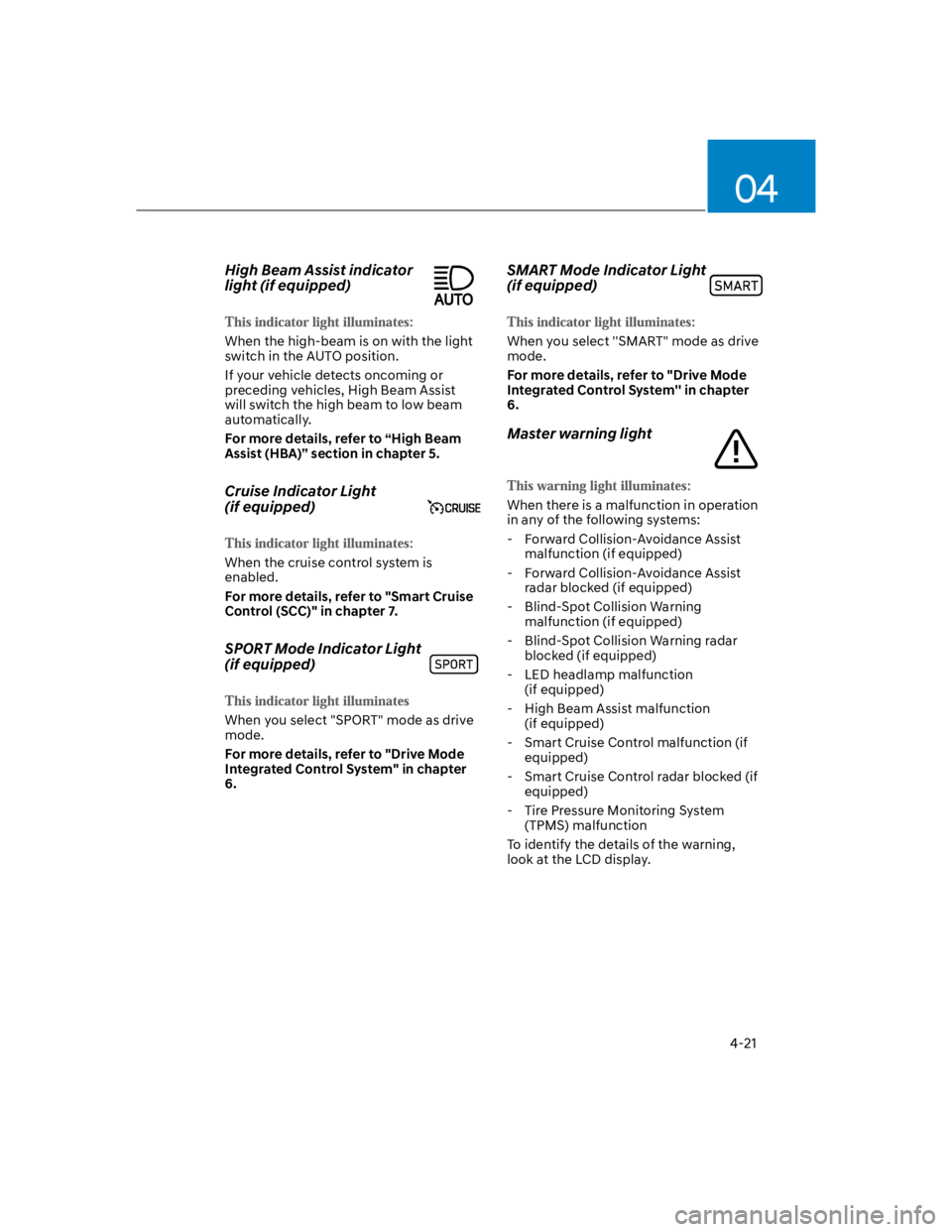
High Beam Assist indicator
light (if equipped)
When the high-beam is on with the light
switch in the AUTO position.
If your vehicle detects oncoming or
preceding vehicles, High Beam Assist
will switch the high beam to low beam
automatically.
For more details, refer to “High Beam
Assist (HBA)” section in chapter 5.
Cruise Indicator Light
(if equipped)
When the cruise control system is
enabled.
For more details, refer to "Smart Cruise
Control (SCC)" in chapter 7.
SPORT Mode Indicator Light
(if equipped)
When you select "SPORT" mode as drive
mode.
For more details, refer to "Drive Mode
Integrated Control System" in chapter
6.
SMART Mode Indicator Light
(if equipped)
When you select ''SMART" mode as drive
mode.
For more details, refer to "Drive Mode
Integrated Control System'' in chapter
6.
Master warning light
When there is a malfunction in operation
in any of the following systems:
- Forward Collision-Avoidance Assist
malfunction (if equipped)
- Forward Collision-Avoidance Assist
radar blocked (if equipped)
- Blind-Spot Collision Warning
malfunction (if equipped)
- Blind-Spot Collision Warning radar
blocked (if equipped)
- LED headlamp malfunction
(if equipped)
- High Beam Assist malfunction
(if equipped)
- Smart Cruise Control malfunction (if
equipped)
- Smart Cruise Control radar blocked (if
equipped)
- Tire Pressure Monitoring System
(TPMS) malfunction
To identify the details of the warning,
look at the LCD display.
Page 120 of 579

04
4-27
Check Forward Safety system
(if equipped)
This warning message is displayed
if there is a problem with Forward
Collision-Avoidance Assist. Have the
vehicle inspected by an authorized
HYUNDAI dealer.
For more details, refer to “Forward
Collision-Avoidance Assist (FCA)” in
chapter 6.
Check Lane Keeping Assist (LKA)
system (if equipped)
This warning message is displayed if
there is a problem with Lane Keeping
Assist. Have the vehicle inspected by an
authorized HYUNDAI dealer.
For more details, refer to “Lane Keeping
Assist (LKA)” in chapter 6.
Check Blind-Spot Safety system
(if equipped)
This warning message is displayed
if there is a problem with Blind-Spot
Collision Warning. Have the vehicle
inspected by an authorized HYUNDAI
dealer.
For more details, refer to “Blind-Spot
Collision -Avoidance Assist (BCA)” in
chapter 6.
Check Driver Attention Warning
system (if equipped)
This warning message is displayed if
there is a problem with Driver Attention
Warning. Have the vehicle inspected by
an authorized HYUNDAI dealer.
For more details, refer to “Driver
Attention Warning (DAW)” in chapter 6.
Check High Beam Assist (HBA)
system (if equipped)
This warning message is displayed if
there is a problem with the High Beam
Assist. Have the vehicle inspected by an
authorized HYUNDAI dealer.
For more details, refer to “High Beam
Assist (HBA)” in chapter 5.
Check Smart Cruise Control system
(if equipped)
This warning message is displayed if
there is a problem with Smart Cruise
Control. Have the vehicle inspected by
an authorized HYUNDAI dealer.
For more details, refer to “Smart Cruise
Control (SCC)” in chapter 6.
Page 124 of 579
04
4-31
OTM040024
This mode displays information related to
4WD driving force.
If the vehicle is in 4WD lock state, this
mode is not displayed.
For detailed information, refer to the
"Four Wheel Drive" in the chapter 6.
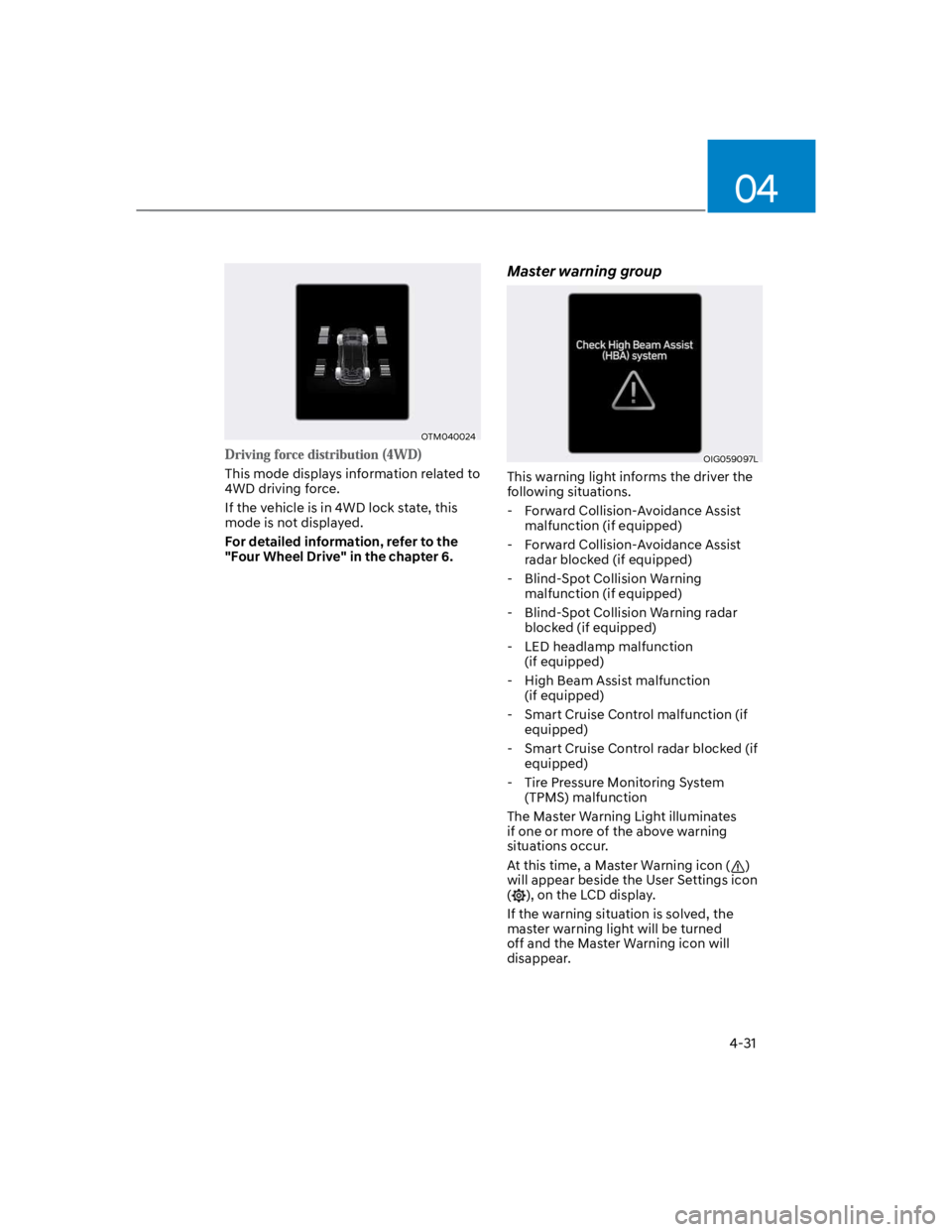
Master warning group
OIG059097L
This warning light informs the driver the
following situations.
- Forward Collision-Avoidance Assist
malfunction (if equipped)
- Forward Collision-Avoidance Assist
radar blocked (if equipped)
- Blind-Spot Collision Warning
malfunction (if equipped)
- Blind-Spot Collision Warning radar
blocked (if equipped)
- LED headlamp malfunction
(if equipped)
- High Beam Assist malfunction
(if equipped)
- Smart Cruise Control malfunction (if
equipped)
- Smart Cruise Control radar blocked (if
equipped)
- Tire Pressure Monitoring System
(TPMS) malfunction
The Master Warning Light illuminates
if one or more of the above warning
situations occur.
At this time, a Master Warning icon ()
will appear beside the User Settings icon
(), on the LCD display.
If the warning situation is solved, the
master warning light will be turned
off and the Master Warning icon will
disappear.
Page 128 of 579
04
4-35
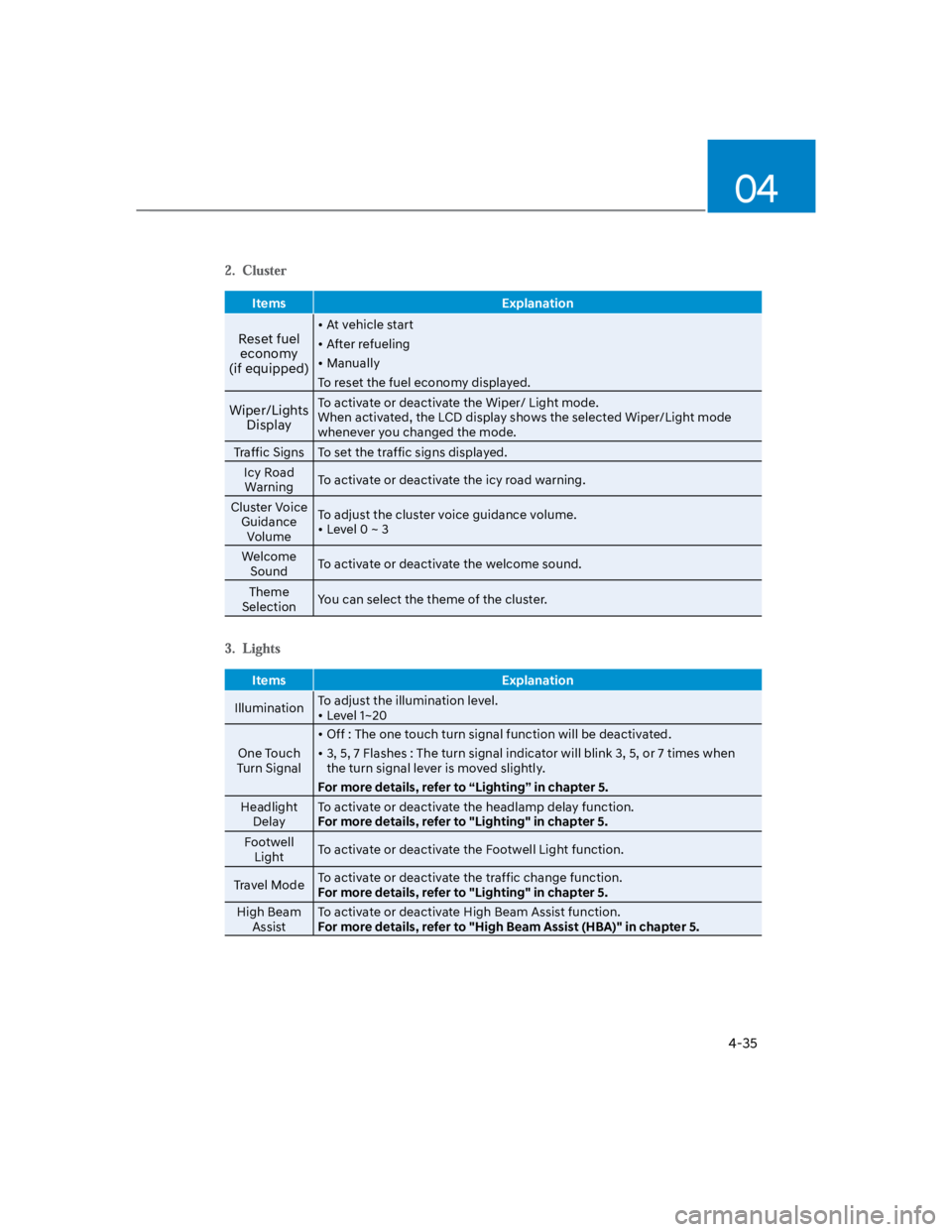
Items Explanation
Reset fuel
economy
(if equipped)
At vehicle start
After refueling
Manually
To reset the fuel economy displayed.
Wiper/Lights
Display
To activate or deactivate the Wiper/ Light mode.
When activated, the LCD display shows the selected Wiper/Light mode
whenever you changed the mode.
Traffic Signs To set the traffic signs displayed.
Icy Road
WarningTo activate or deactivate the icy road warning.
Cluster Voice
Guidance
Volume
To adjust the cluster voice guidance volume.
Level 0 ~ 3
Welcome
SoundTo activate or deactivate the welcome sound.
Theme
SelectionYou can select the theme of the cluster.
Items Explanation
IlluminationTo adjust the illumination level.
Level 1~20
One Touch
Turn Signal
Off : The one touch turn signal function will be deactivated.
3, 5, 7 Flashes : The turn signal indicator will blink 3, 5, or 7 times when
the turn signal lever is moved slightly.
For more details, refer to “Lighting” in chapter 5.
Headlight
Delay
To activate or deactivate the headlamp delay function.
For more details, refer to "Lighting" in chapter 5.
Footwell
LightTo activate or deactivate the Footwell Light function.
Travel ModeTo activate or deactivate the traffic change function.
For more details, refer to "Lighting" in chapter 5.
High Beam
Assist
To activate or deactivate High Beam Assist function.
For more details, refer to "High Beam Assist (HBA)" in chapter 5.
Page 136 of 579

5
High Beam Assist (HBA) ..................................................................................5-74
High Beam Assist setting ........................................................................................... 5-74
Operating condition ................................................................................................... 5-75
High Beam Assist malfunction ................................................................................. 5-75
Wipers and washers ......................................................................................... 5-77
Windshield wipers ...................................................................................................... 5-77
Front windshield washers .......................................................................................... 5-79
Rear window wiper and washer ............................................................................... 5-80
Manual climate control system .......................................................................5-81
Heating and air conditioning .....................................................................................5-82
System operation .......................................................................................................5-85
System maintenance ................................................................................................. 5-87
Automatic climate control system ................................................................. 5-89
Automatic heating and air conditioning .................................................................. 5-90
Manual heating and air conditioning ....................................................................... 5-90
System operation ...................................................................................................... 5-94
System maintenance ................................................................................................ 5-96
Windshield defrosting and defogging ........................................................... 5-98
Manual climate control system ................................................................................ 5-98
Automatic climate control system ........................................................................... 5-99
Auto defogging system (only for automatic climate control system) .................. 5-100
Defroster ................................................................................................................... 5-102
Climate control additional features ..............................................................5-103
Automatic Ventilation .............................................................................................. 5-103
Sunroof Inside Air Recirculation .............................................................................. 5-103
Inside air circulation while operating the washer fluid ......................................... 5-103
Storage compartment ...................................................................................5-104
Center console storage ............................................................................................ 5-104
Glove box .................................................................................................................. 5-104
Sunglass Holder ....................................................................................................... 5-105
Multi Box ................................................................................................................... 5-105
Luggage tray ............................................................................................................. 5-106
Page 202 of 579
Convenient features
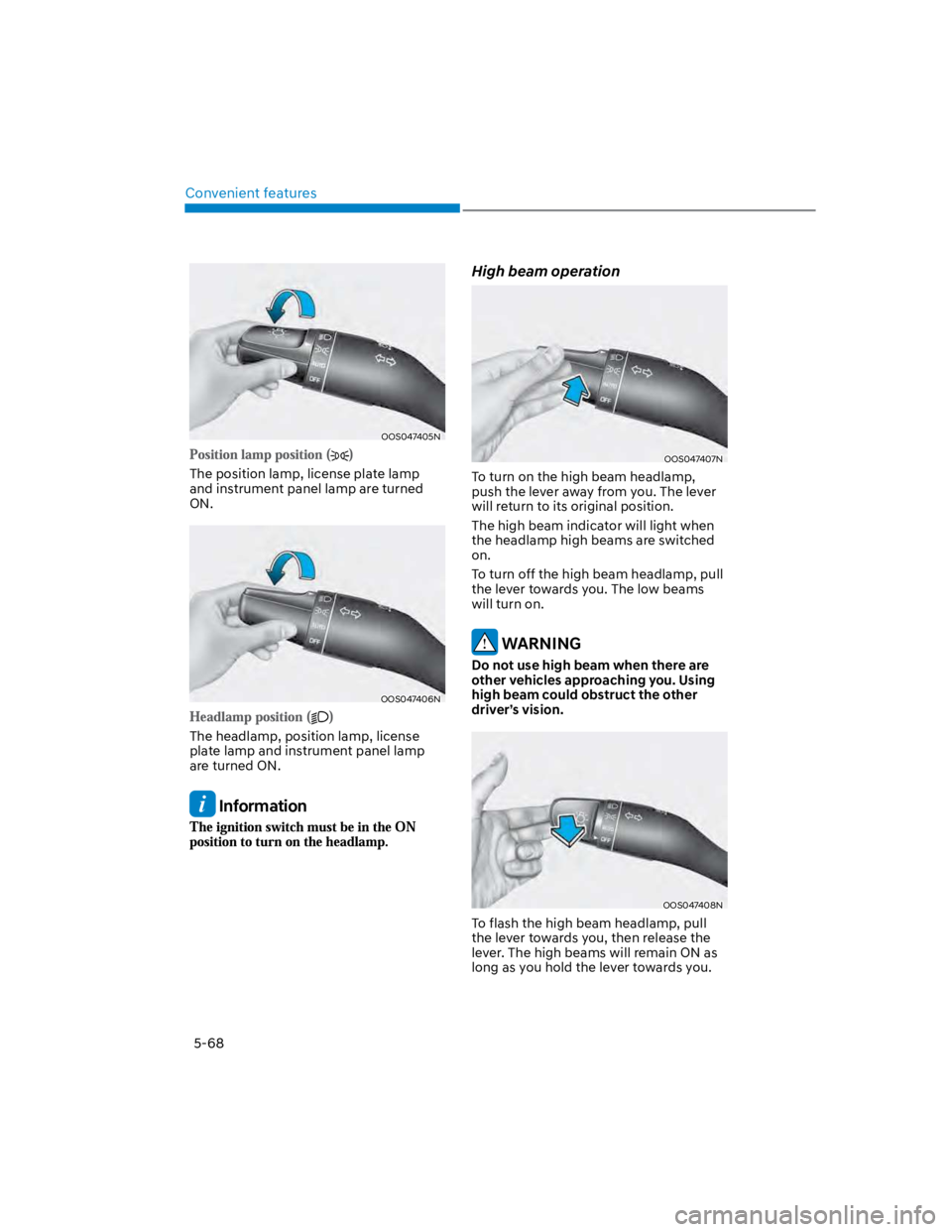
5-68
OOS047405N
The position lamp, license plate lamp
and instrument panel lamp are turned
ON.
OOS047406N
The headlamp, position lamp, license
plate lamp and instrument panel lamp
are turned ON.
Information
High beam operation
OOS047407N
To turn on the high beam headlamp,
push the lever away from you. The lever
will return to its original position.
The high beam indicator will light when
the headlamp high beams are switched
on.
To turn off the high beam headlamp, pull
the lever towards you. The low beams
will turn on.
WARNING
Do not use high beam when there are
other vehicles approaching you. Using
high beam could obstruct the other
driver’s vision.
OOS047408N
To flash the high beam headlamp, pull
the lever towards you, then release the
lever. The high beams will remain ON as
long as you hold the lever towards you.
Page 208 of 579
Convenient features
5-74
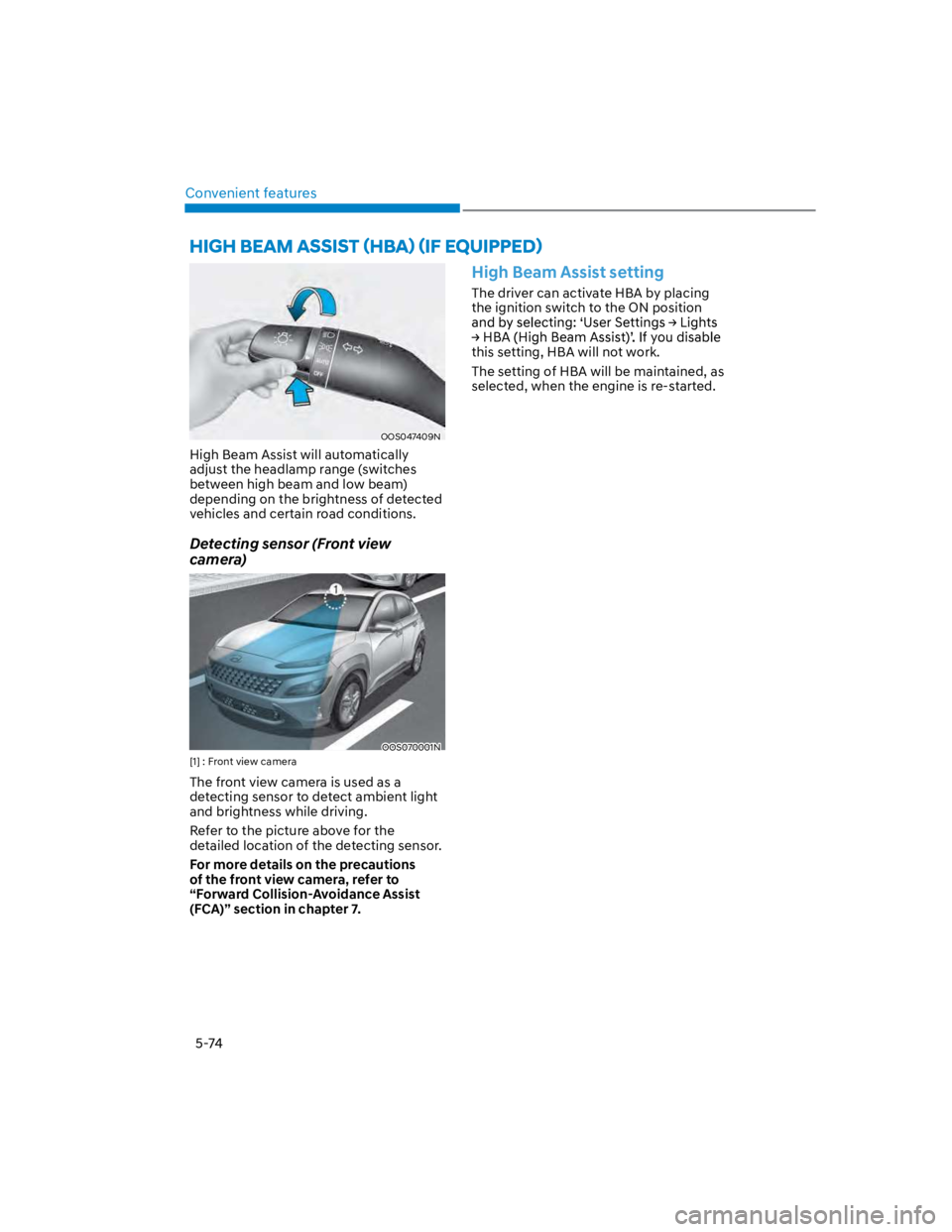
OOS047409N
High Beam Assist will automatically
adjust the headlamp range (switches
between high beam and low beam)
depending on the brightness of detected
vehicles and certain road conditions.
Detecting sensor (Front view
camera)
OOS070001N
[1] : Front view camera
The front view camera is used as a
detecting sensor to detect ambient light
and brightness while driving.
Refer to the picture above for the
detailed location of the detecting sensor.
For more details on the precautions
of the front view camera, refer to
“Forward Collision-Avoidance Assist
(FCA)” section in chapter 7.
High Beam Assist setting
The driver can activate HBA by placing
the ignition switch to the ON position
this setting, HBA will not work.
The setting of HBA will be maintained, as
selected, when the engine is re-started.
Page 209 of 579
05
5-75
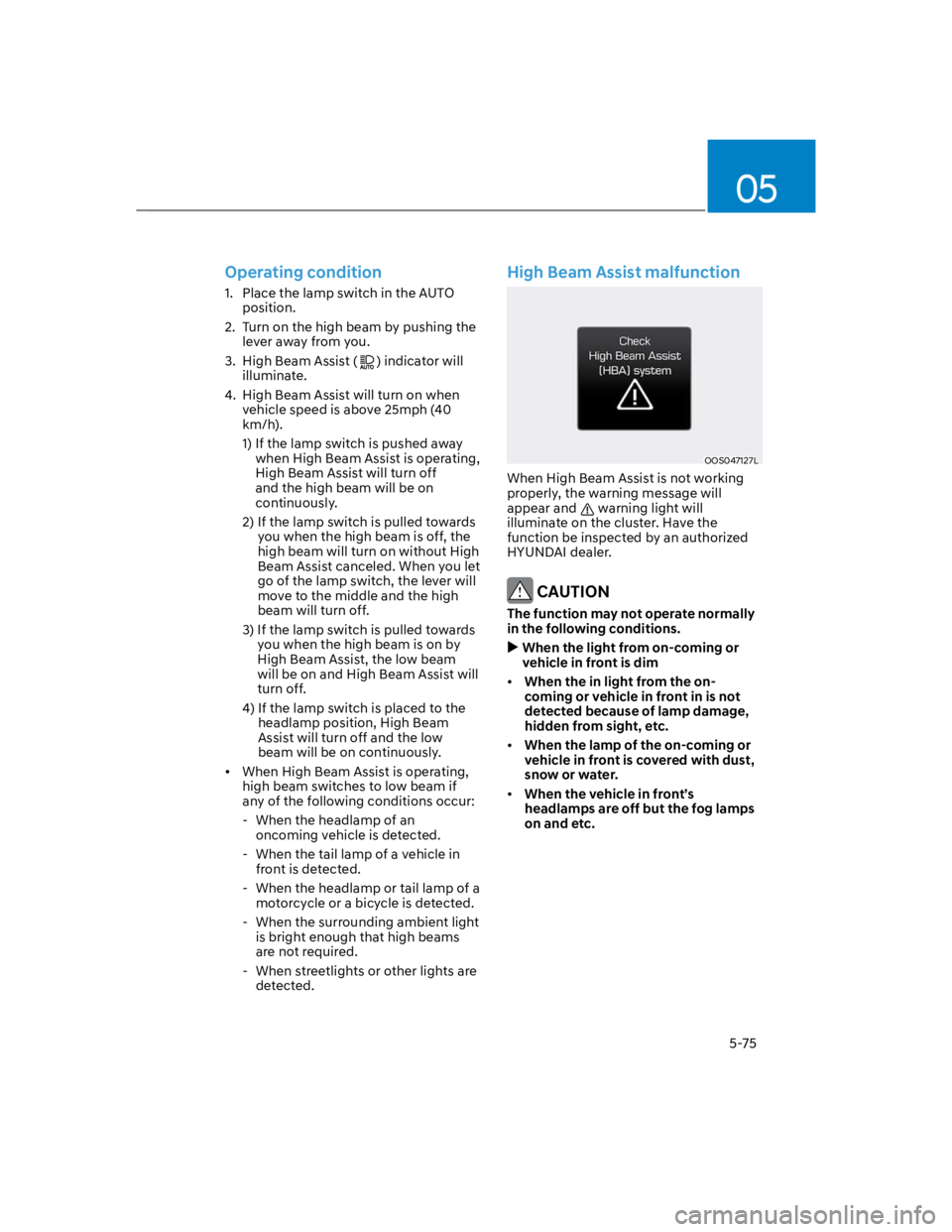
Operating condition
1. Place the lamp switch in the AUTO
position.
2. Turn on the high beam by pushing the
lever away from you.
3. High Beam Assist () indicator will
illuminate.
4. High Beam Assist will turn on when
vehicle speed is above 25mph (40
km/h).
1) If the lamp switch is pushed away
when High Beam Assist is operating,
High Beam Assist will turn off
and the high beam will be on
continuously.
2) If the lamp switch is pulled towards
you when the high beam is off, the
high beam will turn on without High
Beam Assist canceled. When you let
go of the lamp switch, the lever will
move to the middle and the high
beam will turn off.
3) If the lamp switch is pulled towards
you when the high beam is on by
High Beam Assist, the low beam
will be on and High Beam Assist will
turn off.
4) If the lamp switch is placed to the
headlamp position, High Beam
Assist will turn off and the low
beam will be on continuously.
When High Beam Assist is operating,
high beam switches to low beam if
any of the following conditions occur:
- When the headlamp of an
oncoming vehicle is detected.
- When the tail lamp of a vehicle in
front is detected.
- When the headlamp or tail lamp of a
motorcycle or a bicycle is detected.
- When the surrounding ambient light
is bright enough that high beams
are not required.
- When streetlights or other lights are
detected.
High Beam Assist malfunction
OOS047127L
When High Beam Assist is not working
properly, the warning message will
appear and warning light will
illuminate on the cluster. Have the
function be inspected by an authorized
HYUNDAI dealer.
CAUTION
The function may not operate normally
in the following conditions.
When the light from on-coming or
vehicle in front is dim
When the in light from the on-
coming or vehicle in front in is not
detected because of lamp damage,
hidden from sight, etc.
When the lamp of the on-coming or
vehicle in front is covered with dust,
snow or water.
When the vehicle in front’s
headlamps are off but the fog lamps
on and etc.