cluster Hyundai Nexo 2019 Owner's Guide
[x] Cancel search | Manufacturer: HYUNDAI, Model Year: 2019, Model line: Nexo, Model: Hyundai Nexo 2019Pages: 560, PDF Size: 24.2 MB
Page 346 of 560
5-80
Driving your vehicle
LKA System Operation
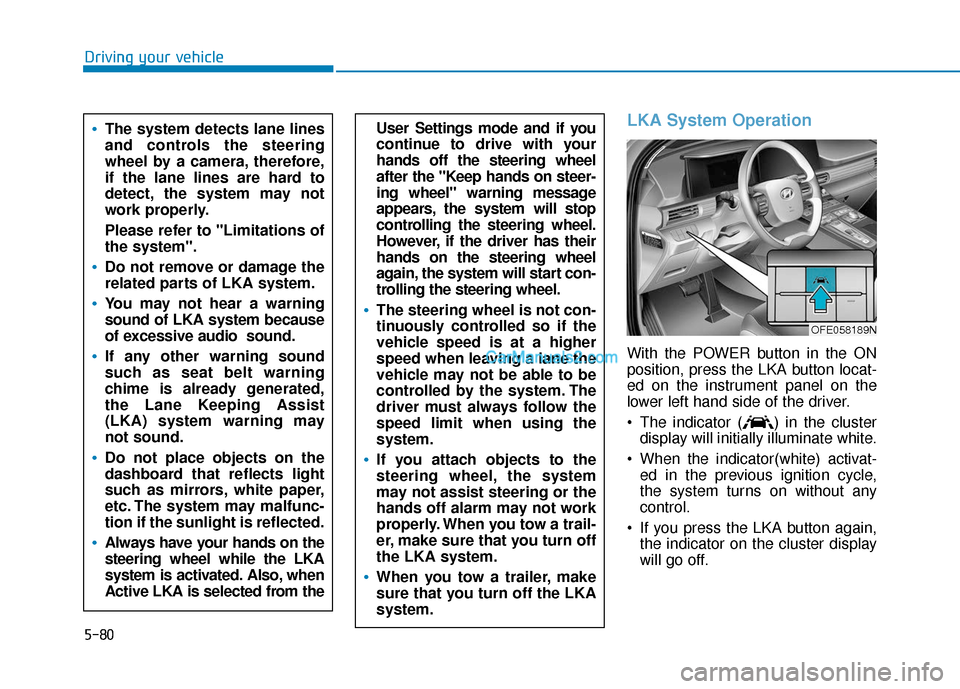
With the POWER button in the ON
position, press the LKA button locat-
ed on the instrument panel on the
lower left hand side of the driver.
The indicator ( ) in the clusterdisplay will initially illuminate white.
When the indicator(white) activat- ed in the previous ignition cycle,
the system turns on without any
control.
If you press the LKA button again, the indicator on the cluster display
will go off.
User Settings mode and if you
continue to drive with your
hands off the steering wheel
after the "Keep hands on steer-
ing wheel" warning message
appears, the system will stop
controlling the steering wheel.
However, if the driver has their
hands on the steering wheel
again, the system will start con-
trolling the steering wheel.
The steering wheel is not con-
tinuously controlled so if the
vehicle speed is at a higher
speed when leaving a lane the
vehicle may not be able to be
controlled by the system. The
driver must always follow the
speed limit when using the
system.
If you attach objects to the
steering wheel, the system
may not assist steering or the
hands off alarm may not work
properly. When you tow a trail-
er, make sure that you turn off
the LKA system.
When you tow a trailer, make
sure that you turn off the LKA
system.
The system detects lane lines
and controls the steering
wheel by a camera, therefore,
if the lane lines are hard to
detect, the system may not
work properly.
Please refer to "Limitations of
the system".
Do not remove or damage the
related parts of LKA system.
You may not hear a warning
sound of LKA system because
of excessive audio sound.
If any other warning sound
such as seat belt warning
chime is already generated,
the Lane Keeping Assist
(LKA) system warning may
not sound.
Do not place objects on the
dashboard that reflects light
such as mirrors, white paper,
etc. The system may malfunc-
tion if the sunlight is reflected.
Always have your hands on the
steering wheel while the LKA
system is activated. Also, when
Active LKA is selected from the
OFE058189N
Page 348 of 560
5-82
Driving your vehicle
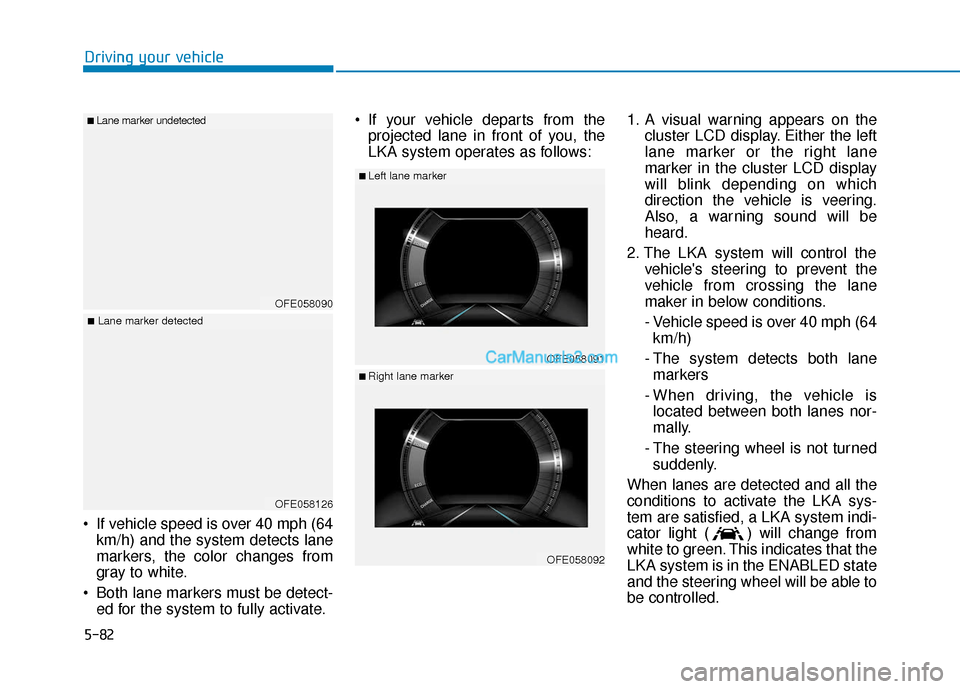
If vehicle speed is over 40 mph (64 km/h) and the system detects lane
markers, the color changes from
gray to white.
Both lane markers must be detect- ed for the system to fully activate. If your vehicle departs from the
projected lane in front of you, the
LKA system operates as follows: 1. A visual warning appears on the
cluster LCD display. Either the left
lane marker or the right lane
marker in the cluster LCD display
will blink depending on which
direction the vehicle is veering.
Also, a warning sound will be
heard.
2. The LKA system will control the vehicle's steering to prevent the
vehicle from crossing the lane
maker in below conditions.
- Vehicle speed is over 40 mph (64 km/h)
- The system detects both lane markers
- When driving, the vehicle is located between both lanes nor-
mally.
- The steering wheel is not turned suddenly.
When lanes are detected and all the
conditions to activate the LKA sys-
tem are satisfied, a LKA system indi-
cator light ( ) will change from
white to green. This indicates that the
LKA system is in the ENABLED state
and the steering wheel will be able to
be controlled.
OFE058090
■Lane marker undetected
OFE058126
■Lane marker detected
OFE058091
■Left lane marker
OFE058092
■Right lane marker
Page 355 of 560
5-89
Driving your vehicle
Operating conditions
The system is activated when the
Lane Following Assist is selected
from the vehicle Settings mode when
the following conditions are satisfied:
- The Smart Cruise Control is in acti-vation (vehicle deceleration and
acceleration)
- Vehicle speed is lower than 90 mph (145 km/h)
When the system is activated, the
indicator ( ) on the cluster will illu-
minate. The color of the indicator will
change depending on the condition
of LFA system.
- Green : The system is in the assist state.
- White : The system is in the ready state.
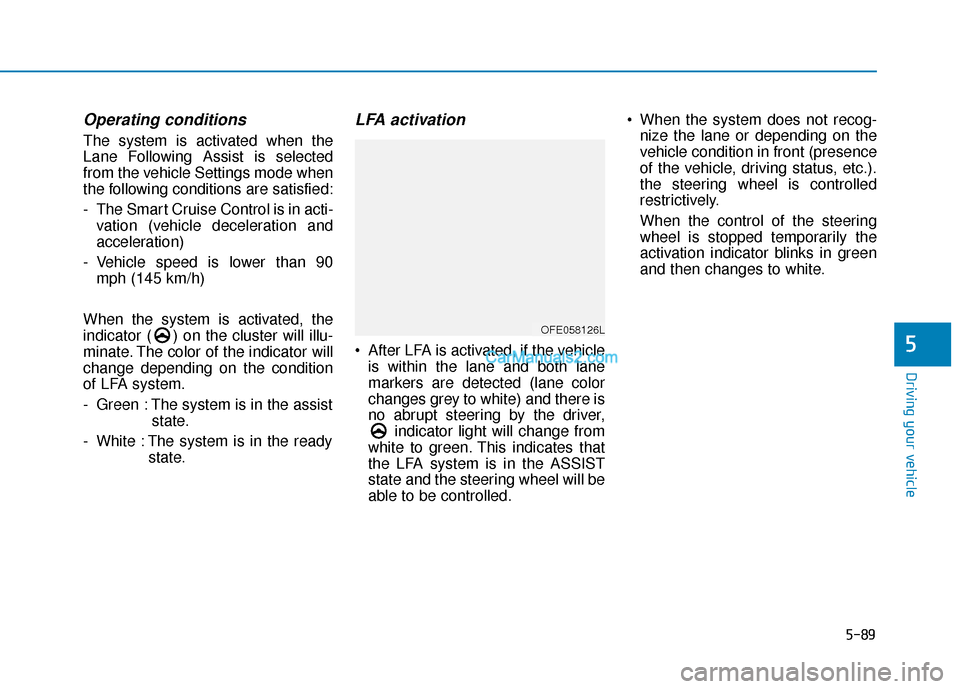
LFA activation
After LFA is activated, if the vehicleis within the lane and both lane
markers are detected (lane color
changes grey to white) and there is
no abrupt steering by the driver, indicator light will change from
white to green. This indicates that
the LFA system is in the ASSIST
state and the steering wheel will be
able to be controlled. When the system does not recog-
nize the lane or depending on the
vehicle condition in front (presence
of the vehicle, driving status, etc.).
the steering wheel is controlled
restrictively.
When the control of the steering
wheel is stopped temporarily the
activation indicator blinks in green
and then changes to white.5
OFE058126L
Page 364 of 560
5-98
S
SM
M A
AR
RT
T
C
C R
R U
U I
IS
S E
E
C
C O
O N
NT
TR
R O
O L
L
W
W I
IT
T H
H
S
S T
T O
O P
P
&
&
G
G O
O
S
S Y
Y S
ST
T E
EM
M
Driving your vehicle
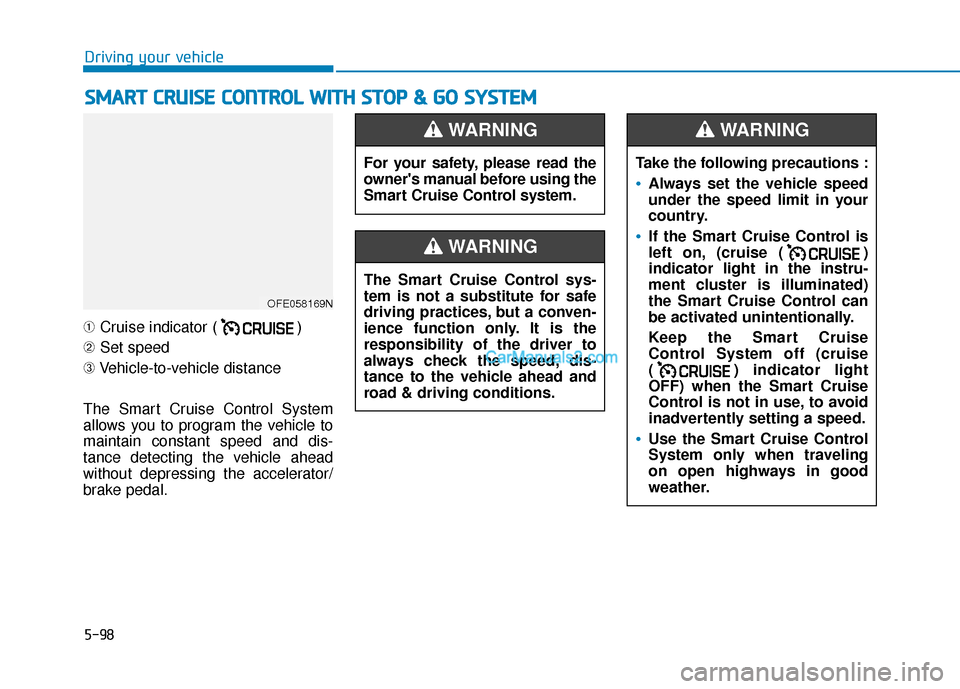
➀ Cruise indicator ( )
➁ Set speed
➂ Vehicle-to-vehicle distance
The Smart Cruise Control System
allows you to program the vehicle to
maintain constant speed and dis-
tance detecting the vehicle ahead
without depressing the accelerator/
brake pedal.
OFE058169N
For your safety, please read the
owner's manual before using the
Smart Cruise Control system.
WARNING
The Smart Cruise Control sys-
tem is not a substitute for safe
driving practices, but a conven-
ience function only. It is the
responsibility of the driver to
always check the speed, dis-
tance to the vehicle ahead and
road & driving conditions.
WARNING
Take the following precautions :
Always set the vehicle speed
under the speed limit in your
country.
If the Smart Cruise Control is
left on, (cruise ( )
indicator light in the instru-
ment cluster is illuminated)
the Smart Cruise Control can
be activated unintentionally.
Keep the Smart Cruise
Control System off (cruise
( ) indicator light
OFF) when the Smart Cruise
Control is not in use, to avoid
inadvertently setting a speed.
Use the Smart Cruise Control
System only when traveling
on open highways in good
weather.
WARNING
Page 382 of 560
5-116
Driving your vehicle
L
LE
E A
A D
DI
IN
N G
G
V
V E
EH
H I
IC
C L
LE
E
D
D E
EP
P A
A R
RT
TU
U R
RE
E
A
A L
LE
E R
R T
T
(
( I
IF
F
E
E Q
Q U
UI
IP
P P
PE
ED
D )
)
The Leading Vehicle Departure Alert
system alerts the driver of the depar-
ture of the vehicle in front when the
vehicle is stopped and the Smart
Cruise Control (SCC) system is in
activation.System Setting and Activation
System setting
With the vehicle ON, the Leading
Vehicle Departure Alert system turns
on and gets ready to be activated
when the 'vehicle Settings → Driver
Assistance →Driving Assist →
Leading vehicle departure alert' is
selected selected in the AVN screen
display. The system stops operation
when the setting is deactivated.
However, if the vehicle is turned off
then on again, the system maintains
the previous state.
System standby
While the Smart Cruise Control
(SCC) system is in operation, your
vehicle stops behind the vehicle in
front when it stops. The message is
displayed on the cluster within 3 sec-
onds after the stop and the system
will be in the standby position.
OFE058180L
Page 383 of 560
5-117
Driving your vehicle
5
System activation
If the driver does not take action for a
certain period of time after the vehi-
cle in front departs, the message is
displayed on the cluster.
The vehicle departs automatically if
the accelerator pedal is depressed or
RES + or SET - toggle switch is
pushed up or down when there is a
vehicle in front.
The Smart Cruise Control (SCC)
system is deactivated if the accelera-
tor pedal is depressed or RES + or
SET - toggle switch is pushed up or
down when there is no vehicle in
front.
OFE048442L
Always check the front of the
vehicle and road conditions
before departure.
WARNING
Page 408 of 560
6-11
What to do in an emergency
6
T
TI
IR
R E
E
P
P R
R E
ES
SS
SU
U R
RE
E
M
M O
ON
NI
IT
T O
O R
RI
IN
N G
G
S
S Y
Y S
ST
T E
EM
M
(
( T
T P
P M
M S
S)
)
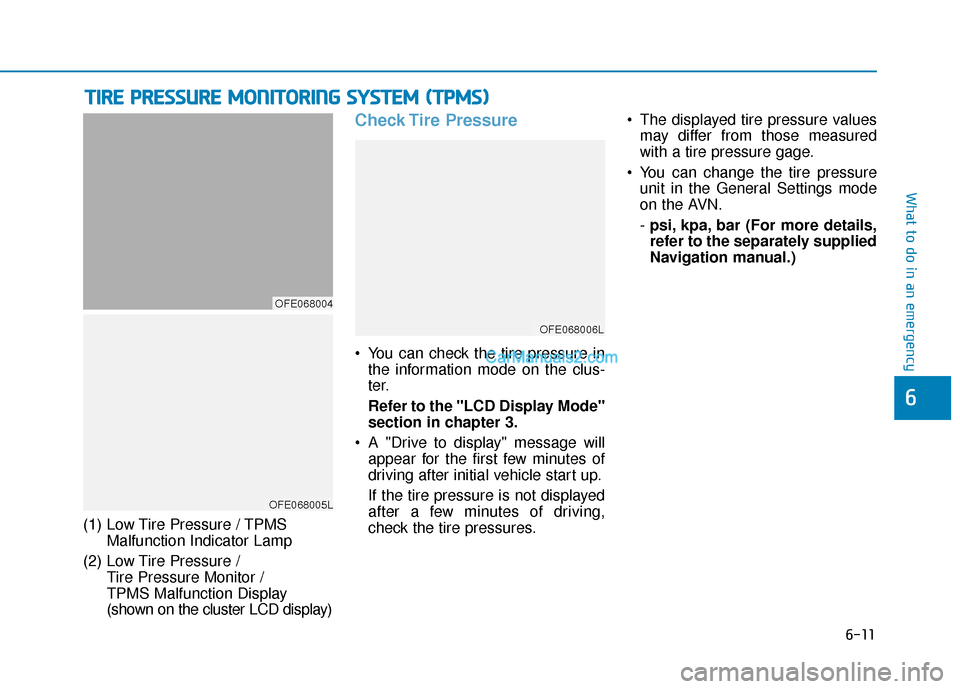
(1) Low Tire Pressure / TPMS
Malfunction Indicator Lamp
(2) Low Tire Pressure / Tire Pressure Monitor /
TPMS Malfunction Display
(shown on the cluster LCD display)
Check Tire Pressure
You can check the tire pressure inthe information mode on the clus-
ter.
Refer to the "LCD Display Mode"
section in chapter 3.
A "Drive to display" message will appear for the first few minutes of
driving after initial vehicle start up.
If the tire pressure is not displayed
after a few minutes of driving,
check the tire pressures. The displayed tire pressure values
may differ from those measured
with a tire pressure gage.
You can change the tire pressure unit in the General Settings mode
on the AVN.
- psi, kpa, bar (For more details,
refer to the separately supplied
Navigation manual.)
OFE068005L
OFE068004
OFE068006L
Page 410 of 560
6-13
What to do in an emergency
6
If any of the below happens, have
the system checked by an author-
ized HYUNDAI dealer.
1. The Low Tire Pressure TPMSMalfunction Indicator does not
illuminate for 3 seconds when
the POWER button is placed to
the ON position or vehicle is ON
( indicator ON).
2. The TPMS Malfunction Indicator remains illuminated after blink-
ing for approximately 1 minute.
3. The Low Tire Pressure LCD dis- play remains illuminated
Low Tire Pressure
Telltale
Low Tire Pressure
LCD Display with
Position Indicator
When the tire pressure monitoring
system warning indicators are illumi-
nated and the warning message is
displayed on the cluster LCD display,
one or more of your tires is signifi-
cantly under-inflated. The LCD posi-
tion indicator will indicate which tire
is significantly under-inflated by illu-
minating the corresponding position
light. If any of your tire pressures are indi-
cated as being low, immediately
reduce your speed, avoid hard cor-
nering, and anticipate increased
stopping distances. You should stop
and check your tires as soon as pos-
sible. Inflate the tires to the proper
pressure as indicated on the vehi-
cle’s placard or tire inflation pressure
label located on the driver's side cen-
ter pillar outer panel.
The Low Tire Pressure LCD position
indicator will remain on and the
TPMS Malfunction Indicator may
blink for one minute and then remain
illuminated until you have the low
pressure tire repaired and replaced
on the vehicle.
NOTICE
OFE068005L
Page 411 of 560
6-14
What to do in an emergency
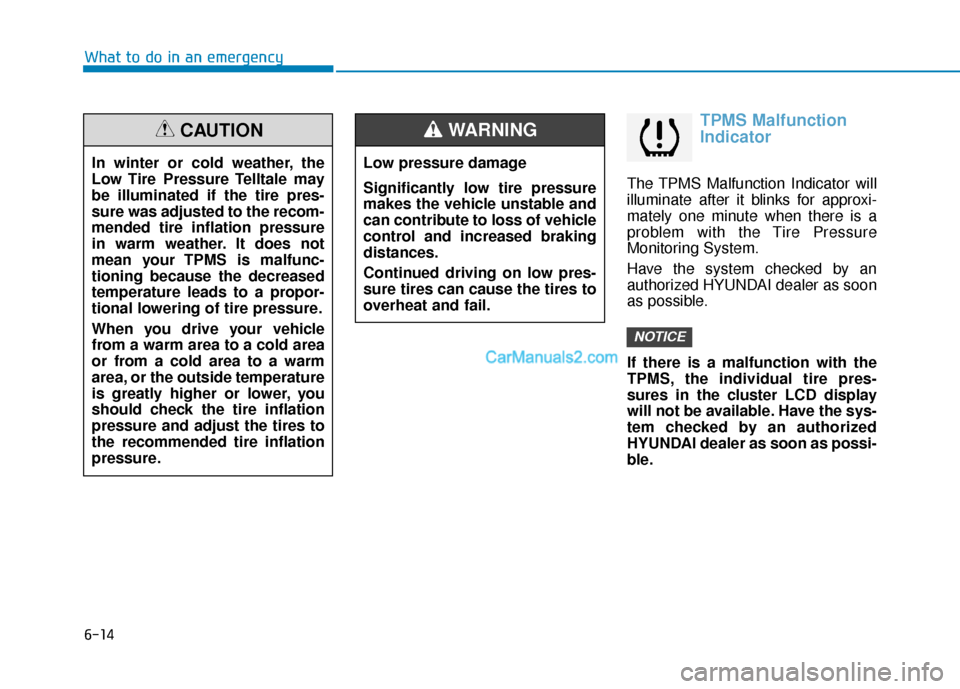
TPMS Malfunction
Indicator
The TPMS Malfunction Indicator will
illuminate after it blinks for approxi-
mately one minute when there is a
problem with the Tire Pressure
Monitoring System.
Have the system checked by an
authorized HYUNDAI dealer as soon
as possible.
If there is a malfunction with the
TPMS, the individual tire pres-
sures in the cluster LCD display
will not be available. Have the sys-
tem checked by an authorized
HYUNDAI dealer as soon as possi-
ble.
NOTICE
In winter or cold weather, the
Low Tire Pressure Telltale may
be illuminated if the tire pres-
sure was adjusted to the recom-
mended tire inflation pressure
in warm weather. It does not
mean your TPMS is malfunc-
tioning because the decreased
temperature leads to a propor-
tional lowering of tire pressure.
When you drive your vehicle
from a warm area to a cold area
or from a cold area to a warm
area, or the outside temperature
is greatly higher or lower, you
should check the tire inflation
pressure and adjust the tires to
the recommended tire inflation
pressure.
CAUTION
Low pressure damage
Significantly low tire pressure
makes the vehicle unstable and
can contribute to loss of vehicle
control and increased braking
distances.
Continued driving on low pres-
sure tires can cause the tires to
overheat and fail.
WARNING
Page 474 of 560
7-50
Maintenance
Fuse NameFuse RatingProtected Component
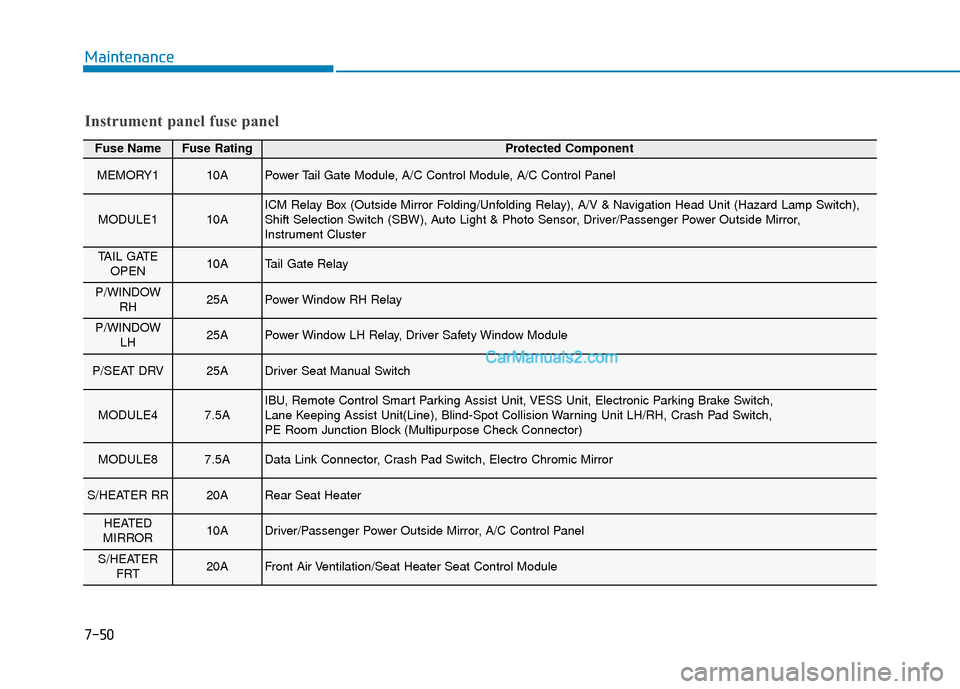
MEMORY110APower Tail Gate Module, A/C Control Module, A/C Control Panel
MODULE110AICM Relay Box (Outside Mirror Folding/Unfolding Relay), A/V & Navigation Head Unit (Hazard Lamp Switch),
Shift Selection Switch (SBW), Auto Light & Photo Sensor, Driver/Passenger Power Outside Mirror,
Instrument Cluster
TAIL GATEOPEN10ATail Gate Relay
P/WINDOW RH25APower Window RH Relay
P/WINDOW LH25APower Window LH Relay, Driver Safety Window Module
P/SEAT DRV25ADriver Seat Manual Switch
MODULE47.5AIBU, Remote Control Smart Parking Assist Unit, VESS Unit, Electronic Parking Brake Switch,
Lane Keeping Assist Unit(Line), Blind-Spot Collision Warning Unit LH/RH, Crash Pad Switch,
PE Room Junction Block (Multipurpose Check Connector)
MODULE87.5AData Link Connector, Crash Pad Switch, Electro Chromic Mirror
S/HEATER RR20ARear Seat Heater
HEATED
MIRROR10ADriver/Passenger Power Outside Mirror, A/C Control Panel
S/HEATER FRT20AFront Air Ventilation/Seat Heater Seat Control Module
Instrument panel fuse panel