mirror HYUNDAI NEXO 2019 User Guide
[x] Cancel search | Manufacturer: HYUNDAI, Model Year: 2019, Model line: Nexo, Model: Hyundai Nexo 2019Pages: 561, PDF Size: 48.42 MB
Page 186 of 561
3-99
Convenient features of your vehicle
3
Escort light
When the vehicle is turned OFF and
the driver's door is opened, the pud-
dle lamp will come on for 30 sec-
onds. If the driver's door is closed
within the 30 seconds, the puddle
lamp will turn off after 15 seconds. If
the driver's door is closed and
locked, the puddle lamp will turn off
immediately.
The Puddle Lamp Escort Light will
turn on only the first time the driver's
door is opened after the vehicle is
turned off.
Welcome System (if equipped)
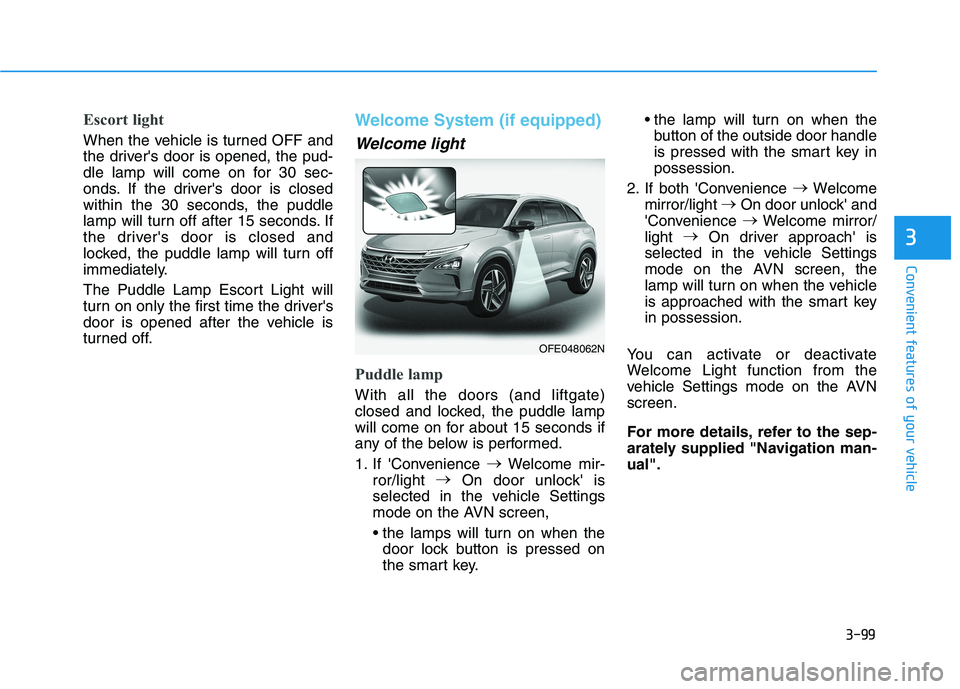
Welcome light
Puddle lamp
With all the doors (and liftgate)
closed and locked, the puddle lamp
will come on for about 15 seconds if
any of the below is performed.
1. If 'Convenience →
Welcome mir-
ror/light →
On door unlock' is
selected in the vehicle Settings
mode on the AVN screen,
door lock button is pressed on
the smart key. the lamp will turn on when the
button of the outside door handle
is pressed with the smart key in
possession.
2. If both 'Convenience →
Welcome
mirror/light →
On door unlock' and
'Convenience →
Welcome mirror/
light →
On driver approach' is
selected in the vehicle Settings
mode on the AVN screen, the
lamp will turn on when the vehicle
is approached with the smart key
in possession.
You can activate or deactivate
Welcome Light function from the
vehicle Settings mode on the AVN
screen.
For more details, refer to the sep-
arately supplied "Navigation man-
ual".
OFE048062N
Page 197 of 561
3-110
Convenient features of your vehicle
Surround View Monitoring
(if equipped)
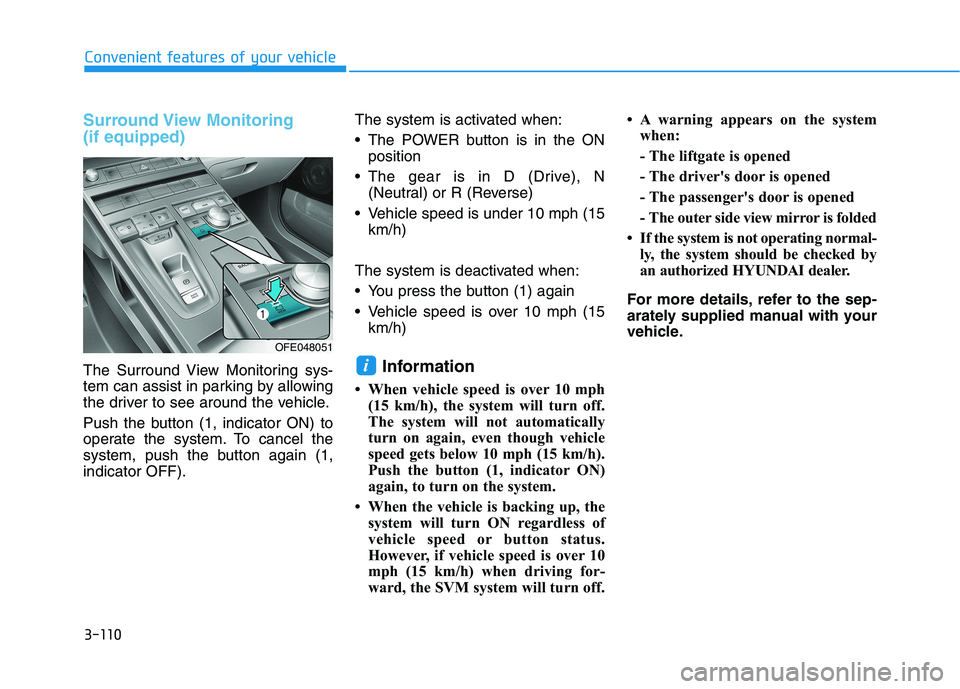
The Surround View Monitoring sys-
tem can assist in parking by allowing
the driver to see around the vehicle.
Push the button (1, indicator ON) to
operate the system. To cancel the
system, push the button again (1,
indicator OFF).The system is activated when:
The POWER button is in the ON
position
The gear is in D (Drive), N
(Neutral) or R (Reverse)
Vehicle speed is under 10 mph (15
km/h)
The system is deactivated when:
You press the button (1) again
Vehicle speed is over 10 mph (15
km/h)Information
• When vehicle speed is over 10 mph
(15 km/h), the system will turn off.
The system will not automatically
turn on again, even though vehicle
speed gets below 10 mph (15 km/h).
Push the button (1, indicator ON)
again, to turn on the system.
• When the vehicle is backing up, the
system will turn ON regardless of
vehicle speed or button status.
However, if vehicle speed is over 10
mph (15 km/h) when driving for-
ward, the SVM system will turn off. • A warning appears on the system
when:
- The liftgate is opened
- The driver's door is opened
- The passenger's door is opened
- The outer side view mirror is folded
• If the system is not operating normal-
ly, the system should be checked by
an authorized HYUNDAI dealer.
For more details, refer to the sep-
arately supplied manual with your
vehicle.
i
OFE048051
Page 199 of 561
3-112
Convenient features of your vehicle
Information
• If vehicle speed is over 10 mph (15
km/h)
- the DRM image stays ON when the
rear view was on the screen
- screen (top, front wide, front right
and front left) of other modes of
SVM system turns OFF and
switches to the original AVN
screen when other modes were on
the screen
• If the SVM system is ON and the
vehicle speed is under 10 mph (15
km/h)
- the rear image stays ON when the
rear view was on the screen
- a pop-up for selecting the SVM
mode (top, front wide, front right
and front left) appears when press-
ing any other view mode buttons
(3) than (2) on the screen.• When the vehicle is backing up, the
rear image will appear on the screen
automatically regardless of vehicle
speed or SVM button (1) status.
- If the rear image was ON, the
screen switches to the parking
assist screen.
- If the screen (top, front wide, front
right and front left) of other modes
of SVM system was ON, the screen
for setting the initial rear view
mode appears.
- When the shift gear is moved from
R (Reverse) to D (Drive), the
screen of the previous mode is dis-
played.
• A warning appears on the system
when:
- The liftgate is opened
- The driver's door is opened
- The passenger's door is opened
- The outer side view mirror is folded• If the system is not operating nor-
mally, the system should be checked
by an authorized HYUNDAI dealer.
For more details, refer to the sep-
arately supplied manual with your
vehicle.
i
Page 209 of 561
Convenient features of your vehicle
When searching for a parking
space, the system may not be
able to find a parking space if
there is no vehicle parked, a
parking space is available
after driving by or a parking
space is available before driv-
ing by.
The system may not operate
normally in the following con-
ditions:
(1) When the sensors are
frozen
(2) When the sensors are dirty
(3) When it snows or rains
heavily
(4) When a pillar or object is
near
(5) Parked vehicle is abnor-
mally parked
In above cases, the system may
not search the parking space
although the parking space
exists. And the system may
search the parking space
although the parking space is
not proper to park.
CAUTION
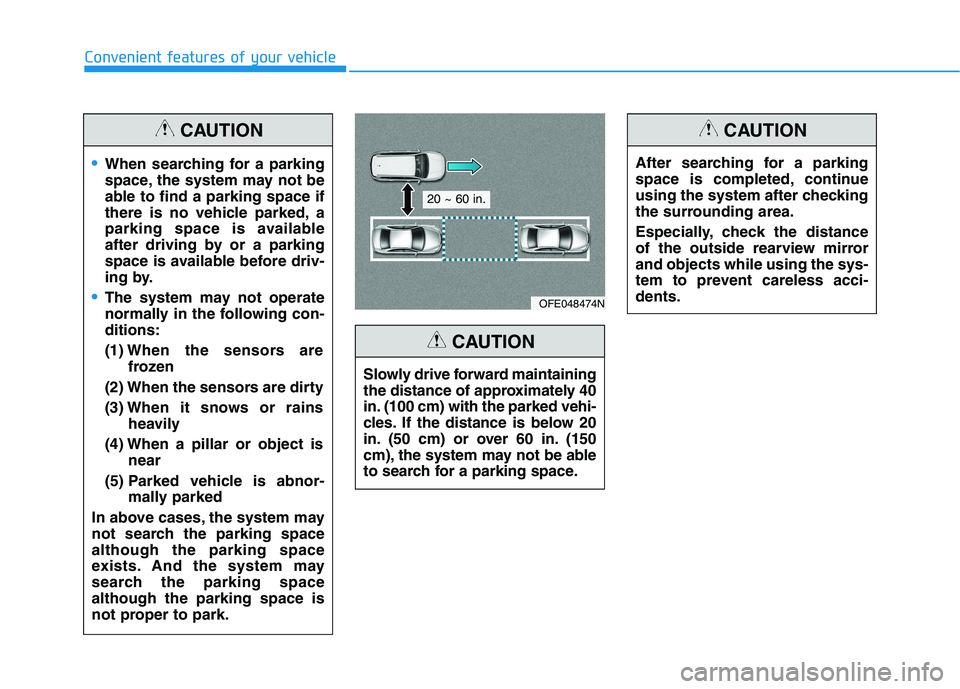
Slowly drive forward maintaining
the distance of approximately 40
in. (100 cm) with the parked vehi-
cles. If the distance is below 20
in. (50 cm) or over 60 in. (150
cm), the system may not be able
to search for a parking space.
CAUTION
After searching for a parking
space is completed, continue
using the system after checking
the surrounding area.
Especially, check the distance
of the outside rearview mirror
and objects while using the sys-
tem to prevent careless acci-
dents.
CAUTION
OFE048474N
20 ~ 60 in.
Page 245 of 561
3-158
Convenient features of your vehicle
W WI
IN
ND
DS
SH
HI
IE
EL
LD
D
D
DE
EF
FR
RO
OS
ST
TI
IN
NG
G
A
AN
ND
D
D
DE
EF
FO
OG
GG
GI
IN
NG
G
For maximum defrost perform-
ance, set the temperature control
to the highest temperature setting
and the fan speed control to the
highest setting.
If warm air to the floor is desired
while defrosting or defogging, set the
mode to the floor-defrost position.
Before driving, clear all snow and
ice from the windshield, rear win-
dow, side view mirrors, and all side
windows.
Clear all snow and ice from the hood
and air inlet in the cowl grill to
improve heater and defroster effi-
ciency and to reduce the probability
of fogging up the inside of the wind-
shield.Automatic Temperature Control
System
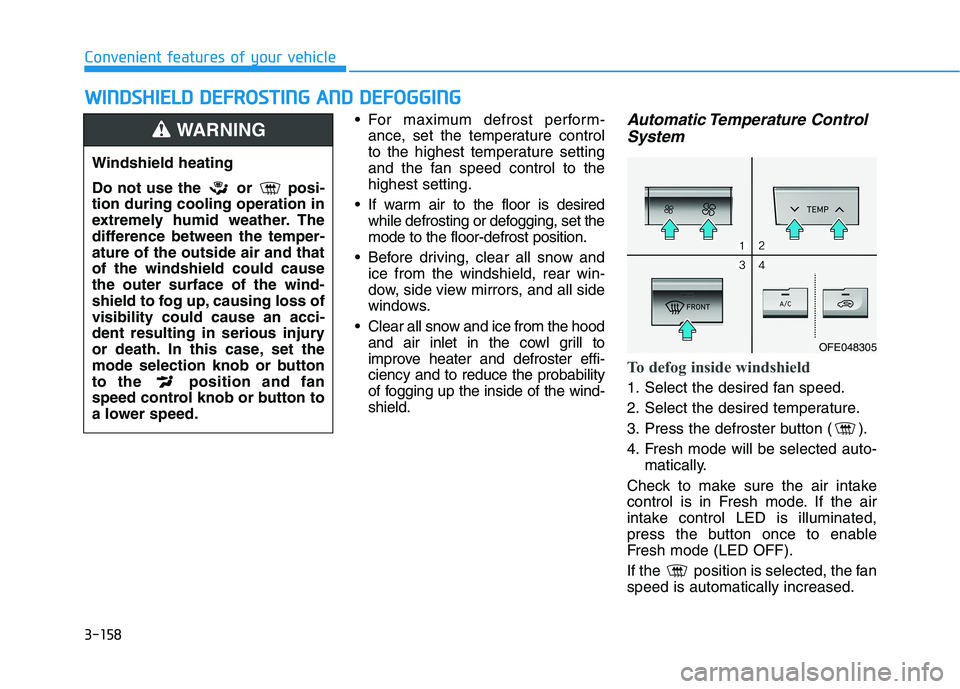
To defog inside windshield
1. Select the desired fan speed.
2. Select the desired temperature.
3. Press the defroster button ( ).
4. Fresh mode will be selected auto-
matically.
Check to make sure the air intake
control is in Fresh mode. If the air
intake control LED is illuminated,
press the button once to enable
Fresh mode (LED OFF).
If the position is selected, the fan
speed is automatically increased.
Windshield heating
Do not use the or posi-
tion during cooling operation in
extremely humid weather. The
difference between the temper-
ature of the outside air and that
of the windshield could cause
the outer surface of the wind-
shield to fog up, causing loss of
visibility could cause an acci-
dent resulting in serious injury
or death. In this case, set the
mode selection knob or button
to the position and fan
speed control knob or button to
a lower speed.
WARNING
OFE048305
Page 248 of 561
3-161
Convenient features of your vehicle
3
Information
• When the air conditioning is turned
on by Auto defogging system, if you
try to turn off the air conditioning, the
indicator will blink 3 times and the air
conditioning will not be turned off.
• To maintain the effectiveness and
efficiency of the Auto Defogging
System, do not select Recirculation
mode while the system is operating.
• When the Auto Defogging System is
operating, the fan speed adjustment
button, the temperature adjustment
knob, and the air intake control but-
ton are all disabled.
Do not remove the sensor cover
located on the upper end of the
windshield glass.
Damage to system parts could
occur and may not be covered by
your vehicle warranty.
Rear Window Defroster
To prevent damage to the rear
window defroster conducting ele-
ments bonded to the inside sur-
face of the rear window, never use
sharp instruments or window
cleaners containing abrasives to
clean the window.
If you want to defrost and defog
the front windshield, refer to the
"Windshield Defrosting and
Defogging" section in this chapter.
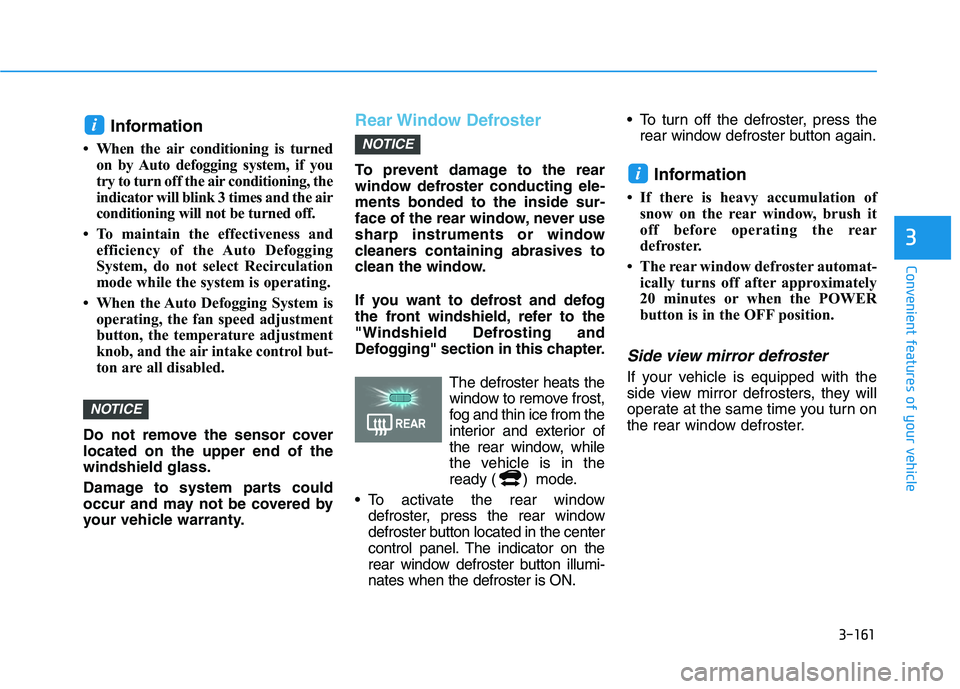
The defroster heats the
window to remove frost,
fog and thin ice from the
interior and exterior of
the rear window, while
the vehicle is in the
ready ( ) mode.
To activate the rear window
defroster, press the rear window
defroster button located in the center
control panel. The indicator on the
rear window defroster button illumi-
nates when the defroster is ON. To turn off the defroster, press the
rear window defroster button again.Information
• If there is heavy accumulation of
snow on the rear window, brush it
off before operating the rear
defroster.
• The rear window defroster automat-
ically turns off after approximately
20 minutes or when the POWER
button is in the OFF position.
Side view mirror defroster
If your vehicle is equipped with the
side view mirror defrosters, they will
operate at the same time you turn on
the rear window defroster.
i
NOTICE
NOTICE
i
Page 252 of 561
3-165
Convenient features of your vehicle
3
Keep your drinks sealed while
driving to prevent spilling your
drink. If liquid spills, it may get
into the vehicle's electrical/elec-
tronic system and damage elec-
trical/electronic parts.
When cleaning spilled liquids do
not use hot air to blow out or dry
the cup holder. This may dam-
age the interior.
Sunvisor
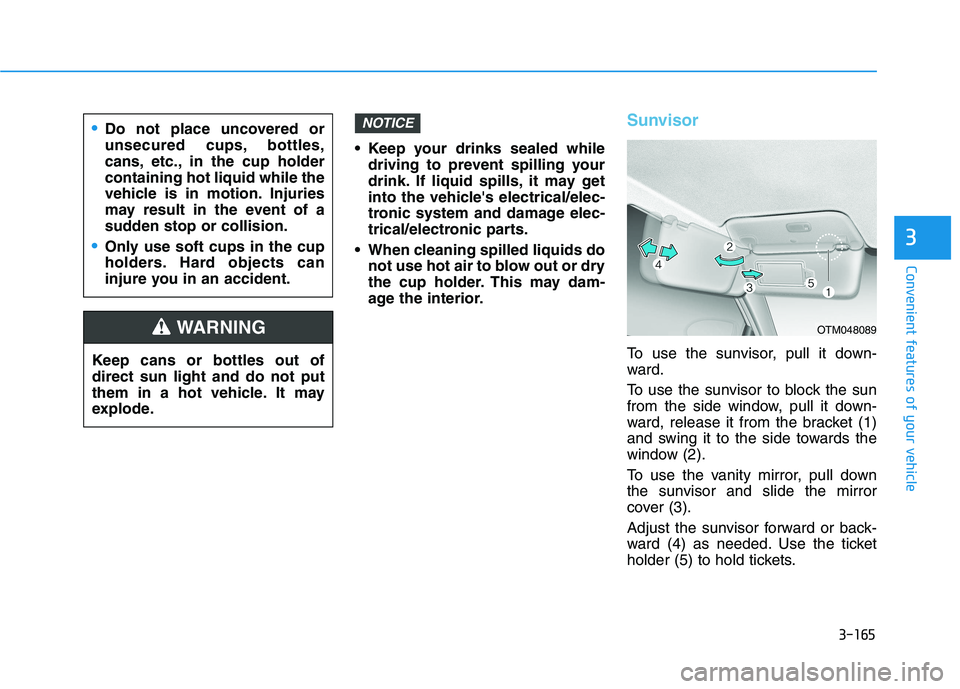
To use the sunvisor, pull it down-
ward.
To use the sunvisor to block the sun
from the side window, pull it down-
ward, release it from the bracket (1)
and swing it to the side towards the
window (2).
To use the vanity mirror, pull down
the sunvisor and slide the mirror
cover (3).
Adjust the sunvisor forward or back-
ward (4) as needed. Use the ticket
holder (5) to hold tickets.
NOTICE
Keep cans or bottles out of
direct sun light and do not put
them in a hot vehicle. It may
explode.
WARNING
Do not place uncovered or
unsecured cups, bottles,
cans, etc., in the cup holder
containing hot liquid while the
vehicle is in motion. Injuries
may result in the event of a
sudden stop or collision.
Only use soft cups in the cup
holders. Hard objects can
injure you in an accident.
OTM048089
Page 253 of 561
3-166
Convenient features of your vehicle
Close the vanity mirror cover secure-
ly and return the sunvisor to its origi-
nal position after use.
Do not put several tickets in the
ticket holder at one time. This
could cause damage to the ticket
holder.
Power Outlet
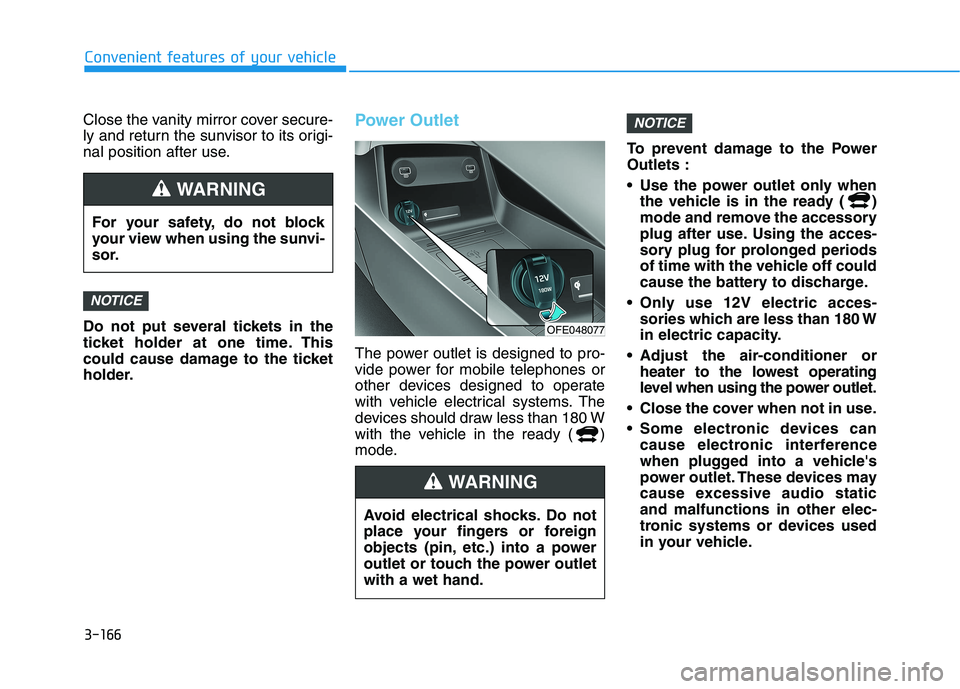
The power outlet is designed to pro-
vide power for mobile telephones or
other devices designed to operate
with vehicle electrical systems. The
devices should draw less than 180 W
with the vehicle in the ready ( )
mode.To prevent damage to the Power
Outlets :
Use the power outlet only when
the vehicle is in the ready ( )
mode and remove the accessory
plug after use. Using the acces-
sory plug for prolonged periods
of time with the vehicle off could
cause the battery to discharge.
Only use 12V electric acces-
sories which are less than 180 W
in electric capacity.
Adjust the air-conditioner or
heater to the lowest operating
level when using the power outlet.
Close the cover when not in use.
Some electronic devices can
cause electronic interference
when plugged into a vehicle's
power outlet. These devices may
cause excessive audio static
and malfunctions in other elec-
tronic systems or devices used
in your vehicle.
NOTICE
NOTICE
For your safety, do not block
your view when using the sunvi-
sor.
WARNING
Avoid electrical shocks. Do not
place your fingers or foreign
objects (pin, etc.) into a power
outlet or touch the power outlet
with a wet hand.
WARNING
OFE048077
Page 271 of 561
5-4
Driving your vehicle
Before Entering the Vehicle
• Be sure all windows, outside mir-
ror(s), and outside lights are clean
and unobstructed.
Remove frost, snow, or ice.
Visually check the tires for uneven
wear and damage.
Check under the vehicle for any
sign of leaks.
Be sure there are no obstacles
behind you if you intend to back up.
Before Starting
Make sure the hood, the liftgate,
and the doors are securely closed
and locked.
Adjust the position of the seat and
steering wheel.
Adjust the inside and outside
rearview mirrors.
Verify all the lights work.
Fasten your seatbelt. Check that all
passengers have fastened their
seatbelts.
Check the gauges and indicators in
the instrument panel and the mes-
sages on the instrument display
when the POWER button is in the
ON position.
Check that any items you are car-
rying are stored properly or fas-
tened down securely. CALIFORNIA PROPOSITION 65
WARNING
An wide variety of automobile
components including compo-
nents found in the interior fur-
nishings in a vehicle, contain or
emit harmful chemicals known
to the State of California to
cause cancer and birth defects
and reproductive harm. In addi-
tion, certain fluids contained in
vehicles and certain products
of components contain or emit
chemicals known to the State of
California to cause cancer and
birth defects or other reproduc-
tive harm.WARNING
B BE
EF
FO
OR
RE
E
D
DR
RI
IV
VI
IN
NG
G
Page 312 of 561
5-45
Driving your vehicle
5
NEVER install any accessories
or stickers on the front wind-
shield, nor tint the front wind-
shield.
NEVER locate any reflective
objects (i.e. white paper, mirror)
over the dashboard. Any light
reflection may cause a malfunc-
tion of the system.
Pay extreme caution to keep the
camera out of water.
NEVER disassemble the camera
assembly, nor apply any impact
on the camera assembly.
Playing the vehicle audio sys-
tem at high volume may offset
the system warning sounds.
Information
Have the system checked by an
authorized HYUNDAI dealer when:
• The windshield glass is replaced.
• The radar sensor or cover gets dam-
aged or replaced.
Warning message and warning
light
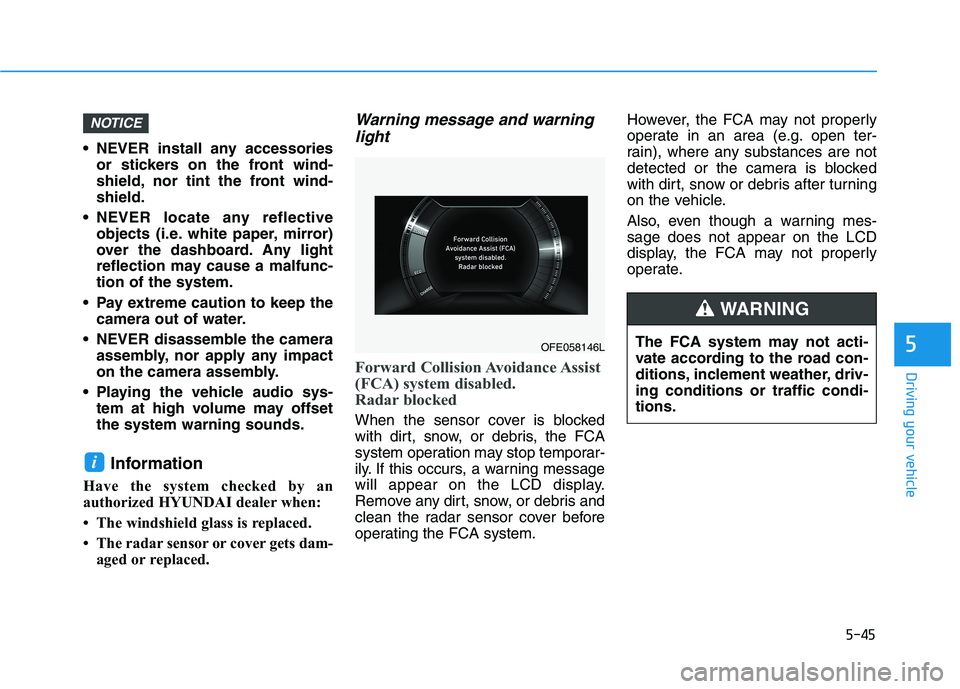
Forward Collision Avoidance Assist
(FCA) system disabled.
Radar blocked
When the sensor cover is blocked
with dirt, snow, or debris, the FCA
system operation may stop temporar-
ily. If this occurs, a warning message
will appear on the LCD display.
Remove any dirt, snow, or debris and
clean the radar sensor cover before
operating the FCA system.However, the FCA may not properly
operate in an area (e.g. open ter-
rain), where any substances are not
detected or the camera is blocked
with dirt, snow or debris after turning
on the vehicle.
Also, even though a warning mes-
sage does not appear on the LCD
display, the FCA may not properly
operate.
i
NOTICE
OFE058146LThe FCA system may not acti-
vate according to the road con-
ditions, inclement weather, driv-
ing conditions or traffic condi-
tions.
WARNING