belt HYUNDAI NEXO 2019 Workshop Manual
[x] Cancel search | Manufacturer: HYUNDAI, Model Year: 2019, Model line: Nexo, Model: Hyundai Nexo 2019Pages: 561, PDF Size: 48.42 MB
Page 223 of 561
3-136
Convenient features of your vehicle
The exit function will not operate if
the door is open or the driver’s
seatbelt is unfastened.
If the driver releases the RSPA but-
ton while the Smart Exit assist is in
activation, the assist will stop tem-
porarily.
❈ The AVN screen will display the
rear camera view when the vehicle
is moving forward (if equipped with
the Rear View Camera).
❈ Depress the brake pedal to control
the vehicle speed. The accelerator
pedal will not activate.
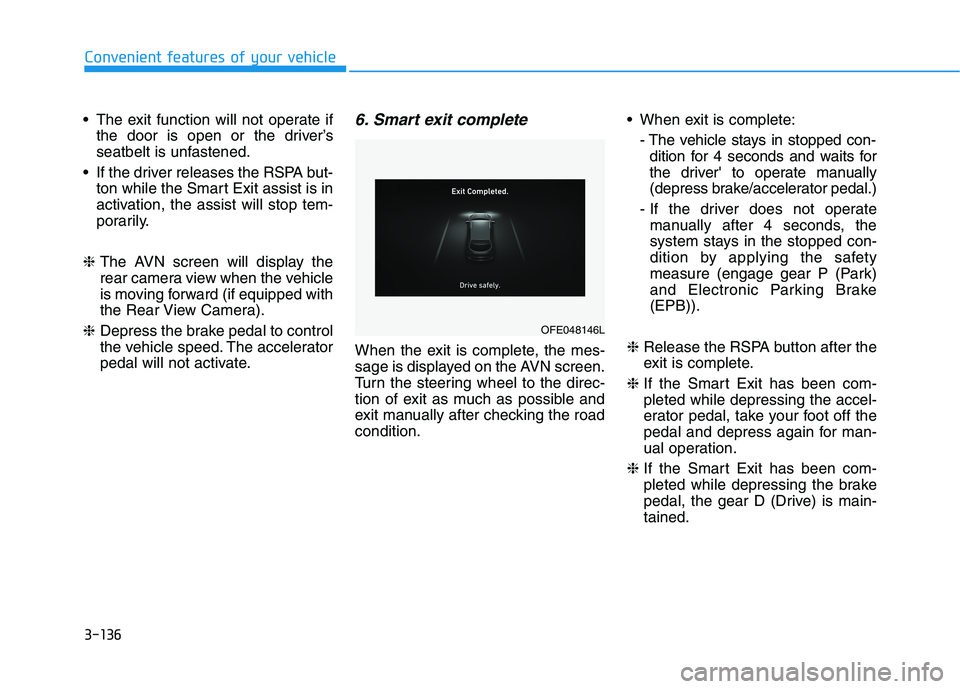
6. Smart exit complete
When the exit is complete, the mes-
sage is displayed on the AVN screen.
Turn the steering wheel to the direc-
tion of exit as much as possible and
exit manually after checking the road
condition. When exit is complete:
- The vehicle stays in stopped con-
dition for 4 seconds and waits for
the driver' to operate manually
(depress brake/accelerator pedal.)
- If the driver does not operate
manually after 4 seconds, the
system stays in the stopped con-
dition by applying the safety
measure (engage gear P (Park)
and Electronic Parking Brake
(EPB)).
❈ Release the RSPA button after the
exit is complete.
❈ If the Smart Exit has been com-
pleted while depressing the accel-
erator pedal, take your foot off the
pedal and depress again for man-
ual operation.
❈ If the Smart Exit has been com-
pleted while depressing the brake
pedal, the gear D (Drive) is main-
tained.
OFE048146L
Page 224 of 561
3-137
Convenient features of your vehicle
3
To cancel the Smart Exit while in
operation
(1) Press the RSPA button at the
"Searching for smart exit space"
stage or the "Selecting for smart
exit direction" stage.
(2) Shift the gear to R (Reverse)
position before the operation of
the Smart Exit assist.
(3) Press the Parking Distance
Warning button or the 'Cancel'
button on the AVN screen.
(4) Driver controls the vehicle during
the system assist
The function is deactivated when the
driver stops the vehicle by depress-
ing the brake pedal and shifts the
gear. In this case, the Electronic
Parking Brake (EPB) is not engaged.
The Smart Exit assist will stop tem-
porarily when:
(1) An obstacle at the direction the
vehicle is heading is detected.
(2) The door or liftgate is open.
(3) The driver's seatbelt is unfas-
tened.
(4) The Rear Cross-Traffic Collision-
Avoidance Assist (RCCA) system
is activated while reversing.
(5) The driver releases the RSPA
button.
(6) The driver stops the vehicle by
depressing the brake pedal.
❈The vehicle stops when the Smart
Exit assist will stop temporarily
and the Smart Exit assist will
resume when the above condition
is cleared.
The Smart Exit assist is cancelled
while in operation when:
(1) The driver holds the steering
wheel while the steering wheel is
controlled
(2) The gear is shifted or the
Electronic Parking Brake (EPB) is
activated
(3) The hood opens
(4) The vehicle speed exceeds 3
mph (5 km/h)
(5) The vehicle accelerates suddenly
(6) The vehicle slips back while con-
trolling the vehicle speed
(7) The wheel is stuck and the vehi-
cle is unable to move
(8) Obstacles are at the front and
back of the vehicle at the same
time
(9) About 3 minutes and 50 seconds
have passed after the Smart Exit
assist
(10) The door opens while the dri-
ver's seatbelt is unfastened
(11) The gradient of the road
exceeds the range supported by
Smart Exit assist
Page 227 of 561
3-140
Convenient features of your vehicle
❈When the Remote Moving
Forward/Backward is ready by the
above No. (2) method. You can use
Smart Parking after navigation or
home screen display on AVN (You
cannot use Smart Parking if you
don't choose "Confirm" on AVN
booting)
❈You will hear frequent beep sounds
if the driver gets off the vehicle after
the Remote Moving Forward/
Backward is ready.
❈The driver should release the seat
belt before getting off.
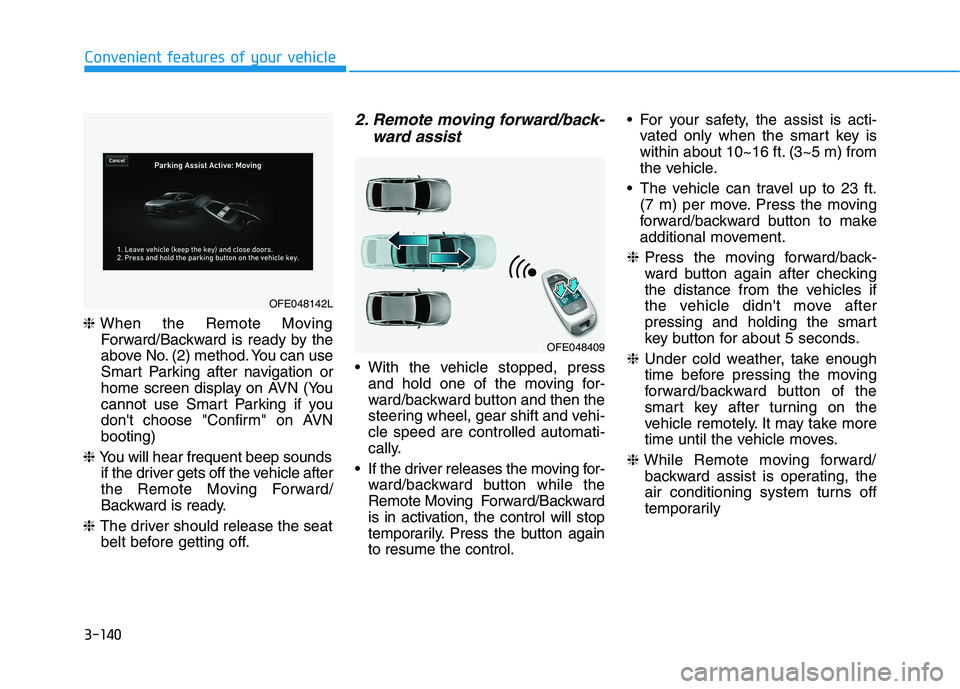
2. Remote moving forward/back-
ward assist
With the vehicle stopped, press
and hold one of the moving for-
ward/backward button and then the
steering wheel, gear shift and vehi-
cle speed are controlled automati-
cally.
If the driver releases the moving for-
ward/backward button while the
Remote Moving Forward/Backward
is in activation, the control will stop
temporarily. Press the button again
to resume the control. For your safety, the assist is acti-
vated only when the smart key is
within about 10~16 ft. (3~5 m) from
the vehicle.
The vehicle can travel up to 23 ft.
(7 m) per move. Press the moving
forward/backward button to make
additional movement.
❈Press the moving forward/back-
ward button again after checking
the distance from the vehicles if
the vehicle didn't move after
pressing and holding the smart
key button for about 5 seconds.
❈Under cold weather, take enough
time before pressing the moving
forward/backward button of the
smart key after turning on the
vehicle remotely. It may take more
time until the vehicle moves.
❈While Remote moving forward/
backward assist is operating, the
air conditioning system turns off
temporarily
OFE048409
OFE048142L
Page 250 of 561
3-163
Convenient features of your vehicle
3
To avoid possible theft, do not
leave valuables in the storage
compartments.
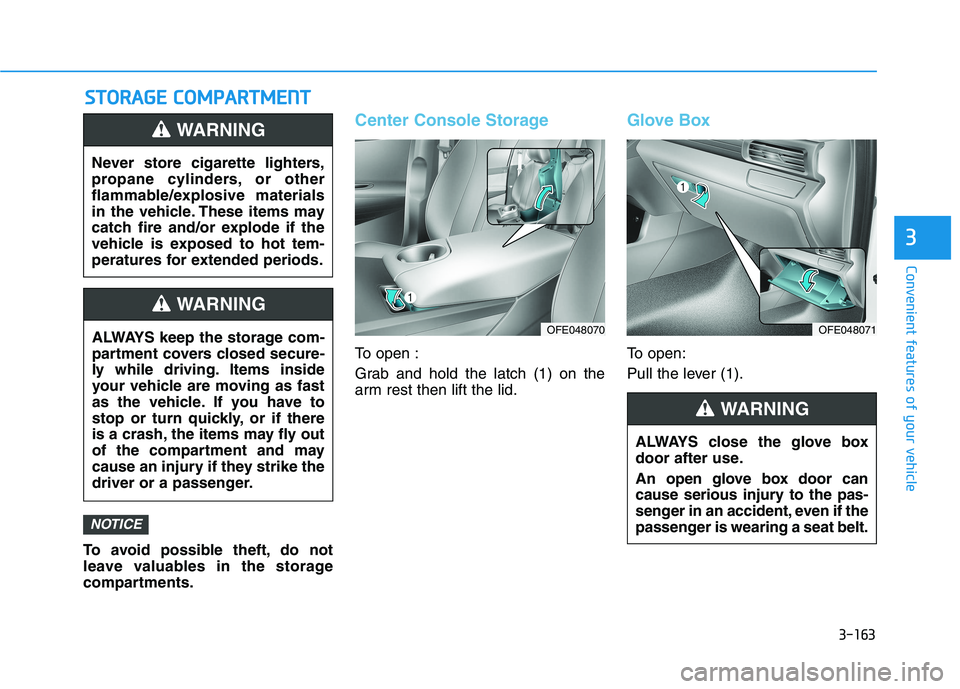
Center Console Storage
To open :
Grab and hold the latch (1) on the
arm rest then lift the lid.
Glove Box
To open:
Pull the lever (1).
NOTICE
S ST
TO
OR
RA
AG
GE
E
C
CO
OM
MP
PA
AR
RT
TM
ME
EN
NT
T
Never store cigarette lighters,
propane cylinders, or other
flammable/explosive materials
in the vehicle. These items may
catch fire and/or explode if the
vehicle is exposed to hot tem-
peratures for extended periods.
WARNING
ALWAYS keep the storage com-
partment covers closed secure-
ly while driving. Items inside
your vehicle are moving as fast
as the vehicle. If you have to
stop or turn quickly, or if there
is a crash, the items may fly out
of the compartment and may
cause an injury if they strike the
driver or a passenger.
WARNING
ALWAYS close the glove box
door after use.
An open glove box door can
cause serious injury to the pas-
senger in an accident, even if the
passenger is wearing a seat belt.
WARNING
OFE048070OFE048071
Page 271 of 561
5-4
Driving your vehicle
Before Entering the Vehicle
• Be sure all windows, outside mir-
ror(s), and outside lights are clean
and unobstructed.
Remove frost, snow, or ice.
Visually check the tires for uneven
wear and damage.
Check under the vehicle for any
sign of leaks.
Be sure there are no obstacles
behind you if you intend to back up.
Before Starting
Make sure the hood, the liftgate,
and the doors are securely closed
and locked.
Adjust the position of the seat and
steering wheel.
Adjust the inside and outside
rearview mirrors.
Verify all the lights work.
Fasten your seatbelt. Check that all
passengers have fastened their
seatbelts.
Check the gauges and indicators in
the instrument panel and the mes-
sages on the instrument display
when the POWER button is in the
ON position.
Check that any items you are car-
rying are stored properly or fas-
tened down securely. CALIFORNIA PROPOSITION 65
WARNING
An wide variety of automobile
components including compo-
nents found in the interior fur-
nishings in a vehicle, contain or
emit harmful chemicals known
to the State of California to
cause cancer and birth defects
and reproductive harm. In addi-
tion, certain fluids contained in
vehicles and certain products
of components contain or emit
chemicals known to the State of
California to cause cancer and
birth defects or other reproduc-
tive harm.WARNING
B BE
EF
FO
OR
RE
E
D
DR
RI
IV
VI
IN
NG
G
Page 272 of 561
5-5
Driving your vehicle
5
NEVER drink or take drugs and
drive.
Drinking or taking drugs and driv-
ing is dangerous and may result
in an accident and SERIOUS
INJURY or DEATH.
Drunk driving is the number
one contributor to the highway
death toll each year. Even a
small amount of alcohol will
affect your reflexes, percep-
tions and judgment. Just one
drink can reduce your ability to
respond to changing conditions
and emergencies and your reac-
tion time gets worse with each
additional drink.
Driving while under the influ-
ence of drugs is as dangerous
or more dangerous than driving
under the influence of alcohol.
WARNING You are much more likely to have
a serious accident if you drink or
take drugs and drive. If you are
drinking or taking drugs, don't
drive. Do not ride with a driver
who has been drinking or taking
drugs. Choose a designated driv-
er or call a taxi.
To reduce the risk of SERIOUS
INJURY or DEATH, take the fol-
lowing precautions:
•ALWAYS wear your seat belt.
All passengers must be prop-
erly belted whenever the vehi-
cle is moving. For more infor-
mation, refer to "Seat Belts" in
chapter 2.
Always drive defensively.
Assume other drivers or pedes-
trians may be careless and
make mistakes.
Stay focused on the task of
driving. Driver distraction can
cause accidents.
Leave plenty of space between
you and the vehicle in front of
you.
WARNING
Page 283 of 561
5-16
Driving your vehicle
Good Driving Practices
Never shift to P (Park) or N
(Neutral) to any other position with
the accelerator pedal depressed.
Never shift to P (Park) when the
vehicle is in motion.
Be sure the vehicle is completely
stopped before you attempt to shift
into R (Reverse) or D (Drive).
Do not shift to N (Neutral) when
driving. Doing so may result in an
accident.
Do not drive with your foot resting
on the brake pedal. Even light, but
consistent pedal pressure can
result in the brakes overheating,
brake wear and possibly even
brake failure.
Always apply the parking brake
when leaving the vehicle. Do not
depend on placing the gear in P
(Park) to keep the vehicle from
moving. Exercise extreme caution when
driving on a slippery surface. Be
especially careful when braking,
accelerating or shifting gears. On a
slippery surface, an abrupt change
in vehicle speed can cause the
drive wheels to lose traction and
may cause loss of vehicle control
resulting in an accident
Optimum vehicle performance and
economy is obtained by smoothly
depressing and releasing the
accelerator.
To reduce the risk of SERIOUS
INJURY or DEATH:
ALWAYS wear your seat belt.
In a collision, an unbelted
occupant is significantly more
likely to be seriously injured
or killed than a properly belt-
ed occupant.
Avoid high speeds when cor-
nering or turning.
WARNING
Do not make quick steering
wheel movements, such as
sharp lane changes or fast,
sharp turns.
The risk of rollover is greatly
increased if you lose control
of your vehicle at highway
speeds.
Loss of control often occurs if
two or more wheels drop off
the roadway and the driver
over steers to reenter the
roadway.
In the event your vehicle
leaves the roadway, do not
steer sharply. Instead, slow
down before pulling back into
the travel lanes.
HYUNDAI recommends you
follow all posted speed limits.
Page 287 of 561
5-20
Driving your vehicle
However, if the Auto Hold function is
not activated, the EPB is not auto-
matically applied even though the
vehicle stops and turned off.
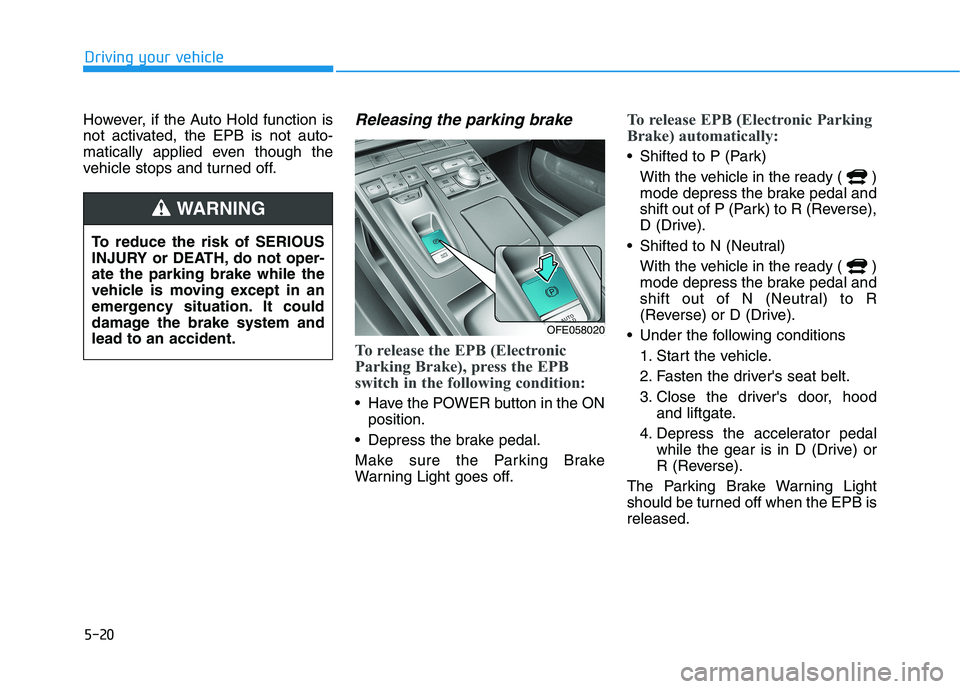
Releasing the parking brake
To release the EPB (Electronic
Parking Brake), press the EPB
switch in the following condition:
Have the POWER button in the ON
position.
Depress the brake pedal.
Make sure the Parking Brake
Warning Light goes off.
To release EPB (Electronic Parking
Brake) automatically:
Shifted to P (Park)
With the vehicle in the ready ( )
mode depress the brake pedal and
shift out of P (Park) to R (Reverse),
D (Drive).
Shifted to N (Neutral)
With the vehicle in the ready ( )
mode depress the brake pedal and
shift out of N (Neutral) to R
(Reverse) or D (Drive).
Under the following conditions
1. Start the vehicle.
2. Fasten the driver's seat belt.
3. Close the driver's door, hood
and liftgate.
4. Depress the accelerator pedal
while the gear is in D (Drive) or
R (Reverse).
The Parking Brake Warning Light
should be turned off when the EPB is
released.
To reduce the risk of SERIOUS
INJURY or DEATH, do not oper-
ate the parking brake while the
vehicle is moving except in an
emergency situation. It could
damage the brake system and
lead to an accident.
WARNING
OFE058020
Page 288 of 561
5-21
Driving your vehicle
5
Information
• For your safety, you can engage the
EPB even though the POWER but-
ton is in the OFF position, but you
cannot release it.
• For your safety, depress the brake
pedal and release the parking brake
manually with the EPB switch when
you drive downhill or when backing
up the vehicle.
If the parking brake warning light
is still on even though the EPB
has been released, have the sys-
tem checked an authorized
HYUNDAI dealer.
Do not drive your vehicle with
the EPB applied. It may cause
excessive brake pad and brake
rotor wear.
EPB (Electronic Parking Brake)
may be automatically applied
when:
Requested by other systems
If the driver turns the vehicle off
while Auto Hold is operating, EPB
will be automatically applied.
Warning messages
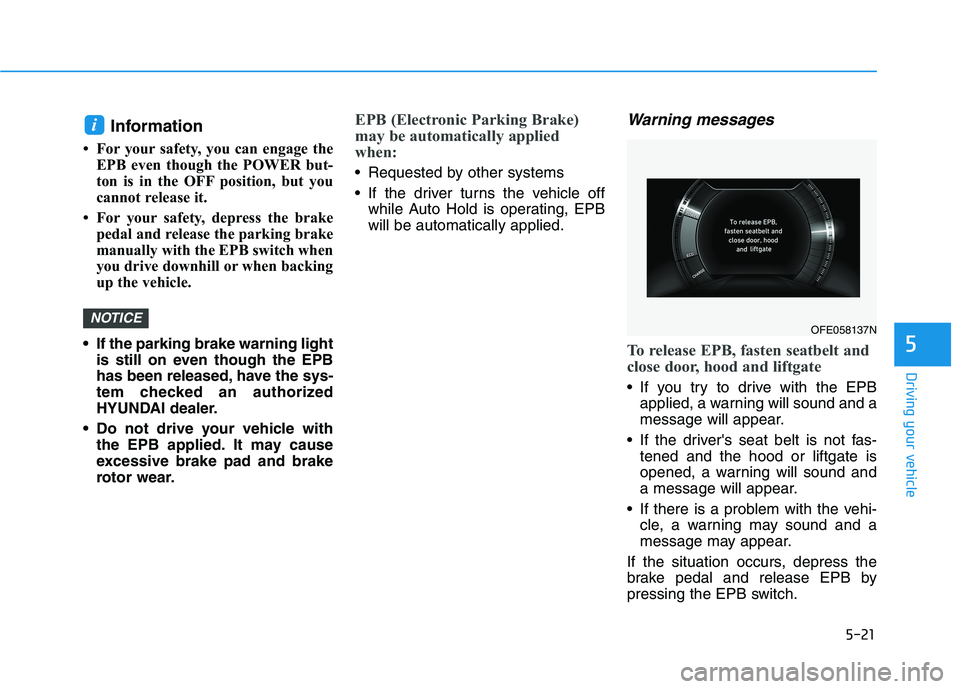
To release EPB, fasten seatbelt and
close door, hood and liftgate
If you try to drive with the EPB
applied, a warning will sound and a
message will appear.
If the driver's seat belt is not fas-
tened and the hood or liftgate is
opened, a warning will sound and
a message will appear.
If there is a problem with the vehi-
cle, a warning may sound and a
message may appear.
If the situation occurs, depress the
brake pedal and release EPB by
pressing the EPB switch.
NOTICE
i
OFE058137N
Page 310 of 561
5-43
Driving your vehicle
5
- If you select "Warning Only", the
FCA system activates and pro-
duces only warning alarms in
accordance with the collision risk
levels. You should control the brake
directly because the FCA system
do not control the brake.
Brake operation
In an urgent situation, the braking
system enters into the ready status
for prompt reaction against the dri-
ver's depressing the brake pedal.
The FCA provides additional brak-
ing power for optimum braking per-
formance, when the driver
depresses the brake pedal.
The braking control is automatical-
ly deactivated, when the driver
sharply depresses the accelerator
pedal, or when the driver abruptly
operates the steering wheel.
The FCA braking control is auto-
matically canceled, when risk fac-
tors disappear.
The driver should always use
extreme caution while operat-
ing the vehicle, whether or not
there is a warning message or
alarm from the FCA system.
If any other warning sound
such as seat belt warning
chime is already generated,
the Forward Collision-
Avoidance Assist (FCA) sys-
tem warning may not sound.
CAUTION
The FCA system logic operates
within certain parameters, such
as the distance from the vehi-
cle, pedestrian or cyclists
ahead, the speed of the vehicle
ahead, and the driver's vehicle
speed. Certain conditions such
as inclement weather and road
conditions may affect the oper-
ation of the FCA system.
WARNING
The FCA braking control cannot
completely stop the vehicle nor
avoid all collisions. The driver
should hold the responsibility
to safely drive and control the
vehicle.
WARNING Never deliberately drive danger-
ously to activate the system.
WARNING