brake HYUNDAI NEXO 2020 User Guide
[x] Cancel search | Manufacturer: HYUNDAI, Model Year: 2020, Model line: NEXO, Model: HYUNDAI NEXO 2020Pages: 561, PDF Size: 48.42 MB
Page 156 of 561
3-69
Convenient features of your vehicle
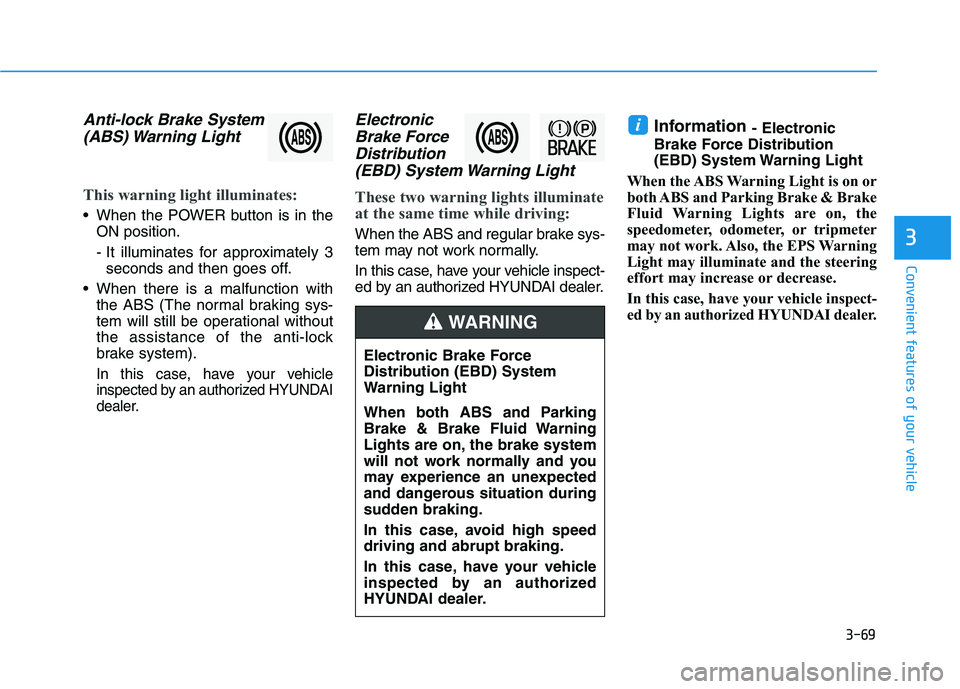
Anti-lock Brake System
(ABS) Warning Light
This warning light illuminates:
When the POWER button is in the
ON position.
- It illuminates for approximately 3
seconds and then goes off.
When there is a malfunction with
the ABS (The normal braking sys-
tem will still be operational without
the assistance of the anti-lock
brake system).
In this case, have your vehicle
inspected by an authorized HYUNDAI
dealer.
Electronic
Brake Force
Distribution
(EBD) System Warning Light
These two warning lights illuminate
at the same time while driving:
When the ABS and regular brake sys-
tem may not work normally.
In this case, have your vehicle inspect-
ed by an authorized HYUNDAI dealer.
Information - Electronic
Brake Force Distribution
(EBD) System Warning Light
When the ABS Warning Light is on or
both ABS and Parking Brake & Brake
Fluid Warning Lights are on, the
speedometer, odometer, or tripmeter
may not work. Also, the EPS Warning
Light may illuminate and the steering
effort may increase or decrease.
In this case, have your vehicle inspect-
ed by an authorized HYUNDAI dealer.i
3
Electronic Brake Force
Distribution (EBD) System
Warning Light
When both ABS and Parking
Brake & Brake Fluid Warning
Lights are on, the brake system
will not work normally and you
may experience an unexpected
and dangerous situation during
sudden braking.
In this case, avoid high speed
driving and abrupt braking.
In this case, have your vehicle
inspected by an authorized
HYUNDAI dealer.
WARNING
Page 158 of 561
3-71
Convenient features of your vehicle
This warning light remains ON
after blinking for approximately 60
seconds, or repeatedly blinks ON
and OFF in 3 second intervals:
When there is a malfunction with the
TPMS.
In this case, have your vehicle inspect-
ed by an authorized HYUNDAI dealer.
For more details, refer to "Tire
Pressure Monitoring System
(TPMS)" in chapter 6.
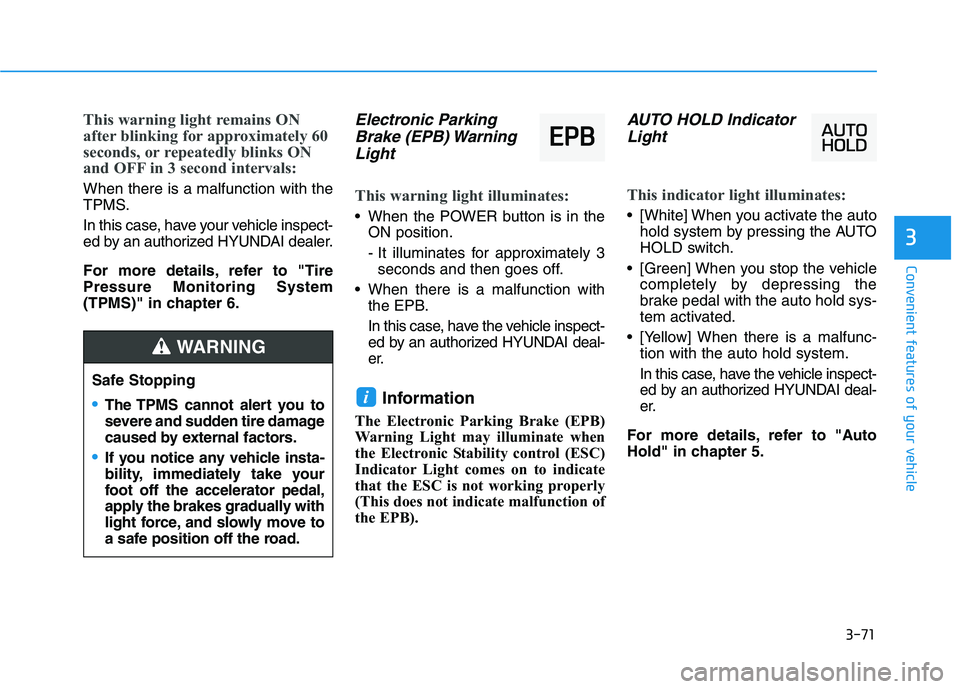
Electronic Parking
Brake (EPB) Warning
Light
This warning light illuminates:
When the POWER button is in the
ON position.
- It illuminates for approximately 3
seconds and then goes off.
When there is a malfunction with
the EPB.
In this case, have the vehicle inspect-
ed by an authorized HYUNDAI deal-
er.
Information
The Electronic Parking Brake (EPB)
Warning Light may illuminate when
the Electronic Stability control (ESC)
Indicator Light comes on to indicate
that the ESC is not working properly
(This does not indicate malfunction of
the EPB).
AUTO HOLD Indicator
Light
This indicator light illuminates:
[White] When you activate the auto
hold system by pressing the AUTO
HOLD switch.
[Green] When you stop the vehicle
completely by depressing the
brake pedal with the auto hold sys-
tem activated.
[Yellow] When there is a malfunc-
tion with the auto hold system.
In this case, have the vehicle inspect-
ed by an authorized HYUNDAI deal-
er.
For more details, refer to "Auto
Hold" in chapter 5.
i
3
Safe Stopping
The TPMS cannot alert you to
severe and sudden tire damage
caused by external factors.
If you notice any vehicle insta-
bility, immediately take your
foot off the accelerator pedal,
apply the brakes gradually with
light force, and slowly move to
a safe position off the road.
WARNING
E EP
PB
B
Page 163 of 561
3-76
LCD Display Messages
Shift to P
This warning message is displayed if
you try to turn off the vehicle with the
gear in the N (Neutral) position.
At this time, the POWER button
changes to the ACC position (If you
press the POWER button once more,
it will turn to the ON position).
Low Key Battery
This warning message is displayed if
the battery of the smart key is dis-
charged while changing the POWER
button to the OFF position.
Press POWER button while
turning wheel
This warning message is displayed if
the steering wheel does not unlock
normally when the POWER button is
pressed.
You should press the POWER button
while turning the steering wheel right
and left.
Check Steering Wheel Lock
System
This warning message is displayed if
the steering wheel does not lock nor-
mally while the POWER button
changes to the OFF position.
Press brake pedal to start vehicle
This warning message is displayed if
the POWER button changes to the
ACC position twice by pressing the
button repeatedly without depressing
the brake pedal.
You can start the vehicle by depress-
ing the brake pedal.
Key not in vehicle
This warning message is displayed if
the smart key is not in the vehicle
when you press the POWER button.
When attempting to start the vehicle,
always have the smart key with you.
Convenient features of your vehicle
Page 164 of 561
3-77
Convenient features of your vehicle
Key not detected
This warning message is displayed if
the smart key is not detected when
you press the POWER button.
Press POWER button again
This message is displayed if you
were unable to start the vehicle when
the POWER button was pressed.
If this occurs, attempt to start the
vehicle by pressing the POWER but-
ton again.
If the warning message appears
each time you press the POWER
button, have your vehicle inspected
by an authorized HYUNDAI dealer.
Press POWER button with key
This warning message is displayed if
you press the POWER button while
the warning message "Key not
detected" is displayed.
At this time, the immobilizer indicator
light blinks.
Check BRAKE SWITCH fuse
This warning message is displayed if
the brake switch fuse is disconnected.
You need to replace the fuse with a
new one before starting the vehicle.
If that is not possible, you can start the
vehicle by pressing the POWER but-
ton for 10 seconds in the ACC posi-
tion.
Shift to P to start vehicle
This warning message is displayed if
you try to start the vehicle without
shifting to the P (Park) position.
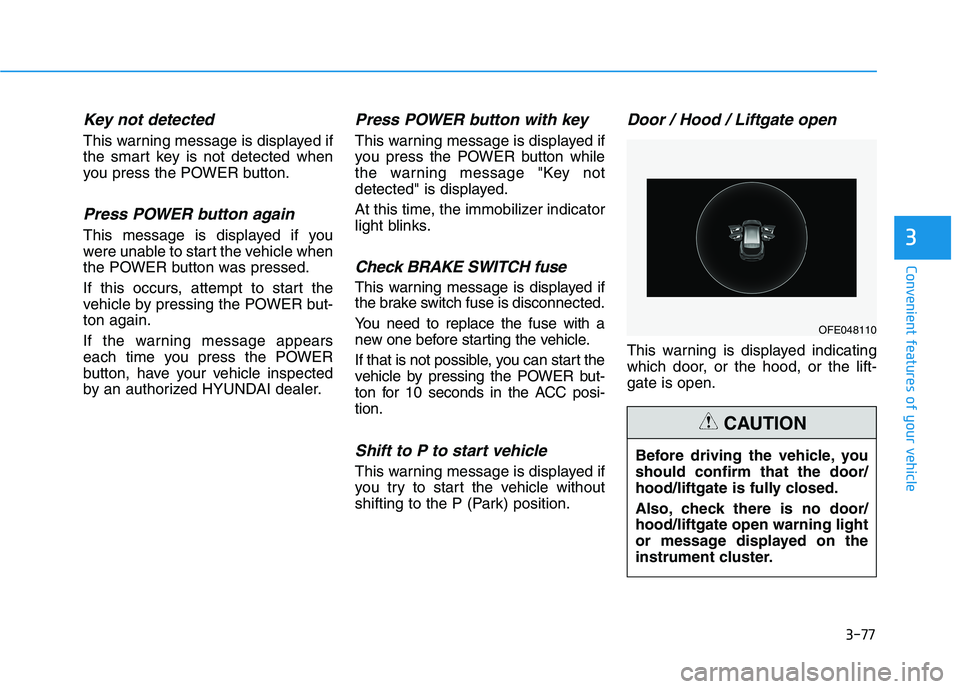
Door / Hood / Liftgate open
This warning is displayed indicating
which door, or the hood, or the lift-
gate is open.
3
OFE048110
Before driving the vehicle, you
should confirm that the door/
hood/liftgate is fully closed.
Also, check there is no door/
hood/liftgate open warning light
or message displayed on the
instrument cluster.
CAUTION
Page 176 of 561
3-89
Convenient features of your vehicle
3
L LI
IG
GH
HT
TI
IN
NG
G
Exterior Lights
Lighting control
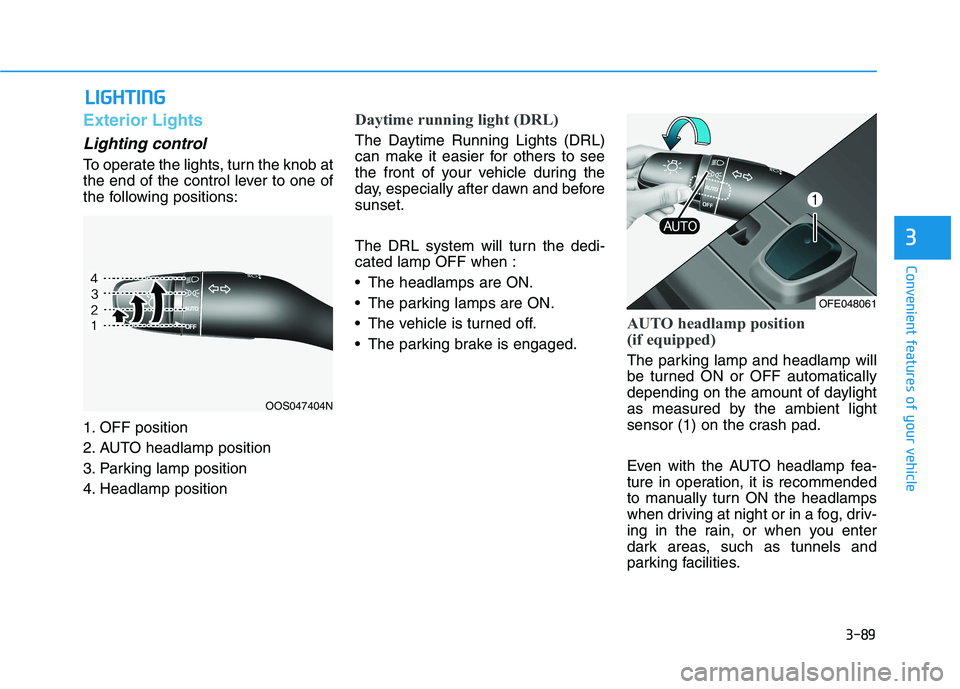
To operate the lights, turn the knob at
the end of the control lever to one of
the following positions:
1. OFF position
2. AUTO headlamp position
3. Parking lamp position
4. Headlamp position
Daytime running light (DRL)
The Daytime Running Lights (DRL)
can make it easier for others to see
the front of your vehicle during the
day, especially after dawn and before
sunset.
The DRL system will turn the dedi-
cated lamp OFF when :
The headlamps are ON.
The parking lamps are ON.
The vehicle is turned off.
The parking brake is engaged.
AUTO headlamp position
(if equipped)
The parking lamp and headlamp will
be turned ON or OFF automatically
depending on the amount of daylight
as measured by the ambient light
sensor (1) on the crash pad.
Even with the AUTO headlamp fea-
ture in operation, it is recommended
to manually turn ON the headlamps
when driving at night or in a fog, driv-
ing in the rain, or when you enter
dark areas, such as tunnels and
parking facilities.
OOS047404N
OFE048061
Page 194 of 561
3-107
Convenient features of your vehicle
3
Non-operational conditions of
Parking Distance Warning
(Reverse/Forward) system
The Parking Distance Warning
(Reverse/Forward) system may not
operate normally when any of the
following occur:
Moisture is frozen to the sensor.
Sensor is covered with foreign mat-
ter, such as snow or water, or the
sensor cover is blocked.
The Parking Distance Warning
(Reverse/Forward) system may
experience a malfunction when the
following occurs:
Driving on uneven road surfaces
such as unpaved roads, gravel,
bumps, or gradient.
Objects generating excessive noise
such as vehicle horns, loud motor-
cycle engines, or truck air brakes
can interfere with the sensor.
Heavy rain or water spray is present.
Wireless transmitters or mobile
phones are present near the sensor.
The sensor is covered with snow.
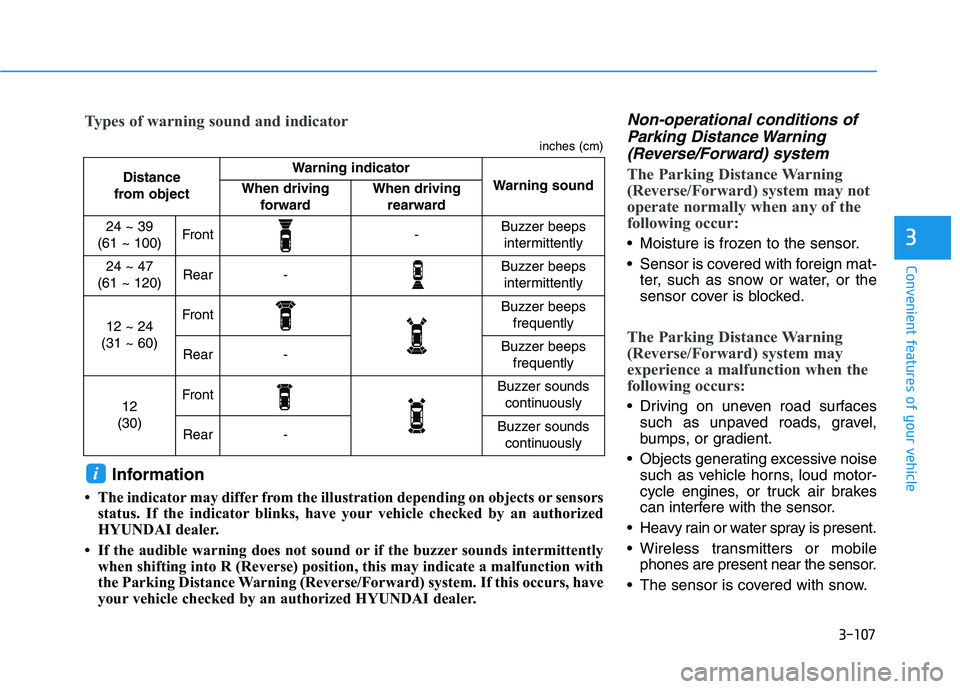
Distance
from object Warning indicator
Warning soundWhen driving
forwardWhen driving
rearward
24 ~ 39
(61 ~ 100)Front-Buzzer beeps
intermittently
24 ~ 47
(61 ~ 120)Rear-Buzzer beeps
intermittently
12 ~ 24
(31 ~ 60)FrontBuzzer beeps
frequently
Rear-Buzzer beeps
frequently
12
(30)FrontBuzzer sounds
continuously
Rear-Buzzer sounds
continuously
Types of warning sound and indicator
inches (cm)
Information
• The indicator may differ from the illustration depending on objects or sensors
status. If the indicator blinks, have your vehicle checked by an authorized
HYUNDAI dealer.
• If the audible warning does not sound or if the buzzer sounds intermittently
when shifting into R (Reverse) position, this may indicate a malfunction with
the Parking Distance Warning (Reverse/Forward) system. If this occurs, have
your vehicle checked by an authorized HYUNDAI dealer.
i
Page 203 of 561
3-116
Convenient features of your vehicle
Big vehicles such as buses or
trucks parked
Sensor covered with foreign mat-
ter, such as snow or water
An obstacle such as a trash can,
bicycle, shopping cart, etc. is near
Heavy wind
Wheel changed to an unauthorized
size
A problem with the wheel alignment
Vehicle leaned severely to one side
Front or rear distance sensors are
malfunction or not working properly.
(Refer to the Parking Distance
Warning system in chapter 3.)
requires battery replacement
Limitations of the System
When the vehicle has been
parked/stopped for a long time in a
cold environment, the Remote
Moving Forward/Backward may be
delayed depending on the vehicle
condition when the vehicle is
turned on remotely.
The RSPA system may suddenly
apply brake to avoid collision
against stationary or moving
object.
The system may be cancelled
unexpectedly when a person or
animal passes by near the vehicle.
The performance of the system
may be degraded and frequently
stop when driving in strong electric
field area.
Right after the parking place
search complete and beep sound
is generated, the search complete
may be cancelled according to the
surrounding environment Even while the system is in activa-
tion, the vehicle may collide with
the object existing within the blind-
spot area of the sensor.
When there is any obstacle within
the blind-spot area, drive out of the
parking space manually.
The system may not recognize the
object that appears suddenly.
The system does not work if there
is no car parked in front of the
parking space you are planning to
park.
Page 211 of 561
3-124
Convenient features of your vehicle
5. Operating instructions
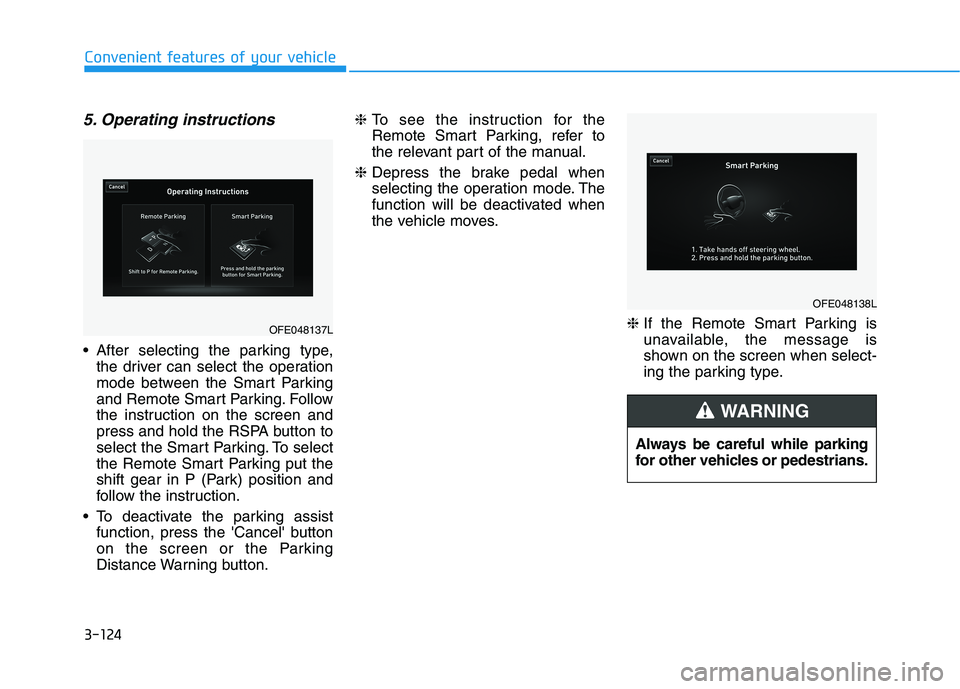
After selecting the parking type,
the driver can select the operation
mode between the Smart Parking
and Remote Smart Parking. Follow
the instruction on the screen and
press and hold the RSPA button to
select the Smart Parking. To select
the Remote Smart Parking put the
shift gear in P (Park) position and
follow the instruction.
To deactivate the parking assist
function, press the 'Cancel' button
on the screen or the Parking
Distance Warning button.❈ To see the instruction for the
Remote Smart Parking, refer to
the relevant part of the manual.
❈ Depress the brake pedal when
selecting the operation mode. The
function will be deactivated when
the vehicle moves.
❈ If the Remote Smart Parking is
unavailable, the message is
shown on the screen when select-
ing the parking type.
Always be careful while parking
for other vehicles or pedestrians.
WARNING
OFE048137L
OFE048138L
Page 212 of 561
3-125
Convenient features of your vehicle
3
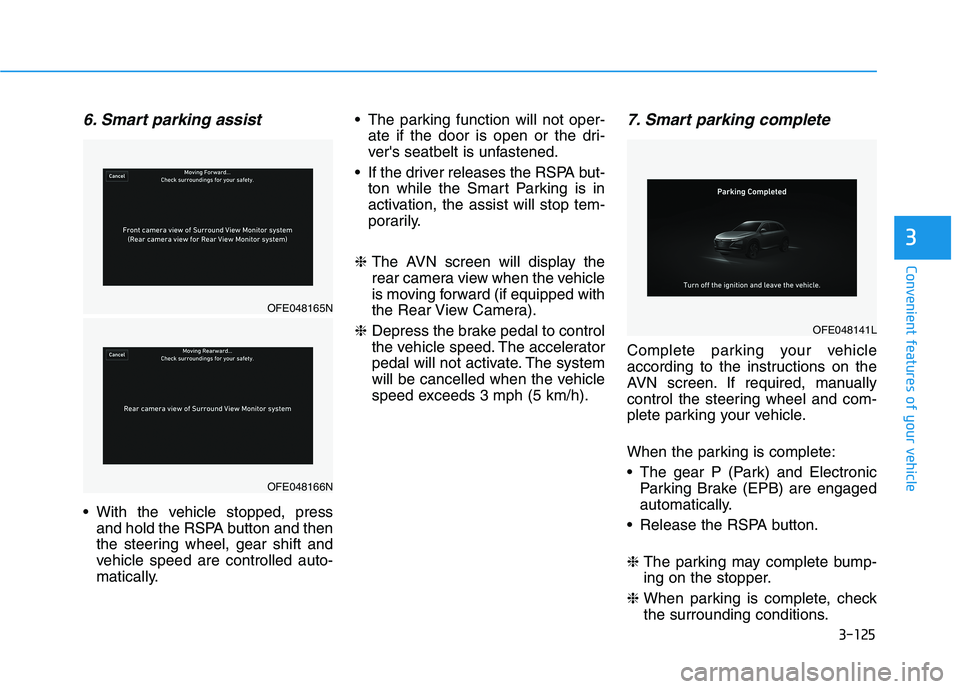
6. Smart parking assist
With the vehicle stopped, press
and hold the RSPA button and then
the steering wheel, gear shift and
vehicle speed are controlled auto-
matically. The parking function will not oper-
ate if the door is open or the dri-
ver's seatbelt is unfastened.
If the driver releases the RSPA but-
ton while the Smart Parking is in
activation, the assist will stop tem-
porarily.
❈ The AVN screen will display the
rear camera view when the vehicle
is moving forward (if equipped with
the Rear View Camera).
❈ Depress the brake pedal to control
the vehicle speed. The accelerator
pedal will not activate. The system
will be cancelled when the vehicle
speed exceeds 3 mph (5 km/h).
7. Smart parking complete
Complete parking your vehicle
according to the instructions on the
AVN screen. If required, manually
control the steering wheel and com-
plete parking your vehicle.
When the parking is complete:
The gear P (Park) and Electronic
Parking Brake (EPB) are engaged
automatically.
Release the RSPA button.
❈ The parking may complete bump-
ing on the stopper.
❈ When parking is complete, check
the surrounding conditions.
OFE048165N
OFE048166N
OFE048141L
Page 213 of 561
3-126
Convenient features of your vehicle
To cancel the Smart Parking while
in operation
(1) Press the RSPA button before
selecting the operation mode.
(2) Shift the gear to to R (Reverse)
position before the operation of
the "Smart Parking assist" stage.
(3) Press the Parking Distance
Warning button or the
'Cancel'button on the AVN
screen.
(4) Driver controls the vehicle during
the system assist
When the driver shifts the gear after
depressing the brake pedal to stop
the vehicle, the gear shifts and the
Smart Parking is deactivated. In this
case, the Electronic Parking Brake
(EPB) is not engaged.
The Smart Parking assist will stop
temporarily when:
(1) An obstacle at the direction the
vehicle is heading is detected.
(2) The door or liftgate is open.
(3) The driver’s seatbelt is unfas-
tened.
(4) The Rear Cross-Traffic Collision-
Avoidance Assist (RCCA) system
is activated while reversing.
(5) The driver releases the RSPA
button.
(6) The drivers stops the vehicle by
depressing the brake pedal.
❈The vehicle stops when the Smart
Parking assist will stop temporari-
ly and the Smart Parking assist
will resume when the above condi-
tion is cleared. If the Parking Distance Warning
system warning sound (distance
from object is within 12 in. (30
cm): continuous beep) occurs,
check the surrounding.
CAUTION