phone HYUNDAI NEXO 2021 User Guide
[x] Cancel search | Manufacturer: HYUNDAI, Model Year: 2021, Model line: NEXO, Model: HYUNDAI NEXO 2021Pages: 561, PDF Size: 48.42 MB
Page 256 of 561
3-169
Convenient features of your vehicle
3
USB Charger
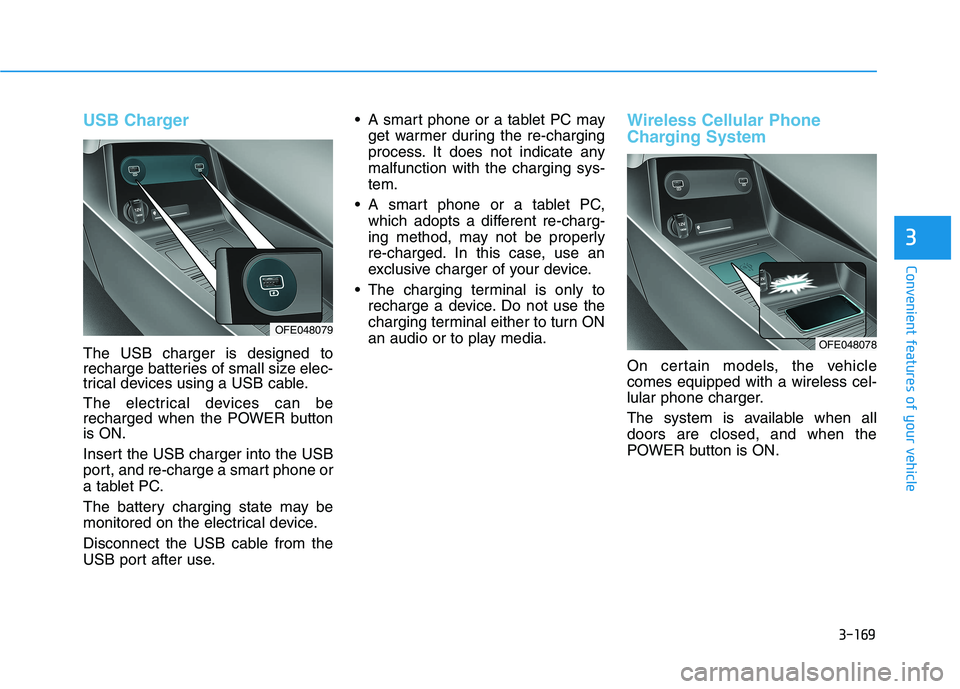
The USB charger is designed to
recharge batteries of small size elec-
trical devices using a USB cable.
The electrical devices can be
recharged when the POWER button
is ON.
Insert the USB charger into the USB
port, and re-charge a smart phone or
a tablet PC.
The battery charging state may be
monitored on the electrical device.
Disconnect the USB cable from the
USB port after use. A smart phone or a tablet PC may
get warmer during the re-charging
process. It does not indicate any
malfunction with the charging sys-
tem.
A smart phone or a tablet PC,
which adopts a different re-charg-
ing method, may not be properly
re-charged. In this case, use an
exclusive charger of your device.
The charging terminal is only to
recharge a device. Do not use the
charging terminal either to turn ON
an audio or to play media.
Wireless Cellular Phone
Charging System
On certain models, the vehicle
comes equipped with a wireless cel-
lular phone charger.
The system is available when all
doors are closed, and when the
POWER button is ON.
OFE048078OFE048079
Page 257 of 561
3-170
Convenient features of your vehicle
To charge a cellular phone
The wireless cellular phone charging
system charges only the Qi-enabled
cellular phones ( ). Read the label
on the cellular phone accessory
cover or visit your cellular phone
manufacturer's website to check
whether your cellular phone supports
the Qi technology.
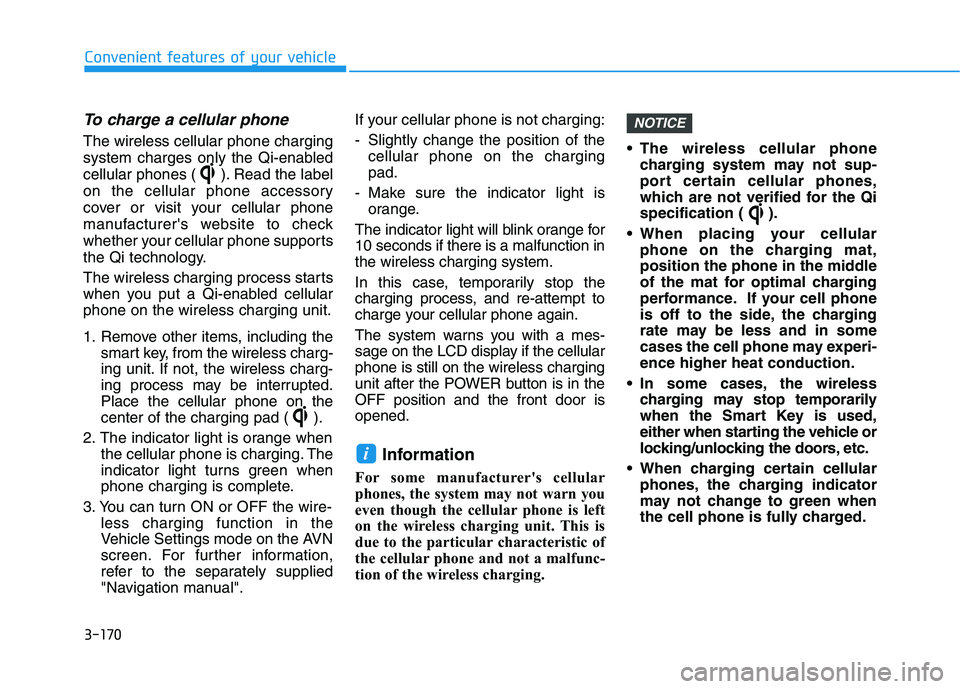
The wireless charging process starts
when you put a Qi-enabled cellular
phone on the wireless charging unit.
1. Remove other items, including the
smart key, from the wireless charg-
ing unit. If not, the wireless charg-
ing process may be interrupted.
Place the cellular phone on the
center of the charging pad ( ).
2. The indicator light is orange when
the cellular phone is charging. The
indicator light turns green when
phone charging is complete.
3. You can turn ON or OFF the wire-
less charging function in the
Vehicle Settings mode on the AVN
screen. For further information,
refer to the separately supplied
"Navigation manual".If your cellular phone is not charging:
- Slightly change the position of the
cellular phone on the charging
pad.
- Make sure the indicator light is
orange.
The indicator light will blink orange for
10 seconds if there is a malfunction in
the wireless charging system.
In this case, temporarily stop the
charging process, and re-attempt to
charge your cellular phone again.
The system warns you with a mes-
sage on the LCD display if the cellular
phone is still on the wireless charging
unit after the POWER button is in the
OFF position and the front door is
opened.
Information
For some manufacturer's cellular
phones, the system may not warn you
even though the cellular phone is left
on the wireless charging unit. This is
due to the particular characteristic of
the cellular phone and not a malfunc-
tion of the wireless charging. The wireless cellular phone
charging system may not sup-
port certain cellular phones,
which are not verified for the Qi
specification ( ).
When placing your cellular
phone on the charging mat,
position the phone in the middle
of the mat for optimal charging
performance. If your cell phone
is off to the side, the charging
rate may be less and in some
cases the cell phone may experi-
ence higher heat conduction.
In some cases, the wireless
charging may stop temporarily
when the Smart Key is used,
either when starting the vehicle or
locking/unlocking the doors, etc.
When charging certain cellular
phones, the charging indicator
may not change to green when
the cell phone is fully charged.
NOTICE
i
Page 258 of 561
3-171
Convenient features of your vehicle
3
The wireless charging process
may temporarily stop, when tem-
perature abnormally increases
inside the wireless cellular phone
charging system. Stop the charg-
ing cellular phone and wait until
temperature falls to a certain level.
The wireless charging process
may temporarily stop when there
is any metallic item, such as a
coin, between the wireless cellular
phone charging system and the
cellular phone.
When charging some cellular
phones with a self-protection fea-
ture, the wireless charging speed
may decrease and the wireless
charging may stop.
If the cellular phone has a thick
cover, the wireless charging may
not be possible.
If the cell phone is not completely
contacting the charging pad, wire-
less charging may not operate
properly.
Some magnetic items like credit
cards, phone cards or rail tickets
may be damaged if left with the
cellular phone during the charging
process. When any cellular phone without a
wireless charging function or a
metallic object is placed on the
charging pad, a small noise may
sound. This small sound is due to
the vehicle discerning compatibil-
ity of the object placed on the
charging pad. It does not affect
your vehicle or the cellular phone
in any way.
Information
If the POWER button is in the OFF
position, the charging also stops.
Information
This device complies with part 15 of
the FCC Rules.
Operation is subject to the following
two conditions:
1. This device may not cause harmful
interference, and
2. This device must accept any inter-
ference received, including interfer-
ence that may cause undesired
operation.
Clock
Select the Vehicle Settings menu on
the AVN screen➟Select [Date/Time].
GPS time: Displays time according
to the received GNSS time.
Daylight saving time : The clock is
adjusted forward one hour.
Time format : Switches to 12 hour
or 24 hour.
For more details, refer to the sepa-
rately supplied Navigation manual.
i
i
Do not attempt to adjust the
clock while driving. Doing so
may result in distracted driving
which may lead to an accident
involving personal injury or
death.
WARNING
Page 267 of 561
Bluetooth®Wireless
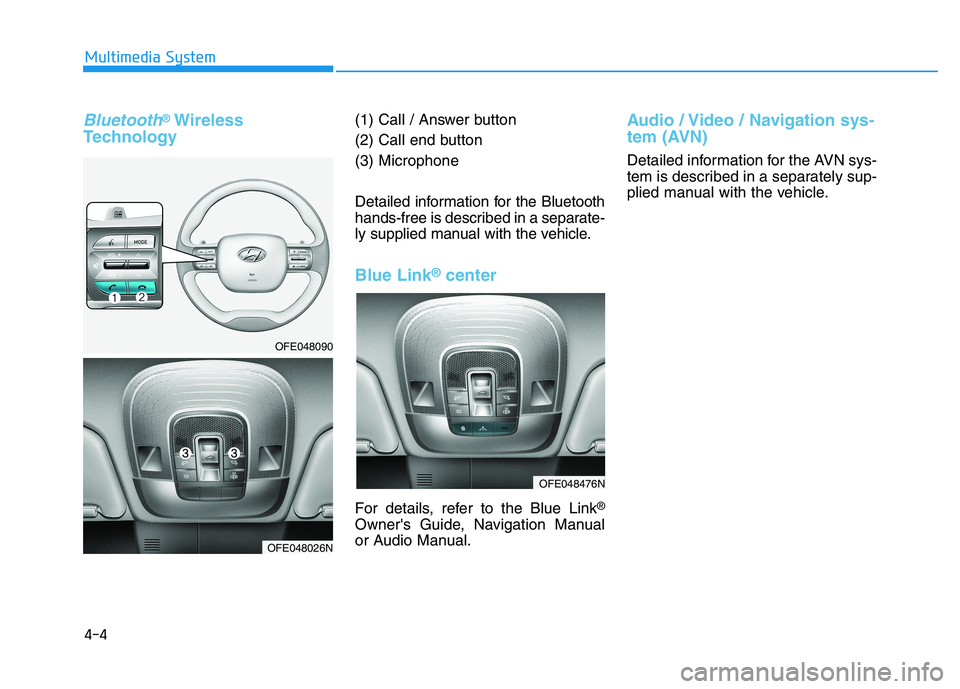
Technology(1) Call / Answer button
(2) Call end button
(3) Microphone
Detailed information for the Bluetooth
hands-free is described in a separate-
ly supplied manual with the vehicle.
Blue Link®center
For details, refer to the Blue Link®
Owner's Guide, Navigation Manual
or Audio Manual.
Audio / Video / Navigation sys-
tem (AVN)
Detailed information for the AVN sys-
tem is described in a separately sup-
plied manual with the vehicle.
4-4
Multimedia System
OFE048090
OFE048026N
OFE048476N
Page 504 of 561
8-9
88
Specifications, Consumer information and Reporting safety defectsC CO
ON
NS
SU
UM
ME
ER
R
I
IN
NF
FO
OR
RM
MA
AT
TI
IO
ON
N
This consumer information has been prepared in accordance with regulations issued by the National Highway Traffic
Safety Administration of the U.S. Department of Transportation. Your HYUNDAI dealer will help answer any questions
you may have as you read this information.
HYUNDAI motor vehicles are designed and manufactured to meet or exceed all applicable safety standards.
For your safety, however, we strongly urge you to read and follow all directions in this Owner’s Manual, particularly
the information under the headings "NOTICE", "CAUTION" and "WARNING".
If, after reading this manual, you have any questions regarding the operation of your vehicle, please contact your near-
est HYUNDAI Motor America Regional Office as listed in the following:
By Email
[email protected]
By Phone
(800) 633-5151
English : Mon - Fri 5:00 am - 7:00 pm
PST
Sat - Sun, 6:30 am -3:00 pm PST
Spanish and Korean : Mon - Fri 6:30
am - 3:00 pm PSTBy Mail
Hyundai Motor America
P.O. Box 20850
Fountain Valley, CA 92728-0850
Page 519 of 561
H14
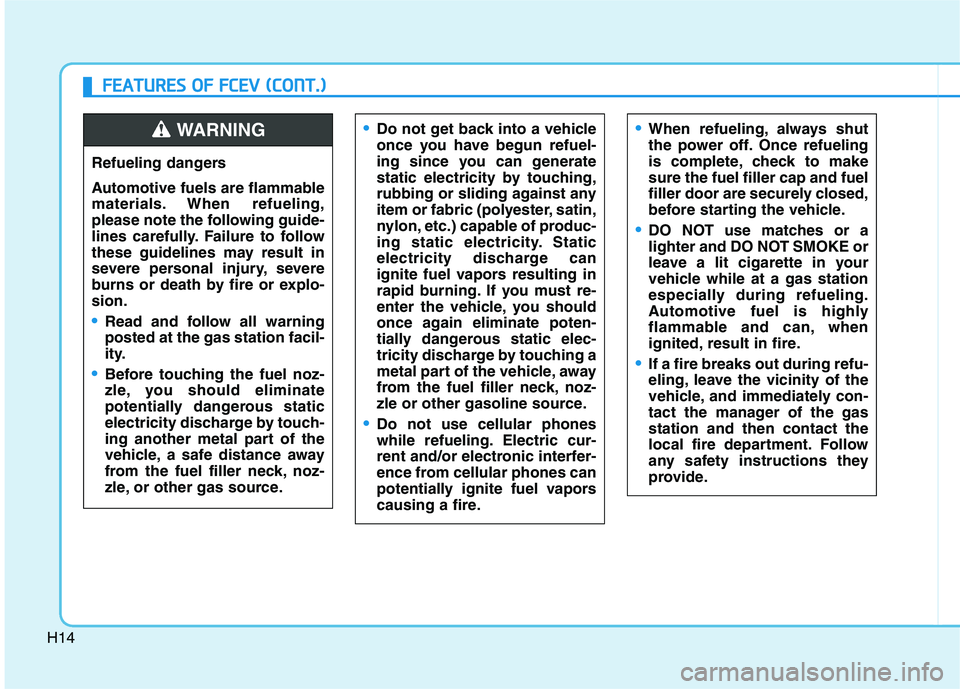
Do not get back into a vehicle
once you have begun refuel-
ing since you can generate
static electricity by touching,
rubbing or sliding against any
item or fabric (polyester, satin,
nylon, etc.) capable of produc-
ing static electricity. Static
electricity discharge can
ignite fuel vapors resulting in
rapid burning. If you must re-
enter the vehicle, you should
once again eliminate poten-
tially dangerous static elec-
tricity discharge by touching a
metal part of the vehicle, away
from the fuel filler neck, noz-
zle or other gasoline source.
Do not use cellular phones
while refueling. Electric cur-
rent and/or electronic interfer-
ence from cellular phones can
potentially ignite fuel vapors
causing a fire.
When refueling, always shut
the power off. Once refueling
is complete, check to make
sure the fuel filler cap and fuel
filler door are securely closed,
before starting the vehicle.
DO NOT use matches or a
lighter and DO NOT SMOKE or
leave a lit cigarette in your
vehicle while at a gas station
especially during refueling.
Automotive fuel is highly
flammable and can, when
ignited, result in fire.
If a fire breaks out during refu-
eling, leave the vicinity of the
vehicle, and immediately con-
tact the manager of the gas
station and then contact the
local fire department. Follow
any safety instructions they
provide.
F FE
EA
AT
TU
UR
RE
ES
S
O
OF
F
F
FC
CE
EV
V
(
(C
CO
ON
NT
T.
.)
)
Refueling dangers
Automotive fuels are flammable
materials. When refueling,
please note the following guide-
lines carefully. Failure to follow
these guidelines may result in
severe personal injury, severe
burns or death by fire or explo-
sion.
Read and follow all warning
posted at the gas station facil-
ity.
Before touching the fuel noz-
zle, you should eliminate
potentially dangerous static
electricity discharge by touch-
ing another metal part of the
vehicle, a safe distance away
from the fuel filler neck, noz-
zle, or other gas source.
WARNING
Page 556 of 561
I-6
Instrument Cluster...........................................................3-58
Instrument Cluster Control .........................................3-59
Gauges and Meters .....................................................3-59
Warning and Indicator Lights.....................................3-65
LCD Display Messages ..............................................3-76
Instrument Panel Overview ..............................................1-5
Interior Care ....................................................................7-67
Interior Features ............................................................3-164
Cup Holder ...............................................................3-164
Sunvisor ....................................................................3-165
Power Outlet.............................................................3-166
AC Inverter...............................................................3-167
USB Charger ............................................................3-169
Wireless Cellular Phone Charging System ..............3-169
Clock ........................................................................3-171
Coat Hook ................................................................3-172
Floor Mat Anchor(s) .................................................3-172
Luggage Net Holder .................................................3-173
Cargo Security Screen ..............................................3-174
Interior Overview..............................................................1-4
Introduction of FCEV .......................................................H2Lane Following Assist (LFA) System ............................5-87
LFA operation .............................................................5-88
Warning message........................................................5-90
Limitations of the system ...........................................5-92
Lane Keeping Assist (LKA) System ..............................5-79
LKA System Operation ..............................................5-80
Warning Light and Message.......................................5-83
Limitations of the System ..........................................5-85
LKA System Function Change ..................................5-86
LCD Display ...................................................................3-81
LCD Display Control .................................................3-81
LCD Display Modes ..................................................3-82
LCD Display Messages (FCEV) .....................................H16
Leading Vehicle Departure Alert ..................................5-116
System Setting and Activation .................................5-116
Light bulbs ......................................................................7-57
Headlamp, front center lamp, turn signal lamp,
daytime running lamp, parking lamp,
side marker replacement .........................................7-58
Side Repeater Lamp Replacement .............................7-58
Rear Combination Light Bulb Replacement ..............7-59
High mounted stop lamp ............................................7-59
License Plate Light Bulb Replacement ......................7-60
Interior Light Bulb Replacement ...............................7-60
Index
L
Page 561 of 561
I-11
Wiper blades ...................................................................7-24
Blade Inspection .........................................................7-24
Blade Replacement .....................................................7-24
Wipers and Washers ......................................................3-101
Front Windshield Wipers..........................................3-101
Front Windshield Washers........................................3-103
Rear Window Wiper and Washer .............................3-104
Wireless Cellular Phone Charging System ...................3-169
I
Index