warning light HYUNDAI NEXO 2023 Owner's Manual
[x] Cancel search | Manufacturer: HYUNDAI, Model Year: 2023, Model line: NEXO, Model: HYUNDAI NEXO 2023Pages: 558, PDF Size: 35.01 MB
Page 110 of 558
3-23
Convenient features of your vehicle
3
MMIIRR RROO RRSS
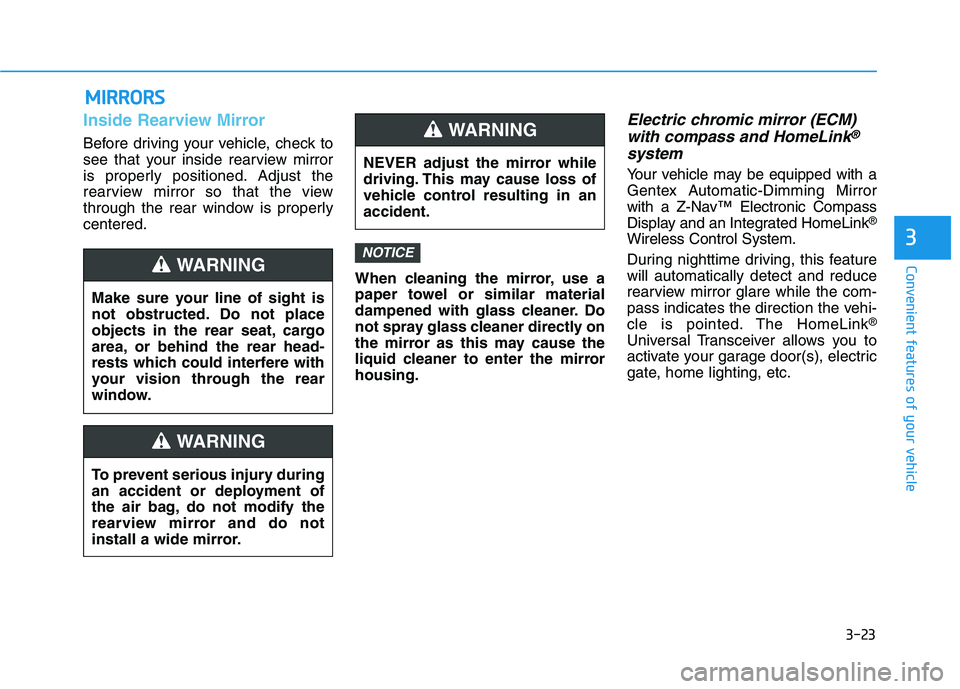
Inside Rearview Mirror
Before driving your vehicle, check to
see that your inside rearview mirror
is properly positioned. Adjust the
rearview mirror so that the view
through the rear window is properlycentered.
When cleaning the mirror, use a
paper towel or similar material
dampened with glass cleaner. Do
not spray glass cleaner directly on
the mirror as this may cause the
liquid cleaner to enter the mirrorhousing.
Electric chromic mirror (ECM)with compass and HomeLink®
system
Your vehicle may be equipped with a
Gentex Automatic-Dimming Mirror
with a Z-Nav™ Electronic Compass
Display and an Integrated HomeLink ®
Wireless Control System.
During nighttime driving, this feature will automatically detect and reduce
rearview mirror glare while the com-
pass indicates the direction the vehi-
cle is pointed. The HomeLink ®
Universal Transceiver allows you to
activate your garage door(s), electric
gate, home lighting, etc.
NOTICE
Make sure your line of sight is
not obstructed. Do not place
objects in the rear seat, cargo
area, or behind the rear head-
rests which could interfere with
your vision through the rear
window.
WARNING
To prevent serious injury during
an accident or deployment of
the air bag, do not modify the
rearview mirror and do not
install a wide mirror.
WARNING
NEVER adjust the mirror while
driving. This may cause loss of
vehicle control resulting in anaccident.
WARNING
Page 114 of 558
3-27
Convenient features of your vehicle
3
Programming HomeLink®
Please note the following:
When programming a garage door
opener, it is advised to park the
vehicle outside of the garage.
It is recommended that a new bat- tery be placed in the hand-held
transmitter of the device being pro-
grammed to HomeLink ®
for quicker
training and accurate transmission
of the radio-frequency signal.
Some vehicles may require the POWER button to be placed in the
ACC (or "Accessories") position for
programming and/or operation ofHomeLink ®
.
In the event that there are still pro- gramming difficulties or questions
after following the programming
steps listed below, contactHomeLink ®
at: www.homelink.com
or by calling 1-800-355-3515.
Rolling code programming
Rolling code devices which are
"code-protected" and manufactured
after 1996 may be determined by the
following:
Reference the device owner’s manual for verification.
The handheld transmitter appears to program the HomeLink ®
Universal Transceiver but does not
activate the device.
Press and hold the trained HomeLink button. The device has
the rolling code feature if the indi-
cator light flashes rapidly and then
turns solid after 2 seconds.
Before programming HomeLink
®
to a garage door opener or gate
operator, make sure people and
objects are out of the way of the
device to prevent potential harm
or damage. Do not use theHomeLink ®
with any garage door
opener that lacks the safety stop
and reverse features required by
federal safety standards (this
includes any garage door opener
model manufactured before April
1, 1982). A garage door that can-not detect an object - signaling
the door to stop and reverse -
does not meet current federal
safety standards. Using a garage
door opener without these fea-tures increases the risk of seri-
ous injury or death.WARNING
Page 121 of 558
3-34
Convenient features of your vehicle
Power Windows
The POWER button must be in the
ON position to be able to raise or
lower the windows. Each door has a
Power Window switch to control that
door's window. The driver has a
Power Window Lock switch which
can block the operation of rear pas-
senger windows. The power windows
will operate for approximately 10
minutes after the POWER button is
placed in the ACC or OFF position.
However, if the front doors are
opened, the Power Windows will not
operate even within the 10 minutes
period.Information
In cold and wet climates, power win- dows may not work properly due to
freezing conditions.
While driving with the rear win- dows down or with the sunroof (if
equipped) opened (or partially
opened), your vehicle may demon-
strate a wind buffeting or pulsation
noise. This noise is normal and can
be reduced or eliminated by taking
the following actions. If the noise
occurs with one or both of the rear
windows down, partially lower both
front windows approximately 2.5
cm (1 inch). If you experience the
noise with the sunroof open, slightly
close the sunroof.
Window opening and closing
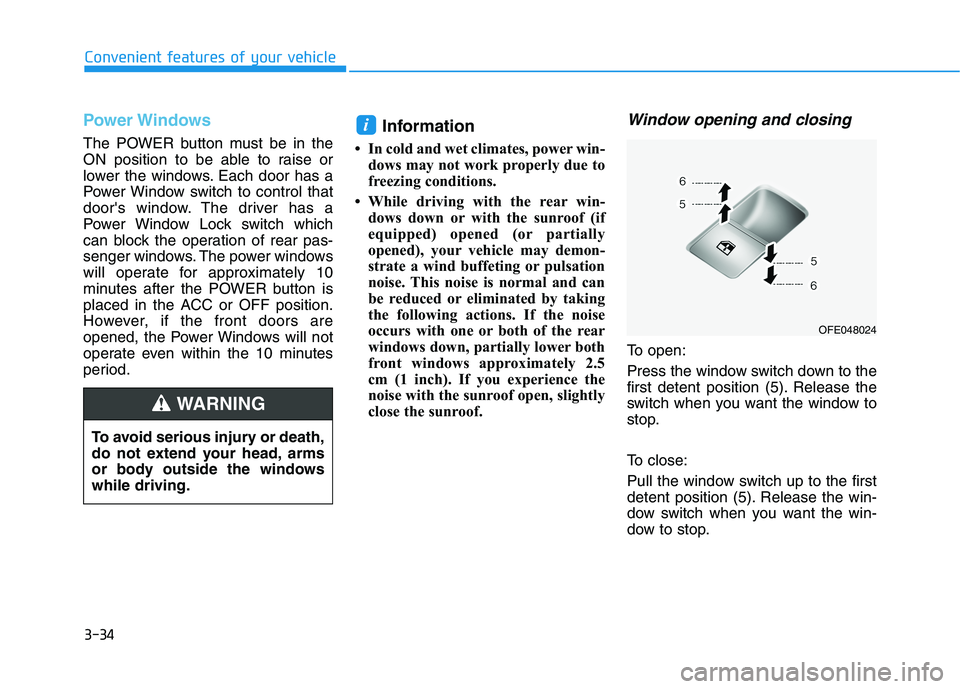
To open:
Press the window switch down to the
first detent position (5). Release the
switch when you want the window to
stop.
To close:
Pull the window switch up to the first
detent position (5). Release the win-
dow switch when you want the win-
dow to stop.
i
To avoid serious injury or death,
do not extend your head, arms
or body outside the windowswhile driving.
WARNING
OFE048024
Page 130 of 558
3-43
Convenient features of your vehicle
3
Non-Powered Tailgate (if equipped)
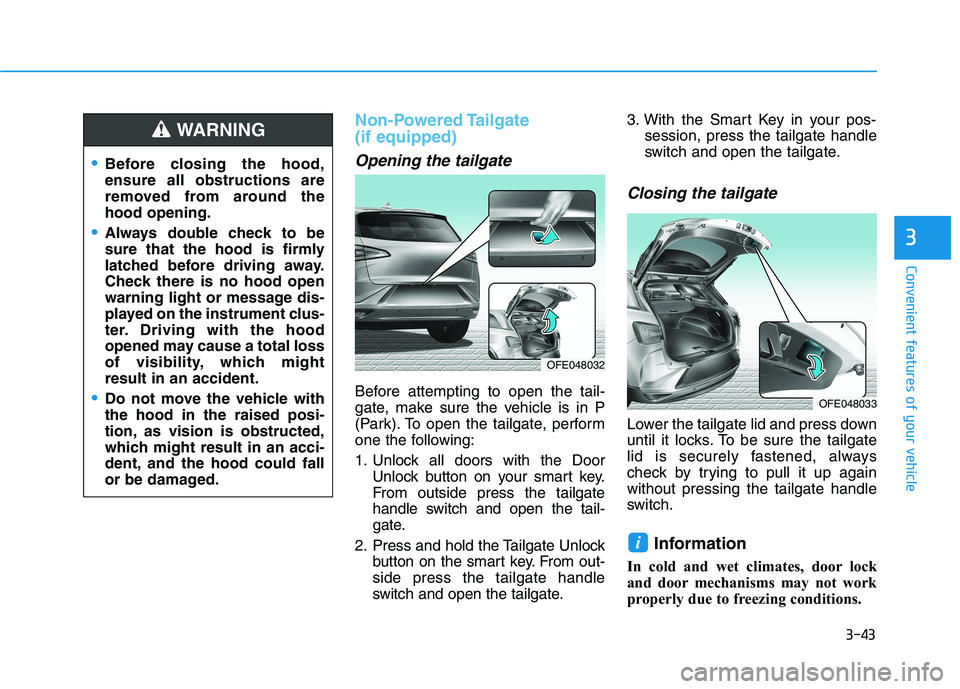
Opening the tailgate
Before attempting to open the tail-
gate, make sure the vehicle is in P
(Park). To open the tailgate, perform
one the following:
1. Unlock all doors with the DoorUnlock button on your smart key.
From outside press the tailgate
handle switch and open the tail-
gate.
2. Press and hold the Tailgate Unlock button on the smart key. From out-side press the tailgate handle
switch and open the tailgate. 3. With the Smart Key in your pos-
session, press the tailgate handle
switch and open the tailgate.
Closing the tailgate
Lower the tailgate lid and press down
until it locks. To be sure the tailgate
lid is securely fastened, always
check by trying to pull it up againwithout pressing the tailgate handle
switch.
Information
In cold and wet climates, door lock
and door mechanisms may not work
properly due to freezing conditions.
i
Before closing the hood, ensure all obstructions are
removed from around thehood opening.
Always double check to be
sure that the hood is firmly
latched before driving away.
Check there is no hood open
warning light or message dis-
played on the instrument clus-
ter. Driving with the hood
opened may cause a total loss
of visibility, which mightresult in an accident.
Do not move the vehicle with the hood in the raised posi-
tion, as vision is obstructed,
which might result in an acci-
dent, and the hood could fall
or be damaged.
WARNING
OFE048032
OFE048033
Page 139 of 558
3-52
Convenient features of your vehicle
How to use the Smart Tailgate
The hands-free smart tailgate sys- tem can be opened automatically
when the following conditions aremet:
The Smart Tailgate option isenabled in the User Settings in the
AVN screen.
The Smart Tailgate is activated and ready 15 seconds after all the
doors are closed and locked
The Smart Tailgate will open when the smart key is detected in the
area behind the vehicle for 3 sec-onds Information
The Smart Tailgate will NOT operate
when:
Any door is open, or all doors are closed but not locked
The smart key is detected within 15 seconds from when the doors were
closed and locked
For vehicles equipped with illumi- nated exterior front door handles, if
the smart key is detected within 15
seconds from when the doors were
closed and locked or if the smart key
is within 1.5 m (60 inches) from the
front door handles
The smart key is in the vehicle. 1. Setting
To activate the Smart Tailgate, go to
"Vehicle settings
Door/Liftgate"
and select Smart Liftgate on the AVNscreen.
For more details refer to the sepa-
rately supplied Navigation manu-al.
2.Detect and Alert
The Smart Tailgate detecting area
extends approximately 50-100 cm
(20-40 in) behind the vehicle. If youare positioned in the detecting area
and are carrying the smart key, the
hazard warning lights will blink and
the chime will sound to alert you that
the smart tailgate will open.
Information
Do not approach the detecting area if
you do not want the tailgate to open. If
you have unintentionally entered the
detecting area and the hazard warn-
ing lights and chime starts to operate,
move away from the area behind the
vehicle with the smart key. The tail-
gate will remain closed.
i
i
Page 140 of 558
3-53
Convenient features of your vehicle
3
3. Automatic opening
After the hazard warning lights blink
and the chime sounds 6 times, the
power tailgate will open.How to deactivate the SmartTailgate function using the
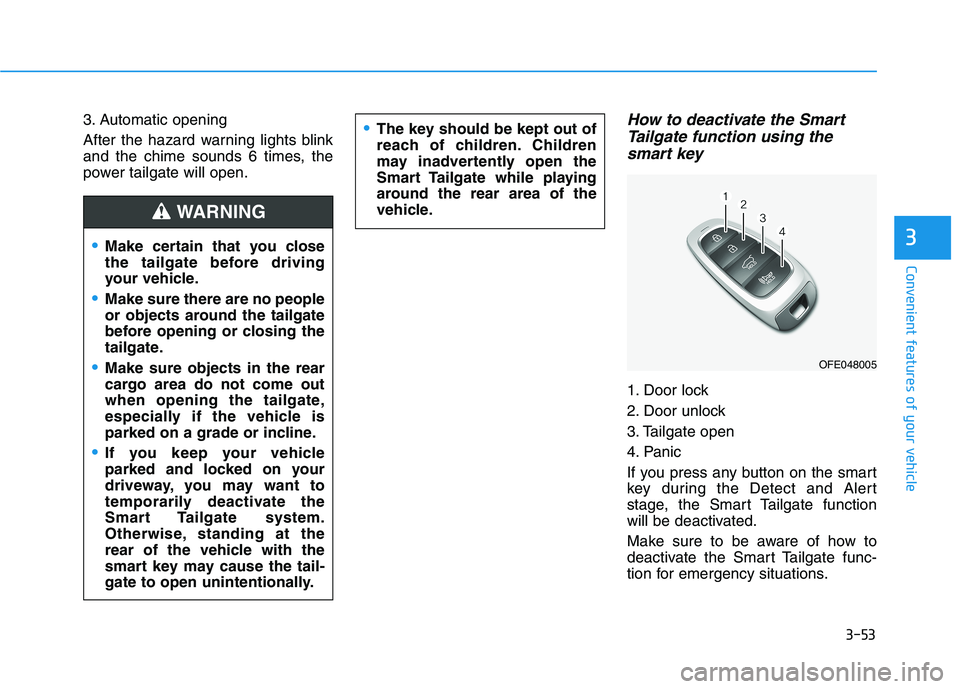
smart key
1. Door lock
2. Door unlock
3. Tailgate open
4. Panic
If you press any button on the smart
key during the Detect and Alert
stage, the Smart Tailgate function
will be deactivated.
Make sure to be aware of how to
deactivate the Smart Tailgate func-
tion for emergency situations.
Make certain that you close
the tailgate before driving
your vehicle.
Make sure there are no people
or objects around the tailgate
before opening or closing the
tailgate.
Make sure objects in the rear
cargo area do not come out
when opening the tailgate,
especially if the vehicle is
parked on a grade or incline.
If you keep your vehicle
parked and locked on your
driveway, you may want to
temporarily deactivate the
Smart Tailgate system.
Otherwise, standing at the
rear of the vehicle with the
smart key may cause the tail-
gate to open unintentionally.
WARNING
The key should be kept out of
reach of children. Children
may inadvertently open the
Smart Tailgate while playing
around the rear area of the
vehicle.
OFE048005
Page 141 of 558
3-54
Convenient features of your vehicle
Information
If you press the door unlock button (2), the Smart Tailgate function will
be deactivated temporarily. But, if
you do not open any door for 30 sec-
onds, the Smart Tailgate function
will be activated again.
If you press the tailgate open button (3) for more than 1 second, the tail-
gate opens.
The Smart Tailgate function will still be activated if you press the
door lock button (1) or tailgate open
button (3) on the smart key as long
as the Smart Tailgate is not already
in the Detect and Alert stage.
In case you have deactivated the Smart Tailgate function by pressing
the smart key button and opened a
door, the Smart Tailgate function
can be activated again by closing
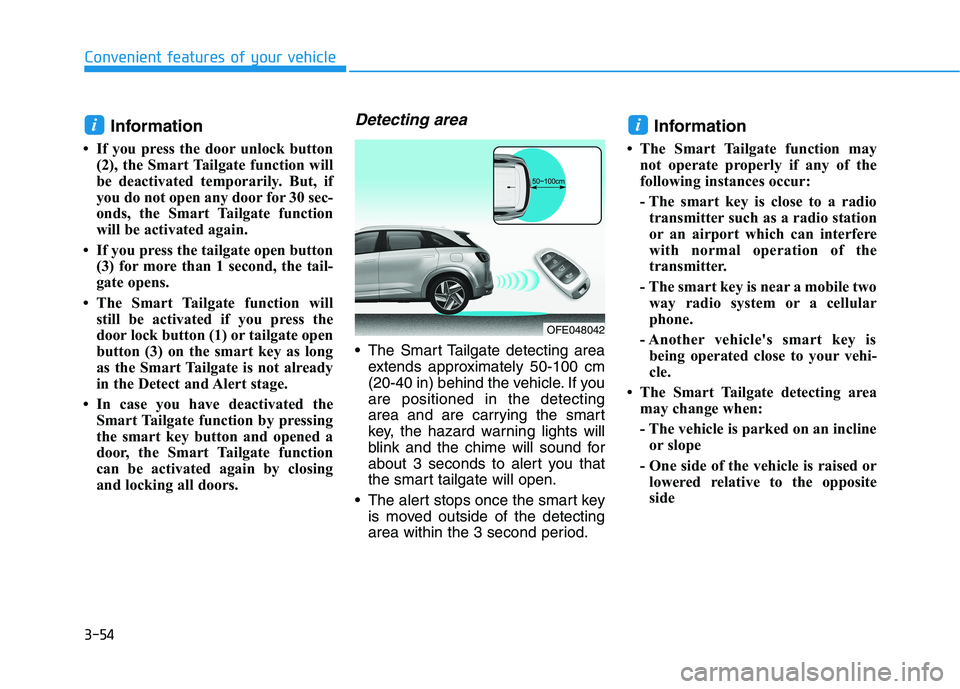
and locking all doors.Detecting area
The Smart Tailgate detecting areaextends approximately 50-100 cm
(20-40 in) behind the vehicle. If youare positioned in the detecting
area and are carrying the smart
key, the hazard warning lights will
blink and the chime will sound for
about 3 seconds to alert you that
the smart tailgate will open.
The alert stops once the smart key is moved outside of the detecting
area within the 3 second period. Information
The Smart Tailgate function may not operate properly if any of the
following instances occur:
- The smart key is close to a radiotransmitter such as a radio station
or an airport which can interfere
with normal operation of the
transmitter.
- The smart key is near a mobile two way radio system or a cellular
phone.
- Another vehicle's smart key is being operated close to your vehi-
cle.
The Smart Tailgate detecting area may change when:
- The vehicle is parked on an inclineor slope
- One side of the vehicle is raised or lowered relative to the opposite
side
ii
OFE048042
Page 142 of 558
3-55
Convenient features of your vehicle
3
Fuel Filler Door
Opening the fuel filler door
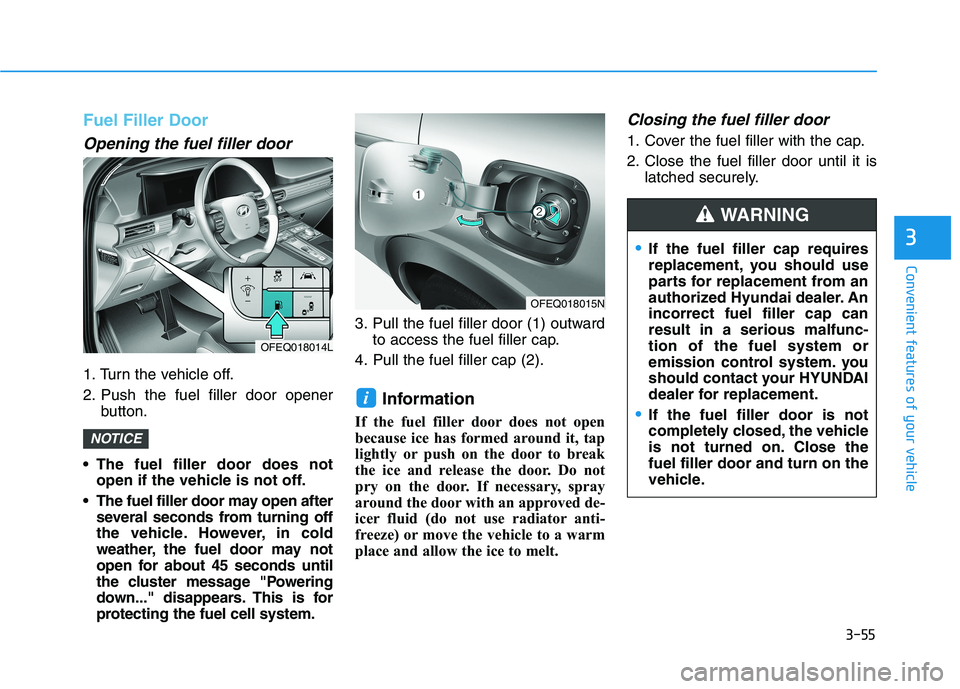
1. Turn the vehicle off.
2. Push the fuel filler door openerbutton.
The fuel filler door does not open if the vehicle is not off.
The fuel filler door may open after several seconds from turning off
the vehicle. However, in cold
weather, the fuel door may not
open for about 45 seconds until
the cluster message "Powering
down..." disappears. This is for
protecting the fuel cell system. 3. Pull the fuel filler door (1) outward
to access the fuel filler cap.
4. Pull the fuel filler cap (2).
Information
If the fuel filler door does not open
because ice has formed around it, tap
lightly or push on the door to break
the ice and release the door. Do not
pry on the door. If necessary, spray
around the door with an approved de-
icer fluid (do not use radiator anti-
freeze) or move the vehicle to a warm
place and allow the ice to melt.
Closing the fuel filler door
1. Cover the fuel filler with the cap.
2. Close the fuel filler door until it is latched securely.
i
NOTICE
OFEQ018014L
OFEQ018015N
If the fuel filler cap requires
replacement, you should use
parts for replacement from an
authorized Hyundai dealer. Anincorrect fuel filler cap canresult in a serious malfunc-tion of the fuel system or
emission control system. you
should contact your HYUNDAI
dealer for replacement.
If the fuel filler door is not
completely closed, the vehicle
is not turned on. Close thefuel filler door and turn on the
vehicle.
WARNING
Page 143 of 558
3-56
Convenient features of your vehicle
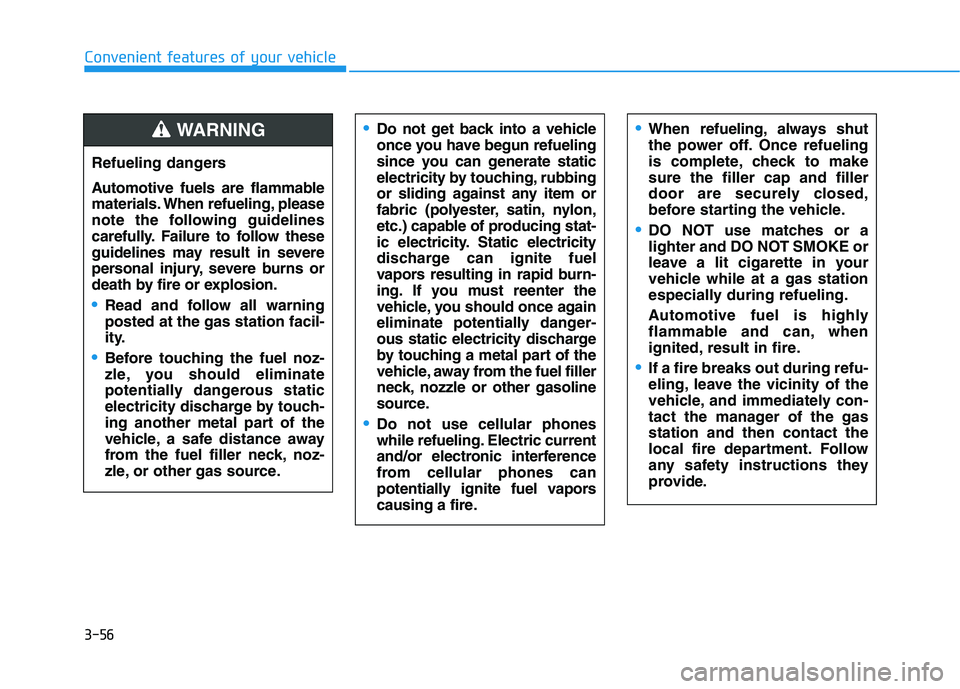
Refueling dangers
Automotive fuels are flammable
materials. When refueling, please
note the following guidelines
carefully. Failure to follow these
guidelines may result in severe
personal injury, severe burns or
death by fire or explosion.
Read and follow all warning posted at the gas station facil-
ity.
Before touching the fuel noz-
zle, you should eliminate
potentially dangerous static
electricity discharge by touch-
ing another metal part of the
vehicle, a safe distance away
from the fuel filler neck, noz-
zle, or other gas source.
Do not get back into a vehicle
once you have begun refueling
since you can generate static
electricity by touching, rubbing
or sliding against any item or
fabric (polyester, satin, nylon,
etc.) capable of producing stat-
ic electricity. Static electricity
discharge can ignite fuel
vapors resulting in rapid burn-
ing. If you must reenter the
vehicle, you should once again
eliminate potentially danger-
ous static electricity discharge
by touching a metal part of the
vehicle, away from the fuel filler
neck, nozzle or other gasoline
source.
Do not use cellular phones
while refueling. Electric current
and/or electronic interference
from cellular phones can
potentially ignite fuel vapors
causing a fire.
When refueling, always shut
the power off. Once refueling
is complete, check to makesure the filler cap and filler
door are securely closed,
before starting the vehicle.
DO NOT use matches or a
lighter and DO NOT SMOKE or
leave a lit cigarette in your
vehicle while at a gas station
especially during refueling.
Automotive fuel is highly
flammable and can, when
ignited, result in fire.
If a fire breaks out during refu-
eling, leave the vicinity of the
vehicle, and immediately con-
tact the manager of the gasstation and then contact the
local fire department. Follow
any safety instructions they
provide.
WARNING
Page 145 of 558
3-58
Convenient features of your vehicleI
I NN SSTT RR UU MM EENN TT CC LLUU SSTT EERR
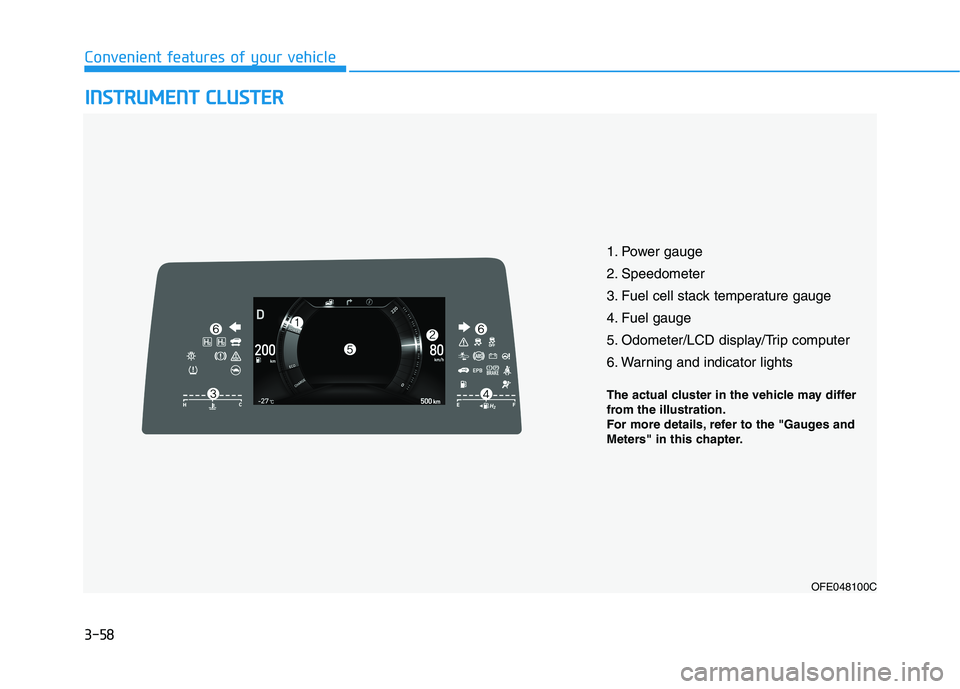
1. Power gauge
2. Speedometer
3. Fuel cell stack temperature gauge
4. Fuel gauge
5. Odometer/LCD display/Trip computer
6. Warning and indicator lights
OFE048100C
The actual cluster in the vehicle may differ
from the illustration.
For more details, refer to the "Gauges and
Meters" in this chapter.