wheel HYUNDAI NEXO 2023 Service Manual
[x] Cancel search | Manufacturer: HYUNDAI, Model Year: 2023, Model line: NEXO, Model: HYUNDAI NEXO 2023Pages: 558, PDF Size: 35.01 MB
Page 264 of 558
Infotainment System
Infotainment System..............................................4-2USB and iPod ®
port..........................................................4-2
Antenna ...............................................................................4-2
Steering wheel audio controls .......................................4-3
Bluetooth® Wireless Technology ..................................4-4
Blue Link ®
center .............................................................4-4
Audio / Video / Navigation system (AVN) ..................4-4
4
Page 266 of 558
4-3
Infotainment System
4
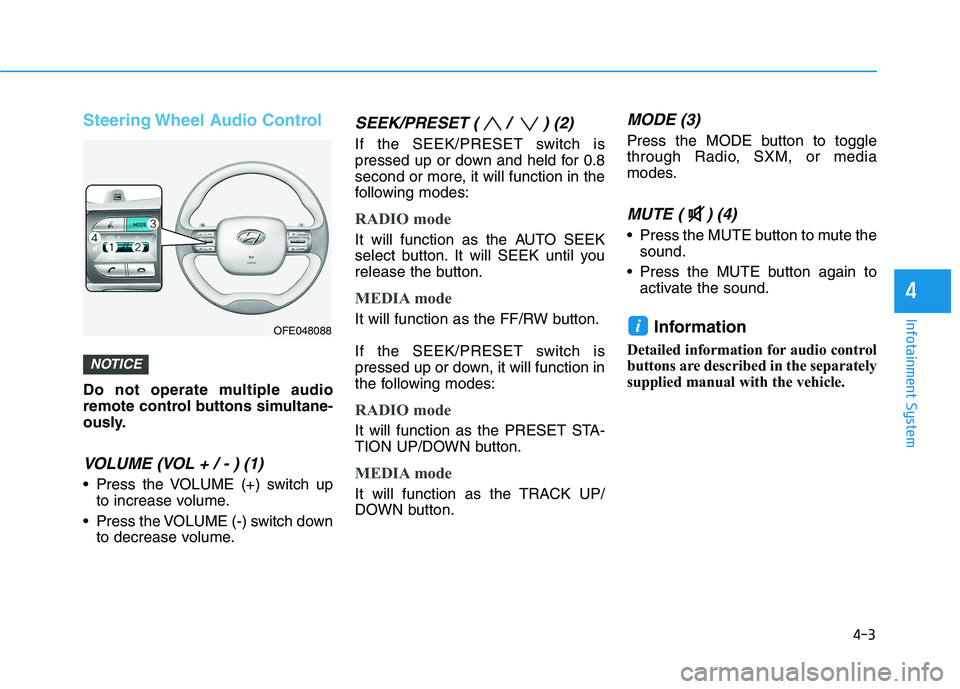
Steering Wheel Audio Control
Do not operate multiple audio
remote control buttons simultane-
ously.
VOLUME (VOL + / - ) (1)
Press the VOLUME (+) switch upto increase volume.
Press the VOLUME (-) switch down to decrease volume.
SEEK/PRESET ( / ) (2)
If the SEEK/PRESET switch is
pressed up or down and held for 0.8
second or more, it will function in the
following modes:
RADIO mode
It will function as the AUTO SEEK
select button. It will SEEK until you
release the button.
MEDIA mode
It will function as the FF/RW button.
If the SEEK/PRESET switch is
pressed up or down, it will function in
the following modes:
RADIO mode
It will function as the PRESET STA-
TION UP/DOWN button.
MEDIA mode
It will function as the TRACK UP/
DOWN button.
MODE (3)
Press the MODE button to toggle
through Radio, SXM, or media
modes.
MUTE ( ) (4)
Press the MUTE button to mute thesound.
Press the MUTE button again to activate the sound.
Information
Detailed information for audio control
buttons are described in the separately
supplied manual with the vehicle.
i
NOTICE
OFE048088
Page 271 of 558
5-4
Driving your vehicle
Before Entering the Vehicle
• Be sure all windows, outside mir-ror(s), and outside lights are clean
and unobstructed.
Remove frost, snow, or ice.
Visually check the tires for uneven wear and damage.
Check under the vehicle for any sign of leaks.
Be sure there are no obstacles behind you if you intend to back up.
Before Starting
Make sure the hood, the tailgate,and the doors are securely closed
and locked.
Adjust the position of the seat and steering wheel.
Adjust the inside and outside rearview mirrors.
Verify all the lights work.
Fasten your seatbelt. Check that all passengers have fastened their
seatbelts.
Check the gauges and indicators in the instrument panel and the mes-
sages on the instrument display
when the POWER button is in theON position.
Check that any items you are car- rying are stored properly or fas-
tened down securely.
BBEEFFOO RREE DD RRIIVV IINN GG
To reduce the risk of SERIOUS
INJURY or DEATH, take the fol-
lowing precautions:
•ALWAYS wear your seat belt.
All passengers must be prop-
erly belted whenever the vehi-
cle is moving. For more
details, refer to "Seat Belts" in
chapter 2.
Always drive defensively.
Assume other drivers or pedes-
trians may be careless andmake mistakes.
Stay focused on the task of
driving. Driver distraction cancause accidents.
Leave plenty of space between
you and the vehicle in front of
you.
WARNING
Page 273 of 558
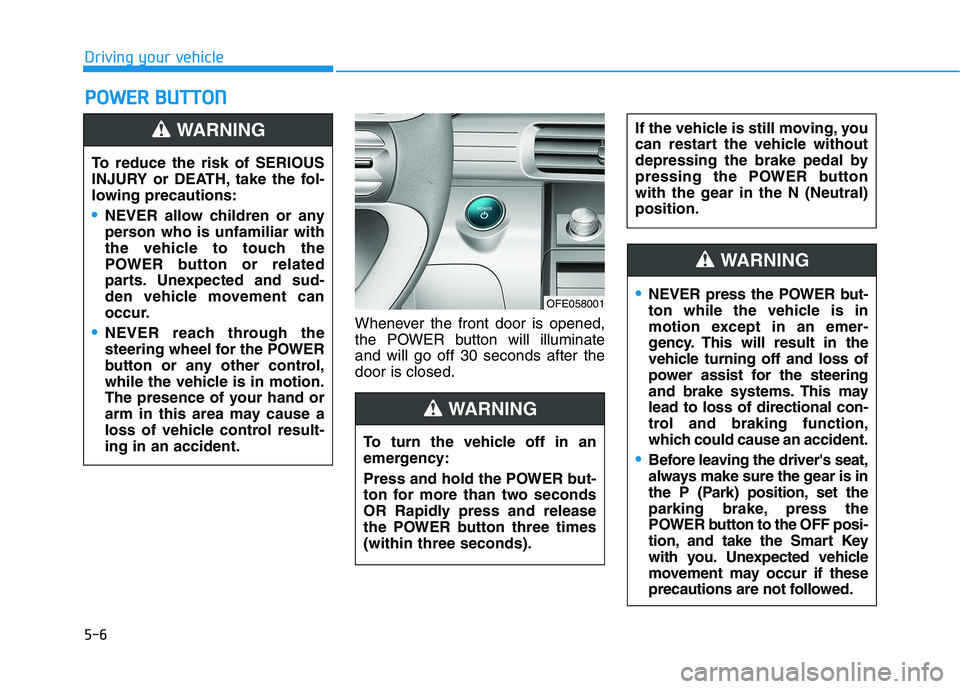
5-6Whenever the front door is opened,
the POWER button will illuminateand will go off 30 seconds after thedoor is closed.
PP
OO WW EERR BB UU TTTTOO NN
Driving your vehicle
To reduce the risk of SERIOUS
INJURY or DEATH, take the fol-
lowing precautions:
NEVER allow children or any
person who is unfamiliar with
the vehicle to touch the
POWER button or related
parts. Unexpected and sud-
den vehicle movement can
occur.
NEVER reach through the
steering wheel for the POWER
button or any other control,
while the vehicle is in motion.
The presence of your hand or
arm in this area may cause a
loss of vehicle control result-ing in an accident.
WARNING
OFE058001
To turn the vehicle off in an
emergency:
Press and hold the POWER but-
ton for more than two seconds
OR Rapidly press and release
the POWER button three times(within three seconds).
If the vehicle is still moving, you
can restart the vehicle without
depressing the brake pedal by
pressing the POWER button
with the gear in the N (Neutral)position.
WARNING
NEVER press the POWER but-
ton while the vehicle is in
motion except in an emer-
gency. This will result in the
vehicle turning off and loss of
power assist for the steering
and brake systems. This maylead to loss of directional con-
trol and braking function,
which could cause an accident.
Before leaving the driver's seat,
always make sure the gear is in
the P (Park) position, set the
parking brake, press the
POWER button to the OFF posi-
tion, and take the Smart Key
with you. Unexpected vehicle
movement may occur if these
precautions are not followed.
WARNING
Page 279 of 558
![HYUNDAI NEXO 2023 Service Manual 5-12
Driving your vehicle
P (Park)
Always come to a complete stop
before shifting into P (Park).
To shift the gear from R (Reverse), N
(Neutral) or D (Drive) to P (Park),
press the [P] button.
If](/img/35/56173/w960_56173-278.png "HYUNDAI NEXO 2023 Service Manual 5-12
Driving your vehicle
P (Park)
Always come to a complete stop
before shifting into P (Park).
To shift the gear from R (Reverse), N
(Neutral) or D (Drive) to P (Park),
press the [P] button.
If")
5-12
Driving your vehicle
P (Park)
Always come to a complete stop
before shifting into P (Park).
To shift the gear from R (Reverse), N
(Neutral) or D (Drive) to P (Park),
press the [P] button.
If you turn off the vehicle in D (Drive)
or R (Reverse), the gear automatical-
ly shifts to P (Park).
R (Reverse)
Use this position to drive the vehicle
backward.
To shift to R (Reverse), press the [R]
button while depressing the brakepedal.
N (Neutral)
The wheels and gear are not engaged.
To shift to N (Neutral), press the [N]
button while depressing the brakepedal.
Always depress the brake pedal
when you are shifting from N
(Neutral) to another gear.
In N (Neutral), if the driver attempts
to turn off the vehicle, the gear
remains in N (Neutral) and the
POWER button will be in the ACCposition.
To turn off the vehicle from the ACC
position, press the [P] button within 3
minutes. The vehicle will shift to P
(Park) and turn off.When the driver’s door is opened
within 3 minutes with the POWER
button in the ACC position and the
gear in N (Neutral), the vehicle is
automatically turned OFF and shifted
to the P (Park) position.
D (Drive)
This is the normal driving position.
To shift to D (Drive), press the [D]
button while depressing the brakepedal.
Shifting into P (Park) while the
vehicle is in motion may
cause you to lose control of
the vehicle.
After the vehicle has stopped,
always make sure the gear is
in P (Park), apply the parking
brake, and turn the vehicle off.
Do not use the P (Park) posi- tion in place of the parking
brake.
WARNING
Page 283 of 558
5-16
Driving your vehicle
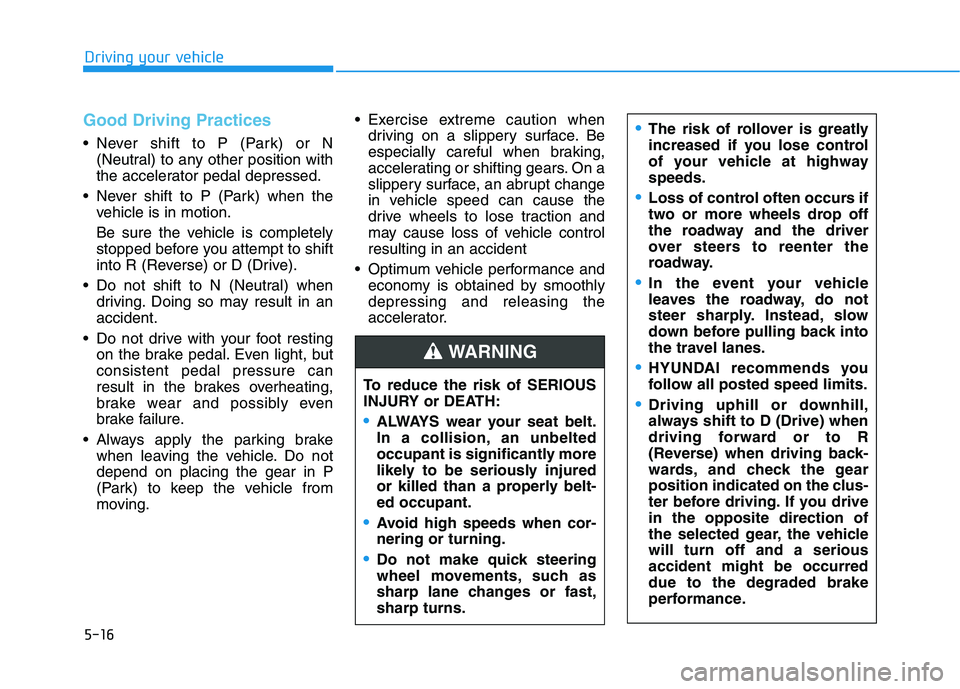
Good Driving Practices
Never shift to P (Park) or N(Neutral) to any other position with
the accelerator pedal depressed.
Never shift to P (Park) when the vehicle is in motion.
Be sure the vehicle is completely
stopped before you attempt to shift
into R (Reverse) or D (Drive).
Do not shift to N (Neutral) when driving. Doing so may result in anaccident.
Do not drive with your foot resting on the brake pedal. Even light, butconsistent pedal pressure can
result in the brakes overheating,
brake wear and possibly even
brake failure.
Always apply the parking brake when leaving the vehicle. Do notdepend on placing the gear in P
(Park) to keep the vehicle from
moving. Exercise extreme caution when
driving on a slippery surface. Be
especially careful when braking,
accelerating or shifting gears. On a
slippery surface, an abrupt change
in vehicle speed can cause the
drive wheels to lose traction and
may cause loss of vehicle controlresulting in an accident
Optimum vehicle performance and economy is obtained by smoothlydepressing and releasing the
accelerator.
To reduce the risk of SERIOUS
INJURY or DEATH:
ALWAYS wear your seat belt.
In a collision, an unbelted
occupant is significantly more
likely to be seriously injured
or killed than a properly belt-ed occupant.
Avoid high speeds when cor- nering or turning.
Do not make quick steering
wheel movements, such as
sharp lane changes or fast,sharp turns.
WARNING
The risk of rollover is greatly
increased if you lose control
of your vehicle at highwayspeeds.
Loss of control often occurs if
two or more wheels drop off
the roadway and the driver
over steers to reenter the
roadway.
In the event your vehicle
leaves the roadway, do not
steer sharply. Instead, slow
down before pulling back into
the travel lanes.
HYUNDAI recommends you
follow all posted speed limits.
Driving uphill or downhill,
always shift to D (Drive) when
driving forward or to R
(Reverse) when driving back-
wards, and check the gear
position indicated on the clus-
ter before driving. If you drivein the opposite direction of
the selected gear, the vehiclewill turn off and a seriousaccident might be occurreddue to the degraded brake
performance.
Page 296 of 558
5-29
Driving your vehicle
Anti-lock Brake System (ABS)
ABS is an electronic braking system
that helps prevent a braking skid.
ABS allows the driver to steer and
brake at the same time.
Using ABS
To obtain the maximum benefit from
your ABS in an emergency situation,
do not attempt to modulate your
brake pressure and do not try to
pump your brakes. Depress your
brake pedal as hard as possible.
When you apply your brakes under
conditions which may lock the
wheels, you may hear sounds from
the brakes, or feel a corresponding
sensation in the brake pedal. This is
normal and it means your ABS is
active. ABS does not reduce the time or dis-
tance it takes to stop the vehicle.
Always maintain a safe distance from
the vehicle in front of you.
ABS will not prevent a skid that results from sudden changes in
direction, such as trying to take a
corner too fast or making a sudden
lane change. Always drive at a safe
speed for the road and weather con-
ditions.
5
An Anti-Lock Braking System
(ABS) or an Electronic Stability
Control (ESC) system will not
prevent accidents due to
improper or dangerous driving
maneuvers. Even though vehi-
cle control is improved during
emergency braking, always
maintain a safe distance
between you and objects ahead
of you. Vehicle speeds should
always be reduced during
extreme road conditions. The
braking distance for cars
equipped with ABS or ESC may
be longer than for those without
these systems in the following
road conditions.
Drive your vehicle at reduced
speeds during the followingconditions:
Rough, gravel or snow-cov-
ered roads.
WARNING
On roads where the road sur-
face is pitted or has differentsurface height.
The safety features of an ABS
or ESC equipped vehicle should
not be tested by high speed
driving or cornering. This could
endanger the safety of yourself
or others.
Page 297 of 558
5-30
ABS cannot prevent a loss of stabili-
ty. Always steer moderately when
braking hard. Severe or sharp steer-
ing wheel movement can still cause
your vehicle to veer into oncoming
traffic or off the road.
On loose or uneven road surfaces,
operation of the anti-lock brake sys-
tem may result in a longer stopping
distance than for vehicles equipped
with a conventional brake system.
The ABS warning light ( ) will stay
on for several seconds after the
POWER button is in the ON position.
During that time, the ABS will gothrough self-diagnosis and the light
will go off if everything is normal. If
the light stays on, you may have a
problem with your ABS. Contact an
authorized HYUNDAI dealer as soon
as possible.
When you drive on a road having
poor traction, such as an icy road,
and apply your brakes continu-
ously, the ABS will be active con-
tinuously and the ABS warning
light ( ) may illuminate. Pull
your car over to a safe place and
turn the vehicle off.
Restart the vehicle. If the ABS
warning light is off, then your ABSsystem is normal.
Otherwise, you may have a prob-
lem with your ABS system.
Contact an authorized HYUNDAI
dealer as soon as possible.
Information
When you jump start your vehicle
because of a drained battery, the ABS
warning light ( ) may turn on at the
same time. This happens because of
the low battery voltage. It does not
mean your ABS is malfunctioning.
Have the battery recharged before
driving the vehicle.
i
NOTICE
Driving your vehicle
If the ABS warning light ( ) is
on and stays on, you may have
a problem with the ABS. Your
power brakes will work normal-
ly. To reduce the risk of serious
injury or death, contact your
HYUNDAI dealer as soon as
possible.
WARNING
Page 299 of 558
5-32
Driving your vehicle
When operating
When the ESC is in opera- tion, the ESC indicator light
blinks:
conditions which may lock the
wheels, you may hear sounds from
the brakes, or feel a corresponding
sensation in the brake pedal. This is
normal and it means your ESC is
active.
cle may not respond to the acceler-ator as it does under routine condi-
tions.
use when the ESC activates, the
Smart Cruise Control automatically
disengages. The Smart CruiseControl can be reenga ged when the
road conditions allow. See "Smart
cruise control with stop & go sys-
tem" later in this chapter.
ESC OFF condition
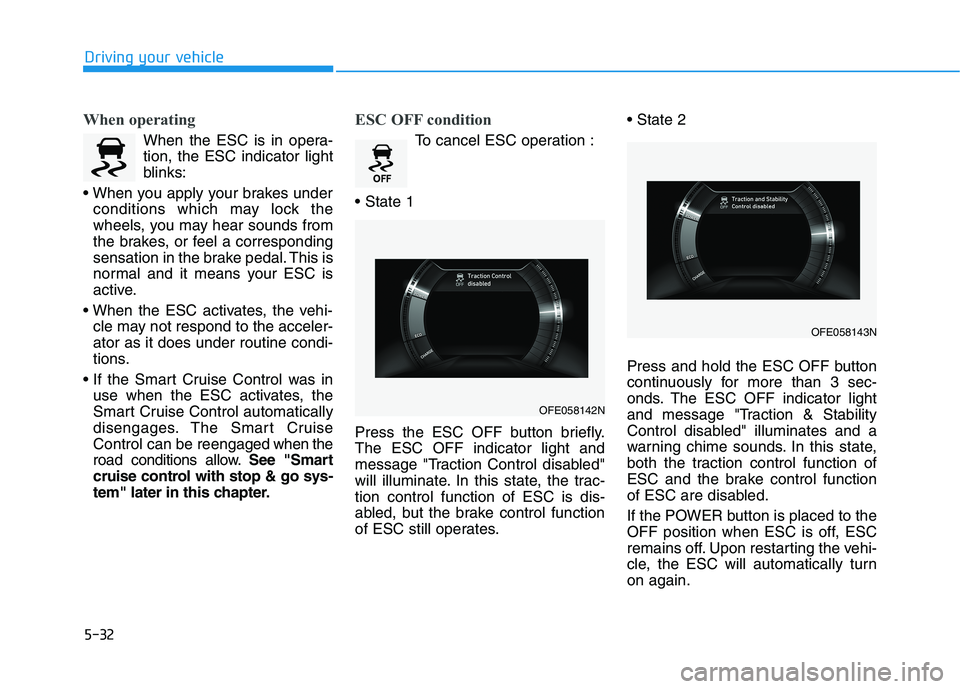
To cancel ESC operation :
Press the ESC OFF button briefly. The ESC OFF indicator light and
message "Traction Control disabled"
will illuminate. In this state, the trac-tion control function of ESC is dis-
abled, but the brake control function
of ESC still operates.
Press and hold the ESC OFF button
continuously for more than 3 sec-
onds. The ESC OFF indicator light
and message "Traction & Stability
Control disabled" illuminates and a
warning chime sounds. In this state,
both the traction control function of
ESC and the brake control function
of ESC are disabled.
If the POWER button is placed to the
OFF position when ESC is off, ESC
remains off. Upon restarting the vehi-
cle, the ESC will automatically turnon again.
OFE058142N
OFE058143N
Page 300 of 558
5-33
Driving your vehicle
5
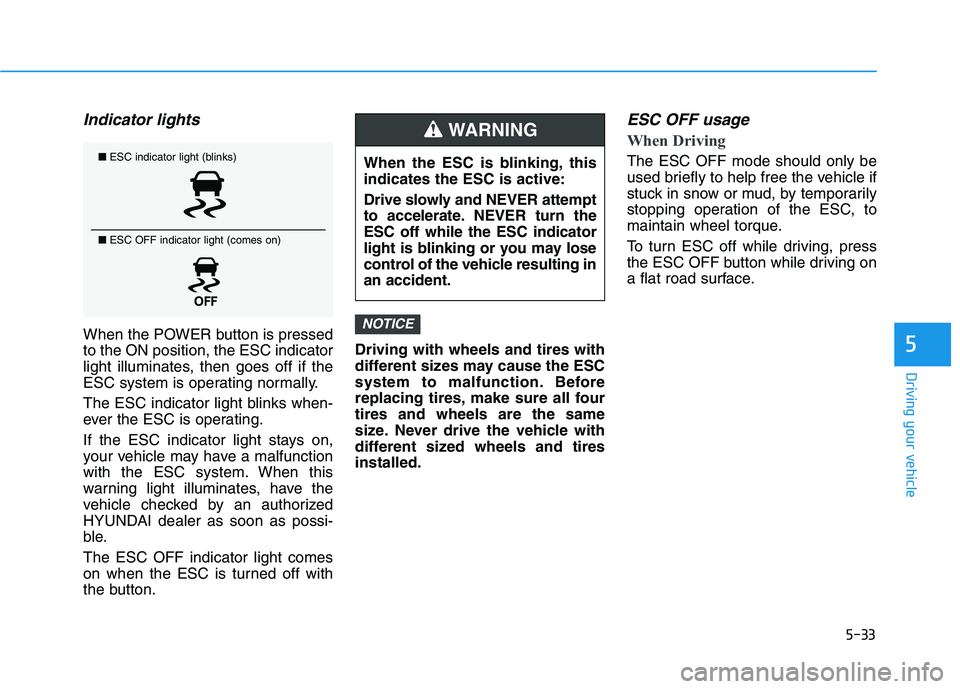
Indicator lights
When the POWER button is pressed to the ON position, the ESC indicator
light illuminates, then goes off if the
ESC system is operating normally.
The ESC indicator light blinks when-
ever the ESC is operating.
If the ESC indicator light stays on,
your vehicle may have a malfunction
with the ESC system. When this
warning light illuminates, have the
vehicle checked by an authorized
HYUNDAI dealer as soon as possi-
ble. The ESC OFF indicator light comes
on when the ESC is turned off with
the button.Driving with wheels and tires with
different sizes may cause the ESC
system to malfunction. Before
replacing tires, make sure all fourtires and wheels are the same
size. Never drive the vehicle with
different sized wheels and tiresinstalled.
ESC OFF usage
When Driving
The ESC OFF mode should only be
used briefly to help free the vehicle if
stuck in snow or mud, by temporarily
stopping operation of the ESC, to
maintain wheel torque.
To turn ESC off while driving, press
the ESC OFF button while driving on
a flat road surface.
NOTICE
■
ESC indicator light (blinks)
■ ESC OFF indicator light (comes on)When the ESC is blinking, this indicates the ESC is active:
Drive slowly and NEVER attempt
to accelerate. NEVER turn theESC off while the ESC indicator
light is blinking or you may lose
control of the vehicle resulting inan accident.
WARNING