change time HYUNDAI NEXO 2023 Owners Manual
[x] Cancel search | Manufacturer: HYUNDAI, Model Year: 2023, Model line: NEXO, Model: HYUNDAI NEXO 2023Pages: 558, PDF Size: 35.01 MB
Page 1 of 558
OOWW NNEERR ''SS MM AANN UU AALL
OOppeerraa ttiioo nn
M
M aaiinn ttee nn aann ccee
S
S ppeecciiff iicc aa ttiioo nnss
All information in this Owner's Manual is current at the time of publi-
cation. However, HYUNDAI Auto Canada Corp. reserves the right to
make changes at any time so that our policy of continual product
improvement may be carried out.
This manual applies to all HYUNDAI models and includes descriptions
and explanations of optional as well as standard equipment. As a
result, you may find material in this manual that does not apply to your
specific vehicle.
* Trademarks and tradenames owned or licensed in Canada by HYUNDAI Auto Canada Corp. which carries on business as
''HYUNDAI Auto Canada''.
Page 32 of 558
2-17
Safety system of your vehicle
2
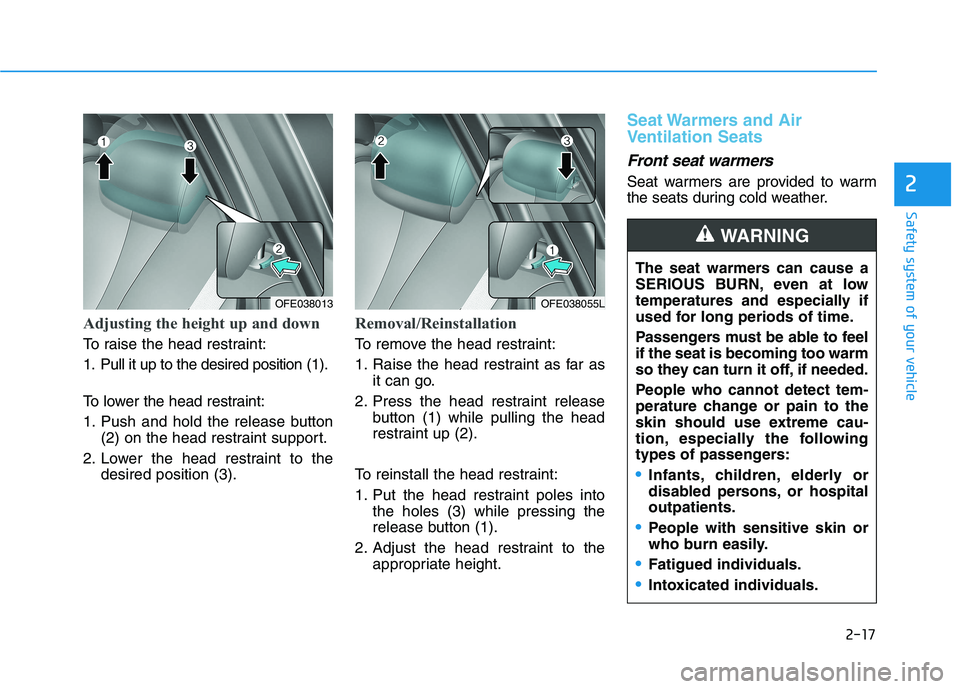
Adjusting the height up and down
To raise the head restraint:
1. Pull it up to the desired position (1).
To lower the head restraint:
1. Push and hold the release button(2) on the head restraint support.
2. Lower the head restraint to the desired position (3).
Removal/Reinstallation
To remove the head restraint:
1. Raise the head restraint as far asit can go.
2. Press the head restraint release button (1) while pulling the head
restraint up (2).
To reinstall the head restraint:
1. Put the head restraint poles into the holes (3) while pressing the
release button (1).
2. Adjust the head restraint to the appropriate height.
Seat Warmers and Air
Ventilation Seats
Front seat warmers
Seat warmers are provided to warm
the seats during cold weather.
OFE038055L The seat warmers can cause a
SERIOUS BURN, even at low
temperatures and especially if
used for long periods of time.
Passengers must be able to feel if the seat is becoming too warm
so they can turn it off, if needed.
People who cannot detect tem-
perature change or pain to the
skin should use extreme cau-
tion, especially the following
types of passengers:
Infants, children, elderly or
disabled persons, or hospitaloutpatients.
People with sensitive skin or
who burn easily.
Fatigued individuals.
Intoxicated individuals.
WARNING
OFE038013
Page 33 of 558
2-18
Safety system of your vehicle
To prevent damage to the seat
warmers and seats:
Never use a solvent such aspaint thinner, benzene, alcohol
or gasoline to clean the seats.
Do not place heavy or sharp objects on seats equipped with
seat warmers.
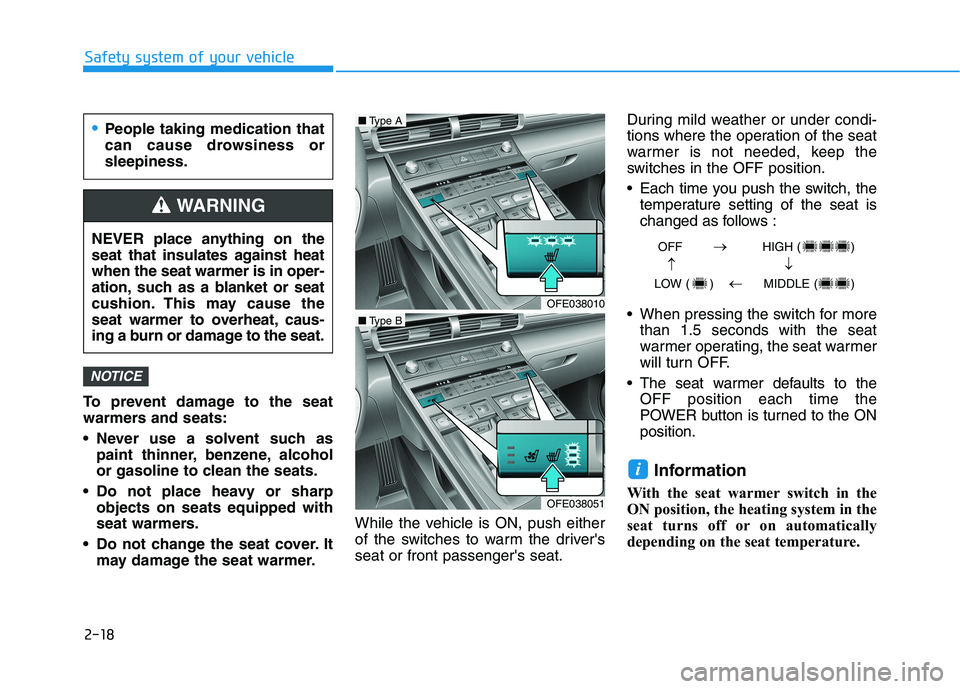
Do not change the seat cover. It may damage the seat warmer. While the vehicle is ON, push either
of the switches to warm the driver'sseat or front passenger's seat. During mild weather or under condi-
tions where the operation of the seat
warmer is not needed, keep the
switches in the OFF position.
Each time you push the switch, the
temperature setting of the seat is
changed as follows :
When pressing the switch for more than 1.5 seconds with the seat
warmer operating, the seat warmer
will turn OFF.
The seat warmer defaults to the OFF position each time the
POWER button is turned to the ONposition.
Information
With the seat warmer switch in the
ON position, the heating system in the
seat turns off or on automatically
depending on the seat temperature.
i
NOTICE
OFF HIGH ( )
LOW ( ) MIDDLE ( )
OFE038010
■ Type A
OFE038051
■Type B
People taking medication that
can cause drowsiness orsleepiness.
NEVER place anything on the
seat that insulates against heatwhen the seat warmer is in oper-
ation, such as a blanket or seat
cushion. This may cause the
seat warmer to overheat, caus-
ing a burn or damage to the seat.
WARNING
Page 34 of 558
2-19
Safety system of your vehicle
2
Front air ventilation seat(if equipped)
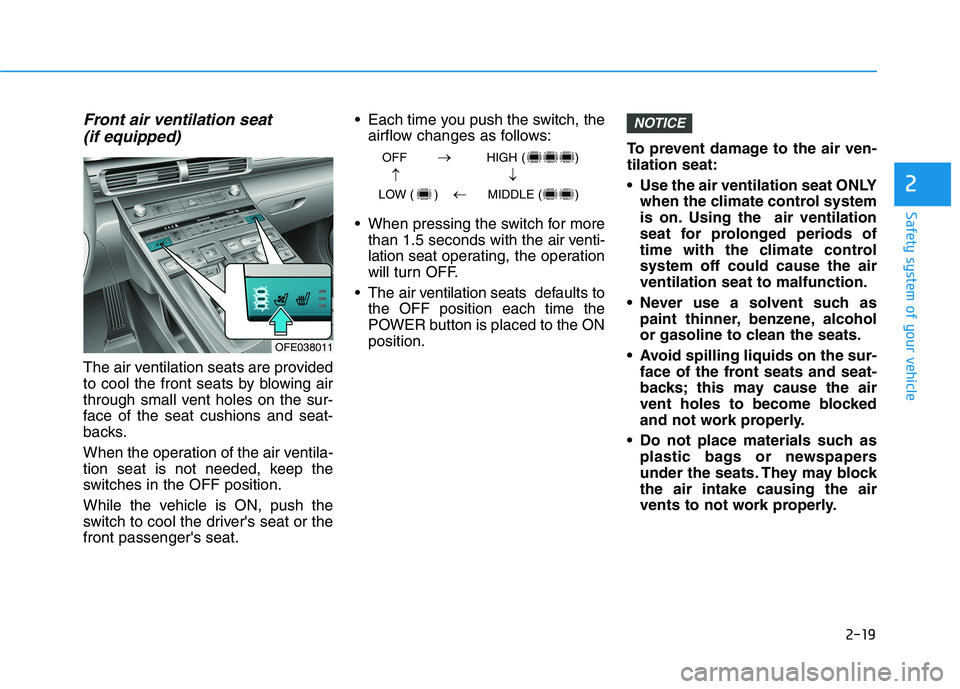
The air ventilation seats are provided
to cool the front seats by blowing air
through small vent holes on the sur-
face of the seat cushions and seat-
backs.
When the operation of the air ventila-
tion seat is not needed, keep the
switches in the OFF position.
While the vehicle is ON, push the
switch to cool the driver's seat or thefront passenger's seat. Each time you push the switch, the
airflow changes as follows:
When pressing the switch for more than 1.5 seconds with the air venti-lation seat operating, the operation
will turn OFF.
The air v entilation seats def aults to
the OFF position each time the
POWER button is placed to the ONposition. To prevent damage to the air ven-tilation seat:
Use the air ventilation seat ONLY
when the climate control system
is on. Using the air ventilation
seat for prolonged periods of
time with the climate controlsystem off could cause the airventilation seat to malfunction.
Never use a solvent such as paint thinner, benzene, alcohol
or gasoline to clean the seats.
Avoid spilling liquids on the sur- face of the front seats and seat-
backs; this may cause the air
vent holes to become blocked
and not work properly.
Do not place materials such as plastic bags or newspapers
under the seats. They may blockthe air intake causing the air
vents to not work properly.
NOTICE
OFF HIGH ( )
LOW ( ) MIDDLE ( )
OFE038011
Page 35 of 558
2-20
Safety system of your vehicle
Do not change the seat covers. Itmay damage the air ventilation seat.
If the air vents do not operate, restart the vehicle. If there is no
change, have the vehicle inspect-
ed by an authorized HYUNDAI
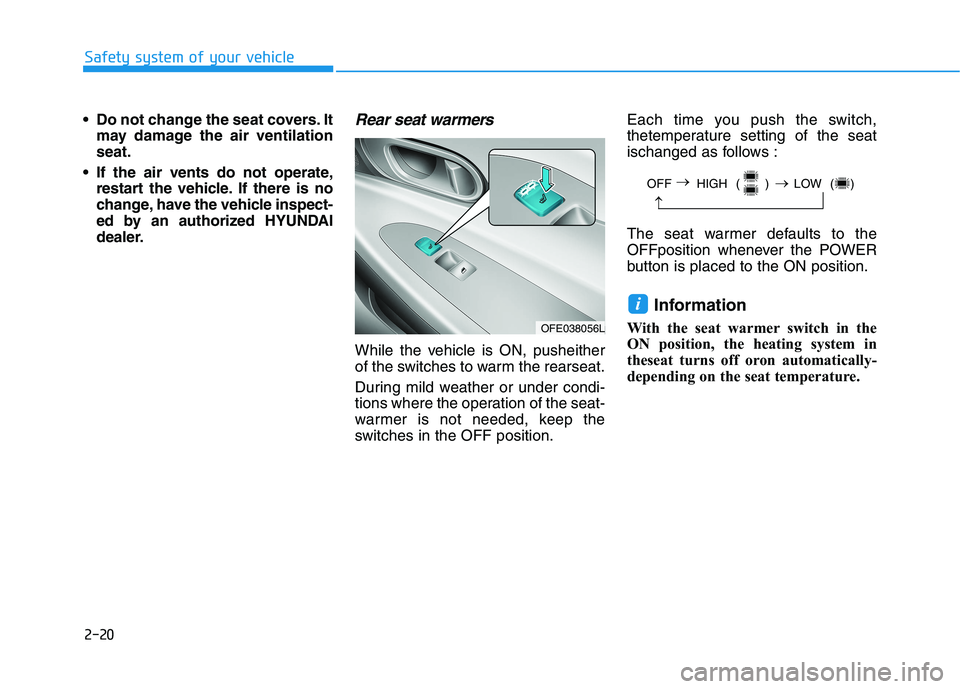
dealer.Rear seat warmers
While the vehicle is ON, pusheither
of the switches to warm the rearseat.
During mild weather or under condi-
tions where the operation of the seat-
warmer is not needed, keep the
switches in the OFF position. Each time you push the switch,
thetemperature setting of the seat
ischanged as follows :
The seat warmer defaults to the
OFFposition whenever the POWER
button is placed to the ON position.
Information
With the seat warmer switch in the
ON position, the heating system in
theseat turns off oron automatically-
depending on the seat temperature.
i
OFF HIGH ( ) LOW ( )
OFE038056L
Page 108 of 558
3-21
Convenient features of your vehicle
3
Tilt Steering / Telescope Steering
Adjust the steering wheel so it points
toward your chest, not toward your
face. Make sure you can see the
instrument cluster warning lights and
gauges. After adjusting, push the
steering wheel both up and down to
be certain it is locked in position.
Always adjust the position of the
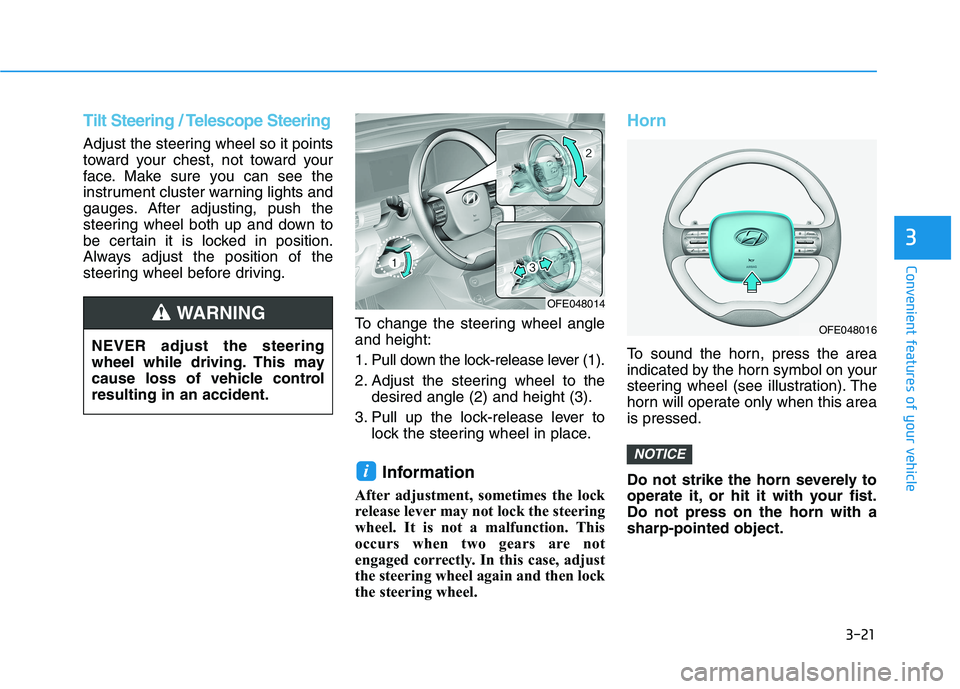
steering wheel before driving.To change the steering wheel angleand height:
1. Pull down the lock-release lever (1).
2. Adjust the steering wheel to thedesired angle (2) and height (3).
3. Pull up the lock-release lever to lock the steering wheel in place.
Information
After adjustment, sometimes the lock
release lever may not lock the steering
wheel. It is not a malfunction. This
occurs when two gears are not
engaged correctly. In this case, adjust
the steering wheel again and then lock
the steering wheel.
Horn
To sound the horn, press the area
indicated by the horn symbol on your
steering wheel (see illustration). The
horn will operate only when this areais pressed.
Do not strike the horn severely to
operate it, or hit it with your fist.Do not press on the horn with asharp-pointed object.
NOTICE
i
NEVER adjust the steering
wheel while driving. This may
cause loss of vehicle controlresulting in an accident.
WARNING OFE048014
OFE048016
Page 117 of 558
3-30
Convenient features of your vehicle
Erasing HomeLink®buttons
Individual buttons cannot be erased.
However, to erase all three pro-
grammed buttons:
1. Press and hold the two outerHomeLink ®
buttons until the indi-
cator light begins to flash-after 20
seconds.
2. Release both buttons. Do not hold for longer than 30 seconds.
The Integrated HomeLink ®
Wireless
Control System is now in the training
(learn) mode and can be pro-
grammed at any time following the
appropriate steps in the Programming
chapters above. NVS ®
is a registered trademark and
Z-Nav™ is a trademark of the Gentex
Corporation, Zeeland, Michigan.HomeLink ®
is a registered trademark
owned by Johnson Controls,
Incorporated, Milwaukee, Wisconsin.
FCC ID : NZLHFCHL4
IC : 4112A-HFCHL4 Information
This device complies with Industry
Canada RSS-210 standard.
Operation is subject to the following
three conditions:
1. This device may not cause harmful interference.
2. This device must accept any inter- ference received, including interfer-
ence that may cause undesired
operation.
3. The transceiver has been tested and complies with FCC and Industry
Canada rules. Changes or modifi-
cations not expressly approved by
the party responsible for compli-
ance could void the user's authority
to operate the device.
Side View Mirrors
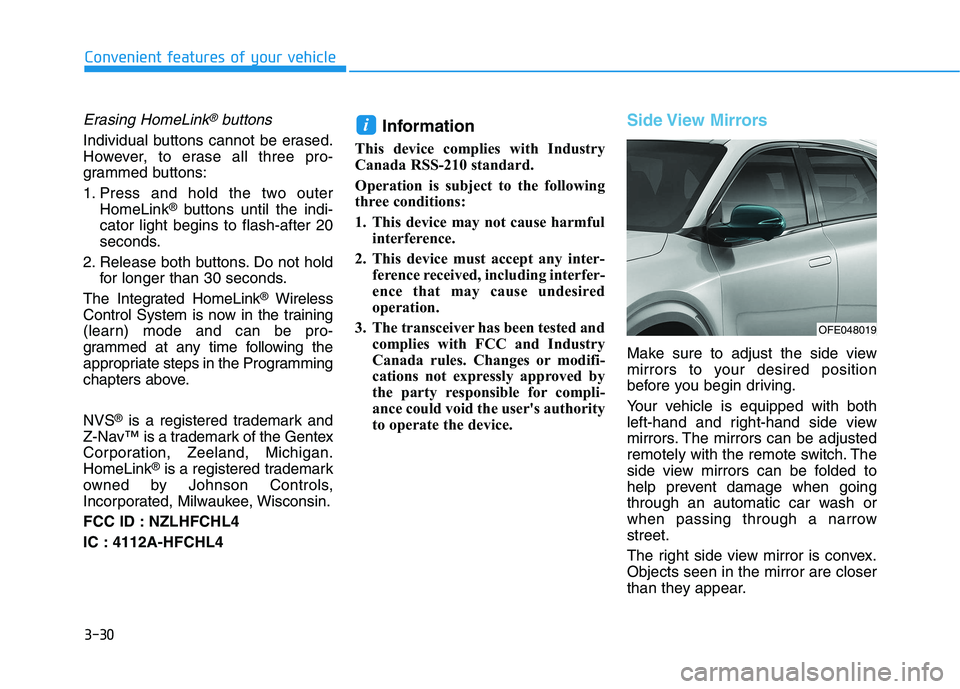
Make sure to adjust the side view
mirrors to your desired position
before you begin driving.
Your vehicle is equipped with both
left-hand and right-hand side view
mirrors. The mirrors can be adjusted
remotely with the remote switch. The
side view mirrors can be folded to
help prevent damage when going
through an automatic car wash or
when passing through a narrowstreet.
The right side view mirror is convex. Objects seen in the mirror are closer
than they appear.
i
OFE048019
Page 136 of 558
3-49
Convenient features of your vehicle
3
The power tailgate can be oper-ated when the vehicle is not run-
ning. However, the power tail-gate operation consumes a
large amount of electic power.
To prevent the battery from
being discharged, do not oper-
ate it excessively (e.g. more than
5 times repeatedly).
To prevent the battery from being discharged, do not leave
the power tailgate in the open
position for a long time.
Do not modify or repair any part of the power tailgate by yourself.
This must be done by an author-
ized HYUNDAI dealer.
When jacking up the vehicle to change a tire or repair the vehi-
cle, do not operate the power
tailgate. This could cause the
power tailgate to operate
improperly.
In cold and wet climates, the power tailgate may not work
properly due to freezing condi-tions.
Automatic reversal
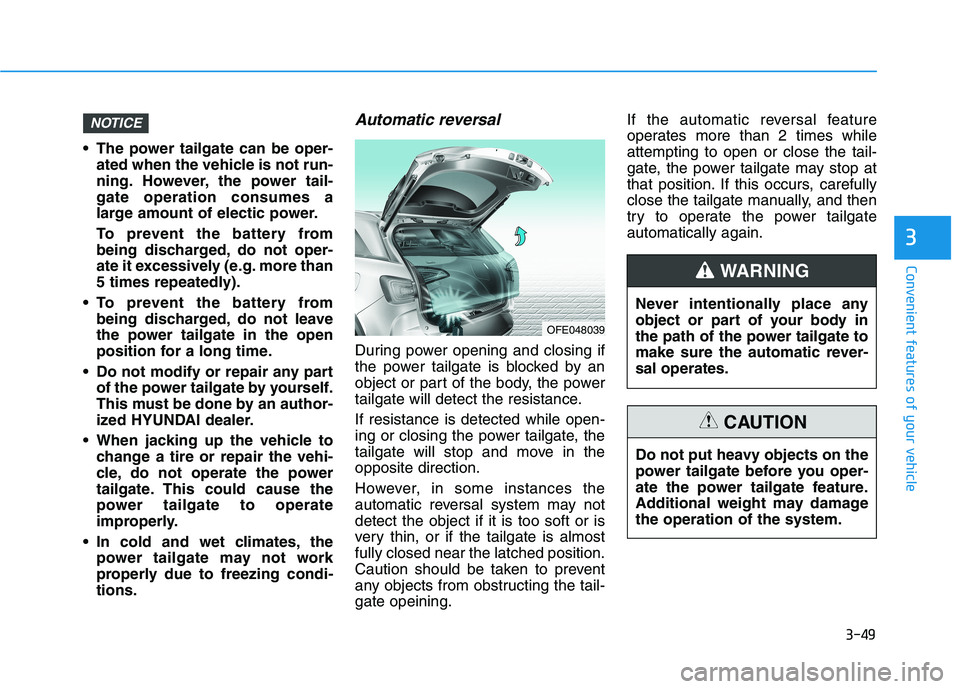
During power opening and closing if
the power tailgate is blocked by an
object or part of the body, the power
tailgate will detect the resistance. If resistance is detected while open-
ing or closing the power tailgate, the
tailgate will stop and move in theopposite direction.
However, in some instances the
automatic reversal system may notdetect the object if it is too soft or is
very thin, or if the tailgate is almostfully closed near the latched position.
Caution should be taken to prevent
any objects from obstructing the tail-gate opeining. If the automatic reversal feature
operates more than 2 times whileattempting to open or close the tail-
gate, the power tailgate may stop at
that position. If this occurs, carefully
close the tailgate manually, and then
try to operate the power tailgateautomatically again.
NOTICE
OFE048039
Never intentionally place any
object or part of your body in
the path of the power tailgate to
make sure the automatic rever-sal operates.
WARNING
Do not put heavy objects on the
power tailgate before you oper-
ate the power tailgate feature.
Additional weight may damagethe operation of the system.
CAUTION
Page 163 of 558
3-76
LCD Display Messages
Shift to P
This warning message is displayed if
you try to turn off the vehicle with the
gear in the N (Neutral) position.
At this time, the POWER button
changes to the ACC position (If you
press the POWER button once more,
it will turn to the ON position).
Low Key Battery
This warning message is displayed if
the battery of the smart key is dis-
charged while changing the POWER
button to the OFF position.
Press POWER button whileturning wheel
This warning message is displayed if
the steering wheel does not unlock
normally when the POWER button ispressed.
You should press the POWER button
while turning the steering wheel rightand left.
Check Steering Wheel LockSystem
This warning message is displayed if
the steering wheel does not lock nor-
mally while the POWER buttonchanges to the OFF position.
Press brake pedal to start vehicle
This warning message is displayed if
the POWER button changes to the
ACC position twice by pressing the
button repeatedly without depressing
the brake pedal.
You can start the vehicle by depress-
ing the brake pedal.
Key not in vehicle
This warning message is displayed if
the smart key is not in the vehicle
when you press the POWER button.
When attempting to start the vehicle,
always have the smart key with you.
Convenient features of your vehicle
Page 181 of 558
3-94
Convenient features of your vehicle
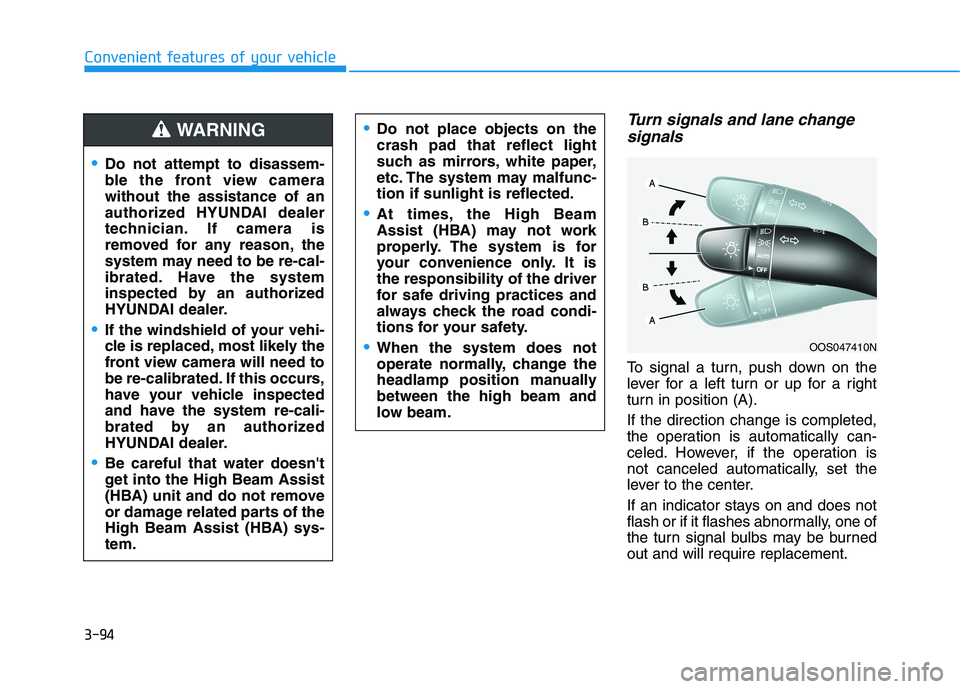
Turn signals and lane changesignals
To signal a turn, push down on the
lever for a left turn or up for a right
turn in position (A). If the direction change is completed,
the operation is automatically can-
celed. However, if the operation is
not canceled automatically, set the
lever to the center.
If an indicator stays on and does not
flash or if it flashes abnormally, one of
the turn signal bulbs may be burnedout and will require replacement.
OOS047410N
Do not attempt to disassem-
ble the front view camerawithout the assistance of an
authorized HYUNDAI dealer
technician. If camera is
removed for any reason, the
system may need to be re-cal-
ibrated. Have the system
inspected by an authorized
HYUNDAI dealer.
If the windshield of your vehi-
cle is replaced, most likely the
front view camera will need to
be re-calibrated. If this occurs,
have your vehicle inspected
and have the system re-cali-
brated by an authorized
HYUNDAI dealer.
Be careful that water doesn't
get into the High Beam Assist
(HBA) unit and do not remove
or damage related parts of the
High Beam Assist (HBA) sys-tem.
Do not place objects on the crash pad that reflect light
such as mirrors, white paper,
etc. The system may malfunc-tion if sunlight is reflected.
At times, the High Beam
Assist (HBA) may not work
properly. The system is for
your convenience only. It isthe responsibility of the driver
for safe driving practices and
always check the road condi-
tions for your safety.
When the system does not
operate normally, change the
headlamp position manuallybetween the high beam and
low beam.
WARNING