480 Hyundai Palisade 2020 Owner's Guide
[x] Cancel search | Manufacturer: HYUNDAI, Model Year: 2020, Model line: Palisade, Model: Hyundai Palisade 2020Pages: 611, PDF Size: 18.86 MB
Page 237 of 611
3-141
Convenient features of your vehicle
3
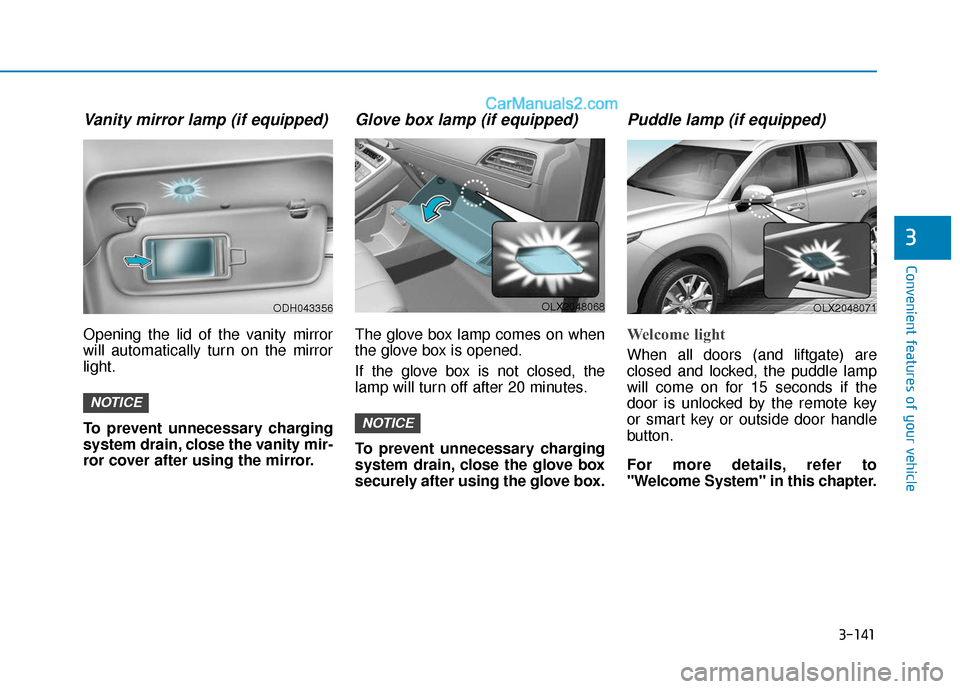
Vanity mirror lamp (if equipped)
Opening the lid of the vanity mirror
will automatically turn on the mirror
light.
To prevent unnecessary charging
system drain, close the vanity mir-
ror cover after using the mirror.
Glove box lamp (if equipped)
The glove box lamp comes on when
the glove box is opened.
If the glove box is not closed, the
lamp will turn off after 20 minutes.
To prevent unnecessary charging
system drain, close the glove box
securely after using the glove box.
Puddle lamp (if equipped)
Welcome light
When all doors (and liftgate) are
closed and locked, the puddle lamp
will come on for 15 seconds if the
door is unlocked by the remote key
or smart key or outside door handle
button.
For more details, refer to
"Welcome System" in this chapter.
NOTICE
NOTICE
ODH043356OLX2048068OLX2048071
Page 238 of 611
3-142
Convenient features of your vehicle
Escort light
When the vehicle is turned OFF and
the driver's door is opened, the pud-
dle lamp will come on for 30 sec-
onds. If the driver's door is closed
within the 30 seconds, the puddle
lamp will turn off after 15 seconds. If
the driver's door is closed and
locked, the puddle lamp will turn off
immediately.
The Puddle Lamp Escort Light will
turn on only the first time the driver's
door is opened after the engine is
turned off.
Welcome System (if equipped)
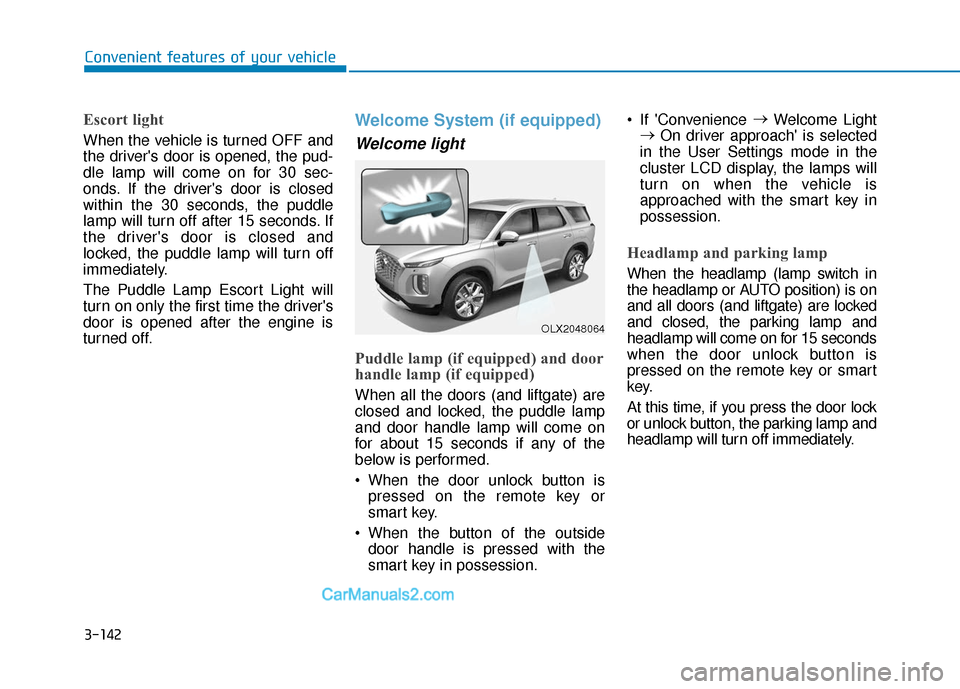
Welcome light
Puddle lamp (if equipped) and door
handle lamp (if equipped)
When all the doors (and liftgate) are
closed and locked, the puddle lamp
and door handle lamp will come on
for about 15 seconds if any of the
below is performed.
When the door unlock button ispressed on the remote key or
smart key.
When the button of the outside door handle is pressed with the
smart key in possession. If 'Convenience
→
Welcome Light
→ On driver approach' is selected
in the User Settings mode in the
cluster LCD display, the lamps will
turn on when the vehicle is
approached with the smart key in
possession.
Headlamp and parking lamp
When the headlamp (lamp switch in
the headlamp or AUTO position) is on
and all doors (and liftgate) are locked
and closed, the parking lamp and
headlamp will come on for 15 seconds
when the door unlock button is
pressed on the remote key or smart
key.
At this time, if you press the door lock
or unlock button, the parking lamp and
headlamp will turn off immediately.
OLX2048064
Page 244 of 611
3-148
Convenient features of your vehicle
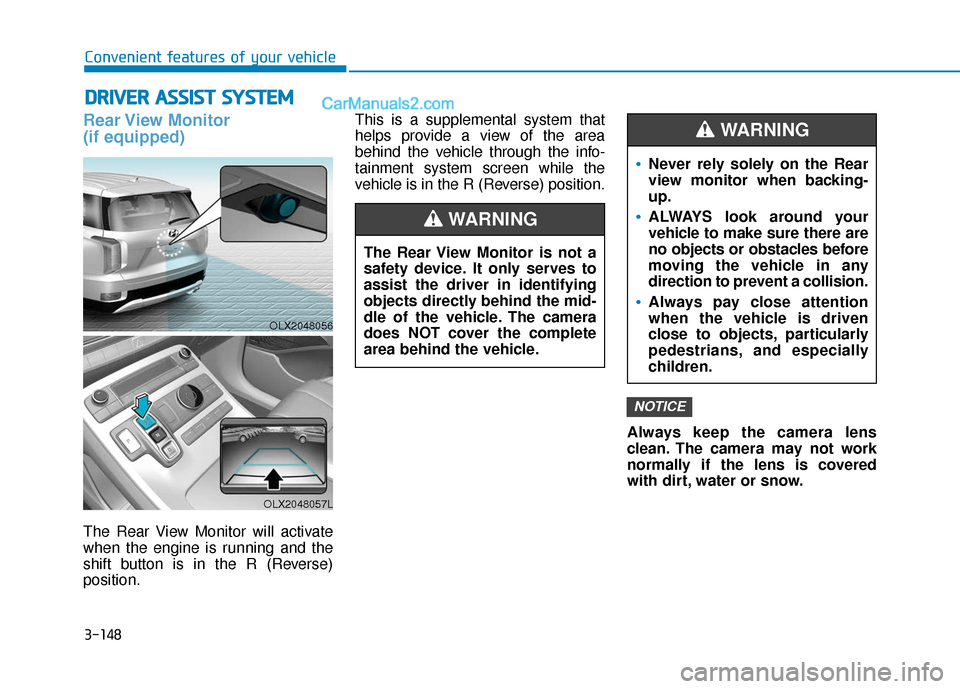
Rear View Monitor
(if equipped)
The Rear View Monitor will activate
when the engine is running and the
shift button is in the R (Reverse)
position.This is a supplemental system that
helps provide a view of the area
behind the vehicle through the info-
tainment system screen while the
vehicle is in the R (Reverse) position.
Always keep the camera lens
clean. The camera may not work
normally if the lens is covered
with dirt, water or snow.
NOTICE
D DR
RI
IV
V E
ER
R
A
A S
SS
SI
IS
S T
T
S
S Y
Y S
ST
T E
EM
M
The Rear View Monitor is not a
safety device. It only serves to
assist the driver in identifying
objects directly behind the mid-
dle of the vehicle. The camera
does NOT cover the complete
area behind the vehicle.
WARNING
Never rely solely on the Rear
view monitor when backing-
up.
ALWAYS look around your
vehicle to make sure there are
no objects or obstacles before
moving the vehicle in any
direction to prevent a collision.
Always pay close attention
when the vehicle is driven
close to objects, particularly
pedestrians, and especially
children.
WARNING
OLX2048056
OLX2048057L
Page 245 of 611
3-149
Convenient features of your vehicle
3
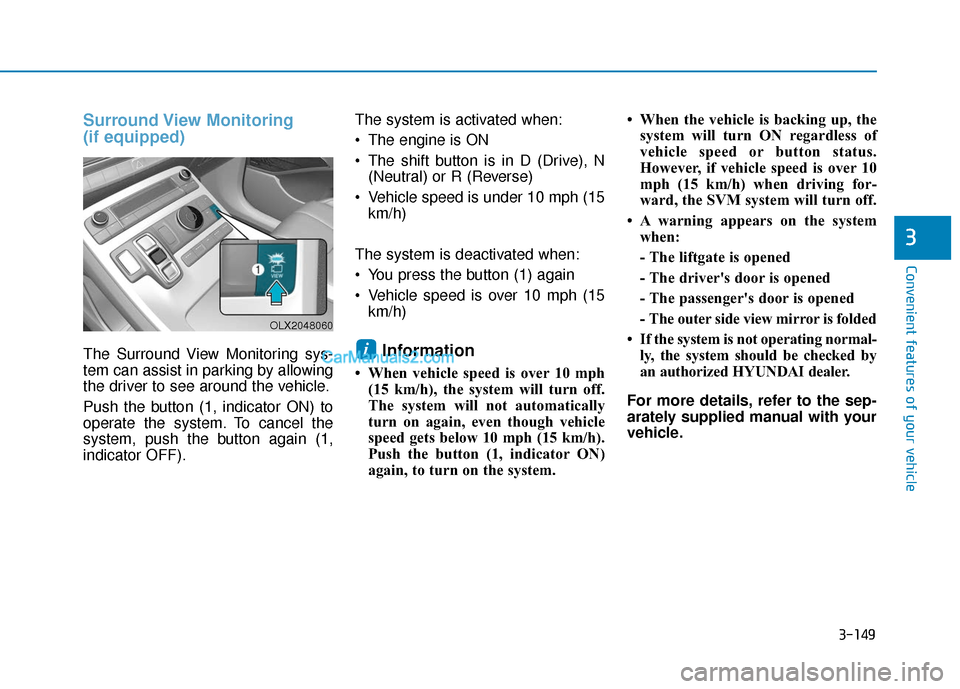
Surround View Monitoring
(if equipped)
The Surround View Monitoring sys-
tem can assist in parking by allowing
the driver to see around the vehicle.
Push the button (1, indicator ON) to
operate the system. To cancel the
system, push the button again (1,
indicator OFF).The system is activated when:
The engine is ON
The shift button is in D (Drive), N
(Neutral) or R (Reverse)
Vehicle speed is under 10 mph (15 km/h)
The system is deactivated when:
You press the button (1) again
Vehicle speed is over 10 mph (15 km/h)Information
• When vehicle speed is over 10 mph(15 km/h), the system will turn off.
The system will not automatically
turn on again, even though vehicle
speed gets below 10 mph (15 km/h).
Push the button (1, indicator ON)
again, to turn on the system. • When the vehicle is backing up, the
system will turn ON regardless of
vehicle speed or button status.
However, if vehicle speed is over 10
mph (15 km/h) when driving for-
ward, the SVM system will turn off.
• A warning appears on the system when:
- The liftgate is opened
- The driver's door is opened
- The passenger's door is opened
- The outer side view mirror is folded
• If the system is not operating normal- ly, the system should be checked by
an authorized HYUNDAI dealer.
For more details, refer to the sep-
arately supplied manual with your
vehicle.
i
OLX2048060
Page 248 of 611
![Hyundai Palisade 2020 Owners Guide 3-152
Parking Distance Warning
(Reverse) System (if equipped)
[B] : Sensor
The optional Parking Distance
Warning (Reverse) system assists
the driver during reverse movement
of the vehicle by chiming i](/img/35/16309/w960_16309-247.png "Hyundai Palisade 2020 Owners Guide 3-152
Parking Distance Warning
(Reverse) System (if equipped)
[B] : Sensor
The optional Parking Distance
Warning (Reverse) system assists
the driver during reverse movement
of the vehicle by chiming i")
3-152
Parking Distance Warning
(Reverse) System (if equipped)
[B] : Sensor
The optional Parking Distance
Warning (Reverse) system assists
the driver during reverse movement
of the vehicle by chiming if any object
is sensed within approximately 50 in
(120 cm) behind the vehicle.
This system is a supplemental sys-
tem that senses objects within the
range and location of the sensors, it
cannot detect objects in other areas
where sensors are not installed.
Operation of the ParkingDistance Warning (Reverse)system
Operating condition
This system will activate when
backing up with the ignition switch
in the ON position. However, if the
vehicle speed exceeds 3 mph (5
km/h), the system may not detect
objects.
If the vehicle speed exceeds 6 mph (10 km/h), the system will not warn
you even though objects are
detected.
When more than two objects are sensed at the same time, the clos-
est one will be recognized first.
Convenient features of your vehicle
ALWAYS look around your vehi-
cle to make sure there are not
any objects or obstacles before
moving the vehicle in any direc-
tion to prevent a collision.
Always pay close attention
when the vehicle is driven close
to objects, particularly pedestri-
ans, and especially children.
Be aware that some objects
may not be visible on the
screen or be detected by the
sensors, due to the objects
distance, size or material, all of
which can limit the effective-
ness of the sensor.
WARNING
OLX2048053L
Page 251 of 611

3-155
Convenient features of your vehicle
3
Do not push, scratch or strike thesensor with any hard objects that
could damage the surface of the
sensor. Sensor damage could occur.
Do not spray the sensors or its sur- rounding area directly with a high
pressure washer. Doing so may
cause the sensors to fail to operate
normally.Parking Distance Warning
(Reverse/Forward) System
(if equipped)
[A] : Front Sensor, [B] : Rear Sensor
The Parking Distance Warning
(Reverse/Forward) system assists
the driver during movement of the
vehicle by chiming if any object is
sensed within the distance of 39
inches (100 cm) in front and 47 inch-
es (120 cm) behind the vehicle.
This system is a supplemental sys-
tem that senses objects within the
range and location of the sensors, it
cannot detect objects in other areas
where sensors are not installed.
OLX2049055N
OLX2048053L
Extreme caution should always
be taken to avoid accidents or
vehicle injuries. Do not solely
rely on the Parking Distance
Warning (Reverse) system.
Always drive safely and cau-
tiously, especially when back-
ing up in reverse.
WARNING
Page 269 of 611
3-173
Convenient features of your vehicle
3
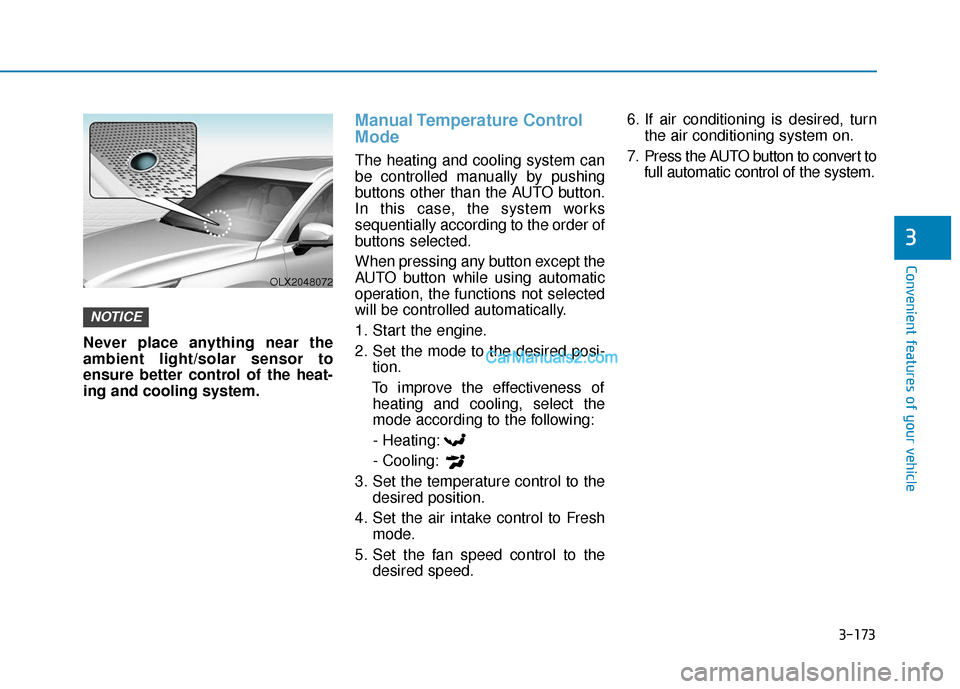
Never place anything near the
ambient light/solar sensor to
ensure better control of the heat-
ing and cooling system.
Manual Temperature Control
Mode
The heating and cooling system can
be controlled manually by pushing
buttons other than the AUTO button.
In this case, the system works
sequentially according to the order of
buttons selected.
When pressing any button except the
AUTO button while using automatic
operation, the functions not selected
will be controlled automatically.
1. Start the engine.
2. Set the mode to the desired posi-tion.
To improve the effectiveness of heating and cooling, select the
mode according to the following:
- Heating:
- Cooling:
3. Set the temperature control to the desired position.
4. Set the air intake control to Fresh mode.
5. Set the fan speed control to the desired speed. 6. If air conditioning is desired, turn
the air conditioning system on.
7. Press the AUTO button to convert to full automatic control of the system.
NOTICE
OLX2048072
Page 288 of 611
3-192
Convenient features of your vehicle
S
ST
T O
O R
RA
A G
G E
E
C
C O
O M
M P
PA
A R
RT
TM
M E
EN
N T
T
To avoid possible theft, do not
leave valuables in the storage
compartments.
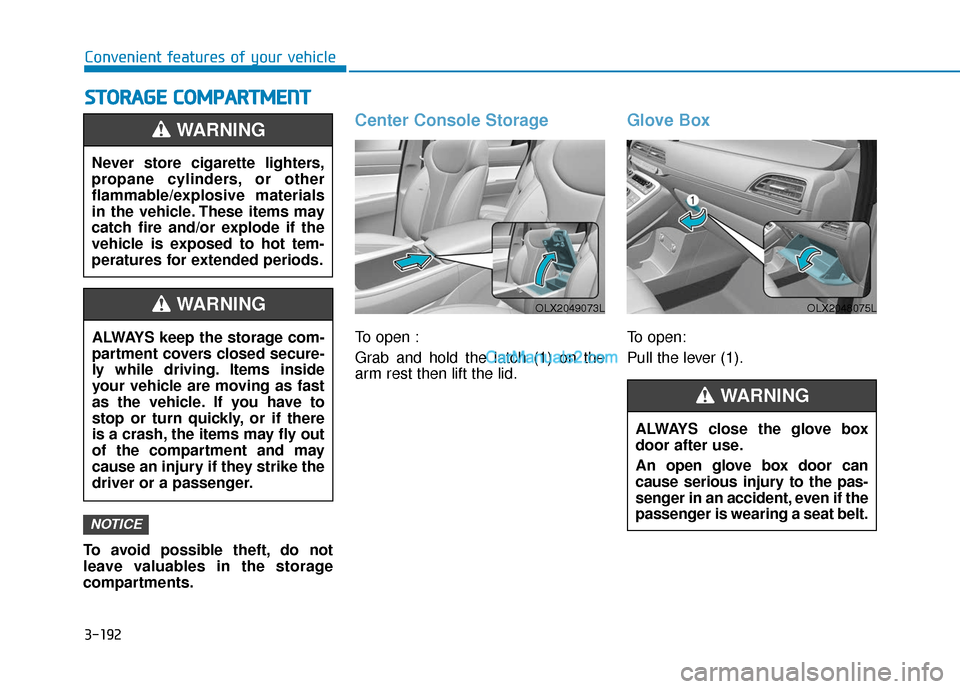
Center Console Storage
To open :
Grab and hold the latch (1) on the
arm rest then lift the lid.
Glove Box
To open:
Pull the lever (1).
NOTICE
Never store cigarette lighters,
propane cylinders, or other
flammable/explosive materials
in the vehicle. These items may
catch fire and/or explode if the
vehicle is exposed to hot tem-
peratures for extended periods.
WARNING
ALWAYS keep the storage com-
partment covers closed secure-
ly while driving. Items inside
your vehicle are moving as fast
as the vehicle. If you have to
stop or turn quickly, or if there
is a crash, the items may fly out
of the compartment and may
cause an injury if they strike the
driver or a passenger.
WARNING
ALWAYS close the glove box
door after use.
An open glove box door can
cause serious injury to the pas-
senger in an accident, even if the
passenger is wearing a seat belt.
WARNING
OLX2049073LOLX2048075L
Page 289 of 611
3-193
Convenient features of your vehicle
3
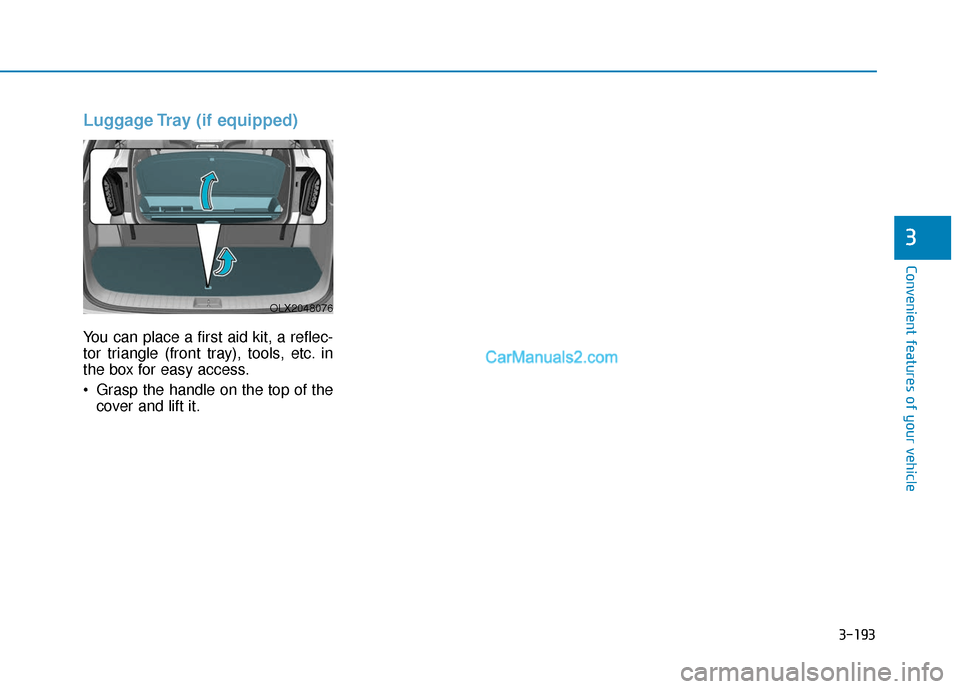
Luggage Tray (if equipped)
You can place a first aid kit, a reflec-
tor triangle (front tray), tools, etc. in
the box for easy access.
Grasp the handle on the top of thecover and lift it.
OLX2048076
Page 290 of 611
3-194
Convenient features of your vehicle
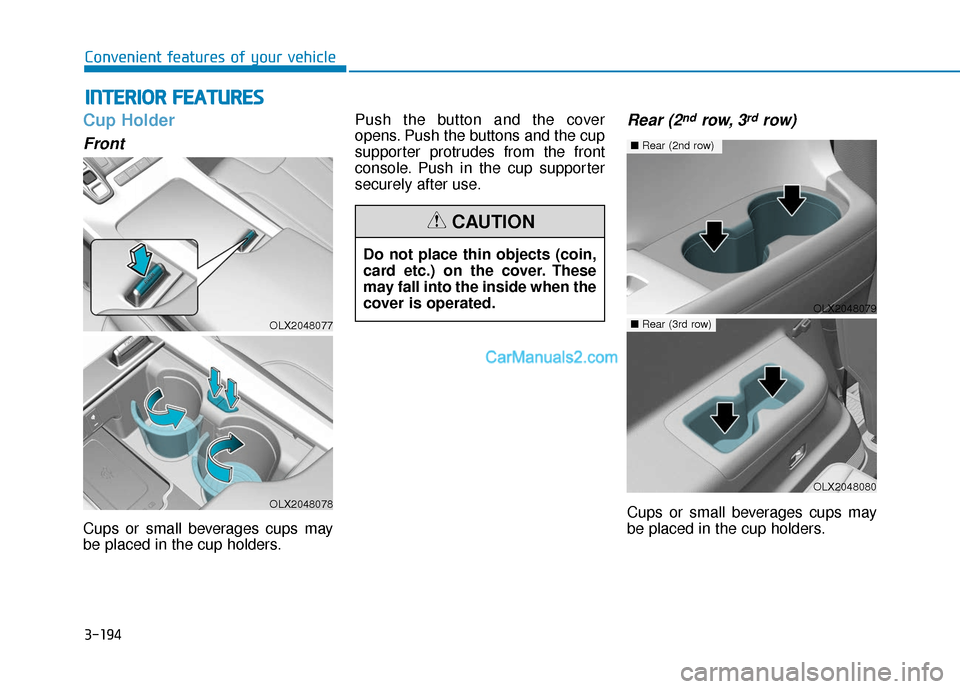
Cup Holder
Front
Cups or small beverages cups may
be placed in the cup holders.Push the button and the cover
opens. Push the buttons and the cup
supporter protrudes from the front
console. Push in the cup supporter
securely after use.
Rear (2ndrow, 3rdrow)
Cups or small beverages cups may
be placed in the cup holders.
I I
N
N T
TE
ER
R I
IO
O R
R
F
F E
E A
A T
TU
U R
RE
ES
S
OLX2048077
OLX2048078
Do not place thin objects (coin,
card etc.) on the cover. These
may fall into the inside when the
cover is operated.
CAUTION
OLX2048079
■ Rear (2nd row)
OLX2048080
■Rear (3rd row)