Chapter 7 Hyundai Palisade 2020 Repair Manual
[x] Cancel search | Manufacturer: HYUNDAI, Model Year: 2020, Model line: Palisade, Model: Hyundai Palisade 2020Pages: 611, PDF Size: 18.86 MB
Page 297 of 611
3-201
Convenient features of your vehicle
3
A smart phone or a tablet PC mayget warmer during the re-charging
process. It does not indicate any
malfunction with the charging sys-
tem.
A smart phone or a tablet PC, which adopts a different re-charg-
ing method, may not be properly
re-charged. In this case, use an
exclusive charger of your device.
The charging terminal is only to recharge a device. Do not use the
charging terminal either to turn ON
an audio or to play media.Wireless Cellular Phone
Charging System (if equipped)
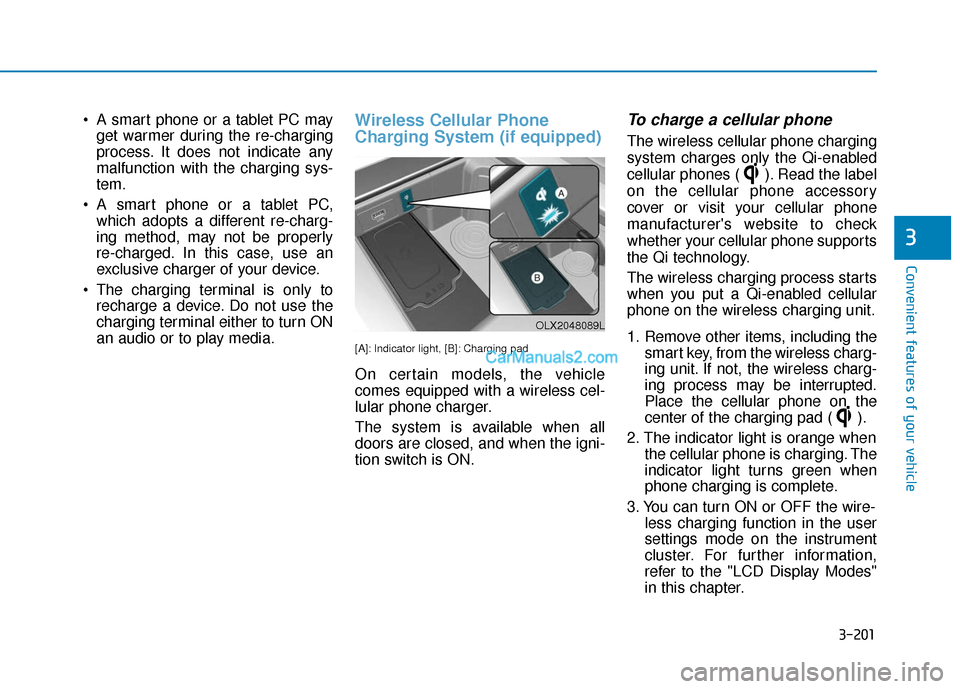
[A]: Indicator light, [B]: Charging pad
On certain models, the vehicle
comes equipped with a wireless cel-
lular phone charger.
The system is available when all
doors are closed, and when the igni-
tion switch is ON.
To charge a cellular phone
The wireless cellular phone charging
system charges only the Qi-enabled
cellular phones ( ). Read the label
on the cellular phone accessory
cover or visit your cellular phone
manufacturer's website to check
whether your cellular phone supports
the Qi technology.
The wireless charging process starts
when you put a Qi-enabled cellular
phone on the wireless charging unit.
1. Remove other items, including the smart key, from the wireless charg-
ing unit. If not, the wireless charg-
ing process may be interrupted.
Place the cellular phone on the
center of the charging pad ( ).
2. The indicator light is orange when the cellular phone is charging. The
indicator light turns green when
phone charging is complete.
3. You can turn ON or OFF the wire- less charging function in the user
settings mode on the instrument
cluster. For further information,
refer to the "LCD Display Modes"
in this chapter.
OLX2048089L
Page 315 of 611
5-6
Driving your vehicleNEVER drink or take drugs and
drive.
Drinking or taking drugs and driv-
ing is dangerous and may result
in an accident and SERIOUS
INJURY or DEATH.
Drunk driving is the number
one contributor to the highway
death toll each year. Even a
small amount of alcohol will
affect your reflexes, percep-
tions and judgment. Just one
drink can reduce your ability to
respond to changing conditions
and emergencies and your reac-
tion time gets worse with each
additional drink.
Driving while under the influ-
ence of drugs is as dangerous
or more dangerous than driving
under the influence of alcohol.
WARNING You are much more likely to have
a serious accident if you drink or
take drugs and drive. If you are
drinking or taking drugs, don't
drive. Do not ride with a driver
who has been drinking or taking
drugs. Choose a designated driv-
er or call a taxi.
To reduce the risk of SERIOUS
INJURY or DEATH, take the fol-
lowing precautions:
•ALWAYS wear your seat belt.
All passengers must be prop-
erly belted whenever the vehi-
cle is moving. For more infor-
mation, refer to "Seat Belts" in
chapter 2.
Always drive defensively.
Assume other drivers or pedes-
trians may be careless and
make mistakes.
Stay focused on the task of
driving. Driver distraction can
cause accidents.
Leave plenty of space between
you and the vehicle in front of
you.
WARNING
Page 327 of 611
5-18
Driving your vehicle
When the battery is discharged:
You cannot shift the gear when the
battery is discharged.
In emergencies, do the following to
move the shift button to N (Neutral)
on a level ground.
1. Connect the battery cables fromanother vehicle or from a another
battery to the jump-starting termi-
nals inside the engine compart-
ment.
For more information refer to
"Jump Starting" in chapter 6.
2. Release the parking brake with the Engine Start/Stop button in the
ON position.
3. Shift the gear to the N(Neutral) position. Refer to the "Stay in
Neutral when vehicle is Off" in this
chapter.
Parking
Always come to a complete stop and
continue to depress the brake pedal.
Press the P button, apply the parking
brake, and place the ignition switch
in the LOCK/OFF position. Take the
Key with you when exiting the vehi-
cle.
The gear is shifted to P (Park)position automatically for safety
under the following conditions.
- When the driver unfastens theseat belt and opens the driver’s
door.
- When the engine is turned off with the gear shifted to R (Reverse), D
(Drive) or N (Neutral). When you stay in the vehicle
with the engine running, be
careful not to depress the accel-
erator pedal for a long period of
time. The engine or exhaust
system may overheat and start
a fire.
The exhaust gas and the
exhaust system are very hot.
Keep away from the exhaust
system components.
Do not stop or park over flam-
mable materials, such as dry
grass, paper or leaves. They
may ignite and cause a fire.WARNING
Page 345 of 611
5-36
Driving your vehicle
When operating
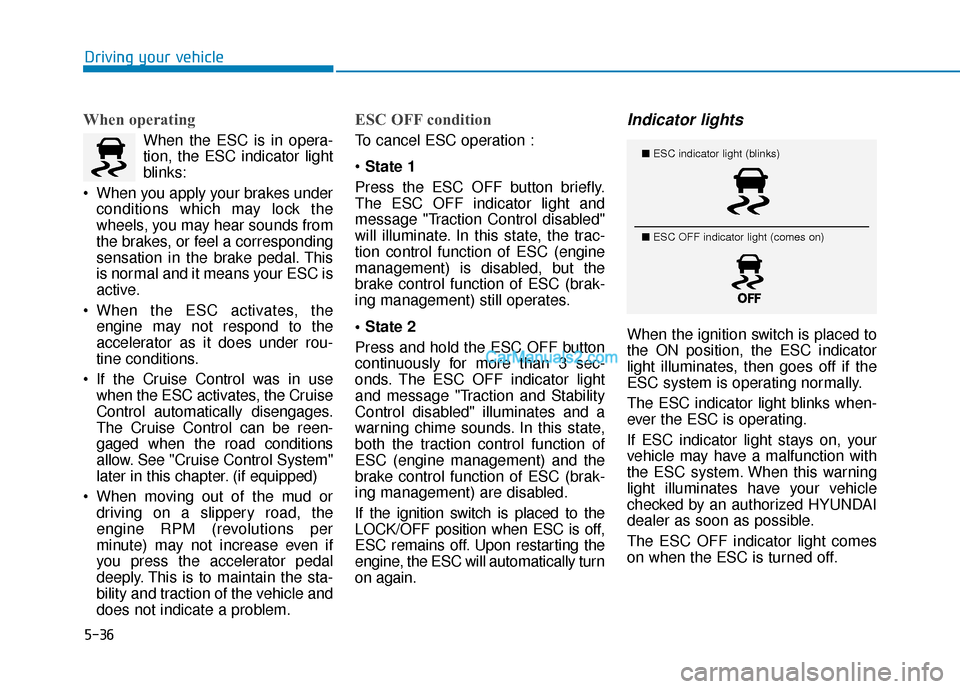
When the ESC is in opera-
tion, the ESC indicator light
blinks:
When you apply your brakes under conditions which may lock the
wheels, you may hear sounds from
the brakes, or feel a corresponding
sensation in the brake pedal. This
is normal and it means your ESC is
active.
When the ESC activates, the engine may not respond to the
accelerator as it does under rou-
tine conditions.
If the Cruise Control was in use when the ESC activates, the Cruise
Control automatically disengages.
The Cruise Control can be reen-
gaged when the road conditions
allow. See "Cruise Control System"
later in this chapter. (if equipped)
When moving out of the mud or driving on a slippery road, the
engine RPM (revolutions per
minute) may not increase even if
you press the accelerator pedal
deeply. This is to maintain the sta-
bility and traction of the vehicle and
does not indicate a problem.
ESC OFF condition
To cancel ESC operation :
State 1
Press the ESC OFF button briefly.
The ESC OFF indicator light and
message "Traction Control disabled"
will illuminate. In this state, the trac-
tion control function of ESC (engine
management) is disabled, but the
brake control function of ESC (brak-
ing management) still operates.
Press and hold the ESC OFF button
continuously for more than 3 sec-
onds. The ESC OFF indicator light
and message "Traction and Stability
Control disabled" illuminates and a
warning chime sounds. In this state,
both the traction control function of
ESC (engine management) and the
brake control function of ESC (brak-
ing management) are disabled.
If the ignition switch is placed to the
LOCK/OFF position when ESC is off,
ESC remains off. Upon restarting the
engine, the ESC will automatically turn
on again.
Indicator lights
When the ignition switch is placed to
the ON position, the ESC indicator
light illuminates, then goes off if the
ESC system is operating normally.
The ESC indicator light blinks when-
ever the ESC is operating.
If ESC indicator light stays on, your
vehicle may have a malfunction with
the ESC system. When this warning
light illuminates have your vehicle
checked by an authorized HYUNDAI
dealer as soon as possible.
The ESC OFF indicator light comes
on when the ESC is turned off.
■ ESC indicator light (blinks)
■ ESC OFF indicator light (comes on)
Page 352 of 611
5-43
Driving your vehicle
5
The All Wheel Drive (AWD) system
delivers engine torque to both the
front and rear wheels for extra trac-
tion. AWD is useful when maximum
traction is required on slippery,
muddy, wet, or snow-covered roads.
Occasional off-road use such as
established unpaved roads and trails
are OK. It is always important that
the driver carefully reduces the
speed to a level that does not exceed
the safe operating speed for those
conditions. Do not drive in water if the level
is higher than the bottom of the
vehicle.
Check your brake condition once you are out of mud or
water. Depress the brake pedal
several times as you move slow-
ly until you feel normal braking
return.
Shorten your scheduled mainte- nance interval if you drive in off-
road conditions such as sand,
mud or water (see "Maintenance
Under Severe Usage Conditions"
in chapter 7).
Always wash your vehicle thor- oughly after off road use, espe-
cially the bottom of the vehicle.
Be sure to equip the vehicle with four tires of the same size and
type.
Make sure that a full time AWD vehicle is towed by a flat bed
tow truck.NOTICE
A AL
LL
L
W
W H
HE
EE
EL
L
D
D R
RI
IV
V E
E
(
( A
A W
W D
D)
)
(
( I
IF
F
E
E Q
Q U
UI
IP
P P
PE
ED
D )
)
To reduce the risk of SERIOUS
INJURY or DEATH:
Do not drive in conditions that
exceed the vehicles intended
design such as challenging
off-road conditions.
Avoid high speeds when cor-
nering or turning.
Do not make quick steering
wheel movements, such as
sharp lane changes or fast,
sharp turns.
The risk of a rollover is great-
ly increased if you lose con-
trol of your vehicle at highway
speeds.
Loss of control often occurs if
two or more wheels drop off
the roadway and the driver
over steers to reenter the
roadway.
In the event your vehicle
leaves the roadway, do not
steer sharply. Instead, slow
down before pulling back into
the travel lanes.
WARNING
Page 357 of 611
5-48
Driving your vehicle
If the vehicle continues to be driven and the automatic transmission
temperatures reach the maximum
temperature limit, the "Transmission
hot! Park with engine On" warning
will be displayed. When this occurs
the automatic transmission is dis-
abled until the automatic transmis-
sion cools to normal temperatures.
The warning will display a time to wait for the transmission to cool.
If this occurs, pull over to a safe location, stop the vehicle with the
engine running, apply the brakes
and shift the vehicle to P (Park),
and allow the transmission to cool.
When the message "Transmission cooled down. Resume driving"
appears you can continue to drive
your vehicle.
When possible, drive the vehicle smoothly.
Emergency Precautions
Tires
Do not use a tire and wheel package
with a different size and type from
the one originally installed on your
vehicle. It can affect the safety and
performance of your vehicle, which
could lead to steering failure or
rollover causing serious injury.
When replacing the tires, be sure to
equip all four tires with the tire and
wheel of the same size, type, tread,
brand and load-carrying capacity. If
you equip your vehicle with any
tire/wheel combination not recom-
mended by HYUNDAI for off-road
driving, you should not use these
tires for highway driving.
Towing
AWD vehicles must be towed with a
wheel lift and dollies or flatbed equip-
ment with all the wheels off the
ground. For more details, refer to
"Towing" in chapter 6.
Dynamometer testing
A full-time AWD vehicle must be test-
ed on a special four wheel chassis
dynamometer.
Never start or run the engine
while a full-time AWD vehicle is
raised on a jack. The vehicle can
slip or roll off of a jack causing
serious injury or death to you or
those nearby.
WARNING
Page 390 of 611
5-81
Driving your vehicle
5
The options for the initial Blind-Spot Collision Warning includes
the following:
- Normal:
When this option is selected, the
initial Blind-Spot Collision
Warning is activated normally. If
this setting feels sensitive,
change the option to 'Later'.
The warning activation time may
feel late if a vehicle at the side or
rear abruptly accelerates.
- Later: Select this warning activation
time when the traffic is light and
you are driving at low speeds.
Information
If you change the warning timing, the
warning time of other systems may
change. Always be aware before
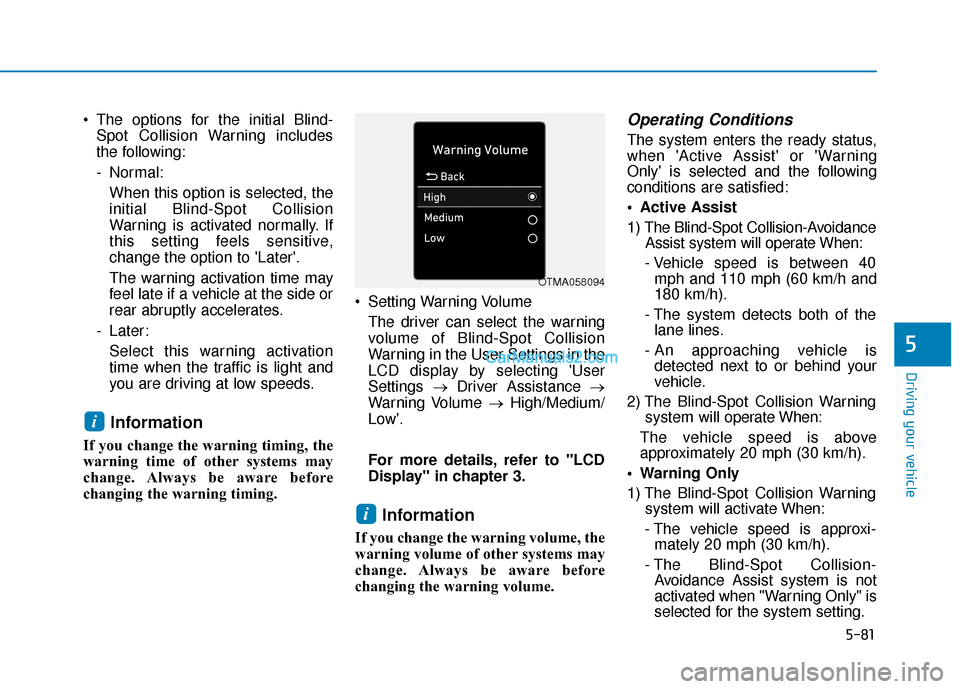
changing the warning timing. Setting Warning Volume
The driver can select the warning
volume of Blind-Spot Collision
Warning in the User Settings in the
LCD display by selecting 'User
Settings →Driver Assistance →
Warning Volume →High/Medium/
Low'.
For more details, refer to "LCD
Display" in chapter 3.
Information
If you change the warning volume, the
warning volume of other systems may
change. Always be aware before
changing the warning volume.
Operating Conditions
The system enters the ready status,
when 'Active Assist' or 'Warning
Only' is selected and the following
conditions are satisfied:
Active Assist
1) The Blind-Spot Collision-Avoidance Assist system will operate When:
- Vehicle speed is between 40 mph and 110 mph (60 km/h and
180 km/h).
- The system detects both of the lane lines.
- An approaching vehicle is detected next to or behind your
vehicle.
2) The Blind-Spot Collision Warning system will operate When:
The vehicle speed is above
approximately 20 mph (30 km/h).
Warning Only
1) The Blind-Spot Collision Warning system will activate When:
- The vehicle speed is approxi- mately 20 mph (30 km/h).
- The Blind-Spot Collision- Avoidance Assist system is not
activated when "Warning Only" is
selected for the system setting.
i
i
OTMA058094
Page 397 of 611
5-88
Driving your vehicle
The vehicle is driven on a curved road.
The vehicle is driven through a toll- gate.
The road pavement (or the periph- eral ground) abnormally contains
metallic components (i.e. possibly
due to subway construction).
There is a fixed object near the vehicle, such as a guardrail.
While going down or up a steep road where the height of the lane is
different.
Driving on a narrow road where trees or grass or overgrown.
Driving in rural areas where the sensor does not detect another
vehicle or structure for an extended
period of time.
Driving on a wet road.
Driving on a road where the guardrail or wall is in double struc-
ture.
A big vehicle is near such as a bus or truck.
When the other vehicle approach- es very close. When the other vehicle passes at a
very fast speed.
While changing lanes.
If the vehicle has started at the same time as the vehicle next to
you and has accelerated.
When the vehicle in the next lane moves two lanes away from you
OR when the vehicle two lanes
away moves to the next lane from
you.
A motorcycle or bicycle is near.
A flat trailer is near.
If there are small objects in the detecting area such as a shopping
cart or a baby stroller.
If there is a low height vehicle such as a sports car.
The brake pedal is depressed.
ESC (Electronic Stability Control) is activated.
ESC (Electronic Stability Control) malfunctions.
The tire pressure is low or a tire is damaged.
The brake is reworked. The vehicle abruptly changes driv-
ing direction.
The vehicle makes sharp lane changes.
The vehicle sharply stops.
Temperature is extremely low around the vehicle.
The vehicle severely vibrates while driving over an uneven//bumpy
road, or concrete patch.
The vehicle drives on a slippery surface due to snow, water puddle,
or ice.
The Lane Keeping Assist (LKA) does not operate normally.
For more details refer to "Lane
Keeping Assist (LKA) system" in
this chapter.
Page 403 of 611
5-94
Driving your vehicle
The options for the initial Rear
Cross-Traffic Collision Warning
includes the following:
- Normal:
When this option is selected, the ini-
tial Rear Cross-Traffic Collision
Warning is activated normally. If this
setting feels sensitive, change the
option to 'Later'.
The warning activation time may feel
late if the a vehicle at the side or rear
abruptly accelerates.
- Later:
Select this warning activation time
when the traffic is light and you are
driving at low speeds.
Information
If you change the warning timing, the
warning time of other systems may
change. Always be aware before
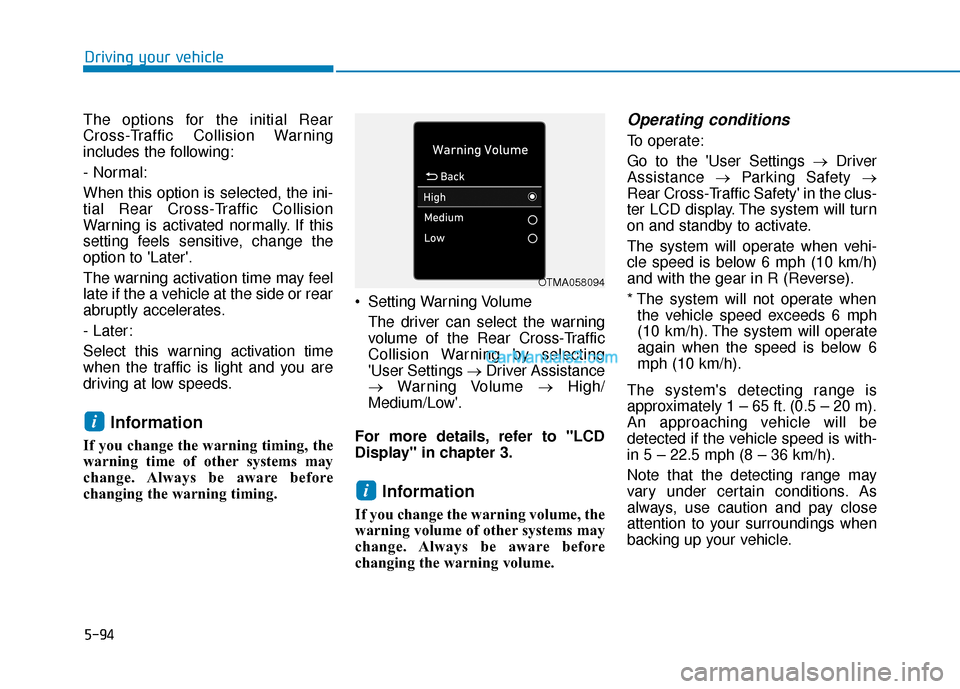
changing the warning timing. Setting Warning Volume
The driver can select the warning
volume of the Rear Cross-Traffic
Collision Warning by selecting
'User Settings → Driver Assistance
→ Warning Volume →High/
Medium/Low'.
For more details, refer to "LCD
Display" in chapter 3.
Information
If you change the warning volume, the
warning volume of other systems may
change. Always be aware before
changing the warning volume.
Operating conditions
To operate:
Go to the 'User Settings → Driver
Assistance →Parking Safety →
Rear Cross-Traffic Safety' in the clus-
ter LCD display. The system will turn
on and standby to activate.
The system will operate when vehi-
cle speed is below 6 mph (10 km/h)
and with the gear in R (Reverse).
* The system will not operate when the vehicle speed exceeds 6 mph
(10 km/h). The system will operate
again when the speed is below 6
mph (10 km/h).
The system's detecting range is
approximately 1 – 65 ft. (0.5 – 20 m).
An approaching vehicle will be
detected if the vehicle speed is with-
in 5 – 22.5 mph (8 – 36 km/h).
Note that the detecting range may
vary under certain conditions. As
always, use caution and pay close
attention to your surroundings when
backing up your vehicle.
i
i
OTMA058094
Page 420 of 611
5-111
Driving your vehicle
5
Note that the vehicle
speed must be at least
approximately 40 mph
(64 km/h) to ENABLE the
LKA system. The indicator in the
cluster will illuminate green.
The color of indicator will change
depending on the condition of LKA
system.
- White : Sensor does not detect
lane markers or vehicle
speed is under 40 mph (64
km/h).
- Green : Sensor detects lane mark- ers and the system is able
to control vehicle steering.
Information
If the indicator (white) is activated
from the previous ignition cycle, the
system will turn ON without any addi-
tional control. If you press the LKA
switch again, the indicator on the clus-
ter goes off.
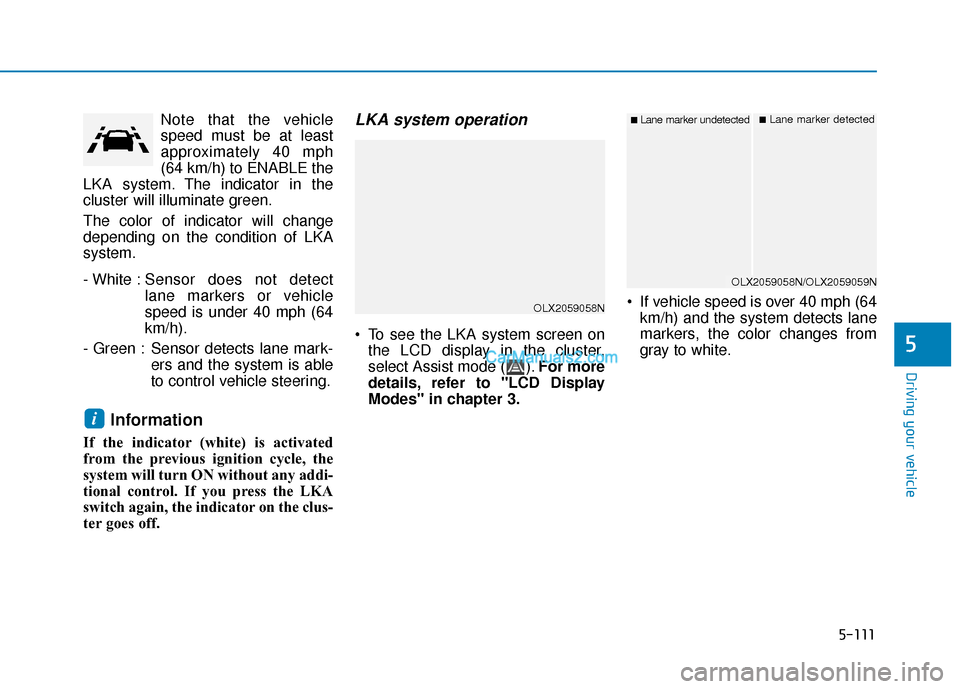
LKA system operation
To see the LKA system screen onthe LCD display in the cluster,
select Assist mode ( ). For more
details, refer to "LCD Display
Modes" in chapter 3. If vehicle speed is over 40 mph (64
km/h) and the system detects lane
markers, the color changes from
gray to white.
i
OLX2059058N
■Lane marker undetected■Lane marker detected
OLX2059058N/OLX2059059N