window Hyundai Palisade 2020 Owner's Manual
[x] Cancel search | Manufacturer: HYUNDAI, Model Year: 2020, Model line: Palisade, Model: Hyundai Palisade 2020Pages: 611, PDF Size: 18.86 MB
Page 13 of 611
1-2
E
EX
X T
TE
ER
R I
IO
O R
R
O
O V
VE
ER
R V
V I
IE
E W
W
Your vehicle at a glance
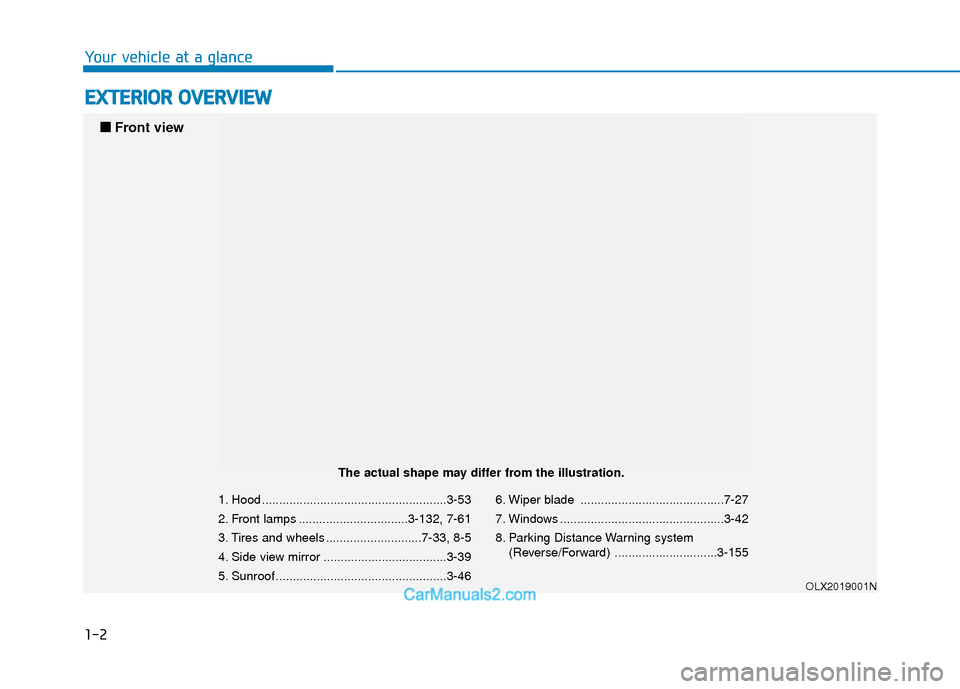
1. Hood ......................................................3-53
2. Front lamps ................................3-132, 7-61
3. Tires and wheels ............................7-33, 8-5
4. Side view mirror ....................................3-39
5. Sunroof ..................................................3-46 6. Wiper blade ..........................................7-27
7. Windows ................................................3-42
8. Parking Distance Warning system
(Reverse/Forward) ..............................3-155
OLX2019001N
■
■
Front view
The actual shape may differ from the illustration.
Page 15 of 611
1-4
Your vehicle at a glance
I
IN
N T
TE
ER
R I
IO
O R
R
O
O V
VE
ER
R V
V I
IE
E W
W
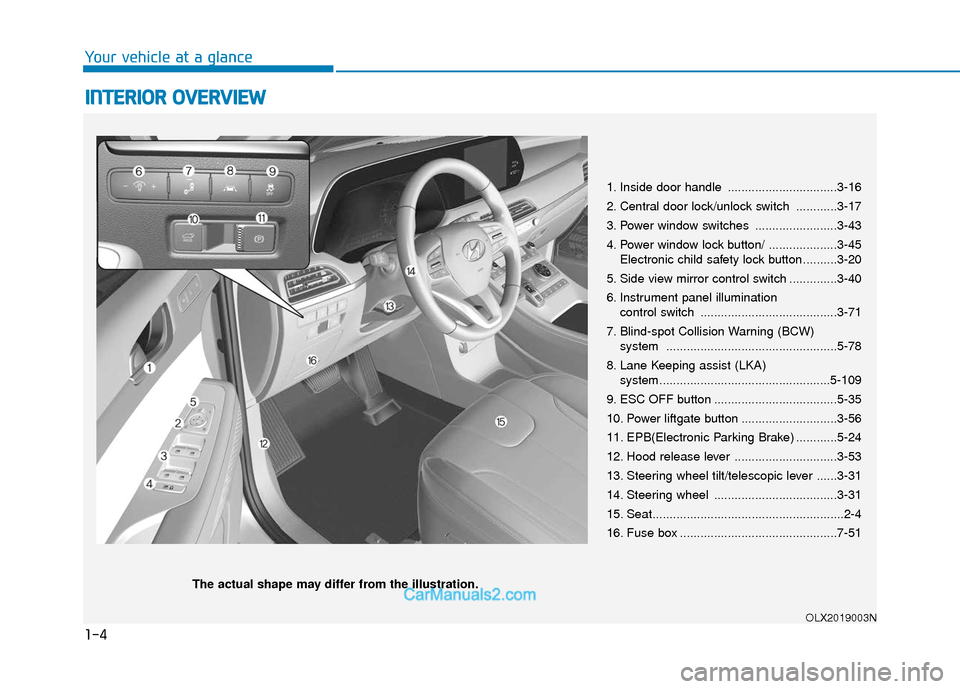
1. Inside door handle ................................3-16
2. Central door lock/unlock switch ............3-17
3. Power window switches ........................3-43
4. Power window lock button/ ....................3-45
Electronic child safety lock button..........3-20
5. Side view mirror control switch ..............3-40
6. Instrument panel illumination control switch ........................................3-71
7. Blind-spot Collision Warning (BCW) system ..................................................5-78
8. Lane Keeping assist (LKA) system..................................................5-109
9. ESC OFF button ....................................5-35
10. Power liftgate button ............................3-56
11. EPB(Electronic Parking Brake) ............5-24
12. Hood release lever ..............................3-53
13. Steering wheel tilt/telescopic lever ......3-31
14. Steering wheel ....................................3-31
15. Seat........................................................2-4
16. Fuse box ..............................................7-51
OLX2019003N
The actual shape may differ from the illustration.
Page 78 of 611
2-61
Safety system of your vehicle
2
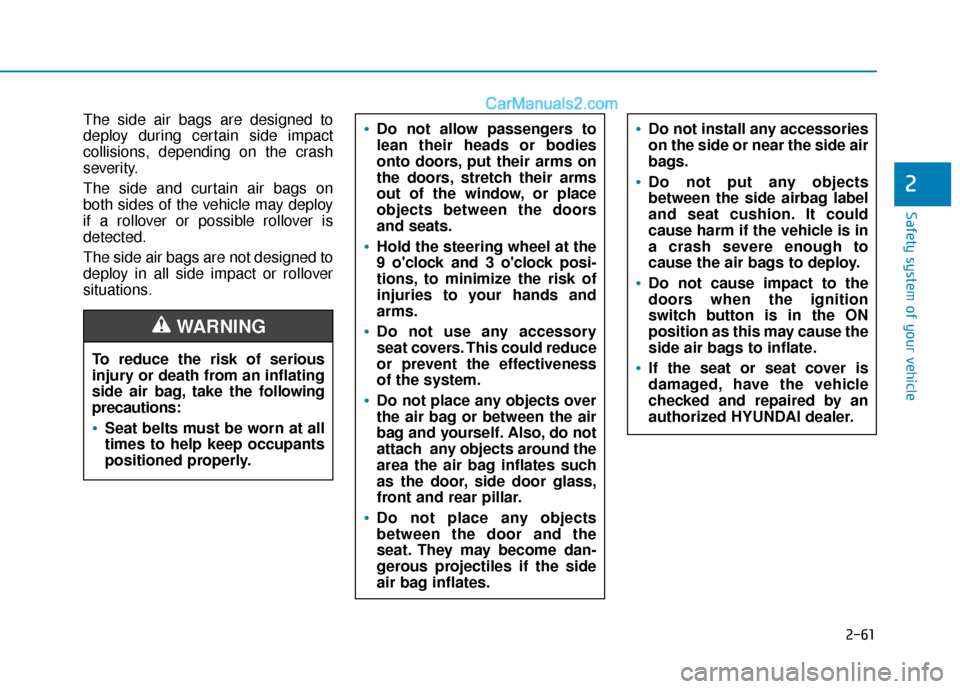
The side air bags are designed to
deploy during certain side impact
collisions, depending on the crash
severity.
The side and curtain air bags on
both sides of the vehicle may deploy
if a rollover or possible rollover is
detected.
The side air bags are not designed to
deploy in all side impact or rollover
situations.Do not allow passengers to
lean their heads or bodies
onto doors, put their arms on
the doors, stretch their arms
out of the window, or place
objects between the doors
and seats.
Hold the steering wheel at the
9 o'clock and 3 o'clock posi-
tions, to minimize the risk of
injuries to your hands and
arms.
Do not use any accessory
seat covers. This could reduce
or prevent the effectiveness
of the system.
Do not place any objects over
the air bag or between the air
bag and yourself. Also, do not
attach any objects around the
area the air bag inflates such
as the door, side door glass,
front and rear pillar.
Do not place any objects
between the door and the
seat. They may become dan-
gerous projectiles if the side
air bag inflates.
Do not install any accessories
on the side or near the side air
bags.
Do not put any objects
between the side airbag label
and seat cushion. It could
cause harm if the vehicle is in
a crash severe enough to
cause the air bags to deploy.
Do not cause impact to the
doors when the ignition
switch button is in the ON
position as this may cause the
side air bags to inflate.
If the seat or seat cover is
damaged, have the vehicle
checked and repaired by an
authorized HYUNDAI dealer.To reduce the risk of serious
injury or death from an inflating
side air bag, take the following
precautions:
Seat belts must be worn at all
times to help keep occupants
positioned properly.
WARNING
Page 79 of 611
2-62
Safety system of your vehicle
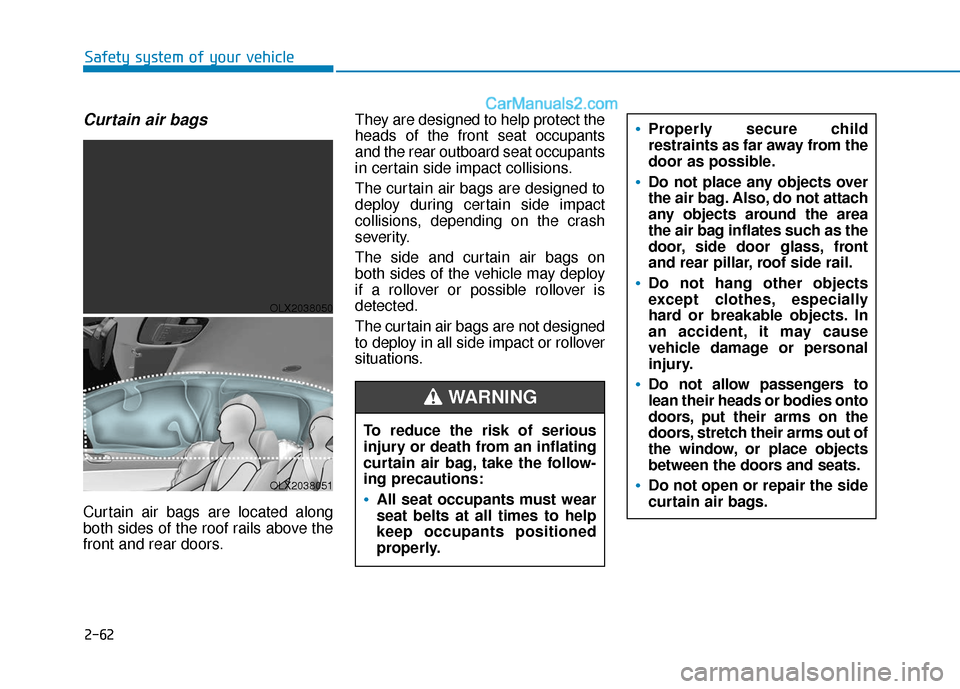
Curtain air bags
Curtain air bags are located along
both sides of the roof rails above the
front and rear doors.They are designed to help protect the
heads of the front seat occupants
and the rear outboard seat occupants
in certain side impact collisions.
The curtain air bags are designed to
deploy during certain side impact
collisions, depending on the crash
severity.
The side and curtain air bags on
both sides of the vehicle may deploy
if a rollover or possible rollover is
detected.
The curtain air bags are not designed
to deploy in all side impact or rollover
situations.
To reduce the risk of serious
injury or death from an inflating
curtain air bag, take the follow-
ing precautions:All seat occupants must wear
seat belts at all times to help
keep occupants positioned
properly.
Properly secure child
restraints as far away from the
door as possible.
Do not place any objects over
the air bag. Also, do not attach
any objects around the area
the air bag inflates such as the
door, side door glass, front
and rear pillar, roof side rail.
Do not hang other objects
except clothes, especially
hard or breakable objects. In
an accident, it may cause
vehicle damage or personal
injury.
Do not allow passengers to
lean their heads or bodies onto
doors, put their arms on the
doors, stretch their arms out of
the window, or place objects
between the doors and seats.
Do not open or repair the side
curtain air bags.
WARNING
OLX2038050
OLX2038051
Page 84 of 611
2-67
Safety system of your vehicle
2
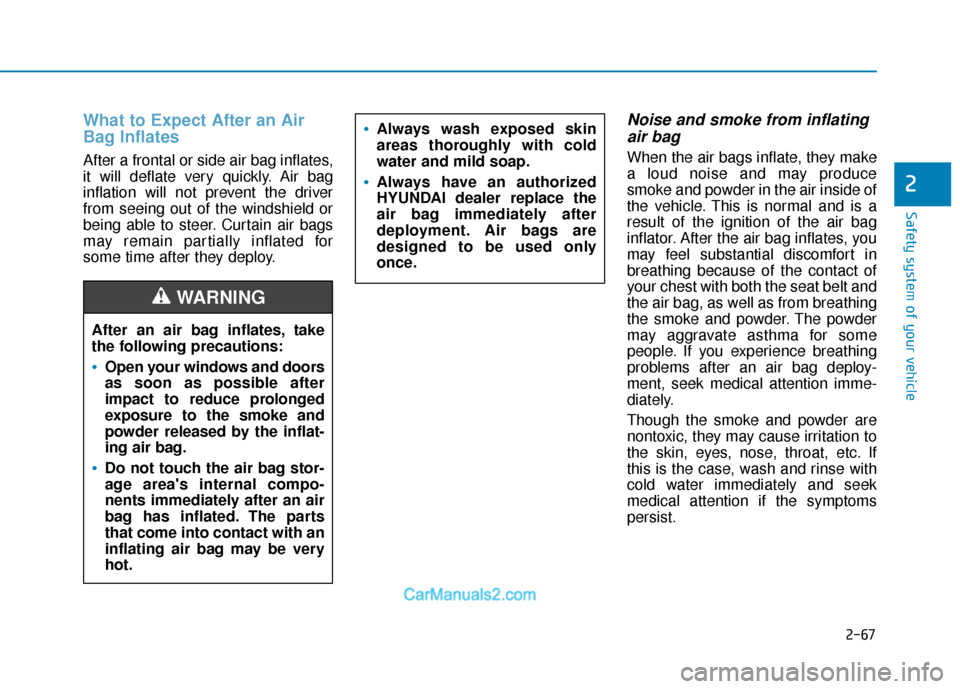
What to Expect After an Air
Bag Inflates
After a frontal or side air bag inflates,
it will deflate very quickly. Air bag
inflation will not prevent the driver
from seeing out of the windshield or
being able to steer. Curtain air bags
may remain partially inflated for
some time after they deploy.
Noise and smoke from inflatingair bag
When the air bags inflate, they make
a loud noise and may produce
smoke and powder in the air inside of
the vehicle. This is normal and is a
result of the ignition of the air bag
inflator. After the air bag inflates, you
may feel substantial discomfort in
breathing because of the contact of
your chest with both the seat belt and
the air bag, as well as from breathing
the smoke and powder. The powder
may aggravate asthma for some
people. If you experience breathing
problems after an air bag deploy-
ment, seek medical attention imme-
diately.
Though the smoke and powder are
nontoxic, they may cause irritation to
the skin, eyes, nose, throat, etc. If
this is the case, wash and rinse with
cold water immediately and seek
medical attention if the symptoms
persist.
Always wash exposed skin
areas thoroughly with cold
water and mild soap.
Always have an authorized
HYUNDAI dealer replace the
air bag immediately after
deployment. Air bags are
designed to be used only
once.
After an air bag inflates, take
the following precautions:
Open your windows and doors
as soon as possible after
impact to reduce prolonged
exposure to the smoke and
powder released by the inflat-
ing air bag.
Do not touch the air bag stor-
age area's internal compo-
nents immediately after an air
bag has inflated. The parts
that come into contact with an
inflating air bag may be very
hot.
WARNING
Page 97 of 611

Convenient features of your vehicle
Accessing your vehicle .........................................3-4
Remote Key........................................................................\
.3-4
Smart Key ........................................................................\
....3-8
Immobilizer System .........................................................3-14
Door locks .............................................................3-15
Operating Door Locks from Outside the Vehicle ....3-15
Operating Door Locks from Inside the Vehicle .......3-16
Automatic Door Lock and Unlock Features .............3-19
Child-Protector Rear Door Locks ...............................3-20
Electronic Child Safety Lock System .........................3-20
Safe Exit Assist (SEA) System .....................................3-21
Rear Occupant Alert (ROA) System ...........................3-23
Theft-alarm system.............................................3-26
Driver position memory system .........................3-27
Storing Positions into Memory ....................................3-27
Recalling Positions from Memory...............................3-28
Resetting the Driver's Seat Memory System...........3-28
Easy Access Function ....................................................3-29
Steering wheel......................................................3-30
Electric Power Steering (EPS) .....................................3-30
Tilt Steering / Telescopic Steering .............................3-31
Horn ........................................................................\
............3-31
Heated Steering Wheel ..................................................3-32
Mirrors ...................................................................3-33
Inside Rearview Mirror ..................................................3-33
Side View Mirrors ...........................................................3-39
Reverse Parking Aid Function......................................3-41
Windows ................................................................3-42
Power Windows ...............................................................3-43
Sunroof..................................................................3-46
Sunroof ........................................................................\
......3-46
Dual wide sunroof...........................................................3-46
Sunshade ........................................................................\
...3-47
Sunroof Opening and Closing ......................................3-48
Sliding the Sunroof .........................................................3-48
Tilting the Sunroof (Front) ...........................................3-49
Resetting the Sunroof ...................................................3-50
Resetting the rear sunshade........................................3-51
Sunroof Open Warning ..................................................3-52
Exterior features .................................................3-53
Hood ........................................................................\
...........3-53
Non-Powered Liftgate ...................................................3-54
Power Liftgate .................................................................3-56
Smart Liftgate ..................................................................3-62
Fuel Filler Door ................................................................3-66
3
Page 98 of 611
Instrument cluster................................................3-69
Instrument Cluster Control............................................3-71
Gauges and Meters ........................................................3-71
Transmission Shift Indicator .........................................3-76
Warning and Indicator Lights .......................................3-76
LCD Display Messages ...................................................3-90
LCD Display (Cluster type A and type B) .........3-96
LCD Display Control ........................................................3-96
LCD Display Modes .........................................................3-97
TRIP Computer (Cluster type A and type B) ..3-110
LCD Display (Cluster type C)............................3-114
LCD Display Control......................................................3-114
View Modes ....................................................................3-11\
5
Option Menu (Cluster type C) ..........................3-119
Head up display (HUD)......................................3-130
Lighting................................................................3-132
Exterior Lights ...............................................................3-132
Interior Lights ................................................................3-139
Welcome System ...........................................................3-142
Wipers and washers ..........................................3-144
Front Windshield Wipers .............................................3-144
Front Windshield Washers ..........................................3-146
Rear Window Wiper and Washer..............................3-147
Driver Assist System .........................................3-148
Rear View Monitor .......................................................3-148
Surround View Monitoring .........................................3-149
Blind-spot View Monitor system ..............................3-150
Parking Distance Warning (Reverse) System ........3-152
Parking Distance Warning(Reverse/Forward)
System ........................................................................\
.....3-155
Manual climate control system........................3-159
Heating and Air Conditioning .....................................3-160
Rear climate control .....................................................3-164
System Operation .........................................................3-167
System Maintenance....................................................3-169
Automatic climate control system ...................3-171
Automatic Temperature Control Mode ....................3-172
Manual Temperature Control Mode .........................3-173
Rear climate control .....................................................3-179
System Operation .........................................................3-182
System Maintenance....................................................3-184
3
Page 99 of 611
Convenient features of your vehicle
Windshield defrosting and defogging ............3-186
Auto Defogging System (Additional Feature with
Automatic Temperature Control System)................3-188
Rear Window Defroster ..............................................3-190
Climate control additional features.................3-191
Cluster ionizer ................................................................3-191
Automatic Ventilation ...................................................3-191
Sunroof Inside Air Recirculation ...............................3-191
Storage compartment ........................................3-192
Center Console Storage ..............................................3-192
Glove Box ........................................................................\
3-192
Luggage Tray .................................................................3-193
Interior features.................................................3-194
Cup Holder ......................................................................3-\
194
Conversation mirror......................................................3-196
Sunvisor ........................................................................\
...3-196
Power Outlet ..................................................................3-197
AC Inverter......................................................................3-\
198
USB Charger ...................................................................3-200\
Wireless Cellular Phone Charging System..............3-201
Clock ........................................................................\
.........3-203
Coat Hook .......................................................................3\
-203
Floor Mat Anchor(s).....................................................3-204
Luggage Net Holder .....................................................3-205
Cargo Security Screen .................................................3-205
Side Curtain ....................................................................3-20\
7
Exterior features ...............................................3-209
Roof Side Rails .............................................................3-209
3
Page 100 of 611
3-4
Convenient features of your vehicle
Remote Key (if equipped)
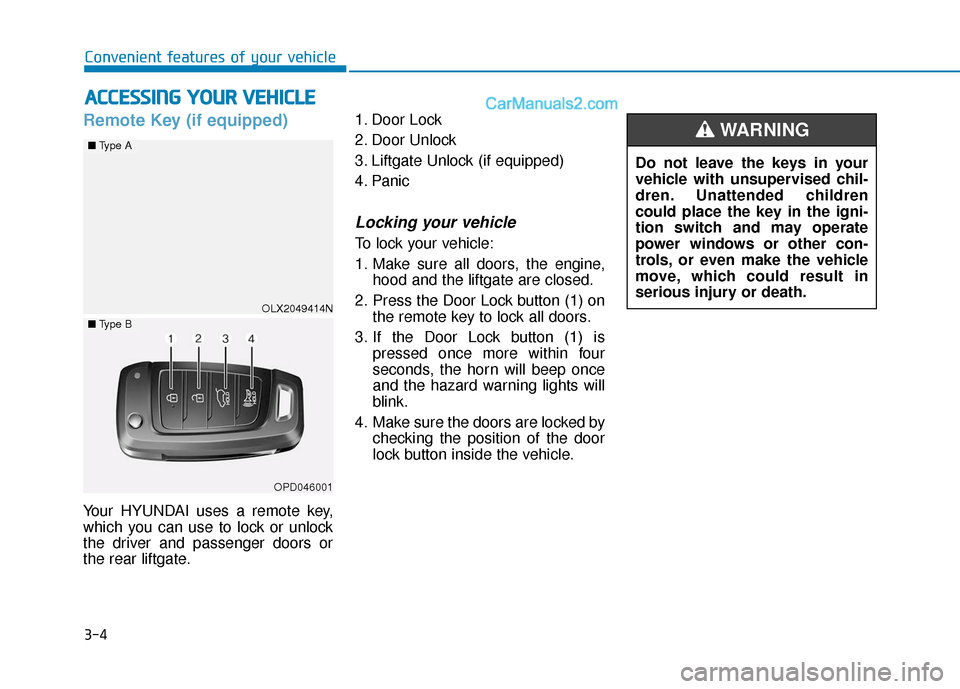
Your HYUNDAI uses a remote key,
which you can use to lock or unlock
the driver and passenger doors or
the rear liftgate.1. Door Lock
2. Door Unlock
3. Liftgate Unlock (if equipped)
4. Panic
Locking your vehicle
To lock your vehicle:
1. Make sure all doors, the engine,
hood and the liftgate are closed.
2. Press the Door Lock button (1) on the remote key to lock all doors.
3. If the Door Lock button (1) is pressed once more within four
seconds, the horn will beep once
and the hazard warning lights will
blink.
4. Make sure the doors are locked by checking the position of the door
lock button inside the vehicle.
A AC
CC
CE
E S
SS
SI
IN
N G
G
Y
Y O
O U
UR
R
V
V E
EH
H I
IC
C L
LE
E
Do not leave the keys in your
vehicle with unsupervised chil-
dren. Unattended children
could place the key in the igni-
tion switch and may operate
power windows or other con-
trols, or even make the vehicle
move, which could result in
serious injury or death.
WARNING
OLX2049414N
■ Type A
■Type B
OPD046001
Page 105 of 611
3-9
Convenient features of your vehicle
3
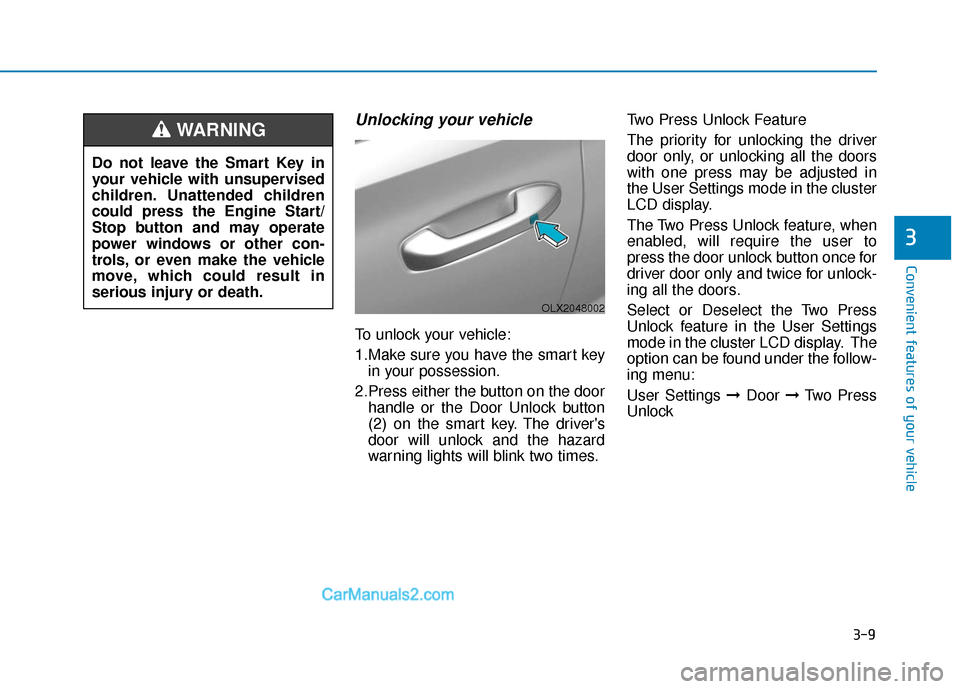
Unlocking your vehicle
To unlock your vehicle:
1.Make sure you have the smart keyin your possession.
2.Press either the button on the door handle or the Door Unlock button
(2) on the smart key. The driver's
door will unlock and the hazard
warning lights will blink two times. Two Press Unlock Feature
The priority for unlocking the driver
door only, or unlocking all the doors
with one press may be adjusted in
the User Settings mode in the cluster
LCD display.
The Two Press Unlock feature, when
enabled, will require the user to
press the door unlock button once for
driver door only and twice for unlock-
ing all the doors.
Select or Deselect the Two Press
Unlock feature in the User Settings
mode in the cluster LCD display. The
option can be found under the follow-
ing menu:
User Settings ➞
Door ➞Two Press
Unlock
Do not leave the Smart Key in
your vehicle with unsupervised
children. Unattended children
could press the Engine Start/
Stop button and may operate
power windows or other con-
trols, or even make the vehicle
move, which could result in
serious injury or death.
WARNING
OLX2048002