Button HYUNDAI PALISADE 2021 Owners Manual
[x] Cancel search | Manufacturer: HYUNDAI, Model Year: 2021, Model line: PALISADE, Model: HYUNDAI PALISADE 2021Pages: 612, PDF Size: 33.36 MB
Page 346 of 612
5-37
Driving your vehicle
5Driving with wheels and tires with
different sizes may cause the ESC
system to malfunction. Before
replacing tires, make sure all four
tires and wheels are the same
size. Never drive the vehicle with
different sized wheels and tires
installed.
ESC OFF usage
When Driving
The ESC OFF mode should only be
used briefly to help free the vehicle if
stuck in snow or mud by temporarily
stopping operation of the ESC to
maintain wheel torque.
To turn ESC off while driving, press
the ESC OFF button while driving on
a flat road surface.
To prevent damage to the trans-
mission:
Do not allow wheel(s) of one
axle to spin excessively while
the ESC, ABS, and parking brake
warning lights are displayed.
The repairs would not be cov-
ered by the vehicle warranty.
Reduce engine power and do
not spin the wheel(s) excessive-
ly while these lights are dis-
played.
When operating the vehicle on a
dynamometer, make sure the
ESC is turned off (ESC OFF light
illuminated).
Information
Turning the ESC off does not affect ABS
or standard brake system operation.
i
NOTICENOTICE
When the ESC is blinking, this
indicates the ESC is active:
Drive slowly and NEVER attempt
to accelerate. NEVER turn the
ESC off while the ESC indicator
light is blinking or you may lose
control of the vehicle resulting in
an accident.
WARNING
Page 348 of 612
5-39
Driving your vehicle
5
Driving with wheels and tires with dif-
ferent sizes may cause the ESC sys-
tem to malfunction. Before replacing
tires, make sure all four tires and
wheels are the same size. Never
drive the vehicle with different sized
tires and wheels installed.Hill-Start Assist Control (HAC)
The Hill-Start Assist Control (HAC)
helps prevent the vehicle from rolling
backwards when starting a vehicle
from a stop on a hill. The system
operates the brakes automatically for
approximately 2 seconds and releas-
es the brake after 2 seconds or when
the accelerator pedal is depressed.
The HAC does not operate when
the vehicle is shifted to P (Park)
or N (Neutral)
The HAC activates even though
the ESC (Electronic Stability
Control) is off but does not acti-
vate when the ESC has malfunc-
tioned.
Downhill Brake Control (DBC)
(if equipped)
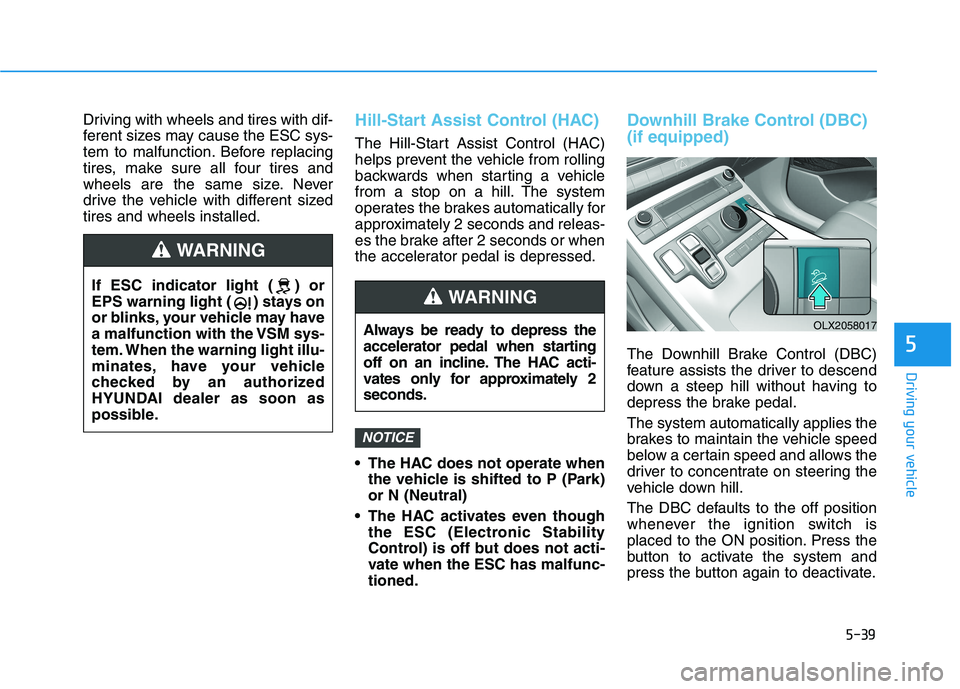
The Downhill Brake Control (DBC)
feature assists the driver to descend
down a steep hill without having to
depress the brake pedal.
The system automatically applies the
brakes to maintain the vehicle speed
below a certain speed and allows the
driver to concentrate on steering the
vehicle down hill.
The DBC defaults to the off position
whenever the ignition switch is
placed to the ON position. Press the
button to activate the system and
press the button again to deactivate.
NOTICE
Always be ready to depress the
accelerator pedal when starting
off on an incline. The HAC acti-
vates only for approximately 2
seconds.
WARNING
OLX2058017
If ESC indicator light ( ) or
EPS warning light ( ) stays on
or blinks, your vehicle may have
a malfunction with the VSM sys-
tem. When the warning light illu-
minates, have your vehicle
checked by an authorized
HYUNDAI dealer as soon as
possible.
WARNING
Page 349 of 612
5-40
Driving your vehicle
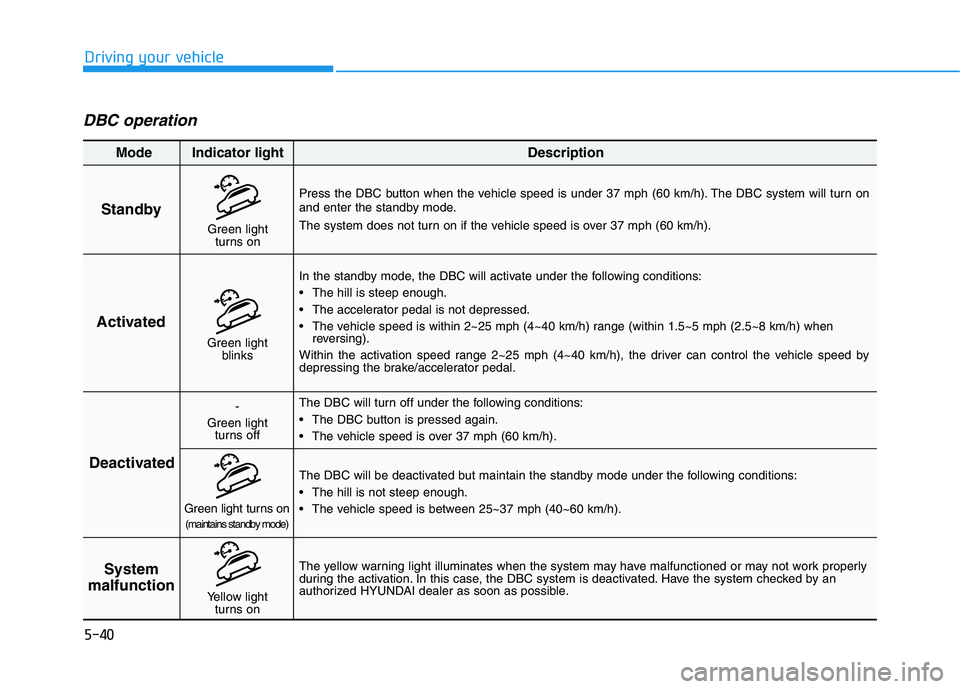
DBC operation
Standby
Press the DBC button when the vehicle speed is under 37 mph (60 km/h). The DBC system will turn on
and enter the standby mode.
The system does not turn on if the vehicle speed is over 37 mph (60 km/h).
In the standby mode, the DBC will activate under the following conditions:
The hill is steep enough.
The accelerator pedal is not depressed.
The vehicle speed is within 2~25 mph (4~40 km/h) range (within 1.5~5 mph (2.5~8 km/h) when
reversing).
Within the activation speed range 2~25 mph (4~40 km/h), the driver can control the vehicle speed by
depressing the brake/accelerator pedal.
The DBC will turn off under the following conditions:
The DBC button is pressed again.
The vehicle speed is over 37 mph (60 km/h).
The yellow warning light illuminates when the system may have malfunctioned or may not work properly
during the activation. In this case, the DBC system is deactivated. Have the system checked by an
authorized HYUNDAI dealer as soon as possible.The DBC will be deactivated but maintain the standby mode under the following conditions:
The hill is not steep enough.
The vehicle speed is between 25~37 mph (40~60 km/h).
Activated
Deactivated
System
malfunction
Mode Indicator light Description
Green light
blinks
-
Green light
turns off
Green light turns on(maintains standby mode)
Yellow light
turns on
Green light
turns on
Page 359 of 612
5-50
Driving your vehicle
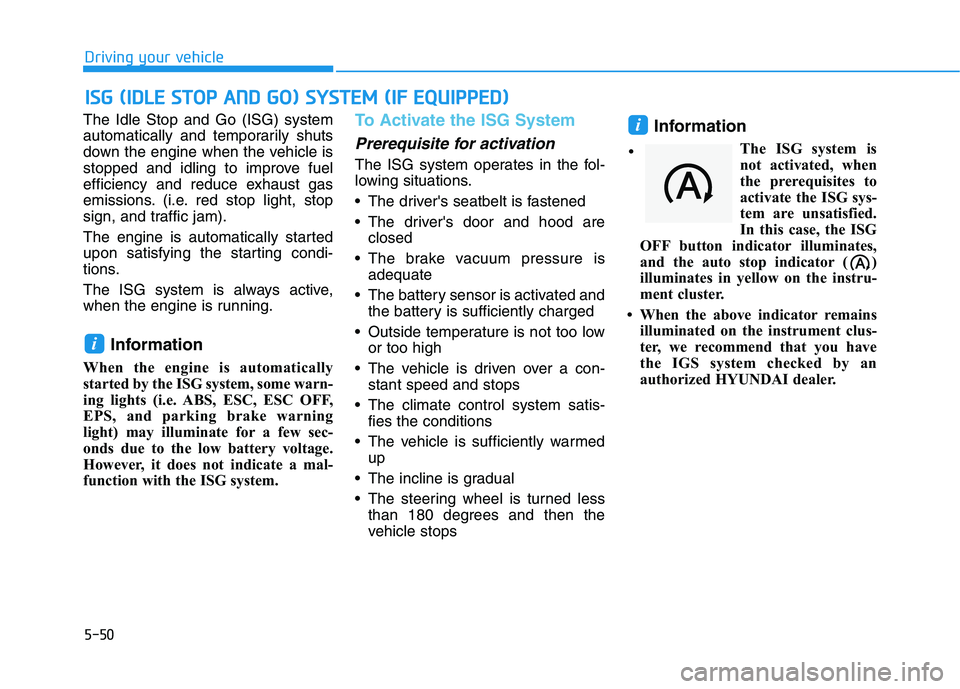
The Idle Stop and Go (ISG) system
automatically and temporarily shuts
down the engine when the vehicle is
stopped and idling to improve fuel
efficiency and reduce exhaust gas
emissions. (i.e. red stop light, stop
sign, and traffic jam).
The engine is automatically started
upon satisfying the starting condi-
tions.
The ISG system is always active,
when the engine is running.
Information
When the engine is automatically
started by the ISG system, some warn-
ing lights (i.e. ABS, ESC, ESC OFF,
EPS, and parking brake warning
light) may illuminate for a few sec-
onds due to the low battery voltage.
However, it does not indicate a mal-
function with the ISG system.
To Activate the ISG System
Prerequisite for activation
The ISG system operates in the fol-
lowing situations.
The driver's seatbelt is fastened
The driver's door and hood are
closed
The brake vacuum pressure is
adequate
The battery sensor is activated and
the battery is sufficiently charged
Outside temperature is not too low
or too high
The vehicle is driven over a con-
stant speed and stops
The climate control system satis-
fies the conditions
The vehicle is sufficiently warmed
up
The incline is gradual
The steering wheel is turned less
than 180 degrees and then the
vehicle stops
Information
The ISG system is
not activated, when
the prerequisites to
activate the ISG sys-
tem are unsatisfied.
In this case, the ISG
OFF button indicator illuminates,
and the auto stop indicator ( )
illuminates in yellow on the instru-
ment cluster.
• When the above indicator remains
illuminated on the instrument clus-
ter, we recommend that you have
the IGS system checked by an
authorized HYUNDAI dealer.
i
i
I IS
SG
G
(
(I
ID
DL
LE
E
S
ST
TO
OP
P
A
AN
ND
D
G
GO
O)
)
S
SY
YS
ST
TE
EM
M
(
(I
IF
F
E
EQ
QU
UI
IP
PP
PE
ED
D)
)
•
Page 360 of 612
5-51
Driving your vehicle
5
Auto stop
To stop the engine in idle stop mode
1. Decrease the vehicle speed to 0
mph.
2. Depress the brake pedal with the
shift lever in D (Drive) or N
(Neutral).
The auto stop indicator ( ) illumi-
nates in green on the instrument
cluster, when the engine stops.
Information
The driving speed must reach at least
3 mph (5 km/h) after an idle stop to
stop the engine in idle stop mode
again.
In auto stop mode, when the driver
opens the hood, the ISG system will
be deactivated.When the system is deactivated:
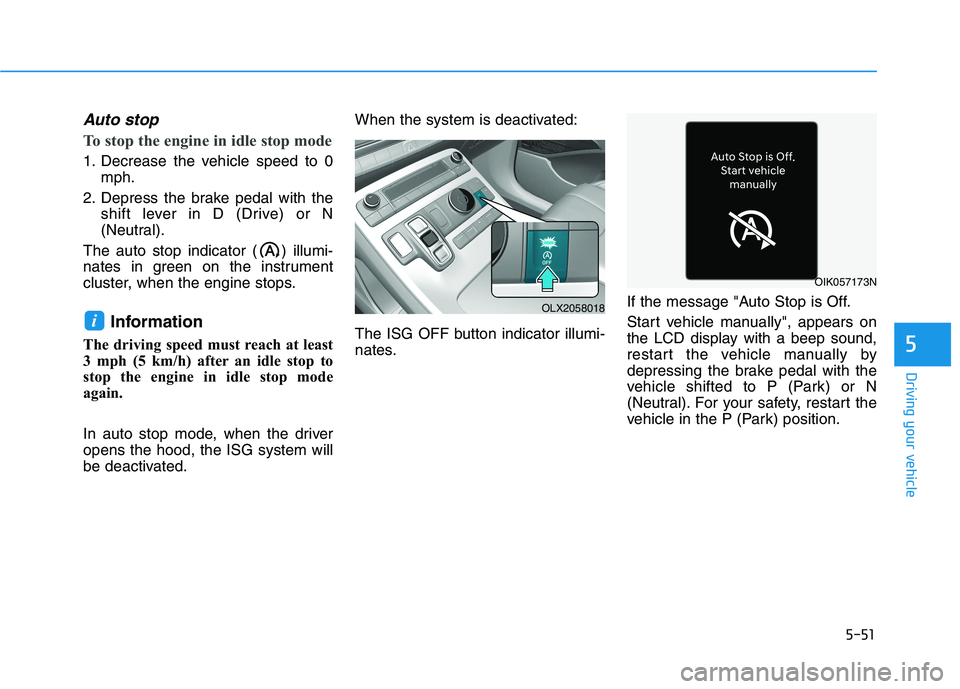
The ISG OFF button indicator illumi-
nates.If the message "Auto Stop is Off.
Start vehicle manually", appears on
the LCD display with a beep sound,
restart the vehicle manually by
depressing the brake pedal with the
vehicle shifted to P (Park) or N
(Neutral). For your safety, restart the
vehicle in the P (Park) position.
iOLX2058018
OIK057173N
Page 362 of 612
5-53
Driving your vehicle
5
To Deactivate the ISG System
Press the ISG OFF button to deac-
tivate the ISG system. Then, the
ISG OFF button indicator illumi-
nates.
Press the ISG OFF button again to
reactivate the ISG system. Then,
the ISG OFF button indicator turns
OFF.
ISG System Malfunction
The ISG system may not operate:
When there is a malfunction with the
ISG sensors or the ISG system.
The followings occur, when there is
a malfunction with the ISG system:
The auto stop indicator ( ) will
blink in yellow on the instrument
cluster.
The light on the ISG OFF button
will illuminate.
Information
• When you cannot turn OFF the ISG
OFF button indicator by pressing the
ISG OFF button, or when the mal-
function with the ISG system per-
sists, contact an authorized
HYUNDAI dealer.
• You can turn off the ISG OFF but-
ton indicator by driving over 50
mph (80 km/h) for up to 2 hours
with the fan speed below the 2nd
position. If the ISG OFF button
indicator remains ON, contact an
authorized HYUNDAI dealer.
i
When the engine is in auto stop
mode, the engine may restart.
Before leaving the vehicle or
checking the engine compart-
ment, stop the engine placing
the ignition switch to the
LOCK/OFF position or remove
the ignition key.
WARNING
Page 389 of 612
5-80
Driving your vehicle
- BCW turns on and is ready to be
operated when 'Warning Only' is
selected. Then, if a vehicle
approaches the driver's blind spot
area a warning sounds but brak-
ing is not applied.
- The system is deactivated and
the indicator on the BCW/BCA
button is turned off when 'Off' is
selected.
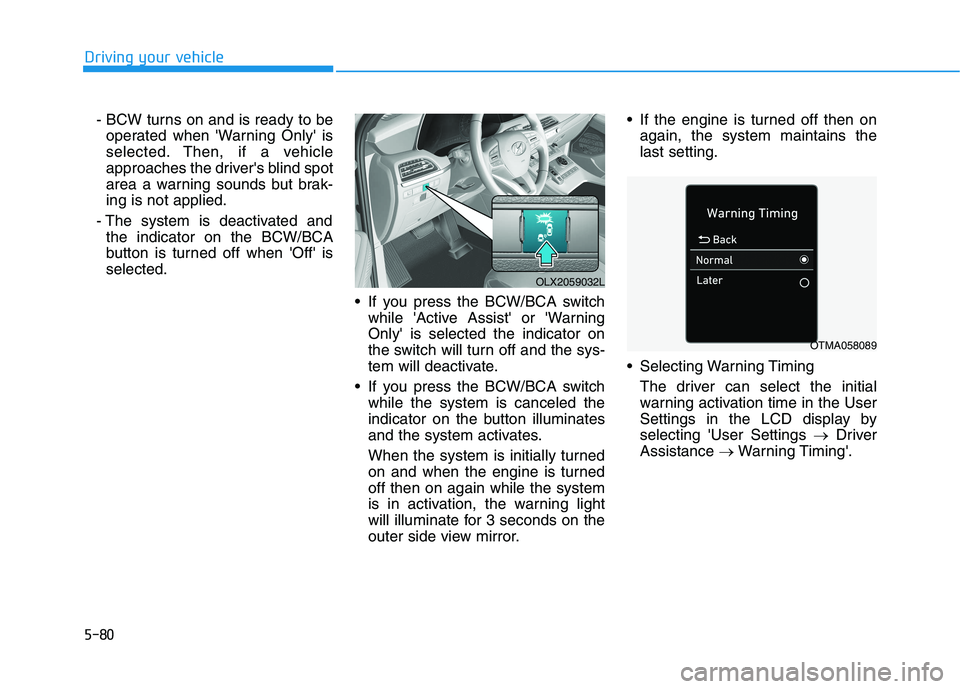
If you press the BCW/BCA switch
while 'Active Assist' or 'Warning
Only' is selected the indicator on
the switch will turn off and the sys-
tem will deactivate.
If you press the BCW/BCA switch
while the system is canceled the
indicator on the button illuminates
and the system activates.
When the system is initially turned
on and when the engine is turned
off then on again while the system
is in activation, the warning light
will illuminate for 3 seconds on the
outer side view mirror. If the engine is turned off then on
again, the system maintains the
last setting.
Selecting Warning Timing
The driver can select the initial
warning activation time in the User
Settings in the LCD display by
selecting 'User Settings →Driver
Assistance →Warning Timing'.
OLX2059032L
OTMA058089
Page 420 of 612
5-111
Driving your vehicle
5
LKA System Operation
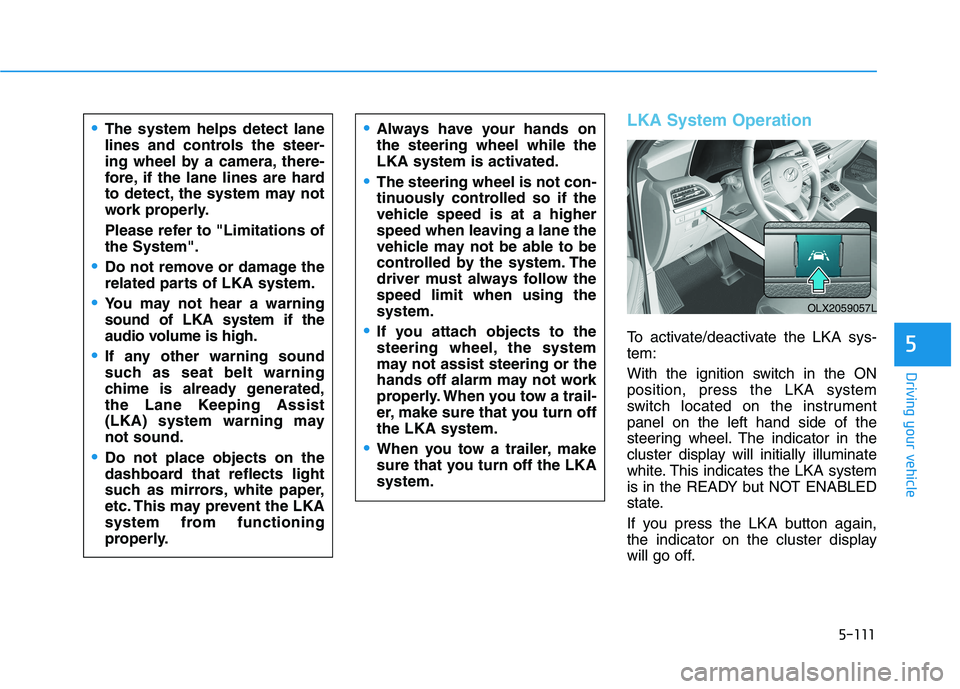
To activate/deactivate the LKA sys-
tem:
With the ignition switch in the ON
position, press the LKA system
switch located on the instrument
panel on the left hand side of the
steering wheel. The indicator in the
cluster display will initially illuminate
white. This indicates the LKA system
is in the READY but NOT ENABLED
state.
If you press the LKA button again,
the indicator on the cluster display
will go off.
The system helps detect lane
lines and controls the steer-
ing wheel by a camera, there-
fore, if the lane lines are hard
to detect, the system may not
work properly.
Please refer to "Limitations of
the System".
Do not remove or damage the
related parts of LKA system.
You may not hear a warning
sound of LKA system if the
audio volume is high.
If any other warning sound
such as seat belt warning
chime is already generated,
the Lane Keeping Assist
(LKA) system warning may
not sound.
Do not place objects on the
dashboard that reflects light
such as mirrors, white paper,
etc. This may prevent the LKA
system from functioning
properly.
Always have your hands on
the steering wheel while the
LKA system is activated.
The steering wheel is not con-
tinuously controlled so if the
vehicle speed is at a higher
speed when leaving a lane the
vehicle may not be able to be
controlled by the system. The
driver must always follow the
speed limit when using the
system.
If you attach objects to the
steering wheel, the system
may not assist steering or the
hands off alarm may not work
properly. When you tow a trail-
er, make sure that you turn off
the LKA system.
When you tow a trailer, make
sure that you turn off the LKA
system.
OLX2059057L
Page 431 of 612
5-122
Driving your vehicle
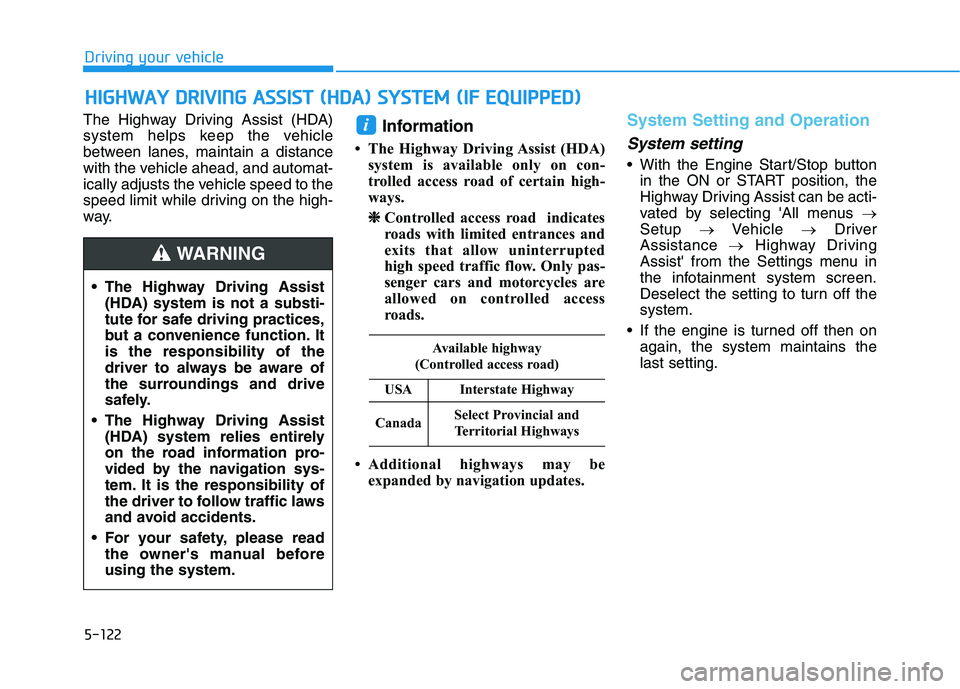
The Highway Driving Assist (HDA)
system helps keep the vehicle
between lanes, maintain a distance
with the vehicle ahead, and automat-
ically adjusts the vehicle speed to the
speed limit while driving on the high-
way.
Information
• The Highway Driving Assist (HDA)
system is available only on con-
trolled access road of certain high-
ways.
❈ ❈
Controlled access road indicates
roads with limited entrances and
exits that allow uninterrupted
high speed traffic flow. Only pas-
senger cars and motorcycles are
allowed on controlled access
roads.
• Additional highways may be
expanded by navigation updates.
System Setting and Operation
System setting
With the Engine Start/Stop button
in the ON or START position, the
Highway Driving Assist can be acti-
vated by selecting 'All menus →
Setup →Vehicle →Driver
Assistance →Highway Driving
Assist' from the Settings menu in
the infotainment system screen.
Deselect the setting to turn off the
system.
If the engine is turned off then on
again, the system maintains the
last setting.
i
H HI
IG
GH
HW
WA
AY
Y
D
DR
RI
IV
VI
IN
NG
G
A
AS
SS
SI
IS
ST
T
(
(H
HD
DA
A)
)
S
SY
YS
ST
TE
EM
M
(
(I
IF
F
E
EQ
QU
UI
IP
PP
PE
ED
D)
)
The Highway Driving Assist
(HDA) system is not a substi-
tute for safe driving practices,
but a convenience function. It
is the responsibility of the
driver to always be aware of
the surroundings and drive
safely.
The Highway Driving Assist
(HDA) system relies entirely
on the road information pro-
vided by the navigation sys-
tem. It is the responsibility of
the driver to follow traffic laws
and avoid accidents.
For your safety, please read
the owner's manual before
using the system.
WARNING
Available highway
(Controlled access road)
USAInterstate Highway
CanadaSelect Provincial and
Territorial Highways
Page 440 of 612
5-131
Driving your vehicle
5
Normal:
Vehicle speed following the front
vehicle to maintain the set distance
is normal.
Slow:
Vehicle speed following the front
vehicle to maintain the set distance
is slower than normal speed.
Information
The last selected speed sensitivity of
the smart cruise control is remained in
the system.
To Convert to Cruise Control
Mode
The driver may choose to switch to
use the conventional Cruise Control
mode (speed only control function)
by following these steps:
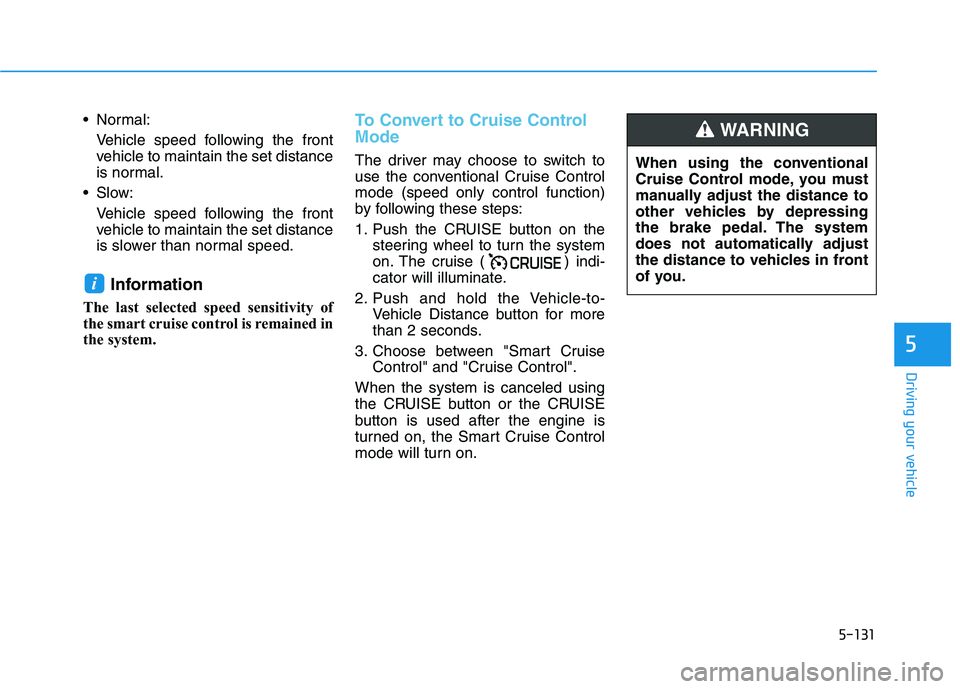
1. Push the CRUISE button on the
steering wheel to turn the system
on. The cruise ( ) indi-
cator will illuminate.
2. Push and hold the Vehicle-to-
Vehicle Distance button for more
than 2 seconds.
3. Choose between "Smart Cruise
Control" and "Cruise Control".
When the system is canceled using
the CRUISE button or the CRUISE
button is used after the engine is
turned on, the Smart Cruise Control
mode will turn on.
i
When using the conventional
Cruise Control mode, you must
manually adjust the distance to
other vehicles by depressing
the brake pedal. The system
does not automatically adjust
the distance to vehicles in front
of you.
WARNING