cruise control HYUNDAI PALISADE 2021 User Guide
[x] Cancel search | Manufacturer: HYUNDAI, Model Year: 2021, Model line: PALISADE, Model: HYUNDAI PALISADE 2021Pages: 612, PDF Size: 33.36 MB
Page 214 of 612
3-118
Convenient features of your vehicle
Other Information Display
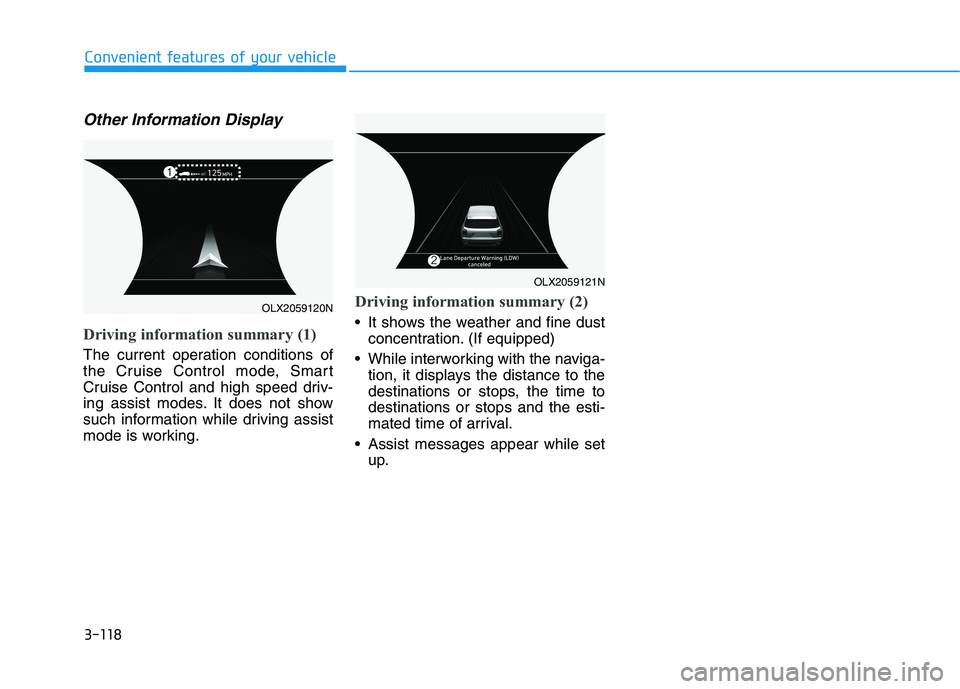
Driving information summary (1)
The current operation conditions of
the Cruise Control mode, Smart
Cruise Control and high speed driv-
ing assist modes. It does not show
such information while driving assist
mode is working.
Driving information summary (2)
It shows the weather and fine dust
concentration. (If equipped)
While interworking with the naviga-
tion, it displays the distance to the
destinations or stops, the time to
destinations or stops and the esti-
mated time of arrival.
Assist messages appear while set
up.
OLX2059120N
OLX2059121N
Page 217 of 612
3-121
Convenient features of your vehicle
3
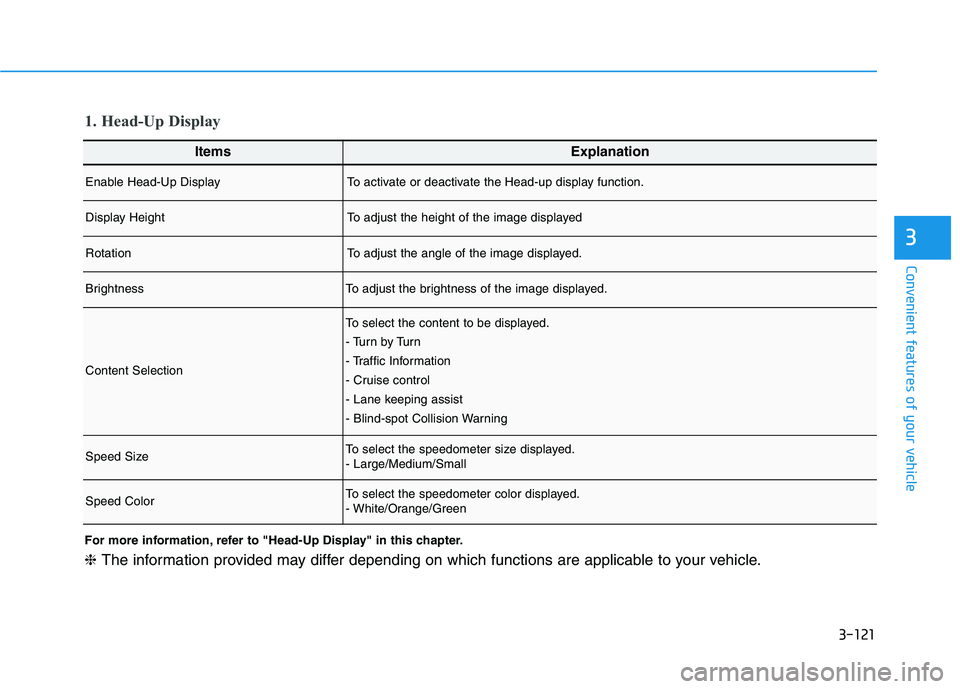
ItemsExplanation
Enable Head-Up DisplayTo activate or deactivate the Head-up display function.
Display HeightTo adjust the height of the image displayed
RotationTo adjust the angle of the image displayed.
BrightnessTo adjust the brightness of the image displayed.
Content Selection
To select the content to be displayed.
- Tu r n b y Tu r n
- Traffic Information
- Cruise control
- Lane keeping assist
- Blind-spot Collision Warning
Speed SizeTo select the speedometer size displayed.
- Large/Medium/Small
Speed ColorTo select the speedometer color displayed.
- White/Orange/Green
1. Head-Up Display
For more information, refer to "Head-Up Display" in this chapter.
❈The information provided may differ depending on which functions are applicable to your vehicle.
Page 218 of 612
3-122
Convenient features of your vehicle
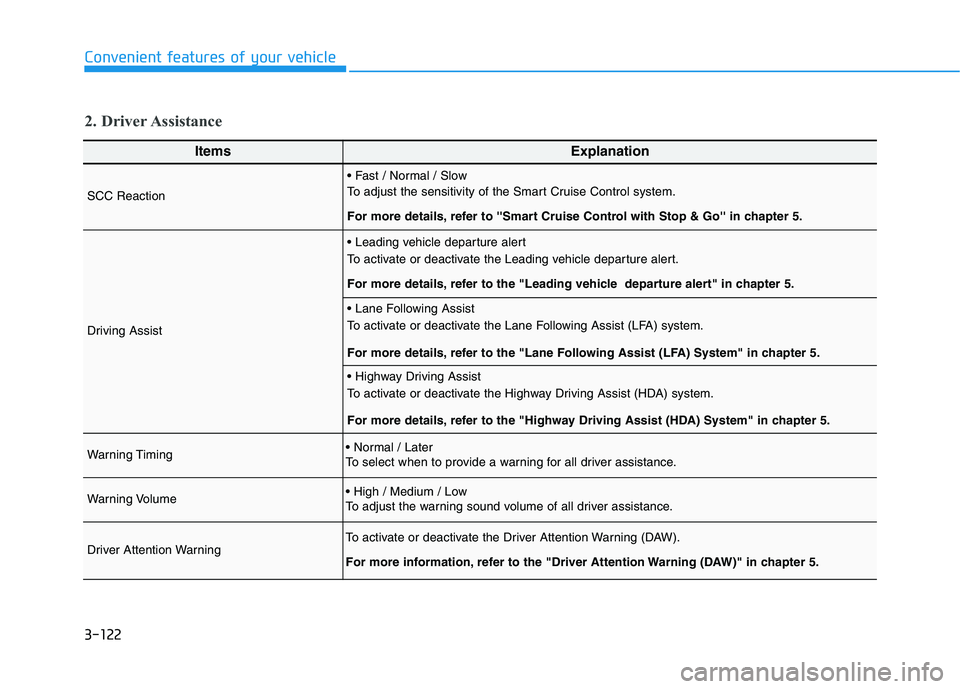
ItemsExplanation
SCC Reaction
To adjust the sensitivity of the Smart Cruise Control system.
For more details, refer to ''Smart Cruise Control with Stop & Go'' in chapter 5.
Driving Assist
To activate or deactivate the Leading vehicle departure alert.
For more details, refer to the "Leading vehicle departure alert" in chapter 5.
To activate or deactivate the Lane Following Assist (LFA) system.
For more details, refer to the "Lane Following Assist (LFA) System" in chapter 5.
To activate or deactivate the Highway Driving Assist (HDA) system.
For more details, refer to the "Highway Driving Assist (HDA) System" in chapter 5.
Warning Timing
To select when to provide a warning for all driver assistance.
Warning Volume
To adjust the warning sound volume of all driver assistance.
Driver Attention WarningTo activate or deactivate the Driver Attention Warning (DAW).
For more information, refer to the "Driver Attention Warning (DAW)" in chapter 5.
2. Driver Assistance
Page 227 of 612
3-131
Convenient features of your vehicle
3
Head-up display ON/OFF
To activate the head up display,
select 'Head-UP Display' on the User
Settings mode on the instrument
cluster LCD display.
If you do not select 'Head-Up
Display', the head up display will be
deactivated.
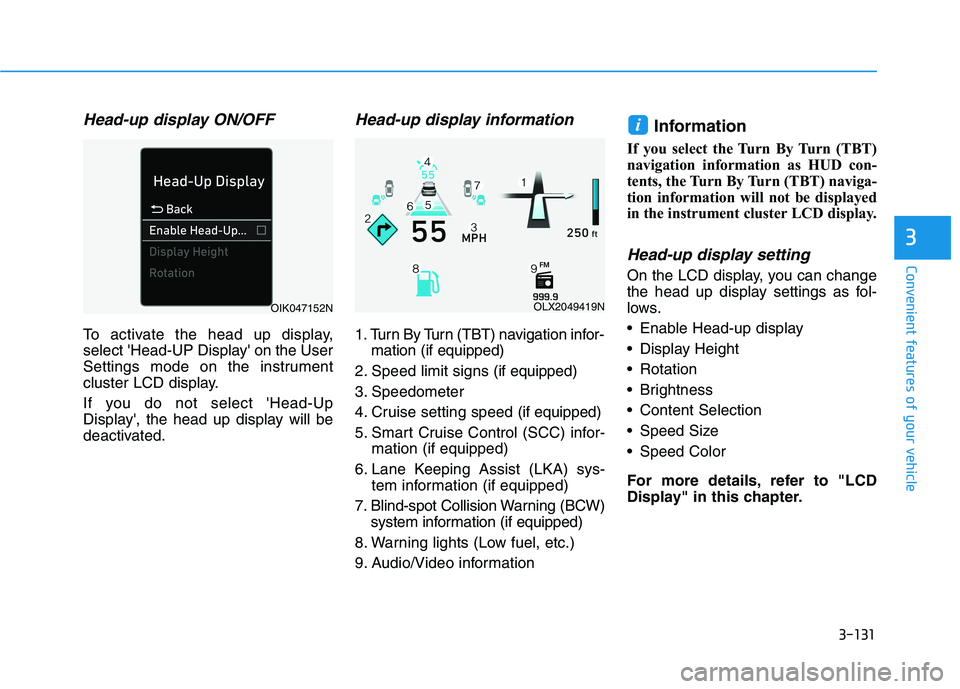
Head-up display information
1. Turn By Turn (TBT) navigation infor-
mation (if equipped)
2. Speed limit signs (if equipped)
3. Speedometer
4. Cruise setting speed (if equipped)
5. Smart Cruise Control (SCC) infor-
mation (if equipped)
6. Lane Keeping Assist (LKA) sys-
tem information (if equipped)
7. Blind-spot Collision Warning (BCW)
system information (if equipped)
8. Warning lights (Low fuel, etc.)
9. Audio/Video information
Information
If you select the Turn By Turn (TBT)
navigation information as HUD con-
tents, the Turn By Turn (TBT) naviga-
tion information will not be displayed
in the instrument cluster LCD display.
Head-up display setting
On the LCD display, you can change
the head up display settings as fol-
lows.
Enable Head-up display
Display Height
Rotation
Brightness
Content Selection
Speed Size
Speed Color
For more details, refer to "LCD
Display" in this chapter.
i
OLX2049419NOIK047152N
Page 311 of 612
5
Blind-Spot Collision Warning/
Blind-Spot Collision-Avoidance Assist .............5-78
System Description .........................................................5-78
System Setting and Operation .....................................5-79
Warning and System Control .......................................5-82
Detecting Sensor (Camera and Radar) ......................5-84
Limitations of the System .............................................5-87
Declaration of conformity .................................5-92
The radio frequency components
(Rear Corner Radar) complies: ....................................5-92
Rear Cross-Traffic Collision Warning (RCCW)/
Rear Cross-Traffic Collision-Avoidance Assist
(RCCA) ...................................................................5-93
System Description .........................................................5-93
System Setting and Operation .....................................5-94
Warning and System Control .......................................5-96
Detecting Sensor .............................................................5-99
Limitations of the System...........................................5-100
Lane Following Assist (LFA) system ...............5-104
LFA Setting and Operation .........................................5-105
Warning Message .........................................................5-106
Limitations of the System...........................................5-108
Lane Keeping Assist (LKA) system .................5-110
LKA System Operation.................................................5-111
Warning Light and Message ......................................5-113
Limitations of the System...........................................5-115
LKA System Function Change ...................................5-117
Driver Attention Warning (DAW) system .......5-118
System Setting and Operation...................................5-118
Resetting the System ...................................................5-119
System Standby.............................................................5-120
System Malfunction .....................................................5-120
Highway Driving Assist (HDA) system ............5-122
System Setting and Operation...................................5-122
Warning Message .........................................................5-125
Smart Cruise Control With Stop &
Go System ...........................................................5-129
Smart Cruise Control Switch ......................................5-130
Adjusting the Sensitivity of Smart Cruise
Control .............................................................................5-130
To Convert to Cruise Control Mode .........................5-131
Smart Cruise Control Speed .......................................5-132
Smart Cruise Control Vehicle-to-Vehicle
Distance ...........................................................................5-136
Sensor to Detect Distance to the
Vehicle Ahead ................................................................5-139
Limitations of the System...........................................5-141
Page 339 of 612
5-30
Driving your vehicle
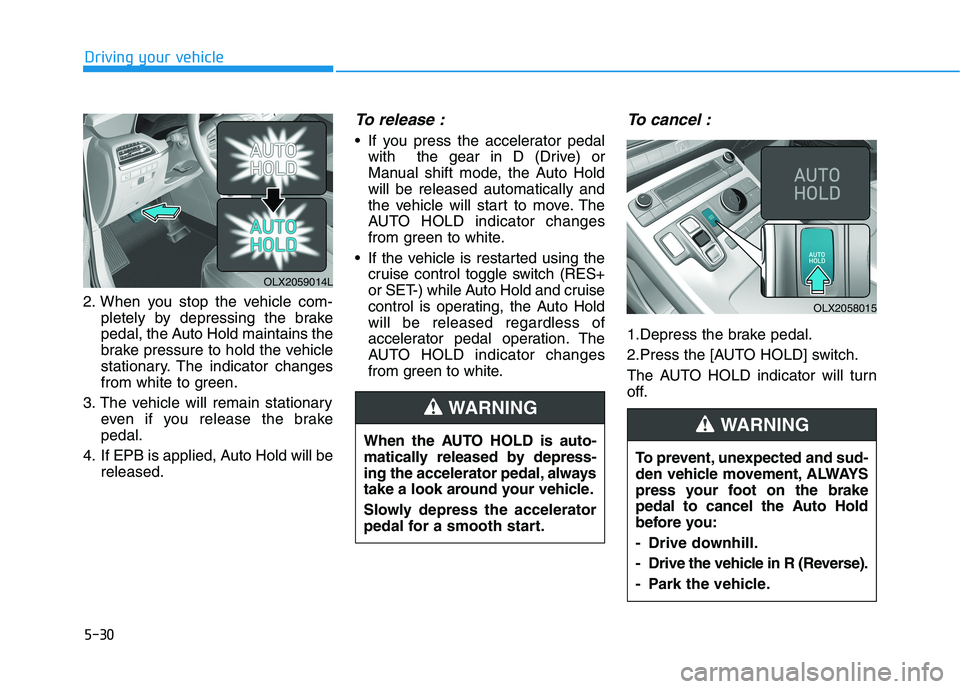
2. When you stop the vehicle com-
pletely by depressing the brake
pedal, the Auto Hold maintains the
brake pressure to hold the vehicle
stationary. The indicator changes
from white to green.
3. The vehicle will remain stationary
even if you release the brake
pedal.
4. If EPB is applied, Auto Hold will be
released.
To release :
If you press the accelerator pedal
with the gear in D (Drive) or
Manual shift mode, the Auto Hold
will be released automatically and
the vehicle will start to move. The
AUTO HOLD indicator changes
from green to white.
If the vehicle is restarted using the
cruise control toggle switch (RES+
or SET-) while Auto Hold and cruise
control is operating, the Auto Hold
will be released regardless of
accelerator pedal operation. The
AUTO HOLD indicator changes
from green to white.
To cancel :
1.Depress the brake pedal.
2.Press the [AUTO HOLD] switch.
The AUTO HOLD indicator will turn
off.
When the AUTO HOLD is auto-
matically released by depress-
ing the accelerator pedal, always
take a look around your vehicle.
Slowly depress the accelerator
pedal for a smooth start.
WARNING
OLX2059014L
To prevent, unexpected and sud-
den vehicle movement, ALWAYS
press your foot on the brake
pedal to cancel the Auto Hold
before you:
- Drive downhill.
- Drive the vehicle in R (Reverse).
- Park the vehicle.
WARNING
OLX2058015
Page 345 of 612
5-36
Driving your vehicle
When operating
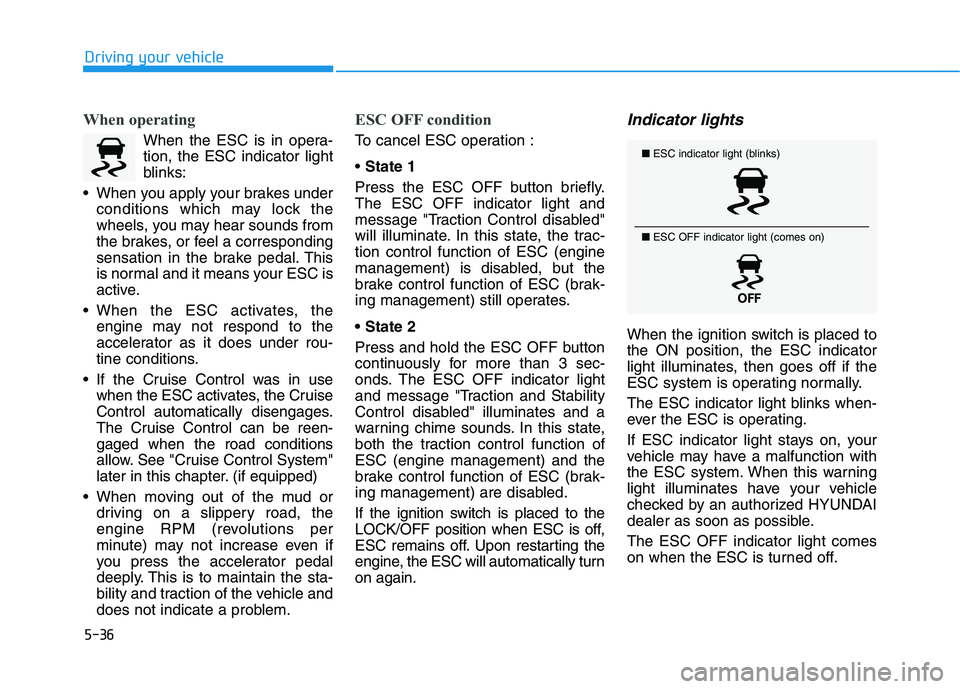
When the ESC is in opera-
tion, the ESC indicator light
blinks:
When you apply your brakes under
conditions which may lock the
wheels, you may hear sounds from
the brakes, or feel a corresponding
sensation in the brake pedal. This
is normal and it means your ESC is
active.
When the ESC activates, the
engine may not respond to the
accelerator as it does under rou-
tine conditions.
If the Cruise Control was in use
when the ESC activates, the Cruise
Control automatically disengages.
The Cruise Control can be reen-
gaged when the road conditions
allow. See "Cruise Control System"
later in this chapter. (if equipped)
When moving out of the mud or
driving on a slippery road, the
engine RPM (revolutions per
minute) may not increase even if
you press the accelerator pedal
deeply. This is to maintain the sta-
bility and traction of the vehicle and
does not indicate a problem.
ESC OFF condition
To cancel ESC operation :
State 1
Press the ESC OFF button briefly.
The ESC OFF indicator light and
message "Traction Control disabled"
will illuminate. In this state, the trac-
tion control function of ESC (engine
management) is disabled, but the
brake control function of ESC (brak-
ing management) still operates.
Press and hold the ESC OFF button
continuously for more than 3 sec-
onds. The ESC OFF indicator light
and message "Traction and Stability
Control disabled" illuminates and a
warning chime sounds. In this state,
both the traction control function of
ESC (engine management) and the
brake control function of ESC (brak-
ing management) are disabled.
If the ignition switch is placed to the
LOCK/OFF position when ESC is off,
ESC remains off. Upon restarting the
engine, the ESC will automatically turn
on again.
Indicator lights
When the ignition switch is placed to
the ON position, the ESC indicator
light illuminates, then goes off if the
ESC system is operating normally.
The ESC indicator light blinks when-
ever the ESC is operating.
If ESC indicator light stays on, your
vehicle may have a malfunction with
the ESC system. When this warning
light illuminates have your vehicle
checked by an authorized HYUNDAI
dealer as soon as possible.
The ESC OFF indicator light comes
on when the ESC is turned off.
■ESC indicator light (blinks)
■ ESC OFF indicator light (comes on)
Page 366 of 612
5-57
Driving your vehicle
5
Limitation of SMART mode
The SMART mode may be limited in
following situations. (The OFF indica-
tor illuminates in those situations.)
The driver uses the paddle shifter
(manual shift mode) :
It deactivates SMART mode. The
vehicle drives, as the driver manu-
ally changes gear with the paddle
shifter.
The cruise control is activated :
The cruise control system may
deactivate the SMART mode when
the vehicle is controlled by the set
speed of the smart cruise control
system. (SMART mode is not
deactivated just by activating the
cruise control system.)
The transmission oil temperature is
either extremely low or extremely
high :
The SMART mode can be active in
most of the normal driving situa-
tions. However, an extremely high/
low transmission oil temperature
may temporarily deactivate the
SMART mode, because the trans-
mission condition is out of normal
operation condition.
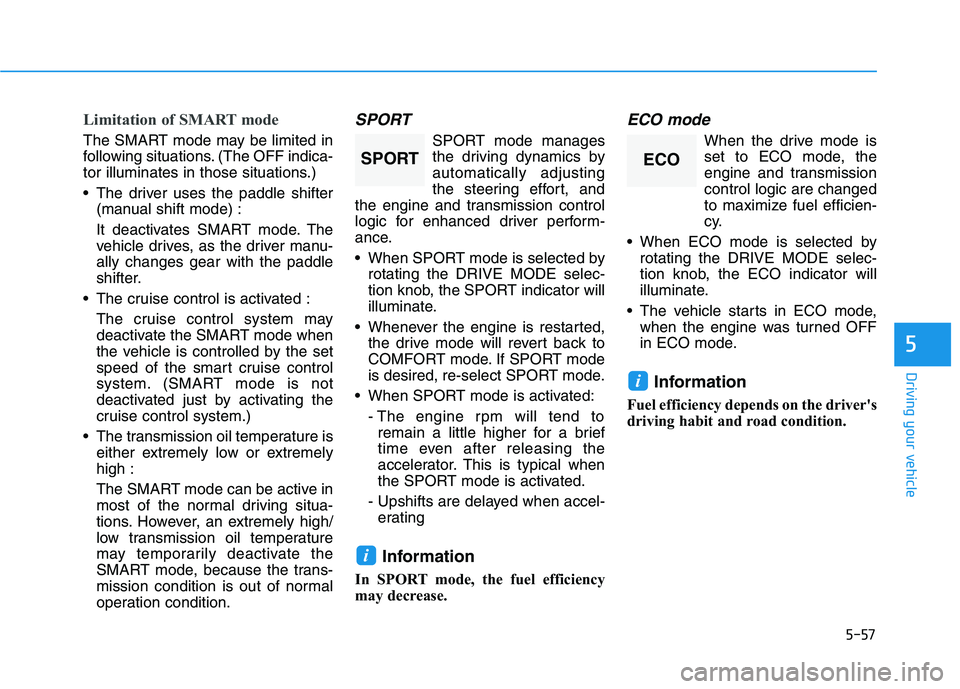
SPORT
SPORT mode manages
the driving dynamics by
automatically adjusting
the steering effort, and
the engine and transmission control
logic for enhanced driver perform-
ance.
When SPORT mode is selected by
rotating the DRIVE MODE selec-
tion knob, the SPORT indicator will
illuminate.
Whenever the engine is restarted,
the drive mode will revert back to
COMFORT mode. If SPORT mode
is desired, re-select SPORT mode.
When SPORT mode is activated:
- The engine rpm will tend to
remain a little higher for a brief
time even after releasing the
accelerator. This is typical when
the SPORT mode is activated.
- Upshifts are delayed when accel-
erating
Information
In SPORT mode, the fuel efficiency
may decrease.
ECO mode
When the drive mode is
set to ECO mode, the
engine and transmission
control logic are changed
to maximize fuel efficien-
cy.
When ECO mode is selected by
rotating the DRIVE MODE selec-
tion knob, the ECO indicator will
illuminate.
The vehicle starts in ECO mode,
when the engine was turned OFF
in ECO mode.
Information
Fuel efficiency depends on the driver's
driving habit and road condition.
i
i
SPORTECO
Page 370 of 612
5-61
Driving your vehicle
5
The driving mode automatically
changes to SMART SPORT, when
you abruptly accelerate the vehicle
or repetitively operate the steering
wheel (Your driving is categorized
to be aggressive.). In this mode,
your vehicle drives in a lower gear
for abrupt accelerating/decelerat-
ing and increases the engine brake
performance.
You may still sense the engine
braking performance, even when
you release the accelerator pedal
in SMART SPORT mode. It is
because your vehicle remains in
lower gear over a certain period of
time for next acceleration. Thus, it
is a normal driving situation, not
indicating any malfunction.
The driving mode automatically
changes to SMART SPORT mode
only in harsh driving situations. In
most of the normal driving situa-
tions, the driving mode sets to be
either in SMART ECO mode or in
SMART COMFORT mode.Limitation of SMART mode
The SMART mode may be limited in
following situations. (The OFF indica-
tor illuminates in those situations.)
The driver uses the paddle shifter
(manual shift mode) :
It deactivates SMART mode. The
vehicle drives, as the driver manu-
ally changes gear with the paddle
shifter.
The cruise control is activated :
The cruise control system may
deactivate the SMART mode when
the vehicle is controlled by the set
speed of the smart cruise control
system. (SMART mode is not
deactivated just by activating the
cruise control system.)
The transmission oil temperature is
either extremely low or extremely
high :
The SMART mode can be active in
most of the normal driving situa-
tions. However, an extremely high/
low transmission oil temperature
may temporarily deactivate the
SMART mode, because the trans-
mission condition is out of normal
operation condition.
SPORT
SPORT mode manages
the driving dynamics by
automatically adjusting
the steering effort, and
the engine and transmission control
logic for enhanced driver perform-
ance.
When SPORT mode is selected by
rotating the DRIVE/TERRAIN
mode selection knob, the SPORT
indicator will illuminate.
Whenever the engine is restarted,
the drive mode will revert back to
COMFORT mode. If SPORT mode
is desired, re-select SPORT mode.
When SPORT mode is activated:
- The engine rpm will tend to
remain a little higher for a brief
time even after releasing the
accelerator. This is typical when
the SPORT mode is activated.
- Upshifts are delayed when accel-
erating
Information
In SPORT mode, the fuel efficiency
may decrease.
i
SPORT
Page 414 of 612
5-105
Driving your vehicle
5
LFA Setting and Operation
System setting
With the ignition switch in the ON
position, the Lane Following Assist
can be activated by selecting 'User
settings →Driver Assistance →
Driving Assist →Lane Following
Assist' in the cluster LCD display.
Deselect the setting to turn off the
system.
If the engine is turned off then on
again, the system maintains the
last setting.
Operating conditions
Select 'Lane Following Assist' from
the Settings menu in the cluster LCD
display and satisfy the following con-
ditions for the system to operate.
- The Smart Cruise Control is oper-
ating
- Vehicle speed is lower than 95
mph (153 km/h)
When the system is activated, the
indicator ( ) on the cluster will illu-
minate. The color of the indicator will
change depending on the condition
of the LFA system.
- Green : Steering assist mode is
ON.
- White :Steering assist mode is
OFF.You may not hear a warning
sound of LFA system if the
audio volume is high.
Do not place objects on the
dashboard that reflects light
such as mirrors, white paper,
etc. This may prevent the LFA
system from functioning
properly.
Always have your hands on
the steering wheel while the
LFA system is activated.
The steering wheel is not con-
tinuously controlled so if the
vehicle speed is at a higher
rate when leaving a lane the
vehicle may not be controlled
by the system. The driver
must always follow the speed
limit when using the system.
If you attach objects to the
steering wheel, the system
may not assist steering or the
hands off alarm may not work
properly.
When you tow a trailer, make
sure that you turn off the LFA
system.