sensors HYUNDAI PALISADE 2021 User Guide
[x] Cancel search | Manufacturer: HYUNDAI, Model Year: 2021, Model line: PALISADE, Model: HYUNDAI PALISADE 2021Pages: 612, PDF Size: 33.36 MB
Page 254 of 612
3-158
Any non-factory equipment or
accessories have been installed, or
if the vehicle bumper height or sen-
sor installation has been modified.
Detecting range may decrease when:
Outside air temperature is
extremely hot or cold.
Undetectable objects smaller than
40 inches (1 m) and narrower than
6 inches (14 cm) in diameter.
The following objects may not be
recognized by the sensor:
Sharp or slim objects such as
ropes, chains or small poles.
Objects, which tend to absorb sen-
sor frequency such as clothes,
spongy material or snow.
Forward/Reverse Parking
Distance Warning system pre-
cautions
The Forward/Reverse Parking
Distance Warning system may not
operate consistently in some cir-
cumstances depending on the
speed of the vehicle and the
shapes of the objects detected.
The Forward/Reverse Parking
Distance Warning system may mal-
function if the vehicle bumper
height or sensor installation has
been modified or damaged. Any
non-factory installed equipment or
accessories may also interfere with
the sensor performance.
The sensor may not recognize
objects less than 15 inches. (40
cm) from the sensor, or it may
sense an incorrect distance. Use
caution.
When the sensor is blocked with
snow, dirt, debris, or ice, the sys-
tem may be inoperative until the
snow or ice melts, or the debris is
removed. Use a soft cloth to wipe
debris away from the sensor. Do not push, scratch or strike the
sensor with any hard objects that
could damage the surface of the
sensor. Sensor damage could occur.
Do not spray the sensors or its sur-
rounding area directly with a high
pressure washer. Doing so may
cause the sensors to fail to operate
normally.
Convenient features of your vehicle
Your new vehicle warranty does
not cover any accidents or dam-
age to the vehicle or injuries to
its occupants related to a
Forward/Reverse Parking
Distance Warning system.
Always drive safely and cau-
tiously.
WARNING
Page 362 of 612
5-53
Driving your vehicle
5
To Deactivate the ISG System
Press the ISG OFF button to deac-
tivate the ISG system. Then, the
ISG OFF button indicator illumi-
nates.
Press the ISG OFF button again to
reactivate the ISG system. Then,
the ISG OFF button indicator turns
OFF.
ISG System Malfunction
The ISG system may not operate:
When there is a malfunction with the
ISG sensors or the ISG system.
The followings occur, when there is
a malfunction with the ISG system:
The auto stop indicator ( ) will
blink in yellow on the instrument
cluster.
The light on the ISG OFF button
will illuminate.
Information
• When you cannot turn OFF the ISG
OFF button indicator by pressing the
ISG OFF button, or when the mal-
function with the ISG system per-
sists, contact an authorized
HYUNDAI dealer.
• You can turn off the ISG OFF but-
ton indicator by driving over 50
mph (80 km/h) for up to 2 hours
with the fan speed below the 2nd
position. If the ISG OFF button
indicator remains ON, contact an
authorized HYUNDAI dealer.
i
When the engine is in auto stop
mode, the engine may restart.
Before leaving the vehicle or
checking the engine compart-
ment, stop the engine placing
the ignition switch to the
LOCK/OFF position or remove
the ignition key.
WARNING
Page 372 of 612
5-63
Driving your vehicle
5
The Forward Collision-Avoidance
Assist (FCA) system is designed to
help detect and monitor the vehicle
ahead or help detect a pedestrian in
the roadway through radar signals
and camera recognition to warn the
driver that a collision is imminent,
and if necessary, apply emergency
braking.System Setting and Operation
System setting
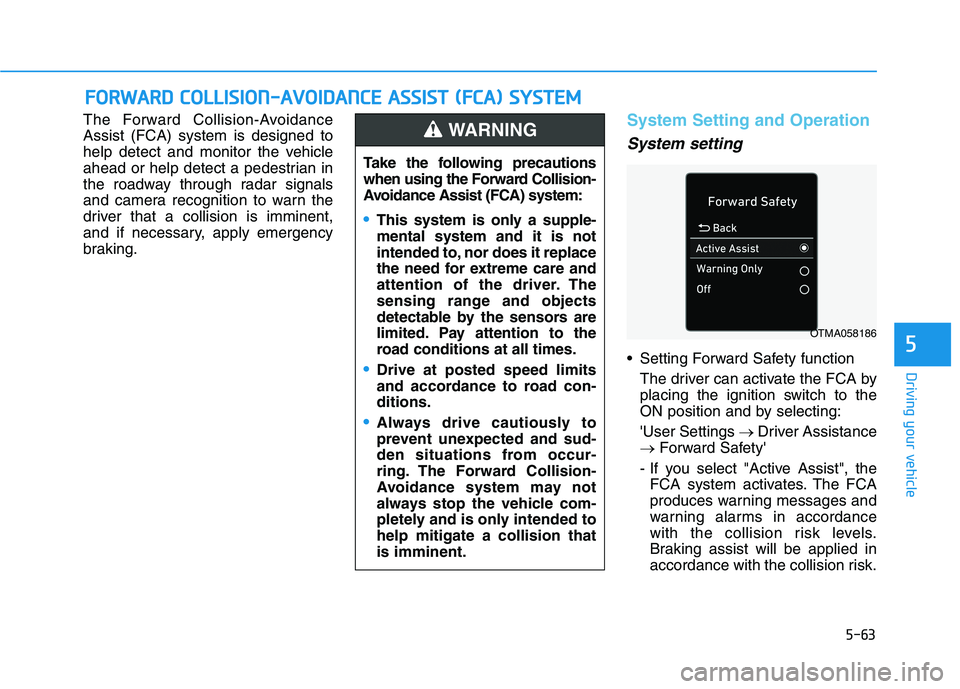
Setting Forward Safety function
The driver can activate the FCA by
placing the ignition switch to the
ON position and by selecting:
'User Settings →Driver Assistance
→Forward Safety'
- If you select "Active Assist", the
FCA system activates. The FCA
produces warning messages and
warning alarms in accordance
with the collision risk levels.
Braking assist will be applied in
accordance with the collision risk.
F FO
OR
RW
WA
AR
RD
D
C
CO
OL
LL
LI
IS
SI
IO
ON
N-
-A
AV
VO
OI
ID
DA
AN
NC
CE
E
A
AS
SS
SI
IS
ST
T
(
(F
FC
CA
A)
)
S
SY
YS
ST
TE
EM
M
Take the following precautions
when using the Forward Collision-
Avoidance Assist (FCA) system:
This system is only a supple-
mental system and it is not
intended to, nor does it replace
the need for extreme care and
attention of the driver. The
sensing range and objects
detectable by the sensors are
limited. Pay attention to the
road conditions at all times.
Drive at posted speed limits
and accordance to road con-
ditions.
Always drive cautiously to
prevent unexpected and sud-
den situations from occur-
ring. The Forward Collision-
Avoidance system may not
always stop the vehicle com-
pletely and is only intended to
help mitigate a collision that
is imminent.
WARNING
OTMA058186
Page 387 of 612
5-78
Driving your vehicle
System Description
Blind-Spot Collision Warning
(BCW)
The Blind-Spot Collision Warning
(BCW) system uses radar sensors in
the rear bumper to monitor and warn
the driver when it detects an
approaching vehicle in the driver's
blind spot area.
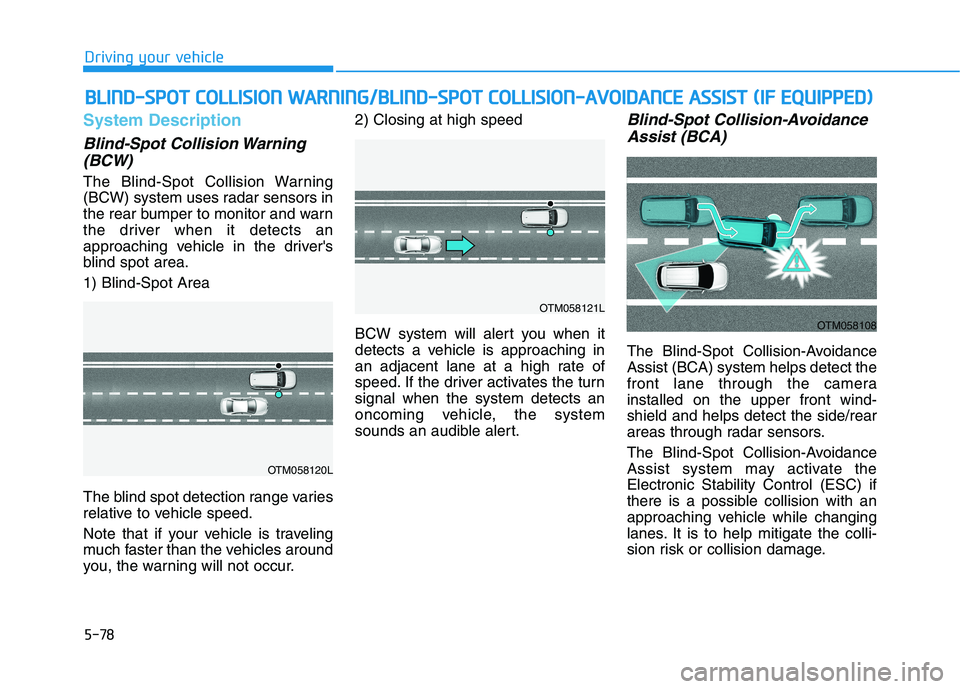
1) Blind-Spot Area
The blind spot detection range varies
relative to vehicle speed.
Note that if your vehicle is traveling
much faster than the vehicles around
you, the warning will not occur.2) Closing at high speed
BCW system will alert you when it
detects a vehicle is approaching in
an adjacent lane at a high rate of
speed. If the driver activates the turn
signal when the system detects an
oncoming vehicle, the system
sounds an audible alert.
Blind-Spot Collision-Avoidance
Assist (BCA)
The Blind-Spot Collision-Avoidance
Assist (BCA) system helps detect the
front lane through the camera
installed on the upper front wind-
shield and helps detect the side/rear
areas through radar sensors.
The Blind-Spot Collision-Avoidance
Assist system may activate the
Electronic Stability Control (ESC) if
there is a possible collision with an
approaching vehicle while changing
lanes. It is to help mitigate the colli-
sion risk or collision damage.
B BL
LI
IN
ND
D-
-S
SP
PO
OT
T
C
CO
OL
LL
LI
IS
SI
IO
ON
N
W
WA
AR
RN
NI
IN
NG
G/
/B
BL
LI
IN
ND
D-
-S
SP
PO
OT
T
C
CO
OL
LL
LI
IS
SI
IO
ON
N-
-A
AV
VO
OI
ID
DA
AN
NC
CE
E
A
AS
SS
SI
IS
ST
T
(
(I
IF
F
E
EQ
QU
UI
IP
PP
PE
ED
D)
)
OTM058120L
OTM058121L
OTM058108
Page 394 of 612
5-85
Driving your vehicle
5
Front camera
The front camera function as a sen-
sor detecting the lane. If the sensor is
covered with snow, rain or foreign
substance, the system may tem-
porarily be canceled and not work
properly. Always keep the sensor
clean.
Refer to Lane Keeping Assist (LKA)
System for cautions for the front
camera sensor.
Rear radar
The rear radars are located inside
the rear bumper for detecting the
side and rear areas. Always keep the
rear bumper clean for proper opera-
tion of the system. The system may not work prop-
erly when the bumper has been
damaged, or if the rear bumper
has been replaced or repaired.
The sensing range differs some-
what according to the width of
the road. When the road is nar-
row, the system may detect
other vehicles in the next lane.
The system may turn off if inter-
fered by strong electromagnetic
waves.
Always keep the sensors clean.
NEVER disassemble the sensor
component or apply any impact
on the sensor component.
Be careful not to apply unneces-
sary force on the radar sensor or
sensor cover. If the sensor is
forcibly moved out of proper
alignment, the system may not
operate correctly.
In this case, a warning message
may not be displayed. Have the
vehicle inspected by an author-
ized HYUNDAI dealer. Do not apply foreign objects
such as a bumper sticker or a
bumper guard near the radar
sensor or apply paint to the sen-
sor area. Doing so may adverse-
ly affect the performance of the
sensor.
NEVER install any accessories
or stickers on the front wind-
shield, or tint the front wind-
shield.
Pay extreme caution to keep the
camera sensor dry.
NEVER place any reflective
objects (i.e. white paper, mirror)
over the crash pad. Any light
reflection may prevent the sys-
tem from functioning properly.
NOTICE
Page 395 of 612
5-86
Driving your vehicle
Warning message
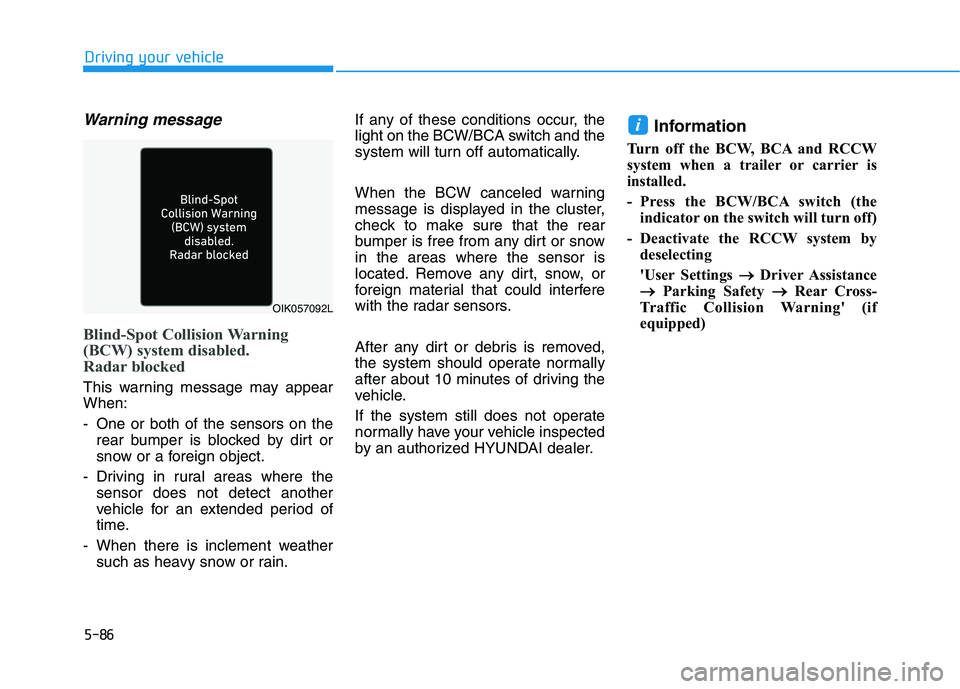
Blind-Spot Collision Warning
(BCW) system disabled.
Radar blocked
This warning message may appear
When:
- One or both of the sensors on the
rear bumper is blocked by dirt or
snow or a foreign object.
- Driving in rural areas where the
sensor does not detect another
vehicle for an extended period of
time.
- When there is inclement weather
such as heavy snow or rain.If any of these conditions occur, the
light on the BCW/BCA switch and the
system will turn off automatically.
When the BCW canceled warning
message is displayed in the cluster,
check to make sure that the rear
bumper is free from any dirt or snow
in the areas where the sensor is
located. Remove any dirt, snow, or
foreign material that could interfere
with the radar sensors.
After any dirt or debris is removed,
the system should operate normally
after about 10 minutes of driving the
vehicle.
If the system still does not operate
normally have your vehicle inspected
by an authorized HYUNDAI dealer.
Information
Turn off the BCW, BCA and RCCW
system when a trailer or carrier is
installed.
- Press the BCW/BCA switch (the
indicator on the switch will turn off)
- Deactivate the RCCW system by
deselecting
'User Settings → →
Driver Assistance
→ →
Parking Safety → →
Rear Cross-
Traffic Collision Warning' (if
equipped)
i
OIK057092L
Page 396 of 612
5-87
Driving your vehicle
5
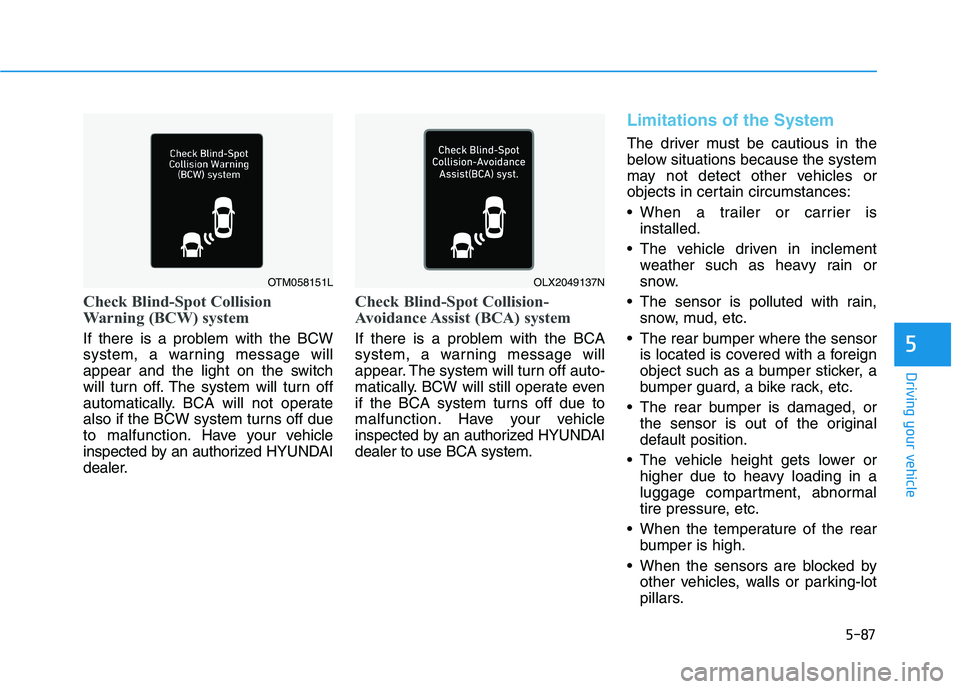
Check Blind-Spot Collision
Warning (BCW) system
If there is a problem with the BCW
system, a warning message will
appear and the light on the switch
will turn off. The system will turn off
automatically. BCA will not operate
also if the BCW system turns off due
to malfunction. Have your vehicle
inspected by an authorized HYUNDAI
dealer.
Check Blind-Spot Collision-
Avoidance Assist (BCA) system
If there is a problem with the BCA
system, a warning message will
appear. The system will turn off auto-
matically. BCW will still operate even
if the BCA system turns off due to
malfunction. Have your vehicle
inspected by an authorized HYUNDAI
dealer to use BCA system.
Limitations of the System
The driver must be cautious in the
below situations because the system
may not detect other vehicles or
objects in certain circumstances:
When a trailer or carrier is
installed.
The vehicle driven in inclement
weather such as heavy rain or
snow.
The sensor is polluted with rain,
snow, mud, etc.
The rear bumper where the sensor
is located is covered with a foreign
object such as a bumper sticker, a
bumper guard, a bike rack, etc.
The rear bumper is damaged, or
the sensor is out of the original
default position.
The vehicle height gets lower or
higher due to heavy loading in a
luggage compartment, abnormal
tire pressure, etc.
When the temperature of the rear
bumper is high.
When the sensors are blocked by
other vehicles, walls or parking-lot
pillars.
OTM058151LOLX2049137N
Page 402 of 612
5-93
Driving your vehicle
5
System Description
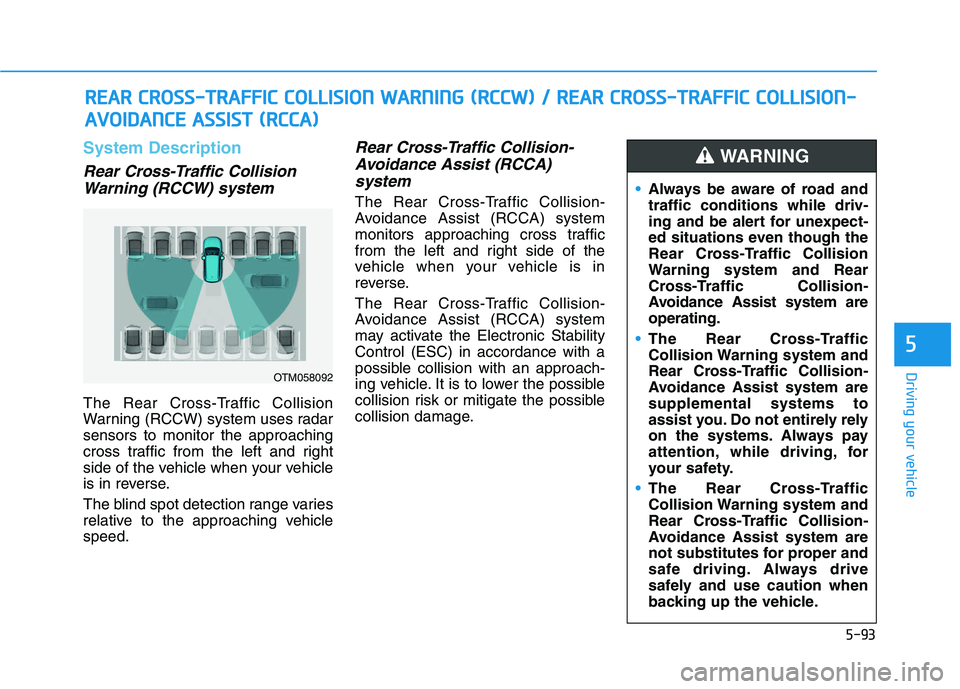
Rear Cross-Traffic Collision
Warning (RCCW) system
The Rear Cross-Traffic Collision
Warning (RCCW) system uses radar
sensors to monitor the approaching
cross traffic from the left and right
side of the vehicle when your vehicle
is in reverse.
The blind spot detection range varies
relative to the approaching vehicle
speed.
Rear Cross-Traffic Collision-
Avoidance Assist (RCCA)
system
The Rear Cross-Traffic Collision-
Avoidance Assist (RCCA) system
monitors approaching cross traffic
from the left and right side of the
vehicle when your vehicle is in
reverse.
The Rear Cross-Traffic Collision-
Avoidance Assist (RCCA) system
may activate the Electronic Stability
Control (ESC) in accordance with a
possible collision with an approach-
ing vehicle. It is to lower the possible
collision risk or mitigate the possible
collision damage.
R RE
EA
AR
R
C
CR
RO
OS
SS
S-
-T
TR
RA
AF
FF
FI
IC
C
C
CO
OL
LL
LI
IS
SI
IO
ON
N
W
WA
AR
RN
NI
IN
NG
G
(
(R
RC
CC
CW
W)
)
/
/
R
RE
EA
AR
R
C
CR
RO
OS
SS
S-
-T
TR
RA
AF
FF
FI
IC
C
C
CO
OL
LL
LI
IS
SI
IO
ON
N-
-
A AV
VO
OI
ID
DA
AN
NC
CE
E
A
AS
SS
SI
IS
ST
T
(
(R
RC
CC
CA
A)
)
OTM058092
Always be aware of road and
traffic conditions while driv-
ing and be alert for unexpect-
ed situations even though the
Rear Cross-Traffic Collision
Warning system and Rear
Cross-Traffic Collision-
Avoidance Assist system are
operating.
The Rear Cross-Traffic
Collision Warning system and
Rear Cross-Traffic Collision-
Avoidance Assist system are
supplemental systems to
assist you. Do not entirely rely
on the systems. Always pay
attention, while driving, for
your safety.
The Rear Cross-Traffic
Collision Warning system and
Rear Cross-Traffic Collision-
Avoidance Assist system are
not substitutes for proper and
safe driving. Always drive
safely and use caution when
backing up the vehicle.
WARNING
Page 405 of 612
5-96
Driving your vehicle
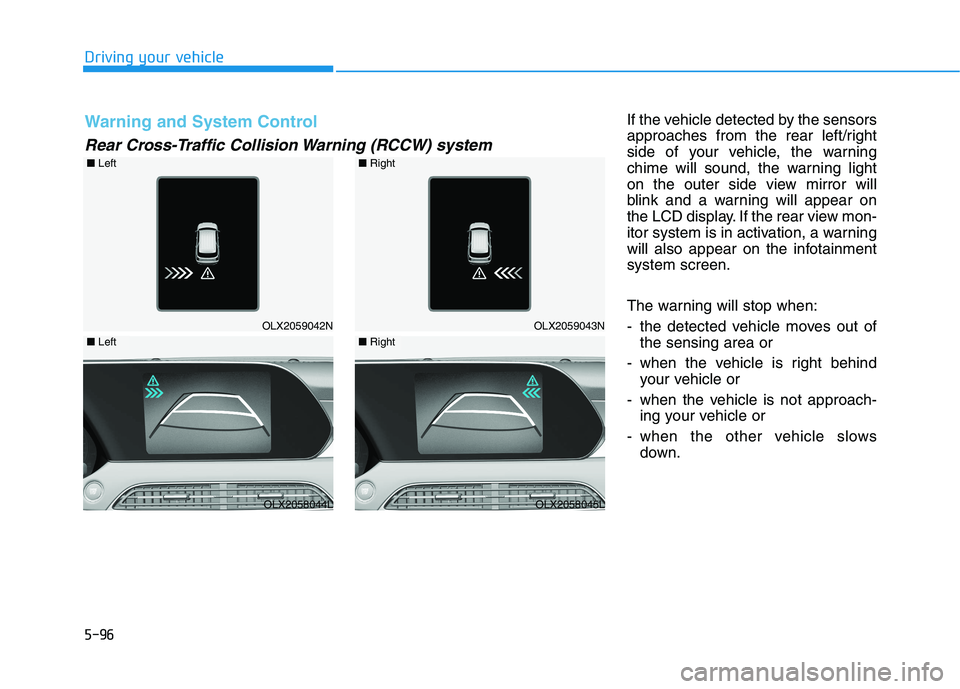
If the vehicle detected by the sensors
approaches from the rear left/right
side of your vehicle, the warning
chime will sound, the warning light
on the outer side view mirror will
blink and a warning will appear on
the LCD display. If the rear view mon-
itor system is in activation, a warning
will also appear on the infotainment
system screen.
The warning will stop when:
- the detected vehicle moves out of
the sensing area or
- when the vehicle is right behind
your vehicle or
- when the vehicle is not approach-
ing your vehicle or
- when the other vehicle slows
down.
OLX2059042N
■Left
OLX2058044L
Warning and System Control
Rear Cross-Traffic Collision Warning (RCCW) system
■Left
OLX2059043N
■Right
OLX2058045L
■Right
Page 408 of 612
5-99
Driving your vehicle
5
Detecting Sensor
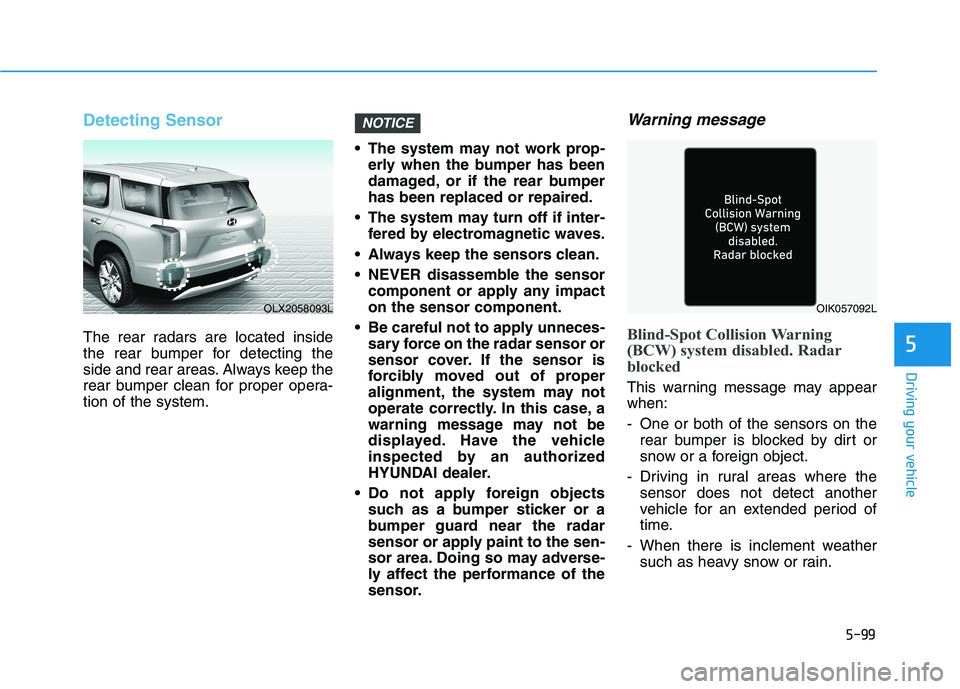
The rear radars are located inside
the rear bumper for detecting the
side and rear areas. Always keep the
rear bumper clean for proper opera-
tion of the system. The system may not work prop-
erly when the bumper has been
damaged, or if the rear bumper
has been replaced or repaired.
The system may turn off if inter-
fered by electromagnetic waves.
Always keep the sensors clean.
NEVER disassemble the sensor
component or apply any impact
on the sensor component.
Be careful not to apply unneces-
sary force on the radar sensor or
sensor cover. If the sensor is
forcibly moved out of proper
alignment, the system may not
operate correctly. In this case, a
warning message may not be
displayed. Have the vehicle
inspected by an authorized
HYUNDAI dealer.
Do not apply foreign objects
such as a bumper sticker or a
bumper guard near the radar
sensor or apply paint to the sen-
sor area. Doing so may adverse-
ly affect the performance of the
sensor.
Warning message
Blind-Spot Collision Warning
(BCW) system disabled. Radar
blocked
This warning message may appear
when:
- One or both of the sensors on the
rear bumper is blocked by dirt or
snow or a foreign object.
- Driving in rural areas where the
sensor does not detect another
vehicle for an extended period of
time.
- When there is inclement weather
such as heavy snow or rain.
NOTICE
OLX2058093LOIK057092L